

CAN-SPAM Act Unsubscribe Rules: What the Law Requires in 2026
A sales rep posted on r/sales last month: "My company doesn't have an unsubscribe link on our outbound emails. Are we cooked?" The top reply was blunt - "Yes." The second reply did the math on per-email penalties. The thread got ugly fast.
Most CAN-SPAM guides rehash the same FTC bullet points and call it a day. That's dangerous, because the law is the floor. Google and Yahoo's bulk sender rules are the practical ceiling - and they're stricter. We'll cover both, plus the technical implementation details that actually keep your emails landing in inboxes.
What You Need (Quick Version)
Five non-negotiable unsubscribe requirements under CAN-SPAM:
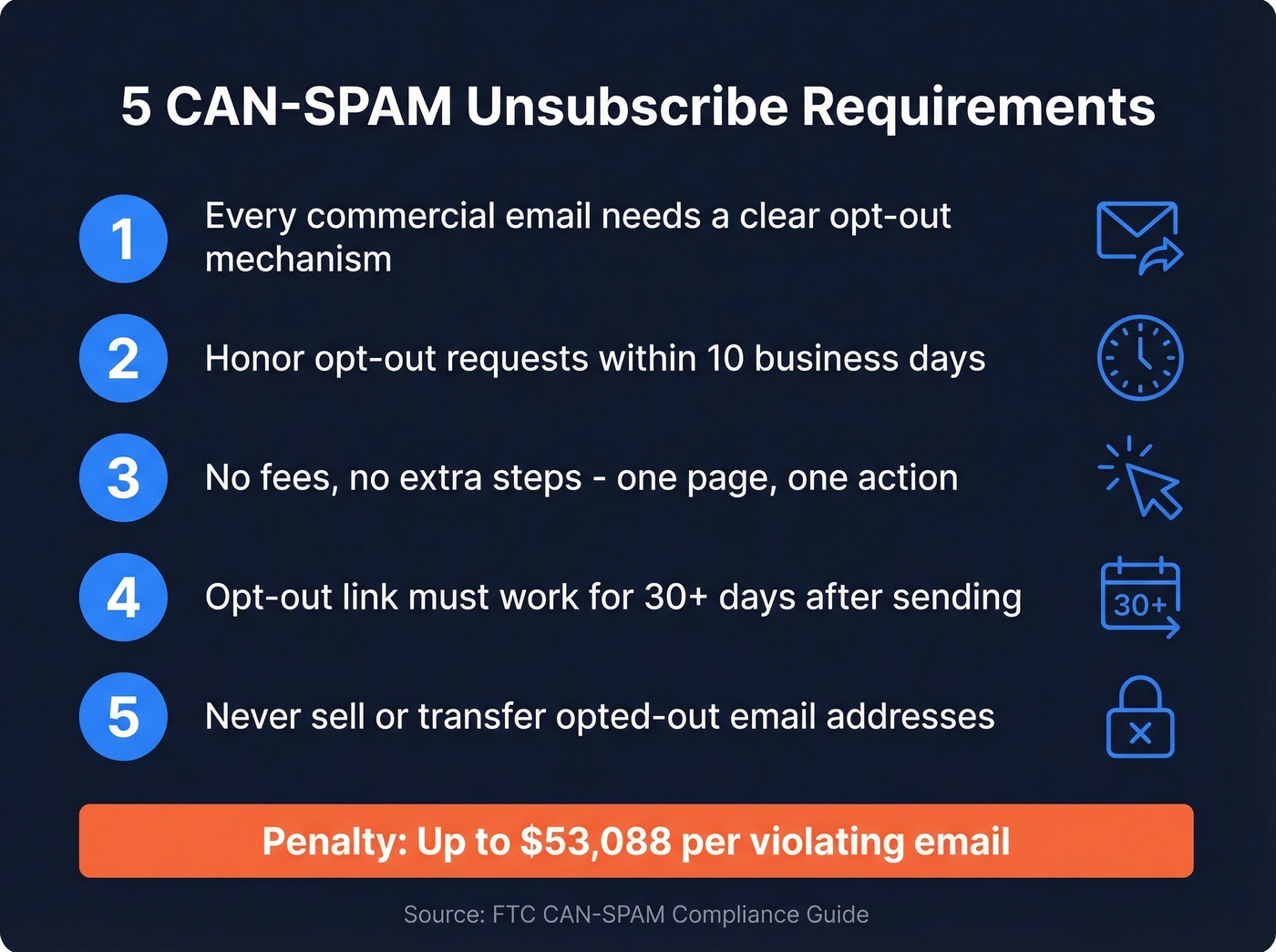
- Every commercial email needs a clear opt-out mechanism. No exceptions, including B2B.
- You have 10 business days to honor opt-out requests. But mailbox providers expect 2 days.
- No fees, no extra steps. Recipients can't be required to do anything beyond replying or visiting a single web page.
- Your opt-out link must work for at least 30 days after the message is sent.
- You can't sell or transfer opted-out email addresses - the only exception being a compliance vendor.
The penalty ceiling? Up to $53,088 per violating email. Multiply that by your send volume and the numbers get terrifying fast.
Here's the thing most compliance articles won't tell you: CAN-SPAM is the legal minimum, and if you're only aiming for that baseline, you're already behind. Google and Yahoo's bulk sender rules require one-click unsubscribe, 2-day processing, and complaint rates below 0.1%. The real risk in 2026 isn't a lawsuit - it's deliverability death.
What the Law Requires for Opt-Out Mechanisms
CAN-SPAM covers all commercial email - not just newsletters, not just consumer marketing. If the primary purpose of your message is advertising or promotion, the law applies. That includes B2B cold outreach, which catches a lot of sales teams off guard.
The FTC's compliance guide lays out the full requirements. Your opt-out mechanism must be "clear and conspicuous," meaning the recipient shouldn't have to hunt for it. You can offer a menu of message types, but you must include the option to stop all marketing messages. Beyond the unsubscribe link itself, every commercial email needs a valid physical postal address. And after someone opts out, you can't sell or transfer their address to anyone - the only exception is a vendor you've hired specifically to help you comply.
One detail that trips up smaller teams: the opt-out mechanism must remain functional for at least 30 days after sending. If you're using a link that expires, rotates, or breaks after a few weeks, you're in violation.
One-Click Rules and Preference Centers
What "Single Web Page" Means
16 C.F.R. § 316.5 is explicit: you can't require recipients to take any steps beyond sending a reply email or visiting a single web page to opt out. One page. One action.
Login-gated unsubscribes are a violation. Full stop. It's 2026 and brands are still making you log in to unsubscribe from emails you never signed up for. If your unsubscribe flow requires authentication, account creation, or navigating multiple pages, you're breaking the law.
Preference Centers: Legal With One Condition
You can use a preference center that lets recipients choose which types of emails they receive. The FTC allows this. But you must include a "stop all marketing messages" option on that same page.
A compliant preference center has checkboxes for product updates, newsletters, and event invitations - plus a clearly visible "unsubscribe from all" option. A non-compliant one has the same checkboxes with no global opt-out, forcing the recipient to individually uncheck every category. We've audited preference centers for clients that had six categories, no "unsubscribe all" button, and a submit flow that required two page loads. That's three separate violations in one flow.
Transactional vs. Commercial Email
The FTC uses a "primary purpose" test to determine whether an email is commercial or transactional. Transactional emails - order confirmations, shipping notifications, password resets, warranty information, account status updates - don't need an unsubscribe link.
But if promotional content becomes the primary purpose of the message, you're back to full compliance territory. Picture an order confirmation email where the bottom third is a "Recommended Products" carousel. Depending on how prominent that promo content is, that email can become commercial.
This isn't theoretical. The FTC settled for $650,000 with a global information services company that sent marketing emails disguised as "important information about your account." The emails looked transactional but were promotional. The FTC didn't buy it. Don't try to be clever with this distinction.
What Happens When You Violate CAN-SPAM
Enforcement is relatively rare, but when the FTC moves, it moves hard. The largest CAN-SPAM penalty the FTC has ever obtained is the $2.95 million Verkada settlement. Verkada flooded prospective customers with commercial emails without unsubscribe options, ignored opt-out requests, and left out physical addresses.
Let's do the math. At $53,088 per violating email, a 10,000-email campaign without an unsubscribe link represents $530,880,000 in theoretical exposure. Nobody's getting hit with that number, but it gives the FTC enormous leverage in settlement negotiations. The FTC, state attorneys general, and ISPs can all bring CAN-SPAM actions. There's no private right of action - individual recipients can't sue you directly. Cold comfort when the FTC comes knocking.

Bad data is the fastest path to CAN-SPAM trouble. High bounce rates trigger spam complaints, tank deliverability, and put your domain on watchlists. Prospeo's 5-step email verification delivers 98% accuracy - teams using it average under 4% bounce rates.
Stop sending to dead addresses that spike your complaint rate.
Bulk Sender Rules in 2026
Google and Yahoo - along with providers like Outlook/Microsoft that are aligning with similar standards - have bulk sender requirements that go well beyond CAN-SPAM. If you send 5,000+ emails per day, these rules apply, and they're the ones that actually determine whether your emails reach inboxes.
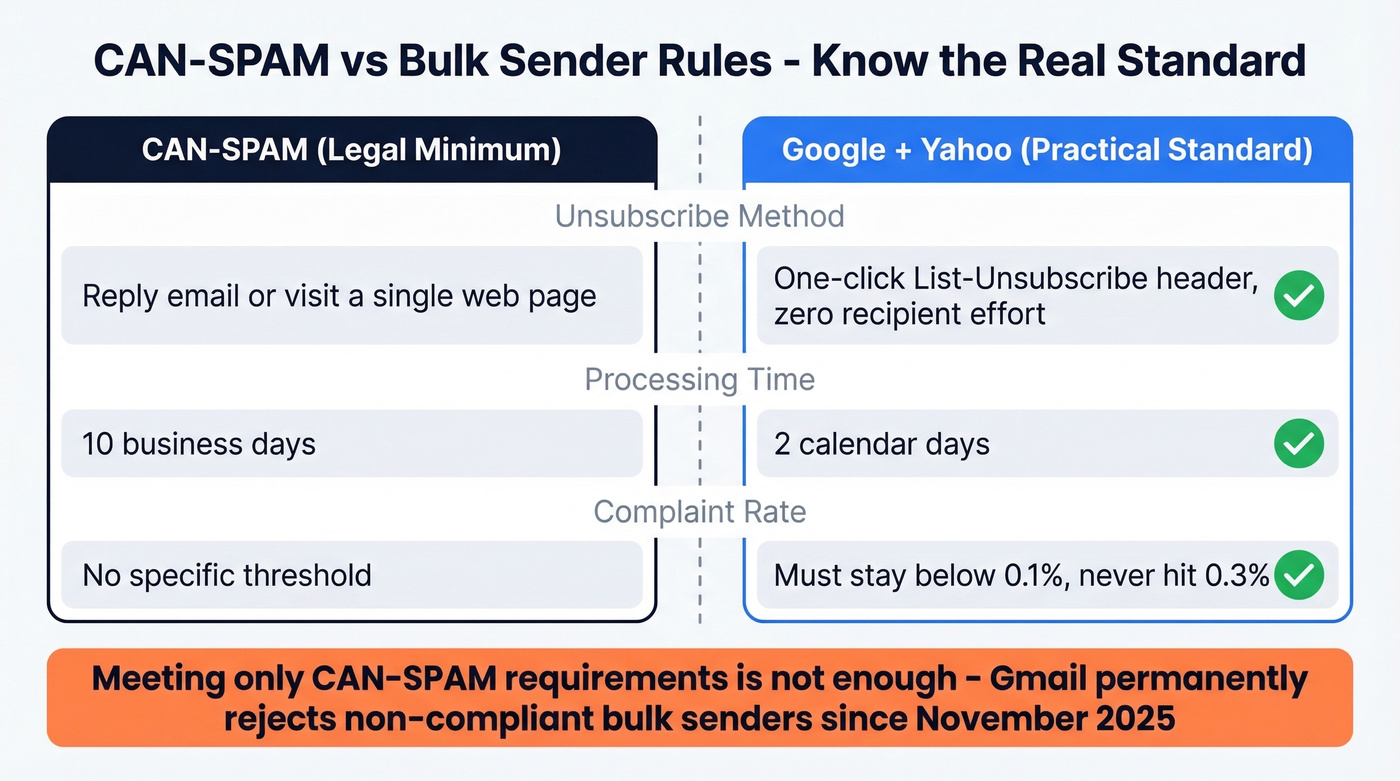
The key differences from CAN-SPAM's opt-out rules:
- One-click unsubscribe required. Not just "visit a single web page" - mailbox providers want a List-Unsubscribe header that processes the opt-out with zero recipient effort.
- 2-day processing window. CAN-SPAM gives you 10 business days. Google and Yahoo expect 2 calendar days. Most ESPs suppress immediately.
- Complaint rate thresholds. Keep your spam complaint rate below 0.1%. Never let it hit 0.3%, or you'll face permanent delivery rejections.
The timeline tells the story: initial enforcement started February 2024, stricter rules rolled out April 2024, and starting November 2025, Gmail began permanently rejecting non-compliant bulk senders. In our experience, the companies that get burned aren't the ones who ignore CAN-SPAM entirely - they're the ones who hit the legal minimum and assume they're safe. If you're taking more than 24 hours to process an unsubscribe in 2026, you're asking for delivery problems.
Easy unsubscribes actually improve your metrics. When people can cleanly opt out instead of hitting the spam button, your complaint rate drops, your engagement rate rises, and your sender reputation stays intact. Fighting unsubscribes is fighting your own deliverability.
How to Implement One-Click Unsubscribe
List-Unsubscribe Headers (RFC 8058)
The technical standard behind one-click unsubscribe is RFC 8058. You need two headers in your email:
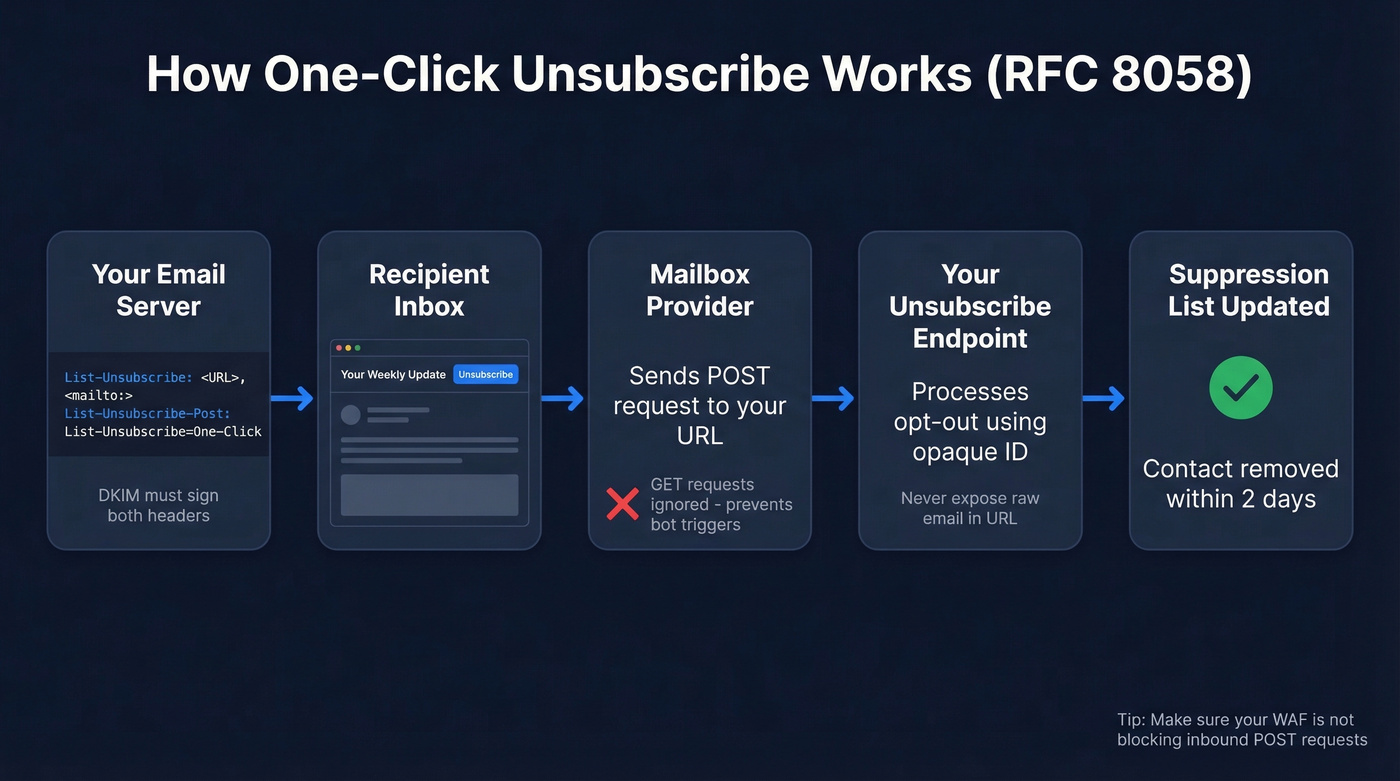
List-Unsubscribe: <https://example.com/unsubscribe?id=unique-opaque-id>, <mailto:unsub@example.com?subject=unsubscribe>

List-Unsubscribe-Post: List-Unsubscribe=One-Click
Include both the URL and mailto methods. The URL method handles the one-click flow - when a recipient clicks "Unsubscribe" in Gmail or Yahoo, the mailbox provider sends a POST request to your URL. The mailto method serves as a fallback for older clients.
Two implementation details that matter: your endpoint should only process POST requests, not GET. A GET visit shouldn't trigger the unsubscribe - that prevents accidental opt-outs from link scanners and security bots that pre-fetch URLs. Use an opaque identifier in the URL rather than the raw email address to avoid exposing PII in server logs.
DKIM Signing Gotcha
Your DKIM signature must cover both the List-Unsubscribe and List-Unsubscribe-Post headers. If it doesn't, mailbox providers will ignore your unsubscribe headers entirely.
We've seen teams lose weeks debugging this. It was a known issue with PHPMailer and OpenDKIM setups through 2024-2025, where List-Unsubscribe-Post wasn't reliably included in the DKIM signature. If you're running custom sending infrastructure, verify that both headers appear in your h= tag. Most managed ESPs handle this automatically, but if you've built your own stack, test it. Also make sure your own security tools aren't blocking inbound unsubscribe POST requests to your endpoint - we've watched a team spend two sprints troubleshooting what turned out to be their WAF silently dropping the requests.
If you're running authentication in-house, it's also worth double-checking your DKIM signature before you scale volume.
Common Unsubscribe Mistakes
- No opt-out link at all. The most basic violation, and the one that got Verkada a $2.95M fine.
- Ignoring unsubscribe requests. Processing must happen within 10 business days legally, and within 2 days for bulk sender rules.
- Login-gated unsubscribes. Requiring authentication to opt out violates 16 C.F.R. § 316.5.
- Charging a fee to unsubscribe. Illegal under CAN-SPAM. Yes, some companies have tried this.
- Requiring extra personal information. You can't ask for anything beyond an email address to process an opt-out.
- Broken unsubscribe links. If your link 404s or times out, you're in violation - and your complaint rate spikes because frustrated recipients hit the spam button instead.
- Selling opted-out addresses. Once someone unsubscribes, their address is off-limits for transfer or sale.
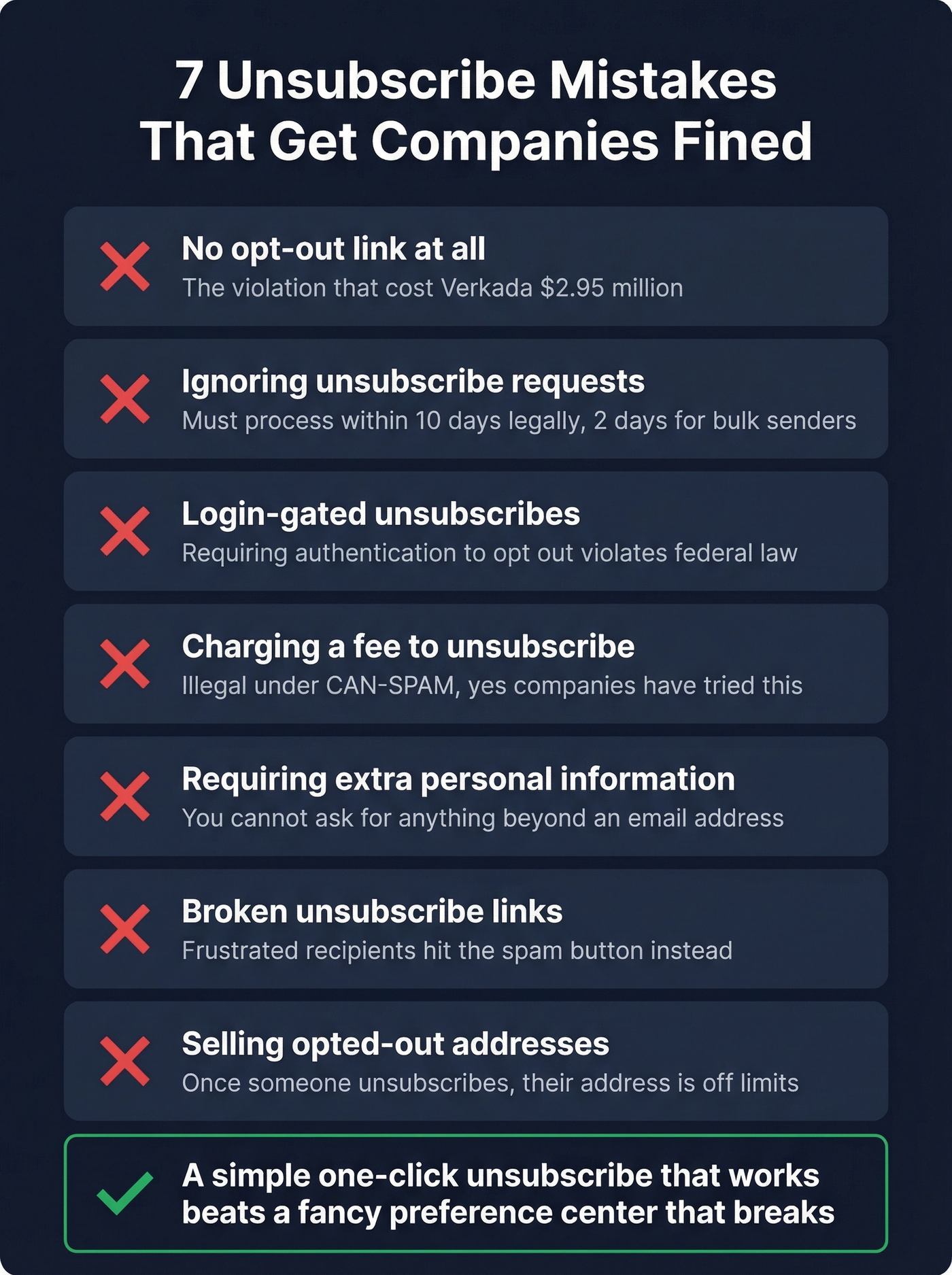
Skip the preference center entirely if you don't have the engineering resources to maintain it properly. A simple one-click unsubscribe that works is infinitely better than a fancy preference center that breaks.
CAN-SPAM vs. GDPR vs. CASL
| CAN-SPAM | GDPR | CASL | |
|---|---|---|---|
| Consent model | Opt-out | Opt-in (explicit) | Opt-in (express/implied) |
| Unsub timing | 10 business days | Without undue delay | 10 business days |
| Max penalty | $53,088/email | EUR 20M or 4% revenue | $10M CAD/violation |
| Private lawsuit | No | Yes | Yes |
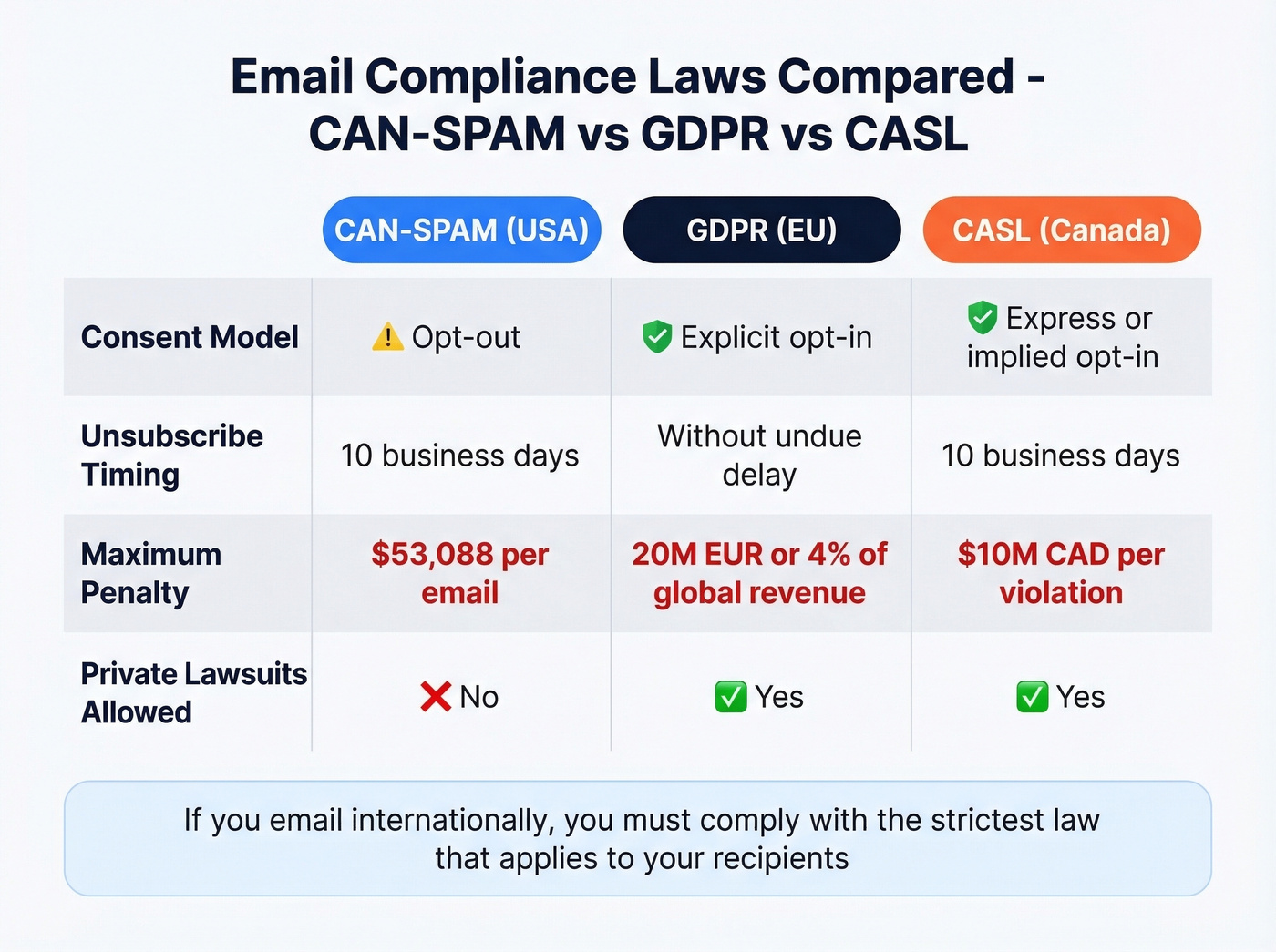
If you email internationally, CAN-SPAM compliance alone isn't enough. GDPR requires explicit consent before you send the first email - there's no "send until they opt out" model in the EU. CASL sits somewhere in between, allowing implied consent in limited circumstances. For global senders, build for the strictest standard and work backward.
If you're building outbound at scale, align your compliance with your cold email marketing playbook, not just legal checklists.
Clean Data as Compliance Infrastructure
The most overlooked CAN-SPAM risk isn't a missing unsubscribe link - it's sending to addresses that don't exist. When you email invalid or stale addresses, those messages bounce. Bounced emails can't unsubscribe. Opt-out requests never arrive, complaint rates inflate, and you're accumulating compliance exposure without realizing it.
Prospeo's 5-step email verification catches invalid addresses, spam traps, and honeypots before they enter your send list. With 98% email accuracy and a 7-day data refresh cycle, you're closing the compliance gap that most teams don't even know exists. Verify your list before every campaign, not after bounces start piling up.
If you're seeing bounces creep up, start with your email bounce rate and fix the list before you touch copy.

Keeping complaint rates below 0.1% is impossible when your contact data is stale. Prospeo refreshes every record on a 7-day cycle - 6x faster than the industry average - so you're never emailing outdated addresses that generate bounces and spam reports.
Fresh data every 7 days keeps your sender reputation bulletproof.
If deliverability is the real constraint, treat it like an ops problem: monitor, test, and continuously improve sender reputation as volume grows.
For teams doing outbound prospecting, it also helps to set guardrails around email velocity so you don’t trigger provider filters while you scale.
And if you're trying to avoid the "buy a list and blast it" trap entirely, read our breakdown on Is It Illegal to Buy Email Lists?.
FAQ
Does CAN-SPAM apply to B2B emails?
Yes. CAN-SPAM covers all commercial email regardless of whether the recipient is a consumer or business. B2B cold outreach needs an unsubscribe mechanism, a physical address, and truthful headers - no exemptions.
Can I use a preference center instead of a full unsubscribe?
Yes, but you must include the option to stop all marketing emails on that same page. A preference center without a clearly visible "unsubscribe from all" option violates CAN-SPAM.
How fast do I need to process unsubscribe requests?
CAN-SPAM allows 10 business days, but Google and Yahoo require 2-day processing for bulk senders sending 5,000+ emails/day. Most modern ESPs suppress immediately. Aim for under 24 hours to protect deliverability.
What's the penalty for missing an unsubscribe link?
Up to $53,088 per violating email. Verkada paid $2.95 million - the largest CAN-SPAM penalty the FTC has ever obtained - for sending emails without opt-out options.
How does bad email data create compliance risk?
Sending to invalid addresses means recipients never receive your email and can't unsubscribe. This inflates complaint rates and creates invisible compliance exposure. Verifying your list with a tool like Prospeo before each campaign eliminates invalid contacts, spam traps, and honeypots before they cause problems.