

Free Cold Email Software: What $0 Actually Gets You in 2026
Every "free cold email software" list includes tools that cost $59/mo after a 7-day trial. That's not free - that's a demo with a countdown timer.
We signed up for every free plan on this list, and here's what we learned: stop looking for a free sending tool. Start looking for free email verification. Your sender is only as good as the contacts you feed it, and bad data will torch your domain faster than any free plan can save it. Tools like Brevo and MailerLite offer generous free plans, but they're built for newsletter marketing - they'll ban you for sending unsolicited emails. The tools below are built for cold outreach.
Our Picks (TL;DR)
| Need | Pick | Why |
|---|---|---|
| Verified emails at $0 | Prospeo | 75 free verified emails/mo + Chrome extension |
| Sending from Gmail at $0 | GMass | 50 emails/day on free trial, all features |
| Scaling past free | Instantly | $30-37/mo for 5,000 emails + unlimited warmup |
Free Cold Email Tools Compared
Here's what "$0" actually means across the tools worth considering:
| Tool | Free Sends/Mo | Contacts | Verification | True Free? |
|---|---|---|---|---|
| Prospeo | N/A (data tool) | 75 emails + 100 ext. credits | Built-in | Forever |
| GMass | ~1,500 (50/day) | Unlimited | No | Trial only |
| Instantly | ~100 | 1,000 upload | No | Limited |
| Apollo | - | 50-100 credits | No | Limited |
| Saleshandy | 6,000 (Starter trial) | 2,000 | 1,000 credits (one-time) | 7-day trial |
| Smartlead | Trial only | Trial only | No | 14-day trial |
| Lemlist | Trial only | Trial only | No | 14-day trial |
The Best Free Options for Cold Email
Prospeo - Verified Emails Before You Send
Your sending tool doesn't matter if half your list bounces. Prospeo solves the problem that actually kills beginner cold email campaigns: bad data.
The free tier gives you 75 verified emails and 100 Chrome extension credits every month - forever, no credit card. The 98% email accuracy comes from a proprietary 5-step verification process that catches bad addresses other tools miss, including risky catch-all domains and known spam traps. Data refreshes every 7 days, which matters because people change jobs constantly and stale emails bounce.
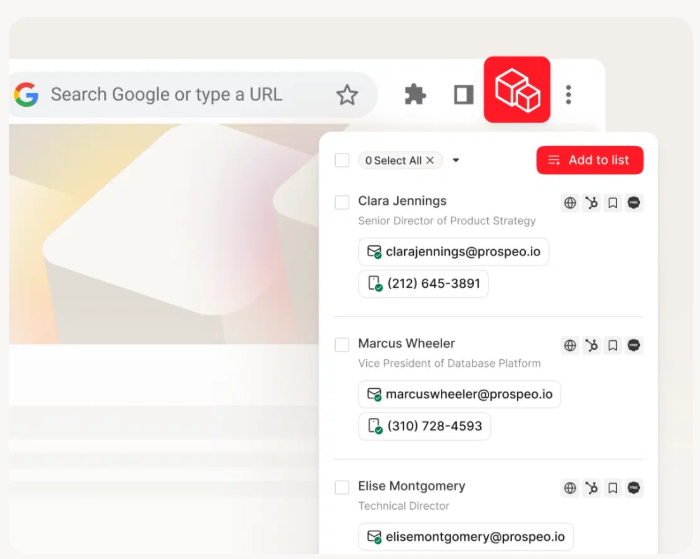
The Chrome extension (40,000+ users) pulls verified contacts from professional profiles and company websites in one click. It integrates natively with Instantly, Smartlead, and Lemlist, so verified data flows straight into your sending tool. If you outgrow the free tier, paid plans run about $0.01/email - making it one of the most affordable options for scaling.
GMass - Gmail-Native Sending
Use this if you live in Gmail and want to send your first cold emails today.
Skip this if you need warmup, multi-inbox rotation, or plan to scale past 50 sends/day.
GMass runs inside Gmail as a Chrome extension. The free trial unlocks every feature - mail merge, automatic follow-ups, reply tracking, A/B testing, and its Spam Solver deliverability tool - capped at 50 emails per day. That's genuinely useful for testing whether cold outreach works for your offer before you spend anything. No warmup is included, so start slow and verify your list beforehand. Paid plans start around $25/mo, with higher tiers around $55/mo.
Instantly - The Upgrade Path
Use this if you've validated cold email and need to scale past Gmail limits.
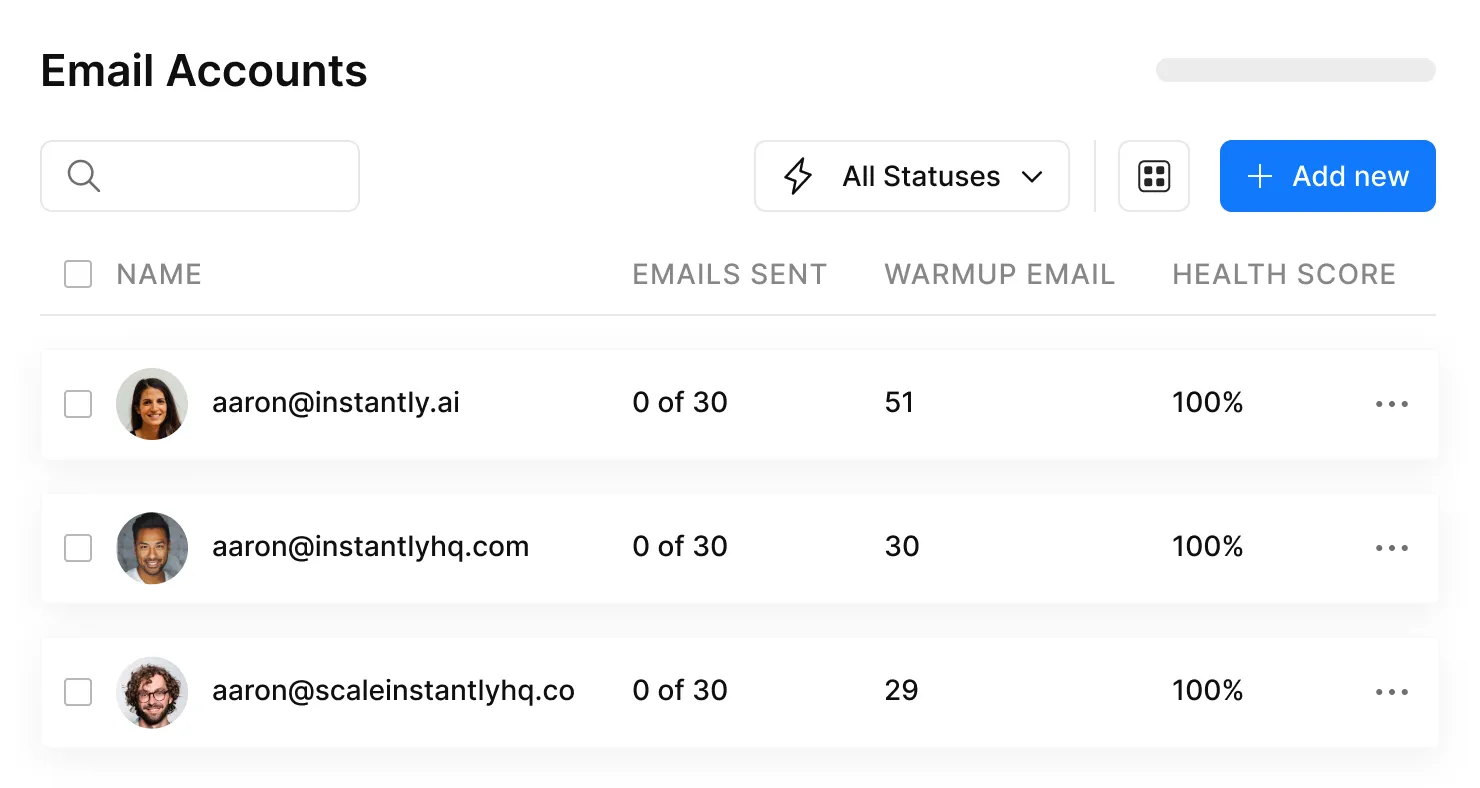
Here's the thing about Instantly's free option: it's often capped at roughly 100 emails/month with no warmup, one email account, and a max of 3 emails per sequence. That's a test drive, not a workflow. But the moment you pay $30-37/mo for Growth, you get 5,000 emails/month, 1,000 uploaded contacts, unlimited email accounts, unlimited warmup, and sender rotation. Dollar for dollar, it's the most cost-effective upgrade available. A popular r/coldemail thread ranks it among the top platforms for a reason.
Apollo - Lead Database, Not a Sender
Apollo's free plan gives you 50-100 credits/month. One email export costs 1 credit, and one mobile number export costs 5-8 credits. Pull both for each contact and you're looking at about 8-16 contacts per month. That's not a pipeline - it's a trickle.
Use Apollo to find prospects and build initial lists, then verify those emails through a dedicated tool before sending. Apollo's deliverability reputation is weaker than dedicated sending tools, so don't rely on it as your outbound sequencer. Paid plans start at $59/mo.
Saleshandy - All-in-One Trial
No permanent free plan - just a 7-day free trial, no credit card required. The trial is basically a full test drive of Saleshandy's Outreach Starter: 6,000 emails/month, 2,000 active prospects, unlimited warmup via TrulyInbox (fair usage), and sender rotation across 10 email accounts per sequence. You also get 1,000 email verification credits as a one-time allowance.
In practice, with 10 accounts at 3-5 emails per mailbox per day, expect around 50 sends/day despite the higher cap. Starter runs $25/mo annually after the trial ends.
Smartlead
Smartlead offers a 14-day trial with auto-rotation, warmup, and inbox placement tools. Paid plans start at ~$33-39/mo. Steeper learning curve than Instantly, but the Reddit crowd respects its deliverability engine. Worth a trial if you're technical and hunting for cheap outreach tools that still deliver strong inbox placement.
Lemlist
Lemlist's 14-day trial showcases dynamic images, custom variables, and multichannel sequences. At $59/mo for the entry paid plan, it's the priciest option here. Strong tool, wrong list if you're optimizing for free.

Bad data torches domains faster than any free plan can save them. Prospeo's free tier gives you 75 verified emails and 100 Chrome extension credits every month - no credit card, no expiration. With 98% email accuracy and a 7-day data refresh cycle, you're sending to real inboxes while other free tools send you to spam.
Stop burning your domain. Start verifying before you send.
The Zero-Budget Stack
Let's be honest: if your deal sizes are under five figures, you probably don't need paid software at all - at least not yet. We've used this exact workflow to test campaigns before committing budget, and it works.
- Find prospects. Use Apollo's free credits or manual research on company websites and directories (or start with a business contact database if you need more volume).
- Verify emails. Run every address through Prospeo's free tier - 75 verified emails/month at 98% accuracy. This single step prevents the domain damage that kills most beginner campaigns.
- Send via GMass. 50 emails/day from Gmail, full features on the free trial. Start with 10-15/day and ramp up.
- Track replies. Use Streak's free CRM tier inside Gmail to manage conversations.
This stack handles your first 50-75 prospects per month - enough to validate whether cold outreach works for your business before spending a dollar. One of our team members ran a version of this for a side project and booked 4 calls in the first two weeks. Not earth-shattering, but enough signal to justify upgrading.
The zero-budget stack only works if your emails actually land. Prospeo's 5-step verification catches spam traps, honeypots, and risky catch-all domains that other tools miss. At $0.01/email when you scale, it stays cheaper than rebuilding a burned domain.
Your first 75 verified emails are free - every single month.
Deliverability Basics (Don't Skip)
Free tools can't save you from bad sending practices. In our experience, bad data causes more domain damage than bad copy ever will. We've seen founders nuke a perfectly good domain in a single afternoon by uploading an unverified list. Nail these fundamentals:
- Use a secondary domain. Never send cold email from your primary domain. Buy a lookalike - tryacme.com instead of acme.com - and set it up on Google Workspace (full walkthrough: cold email domain setup).
- Configure SPF, DKIM, and DMARC. Non-negotiable DNS records. Without them, you're landing in spam from day one (see: cold email deliverability).
- Warm up for 14-21 days. Don't send a single cold email from a fresh account. Use Instantly's warmup on paid, or a free tool like Mailflow. Test deliverability with free tools like Spamtester AI before launching.
- Cap volume at 10-15 emails/day per account. Scale gradually over weeks, not overnight (more detail: email pacing and sending limits).
- Verify every email before sending. One bounced email does more damage than ten unopened ones (use this cold email checklist before you launch).
2026 Benchmarks to Expect
The average cold email reply rate sits at 3.43%, with top performers clearing 10%. The most important stat: 58% of replies come from the first email, so your opener matters more than your follow-up sequence.
Keep first emails under 80 words. Best sending days are Tuesday and Wednesday (see the data on the best day to send emails). Plan for 3-5 follow-ups - some data suggests up to 7 touchpoints hit the sweet spot (use these follow-up campaign examples). These numbers assume verified lists and warmed-up domains. On a free tier with unverified data, expect worse. The gap between "free and sloppy" and "free and disciplined" is enormous, and it's almost entirely about data quality - not which sending tool you picked.
FAQ
What's the best free cold email software in 2026?
No single tool does everything at $0. The best zero-cost stack combines Prospeo for email verification (75/month, 98% accuracy), Apollo for lead finding (50-100 credits/month), and GMass for Gmail sending (50/day during trial). Together they cover finding, verifying, and sending without spending a dollar.
Can I send cold emails from regular Gmail?
Yes, but Gmail caps you at ~500 sends/day with no warmup or sequence automation. Use Google Workspace on a secondary domain paired with GMass for better deliverability and tracking. Never send unsolicited outreach from your primary business domain.
How many cold emails should I send per day?
Start with 10-15 per email account on a warmed-up domain. Scale by 5-10 per week as your sender reputation builds. Pushing volume too fast on a new domain is the fastest way to land in spam permanently.
Do I need email verification for cold outreach?
Yes - bounced emails damage your sender reputation fast, and recovery takes weeks. Even 75 verified contacts per month is enough to keep your first campaigns clean and your domain safe.
When should I upgrade from free to paid?
When you're consistently sending 50+ emails/day or managing more than 200 active prospects. At that point, free-tier limits cost you more in bounces and missed replies than a $25-37/mo paid plan. Cost-effective outreach is about ROI, not the sticker price.