

The 10 Best Contact Management Tools for Small Business in 2026
43% of CRM implementations fail due to poor adoption - not broken software, but the wrong tool for the job. A 5-person landscaping company doesn't need Salesforce. A solo consultant doesn't need a $40k/year GTM platform. Yet 74% of small businesses already use a CRM, and a huge chunk of them are paying for features they'll never touch.
Getting contact management right starts with picking a tool that matches how you actually work - not how enterprise sales teams work. Here are 10 tools worth your time, plus a framework so you don't become part of that 43%.
CRM vs. Contact Management Software
Contact management organizes names, emails, notes, and interactions in one searchable place. A full CRM adds sales pipeline tracking, marketing automation, and analytics on top. PCMag puts it well: for a lot of small businesses, a dedicated contact manager is all you need.
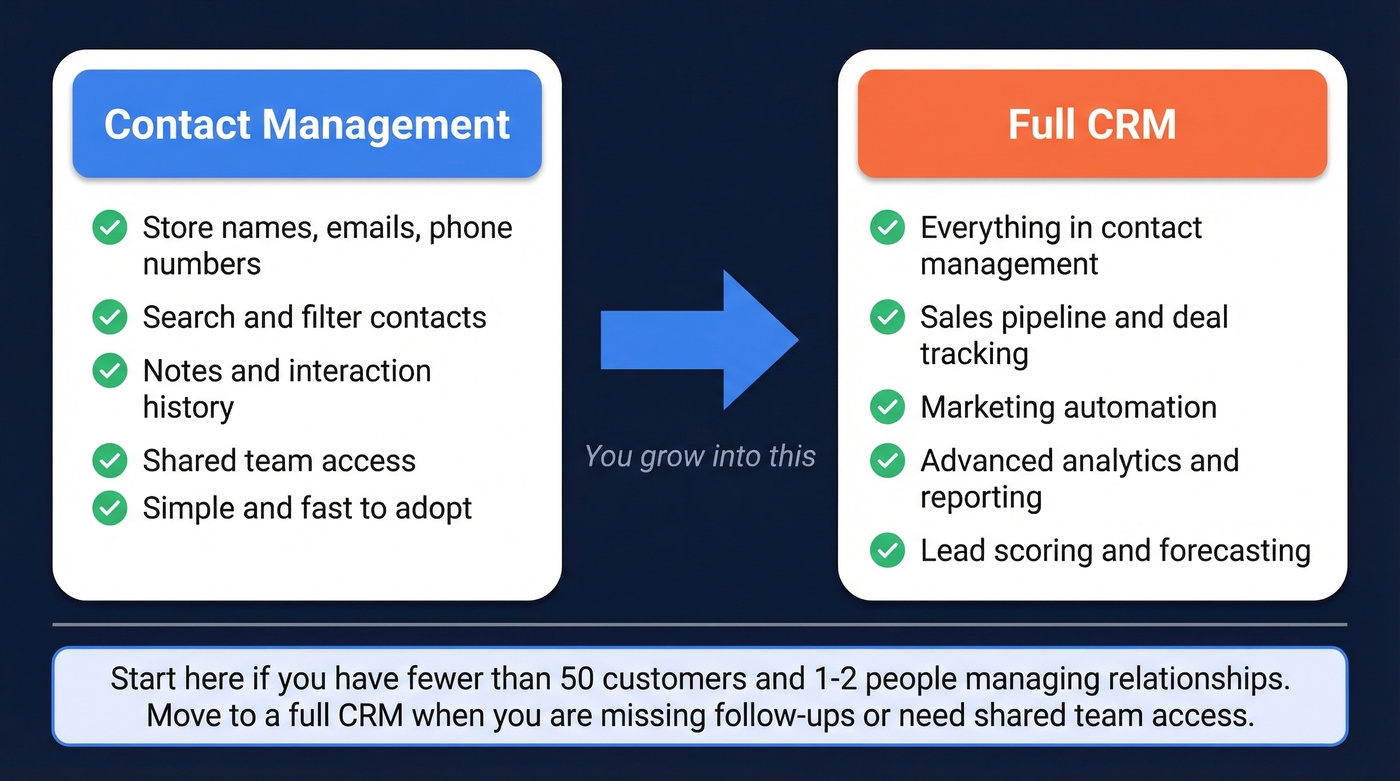
The Reddit heuristic is blunt but useful: if you've got fewer than 50 regular customers and one person handling relationships, a spreadsheet works fine. You need something more when you're missing follow-ups, losing track of conversations, or multiple people need shared access to customer history.
Here's the thing - a full CRM isn't just software. It's an overhaul of your sales process, your data collection habits, and often your team's daily routines. For a 3-person agency, that overhead kills momentum. Starting with a standalone contact manager gets you organized fast and creates a clean data foundation you can build on later. The ROI is real when you pick the right tool: $8.71 return per $1 spent on average, with a 29% bump in sales revenue. But those numbers assume your team actually uses the thing.
Our Picks (TL;DR)
| Category | Winner |
|---|---|
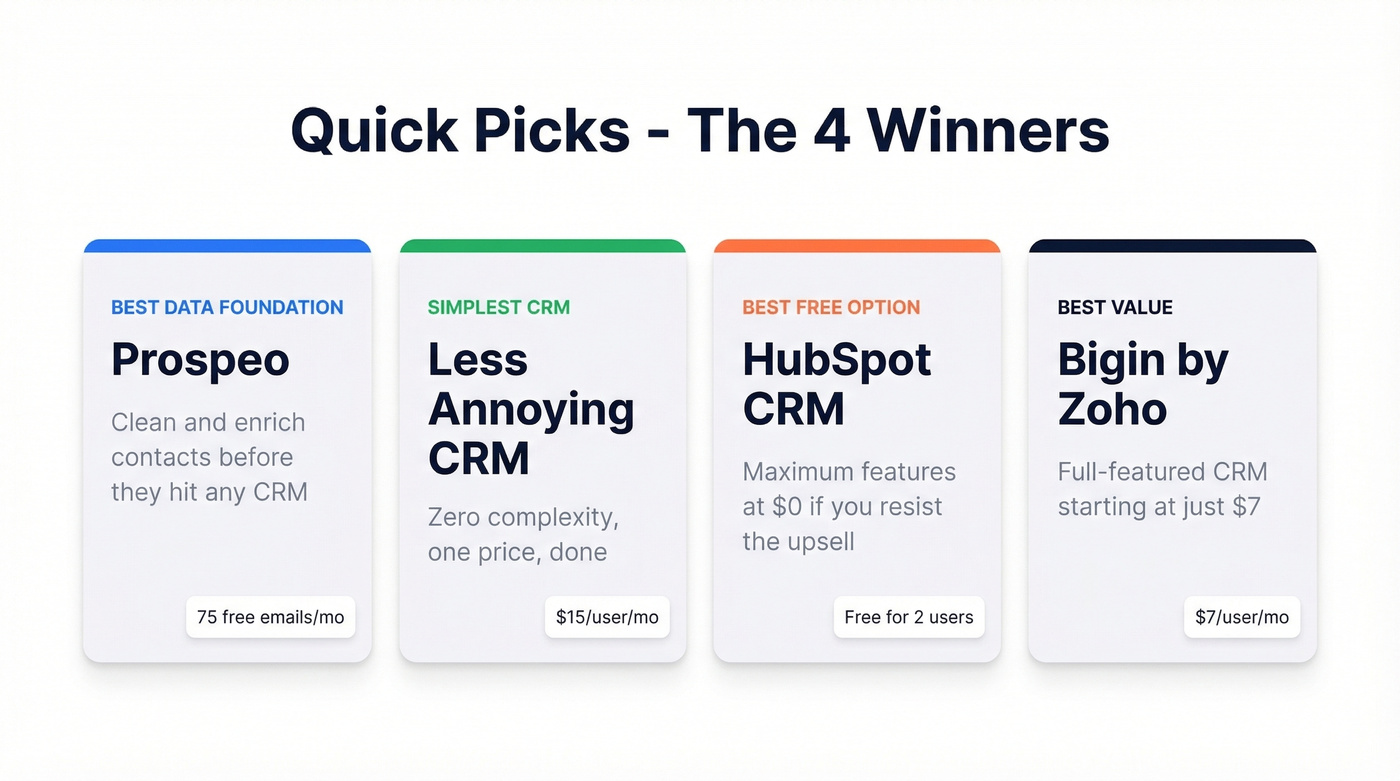
| Best data foundation | Prospeo - clean and enrich contacts before they hit any CRM |
| Simplest CRM | Less Annoying CRM - zero complexity, $15/user/month, done |
| Best free option | HubSpot CRM - maximum features at $0 if you resist the upsell |
| Best value | Bigin by Zoho - full-featured CRM starting at $7/user/month |
What to Look For
Before you trial anything, run through this checklist. Every tool on this list hits at least five of these eight criteria.
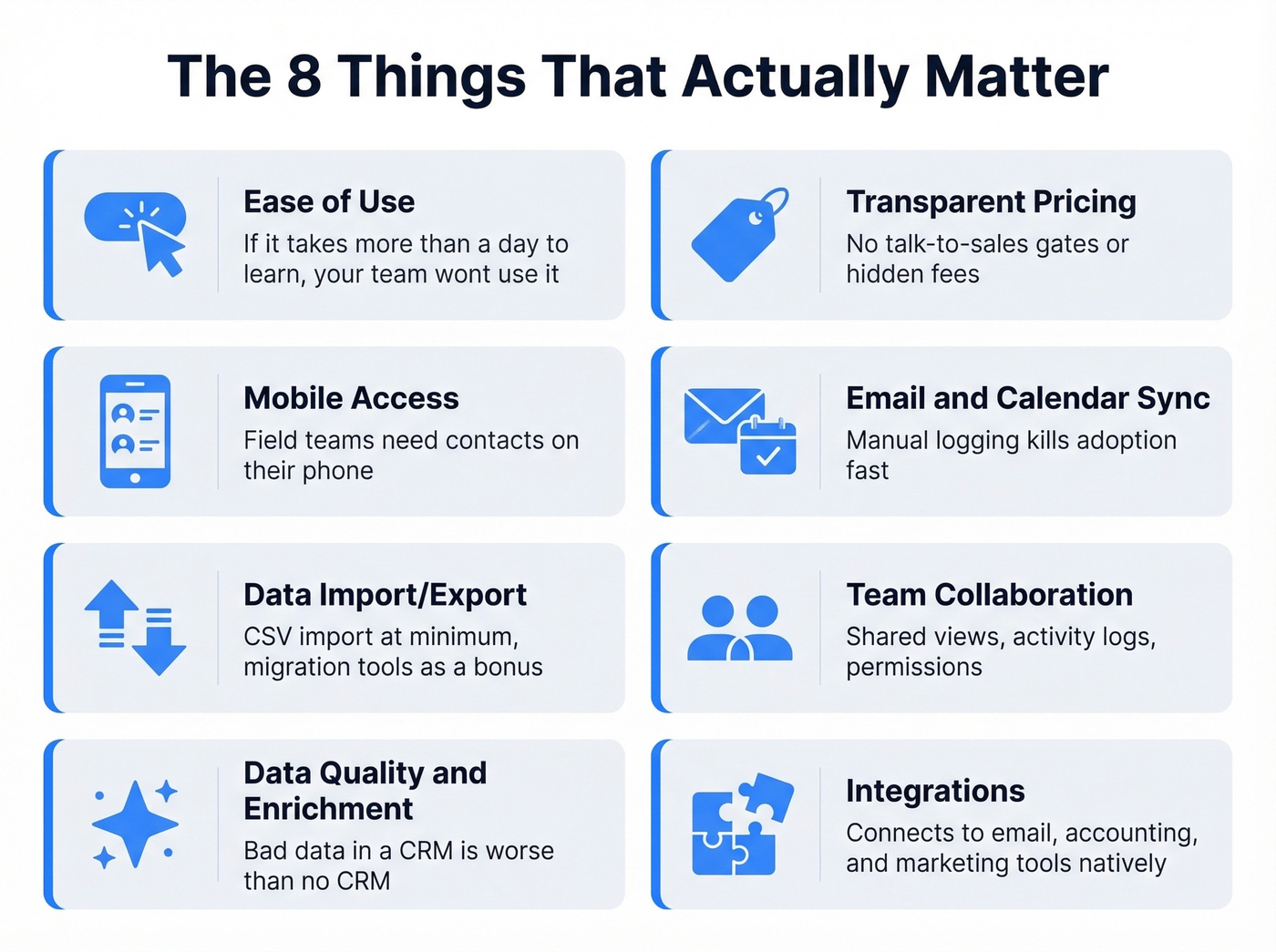
- Ease of use - if it takes more than a day to learn, your team won't adopt it
- Transparent pricing - no "talk to sales" gates, no hidden per-feature charges
- Mobile access - field teams need contacts on their phone, not just a desktop browser
- Email and calendar sync - manual logging kills adoption faster than anything
- Data import/export - CSV import at minimum; bonus for direct migration tools
- Team collaboration - shared views, activity logs, and permission controls
- Data quality and enrichment - bad data in a CRM is worse than no CRM at all (see data enrichment services)
- Integrations - connects to your email, accounting, and marketing tools without Zapier workarounds

43% of CRM implementations fail - and bad data is the silent killer. Prospeo verifies every contact through a 5-step process, delivering 98% email accuracy on 300M+ profiles. At $0.01 per email with a 7-day refresh cycle, your small business CRM stays clean without quarterly data scrubs.
Stop organizing bad data. Start with contacts that actually connect.
10 Best Contact Management Tools for Small Business
1. Prospeo
Most tools organize your contacts. Prospeo makes sure the data is worth organizing in the first place.
Prospeo sits upstream of your CRM as a data quality layer. Its database covers 300M+ professional profiles with 98% email accuracy and a 7-day refresh cycle - compared to the 6-week industry average. The contacts you import into HubSpot, Salesforce, or any other CRM are verified and current, not stale records that bounce on first send.

The Chrome extension (40,000+ users) pulls verified emails and phone numbers from any website or company profile in one click. CRM enrichment fills in 50+ data points per record - job title, company size, tech stack, funding - so your contact entries aren't just names and email addresses. Native integrations with HubSpot, Salesforce, Lemlist, and Instantly mean enriched data flows directly into your workflows without manual exports.
Pricing is refreshingly simple: the free tier gives you 75 verified emails per month. Paid plans run about $0.01 per email with no contracts and no annual commitments.
Use this if: your contact data has gaps, emails are bouncing, or records go stale between quarterly cleanups.
Skip this if: your data is already clean and you just need a shared address book.
2. Less Annoying CRM
Less Annoying CRM earns its name. One plan, one price: $15/user/month. No tiers, no contracts, no upsells. There's a 30-day free trial, and after that it's the same $15 whether you're a solo founder or a 20-person team.

G2 named it "Easiest to Use" in the CRM category, and it's a consistent favorite in r/smallbusiness threads. The interface looks like it was designed for people who hate software - and that's a compliment. The practical contact cap sits around 50,000 records, which covers the vast majority of small businesses. The tradeoff is no built-in marketing automation and limited reporting, but for pure contact organization, we haven't found anything simpler.
Use this if: you want the simplest possible CRM with zero learning curve and predictable costs.
Skip this if: you need marketing automation, advanced reporting, or you're managing 50,000+ contacts.
3. HubSpot CRM
HubSpot's free CRM supports 2 users and 1,000 contacts with email tracking, deal pipelines, and basic reporting. For a small team just getting organized, that's genuinely generous. The integration ecosystem is the strongest at this price point (which is $0).
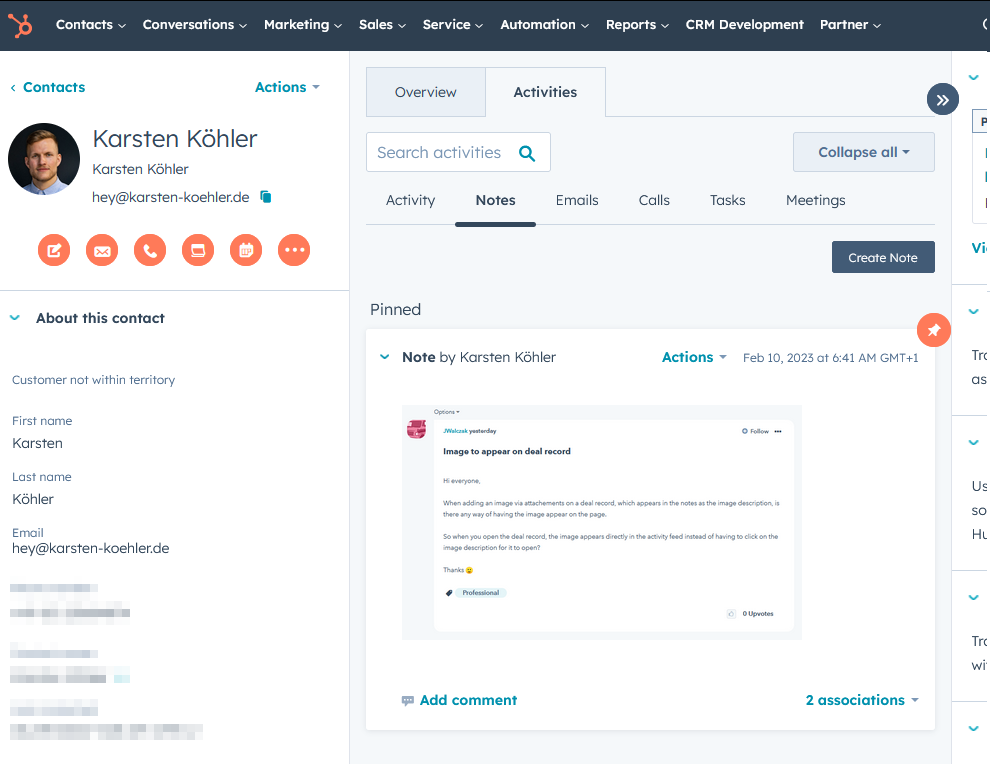
The catch is the upgrade path. Starter plans begin at $15/seat/month, which is reasonable. But once you add Marketing Hub, Sales Hub Pro, or Operations Hub, you're looking at hundreds per month. We've seen small teams sign up for free HubSpot, love it, then find themselves locked into a $500/month ecosystem within a year. Go in with eyes open.
Use this if: you want the most feature-rich free CRM and you're disciplined about not upgrading prematurely.
Skip this if: you know you'll need marketing automation within 6 months - the paid tiers escalate fast.
4. Bigin by Zoho
PCMag's Editors' Choice for small business CRM, and it deserves the badge. Bigin strips Zoho's enterprise CRM down to the essentials: contact management, simple pipelines, and team collaboration. Free for 1 user with 500 records. Paid plans start around $7/user/month - the cheapest full-featured option on this list.
The limitation is ecosystem dependency. Bigin works best if you're already in the Zoho universe. If you're running Google Workspace and Slack, the integrations feel a step behind HubSpot's. But for pure value, nothing else comes close at $7/month.
5. Freshsales
Freshsales offers a free plan for up to 3 users, which is more generous than HubSpot's 2-user cap. The Growth plan starts at $9/user/month and includes contact scoring, built-in phone, and email sequences. For teams that want light sales automation alongside their contact database, it's a strong pick at a low price.
The frustration: AI-powered features like predictive scoring and deal insights are locked behind higher tiers ($35-$45/user/month). You'll get solid contact organization on the free or Growth plan, but don't expect the flashy stuff without paying up.
6. Folk CRM
A founder friend of ours switched from HubSpot to Folk and described it as "going from Photoshop to a whiteboard." That's the appeal. Folk looks and feels like a spreadsheet - custom fields, drag-and-drop columns, flexible views - but with CRM features layered underneath. Email sync, reminders, and lightweight outreach are built in. G2 reviewers consistently praise the setup speed but flag limited native integrations as the main pain point.
Free plan available, paid from ~$20/user/month. There's no mobile app, which is a dealbreaker for field teams, and most of the "thousands of integrations" run through Zapier or Make. For desk-bound solopreneurs managing relationships, it's excellent. For anyone else, the missing mobile app is a hard pass.
7. Pipedrive
Deal-focused pipeline management, not a contact-first tool. Starts at $14/user/month with no free plan (14-day trial only). Best for small sales teams that think in deals and stages rather than contact records. If your workflow is "manage relationships," look elsewhere. If it's "close deals," Pipedrive is sharp.
8. OnePageCRM
Action-oriented CRM built for field sales. Every contact gets a "Next Action" - a task, a call, a follow-up - so nothing falls through the cracks. Starts around $10/user/month with a 21-day trial. It's niche, but teams that live on the road love it.
9. Monday CRM
Visual workflow builder with CRM bolted on. Starts at $12/seat/month, but the 3-seat minimum means you're paying at least $36/month. Best for teams already using Monday.com for project management who want contacts in the same workspace. Overkill if you just need a contact list.
10. Contactzilla
Ultra-cheap shared address book at $1.79/device/month billed annually, with unlimited contacts. No pipeline, no automation, no frills. If your entire need is "everyone on the team can see and edit the same contact list," Contactzilla does exactly that for less than a coffee.
Honorable mentions: Nimble (~$30/user/month), EngageBay (free tier available), and Insightly (~$29/user/month) are worth a look if none of the above fit.
Pricing at a Glance
| Tool | Free Plan? | Starting Price | Best For |
|---|---|---|---|
| Prospeo | ✅ 75 emails/mo | ~$0.01/email | Data quality layer |
| Less Annoying CRM | 30-day trial | $15/user/mo | Simplicity purists |
| HubSpot CRM | ✅ 2 users | $15/seat/mo | Feature-rich free tier |
| Bigin by Zoho | ✅ 1 user | ~$7/user/mo | Best value overall |
| Freshsales | ✅ 3 users | $9/user/mo | Light sales automation |
| Folk CRM | ✅ Limited | ~$20/user/mo | Spreadsheet-style flexibility |
| Pipedrive | 14-day trial | $14/user/mo | Deal-focused teams |
| OnePageCRM | 21-day trial | ~$10/user/mo | Field sales |
| Monday CRM | ❌ | $12/seat/mo (min 3) | Monday.com power users |
| Contactzilla | 14-day trial | $1.79/device/mo | Shared address book |
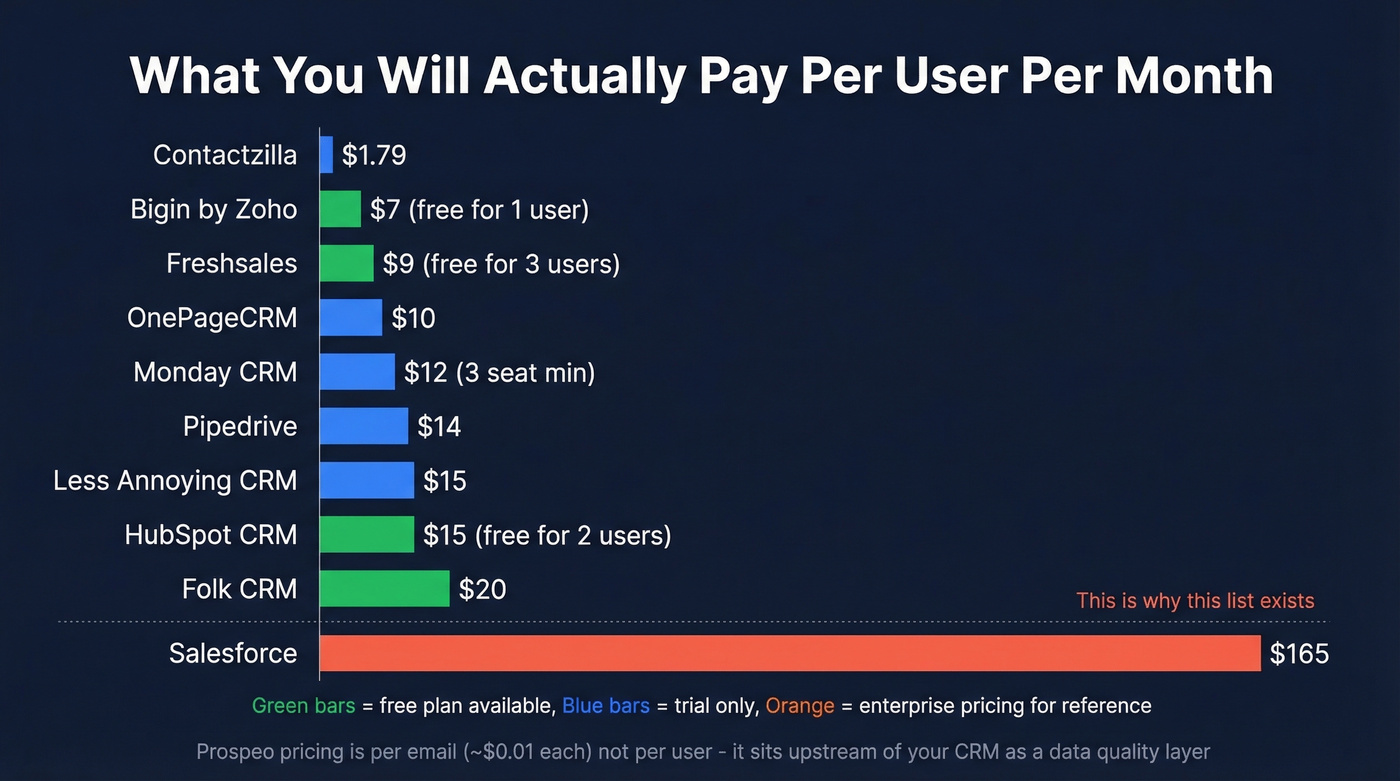
Salesforce starts at $165/user/month. If you're a 5-person team looking at that number, you're shopping in the wrong aisle (compare options in our examples of a CRM).
Let's be honest: most small businesses should start with Less Annoying CRM or HubSpot Free and pair it with a data quality tool. The CRM itself matters less than the data inside it. A $15/month CRM with verified contacts will outperform a $200/month platform full of stale records every single time.
Five Mistakes That Kill CRM Adoption
Remember that 43% failure rate? Here's where it comes from.
Overbuying complexity. A 10-person company doesn't need enterprise CRM. Start with the simplest tool that covers your needs - you can always upgrade. Most lightweight contact managers do everything a micro-business actually requires on day one.
Skipping team training. Even "easy" tools need 30 minutes of onboarding. Schedule it. The r/smallbusiness consensus is clear: implementation matters more than features.
Ignoring data quality. Importing 5,000 contacts with outdated emails and missing phone numbers poisons your CRM from day one. Run your list through an enrichment and verification tool before importing (see how to check if an email exists). Garbage in, garbage out.
Not integrating with existing tools. If your CRM doesn't sync with your email and calendar, your team will stop using it within a month. We've watched it happen repeatedly (here’s a practical guide to connect outreach tool to CRM).
Trying to do everything at once. Start with contacts and basic notes. Add pipeline tracking after a month. Add automation after a quarter. Gradual rollout beats a big-bang launch every time.
How to Keep Contact Data Clean
Contact data decays 30-40% annually as people change jobs, get promoted, and switch email addresses. A CRM full of stale records is worse than a spreadsheet - it gives you false confidence.
Run quarterly audits by exporting your contacts, flagging records with no activity in 90+ days, and verifying or removing them. Merge duplicate records monthly before they multiply. Enforce consistent formatting for job titles, company names, and phone numbers at import. Set up enrichment workflows with a tool like Prospeo to fill in gaps with verified data and 50+ data points per record. And never bulk-import a purchased list or event CSV without running it through email verification first - one bad import can tank your sender reputation for months.
Every contact management tool on this list works better when the data going in is accurate. Prospeo enriches each record with 50+ data points - job title, company size, tech stack, funding - so your CRM entries aren't half-empty guesses. Native integrations with HubSpot and Salesforce push enriched contacts directly into your workflows.
Build your contact database on verified data from day one.
FAQ
What's the difference between contact management and CRM?
Contact management organizes names, emails, and interaction notes in one searchable place. CRM adds pipeline tracking, marketing automation, and revenue analytics on top. Most small businesses with fewer than 50 active customers only need the contact management layer - upgrading to full CRM makes sense once you're tracking multi-stage deals across a team.
What's the best free contact management tool for small business?
HubSpot CRM offers the most features at $0, supporting 2 users and 1,000 contacts with email tracking and deal pipelines. Bigin by Zoho is free for 1 user with 500 records. For data quality specifically, Prospeo's free tier includes 75 verified emails per month - useful for cleaning contacts before any import.
How do I migrate contacts from a spreadsheet?
Export your spreadsheet as CSV, then use your CRM's one-click CSV import. Clean duplicates and standardize field formatting before importing - bad data in a CRM is worse than bad data in a spreadsheet because your team will trust it and act on it without question.
How do I keep contact data from going stale?
Contact data decays 30-40% per year as people change roles and companies. Run quarterly audits, remove bounced emails, and use an enrichment tool with a short refresh cycle to verify records automatically. A 7-day refresh catches job changes that quarterly cleanups miss entirely.