

7 Demo Script Examples You Can Steal for Your Next Call
Deals closed within 50 days carry a 47% win rate. After that window, win rates crater below 20%. Your demo is the single biggest lever you have to compress that timeline - and most reps wing it. They open with a feature tour, talk for 30 minutes straight, and close with "any questions?" That's not a demo. That's a monologue with screen sharing.
Good demo script examples fix this by giving you a repeatable structure that keeps the buyer talking and the deal moving.
Looking for voice-over demo scripts? This guide covers sales and product demos. For VO scripts, try Edge Studio or Voices.com.
Quick version: If you only read one section, grab the Inbound Discovery + Demo Combo and the Mid-Funnel Deep Dive scripts below. Those two cover most of what you'll run into across a typical pipeline.
Here's the context that makes a sales demo script non-negotiable: 6-10 stakeholders sit on a typical buying committee, and 75% of B2B buyers prefer a rep-free experience. The largest cohort of sales teams now sits at a 21-25% win rate, down from 31-40% in prior years. Tighter markets demand tighter demos. Your demo has to be so relevant that the champion can replay your value story internally without you in the room.
The 5-Act Demo Structure
Before the copy-paste scripts, here's the skeleton. Gong's research on winning demos breaks them into five acts, and after testing dozens of frameworks with our own team, it's the best demo script template we've found.
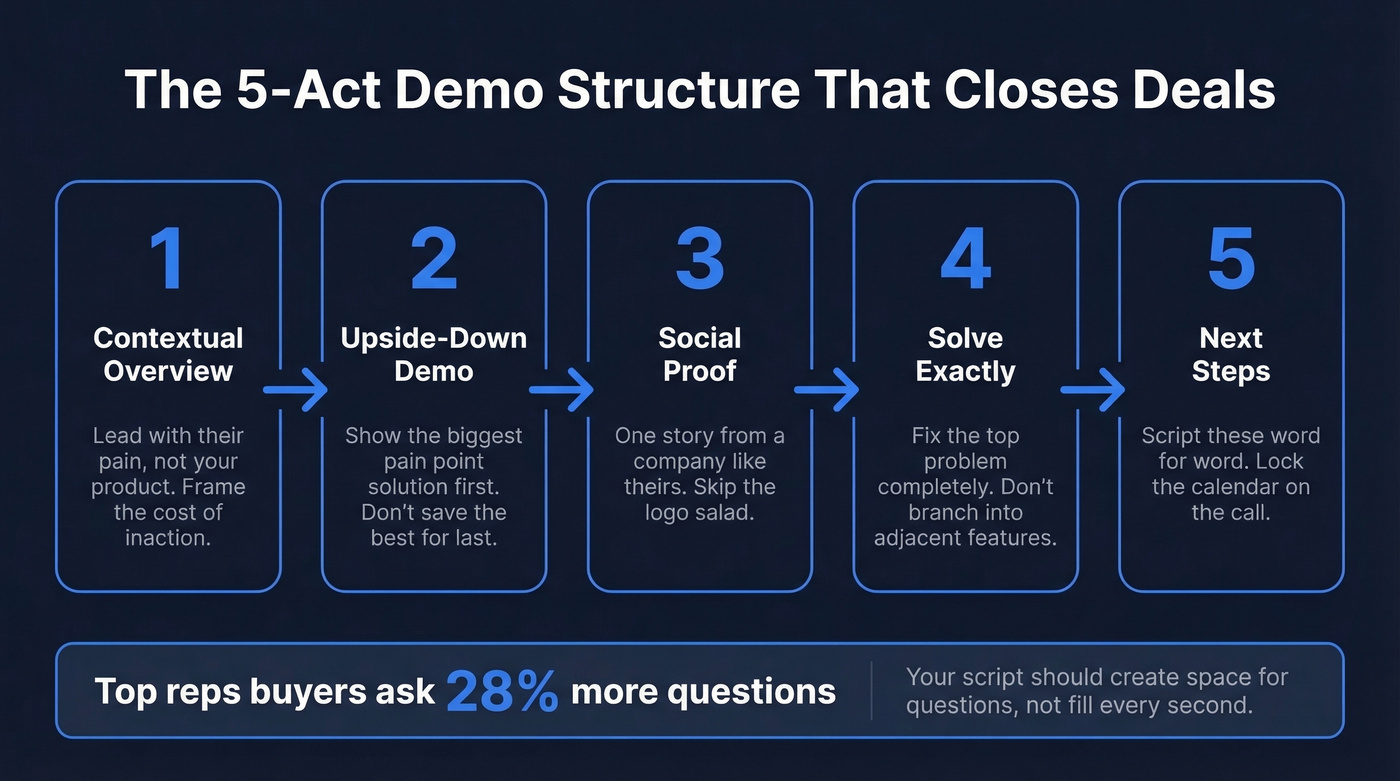
Act 1 - Contextual Overview. Set the stage with the prospect's problem, not your product. Describe the status quo and what it's costing them. Loss aversion is real - people put 2X more effort into avoiding a loss than gaining a benefit. Lead with what they're losing.
Act 2 - Upside-Down Demo. Show the biggest pain point solution first. Don't save the best for last. If your prospect's eyes glaze over in minute eight, your killer feature in minute twenty-two doesn't matter.
Act 3 - Social Proof. Skip the logo salad. Use one story from a company that looks like theirs - same industry, same size, same problem.
Act 4 - Solve Exactly. Less is more. Solve the top problem completely. Don't branch into adjacent features.
Act 5 - Next Steps. Script these word-for-word. "I'll send a recap and a calendar link for Thursday" beats "let me know what works" every single time.
One stat worth internalizing: top reps' buyers ask 28% more questions than buyers in average reps' demos. Your script should create space for questions, not fill every second with narration.
7 Product Demo Scripts You Can Copy Today
You don't need seven scripts. You need two great ones and the discipline to customize them. That said, different pipeline stages demand different approaches, so here are seven organized by scenario. Start with the first and third, then add others as your team matures.
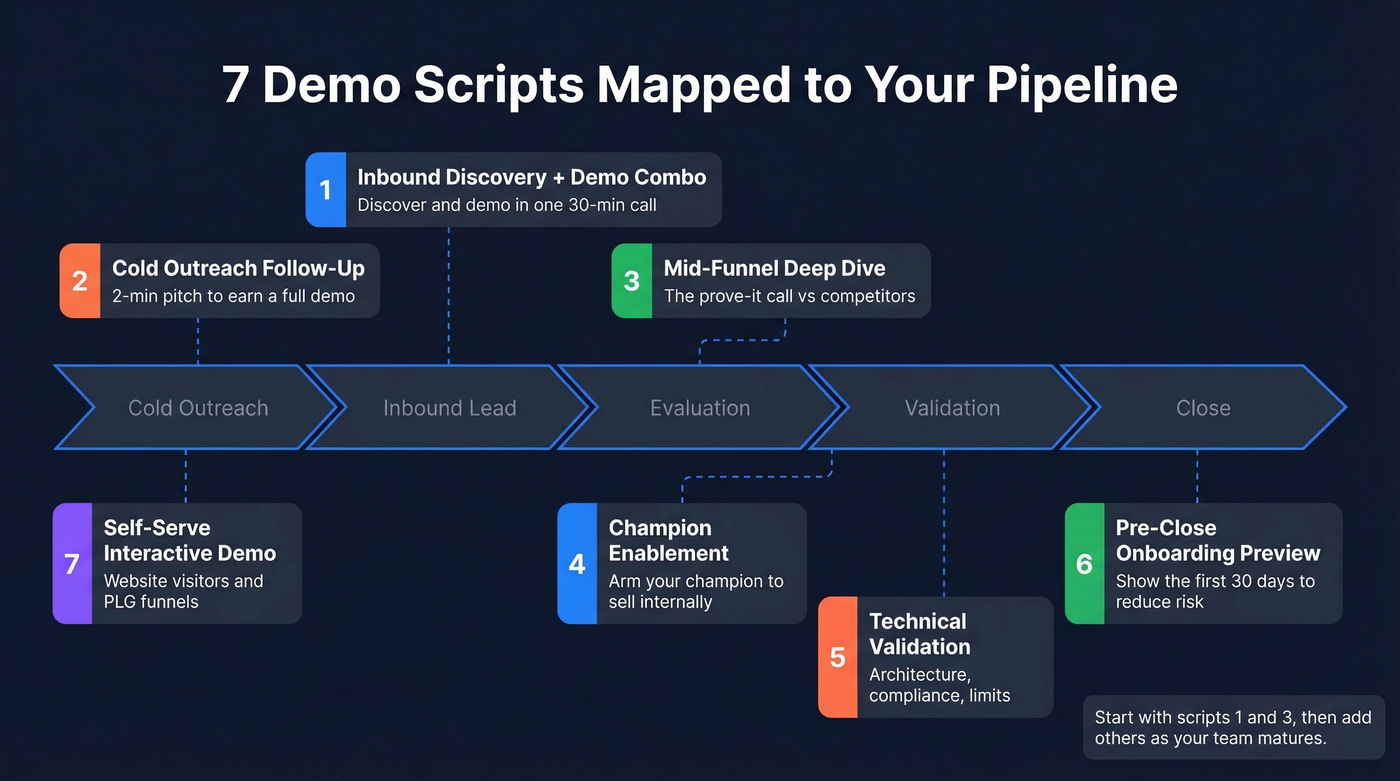
Inbound Discovery + Demo Combo
When to use this: A prospect filled out a demo request form. You've got 30 minutes and need to discover and demo in one call. This is the most common scenario any sales demo script template needs to cover.
You: "Thanks for booking time. Before we get into the product, I want to make sure I show you the right things. What's driving you to look at this now?"
[Let them talk. Take notes. Identify the top pain point.]
You: "Got it - so the core issue is [restate their pain]. Right now, every month you don't fix that, you're losing roughly [estimated cost]. Let me show you how to stop that bleed."
[Demo the specific workflow that solves their stated pain. 8-10 minutes max.]
You: "That's the workflow our [similar company] customers use. They cut [metric] by [result]. Does that map to what you're dealing with?"
[Pause. Let them react.]
You: "Here's what I'd suggest for next steps: I'll send a one-pager with that workflow and pricing. Can we lock in Thursday at 2 to loop in [their stakeholder]?"
Scripted next steps beat vague endings like "I'll follow up." The loss-framed line after discovery - "every month you don't fix that, you're losing..." - is one of the highest-leverage sentences in this product demo script. Don't skip it.
Cold Outreach Follow-Up
When to use this: You cold-called or cold-emailed, they showed mild interest, and now you've got a brief window to earn a full demo.
You: "Hey [Name], appreciate you picking up - I know you didn't ask for this call. I've got a two-minute version of what we do. If it's not relevant, I'll let you go. Fair?"
[Wait for permission. If they say yes, continue.]
You: "We help [role] teams at [company type] solve [specific problem]. [Customer name] was dealing with the same thing - they [result]. Would it be worth 15 minutes later this week to show you how it works?"
[If yes, lock the calendar immediately. Don't say "I'll send a link."]
This permission-based opener comes from Cognism's cold calling research - acknowledging the interruption and offering an easy out lowers the prospect's guard and earns you the right to continue.
Mid-Funnel Deep Dive
When to use this: The prospect is evaluating you alongside competitors. They've seen a first demo or done their own research. This is the "prove it" call, and it's where a strong product demonstration script separates winners from also-rans.
You: "I know you're comparing a few options, and that's smart. Rather than re-run the overview, I want to focus on the one thing that'll make or break this decision for you. What's the biggest open question?"
[Let them name it. Don't assume.]
You: "Perfect. Let me walk you through exactly how we handle [pain] - I'll show you the full workflow from A to B."
[Demo the workflow end-to-end. Then pivot to proof.]
You: "[Customer] had the same evaluation last quarter. They chose us because [specific reason]. Here's what their first 60 days looked like. What questions does that raise for you?"
The Q&A prompt at the end is deliberate. You want them talking - buyers who ask more questions close at higher rates.
Champion Enablement
This one isn't a product demo - it's a coaching session. Your internal champion needs to sell this to their VP or CFO, and you're arming them with ammunition, not enthusiasm. Format it as a deliverables checklist rather than a feature walkthrough.
What you'll build together on this call:
- Identify the #1 metric their VP/CFO cares about (cost savings, speed, or risk reduction)
- Co-create a one-slide business case with ROI benchmarks from companies their size
- Pre-handle the top 2-3 objections they expect to face internally
- Assemble a shareable folder: a short video walkthrough, the ROI calculator, and two case studies their VP can review on their own time
Opening line: "I want to make this as easy as possible for you to present internally. Let's build your business case together. What does [VP/CFO name] care about most?"
Closing line: "We typically see [X% improvement] in [metric] within [timeframe]. I'll send you that folder by end of day - everything your VP needs to say yes without a second meeting."
Technical Validation
When to use this: The technical team - engineering, security, IT - needs to sign off before the deal moves forward.
What NOT to say: "Let me walk you through our amazing platform." Technical buyers will tune out instantly. They don't want the marketing pitch. They want architecture, compliance, and limits.
You: "You care about four things: integrations, data handling, compliance, and whether this scales. Which one should we start with?"
[Let them drive the agenda.]
You: "Here's our architecture. [Show integration diagram or live API call.] We're SOC 2 Type II, GDPR compliant, and here's our uptime over the last 12 months. What's your current stack look like? I want to make sure there are no surprises."
Here's the thing: technical buyers respect reps who know the product's limits. If something doesn't integrate natively, say so and show the workaround. Honesty here builds more trust than a polished slide ever will.
Pre-Close Onboarding Preview
When to use this: The prospect is 80% there but hesitating on implementation complexity or time-to-value.
You: "Let me show you what the first 30 days look like. Week one is setup - we handle [X, Y, Z]. By day 15, your team is live and seeing [specific value metric]. Here's the rollout plan."
[Walk through a visual timeline or project plan.]
You: "Most teams are fully ramped by week four. The biggest risk isn't complexity - it's waiting another quarter to start. What would it mean for your team to have this running by [specific date]?"
The "value by day 15" line shrinks the perceived risk window from months to weeks. In our experience, naming a specific day - not "two weeks" - makes the timeline feel concrete rather than aspirational.
Self-Serve / Interactive Demo
When to use this: Website visitors, product-led growth funnels, or prospects who want to explore before talking to a rep. This isn't spoken dialogue - it's tooltip and modal copy.
[Modal - Step 1]: "Welcome to [Product]. This 2-minute tour shows you how to [core outcome]. Click 'Next' to start."
[Tooltip - Step 3]: "This is where you [key action]. Most teams set this up in under 5 minutes."
[Modal - Step 5]: "You just [completed key workflow]. Ready to try it with your own data? Start free -->"
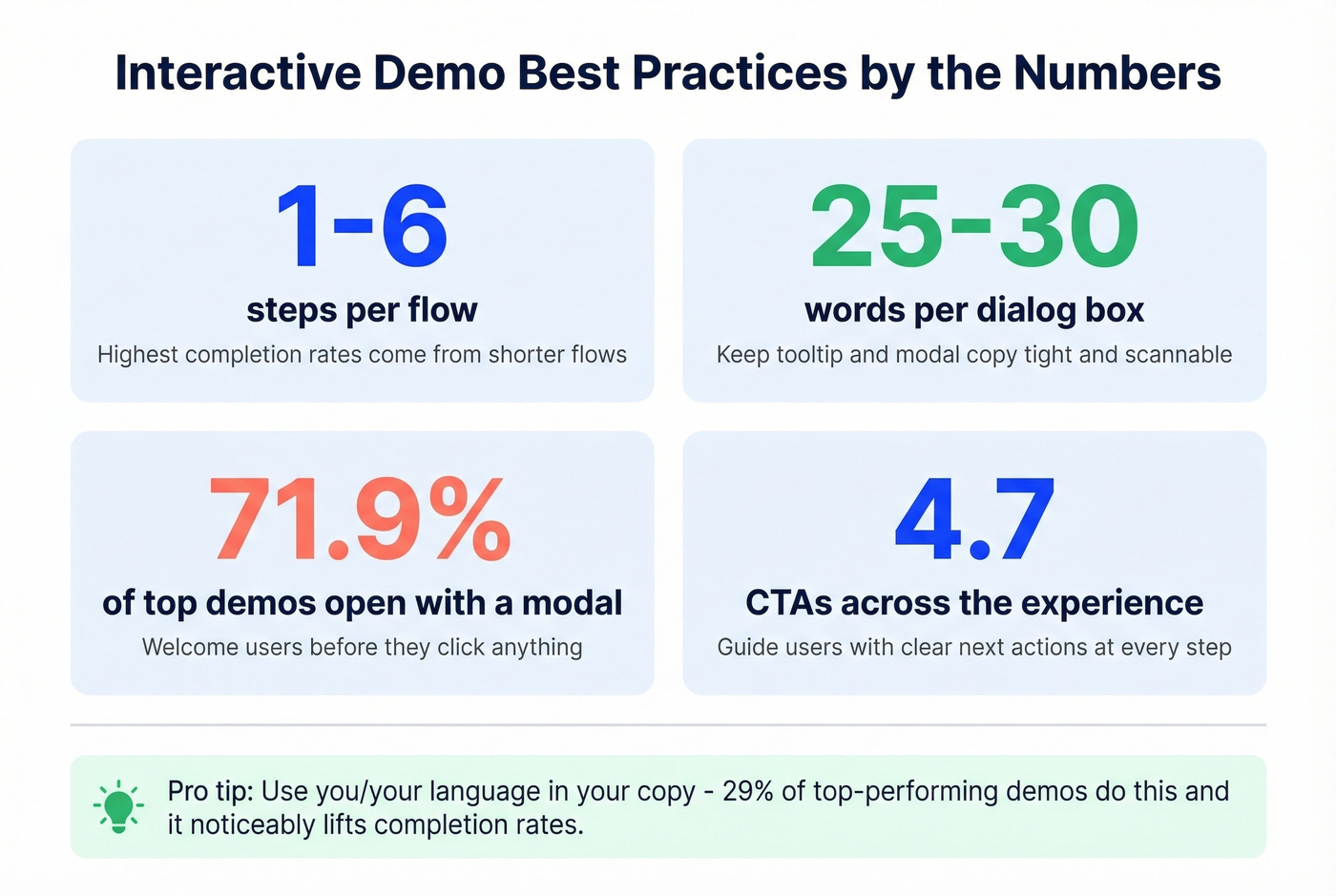
Navattic found that the highest completion rates come from flows with 1-6 steps, averaging 25-30 words per dialog box and 4.7 CTAs across the experience. 71.9% of top-performing interactive demos open with a modal, and 29% use "you/your" language in the copy - small details that lift completion rates noticeably.

Customize Scripts by Buyer Persona
The same product solves different problems for different people. Before you pick a script, check your CRM - look at communication history and content they've engaged with. Then adjust your emphasis.
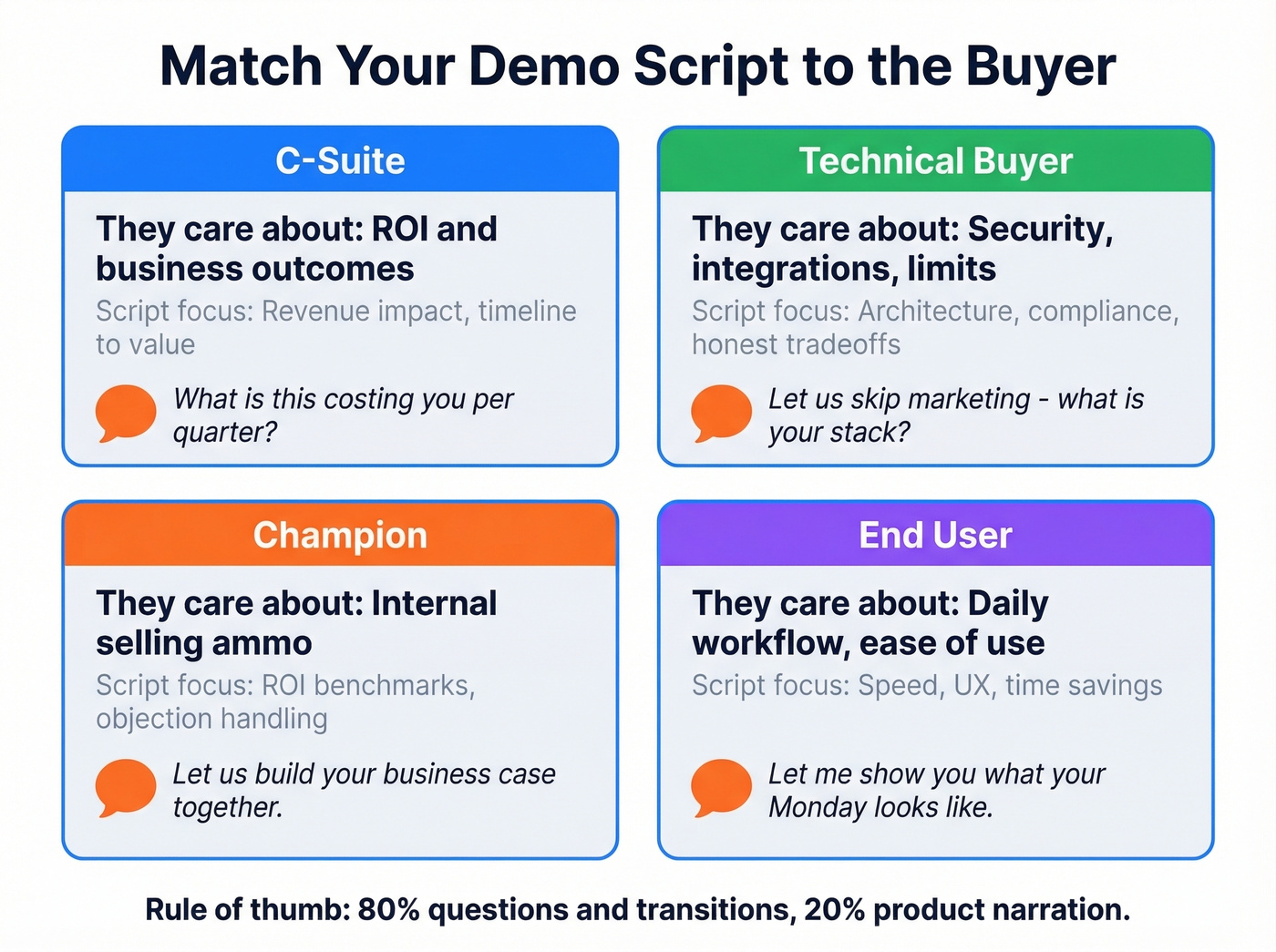
| Persona | What They Care About | Script Emphasis | Opening Line Example |
|---|---|---|---|
| C-Suite | ROI, business outcomes | Revenue impact, timeline | "What's this costing you per quarter?" |
| Technical | Security, integrations | Architecture, compliance | "Let's skip marketing - what's your stack?" |
| Champion | Internal selling ammo | ROI benchmarks, objection prep | "Let's build your business case together." |
| End User | Daily workflow, ease | Speed, UX, time savings | "Let me show you what your Monday looks like." |
Scripts should be 80% questions and transitions, 20% product narration. If you're talking more than your prospect, you're doing it wrong. The structure stays the same across personas, but the emphasis shifts dramatically - a CFO doesn't care about your API docs, and an engineer doesn't care about your logo wall.

A killer demo script means nothing if you're pitching the wrong person. Prospeo gives you 300M+ profiles with 30+ filters - buyer intent, job changes, tech stack - so every demo lands in front of a real decision-maker with a verified email.
Stop wasting demo slots on dead leads. Start with verified contacts.
Interactive Demos Replace the First Call
Interactive demos aren't replacing live demos - they're replacing the first live demo. They're a qualification layer that lets prospects self-select before burning 30 minutes of your AE's time.
Over 40,000 interactive demos were built on Navattic alone in 2025, up 35% year-over-year. 18% of B2B SaaS websites now have an interactive demo CTA, up 40% YoY. The most common placements are product pages (62%) and homepages (48%).
Your options include Navattic, Storylane, Walnut, Consensus, and Reprise - plus newer entrants like Karumi pushing AI-agent-driven demos. Pricing typically starts in the low-to-mid four figures per month for growth teams and scales up for enterprise.
Skip this approach if your ACV is above $100k and your buyers expect white-glove treatment from the first touch. But for teams where the average deal size is under $15k? An interactive demo on your website will generate more pipeline than hiring another SDR. The math isn't close.
7 Scripting Mistakes That Kill Deals
Most scripts fail because they're feature tours disguised as conversations. We've watched dozens of recorded demos across our team and partner network, and these mistakes show up constantly - whether it's a SaaS walkthrough or an enterprise presentation.
- Feature dumping. Show three features max. Keep two backup features ready to bridge to the next call. Confused customers don't buy.
- Demoing without discovery. If you don't know their top pain point before you share your screen, you're guessing. Guessing loses deals. (If you need a tighter question set, use these discovery questions.)
- Thinking long = good. Demos that regularly run past 25 minutes see higher drop-off. Shorter demos with sharper focus close faster.
- Showing everything. Only demo what maps to their stated problem. Everything else is noise.
- Talking about future updates. This gives the buyer a reason to delay. "Let's wait until that feature ships" is a deal killer you handed them on a silver platter.
- Never stopping screen share. Stop sharing often to discuss what you just showed and get the prospect talking. A demo where you never leave the screen is a webinar, not a conversation.
- No scripted next steps. "This looks great, send me some info" is the sound of a deal dying. Script your close: specific date, specific action, specific attendees. (Use these sales follow-up templates to keep momentum.)
Pre-Demo Prep Checklist
The best script in the world falls apart without preparation. A popular r/sales thread on pre-demo rituals confirmed what we've seen firsthand: the reps who close consistently aren't better presenters - they're better preparers. Run through this before every demo block.
- Research the company and every attendee. Check recent news, funding, job postings, and org structure.
- Email ahead to ask their main pain point. One question: "What's the #1 thing you want to see solved?"
- Craft user stories before features. "Teams like yours use this to..." beats "This feature does..."
- Write your script and color-code it. Actions in blue, talking points in black, questions in red. You'll never lose your place.
- Build believable demo data. Use their industry, their company size, their job titles. Generic data screams "canned demo."
- Prepare answers for known weak spots. If your product doesn't do X, have the workaround ready.
- Practice out loud. Not in your head. Out loud. Record yourself once and you'll catch every filler word.
- Verify your prospect's contact data. A polished script is worthless if you're presenting to a bounced email or a disconnected number. Run your demo block list through Prospeo before you prep anything else - 98% email accuracy on a 7-day refresh cycle means you're working with current data, not stale records. (If you’re building a broader outbound system, start with these sales prospecting techniques.)
Demo Conversion Benchmarks for 2026
Let's ground all of this in numbers. Here's where the funnel typically lands, based on RevenueHero's benchmarks and Chili Piper's 4M-submission dataset.
| Funnel Stage | Typical | Strong | Elite |
|---|---|---|---|
| Demo Request -> Qualified | 60-70% | 70-80% | 90%+ |
| Qualified -> Meeting Booked | 50-60% | 60-70% | 70%+ |
| Form -> Booked (w/ scheduler) | ~30% (industry avg) | 66.7% (Chili Piper) | 69.2% (w/ live call) |
| Demo -> Closed-Won | ~15-20% | 20-30% | 30%+ |
Some verticals punch well above these averages. Real estate software companies hit 93.84% qualification rates and 73.78% meeting conversion in RevenueHero's data. Healthcare software qualified at just 52% but converted qualified leads to meetings at 61%.
Your script quality shows up most in the Qualified -> Meeting Booked stage. That's where a tight demo with scripted next steps separates the 50% teams from the 70% teams. If you're building a SaaS demo script template for your team, benchmark against these numbers and iterate quarterly. (To pressure-test your funnel, track pipeline health metrics alongside win rate.)
Your champion enablement script needs proof that works. Teams using Prospeo book 26% more meetings than ZoomInfo users because 98% accurate emails and 30% mobile pickup rates mean reps actually reach the buying committee - all 6-10 of them.
Reach every stakeholder on the buying committee for $0.01 per email.
FAQ
How long should a sales demo be?
15-25 minutes for most B2B deals. Gong's data shows that top-performing demos stay focused and leave room for buyer questions. If you can't make your case in 25 minutes, you haven't done enough discovery beforehand.
Should I script word-for-word or use bullet points?
Script your opening, transitions, and close word-for-word. Use bullet points for the middle so you can adapt to the buyer's responses without sounding robotic. Every example in this guide follows that hybrid approach.
How many features should I show?
Three maximum. Keep two backup features to bridge to the next call. Showing everything overwhelms buyers - pick the three that map directly to their stated pain point.
What's the difference between a demo script and a demo flow?
A script includes spoken dialogue and stage directions. A flow is the sequence of screens you'll show. You need both - the flow is your route, the script is what you say along the way. Build the flow first, then layer dialogue on top.
How do I verify I'm demoing to the right contact?
Run your demo block list through a verification tool before you prep. Prospeo checks emails and phone numbers in real time across 300M+ profiles at 98% accuracy, so you're not wasting a polished presentation on outdated contacts. The free tier covers 75 verifications per month.