

Email Validation vs Verification: What Each Actually Does
You ran 10,000 contacts through a verifier. You got back four statuses: valid, invalid, risky, catch-all. Half your list landed in that murky "catch-all" bucket, and now you're staring at the results wondering which ones are safe to send.
The r/coldemail threads are full of this exact question. Here's the thing: understanding email validation vs verification is the first step to fixing it. Let's break down what each process actually checks, what the results mean, and what it costs to get it right.
The Core Difference
Validation and verification sound interchangeable. They're not.
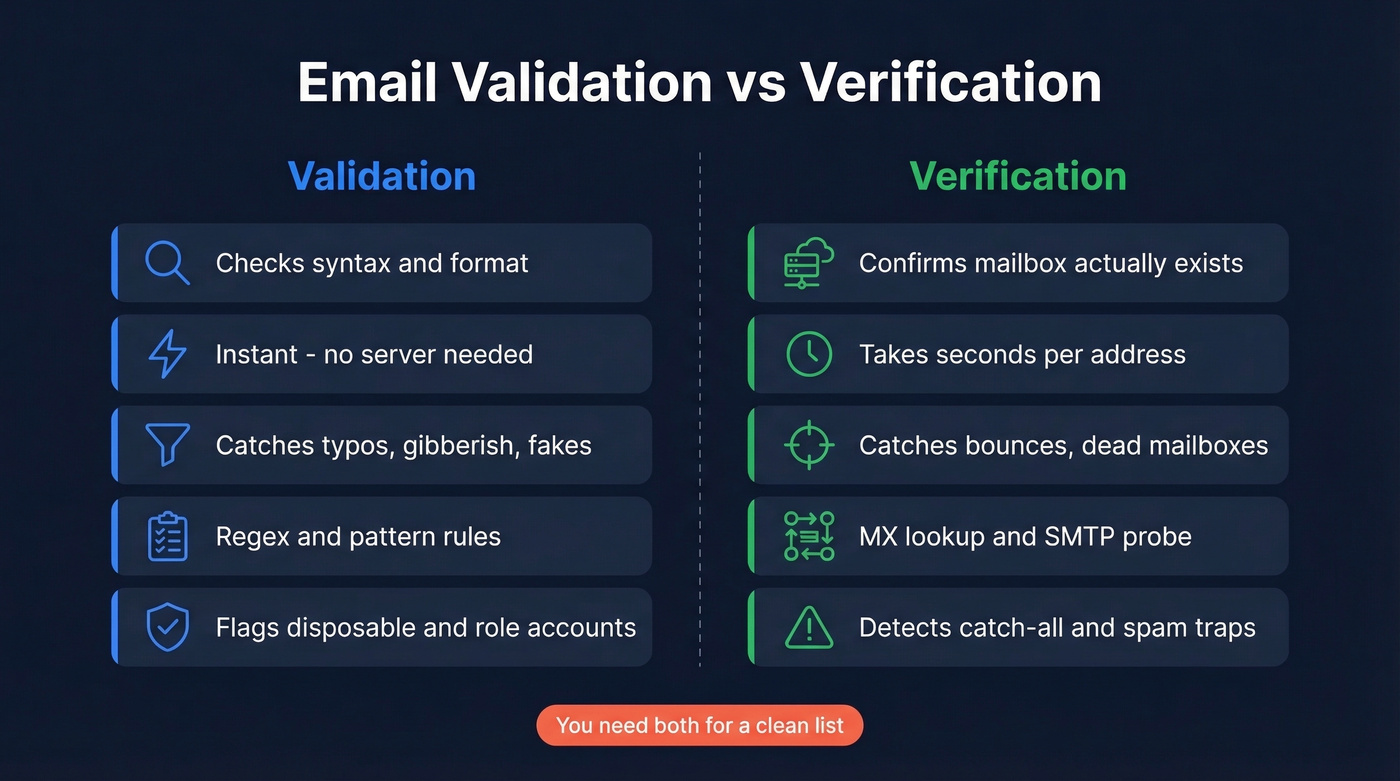
Validation checks whether an email address is plausible - syntax, format, basic domain rules. Verification checks whether the address is actually deliverable by testing the domain's mail setup and probing the mailbox. Most "email checker" tools combine both steps into one workflow, which is why the terms get blurred so often.
| Validation | Verification | |
|---|---|---|
| What it checks | Syntax, format, basic domain plausibility | Mailbox existence + deliverability signals |
| How | Regex, pattern rules | MX lookup, SMTP probe |
| Catches | Typos, gibberish, fakes | Bounces, dead mailboxes |
| Speed | Instant | Seconds per address |
| Needs server? | No | Yes |
One wrinkle most guides skip: RFC 5322 technically allows characters like +, !, and ~ in the local part. But try sending to user!tag@company.com - most providers reject it. Validation catches what's syntactically wrong, not what's technically valid but practically dead.
What Validation Catches
Validation is the first filter. It strips out obvious garbage before you waste verification credits on addresses that were never real.
On a typical list, syntax and format validation alone catches roughly 5-10% of bad addresses - malformed syntax like missing @ signs, double dots, and gibberish usernames. Most tools also bundle disposable domain detection (Mailinator-style addresses), role account flagging (info@, support@), and random-username detection into this same front-end pass.
It also flags provider-specific quirks. Gmail ignores dots entirely - john.doe@gmail.com and johndoe@gmail.com hit the same inbox. But validation alone won't tell you if a mailbox exists. It just tells you the address could plausibly exist.
What Verification Catches
Verification goes further. It actually talks to the mail server.
The process runs MX record lookups to confirm the domain can receive mail, SMTP mailbox probes to check whether the specific address exists, and catch-all detection to flag domains that accept everything. Many verifiers also attempt spam-trap and honeypot detection, but let's be honest - no verifier catches every spam trap. Anyone claiming otherwise is overselling.
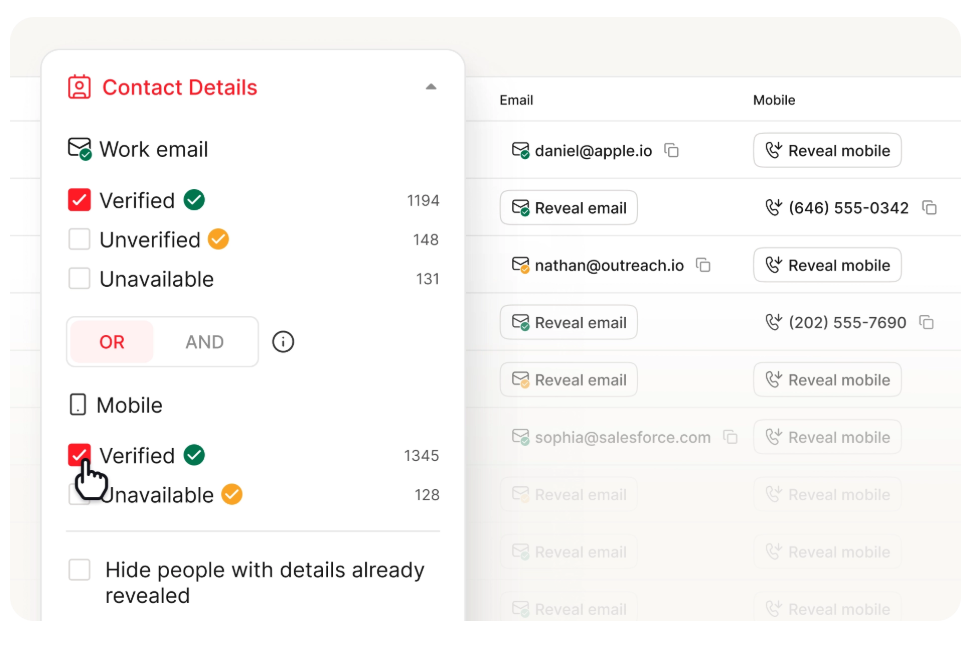
This is the step that separates a clean list from a bouncy one. Without it, you're guessing. And guessing with email deliverability is how you end up on a blocklist.
If you’re already tracking bounce rate and it’s creeping up, verification is usually the missing layer.

Catch-all domains shouldn't leave you guessing. Prospeo's 5-step verification handles catch-all resolution, spam-trap removal, and honeypot filtering before you ever see the email - 98% accuracy, $0.01 per contact.
Skip the standalone verifier. Get emails that are already clean.
What the Results Mean
Every verifier returns statuses. Here's what to do with each:
- Valid - Send. The mailbox exists and accepts mail.
- Invalid - Remove immediately. Hard bounce waiting to happen.
- Risky / Catch-all - Segment carefully. The server accepts all addresses, real or fake. About 30-40% of B2B addresses sit on catch-all domains. That's a huge chunk of your list in limbo.
- Unknown - Re-verify later or exclude. Enterprise security gateways like Proofpoint and Mimecast actively block SMTP probing, producing false "unknown" results for perfectly valid mailboxes.
In our experience, 10-30% of B2B lists return unknown or risky results depending on catch-all prevalence and security gateways. If your bounce rate is above 2%, that's a clear signal of poor list quality. The catch-all bucket is where most teams get stuck, and it's the reason cheap verifiers with no catch-all resolution leave you flying blind.
Why It Matters - The Numbers
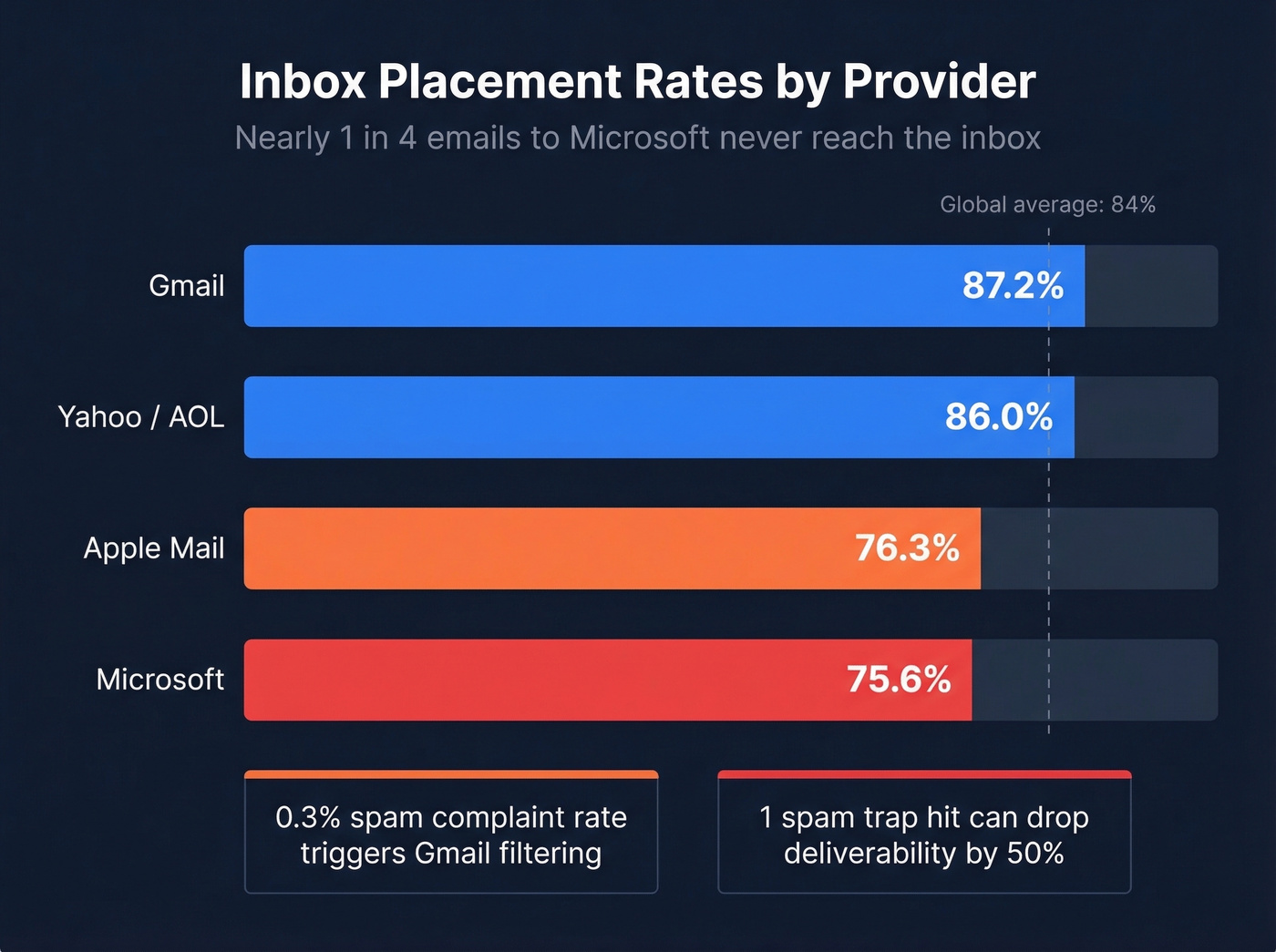
Global inbox placement averages about 84%. One in six emails never reaches the inbox. The breakdown by provider tells a sharper story:
| Provider | Inbox Rate |
|---|---|
| Gmail | 87.2% |
| Yahoo/AOL | 86.0% |
| Apple Mail | 76.3% |
| Microsoft | 75.6% |
Microsoft is brutal - nearly a quarter of emails miss the inbox. Spam complaint rates above 0.3% trigger filtering at Gmail. Annual list decay runs about 23%, meaning a list clean in January bounces badly by summer. Experts recommend keeping bounce rates under 0.5%, and a single spam-trap hit can drop deliverability by up to 50%.
We've seen teams go from 6% bounces to under 2% after switching to real-time verification at the point of collection. That kind of improvement compounds across every campaign you run.
If you’re sending at scale, it also helps to manage email velocity so you don’t spike complaints.
What Verification Costs
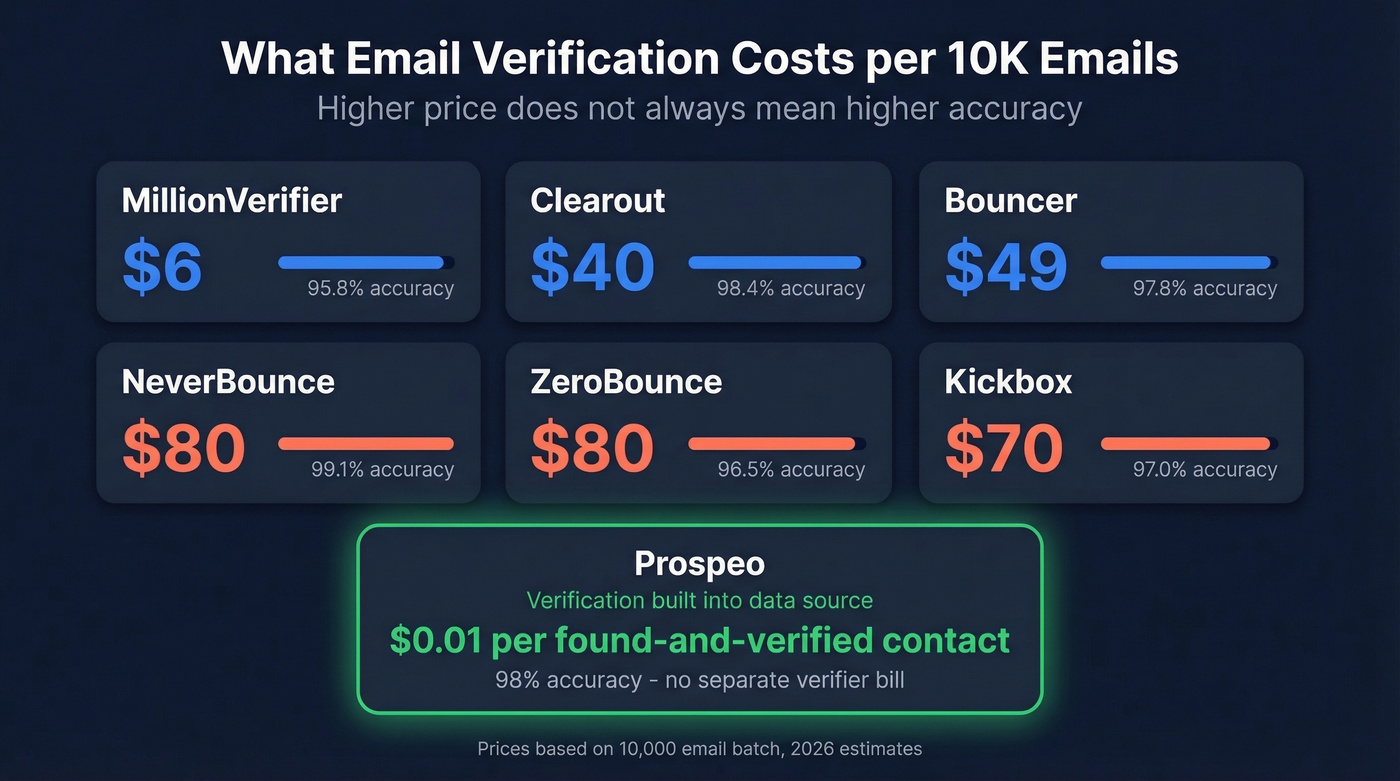
Standalone verification pricing varies wildly. Here's what a 10,000-email batch costs across popular tools:
| Tool | Accuracy | Cost / 10K |
|---|---|---|
| MillionVerifier | 95.8% | ~$6 |
| Clearout | 98.4% | ~$40 |
| Bouncer | 97.8% | ~$49 |
| NeverBounce | 99.1% | ~$80 |
| ZeroBounce | 96.5% | ~$80 |
| Kickbox | 97.0% | ~$70 |
The Reddit consensus on verification pricing? It feels expensive relative to what it does. Paying $70-80 to verify 10K addresses you already paid to acquire stings.

Here's a strong opinion: if your average deal size is under $10K, you probably don't need a standalone verifier at all. You need a data source that doesn't give you bad emails in the first place. Paying separately for a data provider and then a standalone verifier is just inefficient.
Prospeo runs a 5-step verification process - catch-all handling, spam-trap removal, honeypot filtering - before delivering the email. You pay roughly $0.01 per found-and-verified contact instead of stacking two bills. Snyk's team of 50 AEs dropped bounce rates from 35-40% to under 5% after switching, which is what happens when verification is built into the data source rather than bolted on after.
If you’re comparing tools, start with what you actually need: a verifier, a finder, or both (see email search tools and email list providers).
When You Need Each
Both. Always both. But timing matters.
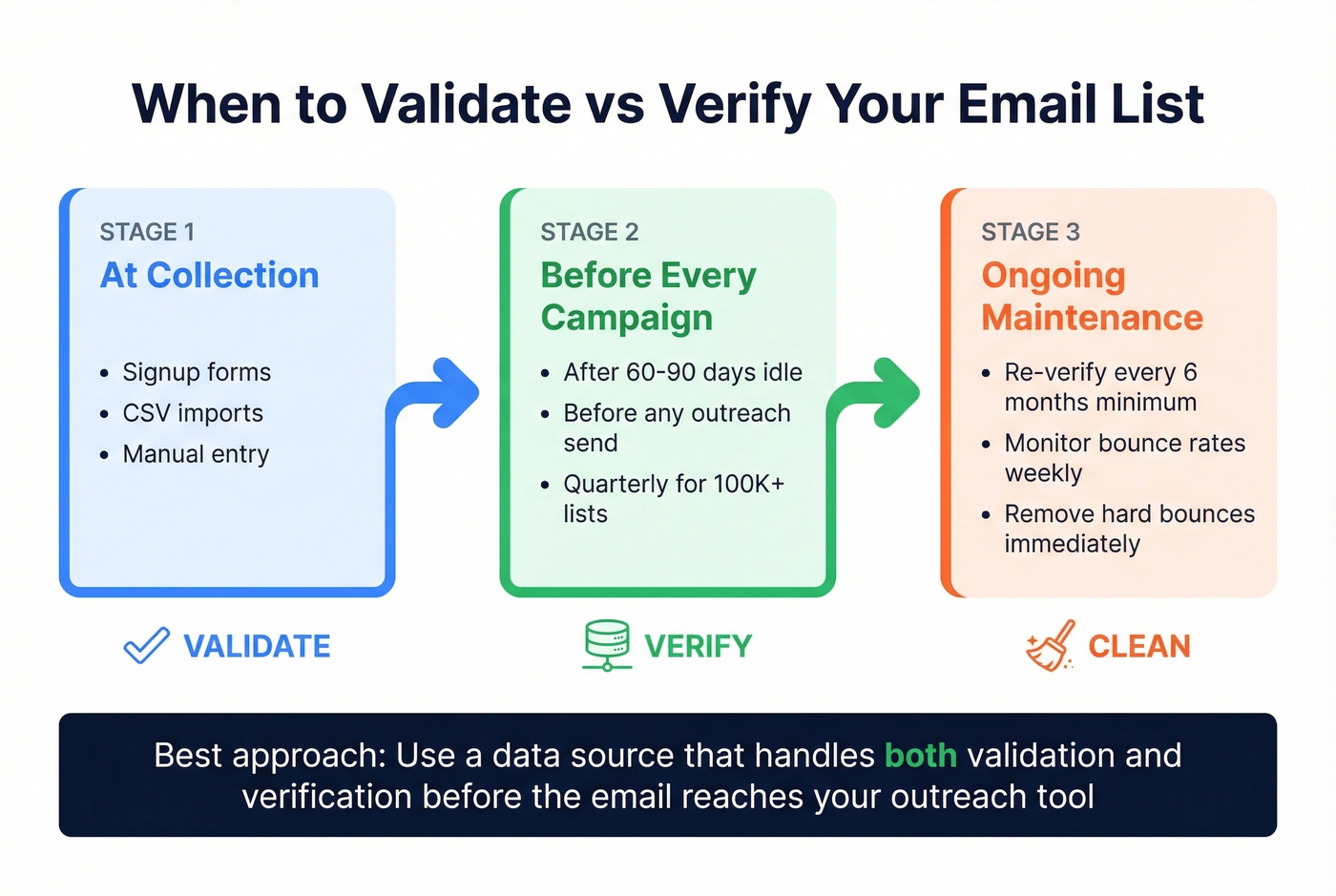
Validate at the point of collection - signup forms, CSV imports, manual entry. This catches garbage before it enters your system. Verify before every campaign and after 60-90 days of inactivity. A "valid" address in March can be a hard bounce by June. For larger programs with 100K+ contacts, quarterly cleaning is the minimum; everyone else should clean at least every six months.
Skip the standalone verifier if your data source already handles verification at the point of collection. Validation without verification misses bounces. Verification without validation wastes credits on garbage syntax. The cleanest approach is a data source that handles both before the email ever hits your outreach tool.
If you’re building outbound sequences, pair list hygiene with better cold email marketing fundamentals and tighter targeted email campaigns.
Snyk's 50 AEs went from 35-40% bounce rates to under 5% - not by adding a verifier, but by switching to a data source with verification built in. Prospeo delivers found-and-verified emails so you stop stacking two bills.
One platform. One cost. Zero bounces worth worrying about.
FAQ
Is email validation the same as verification?
No. Validation checks format - proper syntax and basic domain plausibility. Verification pings the mail server to confirm the mailbox exists and accepts messages. Most email checker tools combine both into one workflow, which is why the distinction gets lost so often.
What's a catch-all email result?
A catch-all domain accepts mail sent to any address, real or fake. Verifiers can't confirm whether a specific mailbox exists on these servers, so they return "catch-all" or "risky." About 30-40% of B2B addresses sit on catch-all domains, which is why catch-all resolution matters so much for outbound teams.
How often should I re-verify my list?
Every six months minimum. High-volume senders with 100K+ contacts should clean quarterly. About 23% of addresses go invalid each year, so a list that's clean in January will bounce noticeably by July.