

The Best Email Warm Up Software in 2026 (Tested)
Every major email warm up software guide is written by a company that sells a warmup tool. Instantly ranks itself first. Smartlead ranks itself first. Lemwarm ranks itself first. We don't sell a warmup tool, so let's actually be useful here.
Roughly 45.6% of all emails worldwide get flagged as spam - and warmup is only half the fix. The other half is something most guides never mention: your contact data.
Our Picks (TL;DR)
| Pick | Tool | Verdict | Starting Price |
|---|---|---|---|
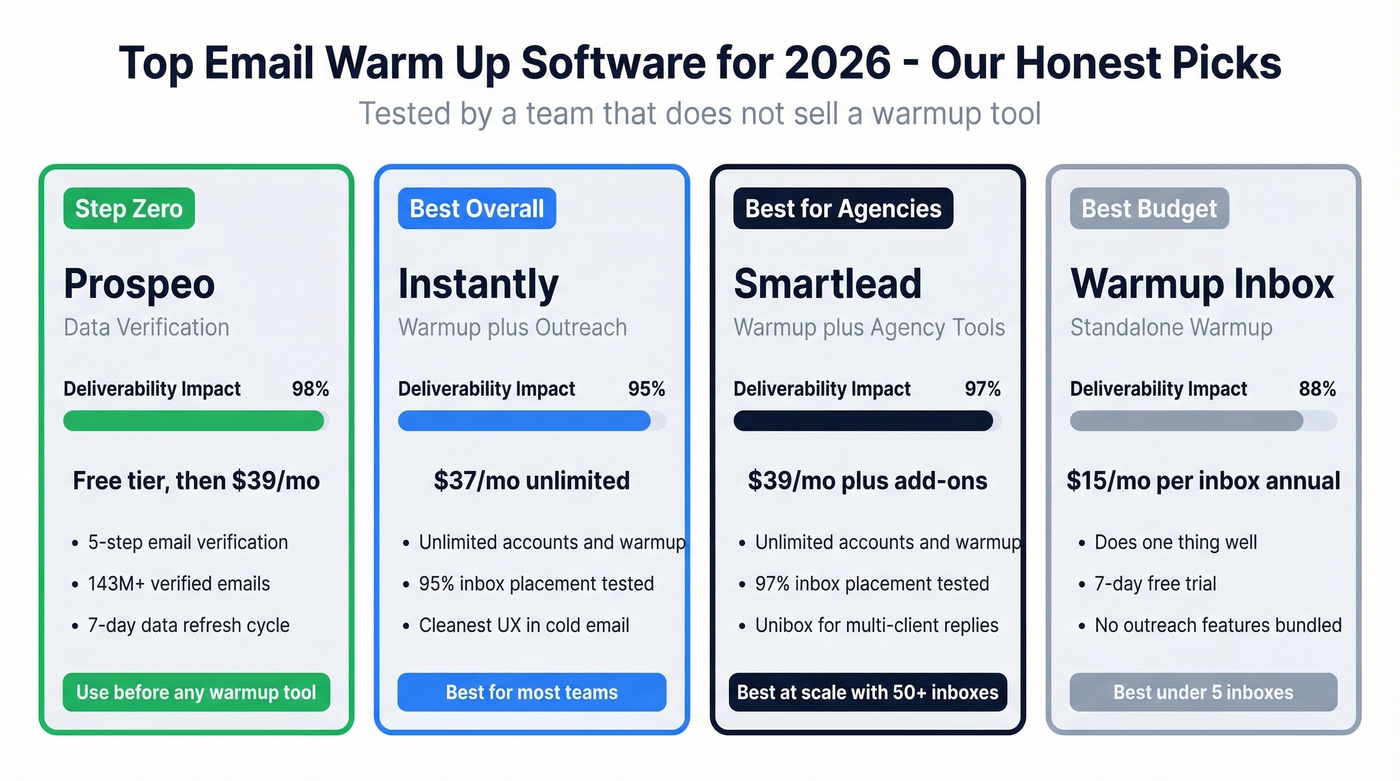
| Before any of these | Prospeo | Fix your list before warmup. | Free tier; ~$39/mo |
| Best overall value | Instantly | $37/mo unlimited warmup. No contest. | $37/mo |
| Best for agencies | Smartlead | Agency-scale warmup + Unibox. | $39/mo |
| Best budget standalone | Warmup Inbox | $15-19/inbox. Does one thing well. | $15/mo (annual) |
Fix Your Data Before You Warm Up
No email warming tool can outrun a dirty list. If 10% of your emails bounce, your sender reputation craters regardless of how many simulated opens you're generating. We've watched teams spend weeks warming up domains only to torch them on day one because their contact data was garbage.
This is where data quality tools matter. Prospeo's 5-step email verification catches spam traps, honeypots, and invalid addresses before they enter your sequence - 98% email accuracy across 143M+ verified emails, with a 7-day data refresh cycle that keeps records current instead of stale. Stack Optimize runs 94%+ client deliverability, under 3% bounce rates, and zero domain flags across all accounts using this approach. Meritt dropped their bounce rate from 35% to under 4%. That's not warmup doing the work - that's clean data making warmup effective.

How Email Warmup Software Works
Email warming software connects your account to a network of real inboxes - typically tens of thousands to over a million. These inboxes exchange simulated emails with yours: opening them, replying, moving them out of spam, marking them as important. The goal is to build positive engagement signals that Gmail and Microsoft use to judge sender reputation.
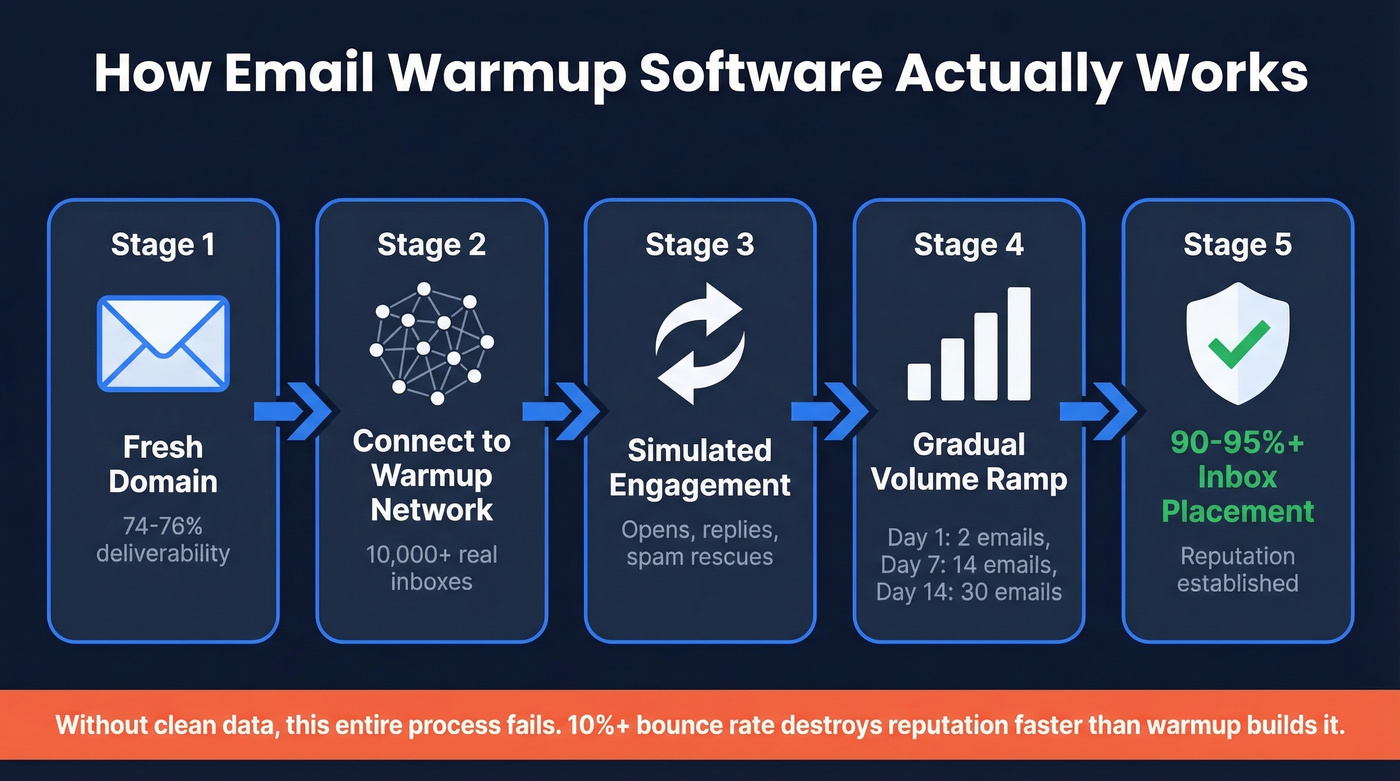
Fresh Gmail accounts typically start around 74-76% deliverability. Warmup tools aim to push that into the 90-95%+ range.
Most warmup setups start with very low daily volume and ramp gradually - Instantly's "Slow Ramp" schedule starts at 2 emails on day 1, 4 on day 2, 6 on day 3, and continues upward, while Warmup Inbox recommends keeping cold email volume under 20-50 emails/day while your reputation stabilizes. Both Gmail and Microsoft have tightened the screws lately. SPF, DKIM, and DMARC authentication are mandatory for bulk senders, and non-compliant email can get blocked outright. Engagement quality is weighted more heavily than ever. Apollo actually removed built-in warmup and shifted to volume pacing ("Inbox Ramp Up") - a sign that even major platforms see traditional warmup as a temporary fix rather than a permanent solution.

Warmup tools build reputation. Bad data destroys it. Prospeo's 5-step verification catches spam traps, honeypots, and invalid addresses before they torch your domain - 98% accuracy across 143M+ verified emails, refreshed every 7 days.
Stop warming up domains just to burn them on dirty lists.
The Best Email Warming Tools
Instantly - Best Overall Value
Use this if you're running outbound at any scale and want warmup baked into your sending platform without per-inbox charges. Instantly's Growth plan at $37/mo includes unlimited email accounts and unlimited warmup. That's the entire value proposition in one sentence.
Skip this if you need a standalone warmup platform without outreach features bolted on.
In an independent-ish deliverability test by Skylead, Instantly hit 95% inbox placement across roughly 200 warm-up emails. Not the highest score in the batch (InboxFlare topped it at 99%, though it's bundled with Skylead's platform), but strong - and the pricing makes everything else look expensive. The consensus on r/sales is that Instantly's UX is the cleanest in the cold email space, and we'd agree.
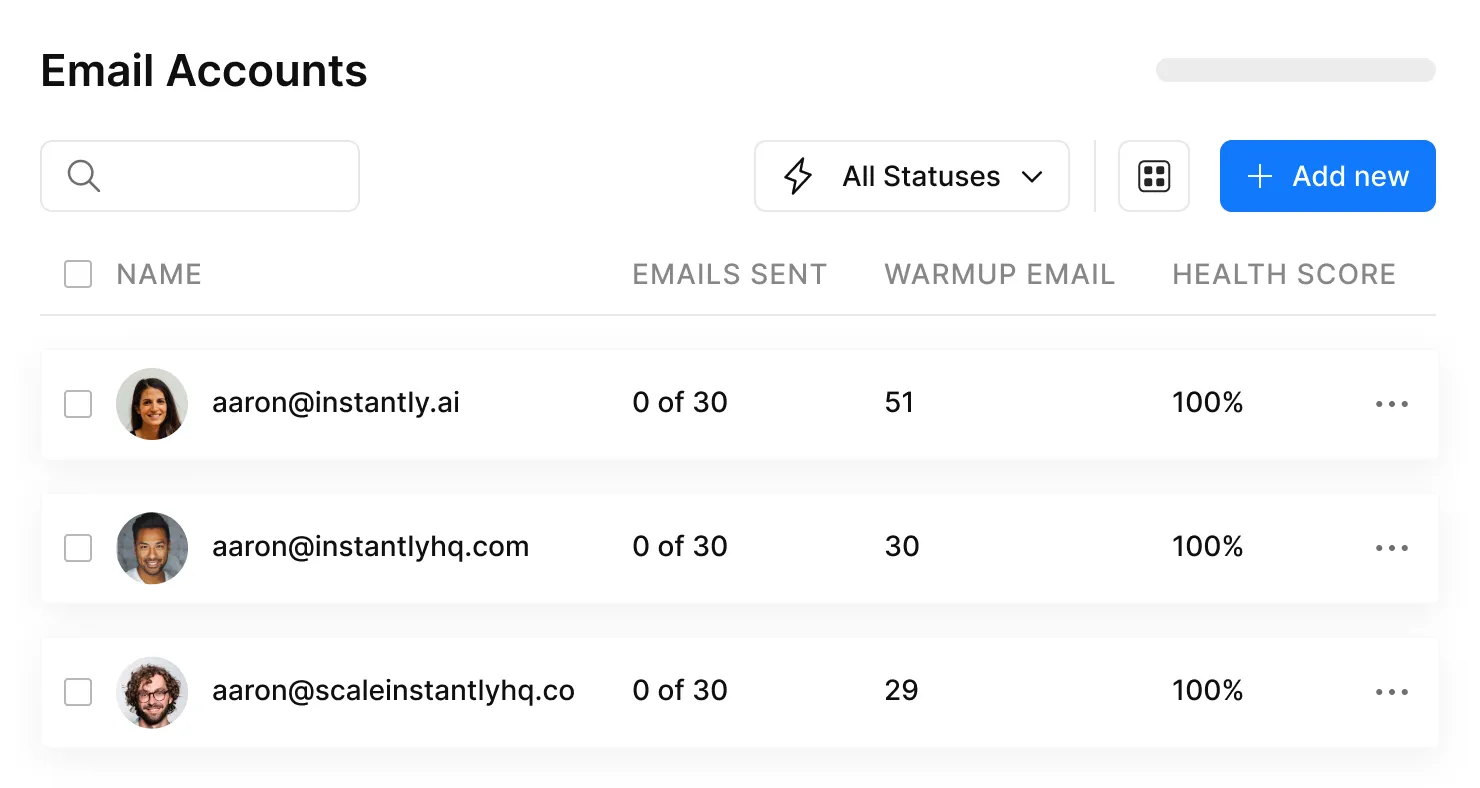
Growth runs $37/mo ($30/mo annual). Hypergrowth is $97/mo ($77.60/mo annual) for 100K emails/month. Light Speed hits $358/mo with server-level IP sharding and rotation for high-volume agencies. Instantly's own team recommends capping at 30 emails per inbox per day - that limit matters more than most people realize. (If you're trying to push volume safely, see Email Velocity.)
Smartlead - Best for Agencies
Smartlead scored 97% inbox placement in the same test - the second-highest result among standalone tools. The base plan starts at $39/mo with unlimited accounts and warmup, and the Unibox feature lets you handle replies across dozens of client inboxes from one screen. For agencies juggling multiple client campaigns, that combination of scale and multi-client management is hard to beat.
The add-ons are where costs escalate. SmartDelivery (advanced deliverability monitoring) runs $49-174/mo extra. SmartServers cost $39/server/month. Mailbox purchasing through their marketplace adds $4-6/mailbox/month. A fully loaded agency setup can easily triple the base price. Pro at $94/mo, Smart at $174/mo, and Prime at $379/mo unlock higher contact and email limits.

Reddit sentiment consistently calls Smartlead "overkill" for teams under 5 people. Fair enough. For agencies running 50+ inboxes across clients, the unlimited warmup alone justifies the cost - just budget for the extras.
Warmup Inbox - Best Budget Standalone
At $19/mo per inbox ($15/mo annual), Warmup Inbox does exactly one thing without bundling outreach features you don't need. The 7-day free trial gives you enough time to see initial reputation movement on a fresh domain. But here's the thing: if you're warming more than 5-8 inboxes, the per-inbox model gets expensive fast and Instantly's flat rate becomes the obvious choice.
Warmbox - The 90% Problem
Warmbox scored 90% in the same deliverability test - noticeably lower than Instantly (95%) and Smartlead (97%). Some plans start around $15/month for a single inbox. For a personal inbox where you're sending under 20 emails a day, that gap probably won't matter. For client work, it will.
Lemwarm - Free With Lemlist, Overpriced Without It
One Reddit user summed up the standalone experience: they'd been using Lemlist plus Lemwarm and were "quite disappointed by results." Anecdotal, sure, but the pricing makes the disappointment sting harder. At $29/mo (Essential) or $49/mo (Smart) per mailbox standalone, it's hard to justify when Instantly gives you unlimited warmup for $37/mo total. Lemwarm did score a solid 96% in independent-ish testing, though - so if you're already paying for Lemlist, the included warmup is a genuine perk.
Warmy - Overpriced for What It Does
Warmy charges $49/mailbox/month at Starter, scaling to $279/mo for Expert. Ten inboxes would cost $490/mo - versus $37 at Instantly for unlimited. It carries a 4.8/5 on G2 across 498 reviews, but complaints about pricing changes and missing API for bulk domain management are common. Hard to recommend at this price point.
Folderly - A Suite, Not a Warmup Tool
Folderly runs $96-120/mailbox/month depending on which source you check - the pricing is genuinely inconsistent across their own ecosystem. It's a full deliverability diagnostics suite, not a warming tool. Automation errors have been reported, including cases where the system sent thousands of emails overnight. Only consider it if you need deep deliverability auditing beyond warmup. (If you're troubleshooting deliverability end-to-end, start with an email deliverability guide.)
Mailwarm - Expensive Per-Account
Mailwarm charges $69/mo for one account, $159/mo for three, and $479/mo for ten. No unlimited option. At those prices, Mailwarm is tough to justify for anyone running more than a single inbox.
Cost Per 10 Inboxes
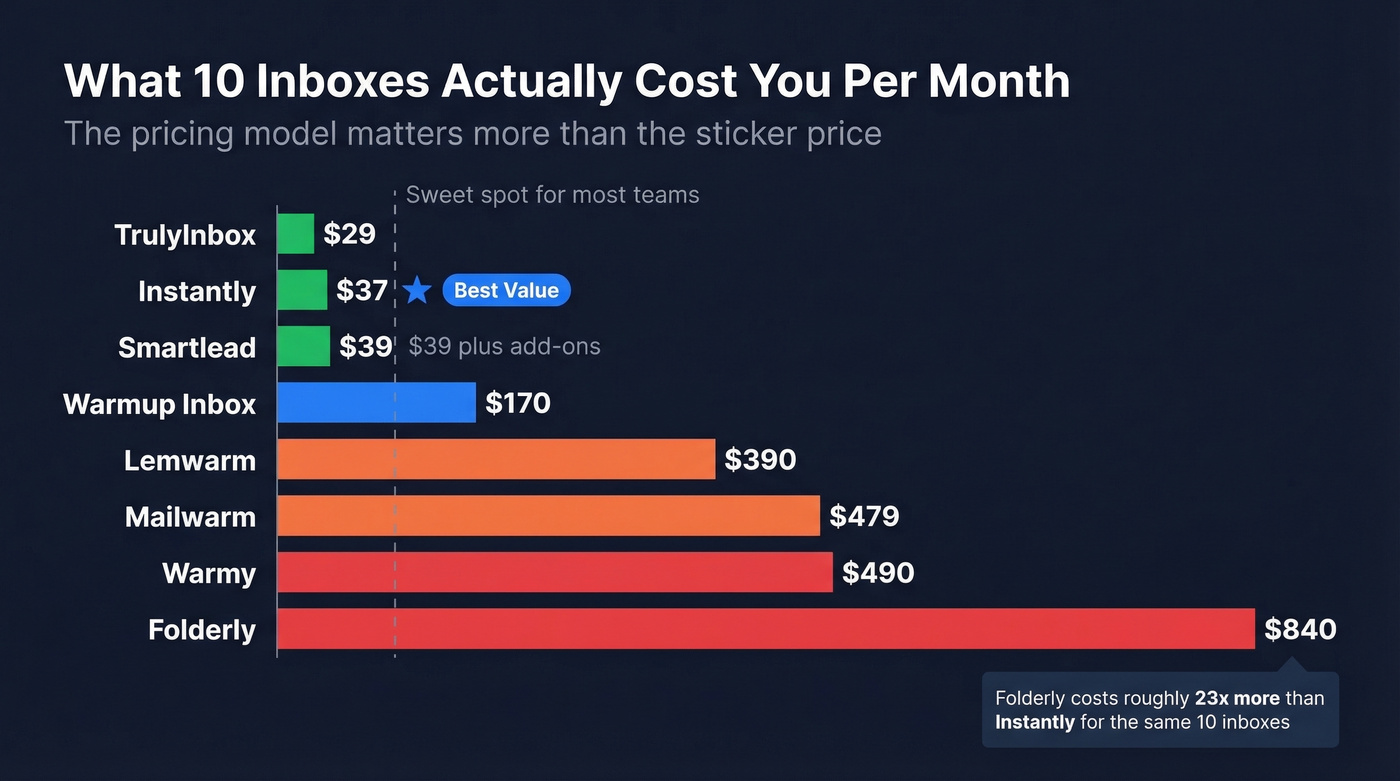
This is the comparison that actually matters. Most teams run 5-15 sending inboxes - here's what warming ten of them costs:
| Tool | Cost/mo (10 inboxes) | Model |
|---|---|---|
| TrulyInbox | ~$29 | Flat rate |
| Instantly | $37 | Unlimited |
| Smartlead | $39 (+ add-ons) | Unlimited |
| Warmup Inbox | $150-190 | Per inbox |
| Lemwarm | $290-490 | Per mailbox |
| Mailwarm | $479 | Per account |
| Warmy | $490 | Per mailbox |
| Folderly | $720-960 | Per mailbox |
TrulyInbox offers a free plan and $29/mo flat rate - the cheapest option here, though Saleshandy ranks it #1 in its own listicle, so take the positioning with a grain of salt.
The gap between unlimited-model tools and per-inbox tools is staggering. At 10 inboxes, Folderly costs about 20-26x what Instantly charges. That's not a rounding error - it's a fundamentally different pricing philosophy.
Let's be honest: if your average deal size sits below five figures, you almost certainly don't need anything beyond Instantly's $37/mo plan. The per-mailbox tools like Warmy and Folderly only make sense if you're selling six-figure deals where a single extra meeting pays for a year of tooling.
Warmup Mistakes That Kill Deliverability
Sending to unverified lists. This is mistake zero. If your contact data bounces at 10%+, no automated warmup tool can save you. Verify every email before it enters your sequence. (Benchmarks and fixes: email bounce rate.)
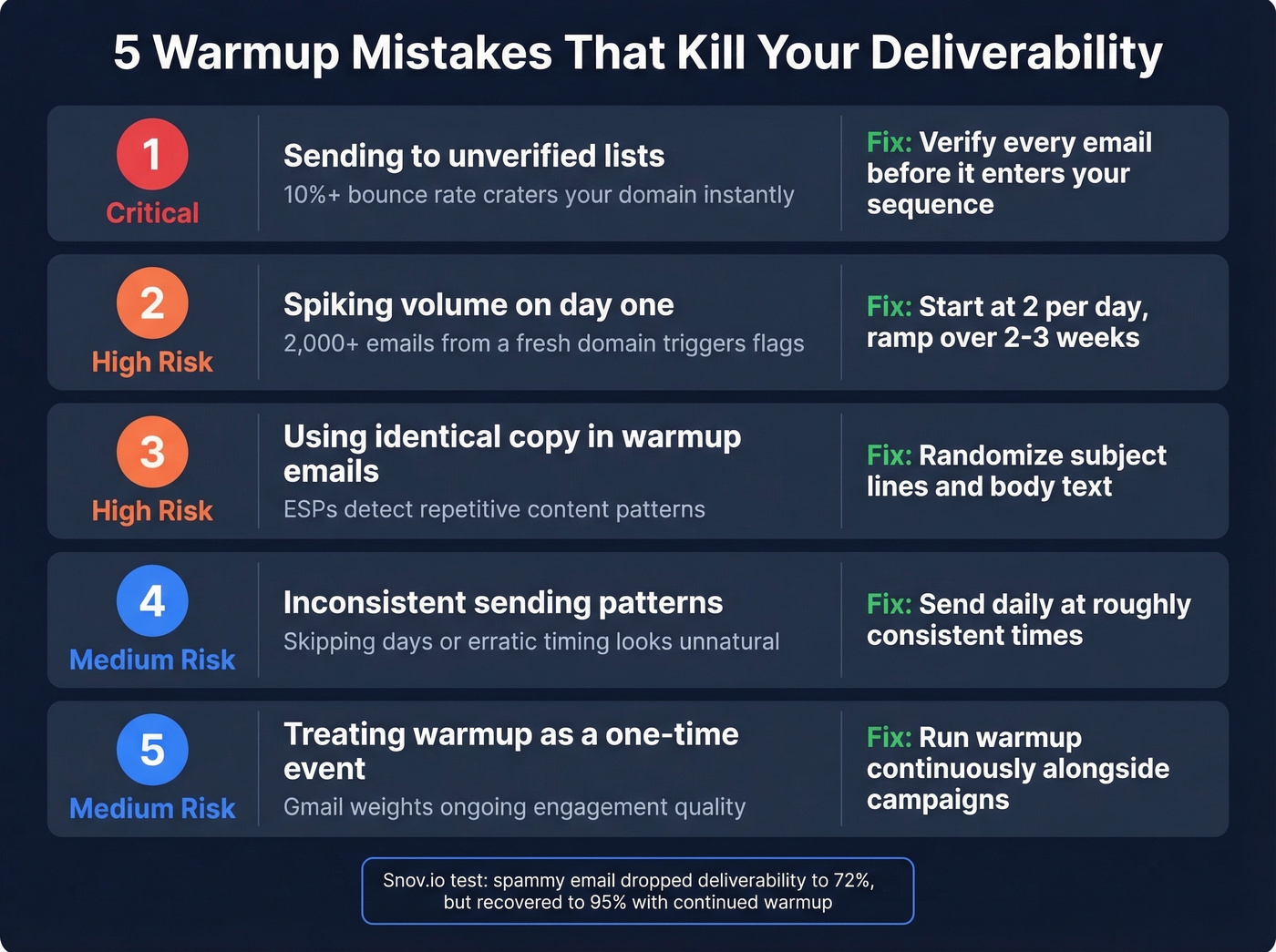
Spiking volume on day one. Sending 2,000+ emails from a fresh domain triggers immediate suspicion. Start low and ramp over 2-3 weeks.
Using identical copy across warmup emails. ESPs detect repetitive content patterns. Good warmup tools randomize subject lines and body text - make sure yours does. (If you need options, pull from these email subject lines.)
Inconsistent sending patterns. Skipping days or sending at erratic intervals looks unnatural. Warmup should run daily, at roughly consistent times.
Treating warmup as a one-time event. Gmail weights ongoing engagement quality - stop warming up and your reputation decays. Run it continuously alongside real campaigns.
Snov.io ran a stress test where they deliberately sent a spammy email mid-warmup - deliverability dropped to 72% but recovered to 95% within the remaining warmup period. Warmup tools can recover from mistakes, but prevention is always cheaper than recovery.
Stack Optimize hit 94%+ deliverability and zero domain flags across every client. Meritt cut bounce rates from 35% to under 4%. Neither result came from warmup alone - it came from starting with verified contact data at $0.01 per email.
Fix the data first. The warmup actually works after that.
Do You Even Need Warmup?
If you're sending under 20 emails a day from a personal inbox, you might not. One Reddit practitioner burned a domain, then shifted to fewer highly personalized emails from a real Gmail account - no sequences, no warmup tools. They reported higher inbox placement and better reply rates.
There's also the detection question. Warmup pools create artificial engagement patterns, and some practitioners worry Google could eventually flag participants. For everyone running outbound at scale, email warm up software remains essential. Just don't treat it as a magic fix - clean data, proper authentication, and genuine engagement matter more than any warmup network. (If you're building the full system, see cold email marketing.)
FAQ
How long does email warmup take?
Most tools need 2-4 weeks to build sender reputation on a fresh domain. Don't launch full campaigns before week 3. Keep warmup running continuously - stopping tanks your reputation within days.
Are there free email warmup tools?
TrulyInbox offers a free plan for one account at 10 emails/day. Lemwarm is free with any Lemlist subscription. Instantly and Smartlead include unlimited warmup in base plans - not free, but no extra per-inbox cost.
Can Google detect warmup tools?
Warmup pools create artificial engagement patterns that ESPs could theoretically flag. Mitigate risk by using tools with large networks (100K-1M+ inboxes), varying content, and never relying on warmup as your only deliverability strategy.
Does warmup work if my email list has bad data?
No. If 10%+ of your list bounces, no warmup platform can save your sender reputation. Verify contacts before they destroy your domain - 98% accuracy with weekly data refreshes means bad addresses get caught before they do damage.