


FindThatLead vs Mails.ai: You're Comparing Two Different Things
FindThatLead finds emails. Mails.ai sends them. Putting these two side by side is like comparing a phone book to a mailman - they don't compete, and if you're weighing them against each other, you're really shopping for a workflow, not a single tool.
30-second verdict: FindThatLead is a prospecting tool with a bolt-on sender. Mails.ai is a sending engine with no lead database. Need both halves? Separate your stack: use a dedicated data source like Prospeo for 98% verified email accuracy at ~$0.01/lead, then push clean data into Mails.ai or any sender you prefer.
What Each Tool Actually Does
FindThatLead is a prospecting suite. You get an email finder, Chrome extension, verification, and a lightweight CRM for storing leads. It includes cold email campaigns, but the core loop is "find contacts, export, outreach," with credits governing how much data you pull. Think of it as a lead-gen tool that happens to have a send button.
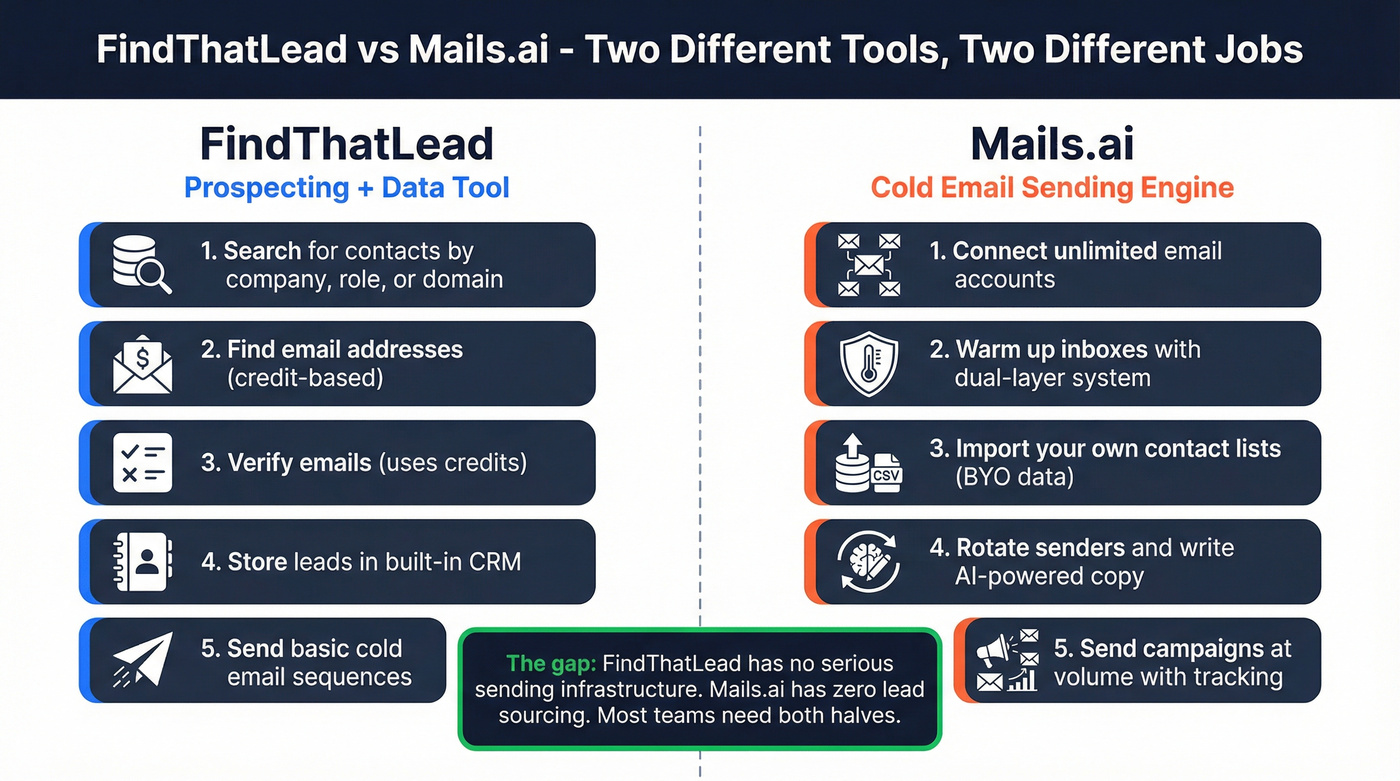
Mails.ai is the opposite. It's a cold email execution platform - connect inboxes, warm them up, rotate senders, write copy with AI, and run campaigns at volume. It includes verification but zero lead sourcing. You bring the list.
Feature and Pricing Breakdown
| Category | FindThatLead | Mails.ai |
|---|---|---|
| Primary function | Email finder + credits | Cold email sending |
| Monthly price | Free trial / $49 / $99 | Free / $49 / $99 / $199 |
| Annual price | - / $37/mo / $75/mo | - / $24/mo / $49/mo / $99/mo |
| Credits / limits | 2k credits/mo (Starter) | 1k-unlimited active contacts/month |
| Verification | Yes (uses credits) | Yes (2k-50k/mo) |
| Warmup | Basic | Dual-layer warmup |
| Inbox rotation | Limited | Yes |
| Chrome extension | Yes | No |
| G2 rating | 4.0/5 | 4.9/5 (5 reviews) |
| Best for | Finding emails | Sending cold email |
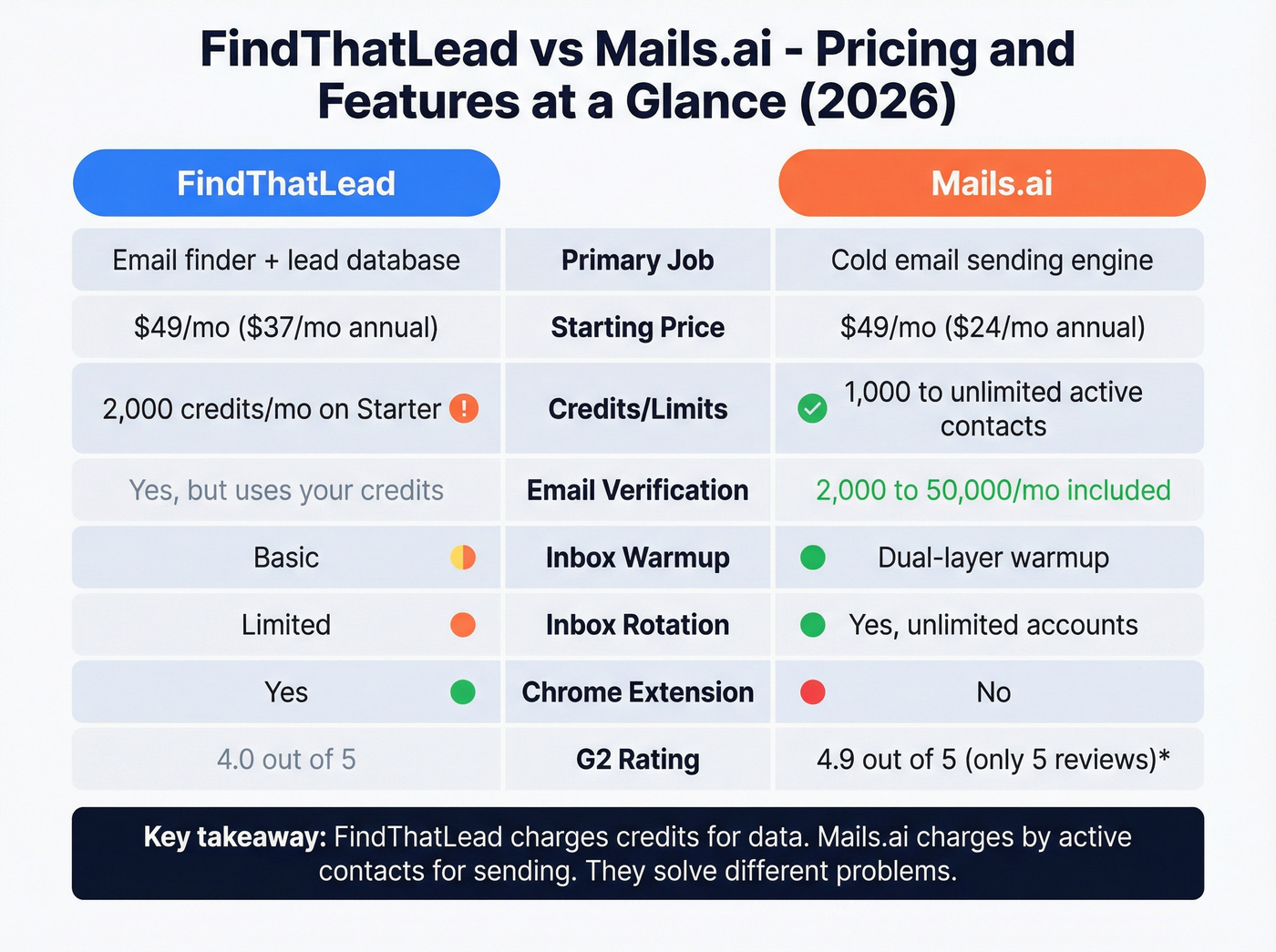
The business model difference matters more than the feature list. FindThatLead is credit-based for data with a sender bolted on. Mails.ai offers unlimited emails per month, constrained by active contacts and verification quotas.
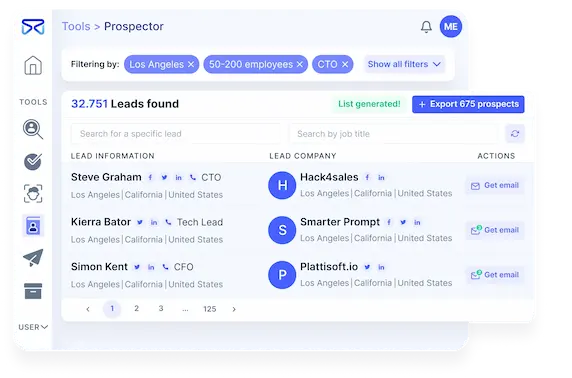

FindThatLead's data quality issues and Mails.ai's zero lead sourcing leave a gap in every outbound workflow. Prospeo fills it: 300M+ profiles, 98% email accuracy, and a 7-day refresh cycle that keeps your lists clean. At ~$0.01/email, you spend less on data than either tool charges - and your bounce rate stays under 4%.
Fix the data first. Every sending tool works better with clean contacts.
FindThatLead - Strengths and Limits
Use it if you want a single login for basic prospecting: find emails, verify, run simple sequences, export. The $49/mo entry is reasonable, and the Chrome extension is handy for grabbing contacts while browsing.
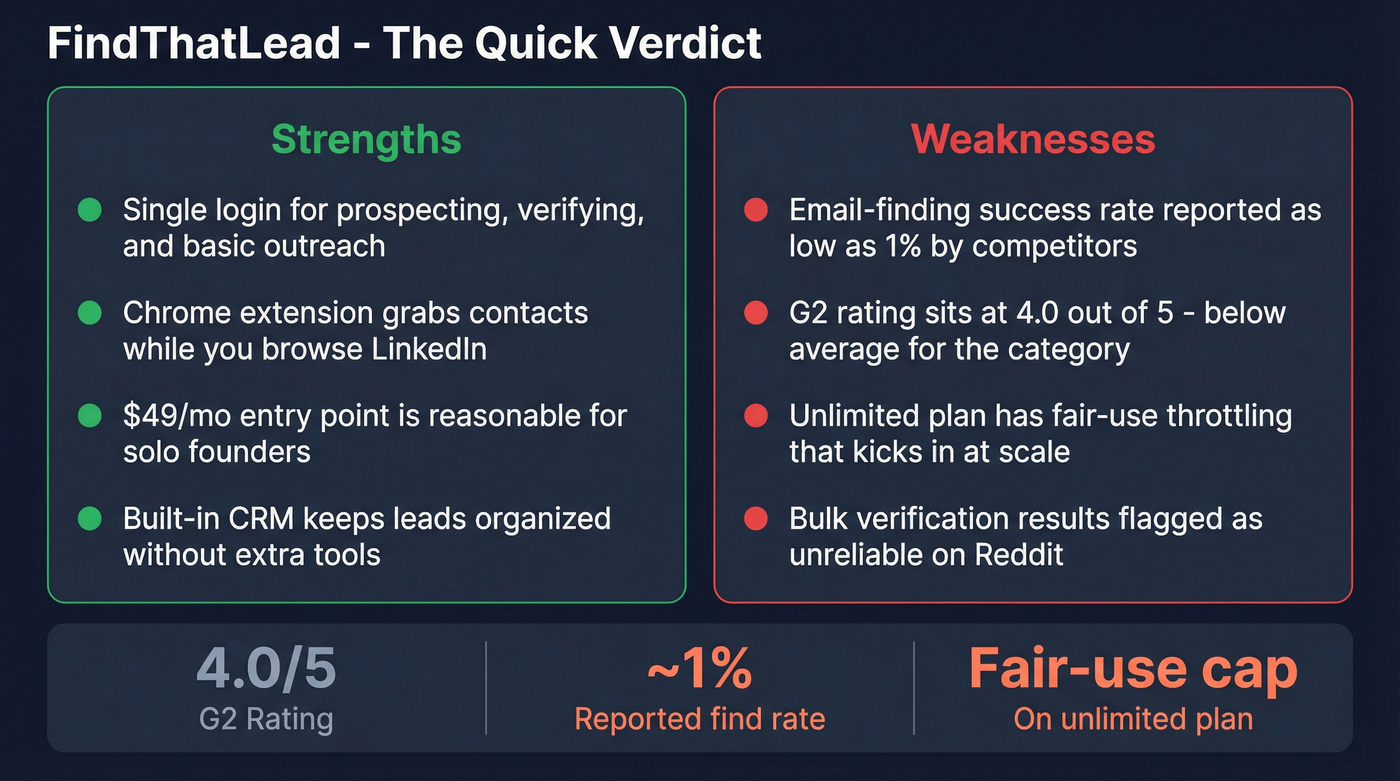
Skip it if data quality is a priority. A competitor critique pegs FindThatLead's email-finding success rates around 1%, and Reddit users have flagged poor bulk verification results. G2 sits at 4.0/5, which tells its own story. The other problem is scale - the Ultimate plan's "unlimited" credits are governed by a fair-use policy that becomes a ceiling right when your outbound motion starts working. We've seen this pattern before: a tool that's fine for 50 emails a week but buckles at 500.
Mails.ai - Strengths and Limits
Use it if you already understand cold email mechanics and want volume without paying per inbox. The standout feature is unlimited email accounts with inbox rotation. Mails.ai also runs dual-layer warmup - Mailbox Warmup builds sender reputation through realistic interactions, while Campaign Warmup trains providers to treat your content as legitimate. The Startup plan starts at $49/mo ($24/mo annual) with 1,000 active contacts and 2,000 verifications.
Skip it if you expect it to find leads. You'll connect 10 inboxes, wait through warmup, then realize you have no clean list to send to. The UI also has a learning curve - both G2 reviewers and a Woodpecker analysis flag navigation complexity. On Reddit, warmup can trigger Gmail rejection errors (error 69585) in some setups (thread here). Worth noting: Mails.ai shows 4.9/5 from 5 reviews on G2, but another rating widget on the same page displays 4.1/5 from 49 reviews. Draw your own conclusions.

Which Tool Do You Actually Need?
Here's the thing: most teams don't need to pick one. They need both halves of a workflow.
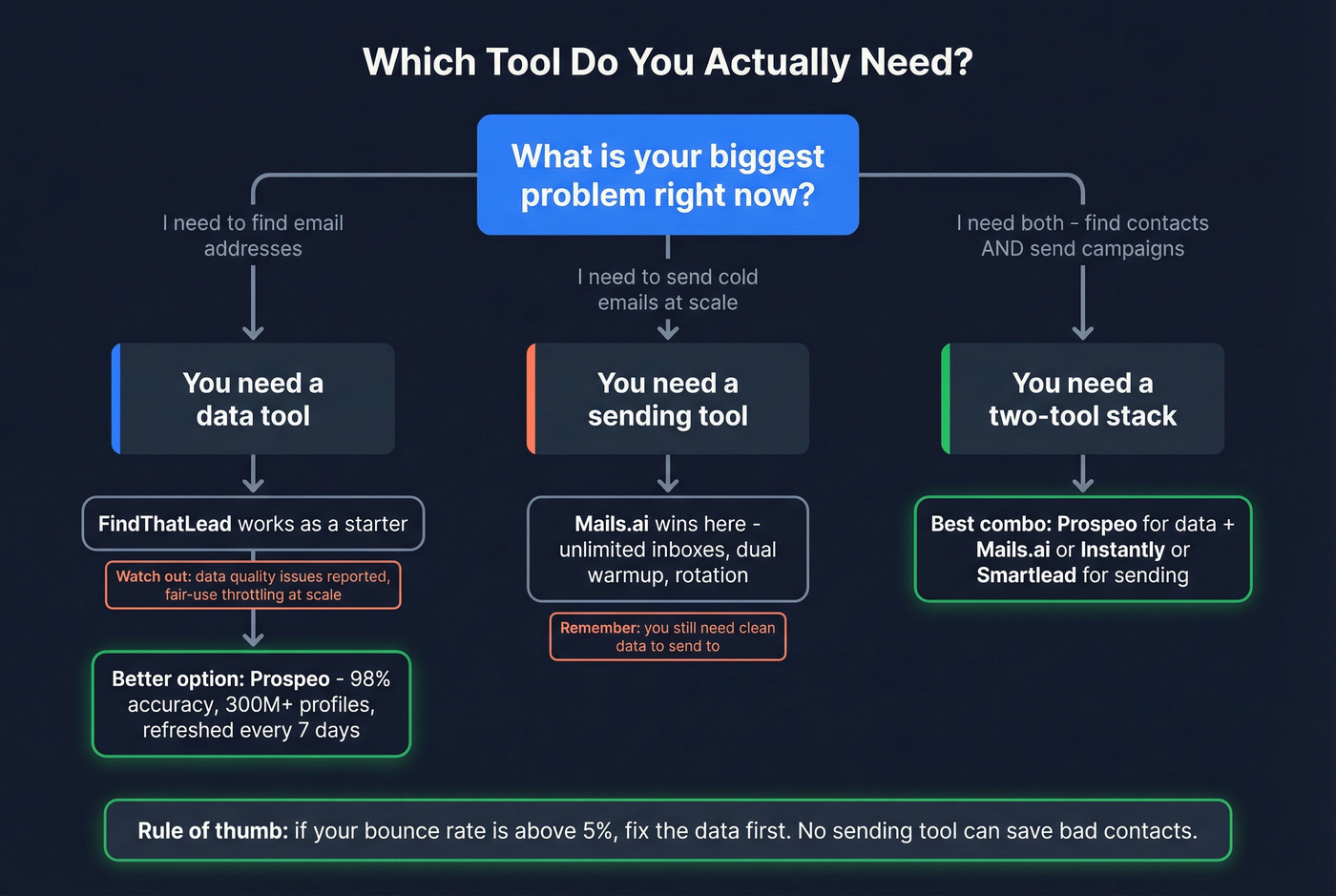
If you need contact data, FindThatLead works as a starter, but the data quality concerns and fair-use throttling make it a short-term fix. If you need sending, warmup, and rotation, Mails.ai wins - full stop. If you need both, stop looking for one tool. Pick a data source. Pick a sender. Connect them.
Let's be honest about something the "all-in-one" crowd doesn't want to hear: if your bounce rate is above 5%, your sending tool doesn't matter. Fix the data first. In our testing, Prospeo's 98% email accuracy and 7-day data refresh cycle solve the upstream problem that tanks most outbound campaigns. Then any competent sender - Mails.ai, Smartlead, Instantly - handles execution. Prospeo integrates natively with all three, plus Lemlist, so the handoff takes minutes, not hours.
If you want to go deeper on deliverability mechanics, start with email bounce rate benchmarks and an email deliverability checklist, then dial in sender reputation and safe email velocity before scaling.

You don't need an all-in-one tool - you need clean data flowing into a great sender. Prospeo integrates natively with Mails.ai, Instantly, Smartlead, and Lemlist. Build verified lists with 30+ filters, export in one click, and launch campaigns without worrying about bounces tanking your domain.
Pair Prospeo's 98% accuracy with any sender and watch reply rates climb.
FAQ
Can I use FindThatLead and Mails.ai together?
Yes - find emails in FindThatLead, export the list, and import into Mails.ai for sending. The risk is bounce rate: FindThatLead's data freshness issues can leak bad emails into campaigns. Run your list through a dedicated verification tool before you hit send.
Is FindThatLead's Ultimate plan really unlimited?
Not in practice. "Unlimited" email credits and sending are governed by fair-use policies, and users hit throttling once usage crosses unpublished limits. Fine for moderate volume, risky at scale. Budget for a standalone data provider if you're sending more than a few thousand emails per month.