


Fireberry CRM Review: Pricing, Pros, Cons & What Ratings Don't Tell You
Fireberry scores a 4.8/5 on G2 with 25 reviews - 92% of them five stars - and a 5.0/5 on Capterra with 8 reviews. Those numbers look incredible until you realize 8 reviews isn't a verdict. It's a dinner party. If you're researching Fireberry before committing, you're smart - with a sample that small, one unhappy customer would drop the G2 score to 4.6.
Let's break down where it shines and where it'll frustrate you.
30-Second Verdict: Fireberry works best for teams of 5-20 who want a customizable all-in-one CRM without Salesforce-level complexity. On Standard, a two-person team paying for the three-seat minimum inflates per-user cost by 50%. Consider HubSpot CRM (free tier, no minimums), Zoho CRM (~$14/user/mo), or Bigin (~$7/user/mo) instead.
Fireberry Pricing Breakdown
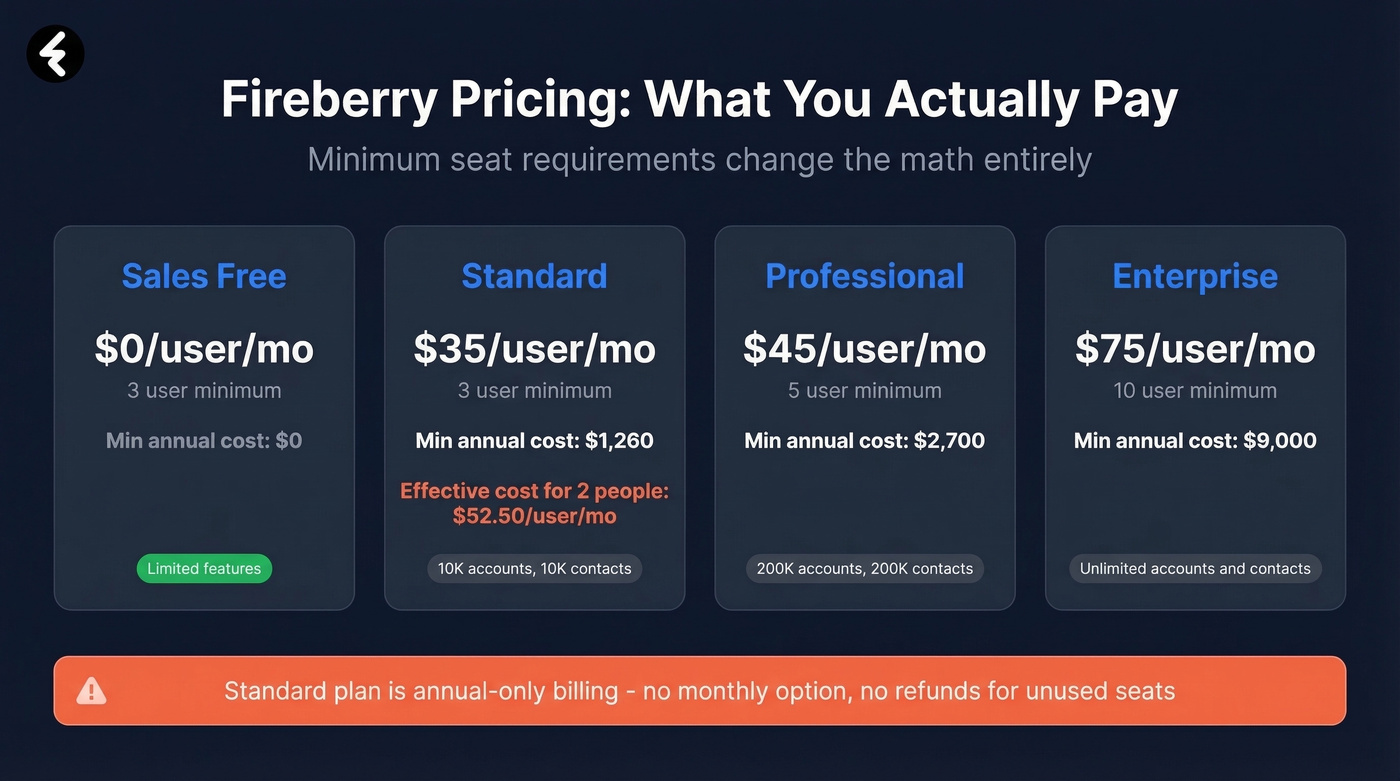
The sticker price looks straightforward. The minimum seat requirements change the math entirely.
| Plan | Price/User/Mo | Minimum Users | Minimum Annual Cost | Account & Contact Cap |
|---|---|---|---|---|
| Sales Free | $0 | 3 | $0 | Limited |
| Standard | $35 | 3 | $1,260 | 10,000 accounts / 10,000 contacts |
| Professional | $45 | 5 | $2,700 | 200,000 accounts / 200,000 contacts |
| Enterprise | $75 | 10 | $9,000 | Unlimited |
Here's the thing: if you're a two-person team on Standard, you're still paying for three seats. That's $1,260/year - an effective cost of $52.50/user/month. For a plan that caps you at 10,000 accounts and 10,000 contacts, that's a tough sell when HubSpot's Starter plan runs $15/user/month billed annually with no seat minimums. (If you want the full breakdown, see our HubSpot pricing review.)
Fireberry also offers Marketing plans at $15/user/mo (Standard) and $45/user/mo (Professional), but the Sales CRM is the core product most teams evaluate first.
Billing Fine Print
- Standard plan is annual-only - no monthly billing option
- Professional and Enterprise offer monthly or annual, with a 20% discount for annual commitments
- No refunds for unused user time on annual plans
- User-slot swap model: deactivate one user, activate another without extra charge
- No free trial of paid tiers - you'll evaluate the platform on the free version alone before committing to $1,260+/year
- Payment by credit card only: Visa, Mastercard, Amex, Diners Club
Add-On Costs
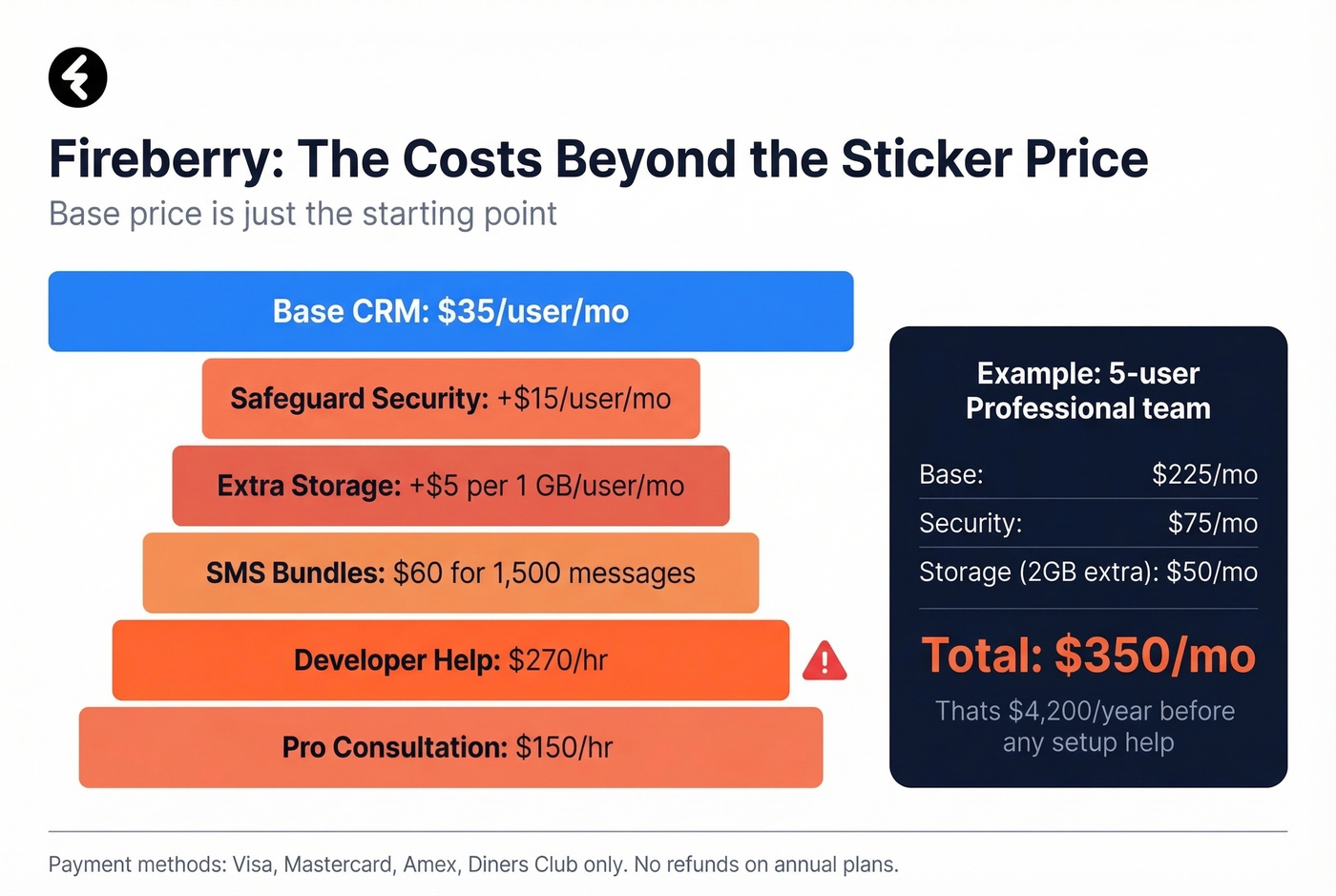
The base price isn't the whole story. Security, storage, and support all cost extra:
- Safeguard security package: $15/user/mo
- Extra storage: $5 per 1 GB/user/mo
- SMS bundles: $60 for 1,500 messages up to $8,108 for 1M
- Professional consultation: $150/hr
- Developer assistance: $270/hr
That developer rate adds up fast if your initial setup gets complicated, and several reviewers mention that it can.
What Users Like About Fireberry
Non-technical users consistently praise Fireberry's no-code customization. You can build custom fields, views, and workflows without touching code or hiring a developer - and for a mid-market CRM, that's genuinely valuable. We've seen teams get basic automations running within a day using the workflow builder, which is faster than most competitors at this price point. (Related: what to look for in a CRM with email automation.)
The centralized notes and interaction history also get called out repeatedly. Teams use Fireberry to document casework and project processes - use cases where centralized record-keeping is non-negotiable. Having every touchpoint logged in one place builds institutional knowledge that doesn't walk out the door when a rep leaves.
Fireberry's native integration catalog is small-to-mid. Zapier is the practical workaround for connecting to tools outside its ecosystem, which adds cost and complexity but gets the job done. If you're comparing automation platforms, see our Zapier pricing breakdown.

Fireberry caps you at 10,000 contacts on Standard. However many contacts your CRM holds, bad emails waste every automation you build. Prospeo verifies emails at 98% accuracy and enriches each contact with 50+ data points - so your CRM workflows actually reach real buyers.
Stop feeding unverified contacts into your CRM. Clean them first.
Common Complaints and Drawbacks

Look, no CRM is perfect. But some of these issues are the kind that grind on you daily:
- Default timestamp stuck on Israel time. Reviewers flag that it can't be changed on their end - a small annoyance that becomes a daily irritation for teams outside Israel.
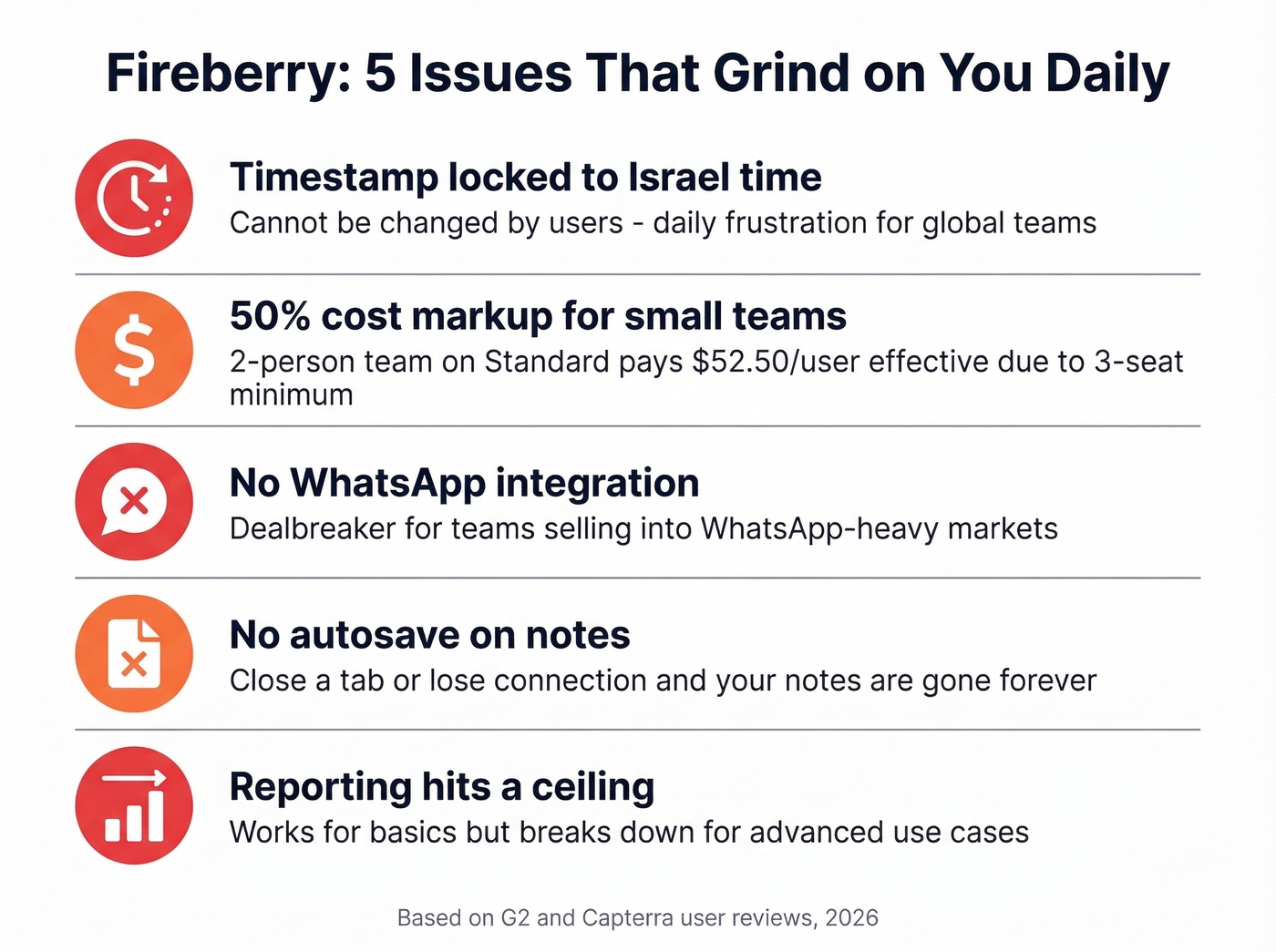
Minimum seat requirements inflate real cost. A two-person team on Standard pays $52.50/user effective. That's a 50% markup for a seat nobody uses.
No WhatsApp integration. For teams selling into markets where WhatsApp is the default business channel, this is a dealbreaker - flagged directly on G2.
No customer portal. Users rely on third-party tools to fill this gap.
No autosave on notes. Close a tab or lose your connection, and your notes are gone. Notes also can't be edited after posting. That one stings.
Limited file storage. Teams end up using Google Drive as a workaround, which defeats the "all-in-one" promise.
Setup complexity cuts both ways. Fireberry's flexibility means initial configuration requires real planning and time investment - and at $270/hr for developer assistance, that flexibility has a price tag. (If you're building a rollout plan, a 30-60-90 day plan for sales reps helps.)
Reporting hits a ceiling once teams push beyond basic use cases. If reporting is a priority, use this sales reporting guide as a checklist.
How Fireberry Compares to Alternatives
| Tool | Starting Price | Min Seats | Free Tier | Notable Strength |
|---|---|---|---|---|
| Fireberry Standard | $35/user/mo | 3 | Yes (limited) | No-code customization |
| HubSpot Starter | $15/user/mo (annual) | None | Yes (robust) | Ecosystem & integrations |
| Zoho CRM Standard | ~$14/user/mo | None | Yes | Value for features |
| Bigin by Zoho | ~$7/user/mo | None | Yes | PCMag Editors' Choice |
| Pipedrive Essential | ~$14/user/mo | None | No | Pipeline visualization |
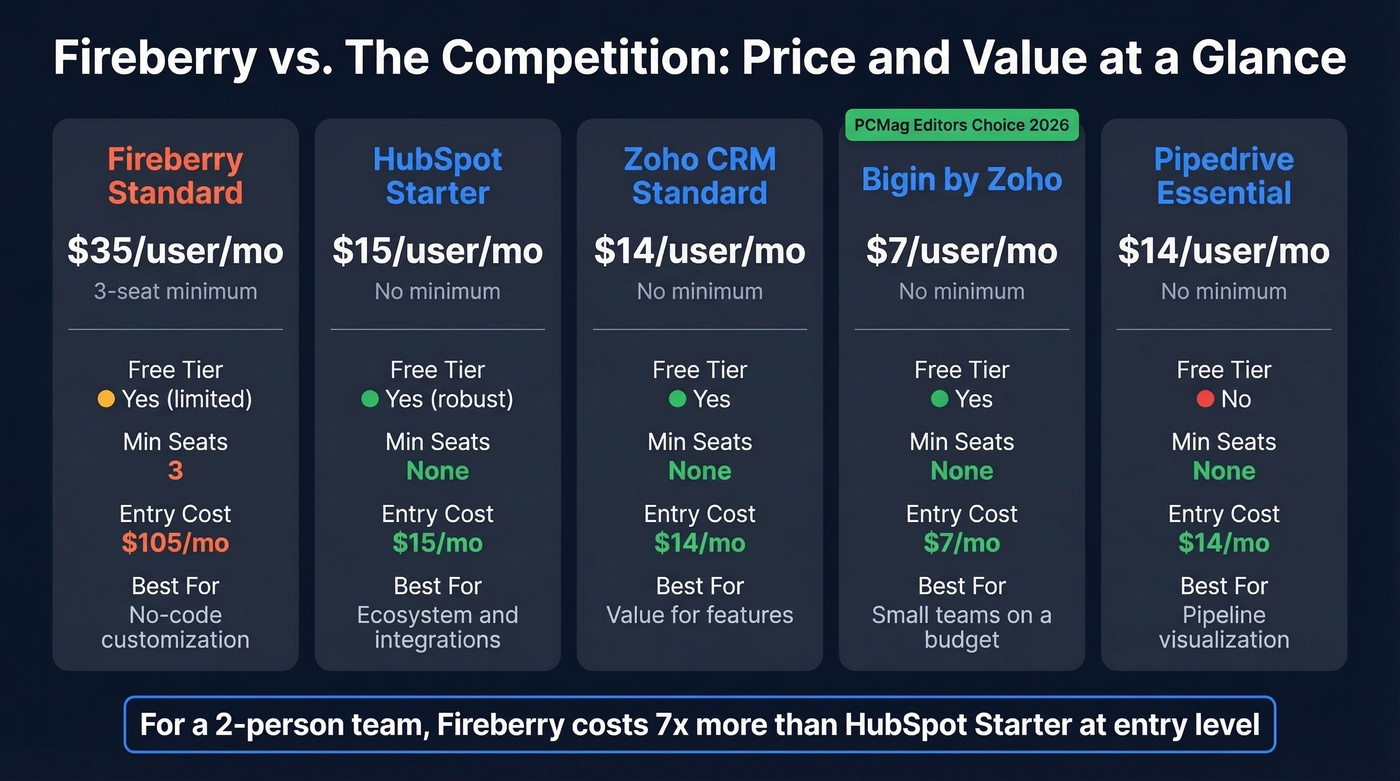
Bigin earned PCMag's 2026 Editors' Choice as a best-overall pick for small business CRM. In our experience, teams under five people consistently overpay with Fireberry's minimum seat structure when Bigin handles the basics at ~$7/user/month with no strings attached.
We didn't find much Reddit discussion about Fireberry during this research, which is worth considering if community support and peer troubleshooting matter to your team. Thin community presence usually means you're on your own when something breaks.
Our take: Fireberry is a solid CRM for mid-size teams who'll actually use the no-code customization. But most teams under 10 people never build custom workflows - they just need a clean pipeline and reliable automations. For those teams, HubSpot's free tier or Bigin will serve you better at a fraction of the cost. (If you're evaluating tools for reps broadly, see our guide to software for sales reps.)
Data Quality Makes or Breaks Any CRM
No CRM performs well with bad data. Bounced emails waste automation triggers, kill deliverability, and erode rep trust in the system. We've watched teams spend weeks configuring a CRM only to load unverified contact lists that tank their sender reputation within days. (More detail: email bounce handling and the benefits of email verification.)
Before loading contacts into Fireberry - or any CRM on this list - verify them. Prospeo runs 98% email accuracy with real-time verification, enriches each contact with 50+ data points, and integrates natively with HubSpot and Salesforce. The free tier gives you 75 email verifications per month to start, which is enough to audit a small list before it touches your CRM.
Switching CRMs is painful. Switching with dirty data is worse. Before you migrate contacts into Fireberry, HubSpot, or any alternative on this list, run them through Prospeo. 98% email accuracy, 92% enrichment match rate, and native integrations with HubSpot and Salesforce - at $0.01 per email.
Audit your contact list for free - 75 verifications, no credit card.
FAQ
Does Fireberry have a free plan?
Yes - a Sales Free plan at $0/user/month with a limited feature set and a minimum of 3 users. There's no free trial of paid tiers, so you'll evaluate the platform on the free version alone before committing to $1,260+/year.
Can I pay for Fireberry monthly?
Only on Professional ($45/user/mo) and Enterprise ($75/user/mo) plans. Standard requires annual billing, locking you into at least $1,260 upfront for three seats.
How does Fireberry compare to HubSpot on price?
HubSpot offers a free CRM with no seat minimums and a Starter plan at $15/user/month billed annually. Fireberry's $35/user/month Standard plan with a three-user minimum makes the real entry point $105/month versus HubSpot's $15 - a 7x difference for a solo rep or two-person team.
Skip Fireberry if...
You're a team of 1-3 people, you sell into WhatsApp-heavy markets, or you need strong reporting out of the box. The minimum seat costs, missing WhatsApp integration, and reporting limitations will frustrate you more than the customization benefits are worth.