Freshworks vs Pipedrive (2026): Which CRM wins on cost, AI, and scale?
Freshworks vs Pipedrive comes down to one thing: what you want your CRM to be.
A lightweight pipeline tool your reps actually use, or the sales hub inside a broader suite that can grow into service workflows without duct tape.
Both can run a pipeline. The difference shows up when add-ons balloon, AI turns into usage spend, or rate limits start breaking your syncs. That's when "mid-market affordable" becomes "why is this invoice so weird?"
30-second verdict
- Pick Pipedrive if you want a pipeline-first CRM that reps adopt fast, you're fine assembling a stack (forms/chat/docs/campaigns/projects), and you can live with token-budget API math as you scale.
- Pick Freshsales (Freshworks CRM) if you want a suite-first operating model (especially if you already use Freshdesk/Freshservice), you want Freddy AI embedded in day-to-day CRM work, and you prefer simple per-hour API limits over token budgets.
Cost winner (seats only): Freshsales. Real-world cost winner: Freshsales for most teams that need lead capture + automation without buying 2-3 add-ons. Pipedrive only wins on cost if you truly stay "core CRM only" and skip the add-on menu.
If your team lives in deals + activities all day: Pipedrive.
If you need sales + service-ish workflows (or you're already in Freshworks): Freshsales.
If you're building heavy integrations: Freshsales is easier to model; Pipedrive can scale hard, but it makes you earn it with tokens.
Hot take: If your average deal size is in the low five figures and your sales motion's simple, you don't need a "suite strategy." You need a CRM reps won't hate. That's Pipedrive's home turf.
Skip both if... your real issue is bad contact data (bounces, wrong numbers, duplicates). Fix the data layer first with Prospeo - then either CRM feels better overnight.

Freshworks vs Pipedrive pricing in 2026 (plans + what's actually comparable)
Freshsales and Pipedrive both look affordable on the pricing page. The trap is comparing the wrong tiers.
Pipedrive's plans are cleanly named, but a lot of teams end up adding LeadBooster + Smart Docs + Campaigns, which turns "$39/seat" into "$39/seat plus $78.33/mo per company" (before VAT). Add Web Visitors too and you're at $119.33/mo per company in add-ons.
Freshsales is cheaper at the bottom end, and its Pro/Enterprise tiers map more cleanly to what most teams mean by "real CRM": stronger permissions, more serious reporting/forecasting, and fewer must-buy edge add-ons. If you already run Freshdesk or Freshservice, Freshsales also tends to get you to "one connected system" faster - less integration glue, fewer vendors, fewer renewal surprises.
Side-by-side pricing table (monthly vs annual)
| Plan | Freshsales (annual) | Freshsales (monthly) | Pipedrive (annual)* | Pipedrive (monthly) |
|---|---|---|---|---|
| Free / Lite | Free (<=3 users) | Free (<=3 users) | $14/seat | $24/seat |
| Growth | $9/user | $11/user | $39/seat | $49/seat |
| Pro / Premium | $39/user | $47/user | $59/seat | $79/seat |
| Enterprise (Freshsales) / Ultimate (Pipedrive) | $59/user | $71/user | $79/seat | $99/seat |

*Pipedrive pricing is VAT exclusive; EU VAT's billed unless you provide a valid VAT number. Monthly-billed figures are based on a published pricing breakdown when the official monthly toggle wasn't available in our capture.
What's included vs what's "later" (the part buyers regret)
Pipedrive's model: keep the core CRM simple, then monetize the edges via add-ons (lead capture, visitor tracking, docs, campaigns, projects). If you only need the core, it's a clean deal. If you need a modern "baseline stack," you'll feel the add-on sprawl.
Freshsales' model: you'll end up using more Freshworks tools over time (by design). That's a win if you want sales + service alignment and one admin surface. The tradeoff is you must understand Freddy AI packaging so experimentation doesn't become usage spend.
Quick decision tree (use this, then stop overthinking)
- Already using Freshdesk/Freshservice (or planning to)? -> Freshsales
- Need the fastest rep adoption with minimal admin? -> Pipedrive
- You'll run a data warehouse / bi-directional sync / heavy automation? -> Freshsales
- You need forms/chat/docs/campaigns and you don't want 3 add-ons? -> Freshsales
- You only need deals + activities + basic reporting (no extras)? -> Pipedrive
- Still torn? -> Choose Pipedrive for simplicity unless you know you'll buy 2+ add-ons - then choose Freshsales.

Hidden costs & add-on math (the invoice, not the pricing page)
Most CRM comparisons stop at "$X per seat." That's not how your invoice shows up.

In practice, your total cost is seats + the stuff reps need to run pipeline + the stuff ops needs to keep the system clean. I've watched teams pick the cheaper per-seat CRM and still pay more because they rebuilt half the product with add-ons and third-party tools.
Freshworks' "gotcha" is AI session packs. Pipedrive's "gotcha" is per-company add-ons that quietly become mandatory.
Table 2: the hidden-cost drivers (and who actually needs them)
| Cost driver | Freshworks / Freshsales | Pipedrive | Pricing model | Who needs it |
|---|---|---|---|---|
| Lead capture (forms/chat/routing) | Freddy-powered bots/agents can handle routing; usage can apply | LeadBooster | Usage packs vs per-company add-on | Inbound-heavy teams, SDR teams routing fast |
| Docs & proposals | Often handled via native tools + integrations; fewer "must-buy" CRM add-ons | Smart Docs | Per-company add-on | Reps sending quotes/proposals weekly |
| Visitor identification | Typically handled via separate web analytics/intent tooling | Web Visitors | Per-company add-on | High-traffic sites, PLG, strong inbound motion |
| Email marketing / nurture | Often solved via Freshworks suite options or dedicated marketing tools | Campaigns | Per-company add-on | Light nurture, small teams without a marketing platform |
| Agentic automation (chatbots/agents) | Freddy AI Agent: $49 per 100 sessions | Not a core focus | Usage-based | Teams automating inbound questions + qualification |
Pipedrive add-ons that change your TCO fastest
Pipedrive's add-ons are charged per company, not per user. That's great if you have 20 reps. It's painful if you're trying to stay lean and you "just need forms + chat + a scheduler + basic campaigns."
Common add-ons and their starting prices:
- LeadBooster: $32.50/company (lead capture/chatbot/forms)
- Web Visitors: $41/company (visitor identification)
- Smart Docs: $32.50/company (docs/proposals)
- Campaigns: $13.33/company (email marketing-ish)
- Projects: $6.67/company (post-sale/project tracking)
Look, Pipedrive's add-ons are well-built. They're also where the "cheap CRM" story dies. If you already know you'll buy two of them, stop pretending you're buying a simple CRM.
Freshworks AI agent sessions: how metering really works
Freshworks' Freddy AI Agent is priced like usage infrastructure, not like a feature checkbox: $49 per 100 sessions.
A "session" is all interactions within a 24-hour window and can last up to 24 hours. Sessions are shared across Freddy AI Agents and Chatbots.
Two details that bite teams:
- Sessions expire each billing cycle. No rollover.
- Previews consume sessions. Testing an unpublished bot can count.
Usage-based AI is fine. What's not fine is when experimentation quietly taxes your budget. If you're the RevOps person who iterates a lot, put guardrails around bot testing.
Two example invoices (5 seats and 10 seats)
These are "working invoices" based on common setups - what you'd actually run, not the minimum viable plan.

Example A: Pipedrive (5 seats) + 2 add-ons
- Pipedrive Growth (annual): 5 x $39 = $195/mo
- LeadBooster: $32.50/mo
- Smart Docs: $32.50/mo Estimated total: $260/mo (before VAT where applicable)
Add Web Visitors and you're at about $301/mo. That's the moment finance asks why the "$39/seat CRM" isn't $195/mo.
Example B: Freshsales (10 seats) + Freddy AI session packs
- Freshsales Pro (annual): 10 x $39 = $390/mo
- Freddy AI Agent packs: say you run a bot that handles inbound routing + FAQs and you average 600 sessions/month.
- Freshsales includes 500 one-time complimentary sessions on paid plans.
- 600 sessions ~= 6 packs x $49 = $294/mo Estimated total: $684/mo
The scaling behavior's the key difference: Pipedrive add-ons are mostly fixed per company (predictable), while Freddy sessions are variable with usage (powerful, but needs monitoring).

You're comparing Freshsales and Pipedrive add-on costs - but the biggest hidden cost is bad contact data clogging either CRM. Prospeo delivers 98% verified emails at $0.01 each, with a 7-day refresh cycle so your pipeline never runs on stale records.
Clean data makes any CRM perform. Start with 100 free credits.
AI capabilities (assistants vs agents, and what you get by tier)
AI in CRMs is expected now. The question is whether you're buying an assistant (summaries, nudges, email help) or an agent (handles conversations/workflows and consumes usage packs).
Freshsales leans more "platform AI" with Freddy. Pipedrive leans "rep productivity AI" with the AI Sales Assistant.
AI comparison matrix (what each one's actually good at)
| AI need | Freshsales (Freddy) | Pipedrive (AI Sales Assistant) |
|---|---|---|
| Rep nudges / next steps | Yes | Strong |
| Deal & activity summaries | Yes | Yes |
| Win probability guidance | Not the headline feature | Yes |
| Email drafting/summarizing | Yes | Yes |
| Agent/chatbot automation | Yes (sessions) | Not core |
| Forecasting insights | Enterprise | Not positioned as the strength |

Freshsales Freddy AI by plan (what's gated)
Freddy AI features start at Pro. That's the tier where Freshsales becomes meaningfully AI-forward for sales teams.
Typical Freddy AI items teams care about:
- Contact scoring
- Sales email assistance
- Deal insights
Enterprise adds Forecasting Insights, which matters if you're trying to standardize pipeline inspection and reduce gut-feel forecasting.
I've seen this play out: a team runs Pro for months, then leadership asks for consistent forecast calls across two regions, and suddenly "manager features" matter a lot more than another rep automation. That's when Enterprise starts making sense.
Pipedrive AI Sales Assistant (what it's good for)
Pipedrive's AI Sales Assistant is focused on practical rep outcomes: win probability guidance, next best actions, deal and activity summaries, an AI email generator/summarizer, and smart app recommendations.
It's not trying to be a full agent layer. It's trying to keep reps moving and keep the CRM updated with less friction, which is exactly why Pipedrive adoption is so strong in SMB teams: it feels like a tool that helps reps, not a tool that audits them.
Cost-control tip: where AI creates surprise spend
- In Freshworks, surprise spend comes from session packs (and previews). Put ownership on one admin, track sessions weekly, and treat bot iteration like a release process.
- In Pipedrive, surprise spend's less "AI metering" and more "we need one more add-on." Decide upfront which add-ons are allowed this quarter.
Integrations & scaling: API limits, tokens, and 429s
This is where most CRM decisions get made by accident.
At 3-5 users, both tools feel fine. At 15-30 users with automations, enrichment, bi-directional syncs, and a data warehouse, you start learning what your CRM vendor thinks "fair use" means.
I once watched a team roll out a shiny two-way sync on Friday afternoon. It worked in staging, looked great in the demo, and then Monday morning hit rate limits hard enough that ownership updates started dropping silently. Two weeks later, reps were saying "the CRM's wrong" and leadership stopped trusting the dashboards. That mess was avoidable.
Freshsales API limits (what breaks first)
Freshsales' Contacts/Accounts/Deals API limits scale by plan:
- Free/Growth: 1000 APIs/hour
- Pro: 2000 APIs/hour
- Enterprise: 5000 APIs/hour
When you hit the limit, you'll see HTTP 429.
The upside: it's simple. You can model it. If you're doing bulk enrichment, nightly syncs, or heavy workflow automation, you can estimate calls/hour and pick the right tier.
Pipedrive token budgets (why seats + plan tier matter)
Pipedrive uses a daily token budget that resets every 24 hours.
Daily token budget = 30,000 x multiplier x seats (+ top-ups)
Multipliers:
- Lite: 1
- Growth: 2
- Premium: 5
- Ultimate: 7
There's also a burst constraint: Search API is capped at 10 requests per 2 seconds.
This means API capacity is tied to how many seats you buy and which plan tier you're on. That can be great if you're scaling headcount anyway. It's annoying if you're a lean RevOps team trying to run heavy integrations without adding seats.
Tiny sizing example (so you don't learn this the hard way)
Pipedrive Growth, 10 seats: 30,000 x 2 x 10 = 600,000 tokens/day If your sync does 60,000 token-worth of work per day, you're fine. Add a second integration plus search-heavy workflows and you can burn through budget fast - then you're choosing between top-ups, upgrades, or buying seats you don't need.
Freshsales Pro: 2,000 calls/hour If your integration spikes during business hours (imports, backfills, enrichment), you'll hit 429s unless you batch and back off - but at least the ceiling's predictable.
RevOps checklist to avoid throttling
- Batch writes (create/update in chunks, not one-by-one).
- Cache reads (don't re-fetch the same deal/contact 50 times/day).
- Implement exponential backoff on 429s.
- Add retry queues so failed updates don't disappear.
- Monitor: daily token consumption (Pipedrive) or hourly call volume (Freshsales).
- For search-heavy workflows, pre-index IDs and avoid hitting search endpoints repeatedly.
If you're planning a serious integration layer, treat rate limits like a first-class requirement. Not a footnote.
User sentiment (what people praise - and what annoys them)
Review sites aren't perfect, but patterns show up fast.
On G2, Freshsales is 4.5/5 (1,221 reviews) and Pipedrive is 4.3/5 (2,890 reviews). Both skew SMB: 68.0% of Freshsales reviews come from small businesses vs 72.5% for Pipedrive.
That tells you these tools win when the goal is "get a CRM live and used," not "run a global enterprise GTM platform."
- Pipedrive praise: ease-of-use and an intuitive interface. Reps log activities because it doesn't feel like homework.
- Pipedrive annoyances (G2 tags): Expensive, Missing Features, Limited Features, Integration Issues. Translation: people love the core, then hit the edges and feel nickeled-and-dimed.
- Freshsales praise (Capterra): intuitive interface and email engagement tracking.
- Freshsales pain points (Capterra): bugs/glitches and billing/account issues. This is the stuff that never appears in a feature checklist but absolutely shows up in your RevOps calendar.
Plan for it (so the annoyances don't become your problem)
- If you choose Pipedrive: pre-approve add-ons (write an "allowed add-ons" list), and run a 2-week integration load test before you roll out automations company-wide.
- If you choose Freshsales: assign one billing owner, keep a simple change log for automations/bots, and roll out new workflows in stages (pilot -> team -> org) so a glitch doesn't derail adoption.
- For either CRM: set a monthly "data hygiene hour" (dedupe + field standards + dashboard sanity check). CRM rot's real.
Migration & implementation (what it takes to switch)
A CRM switch is never "just import a CSV." The CRM's the system everything connects to: pipeline math, attribution, automations, and reporting trust.
Time estimates that hold up in real teams:
- 2-6 weeks for a basic implementation (pipelines, fields, a few automations, email sync, light integrations)
- 6-12 weeks if you've got heavy automation, multi-system sync, custom fields, and reporting leadership depends on
The step everyone skips (and regrets): data cleanup before import. Garbage in doesn't just create garbage out - it creates rep distrust, and then adoption dies.
Support & onboarding reality (what to check before you sign)
Competitors love to sell "fast onboarding," but what matters is what you can actually rely on after kickoff.
Use this checklist during trials for both Freshsales and Pipedrive:
- Support channels: do you get chat/email only, or phone too? What's the stated response time?
- Onboarding help: is there guided onboarding, templates, or paid onboarding packages? If yes, what's included (field mapping, automations, integrations)?
- Admin experience: can one admin manage roles, pipelines, and automations without opening tickets?
- Implementation ecosystem: do you have access to certified partners if you want a done-for-you setup?
- Export safety: can you export all objects and activity history cleanly (so you're never trapped)?
My recommendation: if you don't have a dedicated RevOps owner, pick the vendor whose support feels faster and clearer during the trial. That's the support you'll get when something breaks on a Monday.
Pre-migration checklist (fields, pipelines, permissions, automations)
- Inventory current pipelines + stages (and what "exit criteria" means).
- List required custom fields and which ones are actually used.
- Define roles/permissions (who can export, delete, edit stages).
- Document automations: assignment rules, task creation, SLAs, notifications.
- Decide what you're standardizing vs allowing teams to customize.
Data migration checklist (dedupe, mapping, validation, sample imports)
- Dedupe accounts/contacts/deals (email + domain + fuzzy name matching).
- Map fields (including picklists) and normalize values.
- Validate emails/phones before import (this is where Prospeo fits nicely as a pre-flight).
- Run a sample import (100-500 records), then fix mapping issues.
- Only then run the full migration.
I've seen "successful" migrations where the import worked, but the next month was spent cleaning duplicates and broken ownership rules. That's not a win.
Post-migration adoption (training + dashboards + hygiene rules)
- Train reps on the minimum required workflow (activities, next steps, close dates).
- Build 2-3 dashboards leadership will actually use.
- Set hygiene rules: required fields at stage changes, naming conventions, dedupe process.
- Put one owner on "CRM truth" (usually RevOps) so changes don't become chaos.
If your CRM is fine but your data isn't: add a verification + enrichment layer
Here's the thing: most "CRM problems" are data problems wearing a CRM costume.
Prospeo ("The B2B data platform built for accuracy") fixes the stuff that makes any CRM feel broken: bad emails, dead numbers, stale titles, and duplicates that spread like mold once you start syncing tools. You get 300M+ professional profiles, 143M+ verified emails, and 125M+ verified mobile numbers, with 98% email accuracy, a 7-day refresh cycle (industry average: 6 weeks), and a 92% API match rate (83% enrichment match rate) when you run enrichment at scale.
A simple workflow that works in the real world:
- Export leads (or upload a CSV).
- Verify emails/mobiles and enrich missing fields (50+ data points per contact).
- Import the clean file back into Freshsales or Pipedrive and enforce hygiene rules.
In the results view, you'll see verified/invalid status per row, enriched fields added as new columns, and an export button to download a clean CSV.
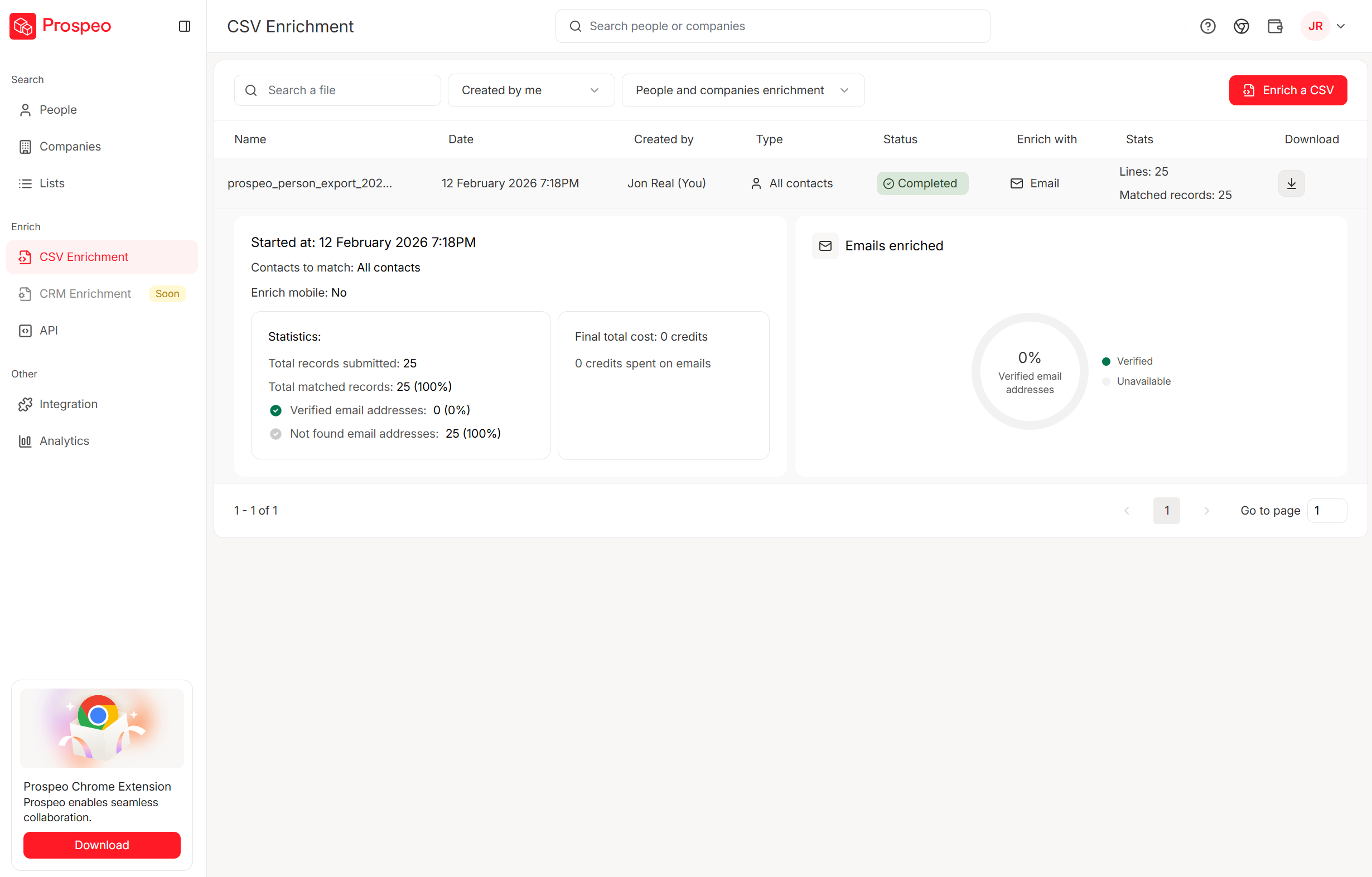
Before you stress over CRM enrichment add-ons and AI session packs, fix the data layer. Prospeo's CRM enrichment returns 50+ data points per contact at a 92% match rate - plugs straight into HubSpot or Salesforce with zero add-on math.
Stop paying CRM add-on tax for data that should already be accurate.
Summary: Freshworks vs Pipedrive - what I'd choose
If you want the simplest path to rep adoption and your world is basically deals + activities, pick Pipedrive and be honest about which add-ons you'll approve.
If you want a suite-first setup (especially if you're already in Freshworks) and you care about predictable integration scaling, pick Freshsales - then put guardrails around Freddy AI session usage so experiments don't become surprise spend.
Either way, don't ignore the data layer. Clean, verified contacts make both CRMs feel dramatically better: fewer bounces, fewer dead numbers, fewer duplicates, and way less "the CRM's wrong" drama.
FAQ: Freshworks vs Pipedrive
Is Freshsales cheaper than Pipedrive in 2026?
Freshsales is typically cheaper on seat price: Free up to 3 users, then $9/user/mo annually for Growth vs Pipedrive Lite at $14/seat/mo annually. At higher tiers, the gap narrows ($39 vs $59 annually), but Pipedrive add-ons can quickly make the total bill higher than expected.
What's the biggest hidden cost difference between the two?
Pipedrive's hidden cost is add-on creep: LeadBooster ($32.50/company), Smart Docs ($32.50), Web Visitors ($41), Campaigns ($13.33), and Projects ($6.67). Freshsales' hidden cost is Freddy AI Agent usage at $49 per 100 sessions, with sessions expiring each billing cycle and previews counting toward usage.
Which CRM is easier to scale for integrations?
Freshsales is easier to model because limits are per hour: 1000/2000/5000 API calls per hour by plan, and you'll see HTTP 429 when you hit the cap. Pipedrive can scale with seats and plan multipliers (30,000 x multiplier x seats per day), but token budgets and search burst limits can force upgrades or top-ups.
Do you need extra Freddy AI Agent session packs to get value from Freshsales AI?
You don't need session packs to get baseline AI value because Freddy AI features start at Pro, and many teams benefit from scoring and insights without high-volume bots. You typically buy session packs when you deploy customer-facing agents/chatbots at meaningful volume or when heavy preview/testing burns sessions quickly.