How to Create a Sales Presentation That Actually Closes Deals
You're three slides in when the CFO unmutes: "Why should we care?" By the time you land on something relevant, you've lost the room. That gap between what you're showing and what the buyer needs to hear - it's where deals go to die. 55% of teams have lost revenue from lacking a defined sales process, and the presentation is where that gap shows up first.
Here's the thing: 96% of buyers research your company before they take a meeting. They already know what you sell. What they don't know is why it matters to them. We've reviewed hundreds of sales decks, and the ones that close share one pattern - they make the buyer the main character, not the product.
The Short Version
- Research your prospect before you open PowerPoint. Use a B2B data tool, not just Google.
- Follow the 7-slide framework: Hook, Problem, Solution, Proof, Differentiation, Investment, Next Steps.
- Lead with their pain, not your product. Nobody cares about your company history slide.
- Design for async sharing - your deck will get forwarded to people who weren't in the room.
- Follow up within 24 hours with a personalized recap and a specific next step.
One stat worth knowing upfront: Bryan Vasquez, Head of Sales at LinkBuilder.io, increased win rates by 20% over two quarters by replacing urgency-based CTAs with data-backed proposals and tailored value maps. Trust compounds. Pressure doesn't.
Presentation vs. Pitch vs. Demo
These three formats get conflated constantly. They shouldn't be.
| Presentation | Pitch | Demo | |
|---|---|---|---|
| Purpose | Persuasion | Hook | Proof |
| Audience | Decision-makers | Anyone | End-users, technical |
| Timing | Mid-funnel | Early-funnel | Late-funnel |
Most B2B sales calls end up as a hybrid: you open with a presentation narrative to build context, then shift into a live walkthrough when the prospect leans in. The key is knowing which mode you're in. If you're still persuading, don't jump to the demo. If they're already bought in on the problem, skip the slides and show the product.
The 7-Slide Framework
Storydoc's analysis of 100,000+ sales deck sessions is a useful benchmark for what high-performing decks include. Keep your deck tight - for most sales calls, around 7-12 slides is the sweet spot.
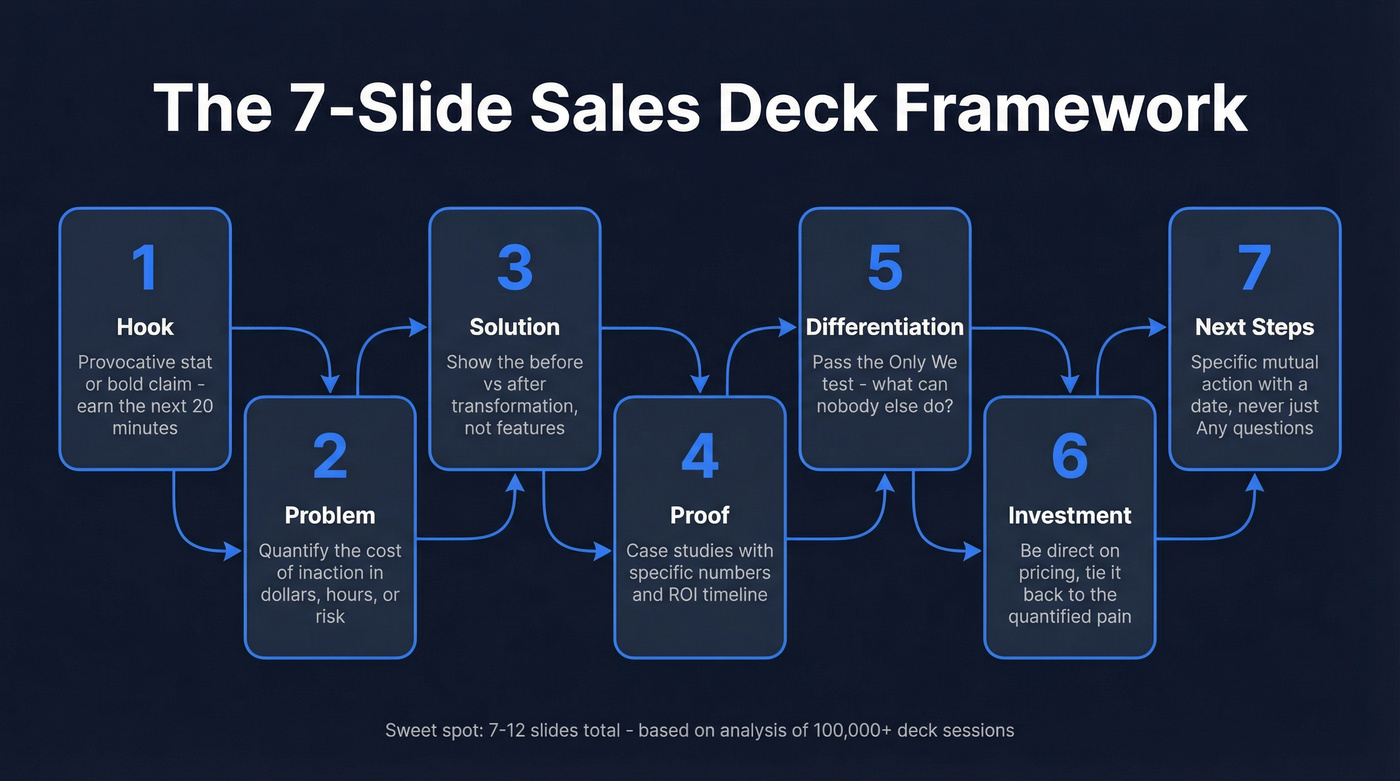
1. Hook (1 slide). You have 30 seconds to earn the next 20 minutes. Open with a provocative stat, a pain-point question, or a bold claim you'll prove by the end. Don't open with your logo and an "About Us" header.
Let's be honest about something: the single highest-ROI change you can make to any sales deck is replacing your "About Us" slide with a "Your Problem Costs You $X" slide. We've seen this one swap double engagement in the first two minutes.
2. Problem (2-3 slides). Quantify the cost of the status quo in dollars, hours, or risk. 81% of revenue leaders say [deals are more complex than ever](https://kpmg.com/us/en/articles/2023/navigating-complex-ma.html), which means your prospect is juggling multiple priorities and your job is to make the cost of inaction impossible to ignore.
3. Solution (2-3 slides). Show the transformation, not the feature list. A "before vs. after" visual works well here. Focus on outcomes: what changes in their world when this problem disappears?
4. Proof (2-3 slides). Case studies with specific numbers and a timeline to ROI. "We helped a similar company reduce churn by 34% in 90 days" beats "500+ happy customers." Match the proof to the prospect's industry and scale - weaving real metrics from real customers into these slides is what separates credible decks from forgettable ones.
5. Differentiation (1-2 slides). Apply the "Only we" test: "Only we [capability], which means [benefit]." If you can't complete that sentence, you don't have real differentiation - you have a feature three competitors also ship. Your unique value proposition should land in 30-35 words.
6. Investment (1-2 slides). Be direct on pricing. Tie the number back to the quantified pain from slide two. If the problem costs them $500K/year and your solution is $50K, the ROI bridge writes itself.
7. Next Steps (1 slide). Never end with "Any questions?" Give a specific mutual next step with a timeline: "Let's schedule a technical review with your team next Tuesday."
The 10/20/30 Rule Guy Kawasaki's classic: 10 slides max, 20 minutes of talk track, 30-point minimum font size. It's a useful guardrail, not gospel. A 7-slide deck that converts beats a 10-slide deck that bores. If you're at 18 slides, something needs cutting.
Research Your Prospect First
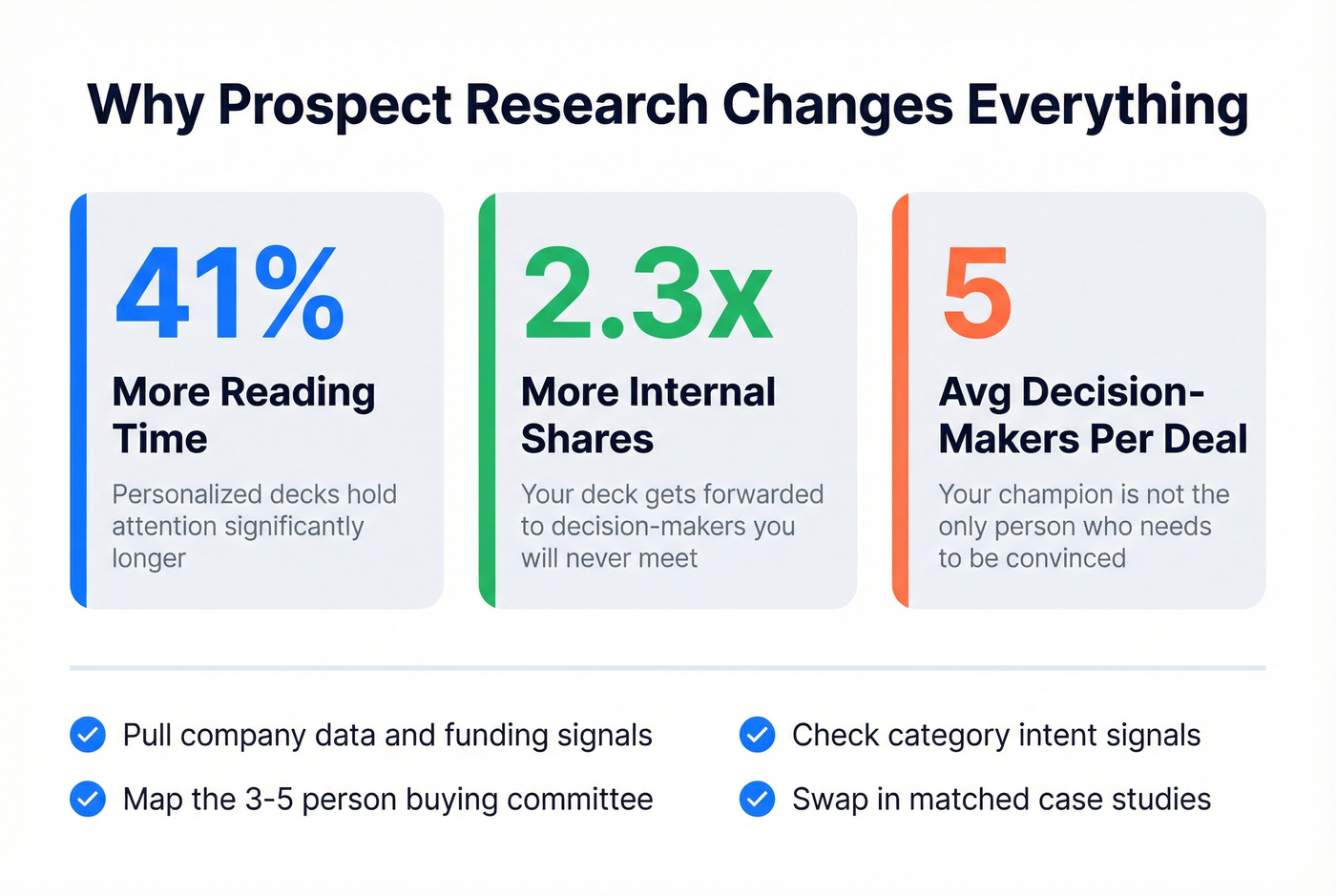
Every guide tells you to "personalize your deck." Almost none explain how. Personalized decks get 41% more reading time and are shared internally 2.3x more often. With an average of five decision-makers per deal, that internal sharing is how you win over people you'll never meet.
Before you touch a single slide:
- Pull company data. Revenue range, headcount growth, tech stack, recent funding - this tells you what stage they're at and what they can afford.
- Identify the buying committee. Map the 3-5 people who'll influence the decision. Know their titles, departments, and likely priorities.
- Check for intent signals. Are they actively researching your category? Hiring for roles your product supports?
- Tailor your proof slides. Swap in case studies that match their industry, company size, and use case.
Prospeo's B2B database makes steps 1-3 fast - pull verified emails, technographics, and intent signals across 15,000 topics so your first slide references their actual challenges, not generic industry pain. You can build a detailed prospect profile in minutes instead of hours.
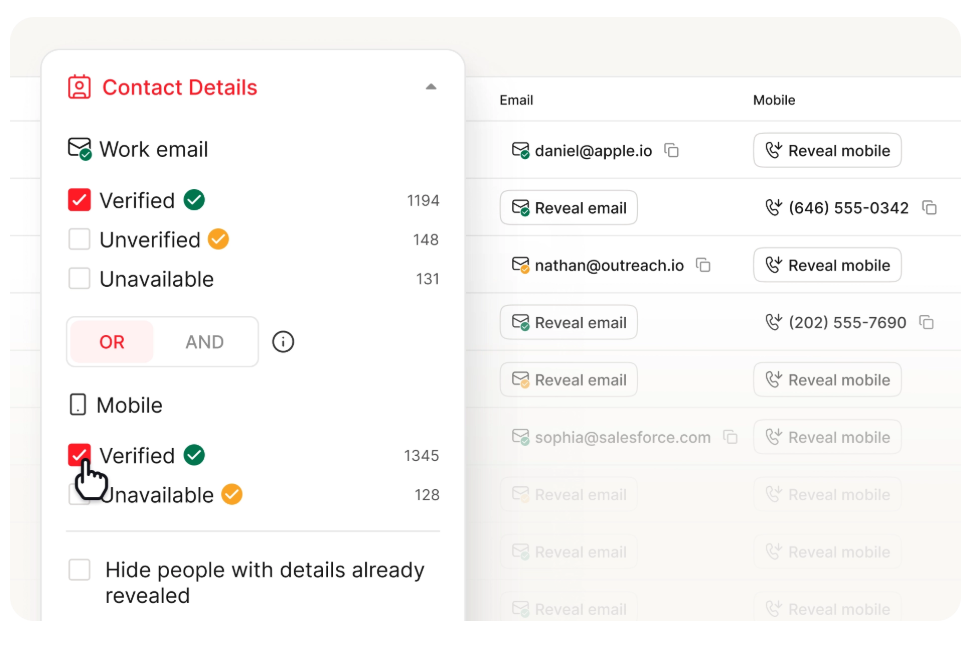
71% of prospects prefer independent research over talking to a rep, so by the time they take your meeting, they've already formed opinions. Your job is to prove you've done your homework too.
Mistakes That Kill Deals
In our experience, these five errors destroy otherwise solid presentations:
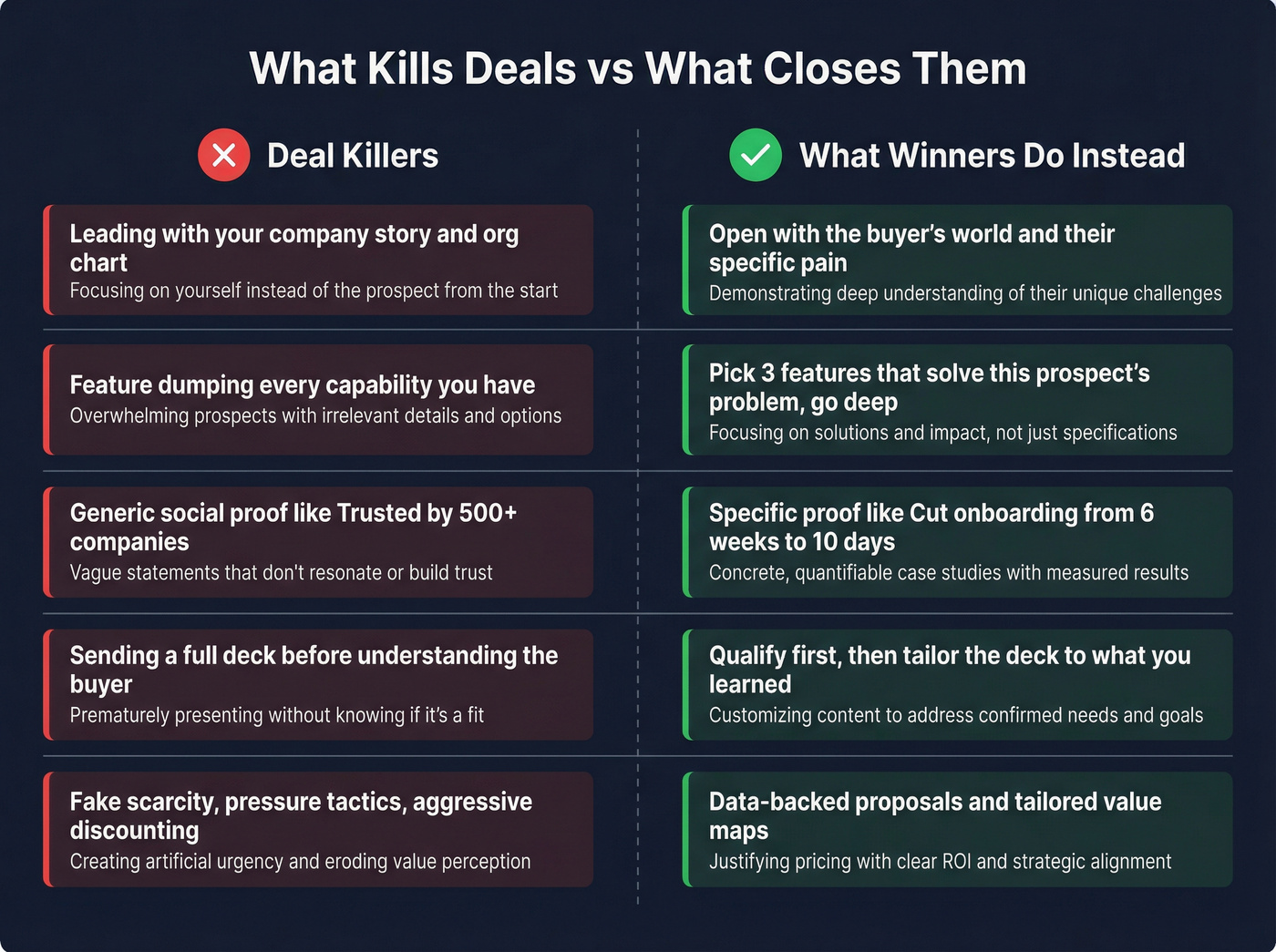
Leading with your company story. Your founding narrative and org chart belong on your website, not slide one. Open with the buyer's world.
Feature dumping. Listing every capability signals you don't know which ones matter. Pick the three features that solve this prospect's specific problem and go deep on those.
Generic social proof. "Trusted by 500+ companies" means nothing. "We helped [similar company] cut onboarding time from 6 weeks to 10 days" means everything.
Pitching too early. Sending a full deck before you understand the buyer's situation is the sales equivalent of proposing on a first date. Don't do it.
Urgency and manipulation tactics. Fake scarcity, exaggerated proof, aggressive discounting - replace pressure with data-backed proposals and tailored value maps. The Vasquez case above proves it works.

Your sales presentation is only as good as your prospect research. Prospeo gives you 30+ filters - buyer intent across 15,000 topics, technographics, headcount growth, and funding data - so your first slide references their actual challenges. Build a detailed prospect profile in minutes at $0.01 per lead.
Stop guessing what matters to the buyer. Start knowing.
Delivering Over Video
Most B2B presentations happen on video now. If your slides are pushing past 12-15, you risk turning the call into a read-through instead of a conversation. Design for the screen first.
Use larger fonts and high contrast - your prospect is on a 13-inch laptop, not a projector screen. Build in interaction every 3-5 minutes with polls, direct questions, or a simple "Does this match what you're seeing?" Passive viewers become disengaged buyers fast.
Have a backup plan: a dial-in number, an alternative platform link in the calendar invite, and the deck as a PDF you can email mid-call. And make every deck async-friendly with speaker notes and clear navigation. Your champion will forward it to the CFO at 9 PM. It needs to stand alone without your voice-over.
Sales Deck Examples That Work
Zuora leads with a category narrative - the "subscription economy" - before ever mentioning its product. By the time you see the solution slides, you're already bought into the thesis. The product feels inevitable rather than pitched. This is how you sell a category shift, and it's worth studying even if you're not in SaaS.
TeleTracking takes the opposite approach: a micro-deck designed for executive scanning. Minimal text, heavy on ROI tables and concrete metrics. Every slide answers "how much?" or "how fast?" If your buyer is a time-starved C-suite, this format respects their attention.
Reddit Ads proves that brand personality and hard numbers aren't mutually exclusive. The deck leads with tone and energy, then backs it up with scale metrics and audience data. If your product has a strong brand identity, lean into it - don't flatten your voice into corporate beige.
Skip the "beautiful but empty" decks you find on Dribbble or design showcases. They're optimized for aesthetics, not conversion. The three examples above work because they prioritize the buyer's decision-making process over visual polish.
Best Tools for Building Decks
| Tool | Best For | Price |
|---|---|---|
| Google Slides | Free collaboration | Free; business ~$6/user/mo |
| Canva | Non-designers | Free; Pro ~$12/mo |
| Keynote | Mac users, polish | Free |
| PowerPoint | Enterprise standard | $9-13/mo individual |
| Gamma | AI-generated decks | Free; paid ~$8-20/mo |
| Storydoc | Interactive + analytics | From ~$17/mo |
| Pitch | Team collaboration | Free; teams ~$10/user/mo |
| Prezi | Non-linear flow | Free; paid ~$15/mo |
| Visme | Data visualization | Free; paid ~$12/mo |
| Zoho Show | Budget teams | Free; business ~$9/user/mo |
Start with Google Slides or Canva - they're free and cover 80% of use cases. Upgrade to Storydoc or Gamma if you need viewer analytics or AI-generated layouts. Skip Prezi unless your audience genuinely benefits from non-linear navigation; for most B2B sales calls, it's a distraction that prioritizes novelty over clarity.
What to Do After the Presentation
The presentation isn't the close - it's the setup. 80% of successful sales take 5+ follow-ups, and 60% of customers reject an offer four times before buying. Yet 48% of reps never follow up at all. We've seen reps lose deals they'd already won simply because they waited three days instead of one.
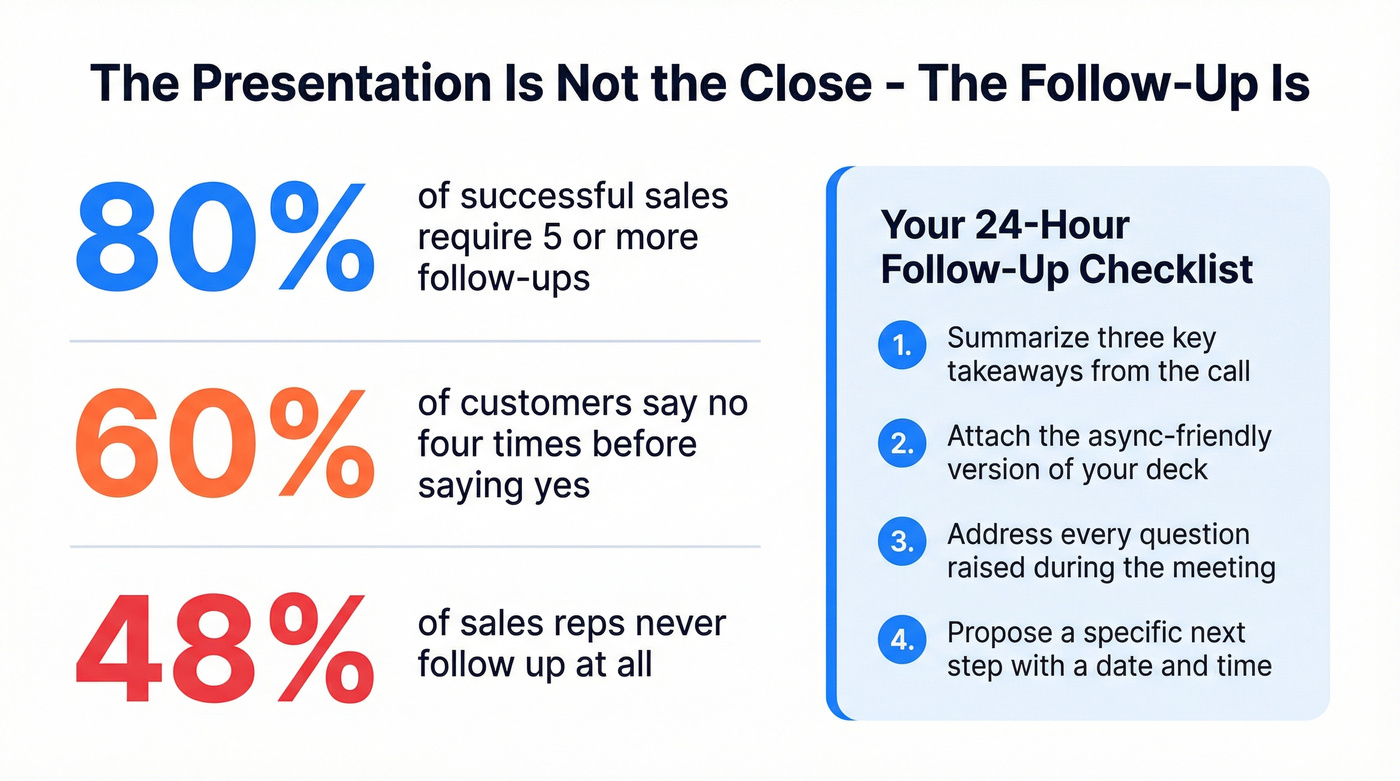
Send a recap within 24 hours: summarize three key takeaways, attach the async-friendly deck, and address any questions from the call. Remember that five decision-makers are involved in the average deal - your champion needs ammunition. A first follow-up email alone can boost reply rates by 49%. If you need a tighter cadence, borrow a proven follow-up sequence.
Propose a specific next step with a date. "Let's reconvene Thursday at 2 PM with your VP of Engineering" beats "Let me know when works." Before launching your follow-up sequence, verify your contact list with Prospeo's email finder - 98% accuracy means your follow-up actually lands instead of bouncing.
Measuring Deck Performance
Knowing how to create a sales presentation is only half the equation - you also need to know whether it's working. Track three metrics after every deck goes out: view-through rate, average time per slide, and internal share rate. Tools like Storydoc and Gamma surface these analytics automatically.
If prospects consistently drop off at slide four, that's a signal to restructure, not just redesign. Tie presentation engagement back to pipeline outcomes so you can iterate with data, not gut feel. The consensus on r/sales is that most reps never revisit their deck after building it - and that's exactly why their sales conversion rate plateaus.
The article says personalized decks get 41% more reading time and 2.3x more internal shares. That personalization starts with real data - verified contacts for every decision-maker, intent signals showing what they're researching right now, and company intel to tailor your proof slides. Prospeo's 300M+ profiles with 98% email accuracy make it fast.
Map the entire buying committee before you open PowerPoint.
FAQ
How many slides should a sales presentation have?
Seven to twelve slides cover everything a decision-maker needs without losing attention. Storydoc's 100,000+ session analysis confirms top-performing decks stay in this range, and Kawasaki's 10/20/30 rule caps it at ten. If you're past fifteen, start cutting.
How long should a sales presentation last?
Twenty minutes of talk track maximum, leaving 10-15 minutes for discussion. If you can't make your case in 20 minutes, you don't understand your value prop well enough. Shorter decks also force you to prioritize the slides that actually move deals forward.
How do I personalize a deck at scale?
Build modular slides you can swap per persona - industry-specific case studies, role-relevant pain points, tailored ROI models. Use a B2B data platform to pull technographics, intent signals, and org data before each meeting. Personalized decks get 41% more reading time and 2.3x more internal shares.
What are the most important sales presentation best practices?
Lead with the buyer's problem, not your product. Use real data and case studies instead of vague claims. Keep slides between seven and twelve, design for async sharing, and always end with a specific next step - not an open-ended "Any questions?" Follow up within 24 hours with a recap and a concrete date for the next conversation.