

How to Leave a Voicemail (Without Panicking)
A 2019 UK study found 76% of millennials experience phone anxiety, compared to 40% of baby boomers. That gap isn't surprising when you think about how rarely anyone under 40 actually dials a number on purpose anymore. Figuring out how to leave a voicemail feels high-stakes because the recording seems live, uneditable, and permanent - except it's not. Many systems let you delete and re-record before the message ever sends.
The Quick Version
- Dial the number
- Wait through the greeting
- Listen for the beep
- State your name and phone number
- Say why you're calling
- Say what you need them to do
- Hang up - the message records and sends automatically
Keep it under 45 seconds. If you mess up, press # (or * on some systems) to end the recording and open options to delete or re-record.
That's the whole formula. Everything below is detail, scripts, and device-specific tricks.
Calm Your Nerves First
Phone anxiety isn't a character flaw - it's a predictable response to real-time communication without visual cues. We're also wildly out of practice: the average US cell-phone owner went from about 12 calls a day in 2011 down to roughly 6 by 2015, and that number has only kept dropping. Four things actually help:
Write a loose script. Not a word-for-word essay. Just bullet points - your name, why you're calling, what you need. Having it in front of you removes the "what do I say?" panic, and it's the fastest shortcut to leaving effective voicemails every time.
Go somewhere private. Half the anxiety is fear of being overheard. A quiet room or your car changes the dynamic completely.
Practice by calling your own voicemail. Record a message, listen back, re-record. You'll hear that you sound way more normal than you think.
Track fears vs. reality. Write down what you're afraid will happen before the call, then what actually happened after. Over time, the gap between the two shrinks your anxiety considerably - it's basically exposure therapy you can do from your couch.
Step-by-Step Voicemail Guide
Around 80% of calls go to voicemail, but only 20% of callers actually leave one. That means if you do, you already stand out. Here's the universal process:
- Dial the number. Standard phone call - nothing special.
- Wait through the greeting. The recipient's recorded message plays. Don't talk yet.
- Listen for the beep. Some systems say "leave a message after the tone." Others just beep. Either way, that's your cue.
- State your name and phone number. Lead with this. The listener shouldn't have to replay the whole message to find your callback info.
- Say why you're calling. One sentence. "I'm calling about the apartment listing on Elm Street" or "Following up on our interview Thursday."
- Say what you need. "Could you call me back at your earliest convenience?" or "Please let me know if Tuesday at 2 works."
- Hang up. That's it. Hanging up ends the recording and the message is saved.
Prompts vary slightly between carriers, but the core flow is identical. If the system offers options like "press 1 to send" or "press 2 for more options," you'll hear them after you stop talking.
The Perfect Message Structure
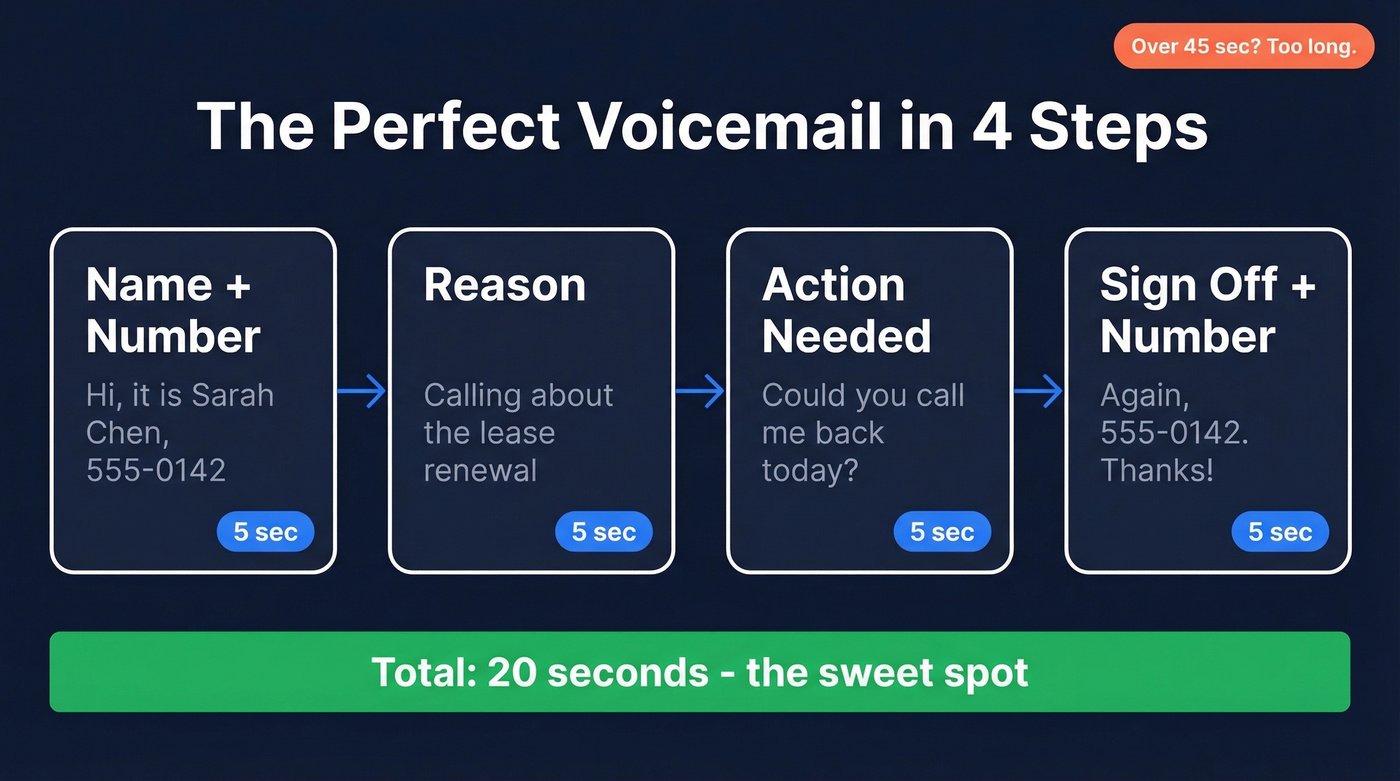
The ideal voicemail runs 20-30 seconds. If you're going past 45 seconds, you're writing an email with your mouth.
| Element | Example | Time |
|---|---|---|
| Name + number | "Hi, it's Sarah Chen, 555-0142" | 5 sec |
| Reason | "Calling about the lease renewal" | 5 sec |
| Action needed | "Could you call me back today?" | 5 sec |
| Sign off + number | "Again, 555-0142. Thanks!" | 5 sec |
Say your number at the beginning and the end. Before you rattle off the digits, pause - say "my number is..." then wait a beat so the listener can grab a pen. Speak the digits slowly. In our experience, this single habit is the biggest upgrade most people can make to their messages.
Two more quick tips: if you have an unusual name, spell it out. And skip "Goodbye" at the end - you didn't actually speak to anyone. "Thanks" or "Talk soon" lands better.
Scripts for Every Situation
Personal Scripts
Doctor's office callback: "Hi, this is [Name], date of birth [DOB]. I'm returning a call from your office - my number is [number]. I'm available until 5 today. Thanks."
Landlord maintenance request: "Hi [Landlord name], it's [Name] in unit [number]. The kitchen faucet has been leaking since yesterday. Could you send someone to take a look? My number is [number]. Thanks."
Returning a missed call from an unknown number: "Hi, this is [Name]. I have a missed call from this number - not sure who I'm reaching. My number is [number] if you could call me back. Thanks."
Professional Voicemails
For professional voicemails, the formula shifts: lead with context so the recipient can place you before they even hear your ask. A hiring manager fielding 30 callbacks doesn't want to guess who you are for 15 seconds.
Job interview follow-up: "Hi [Interviewer name], this is [Name]. I interviewed for the [role] position on [date] and wanted to follow up. I'm very interested in the opportunity. You can reach me at [number]. Thank you."
Networking follow-up: "Hi [Name], it's [Your name] - we met at [event] last week. I'd love to continue our conversation about [topic]. My number is [number]. Hope to hear from you."
Scheduling a meeting: "Hi [Name], this is [Your name] from [Company]. I'd like to set up a 15-minute call to discuss [topic]. I'm free [two specific times]. My number is [number]."
Sales Voicemails That Earn Callbacks
Here's the thing: it often takes 5-6 calls to reach a prospect, and InsideSales found that a strong voicemail script can increase cold callbacks by up to 22%. Your message needs to earn a callback on its own, because you probably won't catch them live.
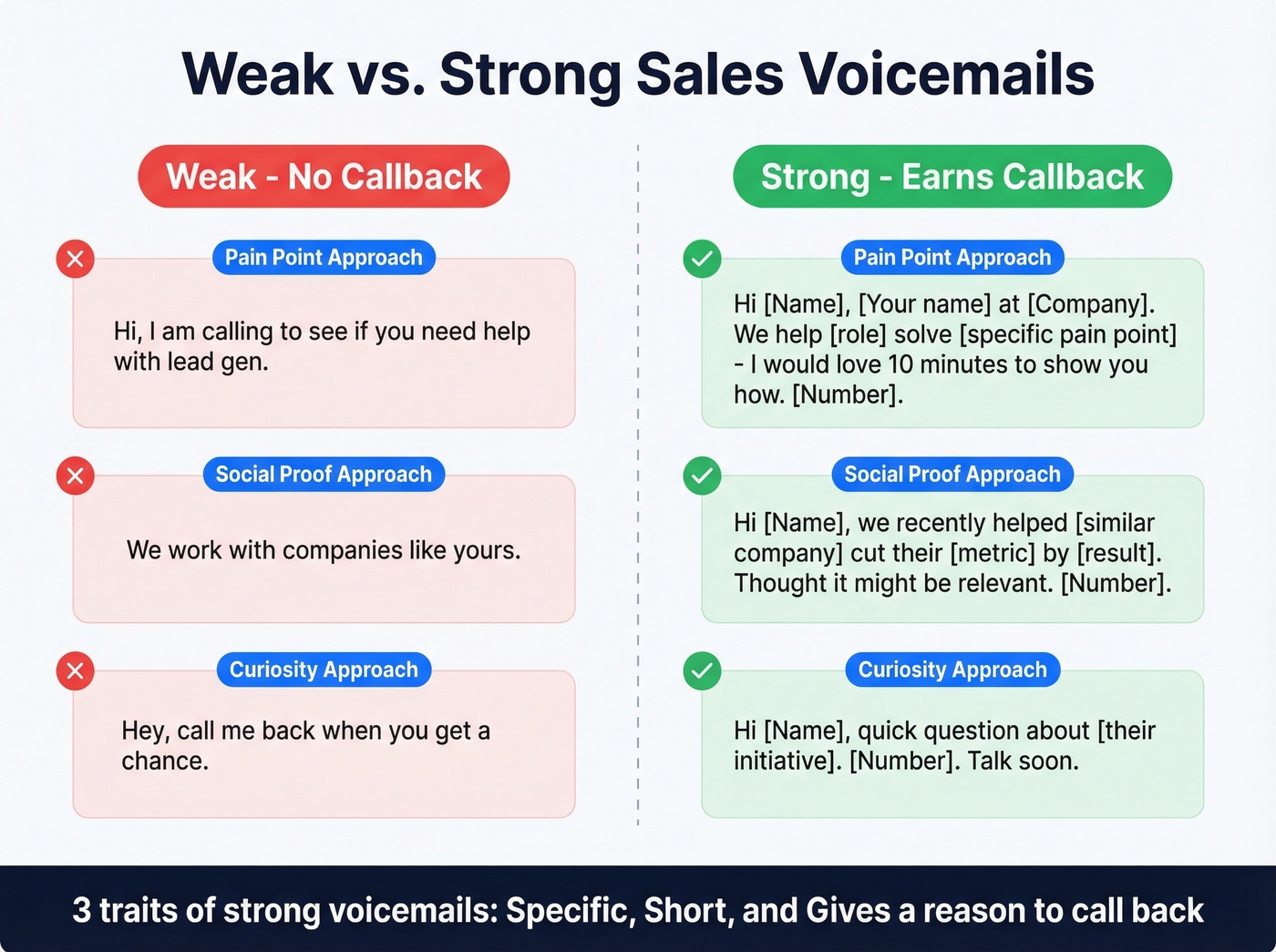
Let's look at weak vs. strong side by side:
| Approach | Weak Version | Strong Version |
|---|---|---|
| Pain-point | "Hi, I'm calling to see if you need help with lead gen." | "Hi [Name], [Your name] at [Company]. We help [role] solve [specific pain point] - I'd love 10 minutes to show you how. [Number]." |
| Social proof | "We work with companies like yours." | "Hi [Name], [Your name] from [Company]. We recently helped [similar company] cut their [metric] by [result]. Thought it might be relevant. [Number]." |
| Curiosity | "Hey, call me back when you get a chance." | "Hi [Name], [Your name], [Company]. Quick question about [their initiative]. [Number]. Talk soon." |
The strong versions share three traits: they're specific, they're short, and they give the prospect a reason to call back that isn't "because I asked."
I'll say something that might be controversial: if your average deal value is under five figures, a great voicemail matters more than a great email sequence. Email is crowded. Voicemail inboxes are ghost towns. The reps who figure this out have an unfair advantage.
Of course, the best script is worthless if you're calling a disconnected number. Before running any outbound voicemail campaign, verify your contact data - Prospeo's mobile database covers 125M+ verified numbers refreshed every 7 days, so your messages actually reach real people. If you're building a repeatable outbound motion, it also helps to tighten up your sales prospecting techniques and keep a few talk track examples handy.

A perfect voicemail means nothing if it lands on a dead line. Prospeo's mobile database has 125M+ verified numbers refreshed every 7 days - with a 30% pickup rate across all regions. At 10 credits per number, you only pay when a valid mobile is found.
Stop leaving voicemails that no one will ever hear.
Sales reps who leave voicemails book more meetings - but only if the number actually rings. Prospeo users reach 3x more prospects because every mobile is verified through a 5-step process. Teams using Prospeo book 35% more meetings than Apollo users.
Dial numbers that connect, not numbers that disconnect.
How to Re-Record a Voicemail
You're not stuck with a bad take.
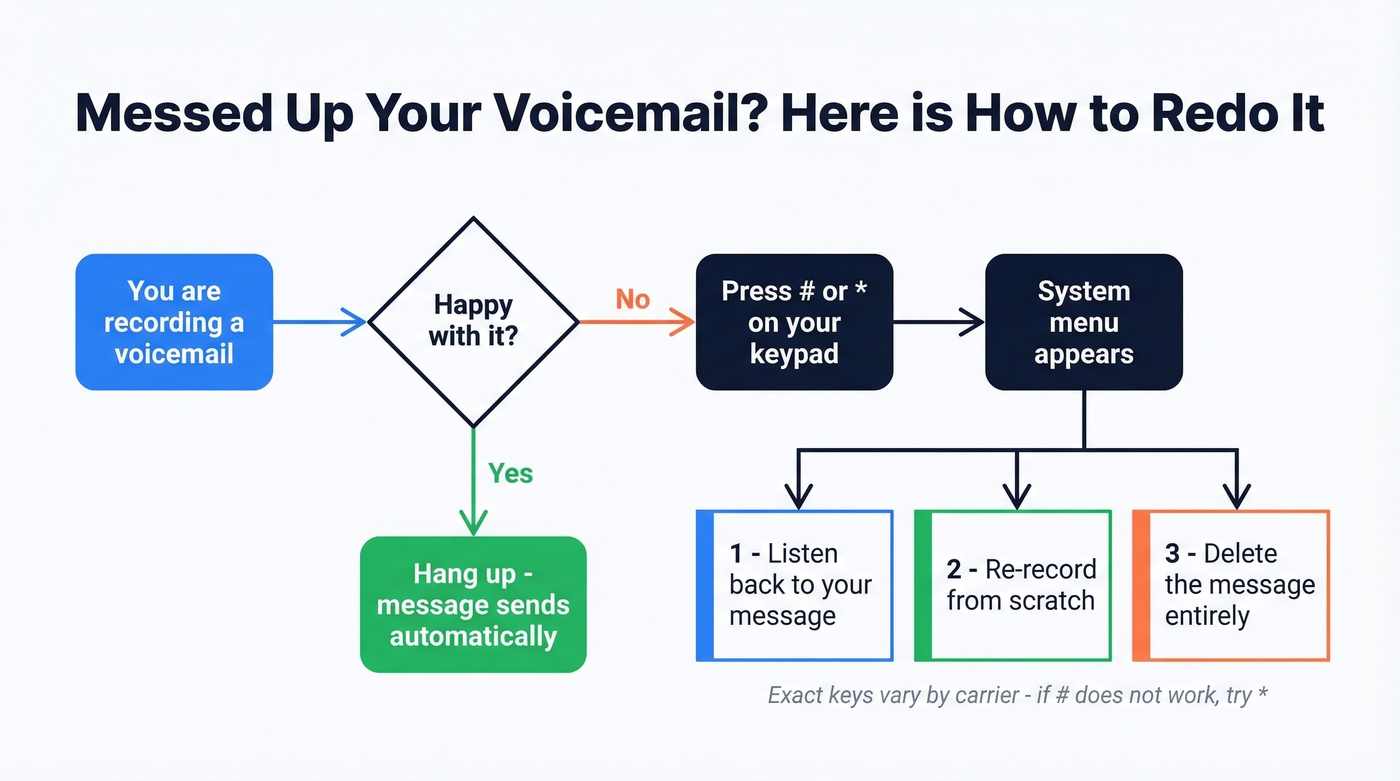
After you finish recording - or mid-recording, if things go sideways - press # or * on your keypad. On many systems, this ends the recording and triggers a menu with options to listen back, delete, or re-record your message. The exact key varies; if one doesn't work, try the other.
This is the single most anxiety-reducing fact about voicemail: it's not one-take-only. You often get a redo. The consensus on r/LifeProTips is that this is the tip people wish they'd known years ago, and we've seen it come up in threads dozens of times.
7 Mistakes That Annoy Everyone
- Garbled or unclear messages. If you're eating, walking through wind, or mumbling, the listener can't help you. Find a quiet spot and enunciate.
- Long, rambling messages. Anything over 45 seconds and people stop listening. Get to the point.
- Serial messaging. Leaving a voicemail, then texting the same thing, then emailing it, then messaging on another platform. Pick one channel and wait. (If you're in a sales context, this is where sales communication discipline matters.)
- Anonymous messages. "Hey, it's me, call me back." Don't assume they recognize your voice - they might not even have your number saved.
- Not leaving your number. Saying "call me back" without leaving your number is the voicemail equivalent of a passive-aggressive Post-it note. Say it twice, slowly.
- Hanging up right when voicemail picks up. The recipient gets a notification with nothing but dial tone. Confusing and slightly ominous.
- Drive-by cliffhanger messages. "Hey, I need to talk to you about something. Call me." About what? Give context so they can prioritize.
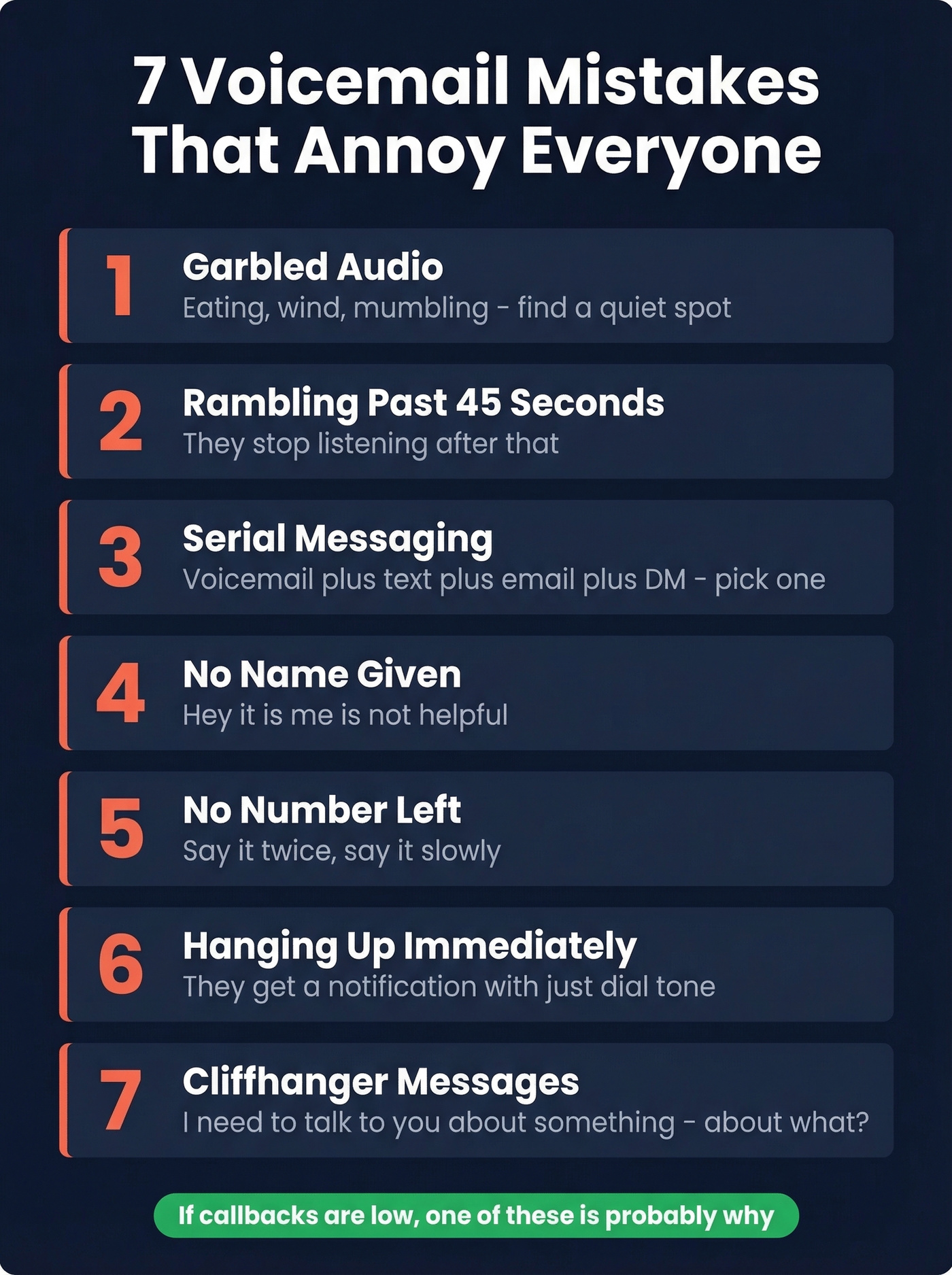
Skip this list if you're already getting callbacks consistently - but if messages keep going unreturned, one of these seven is probably the culprit. If you're following up after a meeting or interview, you may also want a written backup like these sales follow-up templates.
Voicemail on iPhone and Android
iPhone (iOS 18)
iPhones offer several voicemail experiences. Visual Voicemail stores messages directly in the Phone app with playback controls. Live Voicemail, introduced in iOS 17 and expanded to more countries in iOS 18, gives you real-time transcription of incoming voicemails as they're being recorded - you can read the message as it comes in and decide whether to pick up. FaceTime Voicemail works similarly for FaceTime calls, letting callers leave a video or audio message when you don't answer.
To set up your own voicemail, open the Phone app > Voicemail tab > Set Up Now. Create a password, choose a default or custom greeting, and tap Done. If you don't see Visual Voicemail, your carrier may require you to call their voicemail number from the Voicemail tab instead.
For leaving a voicemail on someone else's phone, the process is the same universal steps above - dial, wait, beep, talk, hang up. The iPhone doesn't change that.
Android
Android voicemail setup varies across Samsung, Pixel, and Motorola, but the core flow is consistent. Open the Phone app, tap the Voicemail icon or tab (or press and hold 1 on the dial pad), follow the prompts to create a 4-6 digit PIN, record your name if asked, and record your greeting.
Pixel phones and Google Voice also offer automatic voicemail transcription, so your message may be read as text before it's ever played back - another reason to keep it clear and concise. To test your setup, call your own number from another phone and leave yourself a message. You'll hear exactly what callers hear and can adjust your greeting accordingly.
Send a Voicemail Without Calling
Sometimes you want to drop a message without the phone actually ringing. Maybe it's 2 AM. Maybe you just don't want the conversation.
Slydial is the most popular option. Dial 267-759-3425, wait through a short ad, enter the recipient's 10-digit number, record your message, and hang up. The voicemail lands without the phone ever ringing. One caveat: caller ID may show as unknown, so always state your name and callback number clearly.
iMessage audio messages work if both parties use Apple devices. Record an audio message in the thread. These auto-delete after 2 minutes by default, but the recipient can keep them, and settings can be changed to keep audio messages forever.
For business use at scale, Slybroadcast lets you drop pre-recorded voicemails to lists. Be aware of FCC/TCPA rules - ringless voicemail to consumers without consent can get you fined. If you're doing outbound at volume, pair this with a clean process for sequence management so touches don't get messy.
| Tool | Price | Best For |
|---|---|---|
| Slydial | Free (ads) / $2.99/mo | Personal, one-at-a-time |
| Slybroadcast | $10/100 deliveries | Business bulk drops |
| TextP2P | $21-$84/mo | Business + SMS combo |
| iMessage Audio | Free | Apple-to-Apple only |
Troubleshooting
"This person doesn't have a voicebox." The recipient's carrier hasn't provisioned voicemail on their line. There's nothing you can do - text or email them instead, and suggest they contact their carrier to enable it.
"Voicemail box is full." Also nothing you can fix. Try again in a few days, or reach out through another channel. Some people simply never clear their voicemail.
"Does hanging up send the voicemail?" In most systems, yes. Once you're recording, hanging up ends the recording and the message is saved.
FAQ
How long should a voicemail be?
Keep personal voicemails to 20-30 seconds and professional ones under 45 seconds. For sales voicemails specifically, the ideal length is 8-13 seconds for maximum callback rates. Shorter forces clarity.
Does hanging up send the voicemail?
In most voicemail systems, yes - hanging up after recording ends the recording and saves the message. No extra button press needed. If the system offers send options, you'll hear a prompt before it auto-saves.
Can you re-record a voicemail?
On many systems, pressing # or * after recording opens a menu to delete, re-record, or listen back. Try # first, then * if that doesn't work. The option exists more often than people realize.
How do you send a voicemail without calling?
Use Slydial by dialing 267-759-3425 to connect directly to someone's voicemail without their phone ringing. It's free with ads or $2.99/mo for the premium tier. State your name and number clearly since caller ID may show as unknown.
What if someone's voicemail isn't set up?
You'll hear "this person doesn't have a voicebox" or a similar carrier message. You can't leave a message - try texting or emailing instead. The recipient needs to contact their carrier to enable voicemail on their line.