

How to Remind Someone About an Email Without Being Annoying
You sent the email. Proofread it twice. Hit send with confidence. Now it's been three days, you've checked your inbox eleven times, and the silence is deafening.
Over 250 billion emails get sent every single day. Your message isn't being ignored - it's competing with hundreds of others for a sliver of someone's attention. Knowing how to remind someone about an email without seeming pushy is a skill most professionals never learn, and we've watched teams agonize over this for years. The fix is simpler than you think.
Three Rules Before You Write Anything
Before you read another word:
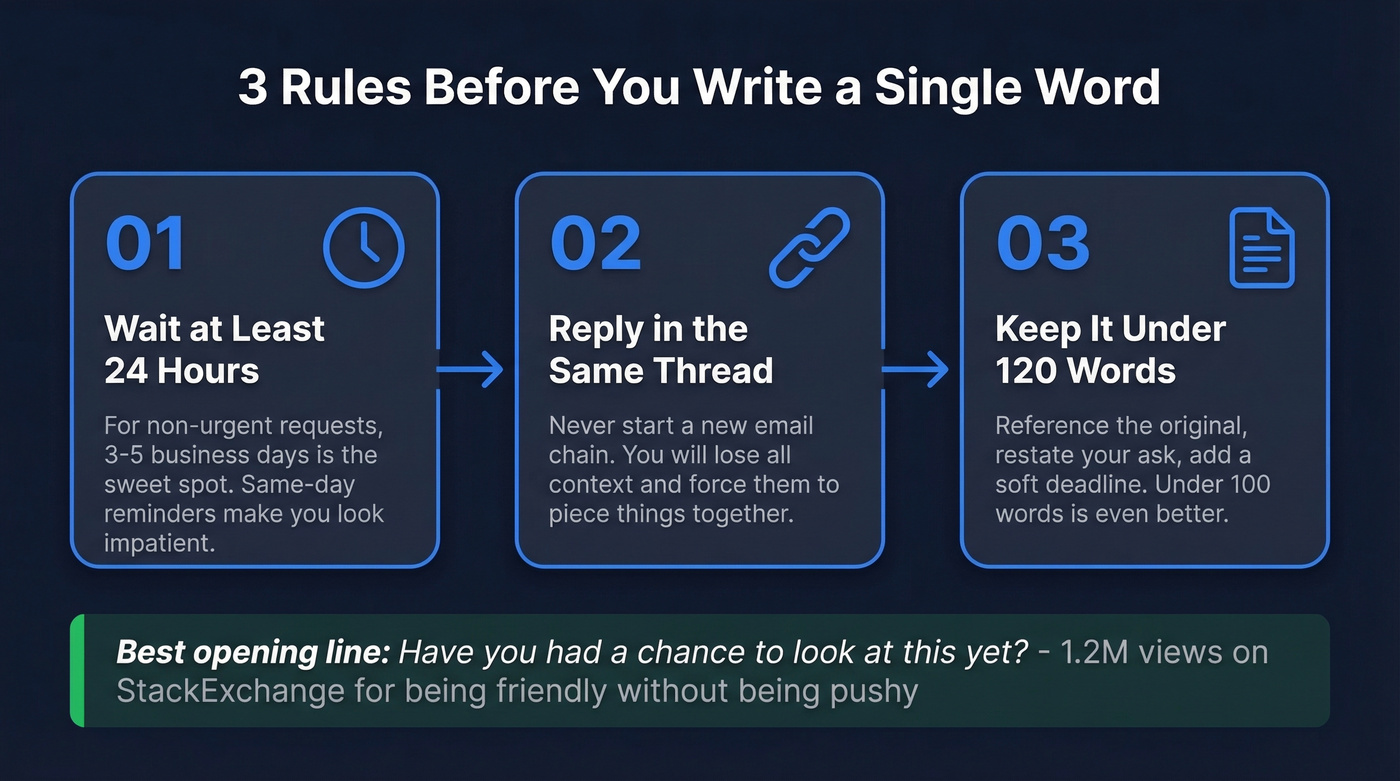
- Wait at least 24 hours. For non-urgent requests, 3-5 business days is the sweet spot.
- Reply in the same thread. Never start a new email chain - you'll lose all context.
- Aim for under 120 words. Under 100 is even better. Reference the original, restate your ask, add a soft deadline.
Best opening line you can steal right now: "Have you had a chance to look at this yet?" - a phrasing with 1.2M views on StackExchange for being friendly without being pushy.
Why People Don't Reply (It's Not Personal)
An analysis of 16.5 million cold emails found the highest reply rate - 8.4% - comes from the very first email. That means over 91% of emails get no response at all, even when the sender does everything right.
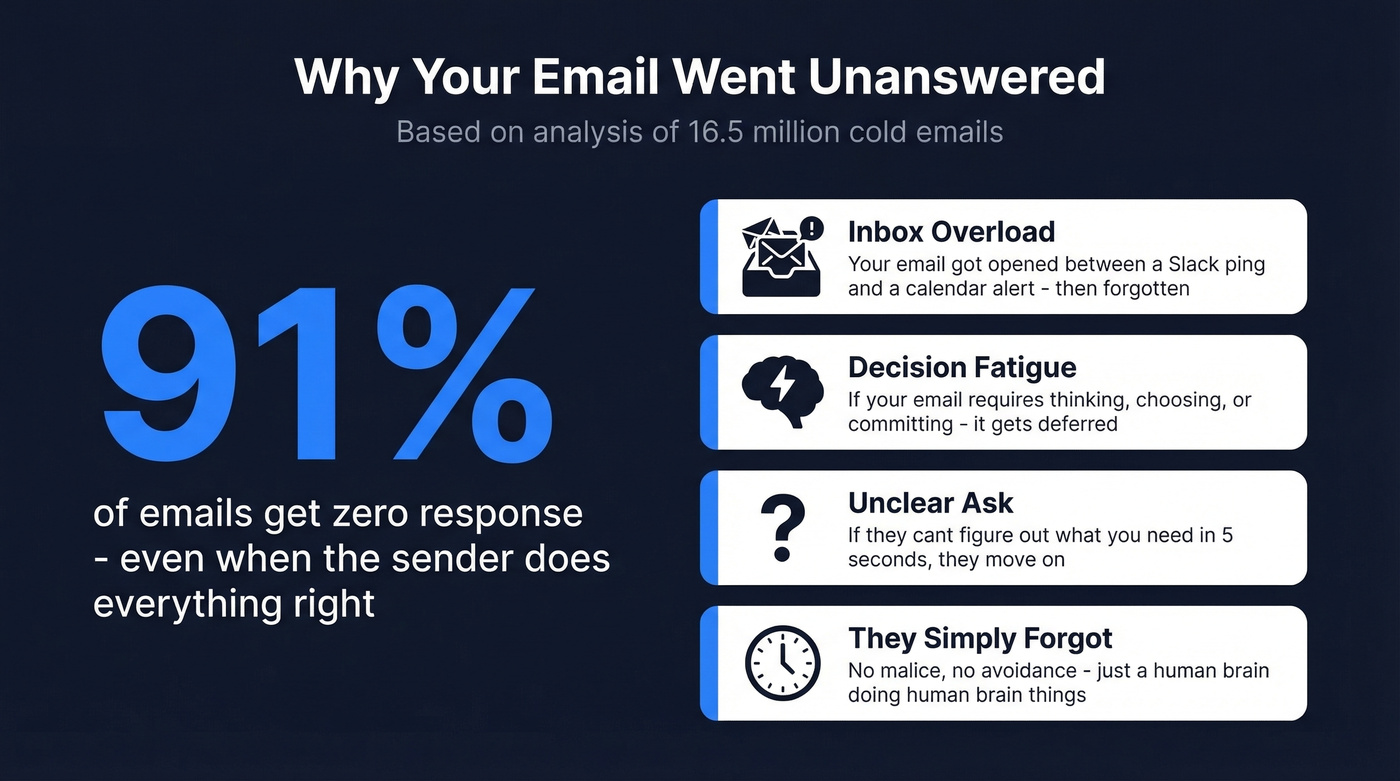
The reasons are boringly predictable. Inbox overload tops the list: your recipient opened your email between a Slack notification and a calendar reminder, mentally noted "I'll get to this later," and never did. Decision fatigue is the second culprit. If your email requires them to think, choose, or commit, it gets deferred. Then there's the unclear ask - if your reader can't figure out what you need in five seconds, they move on.
And sometimes? They genuinely forgot. No malice, no avoidance. Just a human brain doing what human brains do.
When to Send a Reminder Email
The 24-hour rule is your floor. Sending a reminder the same day you sent the original makes you look impatient, not diligent. For anything that isn't deadline-critical, wait 3-5 business days. Reply rates can jump 49% after the first follow-up, so patience pays off.
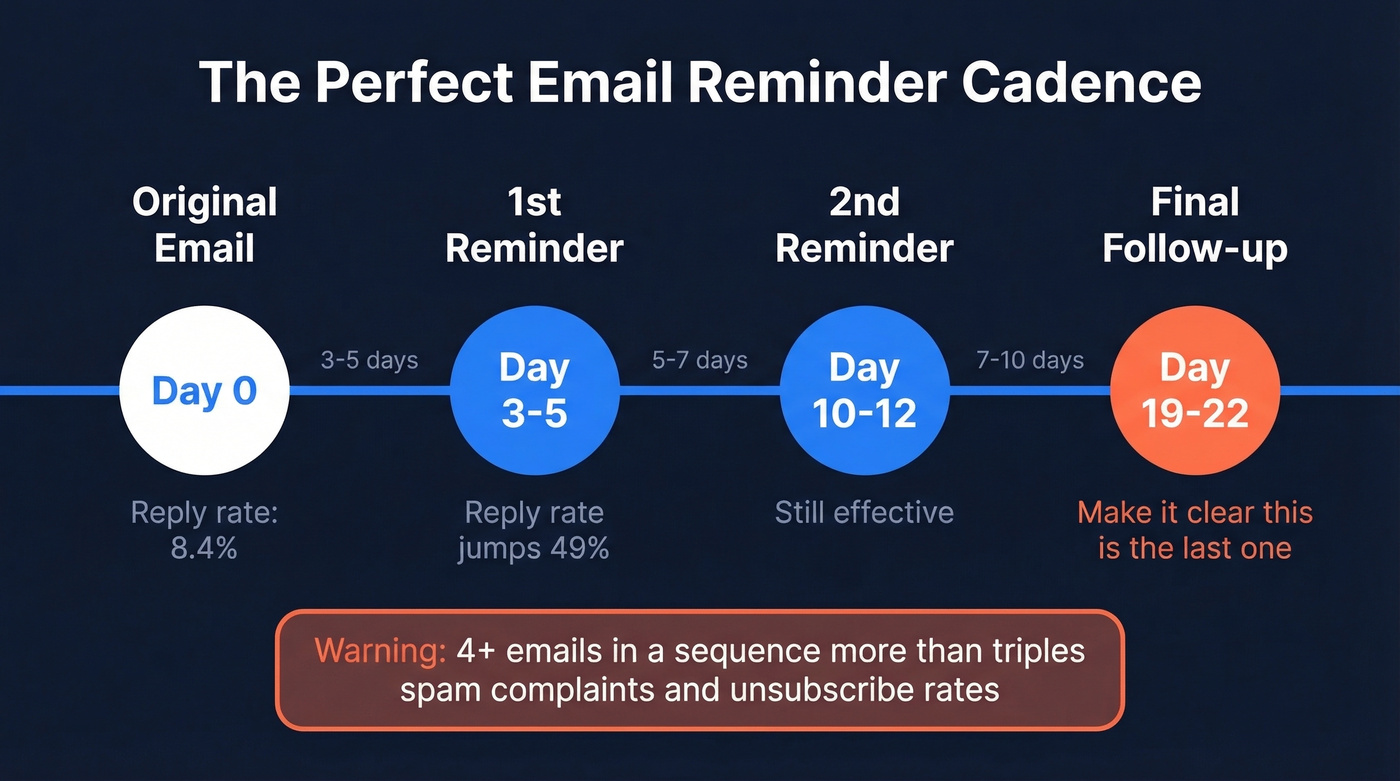
Here's the cadence that works for most situations:
- 1st reminder: 3-5 business days after the original email
- 2nd reminder: 5-7 days after the first reminder
- Final follow-up: 7-10 days later - and make it clear this is the last one
One critical number to keep in mind: sending 4+ emails in a sequence more than triples your spam complaint and unsubscribe rates. Company size matters too. Small businesses (2-50 employees) tolerate follow-ups better, maintaining a 9.2% initial reply rate that stays above 8% through two follow-ups. Enterprise contacts are less forgiving after one or two touches.
Subject Lines That Get Opened
64% of recipients decide to open or delete based solely on the subject line. Personalized subject lines are 50% more likely to be opened. So "Following up" as your subject line is basically volunteering for the trash folder.
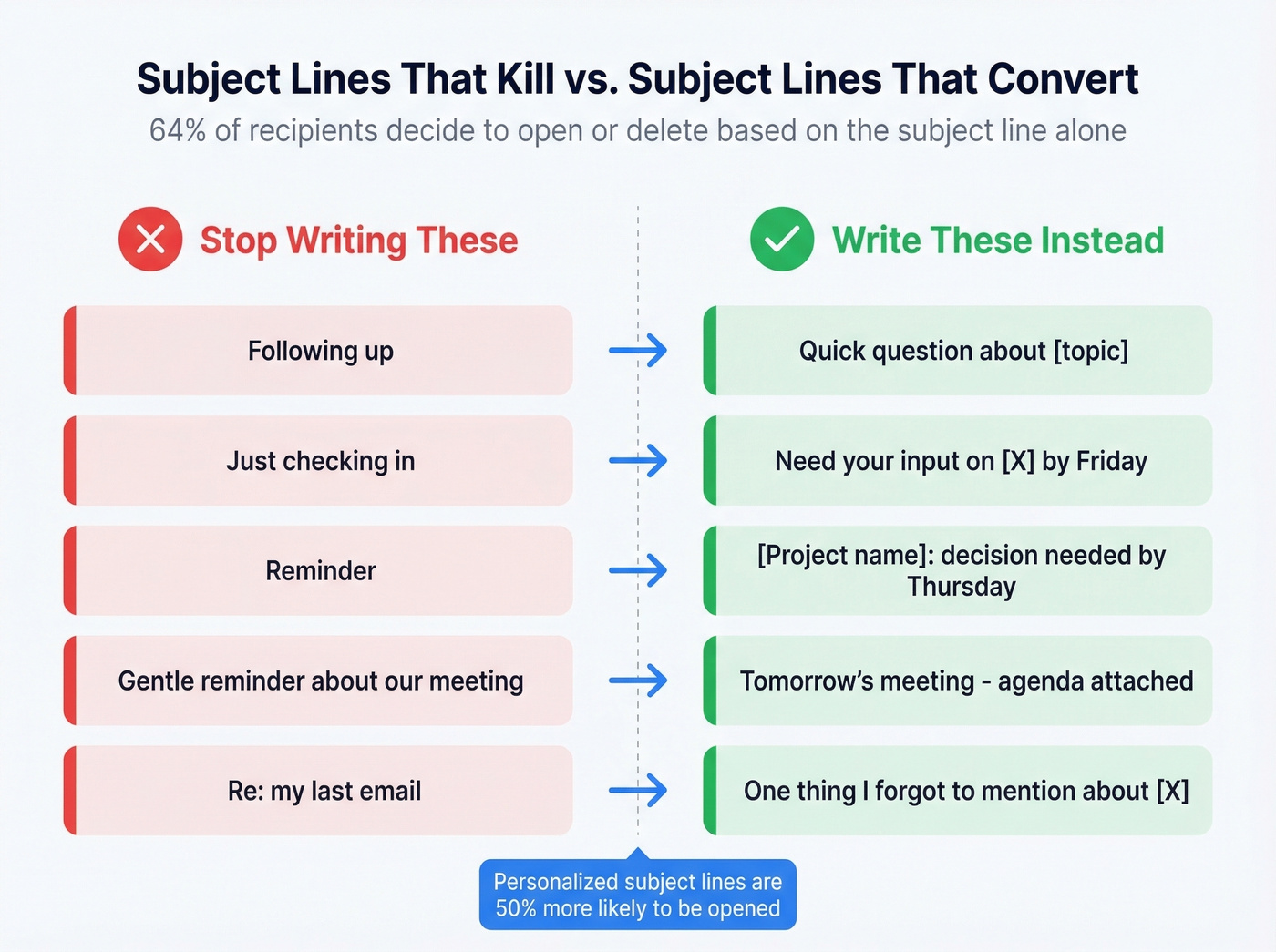
Five subject line transformations:
| Don't Write | Write Instead |
|---|---|
| Following up | Quick question about [topic] |
| Just checking in | Need your input on [X] by Friday |
| Reminder | [Project name]: decision needed by Thursday |
| Gentle reminder about our meeting | Tomorrow's meeting - agenda attached |
| Re: my last email | One thing I forgot to mention about [X] |
"Just checking in" is the worst subject line in professional email. It tells the reader nothing, creates no urgency, and signals that even you don't think your message is important. (If you need alternatives, see Just checking in.)
For the body, use a three-part formula. Reference the original email so they have context. Restate your specific ask - don't make them scroll down to figure out what you need. Add a soft deadline: "Would love your thoughts by Thursday so we can finalize the deck."
Never apologize for following up. "Sorry to bother you" signals that your email isn't worth reading. And stop writing "gentle reminder." It's passive-aggressive shorthand that everyone sees through. Be direct and specific instead.

91% of cold emails get no response - but bad data makes it worse. If you're sending reminders because your emails bounced or hit the wrong inbox, the problem isn't your follow-up cadence. Prospeo delivers 98% verified email accuracy so your message reaches the right person the first time.
Send fewer reminders by reaching the right person on the first try.
Copy-Paste Reminder Templates
These templates work best when you adjust the tone to match your existing relationship with the recipient. Steal the structure, but make the words yours. (For more options, compare these with our follow-up templates.)
No Response to Your Initial Email
Subject: Quick question about [specific topic]
Hi [Name], I sent over [brief description] on [day]. Want to make sure it didn't get buried. Could you take a look and let me know your thoughts by [day]? Happy to jump on a quick call if that's easier. Thanks, [Your name]
Use when it's been 3-5 business days and you need a general nudge.
Following Up With Your Boss
Subject: [Project name] - need your sign-off by [day]
Hi [Name], circling back on the [document/proposal] I sent [day]. I'd like to move forward by [deadline] - just need your approval. Let me know if you have questions or want me to adjust anything. Thanks!
Use when you need a decision and your boss is swamped. Keep it respectful but clear on the timeline.
Here's the thing: if your boss consistently ignores email, walk over and mention it in person. A 10-second hallway conversation beats three follow-up emails every time.
Following Up With a Client
Most people write something like: "Just wanted to check in and see if you had a chance to review the proposal." Here's what actually gets a reply:
Subject: [Deliverable] - ready for your review
Hi [Name], you mentioned you'd review the [proposal/contract] this week. If anything needs adjusting, I can turn revisions around by [day]. Looking forward to hearing from you.
The difference? The second version assumes forward motion instead of asking permission to exist.
Meeting or Appointment Reminder
Subject: Tomorrow at [time] - [meeting topic]
Hi [Name], quick reminder about our meeting tomorrow at [time]. Here's the [Zoom link / room / address]. I've attached the agenda - let me know if you'd like to add anything. See you then!
Send 24 hours before the meeting. Short, helpful, no fluff.
Overdue Invoice or Payment
Subject: Invoice #[number] - payment due [date]
Hi [Name], I wanted to flag that invoice #[number] for [amount], sent on [date], is now [X days] past due. Could you confirm when we can expect payment? Happy to resend the invoice if needed. Thanks for your attention to this.
Stay professional - assume it's an oversight, not avoidance.
What NOT to write: "I notice this invoice is significantly overdue and I'm concerned about the status of our arrangement." That's a relationship grenade disguised as an email. Keep it factual.
Job Application Follow-Up
Subject: Following up on [role title] application
Hi [Name], I applied for the [role] position on [date] and wanted to express my continued interest. I'd welcome the chance to discuss how my experience in [relevant skill] aligns with what you're looking for. Is there a good time to connect?
Send 7-10 days after applying, and only if you have a specific contact.
Final Follow-Up (Before You Stop)
Subject: Should I close the loop on this?
Hi [Name], I've reached out a couple of times about [topic] and haven't heard back - totally understand if the timing isn't right. If this isn't a priority right now, no worries at all. Otherwise, I'm here whenever you're ready to pick it back up.
This is your last attempt. Give them an easy out - it often triggers a reply.
Mistakes That Kill Your Reply Rate
In our experience, the single biggest reply-rate killer is starting a new thread. Always reply to the original email. A fresh message strips away context and forces the recipient to piece together what you're talking about.
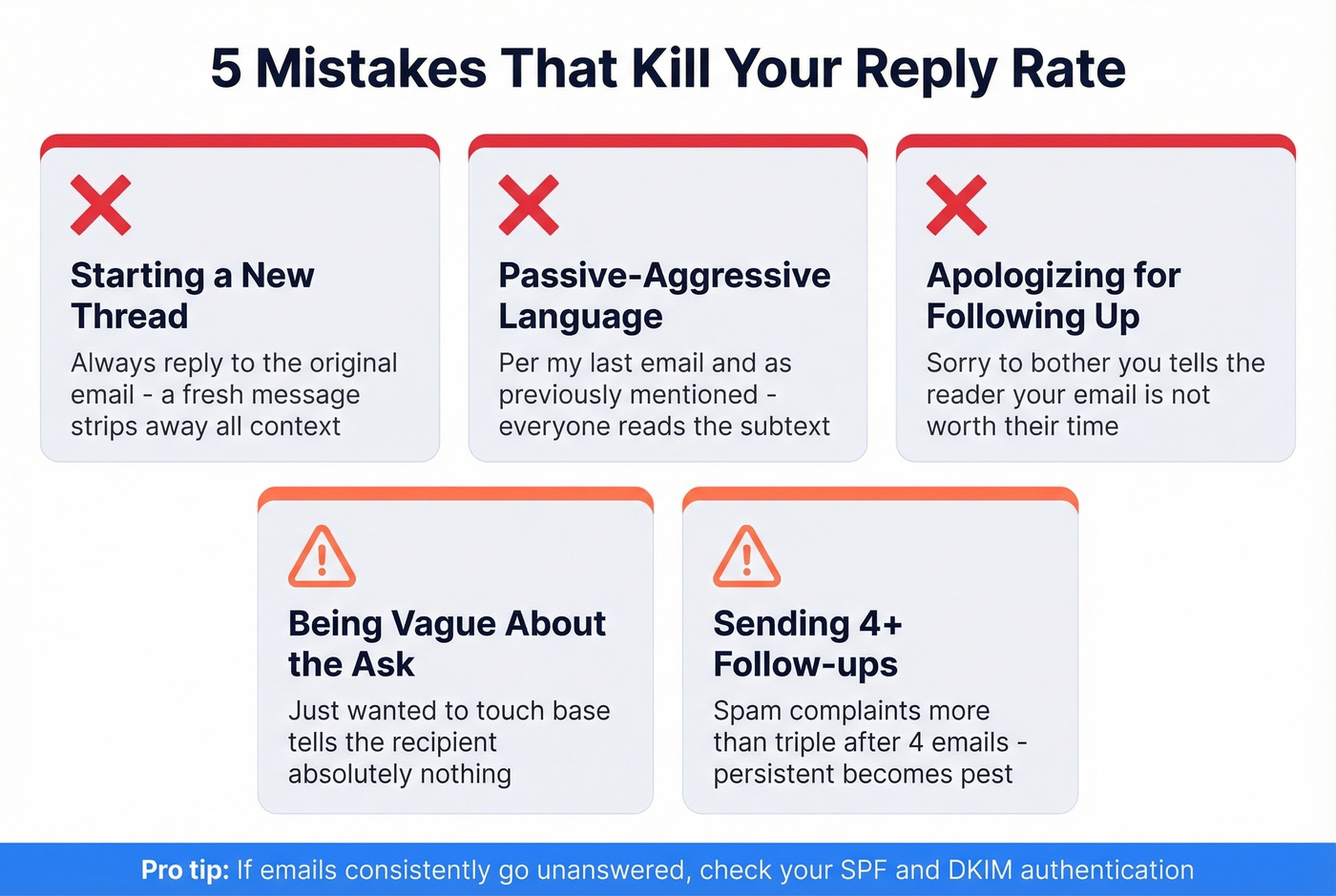
Using passive-aggressive language is a close second. "Per my last email" and "as previously mentioned" are the professional equivalent of gritting your teeth. Everyone reads the subtext.
Apologizing for following up undermines your own message. "Sorry to bother you again" tells the reader your email isn't worth their time. You're not bothering anyone - you're doing your job.
Being vague about the ask wastes everyone's time. "Just wanted to touch base" tells the recipient nothing. State exactly what you need and by when. And sending too many follow-ups crosses the line from persistent to pest - after 4+ emails, spam complaints more than triple. If your emails consistently go unanswered across multiple contacts, check whether they're landing in spam. SPF and DKIM authentication issues are more common than most people realize (start with SPF and DKIM, then confirm DKIM is actually working).
When to Stop - and What to Do Instead
Three follow-ups is the ceiling for most professional contexts. After that, reply rates crater and spam complaints spike.
Let's be honest: most people don't have a follow-up problem. They have a targeting problem. If you're sending five reminders to someone who never responded to the first email, the issue isn't persistence - it's that you're emailing the wrong person, at the wrong address, or with the wrong message. Effectively reminding someone about an email starts with making sure that email reached the right inbox in the first place.
After three attempts with no response, switch channels. Pick up the phone. Ask a mutual contact for an introduction. LinkedIn outreach combining a message and profile visit can drive reply rates up to 11.87% - higher than any email-only sequence. A different medium often breaks through where email can't. (If you're unsure about timing, use this guide on follow up on an email.)
Sometimes the problem isn't your follow-up at all - it's the email address. We've seen teams burn weeks of follow-up effort into dead inboxes because the contact data was stale. If you're doing outbound at scale and reminders keep bouncing, bad data is the real culprit. Prospeo's email finder verifies addresses in real time with 98% accuracy, so you know the address is valid and deliverable before you write another word. (If you need to diagnose bounces, start with bounce rate and how to check if an email exists.)
Following up is smart. Following up on emails that never arrived is a waste. With 143M+ verified emails refreshed every 7 days, Prospeo ensures your outreach lands in real inboxes - not spam traps, dead accounts, or catch-all black holes. Starting at $0.01 per email, no contracts.
Stop writing reminder #3 for an email that bounced on day one.
Cross-Cultural Reminder Etiquette
If you're emailing across borders, your "polite nudge" might land very differently than you intend.
Germany and Switzerland value directness. Including "Action Needed" in your subject line isn't rude - it's expected. Get to the point quickly and skip the small talk.
Japan and South Korea lean toward formality and indirectness. Extended greetings and polite phrasing matter, and blunt demands don't land well - frame your reminder as a gentle inquiry rather than a directive. Professional titles carry more weight here than in Western contexts; in France, for example, "Madame" replaced "Mademoiselle" in official correspondence years ago, and using the wrong title signals carelessness.
Latin America prioritizes personal warmth. Start with a genuine well-being inquiry before getting to business. Jumping straight to the ask feels cold.
MENA regions tend toward formal, courteous communication with more flexible response-time expectations. A follow-up phone call is often more effective than another email.
One practical trap: date formats differ globally. "03/04/2026" means March 4th in the US and April 3rd in most of Europe. Spell out the month. And never use humor or sarcasm in cross-cultural emails - it almost always misfires.
FAQ
How long should I wait before sending a reminder email?
Wait 3-5 business days for non-urgent requests; 24-48 hours for deadline-driven items. Same-day reminders should only happen if something is genuinely time-critical. The 24-hour mark is the absolute minimum.
Is it rude to send a reminder email?
No. An analysis of 16.5 million emails found over 91% get no response even when the sender does everything right. People expect follow-ups. Most non-responses are triage, not rejection.
How many follow-up emails is too many?
Three is the ceiling for most professional contexts. After 4+ emails, spam complaints more than triple and reply rates crater. If three messages haven't gotten a response, switch to a different channel - phone, in-person, or a mutual introduction.
What if my follow-ups keep bouncing or going unanswered?
After 2-3 reminders with no response, the issue is likely bad contact data rather than bad messaging. Verifying addresses before you send ensures you're not following up into dead inboxes. At scale, even a 2-3% bounce rate compounds into deliverability damage.
What's the best subject line for a reminder email?
Reference the specific topic and include a deadline: "Need your input on [X] by Friday" outperforms generic lines like "Following up" or "Just checking in." Personalized subject lines are 50% more likely to be opened.