

How to Whitelist an Email in AOL Mail
You're expecting an important email, but it's sitting in AOL's Spam folder - or worse, it never showed up at all. Here's the catch: AOL doesn't have a dedicated "safe senders" or "whitelist" button. Instead, you've got three main tools that work together: the Not Spam button, your Contacts list, and mail filters. The filter method is the most reliable, and it's the one most people skip.
What You Need (Quick Version)
If you only do one thing, open your Spam folder, find the email, and click Not Spam. For a belt-and-suspenders approach, also add the sender to Contacts and create an inbox filter. Here's how they rank by reliability:
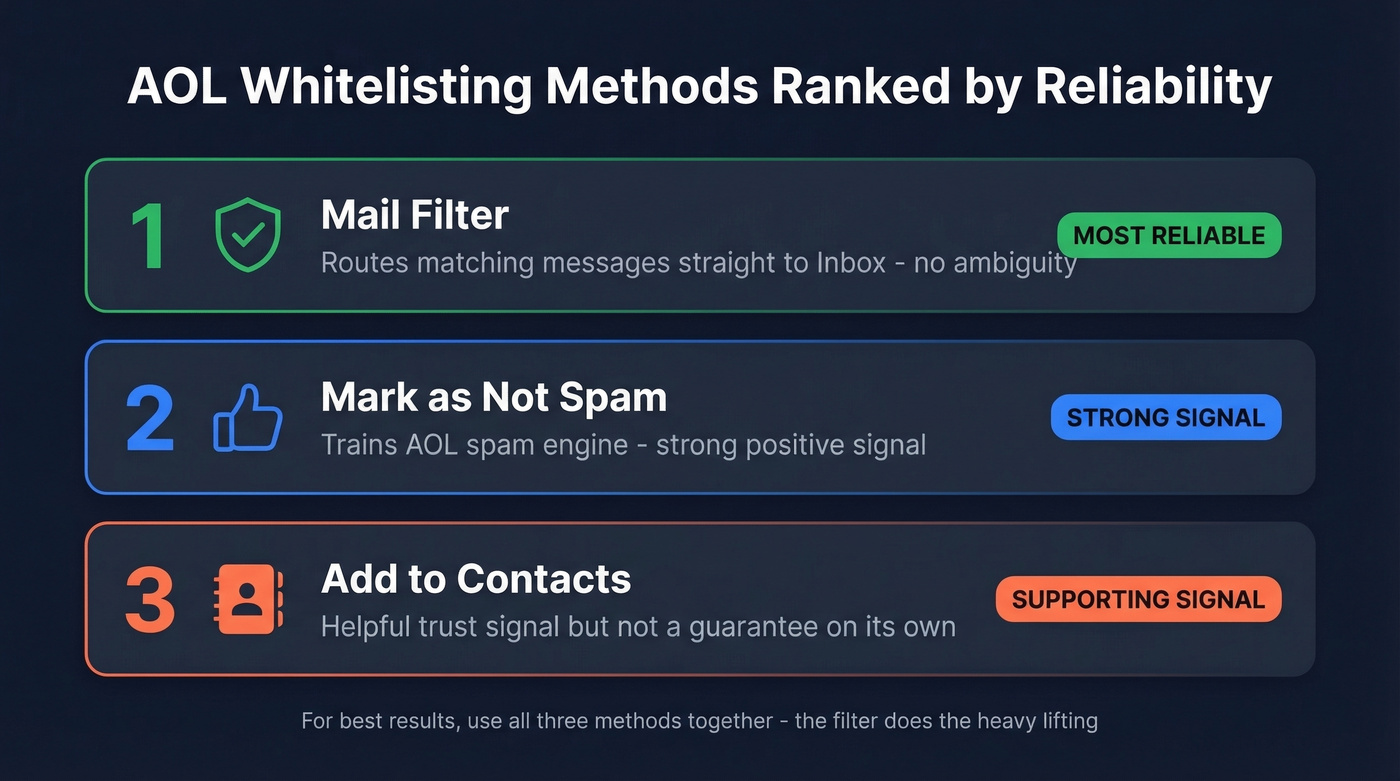
- Mail filter - most reliable, routes matching messages straight to Inbox
- Not Spam - strong signal, trains AOL's spam engine
- Add to Contacts - helpful signal, but not a guarantee on its own
Four Ways to Whitelist in AOL Mail
1. Mark the Email as "Not Spam"
This is the fastest fix and the strongest positive signal you can send to AOL's filtering system.
- Open your Spam folder in AOL Mail.
- Select the email you want to rescue.
- Click Not Spam at the top of the message pane.
AOL's own help page puts it plainly: "Future messages from this sender will be delivered to the inbox." That's about as close to a whitelist as AOL gets without filters. Quick, effective, done.
2. Add the Sender to Contacts
Adding someone to your address book tells AOL you know this person. It improves delivery, but think of it as a supporting signal rather than a hard rule - AOL still weighs other factors like domain reputation and authentication.
- Click Contacts in the left navigation pane.
- Click the New Contact icon.
- Enter the sender's email address (and name, if you want).
- Click Add Contact.
If you're managing a lot of senders, it may help to use a dedicated contact management software workflow instead of relying on a single mailbox.
3. Create an AOL Mail Filter
This is the method most guides skip, and it's the most reliable option AOL offers. A filter explicitly tells AOL to route matching emails to your Inbox - no engagement signals required, no ambiguity about what should happen to those messages.
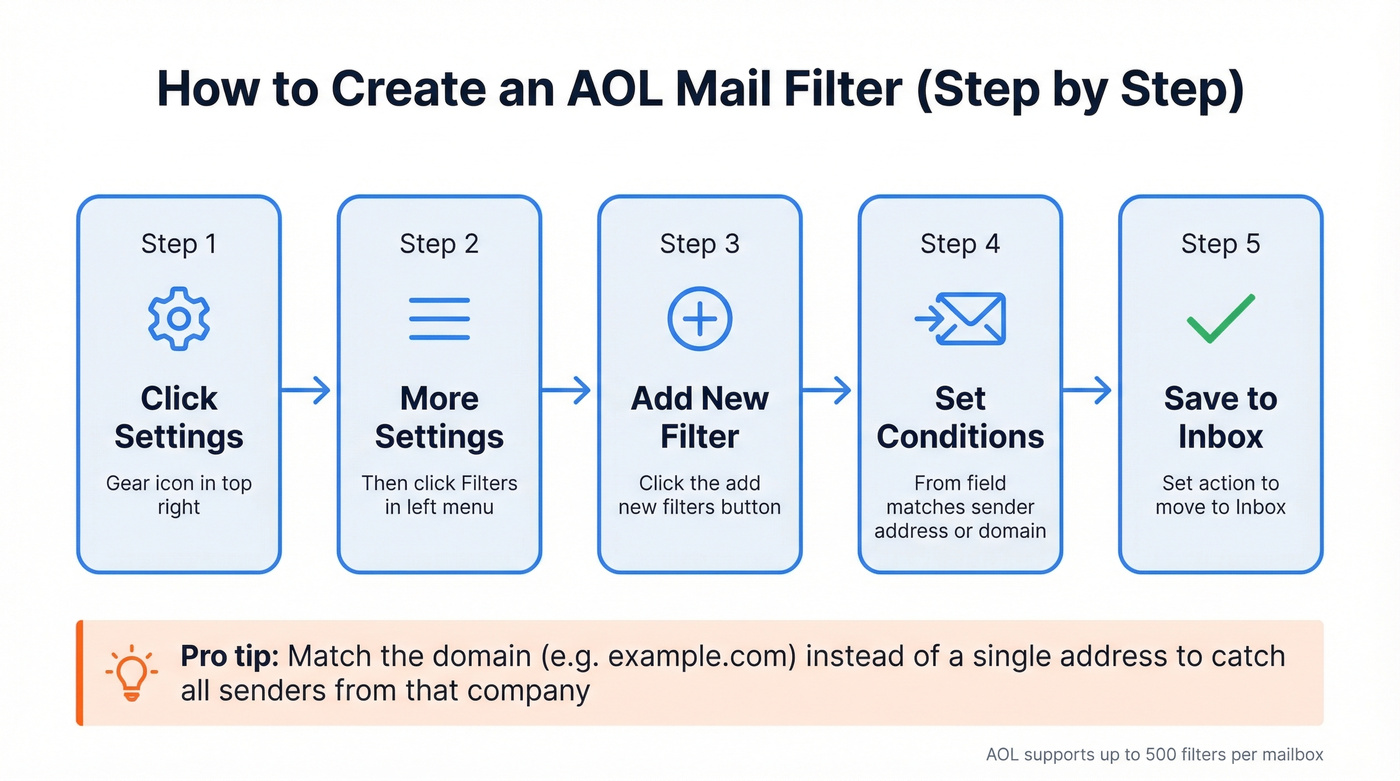
- Click the Settings gear icon.
- Select More Settings.
- Click Filters in the left menu.
- Click Add new filters.
- Set the "From" condition to match the sender's full email address.
- Set the action to move messages to Inbox (or a subfolder you choose).
- Click Save.
AOL supports up to 500 filters per mailbox, and they're prioritized top-down. If two filters conflict, the one higher in the list wins.
Want to allow a whole company domain? Instead of matching a single address, set your filter condition to match the domain text (e.g., example.com) so messages from anyone at that domain follow your rule. We've found this especially useful for newsletters and SaaS notifications that send from rotating addresses like noreply@ or updates@.
If you're doing this for outreach or newsletters, it’s worth understanding the bigger picture of email deliverability so you’re not fighting the inbox forever.
4. Check Your Blocked Senders List
If emails aren't arriving at all - not even in Spam - you may have accidentally blocked the sender.
- Click the Settings gear icon.
- Go to More Settings.
- Click Security and Privacy.
- Review your blocked addresses list.
- Remove the sender if they appear there.
Easy to overlook, especially if you blocked someone months ago and forgot about it.

Whitelisting fixes the receiving end - but if you're sending emails that bounce off AOL addresses, your domain reputation is already taking damage. Prospeo's 5-step email verification catches invalid addresses, spam traps, and honeypots before they wreck your sender score. 98% accuracy, 7-day data refresh, ~$0.01 per email.
Keep your bounce rate under AOL's 3% threshold - verify before you send.
Whitelisting on AOL Mobile
AOL's mobile app doesn't let you create filters or rules. You can mark emails as Not Spam and add senders to Contacts from your phone, but for full control - especially creating that inbox filter - you need a desktop browser.
If you prefer a desktop app over webmail, AOL Desktop Gold runs $5/month and supports filter creation through its own interface.
When Whitelisting Doesn't Work
Sometimes you do everything right and emails still vanish. In our experience, when emails aren't even reaching the Spam folder, the block is happening upstream - before AOL's inbox rules ever kick in.
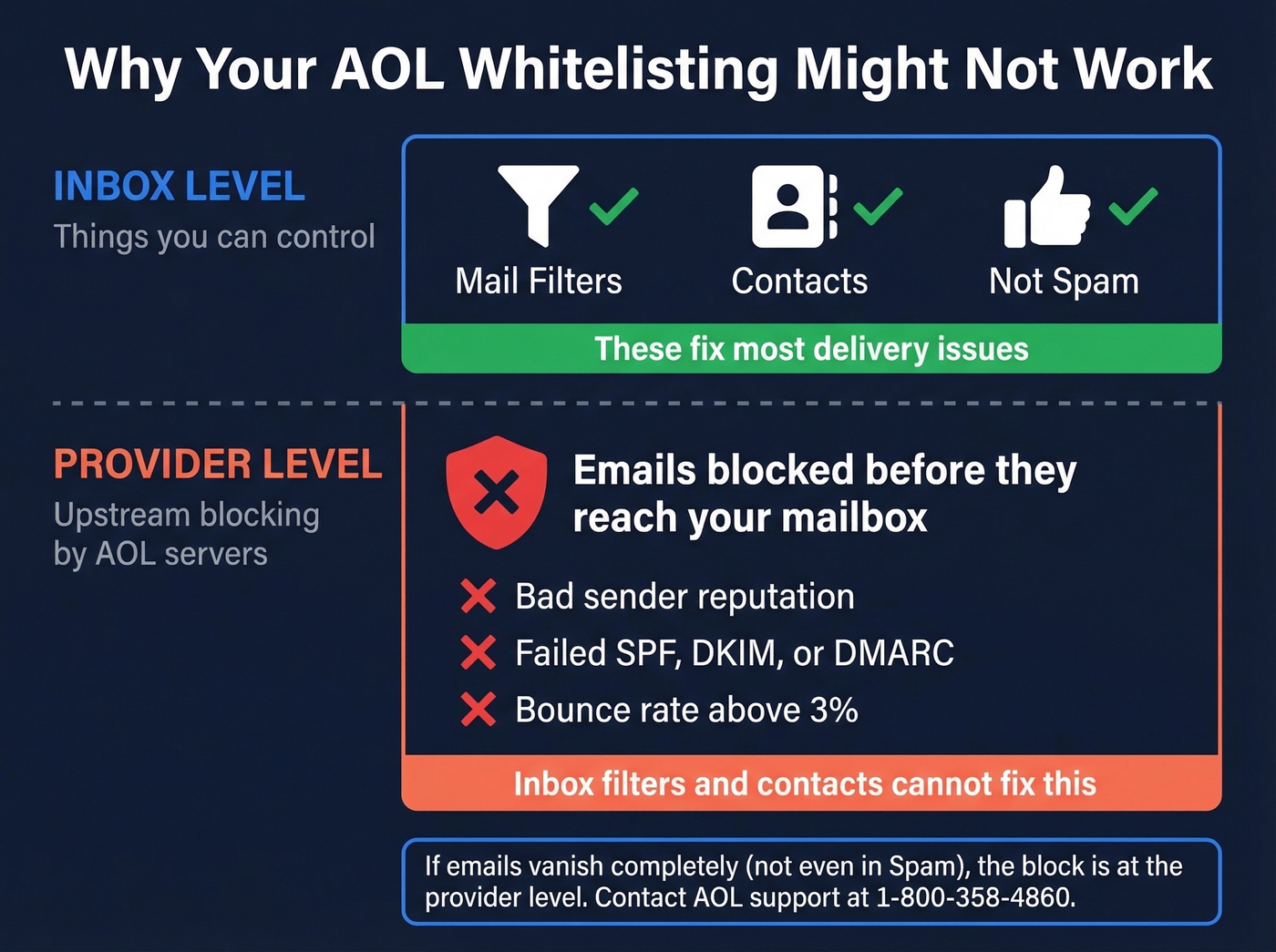
A thread on r/AOL illustrates this well: a user accidentally marked a wanted newsletter as spam, and the emails stopped arriving entirely. Not in the inbox, not in spam. Nowhere. That's what provider-level blocking looks like, and inbox-level actions like Contacts and filters won't fix it on their own.
Let's be honest - if you're still relying on AOL as your primary email, you're fighting an uphill battle with deliverability. AOL's spam filtering is aggressive, and the tools to manage edge cases are limited compared to Gmail or Outlook.
If you're on the receiving end of a provider-level block, contact AOL's paid support line at 1-800-358-4860. The old "AOL Postmaster" tool is commonly referenced as defunct in community threads, so escalation paths can be frustrating.
For Business Senders: Why Your Emails Hit AOL Spam
If you're a business sender whose emails keep landing in AOL spam, bad data is often the root cause. Sending to invalid or abandoned AOL addresses tanks your sender reputation fast - and AOL is particularly unforgiving about bounce rates above 3%. Proper authentication matters too. Make sure SPF, DKIM, and DMARC are configured correctly before anything else.
If you’re troubleshooting bounces, start with email bounce rate basics and then work through how to improve sender reputation.
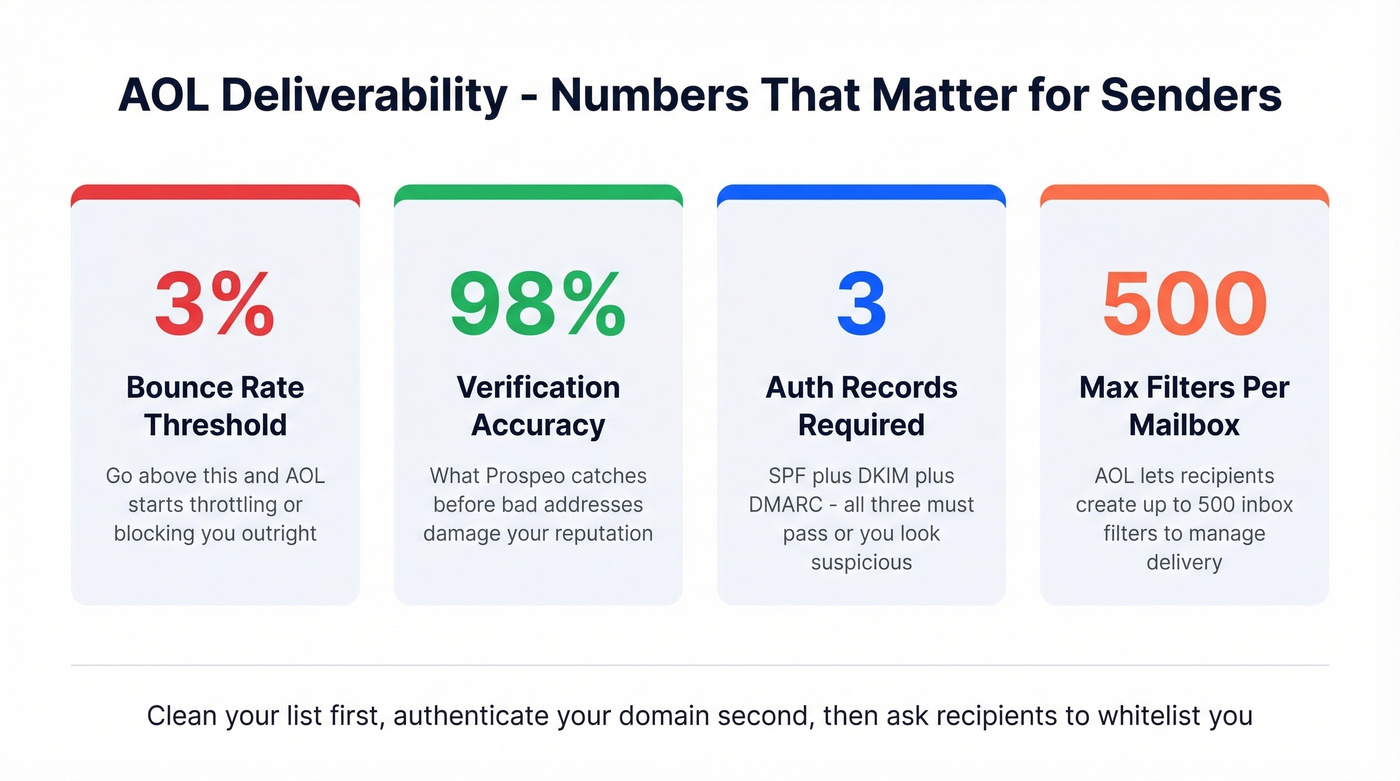
Skip this section if you're just trying to receive emails from a friend - this is for senders running campaigns or newsletters. The single biggest thing you can do is verify your list before hitting send. Prospeo's real-time email verification catches invalid addresses, spam traps, and honeypots at 98% accuracy, so you're not torching your sender reputation on dead contacts.
If you’re scaling outbound, keep an eye on email velocity and use an email spam checker before big sends.
AOL is unforgiving above a 3% bounce rate. One dirty list and you're blocked at the provider level - no filter or whitelist can save you. Prospeo strips out invalid emails, spam traps, and honeypots so every send protects your reputation. Free tier included, no credit card required.
Stop asking recipients to whitelist you. Send to verified contacts instead.
FAQ
Does AOL have a safe senders list?
No. AOL doesn't offer a dedicated safe senders feature like Outlook or Gmail. Your best bet is combining a mail filter (which routes matching messages to your Inbox) with adding the sender to Contacts as a reinforcing trust signal.
Why do emails still go to spam after I add someone to Contacts?
Adding a sender to Contacts is a signal, not a guarantee. AOL weighs multiple factors including domain reputation, SPF/DKIM authentication, and sending volume. Create a mail filter targeting that sender's address for reliable inbox delivery.
Can I whitelist an entire domain in AOL?
Yes. Create a filter that matches the domain text (for example, example.com) in the sender criteria, then route those messages to your Inbox. This catches all current and future senders from that domain.
How do senders avoid AOL's spam filter?
Senders need valid SPF, DKIM, and DMARC records, plus a clean list with no invalid addresses. Keeping bounce rates under 3% is critical - that's the threshold where AOL starts throttling or blocking senders outright.