

=== CURRENT ARTICLE (slug: introducing-a-colleague-to-a-client-email) ===
How to Introduce a Colleague to a Client via Email (2026)
Most guides on this topic give you new-hire announcement templates - "Please welcome Sarah to the team!" That's not what you need. You need the email for when a specialist is joining a project mid-stream, an account is changing hands, or you're going on vacation and someone has to cover.
That's what we're covering here: real templates for real handoff scenarios, plus the etiquette rules that keep the client's trust intact.
Copy-Paste Template
If you just need to send the email and move on, here's the universal format:
Subject: Intro: Sarah Chen <> Mark Rivera
Hi Mark,
I'd like to introduce you to Sarah Chen, our senior solutions engineer. Sarah's joining our work on the Apex integration to handle the API migration piece - she's led three similar projects this year and knows your tech stack well.
Sarah, Mark is VP of Engineering at Apex and has been our primary contact since kickoff.
I'll let you two take it from here. Sarah, over to you to schedule a quick sync.
Best, Jamie
Both people get context about the other, and there's a clear next step. Customize the reason and the CTA, and you're done.
What Every Introduction Email Needs
Before you write anything, run through this checklist:
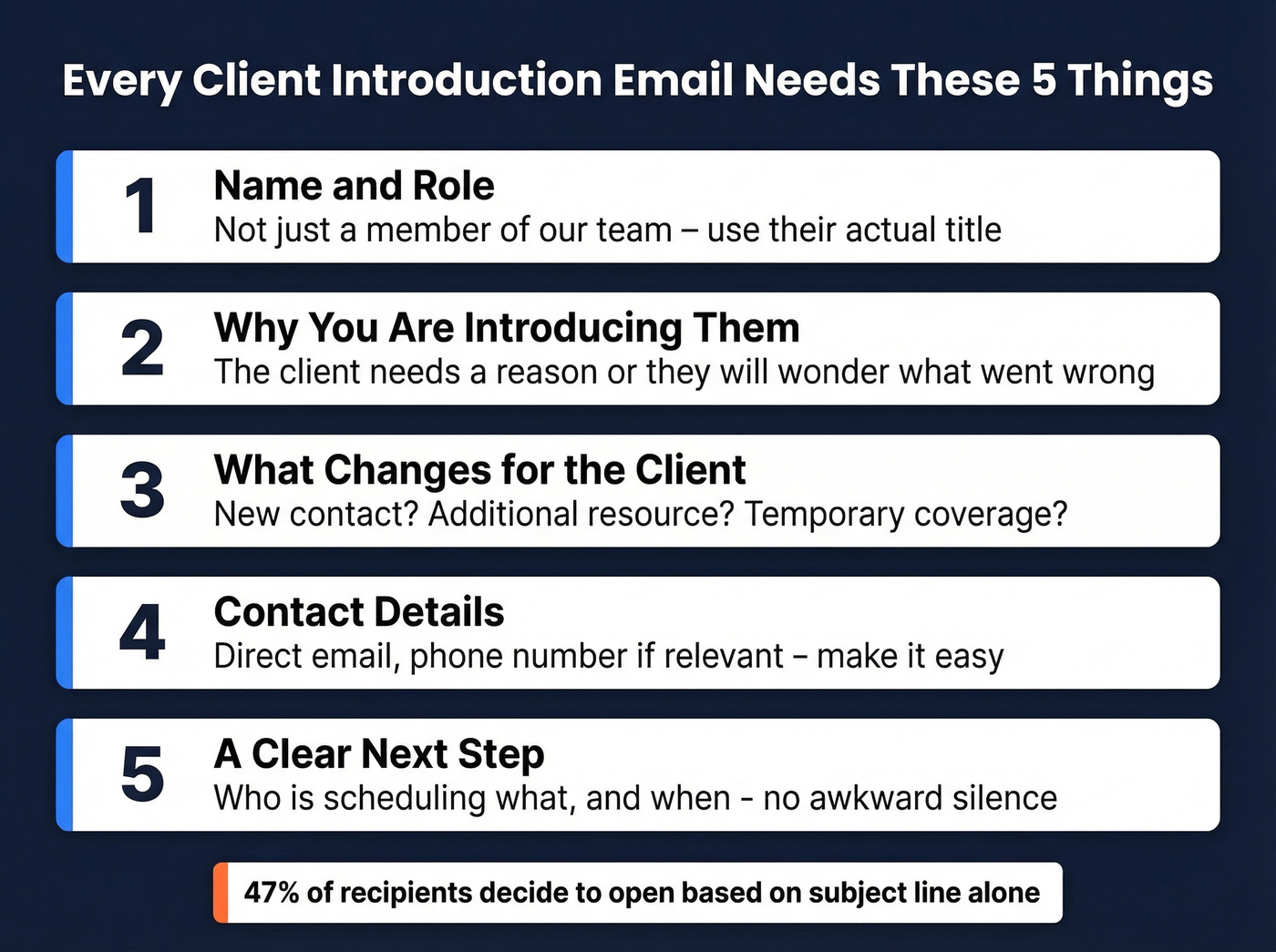
- Colleague's name and role - not just "a member of our team"
- Why you're making the introduction - the client needs a reason
- What changes for the client - new contact? Additional resource? Temporary coverage?
- Contact details - direct email, phone if relevant
- A clear next step - who's scheduling what, and when
Don't ignore the subject line. 47% of recipients decide whether to open based on the subject line alone, and 69% will flag an email as spam based on a bad one. Personalized subject lines - ones that include the recipient's name - see roughly 50% higher open rates. The "Intro: [Name] <> [Name]" format checks that box automatically. If you want more options, borrow from these email subject lines.

A perfect introduction email means nothing if it lands in the wrong inbox. Prospeo's 98% verified emails and 7-day refresh cycle ensure every client contact in your CRM is current - so handoffs, coverage emails, and project intros reach the right person every time.
Stop introducing colleagues to bounced emails. Verify first.
Templates by Scenario
Specialist Joining a Project
Subject: Intro: Dana Park <> Lisa Huang - Analytics Implementation
Hi Lisa,
I'm bringing in Dana Park, one of our senior analytics engineers, to lead the dashboard build for Phase 2. Dana's built similar implementations for three retail clients this year, so she's up to speed on the technical requirements.
Dana, Lisa is Head of Marketing at Bloom and has been driving the analytics roadmap on their side.
Dana will reach out this week to schedule a kickoff call. You're in great hands.
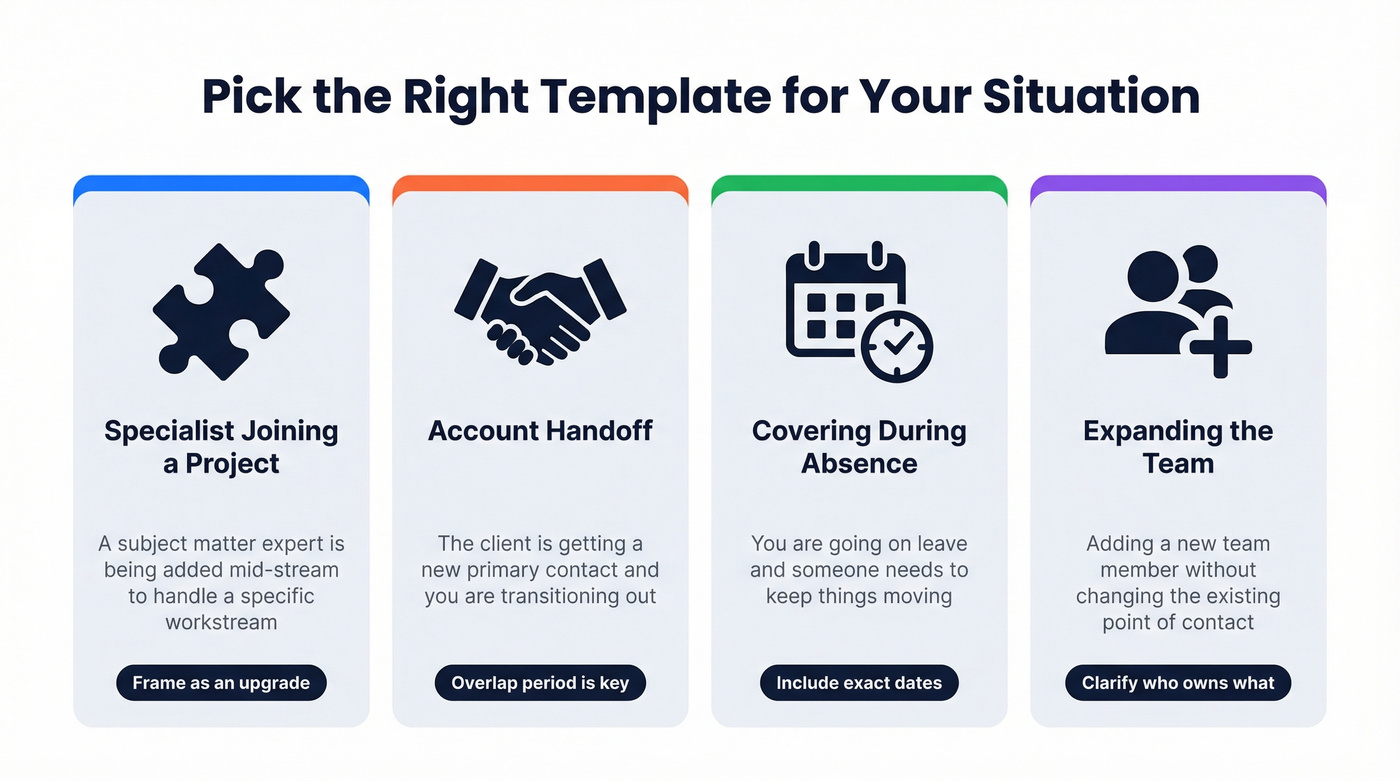
Frame the specialist as an upgrade, not a signal that something's wrong. "I'm bringing in our best person for this" reads very differently from "we need extra help." If you need a cleaner internal process, use a dedicated handoff email template.
Account Handoff
This is the one that makes clients nervous. They've built a relationship with you, and now they're hearing they'll be talking to someone new. The template below addresses that anxiety directly.
Subject: Intro: Ryan Torres <> Priya Sharma - Your New Account Lead
Hi Priya,
I wanted to introduce Ryan Torres, who'll be your primary point of contact going forward. Ryan's been on our team for four years and has deep experience with enterprise accounts like yours.
I'll be available through the end of the month for anything in-flight, and Ryan and I have already walked through your account history, open items, and priorities. You won't need to repeat anything.
Please CC Ryan on all future emails regarding your account. I'll check in at the 30-day mark to make sure the transition is smooth.
In our experience, the overlap period is what separates smooth handoffs from messy ones. Having to repeat information is one of the fastest ways to make a transition feel sloppy - which is exactly why the template addresses it head-on. Schedule 30/60/90-day check-ins to catch issues early. For major accounts, consider introducing the new contact before the formal transition; even a brief CC on a late-stage email builds familiarity.
Covering During Your Absence
Subject: Intro: Alex Kim <> Jordan Wells - Coverage June 12-26
Hi Jordan,
I'll be out of office June 12-26. During that time, Alex Kim will be your point of contact for everything related to the Meridian project. Alex is fully briefed on where we stand and has access to all project files.
Alex's direct line: alex.kim@company.com / (415) 555-0192
I'll pick things back up on June 27. Nothing will fall through the cracks.
Include specific dates, direct contact details, and a reassurance of continuity. The client's biggest fear is that things stall while you're gone.
Expanding the Team
Subject: Intro: Mia Chen <> Tom Bradley - Joining the Orion Team
Hi Tom,
As we ramp into Phase 3, I'm adding Mia Chen to our team. Mia will own the content strategy workstream, so she'll be your go-to for editorial calendars, approvals, and asset delivery.
Day-to-day questions on content go to Mia; I'll continue handling overall project direction and billing. Mia will reach out tomorrow to introduce herself and align on the first deliverables.
Be explicit about what the new person handles and how communication flow changes. Ambiguity about "who do I email about what" frustrates clients faster than almost anything else. If you want to tighten the follow-through, keep a few sales follow-up templates handy.
Etiquette Rules Nobody Tells You
Get Permission First
Before you send any introduction, ask both parties if they're open to it. This matters less for internal handoffs and more for connecting a client with someone outside the immediate project. Skipping this step means spending someone else's social capital without their consent. A quick Slack message - "Hey Sarah, OK if I connect you with Mark at Apex?" - takes ten seconds.
CC, BCC, and the Walk-Away Rule
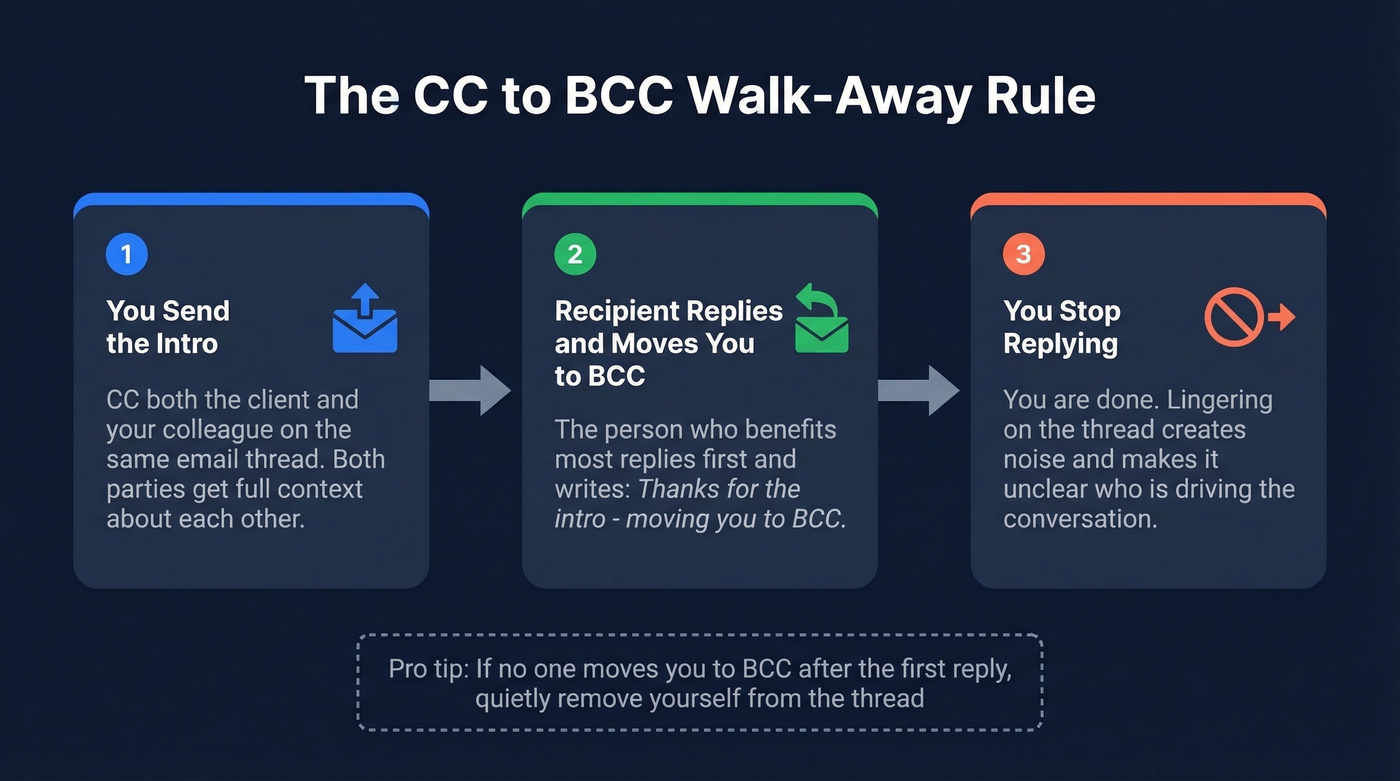
In a three-way intro thread, the person who benefits most replies first and moves the introducer to BCC: "Thanks for the intro, Jamie - moving you to BCC." After that, the introducer stops replying. Lingering on the thread creates noise and makes it unclear who's driving.
How Your Colleague Should Reply
Let's be honest - most people wing the reply, and it shows. Coach your colleague to use the "You, Me, We" framework:
- You: Show homework about the client ("I saw Apex just launched the new API suite - congrats")
- Me: Brief self-intro and relevant experience
- We: Propose a concrete next step with an easy opt-out ("Happy to grab 20 minutes this week - no pressure either way")
The one phrase to avoid: "I'd love to pick your brain." It signals you want something without offering anything back. For more examples, see how to write a strong connection email.
Mistakes That Kill the Introduction
Here's the thing: most colleague-to-client introductions fail not because of what they include, but because of what they leave out.
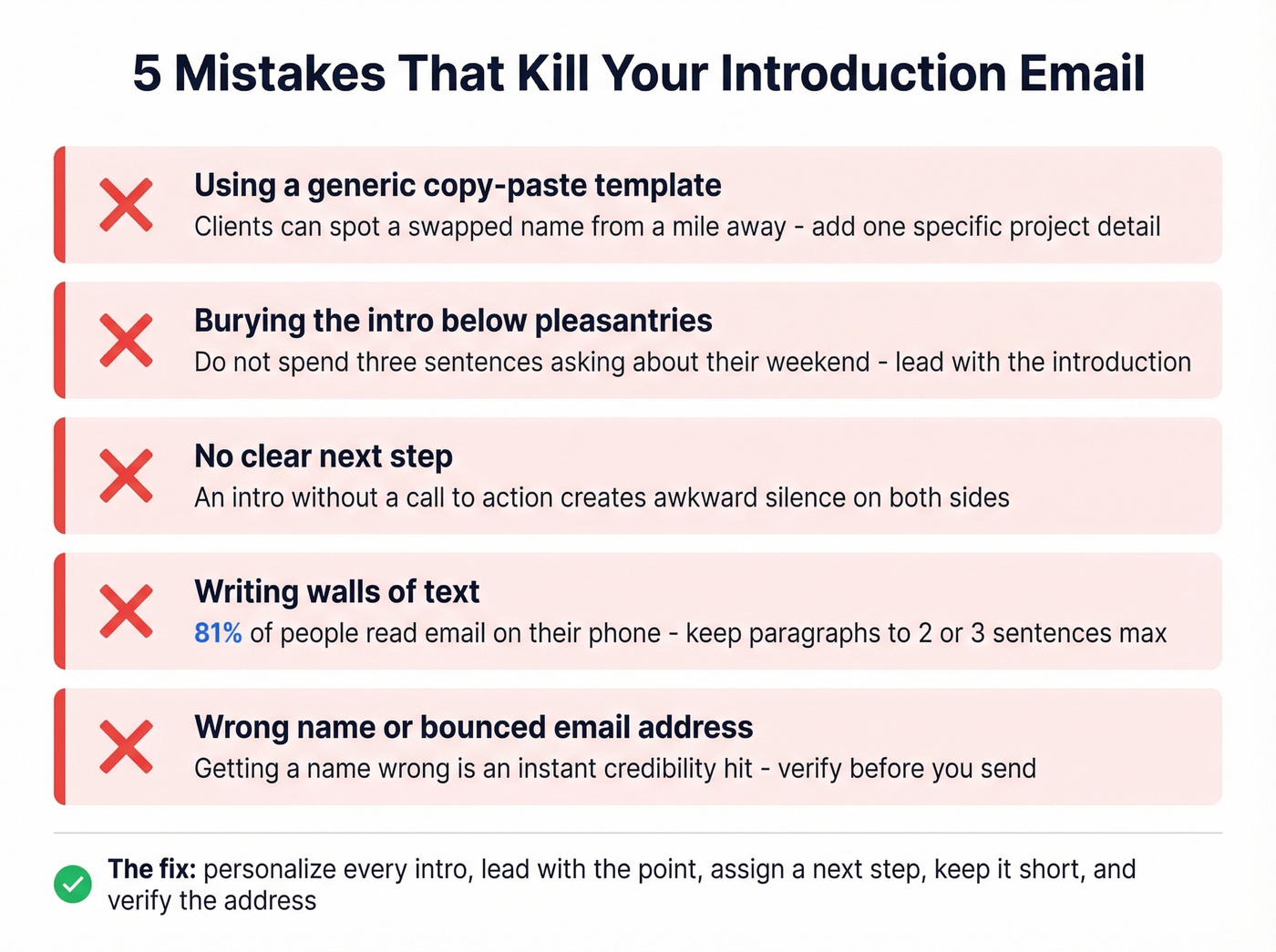
Generic templates the client can spot. We've all received the email that's clearly a copy-paste job with a name swapped in. Personalize the reason and context every time - even one specific detail about the client's project makes the difference between "this person knows my account" and "this person got assigned my account." If you want to level up the writing itself, use a simple email copywriting checklist.
Burying the introduction below pleasantries. Don't spend three sentences asking about their weekend. Lead with the intro.
No next step. An introduction without a CTA creates an awkward silence. Someone needs to be told to schedule something. (If you want better CTAs, use these email call to action rules.)
Walls of text on mobile. 81% of people check email on their phones. Keep paragraphs to 2-3 sentences max.
Wrong name or email address. Double-check spelling and pronouns - getting someone's name wrong is an immediate credibility hit. And a bounced introduction email is worse than no introduction at all. If you're not 100% sure an external address is current, verify it first. Tools like Prospeo's email verification handle this in seconds with 98% accuracy. If you're troubleshooting deliverability, start with the basics of bounced emails and your email bounce rate.
Expanding your team on a client account? Make sure every stakeholder's contact data is accurate before you CC them. Prospeo enriches your CRM with 50+ data points per contact at 92% match rate - names, titles, direct emails, and phone numbers all confirmed.
Enrich your client contacts so every introduction actually lands.
FAQ
When should I send the introduction?
Send it before the transition happens - ideally with enough overlap that the client sees continuity, not a sudden switch. For handoffs, introduce the new contact while you're still active on the account. For leave coverage, send it at least one week before your absence starts.
Should the email be formal or casual?
Match the existing tone of your client relationship. If your emails have been casual and first-name, a suddenly formal introduction feels jarring. Compare: "I'd like to formally introduce my colleague Ryan Torres" versus "Quick intro - Ryan's taking over your account and he's great." Mirror what's already working.
What if the client doesn't respond?
Follow up once after 4-5 business days. If there's still no response, have your colleague reach out directly with a brief self-introduction that references the original email. Sometimes a fresh voice in the inbox gets the reply. One timely nudge usually prevents the thread from going cold.
How do I verify the client's email is still active?
Use a real-time verification tool before sending. Bounced introductions damage credibility, so a quick check is worth the ten seconds. Most verification tools offer free tiers that cover low-volume checks like this.