

Is Ymail a Valid Email? What You Need to Know in 2026
One Reddit user suspects they've lost years of important emails because people keep "correcting" their ymail address to Gmail. Another reports receiving a stranger's hotel reservations, college coursework, and COVID vaccination documents - all because someone typed @gmail.com instead of @ymail.com. The confusion is real, but the answer is simple.
Yes, @ymail.com is a valid email domain owned by Yahoo. Existing ymail addresses work identically to @yahoo.com addresses - same platform, same features, same servers. You just can't create new @ymail.com accounts anymore. The real issue isn't validity. It's that people constantly confuse ymail with Gmail, and some websites wrongly reject it.
What Is Ymail?
Yahoo introduced @ymail.com in 2008 alongside @rocketmail.com. The reason was practical: by 2008, most desirable @yahoo.com usernames were taken, so ymail and rocketmail gave new users a fresh pool of addresses on the same Yahoo Mail platform.
Yahoo later discontinued new @ymail.com registrations in the mid-2010s. New accounts default to @yahoo.com only. But the millions of people who created ymail addresses before the cutoff still use them daily - and Yahoo has shown no sign of sunsetting the domain.
It's worth remembering that Yahoo also suffered massive account breaches in 2013 and 2014, with the 2013 incident alone affecting more than one billion accounts. That history doesn't make ymail invalid, but it's context that matters if you're evaluating the platform's security track record.
Ymail vs. Yahoo Mail
There's no functional difference. Zero.
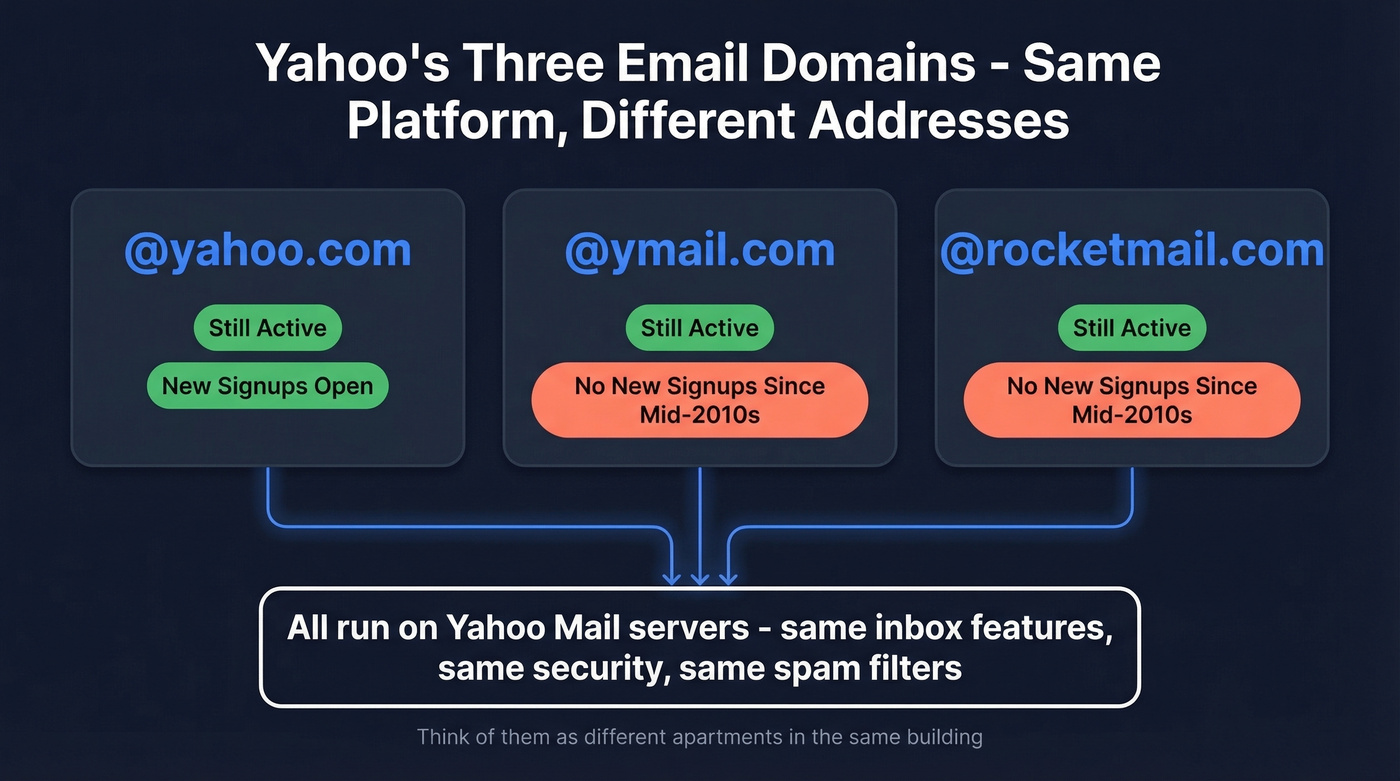
All three Yahoo email domains use the same infrastructure, the same storage, the same security features, and the same spam filters.
| Domain | Provider | Still Active? | New Signups? |
|---|---|---|---|
| @yahoo.com | Yahoo Mail | Yes | Yes |
| @ymail.com | Yahoo Mail | Yes | No |
| @rocketmail.com | Yahoo Mail | Yes | No |
Think of them as different apartments in the same building. A @yahoo.com user and a @ymail.com user with the same local part - say, "jsmith" - have completely separate inboxes, but the experience inside each inbox is identical. You can't use a @yahoo.com address to access a @ymail.com inbox or vice versa. They're distinct accounts sharing one platform.
The Gmail Confusion Problem
Here's where ymail gets genuinely painful.
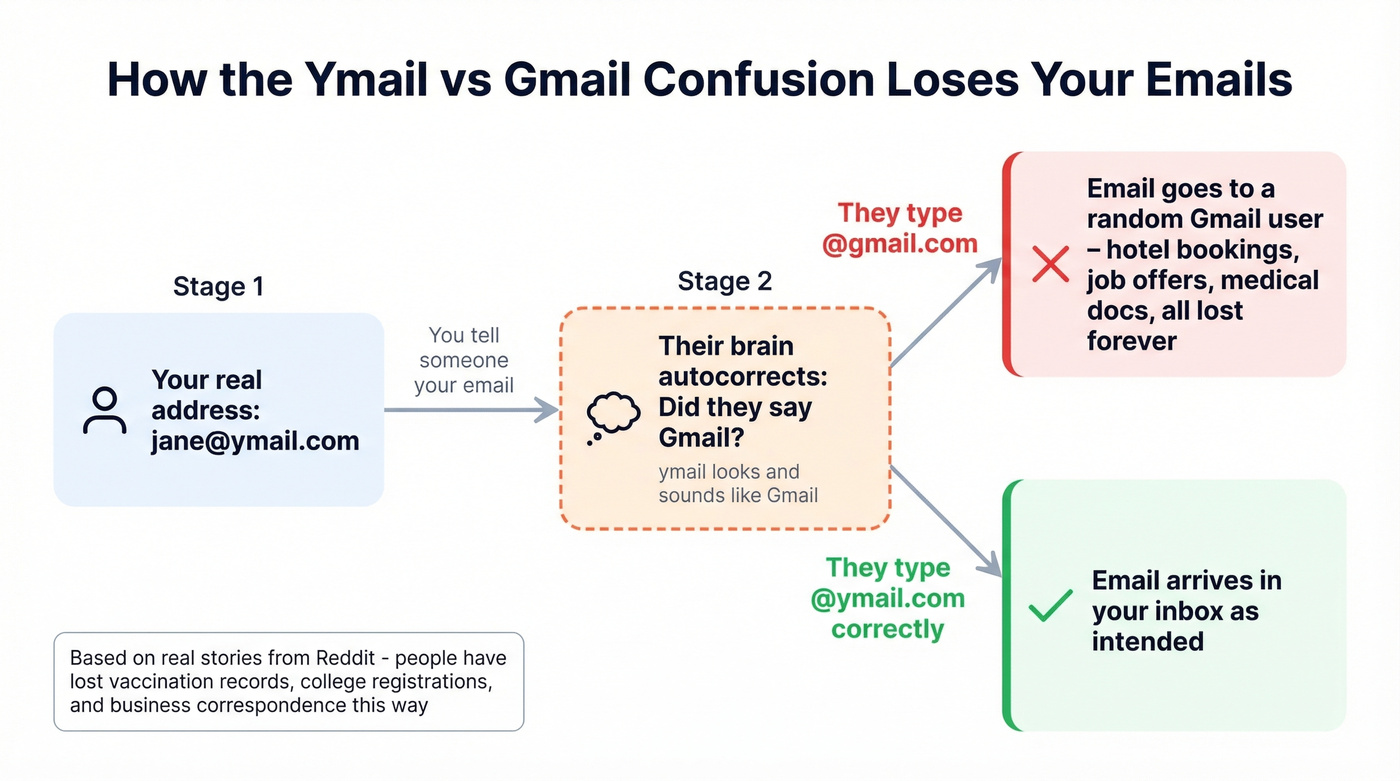
The visual similarity between "ymail" and "Gmail" causes real-world harm, and Reddit threads on r/yahoo are full of stories about it. One Gmail user described receiving a stranger's hotel reservations, college registration updates, business meeting agendas, and even an official COVID vaccination document required for travel - all because senders assumed the recipient's @ymail.com address was actually @gmail.com. The ymail user never got those emails and probably never knew they were missing.
Another user posted that they suspect years of important correspondence just vanished into someone else's inbox. Multiple users report that when they give out their ymail address verbally, the immediate response is "did you mean Gmail?" It's not a technical problem. It's a human pattern-matching problem - people hear "mail" and their brain autocompletes to the most common version.

Ymail addresses confuse people and break signup forms - imagine what they do to your outbound lists. Prospeo's 5-step verification catches abandoned ymail accounts, invalid addresses, and spam traps before they tank your deliverability. 98% accuracy, catch-all handling included.
Verify any email domain - ymail, rocketmail, or otherwise - for ~$0.01 each.
Why Some Websites Reject Ymail Addresses
If you've ever tried to sign up for a service with a @ymail.com address and gotten an "invalid email" error, the form is broken - not your email. We've seen this happen across dozens of sites, and two root causes drive it.
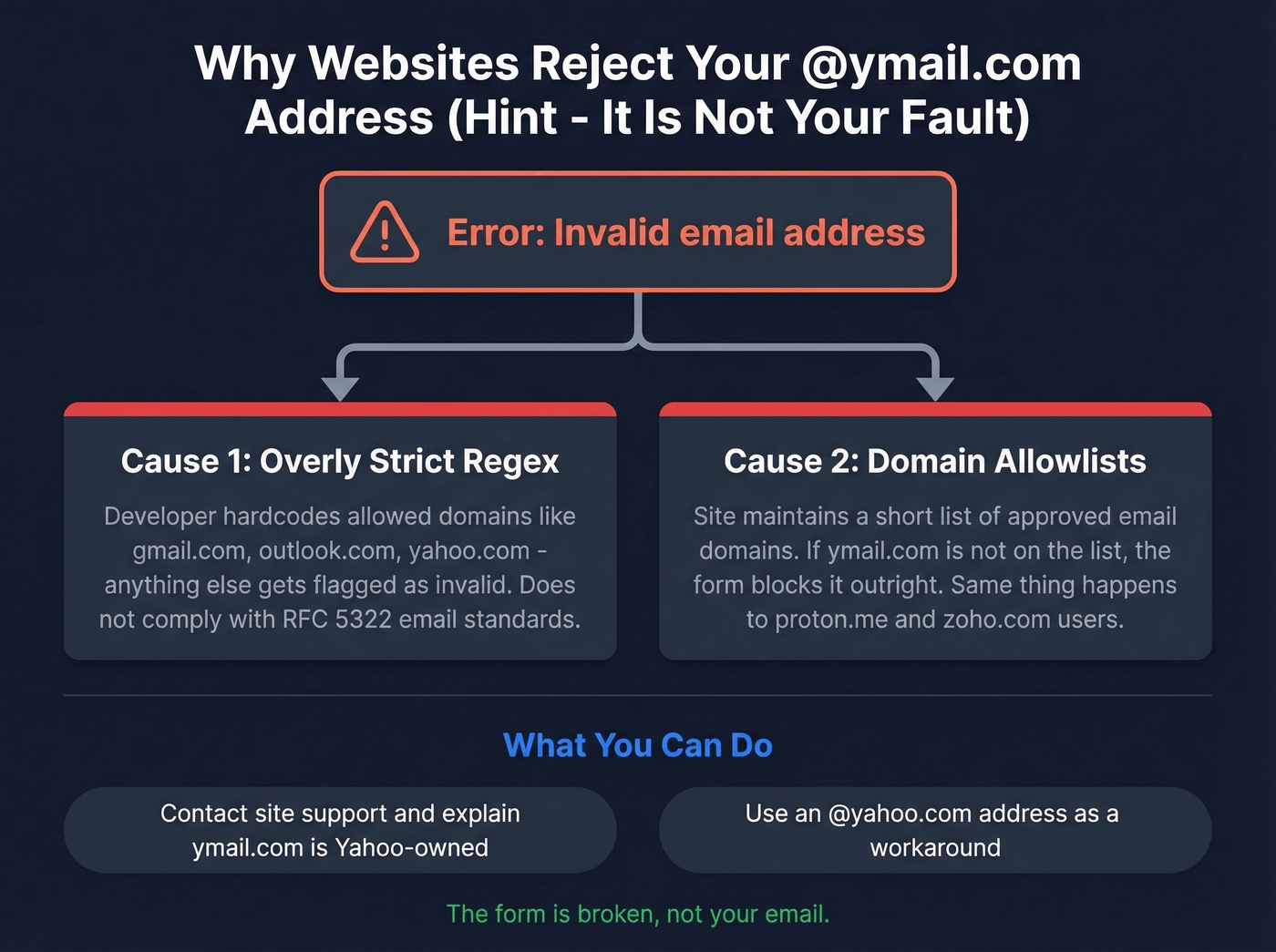
Overly strict regex validation. Many developers write email validation patterns that don't comply with RFC 5322. They hardcode assumptions about what domains "should" look like, and anything outside gmail.com, outlook.com, or yahoo.com gets flagged. The same thing happens to users of proton.me and zoho.com - it's lazy validation, not a reflection of your email's legitimacy.
Domain allowlists. Some sites maintain explicit lists of "approved" email domains. If ymail.com isn't on the list, the form rejects it outright.
Your workarounds are limited. You can try using a mainstream provider temporarily, or contact the site's support team and point out that ymail.com is a valid Yahoo-operated domain. But let's be honest - this is a developer problem that shouldn't be your burden.
How to Verify a Ymail Address
Whether you're a sales team cleaning a contact list or just checking if a friend's ymail address still works, verification follows three steps.
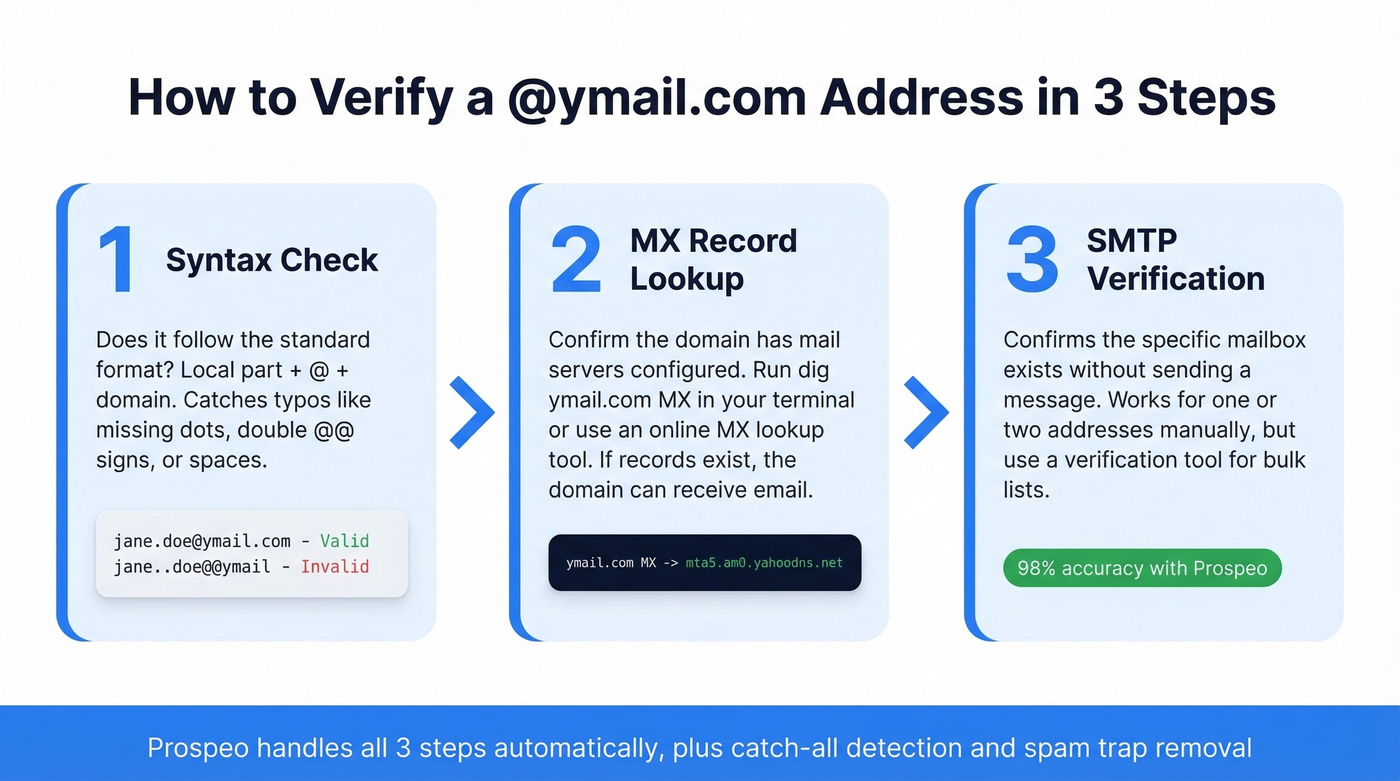
Syntax check. Does the address follow the standard format - local part, @ symbol, domain? This catches obvious typos like missing dots or double @@ signs.
MX record lookup. Run the domain through an MX lookup tool to confirm it has mail servers configured. If MX records exist, the domain can receive email. You can do this yourself with a quick dig ymail.com MX command in your terminal, and you'll see Yahoo's mail servers come right back.
SMTP verification. This confirms the specific mailbox exists without actually sending a message. Manual SMTP probing works for one or two addresses but doesn't scale. For anything beyond a handful, you need a verification tool.
Prospeo handles all three steps automatically - syntax, MX, SMTP probing, catch-all handling, and spam-trap removal - delivering 98% email accuracy. That matters when you're verifying addresses on legacy domains like ymail.com where some accounts have been abandoned for years. The free tier covers 75 email verifications per month, enough to validate a prospect list or clean a small database.
Legacy domains like ymail.com are a minefield for sales teams. Some addresses are active, some were abandoned a decade ago, and SMTP probing by hand doesn't scale. Prospeo verifies emails in bulk with 98% accuracy and a 7-day data refresh cycle - so you're never working with stale contact data.
Clean your entire prospect list in minutes, not hours.
Spotting Fake Emails From Ymail
Scammers spoof every major email provider, and Yahoo addresses are no exception. Yahoo Mail users report inboxes drowning in 100+ emails per day with 90-95% being spam. Here's how to separate real from fake:
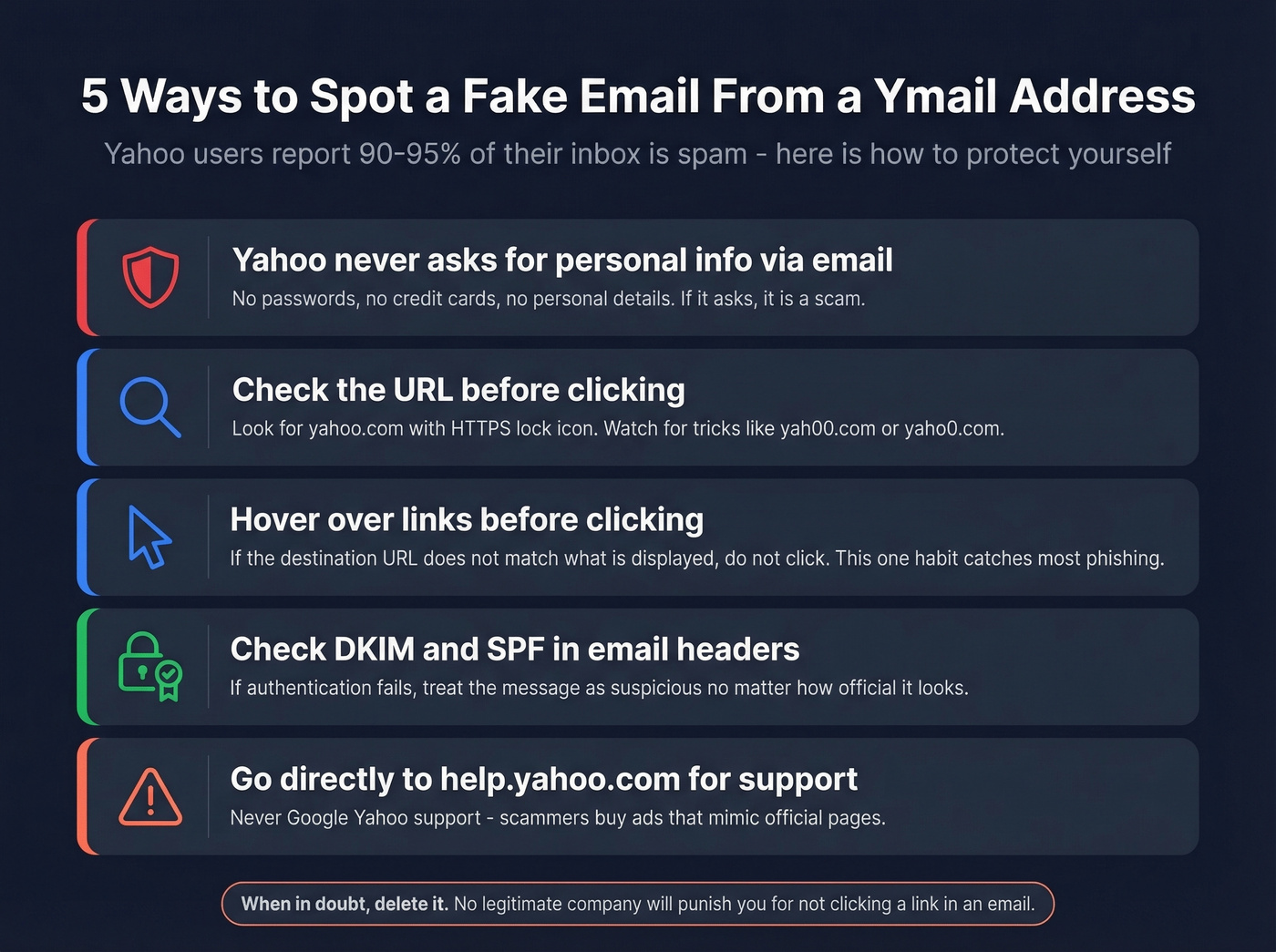
Yahoo never asks for personal information in emails. Their official guidance is clear: they won't request credit cards, passwords, or personal details via email. If a message asks for any of that, it's a scam.
Check the URL before clicking anything. Legitimate Yahoo pages contain "yahoo.com" and display a lock icon for HTTPS. Watch for misspellings and lookalike characters - "yah00.com" is a classic trick.
Hover before you click. Preview any link by hovering over it. If the destination doesn't match what's displayed, don't click. This single habit catches most phishing attempts.
Check email headers for DKIM and SPF authentication. If authentication fails, treat the message as suspicious regardless of how official it looks. (If you want to go deeper, see SPF and how to verify DKIM is working.)
Skip the search engine for support pages. Don't Google "Yahoo support" - go directly to Yahoo Help Central. Scammers buy ads that mimic official support pages, and we've seen users get burned by this more than once.
Should You Still Use Ymail in 2026?
Technically, ymail works perfectly. Same servers, same security, same two-factor authentication as any @yahoo.com account.
The problem is entirely social. If people routinely "correct" your email address to @gmail.com, you're silently losing messages and you'll never know which ones. That hotel confirmation, that job interview follow-up, that invoice - gone. You can't fix other people's assumptions.
For critical communications, switch to @yahoo.com or another provider where the domain name doesn't trigger autocorrect instincts. Keep the ymail account active for legacy contacts, but stop giving it out as your primary address. If you're a sales team with ymail addresses in your contact list, run those addresses through an email verification tool to confirm which ones are still active - abandoned ymail accounts will tank your deliverability fast.
FAQ
Can you still create a @ymail.com account?
No. Yahoo discontinued new @ymail.com registrations in the mid-2010s. New accounts get an @yahoo.com address only. Existing ymail addresses continue to work with full access to all Yahoo Mail features, but the domain is closed to new signups.
Is ymail safe to use?
Yes - ymail.com uses the same security infrastructure as Yahoo Mail, including two-factor authentication and TLS encryption. The main risk isn't security but the Gmail confusion problem. Senders who mistype your domain will send emails to a stranger's Gmail inbox, and you'll never receive them.
Is ymail the same as Yahoo Mail?
Same platform, different domain. A @ymail.com address and a @yahoo.com address both run on Yahoo Mail's servers with identical features. They're separate accounts, though - you can't log into one with the other's credentials, and mail sent to john@ymail.com doesn't arrive at john@yahoo.com.
How do I check if a specific ymail address is real?
Run an MX lookup to confirm the domain has active mail servers, then use an email verification tool to check whether the specific mailbox exists and accepts mail. Prospeo's free tier covers 75 verifications per month with 98% accuracy - enough to validate individual addresses or a small batch without any commitment.