

How to Build a Lead Qualification Form That Actually Qualifies Leads
Most lead qualification forms are glorified contact cards. They collect a name, an email, maybe a company field - then dump everything into the same CRM queue for a rep to sort through manually. That's not qualification. That's data entry with extra steps.
92% of B2B buyers start with at least one vendor in mind before they begin evaluating. The winning vendor lands on the Day One shortlist 95% of the time, and the average buying cycle runs 10.1 months. If your form isn't scoring and routing leads the moment they submit, you're losing deals before your reps even open the CRM.
Here's the thing: you don't need a better CRM, a fancier form builder, or another nurture sequence. You need a scoring rubric and five minutes of routing logic. That single change will outperform every other optimization you make this quarter.
What You Need (Quick Version)
- Pick a framework. BANT works for most teams. MEDDIC for complex enterprise deals.
- Use 5-7 fields, each mapped to a scoring criterion. If a field doesn't influence the score, cut it.
- Score responses with point thresholds and route automatically - qualified leads hit a calendar, unqualified leads enter a nurture sequence.
- Verify the emails your form collects before they hit your CRM. Bad addresses waste the entire qualification cycle.
Pick Your Qualification Framework
The framework determines which questions your form asks. Don't overthink this - pick the one that matches your sales motion and move on.
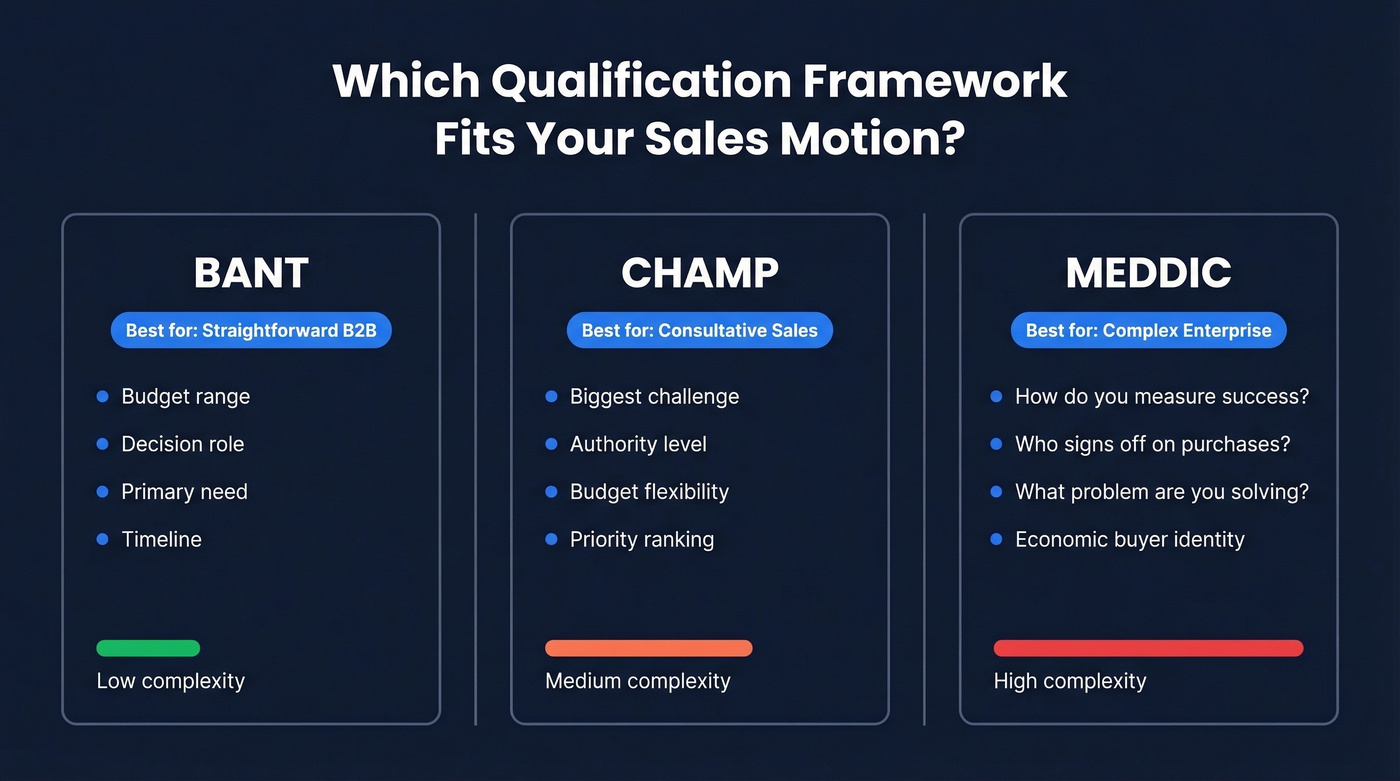
| Framework | Best For | Core Form Questions |
|---|---|---|
| BANT | Straightforward B2B | Budget range, decision role, primary need, timeline |
| CHAMP | Consultative sales | Biggest challenge, authority level, budget, priority |
| MEDDIC | Complex enterprise sales | "How do you measure success?", "Who signs off on purchases?", "What's the biggest problem you're solving?" |
BANT originated at IBM in the 1950s and it's still the default for a reason - it's simple, reps understand it, and it maps cleanly to form fields. CHAMP flips the order to lead with pain, which works well for consultative motions where the buyer doesn't know their budget yet. MEDDIC is overkill unless you're dealing with multiple stakeholders and six-figure contracts.
The 5-7 Fields That Matter
Every field on your form needs to earn its spot. If it doesn't map to a scoring criterion, it's just friction that increases abandonment.
- Work email - your primary contact channel and the one most likely to go stale
- Job title or role - maps to authority scoring
- Company size - maps to fit scoring
- Industry - maps to ICP alignment
- Budget range - the field most teams are afraid to ask but shouldn't be
- Timeline - separates researchers from buyers
- Use case or primary challenge - optional but valuable for routing
Field ordering matters more than most people realize. One practitioner on r/GrowthHacking found that moving company info to step two reduced early drop-offs significantly. Lead with the easy questions - name, email, role - and save the heavier asks for after the prospect is already committed. This is progressive profiling in miniature: collect the low-friction data first, then escalate.
How to Score Form Responses
This is where most forms fall apart. Teams collect budget, timeline, and authority data - then do absolutely nothing with it. Only 44% of teams use lead scoring at all, which means the majority of pipelines are being qualified by gut feel.
For context, the average lead-to-MQL conversion rate is just 31% (39% in B2B SaaS, as low as 17% in construction). Without scoring, you're treating every submission equally when the data is already telling you who's ready to buy.
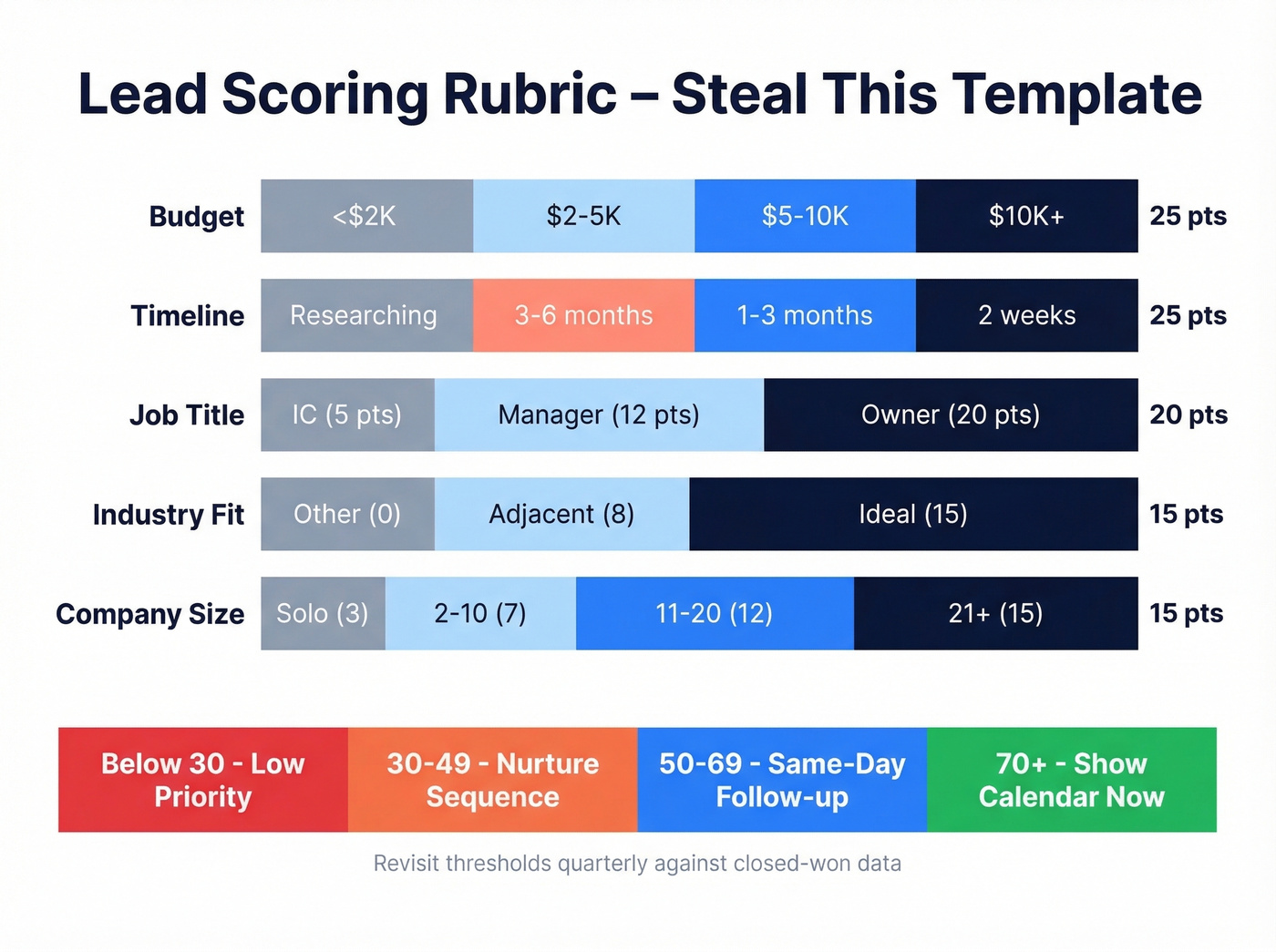
Here's a lead qualification template you can steal and adapt:
| Criterion | Response | Points |
|---|---|---|
| Company size | Solo (3) / 2-10 (7) / 11-20 (12) / 21+ (15) | 0-15 |
| Industry fit | Ideal (15) / Adjacent (8) / Other (0) | 0-15 |
| Budget | <$2K (0) / $2-5K (10) / $5-10K (18) / $10K+ (25) | 0-25 |
| Job title | Owner (20) / Manager (12) / IC (5) | 5-20 |
| Timeline | 2 weeks (25) / 1-3 mo (15) / 3-6 mo (8) / Researching (0) | 0-25 |
Thresholds: 70+ = hot lead, show a calendar immediately. 50-69 = qualified, same-day follow-up. 30-49 = warm, nurture. Below 30 = low priority.
The critical distinction is fit versus intent. A VP at a 200-person company in your ideal industry scores high on fit. But if their timeline is "just researching" and budget is under $2K, intent is low - you need both dimensions to route correctly. High-alignment teams convert MQL to SQL at 40-50%, compared to a typical 13% average, and see 26% higher conversion rates overall.
Revisit your scoring thresholds quarterly. Compare scores against closed-won data - if your 70+ leads aren't converting, your weights are off.

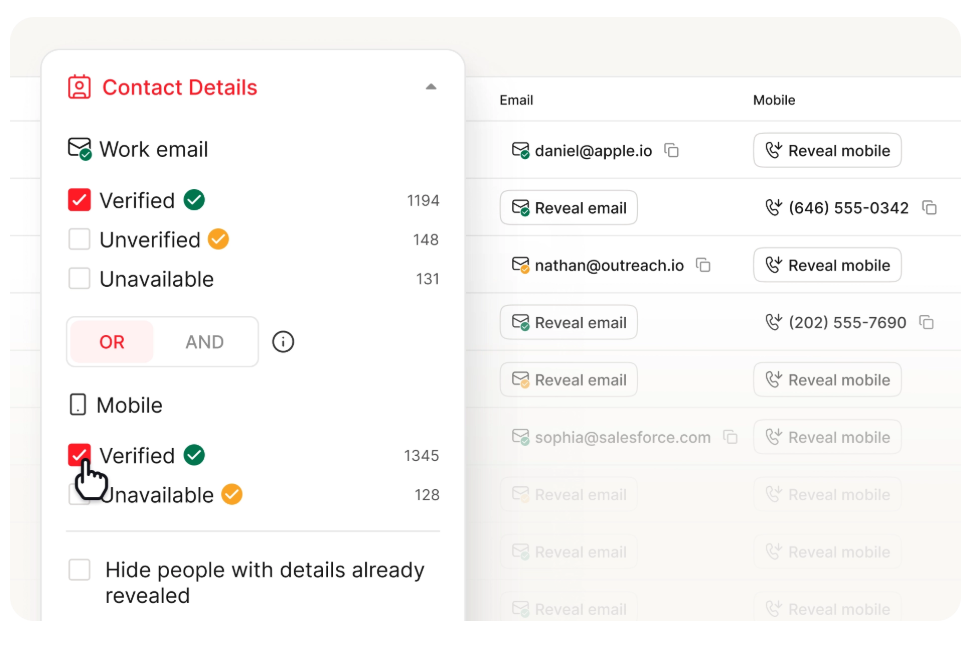
Your scoring rubric is useless if half the emails bouncing out of your form are invalid. Prospeo's 5-step verification catches bad addresses before they hit your CRM - 98% accuracy, catch-all handling, spam-trap removal included. Stop wasting qualification cycles on leads you can never reach.
Verify every form submission at $0.01 per email. No bad data in your pipeline.
Multi-Step or Single-Step?
Multi-step forms get fewer starts but more finishes. In one practitioner's test, mobile completion time dropped roughly 30% with a multi-step layout - even though there were technically more screens. The psychological trick is progress indicators. People who see "Step 1 of 3" feel momentum.
Use multi-step for 6+ fields. Single-step is fine for 5 or fewer.
For lead gen ads specifically, interactive quote mechanisms - where the form delivers immediate value before asking for contact info - dramatically improve both completion and lead quality. We've seen teams report 80%+ conversion lifts by switching from a static form to an interactive calculator that scores the prospect in real time, then asks for contact details at the end. On mobile, the basics matter too: large tappable buttons, generous whitespace, no tiny dropdowns. These aren't design preferences - they're conversion rate multipliers.
What Happens After Submission
The form submission isn't the end of qualification. It's the beginning of routing.
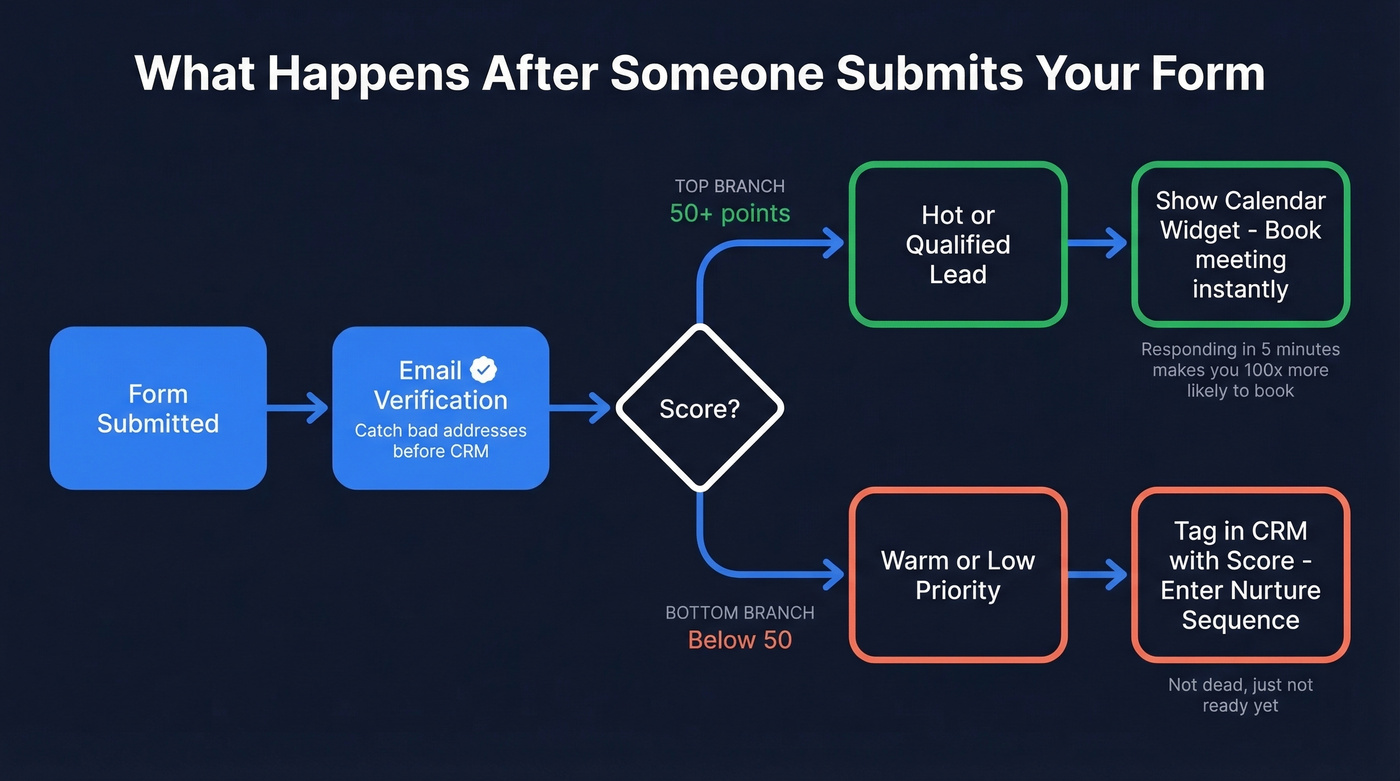
Score 50+: The lead sees an embedded calendar widget and books a meeting on the spot. No "we'll be in touch" - that's where deals go to die. Responding within five minutes makes you 100x more likely to book the meeting. Even waiting an hour drops that to just 7x.
Score below 50: The lead sees a thank-you page, gets tagged in your CRM with the score, and enters a nurture sequence. They're not dead - they're just not ready.
Run new submissions through an email verification step before they hit your CRM. One bad email wastes the entire qualification cycle and a rep's follow-up time.
Verify the Data You Collect
Let's be honest about something most qualification guides skip entirely: data quality. Business emails go stale constantly. People change jobs, companies rebrand domains, inboxes get deactivated. If your "hot lead" with a score of 85 bounces on the first outreach, you've wasted the qualification, the routing, and the rep's time.
Prospeo handles this with real-time email verification at 98% accuracy, catching invalid addresses, spam traps, and catch-all domains before they ever touch your CRM. Connect it to your form builder via Zapier or API and verification runs automatically on submission. One customer, Meritt, saw bounce rates drop from 35% to under 4% after adding verification to their form workflow - and their pipeline tripled from $100K to $300K per week.
If you're also enriching leads after they submit, compare data enrichment services before you lock in a vendor.
You just built a scoring rubric that routes on fit and intent. Now enrich those form submissions with 50+ data points - company size, industry, tech stack, funding - so your scores reflect reality, not self-reported guesses. Prospeo's enrichment API returns verified data on 83% of leads automatically.
Turn a 5-field form into a 50-point lead profile. Automatically.
Form Builders Compared
You don't need an expensive tool to build a qualification form. Here's how the main options break down:
| Tool | Free Plan | Starting Price | Best For |
|---|---|---|---|
| Tally | Unlimited | Free | Simple forms, zero budget |
| Fillout | 1,000 responses/mo | $19/mo | Best free-tier value for testing qualification flows |
| Typeform | 10 responses/mo | $25/mo | Conversational UX that feels like a chat |
| Jotform | 100 responses/mo | $39/mo | Pre-built templates, fastest setup |
| ConvertFlow | Free tier available | Not public | Built-in conditional routing without Zapier |
I'd start with Fillout or Tally to validate your scoring rubric, then graduate to ConvertFlow when you need native routing logic. Most teams over-invest in the form builder and under-invest in what happens after submission - that's backwards.
If you're still deciding how to structure scoring, use a lead scoring model that matches your sales motion.
Three Mistakes That Break Qualification Forms
No scoring. You're collecting budget, timeline, and authority data - and then routing every submission to the same inbox. A 5-field form with scoring beats a 12-field form without it. Every time.
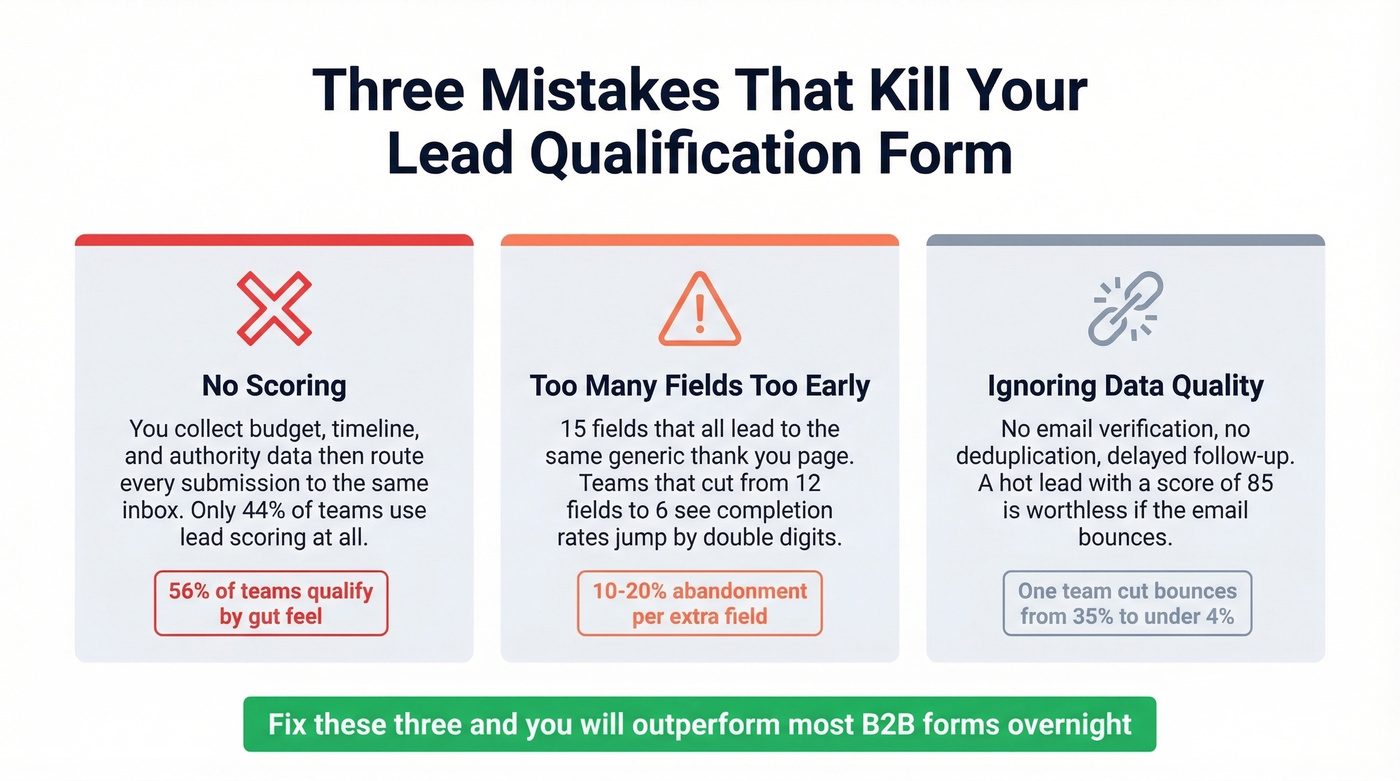
Asking too much too early. Fifteen fields that all lead to the same generic "thanks, we'll be in touch" response. We've seen teams cut their forms from 12 fields to 6 and watch completion rates jump by double digits. If you can't differentiate the experience based on the answers, you don't need the questions.
Ignoring data quality. No email verification, no deduplication, delayed follow-up. Your form is the front door to your pipeline, and if the data walking through it is stale, everything downstream - the scoring, the routing, the rep outreach - falls apart. In our experience, data quality is the single most underrated lever in the entire qualification workflow, and it's the one teams consistently skip because it feels like plumbing rather than strategy.
If you want to tighten the post-submit motion, keep a set of sales follow-up templates ready for each score band, and track email bounce rate as a leading indicator of data quality.
FAQ
How many fields should a lead qualification form have?
Five to seven. Fewer than five and you can't score meaningfully. More than seven and completion rates drop sharply - expect 10-20% abandonment per extra field. Every field should map directly to a scoring criterion; if it doesn't influence the score, cut it.
What's the difference between lead capture and lead qualification?
A lead capture form collects contact info. A lead qualification form collects contact info and scores it against criteria like budget, authority, and timeline to determine whether the lead warrants a sales conversation now or should enter a nurture track instead.
Do I need a separate scoring rubric per segment?
If you sell to meaningfully different ICPs - say, SMB deals under $5K and enterprise contracts above $50K - yes. The scoring weights for company size, budget, and timeline will differ enough that a single rubric produces misleading scores and bad routing. Skip this if you're selling one product to one buyer persona; a single rubric will serve you fine.
How do I verify emails collected through my form?
Connect your form builder to a verification tool via Zapier or API. Verification runs automatically on submission, flagging invalid addresses, spam traps, and catch-all domains before they reach your CRM. Prospeo's free tier covers 75 verifications per month - enough to test the workflow before committing.