


Mailshake vs Mixmax: The Honest Comparison Most Articles Get Wrong
The Mailshake vs Mixmax debate usually gets framed as a feature shootout. That framing is wrong. These tools solve fundamentally different problems - one is a standalone cold outreach engine, the other is a Gmail productivity layer with sequences bolted on. Pick the wrong one and you'll either slam into Gmail's sending wall or pay for a dialer you never touch.
And with cold email response rates sitting at 1-5%, the real question isn't which tool. It's whether either matters if your contact data is garbage.
30-Second Verdict
Pick Mailshake if you're doing cold outreach at scale - 100+ emails per day, multiple inboxes, email rotation.
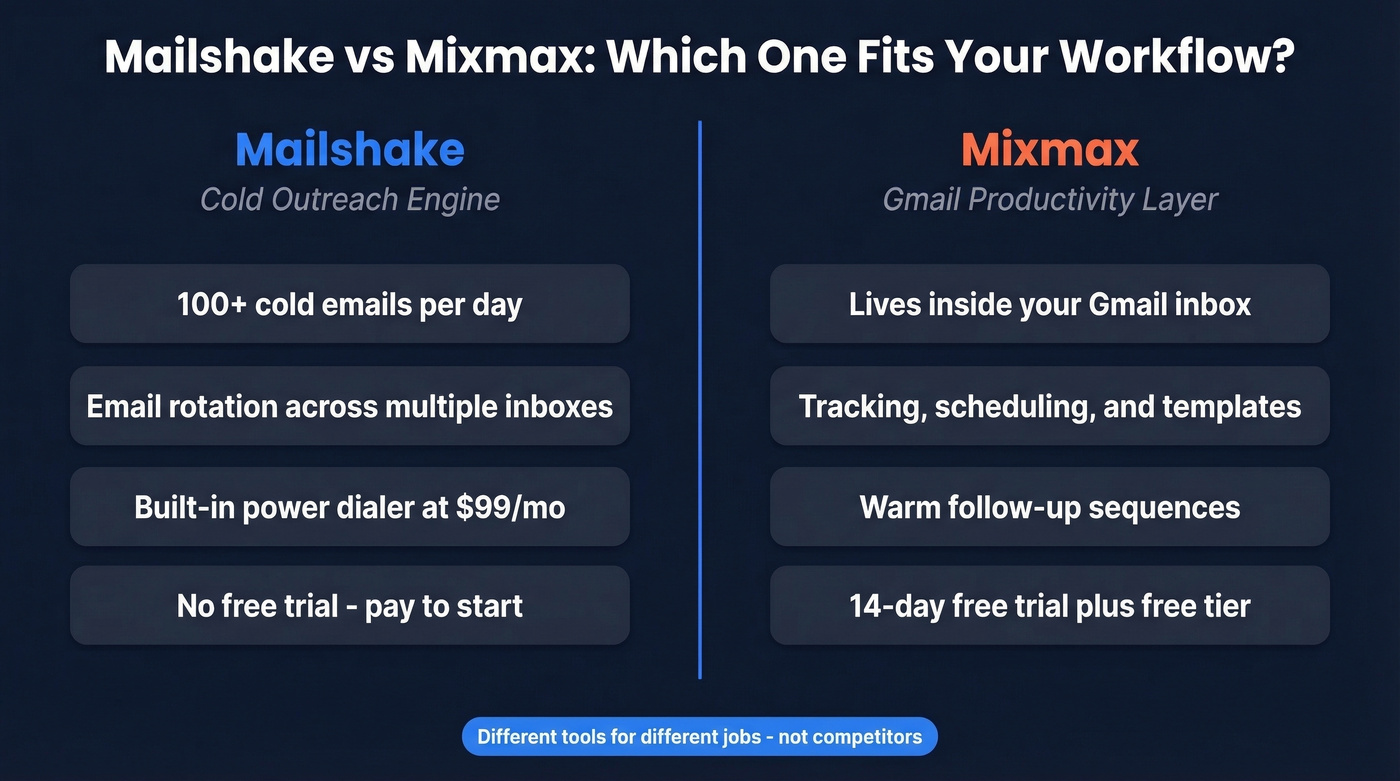
Pick Mixmax if you live in Gmail and need tracking, scheduling, and warm follow-up sequences without leaving your inbox.
What Each Tool Actually Does
Mailshake is purpose-built machinery for SDR teams running high-volume sequences. From Email Outreach up, it supports email rotation across multiple inboxes, and the Sales Engagement tier includes a power dialer. It scores a 4.7/5 on G2 across 361 reviews, with users highlighting ease of use and time savings. The common negatives? Integration issues and missing features.
Mixmax is Gmail-first. It layers tracking, scheduling, templates, and sequences on top of your existing inbox. An Outlook add-on exists too, but Gmail is clearly the primary experience. Mixmax holds a 4.6/5 on G2 with 1,449 reviews and a more diverse user mix - reviewers love the email tracking, but "missing features" and "email management" come up as recurring gripes.
Pricing in 2026
Most comparison articles still cite Mixmax's old $9/mo plans. Those don't exist anymore.
Mailshake
| Plan | Monthly | Annual | Key Limits |
|---|---|---|---|
| Starter | $29/mo | $29.25/mo | 1 email, 1,500 sends/mo |
| Email Outreach | $49/mo | $49.45/mo | 2 emails, unlimited sends |
| Sales Engagement | $99/mo | $99.85/mo | 10 emails, dialer, LinkedIn automation |
| Agency | Custom | Custom | Unlimited emails |
Two add-ons matter here. Data Finder runs $19/mo and Ready-to-Use Mailboxes cost $12/mo. There's no free trial - you pay before you test. EmailTooltester excluded Mailshake from their testing for this reason. One Reddit founder put it bluntly: the per-seat cost didn't make sense for a single user doing low volume.
Mixmax
| Plan | Annual | Monthly | Activated Recipients |
|---|---|---|---|
| Free | $0 | $0 | 50/mo |
| Inbox Copilot | $29/mo | $34/mo | 100/mo |
| Meeting Copilot | $29/mo | $34/mo | 100/mo |
| Engagement Copilot | $49/mo | $65/mo | 1,500/mo |
| Mixmax Suite | $89/mo | $105/mo | 1,500/mo |
| Teams (5+ seats) | Talk to sales | Talk to sales | 10,000/mo |
Mixmax restructured around "Copilots" - individual modules you buy separately or bundle into the Suite. The 14-day free trial drops you into the full Suite, then downgrades to Mixmax Free if you don't convert. That free tier still includes email tracking, scheduling, and basic sequences, which is genuinely useful for small teams testing the waters.

Neither Mailshake nor Mixmax can fix a bad contact list. Prospeo's 5-step verification delivers 98% email accuracy - meaning bounce rates under 4% before your sequence even fires. At $0.01 per email, cleaning your data costs less than one spam complaint.
Stop debating sequencers and fix the data upstream.
Cold Outreach Limits: Gmail vs Rotation
Here's where most comparison articles fall apart. And honestly, it's the single most important section in this piece.
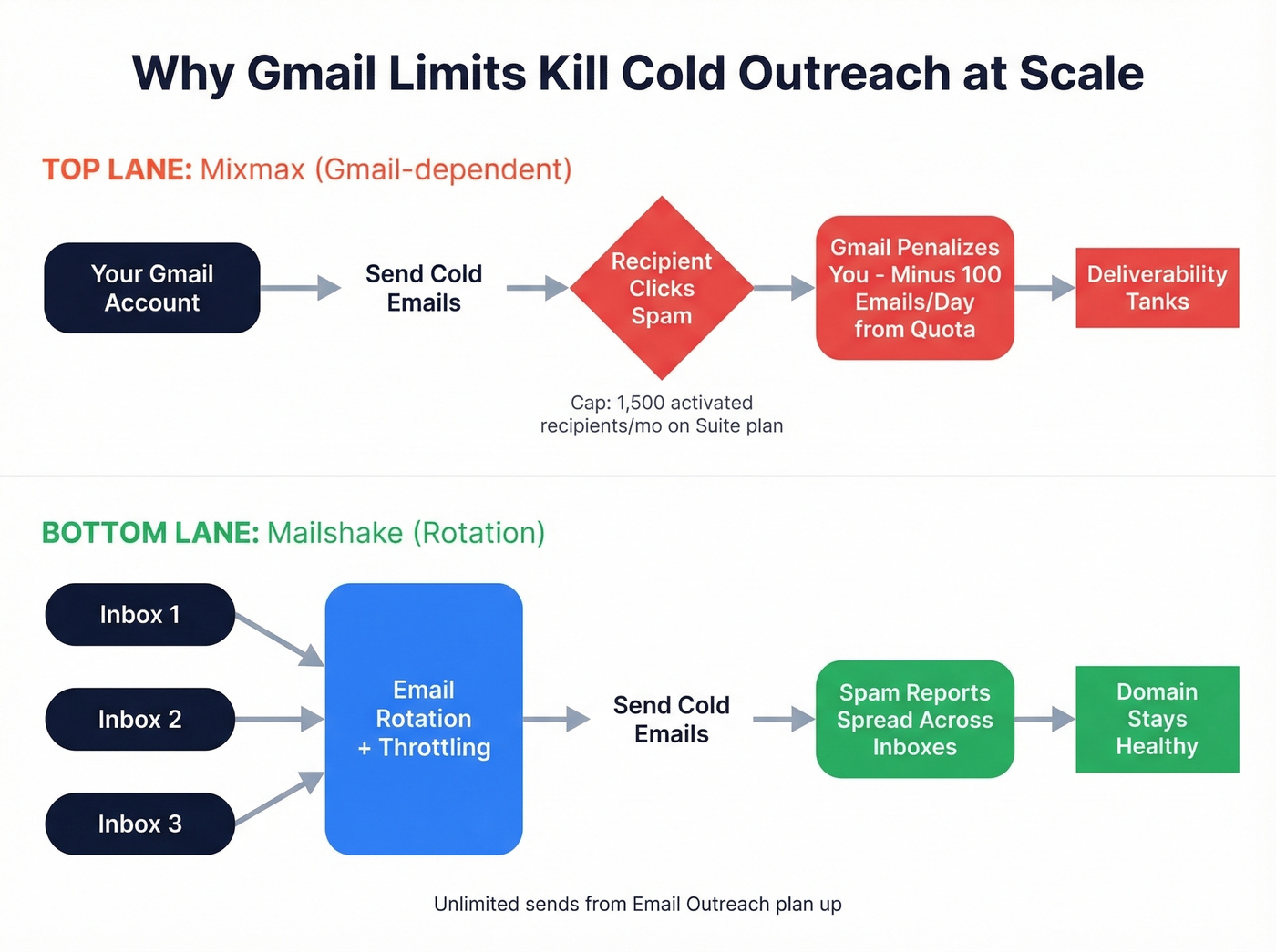
Mixmax sends through your Gmail account. Google's rate limits apply directly - and each time a recipient clicks "Mark as spam," Gmail penalizes the sender by reducing their daily send quota by roughly 100 emails. Mixmax also caps activated recipients per month at 1,500 on the Engagement Copilot and Suite plans.

Mixmax's own help center says it plainly: "if you routinely send to more than 10,000 people at once for marketing automation, use a marketing automation tool." Cold email communities on Reddit echo this - dedicated outbound platforms consistently get recommended over inbox-based solutions once you're pushing real volume.
Mailshake isn't constrained by those Gmail-based limits. From the Email Outreach plan up, you get unlimited sends plus rotation and throttling, so scaling is mainly about how many inboxes you connect and the provider limits on those inboxes.
Let's be honest: Mixmax isn't a cold outreach tool. It's a Gmail productivity layer that happens to have sequences. If you're selling a lower-priced product and blasting 500+ cold emails per week, Mixmax will actively hurt your deliverability.
Feature-by-Feature Breakdown
| Feature | Mailshake | Mixmax | Winner |
|---|---|---|---|
| Sequences | All plans | All plans | Tie |
| Email Tracking | All plans | All plans | Mixmax (deeper inbox workflow) |
| Dialer | Sales Engagement ($99) | Teams only | Mailshake (cheaper access) |
| LinkedIn/Social | Sales Engagement | LinkedIn Sales Navigator integration | Mixmax |
| SMS | No | Yes (via integration) | Mixmax |
| CRM Integrations | Salesforce, HubSpot, Pipedrive | Salesforce, HubSpot, Pipedrive | Tie |
| Deliverability | Warmup + rotation | Gmail-dependent | Mailshake |
| AI Writing | SHAKEspeare AI | AI compose | Tie |
| Free Trial | No | 14 days | Mixmax |
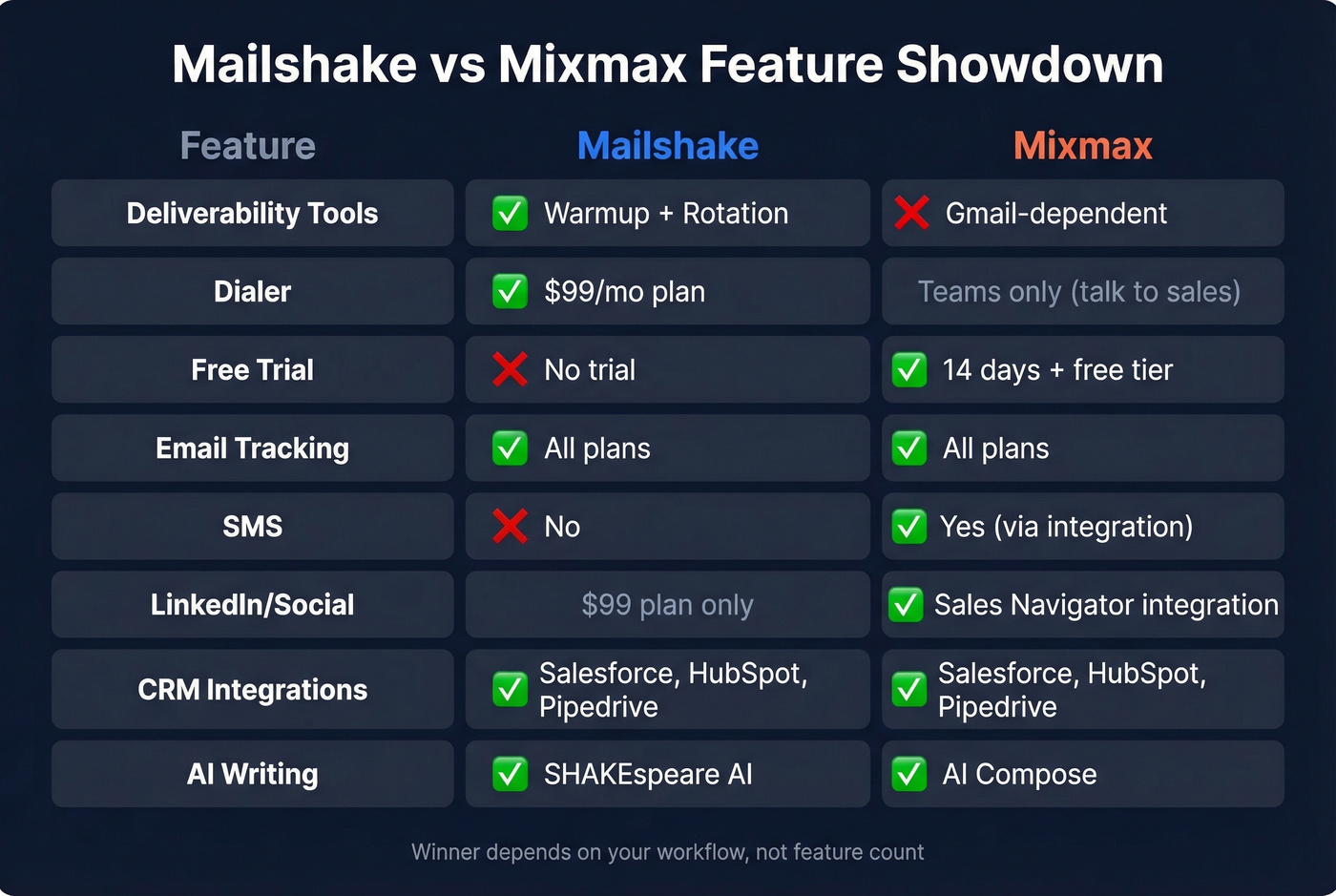
Mixmax wins on SMS and the free trial. Mailshake wins on deliverability tooling and dialer access at a lower price point. We've seen teams try to force Mixmax into a cold outreach role and regret it within weeks - the Gmail dependency is a hard ceiling, not a soft one.
Who Should Pick Which
Pick Mailshake if you're an SDR team sending 100+ cold emails per day, need email rotation across multiple inboxes, and want a built-in dialer without jumping to enterprise pricing. The no-trial policy stings, but the workflow makes sense for serious outbound operations.
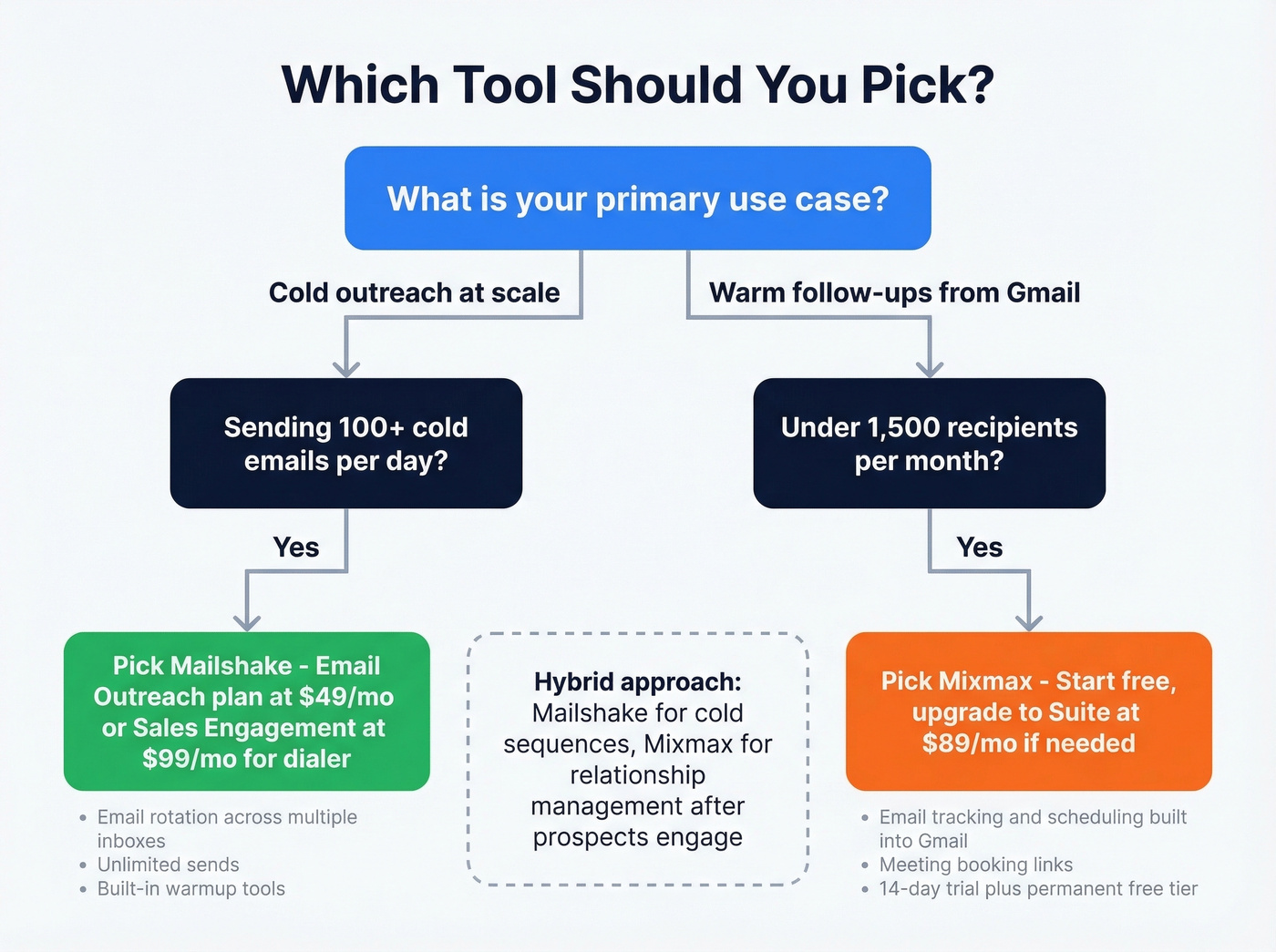
Pick Mixmax if you're an AE managing warm relationships from Gmail, need meeting scheduling and email tracking in one tool, and your outbound volume stays under 1,500 activated recipients per month. The free tier makes it a no-risk starting point. For teams that just need tracking and scheduling, the free plan alone might be enough.
Skip Mixmax entirely if your primary motion is cold outbound at scale. We've tested both in outbound workflows, and the Gmail rate-limit penalty from spam reports compounds fast when you're hitting cold lists.
A hybrid approach works too - Mailshake for cold sequences, Mixmax for relationship management once prospects engage. Different tools for different pipeline stages.
The Data Problem Neither Tool Solves
Both tools assume you're feeding them clean contact data. Neither one truly solves the upstream problem of bad contacts at the source. If 20% of your emails bounce, your domain reputation tanks regardless of which sequencer you use (see email bounce rate benchmarks and thresholds).

This is where we've seen the biggest ROI gains for outbound teams. Prospeo handles verification upstream with 143M+ verified emails and a 7-day data refresh cycle (the industry average is six weeks). You can also enrich CRM or CSV lists with 50+ data points per contact at an 83% match rate, then push verified leads into outbound tools via native integrations with Smartlead, Instantly, Lemlist, Clay, Zapier, and more.
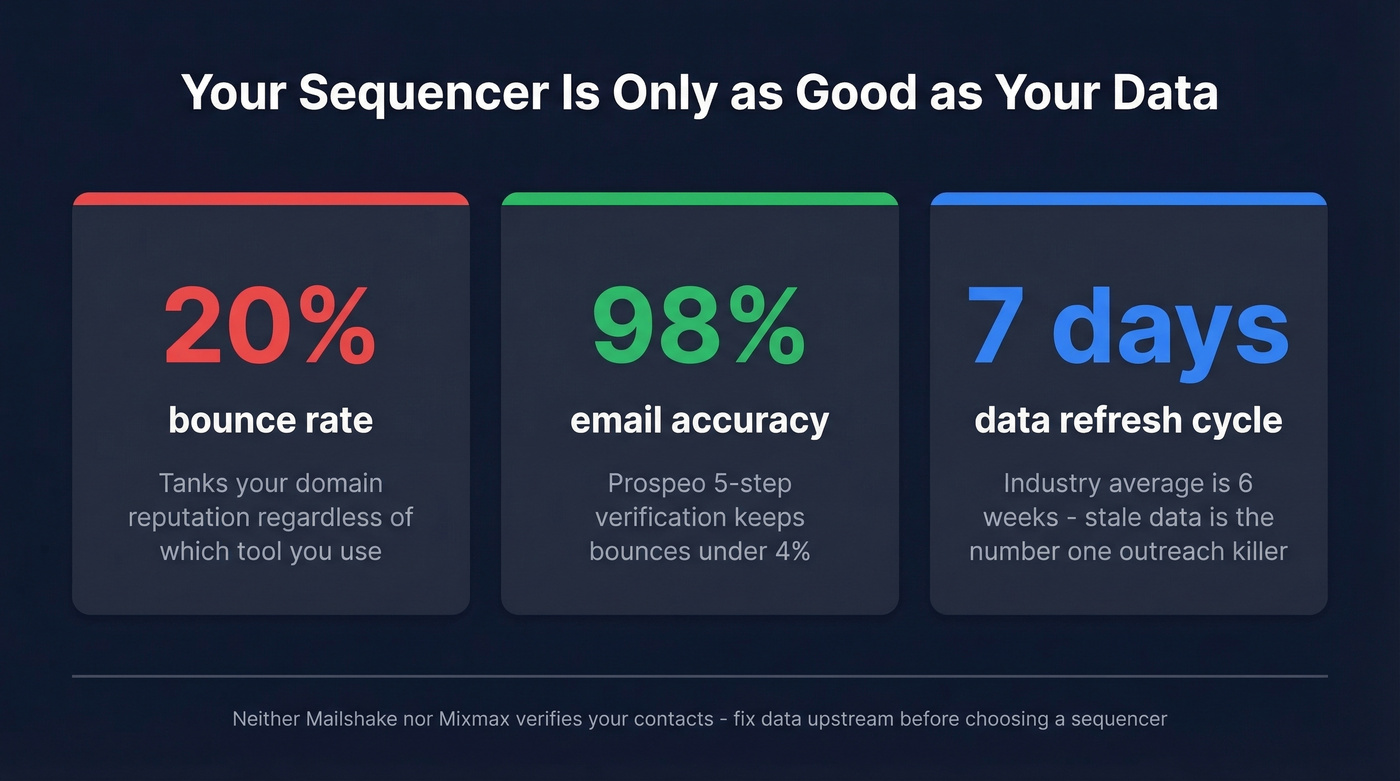
You picked your outreach tool. Now feed it contacts that actually connect. Prospeo gives you 300M+ profiles with verified emails and 125M+ direct dials - refreshed every 7 days, not every 6 weeks like other providers.
Your sequencer is only as good as the data behind it.
FAQ
Can Mixmax handle cold outreach?
It can run cold sequences, but it's constrained by Gmail limits and plan caps like 1,500 activated recipients/month on Suite. If you're sending a few hundred cold emails per week, it's workable. Above that, a dedicated sequencer with rotation like Mailshake is safer for your domain.
Does Mailshake offer a free trial?
No. Mailshake is paid from day one, so you'll need to commit before you fully test it. Mixmax is the easier "try it now" option with a 14-day trial plus a permanent free tier that covers tracking, scheduling, and basic sequences.
How do I keep bounces under control with either tool?
Verify your list before you import it and aim to keep bounces under 3-5% to protect domain reputation. Stale data from six-month-old exports is the number one culprit we see - a weekly refresh cycle on your contact data makes a bigger difference than any in-app warmup feature.
The Bottom Line
Mailshake vs Mixmax isn't a "which is better" question - it's a workflow question. Mailshake fits high-volume outbound with rotation, throttling, and a full sales-engagement setup. Mixmax fits Gmail-native productivity with tracking, scheduling, and lighter sequences. Whichever you choose, fix your data first or you'll end up blaming the tool for what's really a list problem.
If you're still deciding what to run for outbound, compare broader outbound lead generation tools and make sure your sequencing process is solid with good sequence management. For teams that outgrow Mixmax's approach, it's also worth scanning Mixmax alternatives before you commit. And if deliverability is the bottleneck, start with an email deliverability guide and monitor your email velocity as you scale.