

How to Write a Meeting Invitation Email That People Actually Accept
You've sat through the meeting where nobody knew why they were there. The invite said "Sync" - no agenda, no context, just a calendar block and a vague sense of obligation. 62% of workers regularly attend meetings where the goal wasn't even mentioned in the invite. Another 54% leave unclear about next steps or ownership. Unproductive meetings cost US businesses an estimated $375B annually.
The fix isn't fewer meetings. It's better invites.
We've seen teams cut no-shows in half just by adding a three-bullet agenda. Below you'll find 9 templates covering scenarios most guides skip - rescheduling, cancellations, recurring meetings with built-in expiration dates - plus a 10-element framework and etiquette rules drawn from actual workplace frustrations.
What Every Invite Needs
Every well-crafted meeting invitation email needs five non-negotiable elements. Miss one and you're gambling with attendance, preparation, and everyone's time.
- Subject line under 50 characters. Front-load the meeting type and topic so it's visible on mobile. (If you want more formulas, see our subject line examples.)
- Date, time, and timezone. Always. Even for internal meetings. Especially for internal meetings.
- Purpose or desired outcome. One sentence explaining why this meeting exists. If you can't write that sentence, the meeting probably shouldn't exist.
- Agenda. Even three bullets transform a vague "sync" into something people prepare for.
- Clear CTA. "Please confirm by Thursday" or "Reply with your preferred time" - don't leave the next step ambiguous.
If you're sending cold meeting requests to people outside your org, verify their email address first (here’s a practical guide on how to check if an email exists). A bounced invite kills credibility before you've said a word.
10-Element Framework for Invites That Get Accepted
Only 37% of workplace meetings actively use an agenda. That means nearly two-thirds of invites go out as little more than a time block and a hope. Lucid Meetings popularized an 8-part framework for meeting invites. Here's the full 10-element version - the difference between invites people accept and invites people ignore.
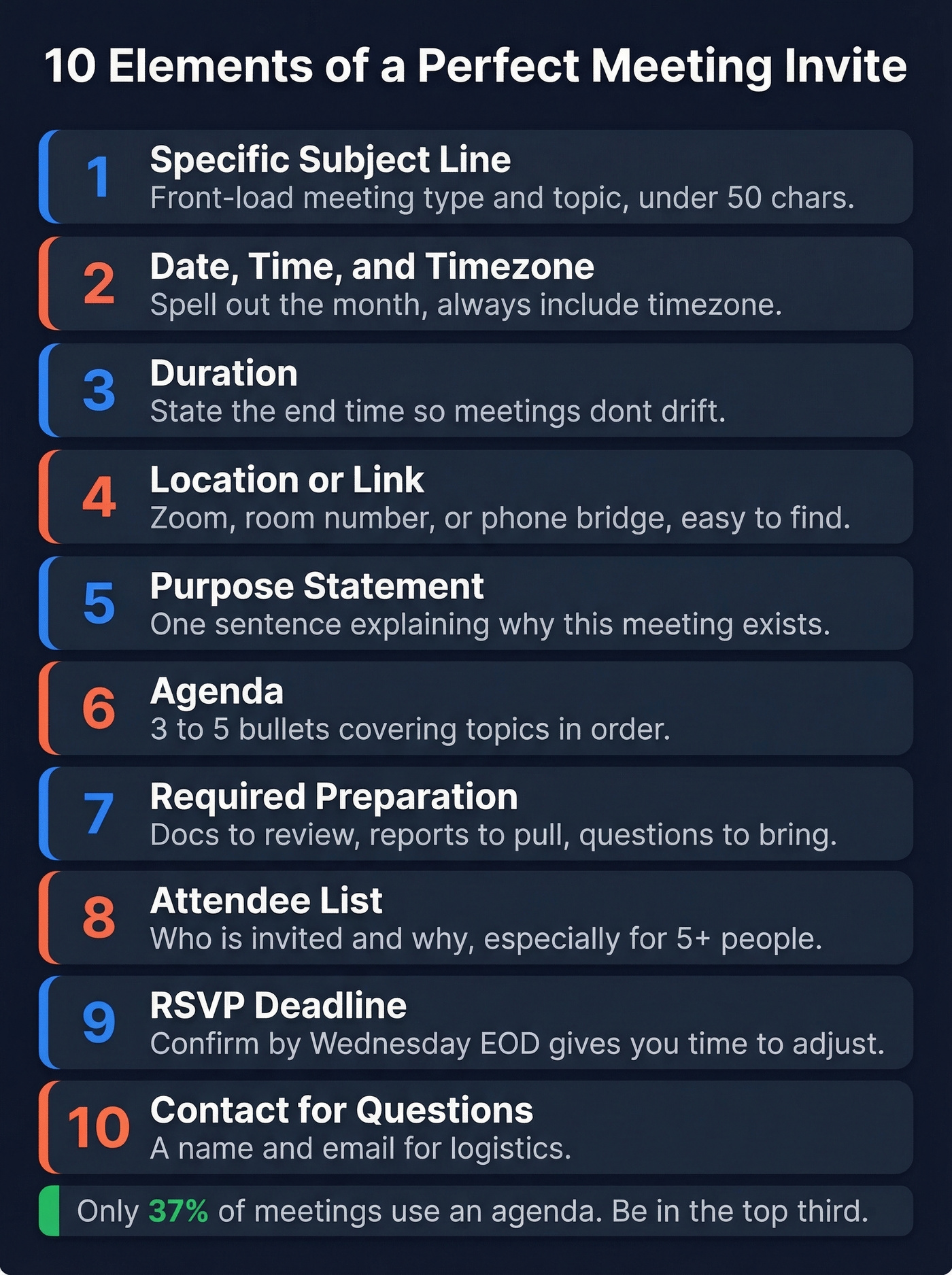
1. Specific subject line. Not "Quick Chat" or "Catch Up." Something like "Q3 Pipeline Review - Sales + Marketing" tells the recipient exactly what they're walking into.
2. Date and time with timezone. Spell out the month to avoid international confusion (July 15, not 7/15). Include the timezone even if everyone's in the same office - remote teammates and forwarded invites break that assumption fast.
3. Duration. Include an end time. 94% of meetings are scheduled for an hour or less, but without a stated end time, even a 30-minute meeting drifts to 45.
4. Location or link. Conference room, Zoom link, phone bridge - put it where people can find it without digging. Lucid Meetings recommends putting the dial-in number in the calendar location field so mobile users can tap to call.
5. Purpose statement. One sentence. "We're meeting to finalize the Q3 launch timeline and assign owners for each deliverable." That's it.
6. Agenda. Three to five bullets covering what you'll discuss, in order. This is the single highest-leverage element most people skip.
7. Required preparation. If attendees need to review a doc, pull a report, or come with questions - say so explicitly.
8. Attendee list for larger meetings. When there are more than four or five people, listing who's invited helps everyone understand the room. Meetings with 8+ attendees hit diminishing returns, so if your list is that long, question whether everyone needs to be there.
9. RSVP deadline. Especially for external or cross-org meetings. "Please confirm by Wednesday EOD" gives you time to adjust.
10. Contact for questions. For formal or client-facing invites, include a name and email for logistics questions so attendees don't reply-all.
Subject Lines That Get Opens
47% of recipients decide whether to open an email based on the subject line, and personalized subject lines deliver 26-50% higher open rates. For meeting invites, the goal isn't cleverness - it's clarity. (More data-backed options: subject lines that get opened.)
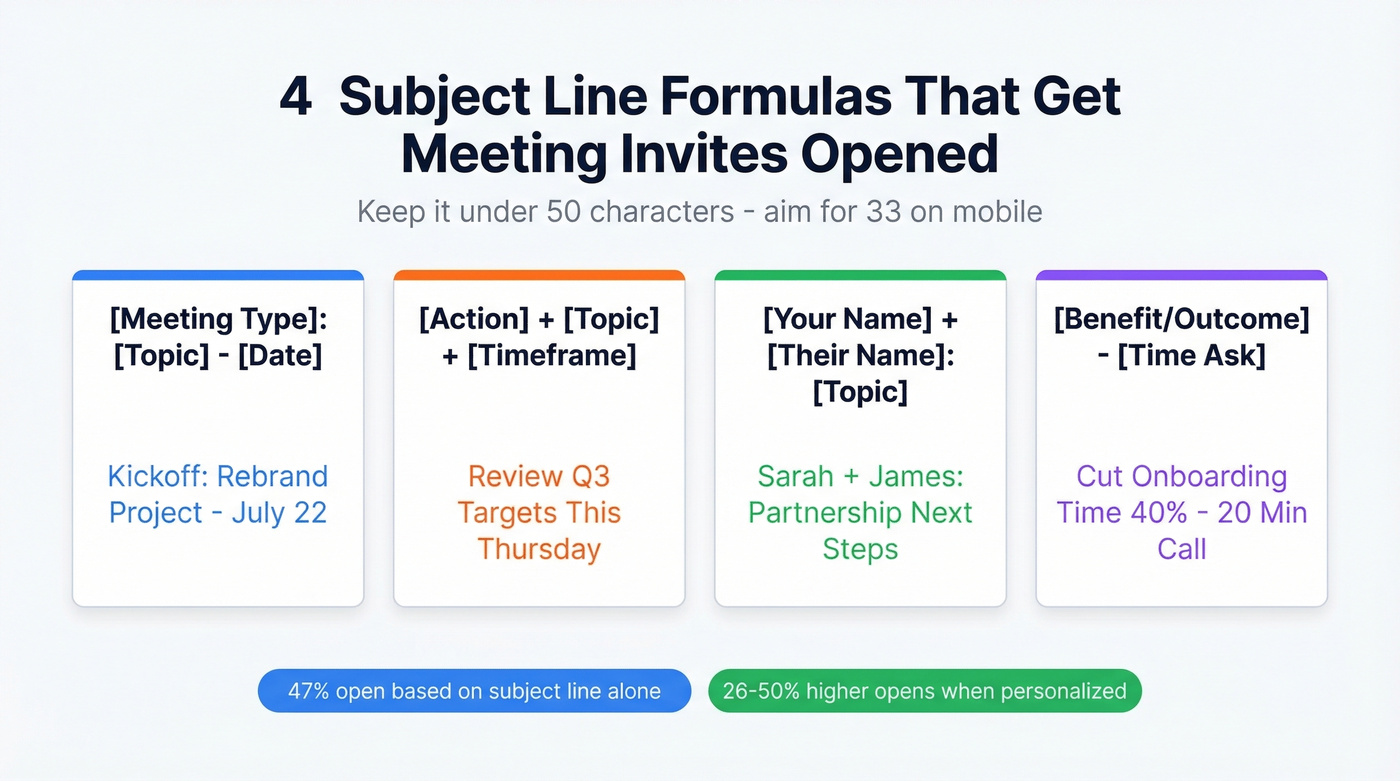
Etiquette expert Jacqueline Whitmore puts it simply: keep subject lines "short, simple, and specific." Aim for under 50 characters. For full mobile visibility, ~33 characters is a solid target. In our experience, cold meeting requests convert best when the subject line stays under 40.
Four formulas that work:
[Meeting Type]: [Topic] - [Date] Example: Kickoff: Rebrand Project - July 22
[Action] + [Topic] + [Timeframe] Example: Review Q3 Targets This Thursday
[Your Name] + [Their Name]: [Topic] Example: Sarah + James: Partnership Next Steps
[Benefit/Outcome] - [Time Ask] Example: Cut Onboarding Time 40% - 20 Min Call
Don't use internal abbreviations in subject lines for external invites. "WBR: APAC OKR Alignment" means nothing to someone outside your company.
9 Templates for Every Scenario
Each template below covers a meeting invitation email scenario you'll actually encounter. Change the names, dates, and details - the structure is ready to send.
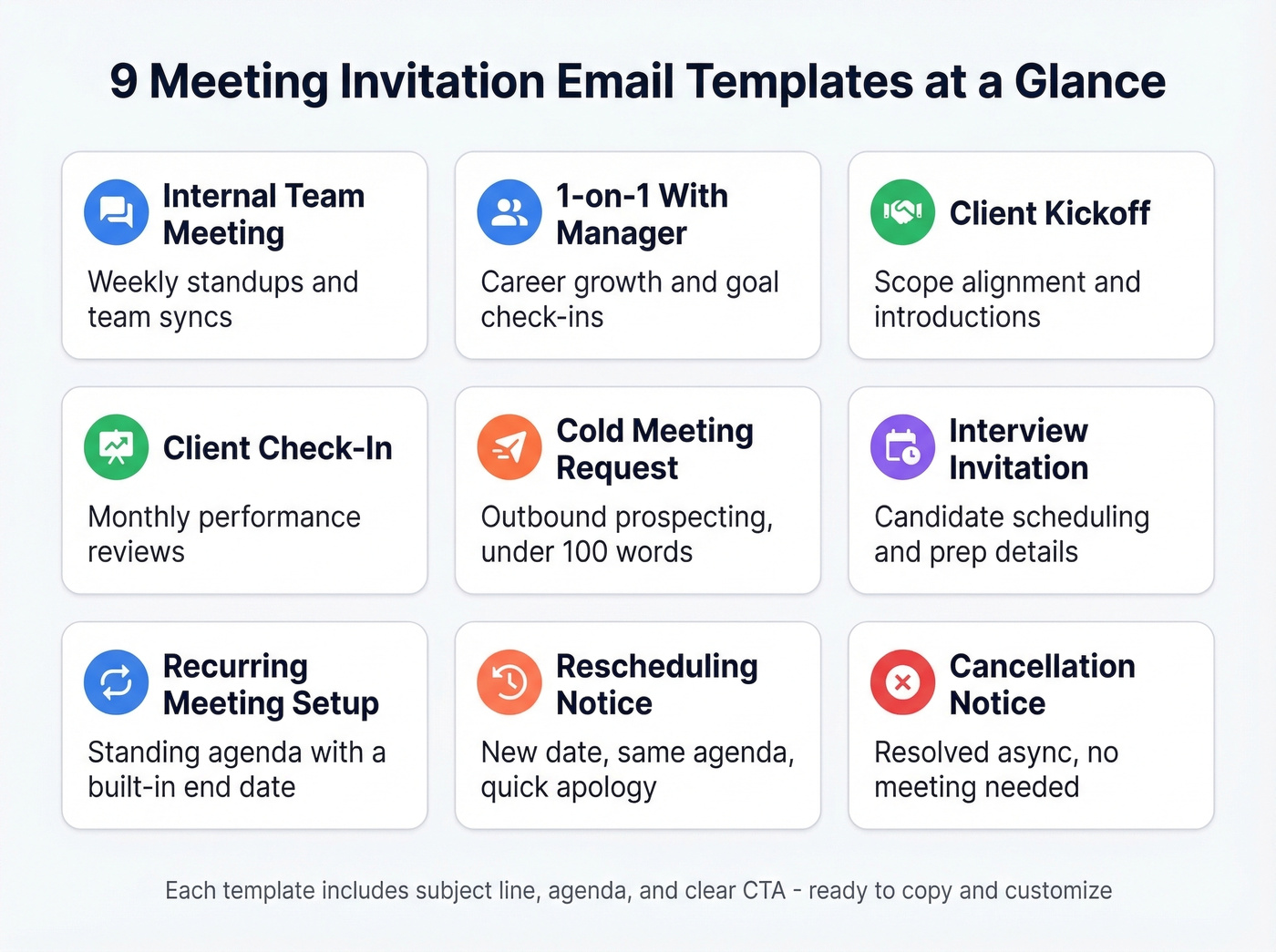
Internal Team Meeting
Subject: Weekly Product Standup - Tuesdays 10am ET
Hi team,
Starting next week, we'll hold a 30-minute product standup every Tuesday at 10:00 AM ET via Zoom.
Agenda:
- Sprint progress and blockers (10 min)
- Cross-team dependencies (10 min)
- Priorities for the week (10 min)
Please come prepared with your top blocker and one thing that's on track. Calendar invite to follow.
Best, Rachel
One-on-One With Your Manager
Subject: 1:1 - Career Growth Check-In
Hi Marcus,
I'd like to schedule a 30-minute 1:1 to discuss my Q3 goals and development plan. Would Thursday at 2:00 PM ET work for you?
I'll come with a short list of areas I'd like your input on. Happy to shift the time if something works better.
Thanks, Priya
Client Kickoff
Subject: Kickoff: Acme x Bolt Partnership - July 18
Hi David,
We're excited to kick off our engagement. I'd like to propose Friday, July 18 at 11:00 AM ET - a 45-minute kickoff call to align on scope and next steps.
Agenda:
- Introductions and team roles (5 min)
- Project scope and timeline review (15 min)
- Communication cadence and tools (10 min)
- Open questions (15 min)
I've attached the project brief for review beforehand. Please confirm by Wednesday, and feel free to add anyone from your team who should join.
Best regards, Elena Torres
Client Check-In
Subject: Monthly Check-In: Campaign Performance - Aug 5
Hi Nadia,
Our next monthly check-in is Tuesday, August 5 at 3:00 PM ET (30 minutes). I'll walk through July campaign metrics and flag adjustments for August. Reply with anything specific you'd like to cover.
Talk soon, Jake
Cold Meeting Request
This is the template that separates good outbound from forgettable outbound. Keep it under 100 words, lead with relevance, and propose specific times. (If you’re building a sequence, pair this with proven sales follow-up templates.)
Subject: Quick Question About Your Outbound Stack
Hi Lauren,
I'm Chris from Relay - we help mid-market SaaS teams cut email bounce rates dramatically.
I noticed Apex just expanded your SDR team. We've helped similar teams at Snyk and Meritt cut bounce rates from 35% to under 4% while tripling pipeline. Would a 15-minute call next Tuesday or Wednesday work to see if there's a fit?
Happy to work around your schedule - just reply with a time or grab one here: [scheduling link].
Best, Chris Rivera
Before you hit send on a cold meeting request, verify the recipient's email. A bounced invite kills credibility and hurts your domain reputation (see email bounce rate benchmarks and fixes). Prospeo's email finder verifies addresses in real time with 98% accuracy - paste a name and company URL, get a verified email in seconds.
Interview Invitation
Subject: Interview Invitation: Senior PM Role at Bolt
Hi Amir,
Thank you for your application for the Senior Product Manager position. We'd like to invite you to a 45-minute interview on Wednesday, July 23 at 1:00 PM ET via Google Meet.
You'll be meeting with Sarah Lin (VP Product) and Tom Reyes (Engineering Lead). The conversation will focus on product strategy and cross-functional collaboration. No preparation required, but feel free to bring questions about the role.
Please confirm by Monday. If the time doesn't work, reply with two alternatives and we'll adjust.
Best, HR Team - Bolt
Recurring Meeting Setup
Subject: Biweekly Design Review - Starting Aug 1
Hi design team,
I'm setting up a biweekly design review starting Friday, August 1 at 9:30 AM PT (45 minutes). Calendar invites will go out today.
Standing agenda:
- Work-in-progress critique (20 min)
- Design system updates (10 min)
- Open floor (15 min)
Review date: October 31. We'll evaluate whether this cadence still makes sense at that point. 92.4% of meetings don't have an end date - let's not be one of them. If this meeting stops being useful, we kill it.
Thanks, Maya
Rescheduling Notice
Subject: Rescheduled: Q3 Planning -> July 25 at 2pm ET
Hi team,
The Q3 planning session originally on July 22 has been moved to Friday, July 25 at 2:00 PM ET. Same agenda, same Zoom link. Apologies for the shift - a client escalation took priority. Updated calendar invite attached.
Thanks, Daniel
Cancellation Notice
Subject: Cancelled: Friday Design Sync (July 18)
Hi all,
Cancelling this Friday's design sync - the two open items (icon library and mobile nav) were resolved async in Figma comments. No replacement needed. We'll pick up at the next sync on August 1.
Thanks, Maya

A perfect meeting invite means nothing if it bounces. Prospeo verifies emails with 98% accuracy across 143M+ contacts - so your cold meeting requests land in real inboxes, not the void.
Stop crafting invites for email addresses that don't exist.
Email Invite vs. Calendar Invite
Here's the thing: an email invite and a calendar invite serve different purposes. Using only one when you need both is a common mistake.
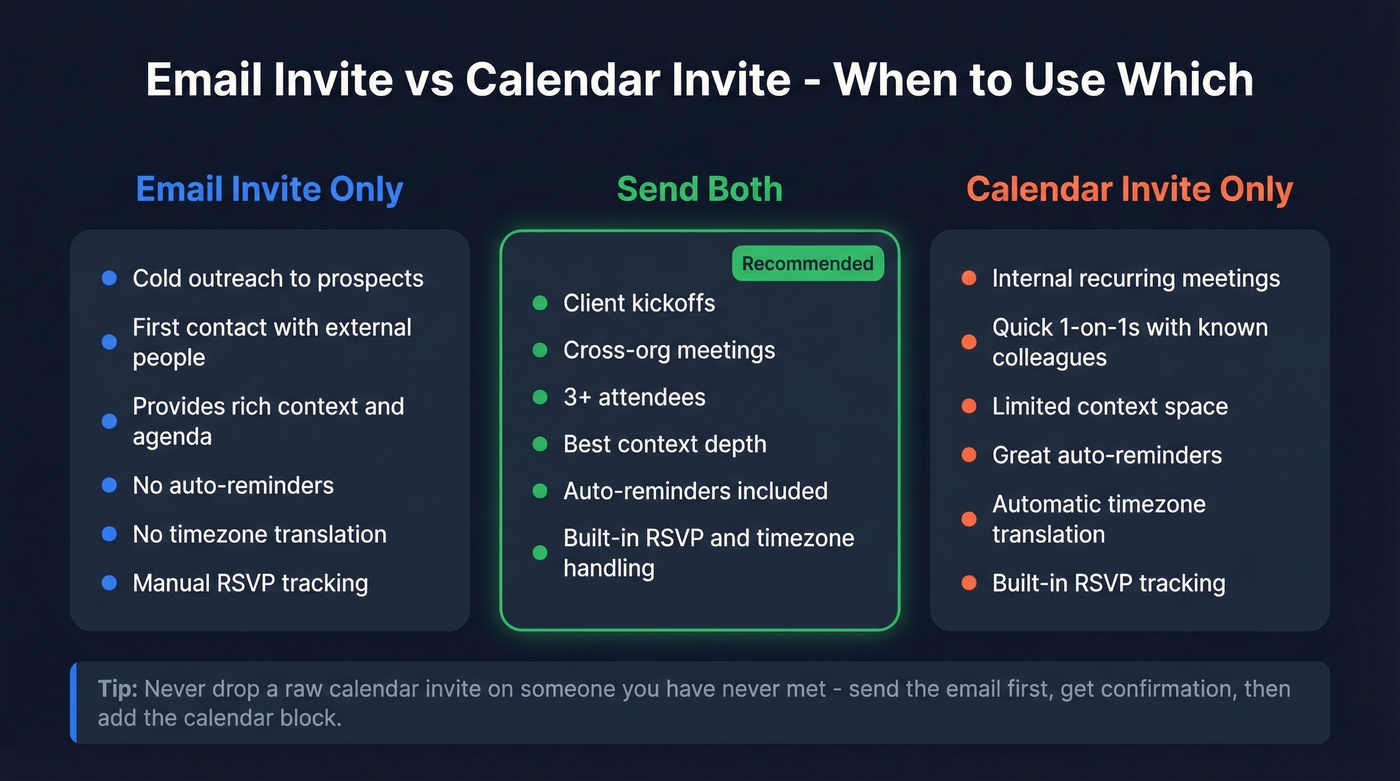
| Factor | Email Invite | Calendar Invite | Both |
|---|---|---|---|
| Context depth | Strong | Limited | Best |
| Auto-reminders | No | Yes | Yes |
| Timezone translation | No | Yes | Yes |
| RSVP tracking | Manual | Built-in | Built-in |
| Best for | Cold outreach | Internal, recurring | Client kickoffs, cross-org, 3+ attendees |
For important meetings - client kickoffs, cross-org sessions, anything with more than three attendees - send both. The email provides context, agenda, and preparation instructions. The calendar invite locks the time, triggers reminders, and auto-translates timezones.
Use email-only for cold outreach and external prospects. Dropping a raw calendar invite on someone you've never met feels presumptuous. Send the email first, get confirmation, then follow up with the calendar block.
Meeting Invite Etiquette Rules
Most meeting etiquette advice focuses on what happens during the meeting. That's too late. If your invite is bad, the meeting was doomed before anyone joined.
Don't book over conflicts without asking. The #1 frustration on r/office about meeting invites? People who see a conflict on your calendar and send the invite anyway. A quick "I see you're booked at 2 - would 3 work?" takes ten seconds and prevents a decline out of principle.
The initiator sends the invite. If you requested the meeting, you own the logistics. Don't ask for someone's availability and then expect them to create the invite. This is a pet peeve among EAs for good reason - it shifts admin work to the wrong person.
Give 3-4 days notice minimum. Same-day invites feel aggressive. For executive or cross-org meetings, aim for 1-2 weeks.
Keep the attendee list tight. Meetings with 8+ attendees produce diminishing returns. Before adding someone, ask: do they need to decide something, or can they just read the notes?
Always include an end time. 80% of workers believe most meetings could be done in half the time. Book 25 minutes instead of 30, or 50 instead of 60 - the constraint forces focus.
Scheduling Across Time Zones
Timezone mistakes don't just cause confusion - they cause no-shows.
Always state the timezone in the email body, even if the calendar invite handles conversion. Write "Tuesday, July 22 at 10:00 AM ET / 3:00 PM GMT" so there's no ambiguity. Spell out month names to avoid the 7/8 vs 8/7 confusion between US and international date formats.
For recurring meetings across timezones, rotate the meeting time so the same region isn't always stuck with the 7 AM or 9 PM slot. Record meetings and share summaries for anyone who can't attend live. Tools like World Time Buddy make finding overlap painless. If there's zero overlap, the meeting needs to be async - and that's fine.
Common Mistakes to Avoid
No agenda. Only 37% of meetings use one. A meeting without an agenda in the invite is a meeting that shouldn't exist.
Vague subject lines. "Quick Sync" tells the recipient nothing. They can't prepare, they can't prioritize, and they're more likely to decline.
No RSVP deadline. Without one, you're checking attendance the morning of. Set a deadline 2-3 days before the meeting.
Large attachments. A 15MB deck with the invite can trigger spam filters or get blocked entirely. Link to the document instead. (If deliverability is a recurring issue, use an email deliverability guide to diagnose the root cause.)
Forwarding calendar invites across orgs. When someone forwards a calendar invite, RSVP tracking breaks. The original organizer can't see who accepted. For cross-org meetings, add external attendees directly rather than asking someone to forward.
No end date on recurring meetings. 92.4% of meetings don't have one. Set a review date. If the meeting is still valuable in three months, renew it. If not, kill it.
Cold meeting requests convert when they reach the right person. Prospeo gives you verified emails and direct dials for 300M+ professionals - at $0.01 per email, with no contracts.
Send your next meeting invite to a verified decision-maker.
FAQ
How far in advance should I send a meeting invitation email?
Send standard invites 3-4 business days ahead. For executive-level or cross-organization meetings, aim for 1-2 weeks. Same-day invites should be reserved for genuine emergencies - "I forgot to schedule this" doesn't qualify.
Should I send an email, a calendar invite, or both?
Send both for important meetings. The email provides context, agenda, and prep instructions; the calendar invite locks the time with auto-reminders and timezone conversion. For cold outreach, start with email only - send the calendar block after the recipient confirms.
How do I write a meeting invite to someone I've never met?
Lead with a one-sentence reason to meet, propose 2-3 specific time slots, and keep the email under 100 words. Never send a raw calendar invite to a stranger. Verify their address first - a bounced email kills credibility before you've started.
What's the ideal length for an invite email?
Keep the body to 3-5 sentences plus a bulleted agenda - under 200 words total. If you need to share more context, attach or link a document rather than writing a wall of text. Use any template from this guide as a starting point and trim to fit.
How do I stop recurring meetings from becoming zombie meetings?
Include a review date in the invite body - quarterly works well. 92.4% of recurring meetings never have an end date, which is how calendars fill up with sessions nobody questions. Set an expiration, and renew only if the meeting still earns its time slot.