

How to Build a Prospecting Spreadsheet That Won't Fall Apart
It's Monday morning. You open your prospecting spreadsheet and can't tell who you called last week, which emails bounced, or whether that VP at the Series B company ever replied. Three reps edited the same file over the weekend, and someone sorted column D without selecting the full table - so now contact names are matched to the wrong companies. Over 90% of business spreadsheets contain errors, and yours is probably one of them.
Here's how to build one that holds up under daily use - and how to fill it with data that doesn't bounce.
What You Need (Quick Version)
- Use Google Sheets. Free, real-time collaboration, 2,000+ Zapier integrations.
- Start with 10 core columns. The exact list is below.
The Columns That Actually Matter
Stop downloading random templates with 25 columns nobody fills in. Here are the 10 that earn their place in any sales prospect tracker:
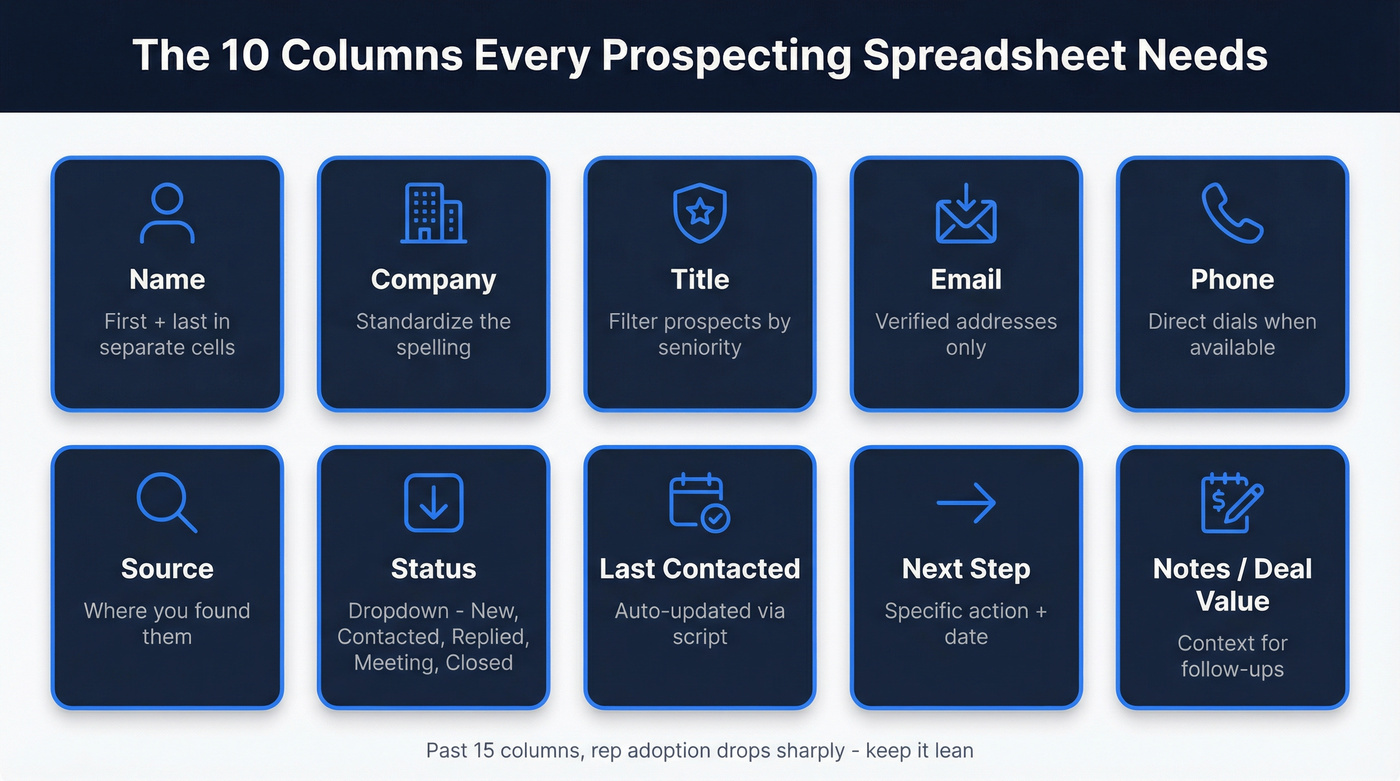
| Column | Why It's There |
|---|---|
| Name | First + last, separate cells |
| Company | Standardize spelling |
| Title | Filters by seniority |
| Verified only | |
| Phone | Direct dial when available |
| Source | Where you found them |
| Status | Dropdown: New / Contacted / Replied / Meeting / Closed |
| Last Contacted | Auto-updated (see below) |
| Next Step | Specific action + date |
| Notes / Deal Value | Context for follow-ups |
Use data validation dropdowns for Status and any stage field. Free-text status columns are where reporting goes to die. "Contacted," "contacted," "Reached out," and "Left VM" all mean the same thing, but your filters won't know that. Spelling drift breaks every formula downstream.
Keep Company names consistent. "Acme Corp" and "Acme Corporation" will create phantom duplicates the moment you try to pivot or VLOOKUP. Pick one format and stick with it. Add Deal Value and Stage only if you're tracking pipeline - once you get past around 15 columns, reps stop filling them in. That's not a theory. It's a pattern we've seen across dozens of teams that over-engineer their first sheet.
Build It in 15 Minutes
Here's the contrarian take: stop downloading templates. They come with someone else's assumptions baked in - columns you don't need, formatting that breaks when you paste data, conditional logic you'll never understand. Build your own.
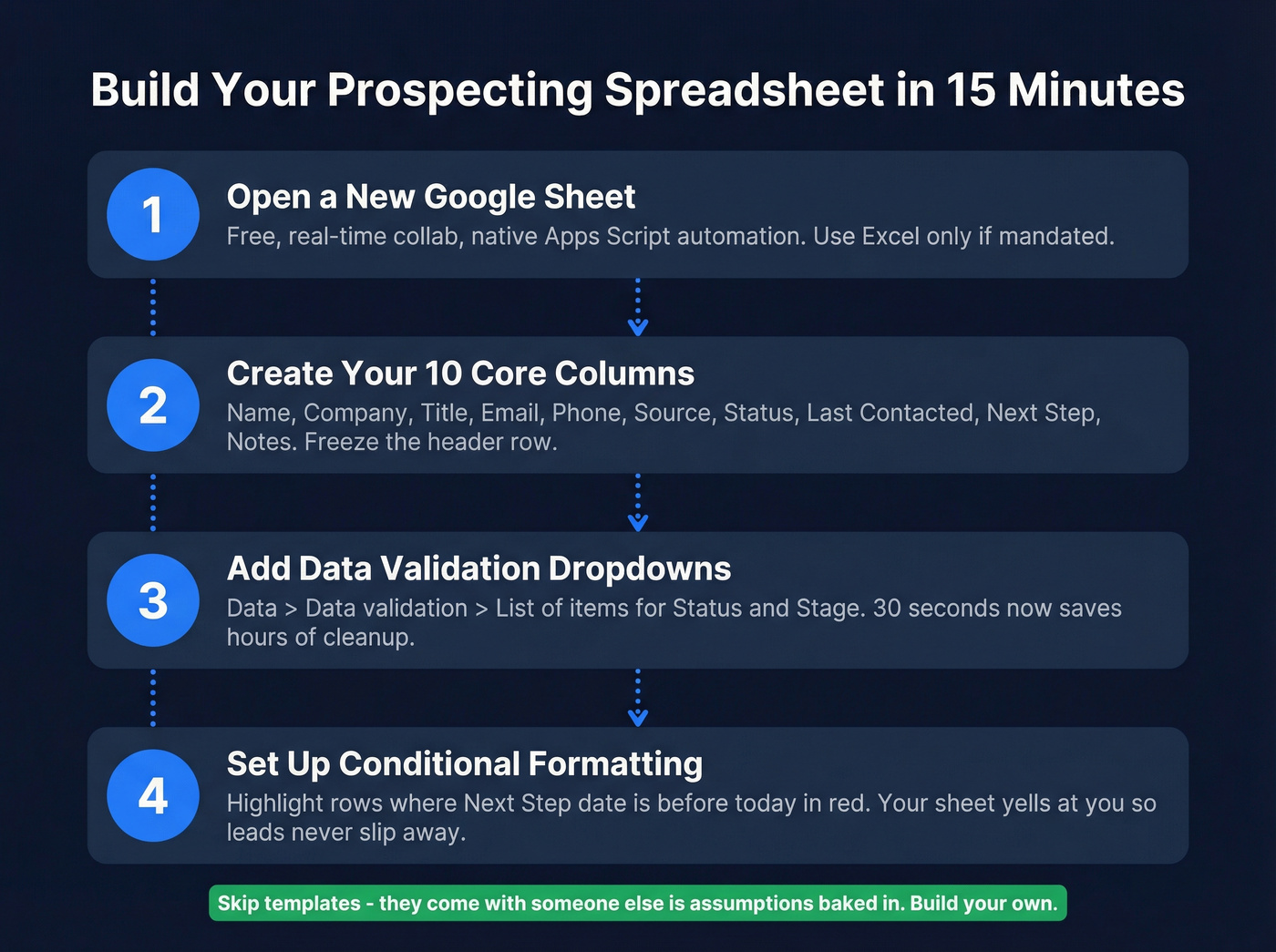
Step 1: Open a new Google Sheet. If your company mandates Excel, adapt accordingly, but you'll lose Google Sheets' native Apps Script automation.
Step 2: Create the 10 columns from the table above. Freeze the header row.
Step 3: Add data validation dropdowns for Status and Stage. Go to Data > Data validation > List of items, then type your options. Thirty seconds now saves hours of cleanup later.
Step 4: Set up conditional formatting for overdue follow-ups. Highlight any row where "Next Step" date is before today in red. Now your sheet yells at you instead of letting leads slip quietly into oblivion.

You just built a clean prospecting spreadsheet with the right columns and automation. Now the hard part: filling it with contacts that don't bounce. Prospeo's CSV enrichment returns verified data on 83% of records - emails at 98% accuracy, direct dials from 125M+ verified mobiles - all refreshed every 7 days.
Stop filling perfect spreadsheets with garbage data.
Benchmarks Worth Tracking
Put these targets in a header row or a separate "Targets" tab so you can compare actual performance against goals each week.
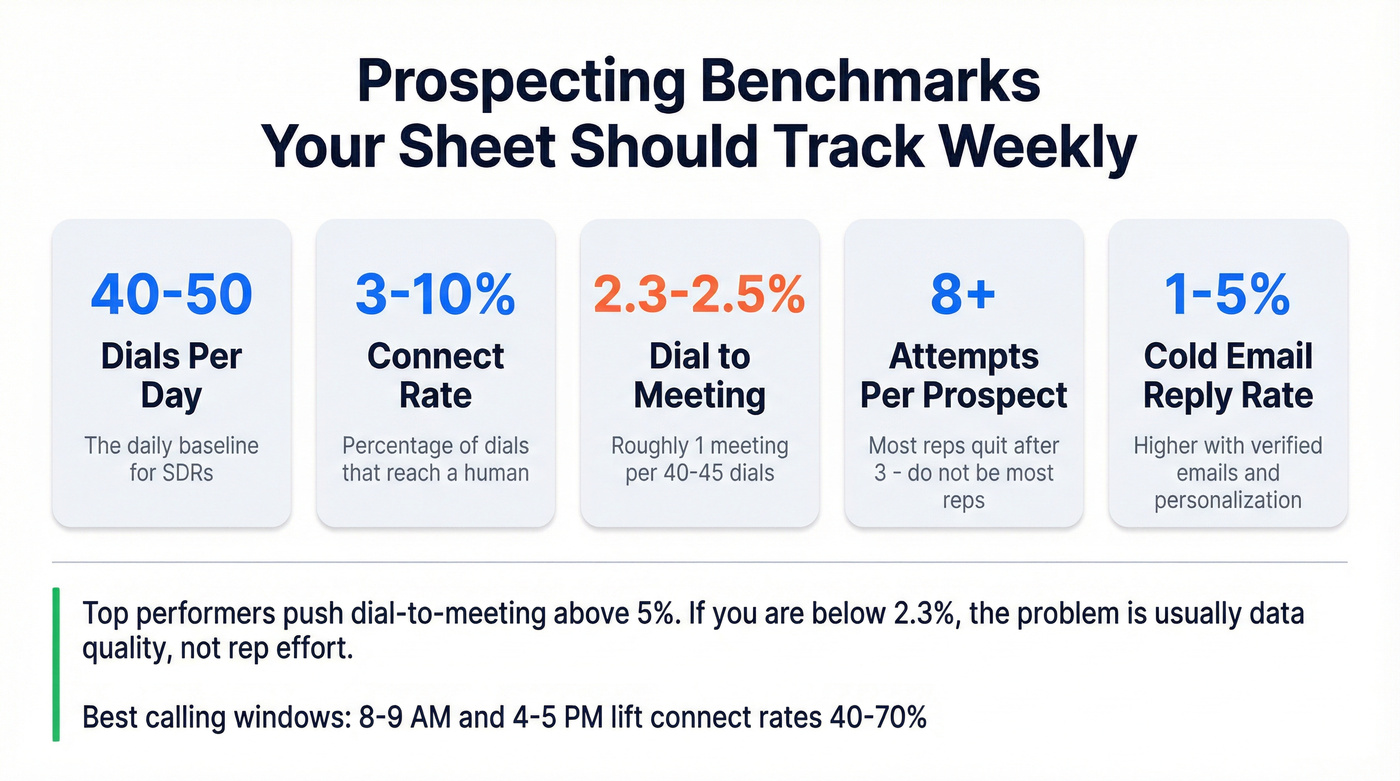
| Metric | Benchmark |
|---|---|
| Dials per day | 40-50 |
| Connect rate | 3-10% |
| Dial-to-meeting | 2.3-2.5% |
| Attempts to reach | ~8+ per prospect |
| Cold email reply rate | 1-5% |
Top-performing teams push dial-to-meeting above 5%, but 2.3-2.5% is the realistic baseline - roughly one meeting per 40-45 dials. If you're below that, the problem is usually data quality (wrong numbers, outdated titles) rather than rep effort. Timing matters too. Calling in the 8-9 AM or 4-5 PM windows lifts connect rates 40-70% versus random times throughout the day.
In our experience, teams that track these benchmarks weekly outperform those that check monthly by a wide margin. Add a "Targets" tab and review it every Friday.
Track Activity Without Losing Your Mind
Let's be honest: reps won't reliably update "Last Contacted" by hand. They just won't. Automate it with a simple Apps Script onEdit trigger that writes the current date whenever someone edits key columns like Status or Notes. The script watches specific columns and writes new Date() on edit - search "onEdit Apps Script prospecting" for a copy-paste version. It's about 10 lines of code, and it eliminates the single biggest data gap in every prospect tracking sheet.
Second automation worth setting up: a Zapier workflow that sends a Slack notification whenever a new row is added. If you're running a team, this gives you real-time visibility into prospecting activity without hovering over anyone's shoulder.
For prospect interest tracking, add a simple dropdown column - Hot / Warm / Cold - and filter by it weekly to prioritize follow-ups on engaged leads. Re-enriching your data monthly also keeps your spreadsheet from decaying. Look for a provider with a weekly refresh cycle so you're not calling people who've changed jobs two months ago.
Fill Your Sheet with Verified Data
The spreadsheet isn't the hard part. The data is.
You come back from a conference with 200 badge scans, half of which have no email. You scrape a webinar attendee export, and a third of the phone numbers are main office lines. No amount of conditional formatting fixes bad contact data. We've watched teams spend 20 hours building the perfect sheet, then fill it with garbage contacts and wonder why their connect rates are in the basement.
Export your prospect list as a CSV, run it through Prospeo's enrichment, and 83% of records come back with verified contact data - emails, direct dials, or both. Email accuracy sits at 98%, data refreshes every 7 days versus the 6-week industry average, and the whole thing costs about $0.01 per email with a free tier covering 75 emails per month. For teams that need direct dials, Prospeo's database includes 125M+ verified mobile numbers with a 30% pickup rate - far better than dialing switchboards and hoping the receptionist patches you through.

Tracking 40-50 dials a day means nothing if half your numbers are switchboards. Prospeo gives you direct mobile numbers with a 30% pickup rate and verified emails at $0.01 each. Export your prospect list, enrich it in minutes, and paste verified contacts right back into your sheet.
Your spreadsheet has the structure - give it data that actually connects.
When to Ditch the Spreadsheet
Your prospecting spreadsheet has a shelf life. Here are the signals you've outgrown it:
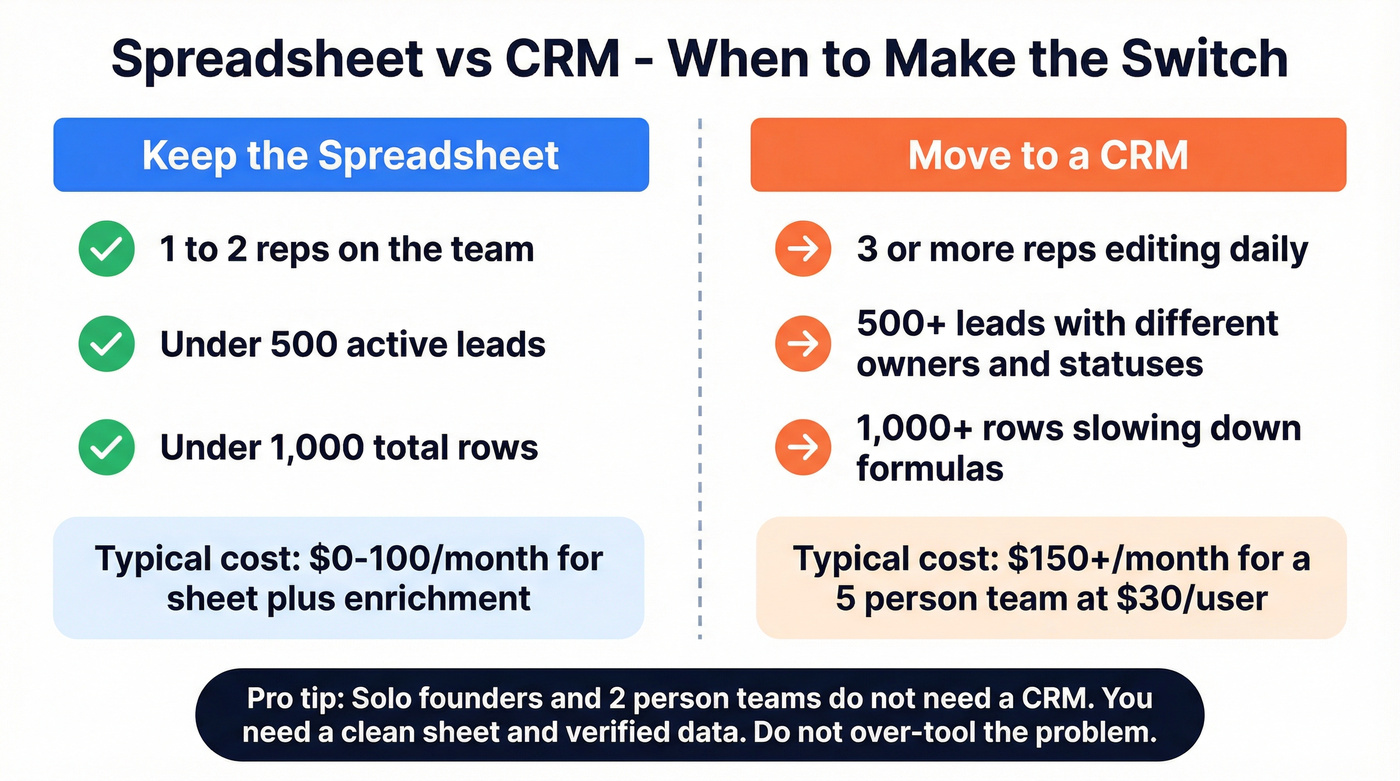
- 2+ reps editing the same sheet daily, where overwrites and conflicting filters become inevitable
- 500+ active leads with different statuses and owners
- 1,000+ rows with complex formulas slowing everything down
This matches what sales communities consistently debate on places like r/sales - the "spreadsheet vs. CRM" question always comes down to team size and lead volume. When you hit those thresholds, a CRM is worth the $30-$100/user/month. HubSpot's free tier is the natural first step. For context, a spreadsheet plus a paid enrichment plan often lands in the $30-$100/month range for small volumes, while a CRM for a 5-person team starts around $150/month at $30/user and climbs fast.
Skip the CRM if you're a solo founder or a two-person sales team. You don't need one. You need a clean sheet and verified data. Don't over-tool the problem.
FAQ
Should I use Google Sheets or Excel for prospect tracking?
Google Sheets for most teams. Free, real-time collaboration, Apps Script automation, and 2,000+ Zapier integrations make it the default choice. Use Excel only if your company mandates it or you need offline access for field reps.
How many columns should a sales prospecting spreadsheet have?
Start with 10-12 core columns covering contact info, pipeline status, and activity dates. Past around 15 columns, rep adoption drops sharply - add deal value and stage only if you're actively tracking pipeline revenue.
How do I keep contact data from going stale?
Re-enrich your list monthly using a provider with a weekly data refresh cycle. Prospeo refreshes records every 7 days and returns 50+ data points per contact at 98% email accuracy - compared to the 6-week industry average, that cuts stale-data risk dramatically.