


Right Inbox Pricing, Reviews, Pros & Cons (2026)
Right Inbox promises Gmail scheduling, reminders, and sequences in a lightweight Chrome extension. Sounds great on paper. But after we tested the extension and combed through every review platform we could find, the picture gets complicated fast - especially around billing.
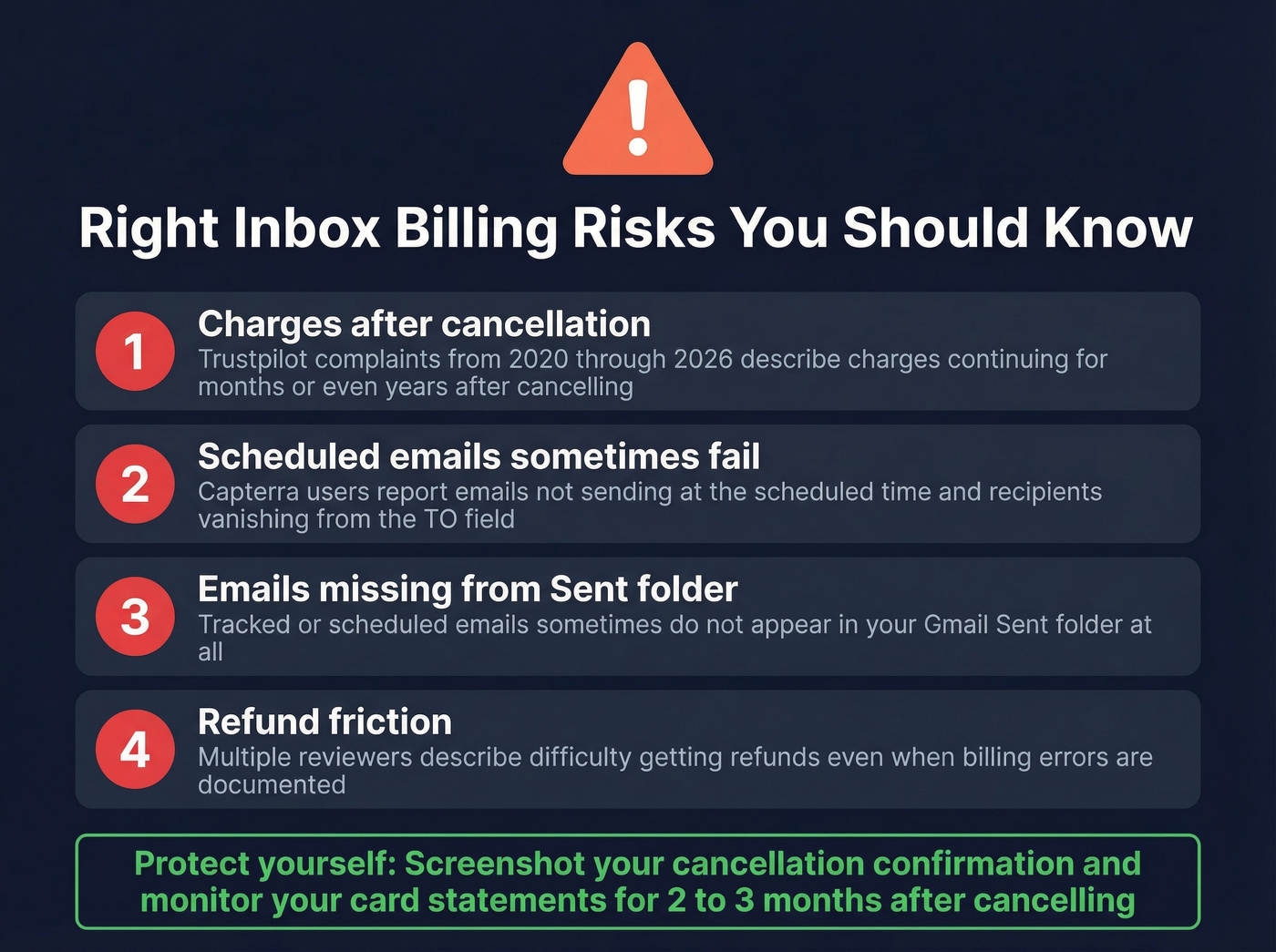
The 30-second verdict: Right Inbox is a decent Gmail add-on for individuals who need reminders, templates, and basic sequences. At $7.95/mo on annual billing, it's cheap. But the billing complaints on Trustpilot are genuinely alarming - multiple users report charges continuing years after cancellation. And Gmail's native Schedule Send has closed the gap on Right Inbox's original core feature.
Right Inbox Pricing in 2026
Many third-party sites still list outdated plan names. Here's what Right Inbox's pricing page actually shows:
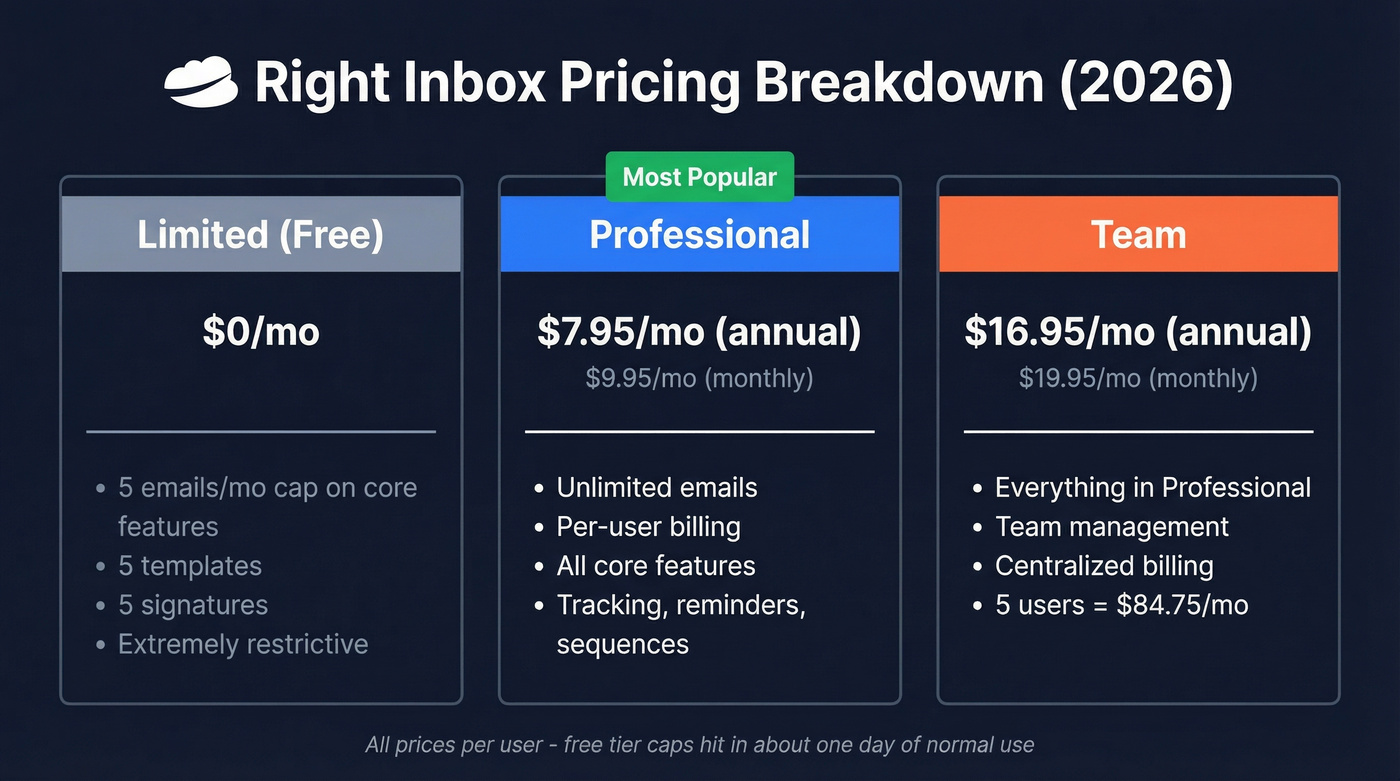
| Plan | Monthly | Annual | Key Limits |
|---|---|---|---|
| Limited (Free) | $0 | $0 | 5 emails/mo caps on core features, 5 templates, 5 signatures |
| Professional | $9.95/mo | $7.95/mo | Unlimited, per-user |
| Team | $19.95/mo | $16.95/mo | Team mgmt + unlimited |
The free tier is extremely restrictive - it caps tracking, send later, and reminders at 5 per month, plus 5 templates and 5 signatures. Most users blow through that in a day. The Professional plan is where the real product lives, and the jump to Team only makes sense for centralized contact management.
Pricing is per-user, so a 5-person team on the annual Team plan runs $84.75/mo (5 x $16.95). Not outrageous, but it adds up when you consider what you're actually getting.
Pros
- Dead-simple Gmail integration. Chrome extension installs in under a minute.
- Reminders and recurring emails. Genuinely useful features Gmail doesn't offer natively.
- Affordable for individuals. $7.95/mo on annual billing is hard to argue with.
- Sequences with auto-cancel. Basic follow-up automation that stops when the recipient replies.
- Helpful support for team consolidation. Customer service gets praise for helping consolidate individual subscriptions into a team account without disrupting settings.
Cons
Here's the thing - the cons list is longer than we expected for a tool this simple.
- Billing after cancellation. Complaints spanning 2020-2026 on Trustpilot describe continued charges after cancellation. One user discovered five years of post-cancellation charges. We've seen this pattern across enough review platforms to take it seriously. If you subscribe, screenshot everything.
- Scheduled emails sometimes don't send. Capterra reviewers describe scheduled emails not sending at the requested time and recipients getting deleted from the TO field.
- Tracked/scheduled emails missing from Sent. Trustpilot reviews include complaints about tracked or scheduled emails not appearing in the Sent folder at all.
- Open tracking is unreliable. Apple Mail Privacy Protection pre-loads tracking pixels, inflating open rates. This isn't unique to Right Inbox - it hits every tracking tool - but it still erodes the value proposition. (If you want the technical breakdown, see our guide to email tracking pixels.)
- Gmail's Schedule Send reduces the value. The feature Right Inbox was built around is now free and native.
- Refund friction. Multiple reviewers describe difficulty getting refunds even with documented billing errors.

Scheduling follow-ups to bad email addresses doesn't fix outbound. It just automates failure. Prospeo gives you 300M+ professional profiles with 98% email accuracy and a 7-day data refresh cycle - so every email you schedule actually lands.
Stop scheduling emails that bounce. Start with verified contacts.
What Users Actually Say
| Platform | Rating | Reviews | Notable Pattern |
|---|---|---|---|
| G2 | 4.8/5 | 22 | 100% 5-star - tiny sample |
| Capterra | 4.1/5 | 16 | Bug reports + refund issues |
| Trustpilot | 3.5/5 | 12 | Billing after cancellation |
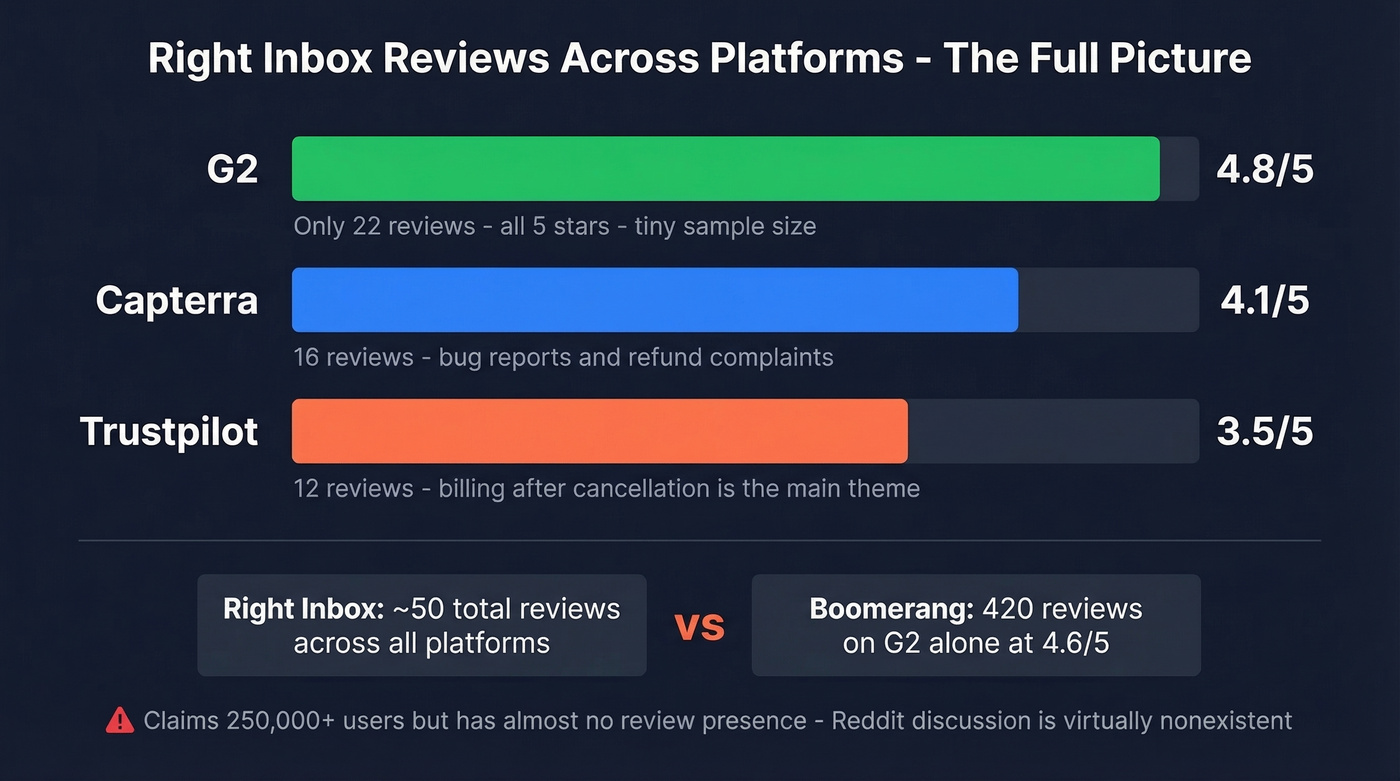
Right Inbox claims 250,000+ users and 12,000+ Chrome store reviews - yet only about 50 total reviews exist across G2, Capterra, and Trustpilot combined. That 4.8 on G2 looks impressive until you realize it's 22 reviews, all 5-star. Compare that to Boomerang's 420 reviews at 4.6/5. Even G2's own auto-extracted cons flag "Subscription Issues."
Reddit has virtually no Right Inbox discussion. The one relevant thread asking whether the extension is safe got no substantive answers, which tells you something about the tool's mindshare in the sales community (and why having a repeatable sales prospecting system matters more than any single add-on).
Do You Even Need Right Inbox?
Gmail's built-in Schedule Send handles "send later" for free. If that's all you need, skip Right Inbox entirely.
What Gmail doesn't do: email reminders, open tracking, recurring emails, templates, and follow-up sequences. That's where Right Inbox earns its keep. But let's be honest - if your real goal is outbound prospecting, scheduling a follow-up doesn't help when you're emailing the wrong address. You need verified contact data for that, and Right Inbox doesn't touch that problem. (If you're building lists, our lead generation workflow guide is a good starting point.)
Right Inbox made sense in 2019. In 2026, Gmail has absorbed its flagship feature, email tracking is half-broken thanks to Apple, and the billing situation is a liability. Unless you specifically need reminders or recurring emails, your money is better spent elsewhere.
Best Alternatives
Boomerang for Gmail
The closest direct competitor and the one we'd recommend testing first for scheduling. Boomerang offers a 30-day free trial with no credit card required. The Personal plan runs $4.98/mo on annual billing - cheaper than Right Inbox - but it supports Gmail only. If you use Google Workspace, you'll want Pro at $14.98/mo. G2 reviewers rate Boomerang 4.6/5 from 420 reviews, and the G2 comparison page says Boomerang better meets overall business needs. The review volume alone gives us more confidence in the product's reliability.
Prospeo
Different category entirely. If you're researching Right Inbox because you're trying to improve outbound results, Prospeo covers 300M+ professional profiles with 98% email accuracy and a 7-day data refresh cycle. The free tier gives you 75 verified emails and 100 Chrome extension credits per month - no credit card required. Pair it with whatever scheduling tool you prefer. (If you're comparing data vendors, start with our roundup of data enrichment services.)

Mixmax
Enterprise-grade email productivity at an enterprise price. Mixmax runs $89/user/mo on annual billing - roughly 10x Right Inbox. You get sequences, SOC 2 Type II compliance, and a full sales execution platform. Only relevant if you've outgrown Gmail add-ons entirely and need something your whole revenue team can standardize on. (If you're shopping around, see our tested list of Mixmax alternatives.)
Other Gmail productivity tools worth checking: GMass for mail merge and Gmelius for shared inboxes. If you're doing high-volume outreach, also review email deliverability basics first.
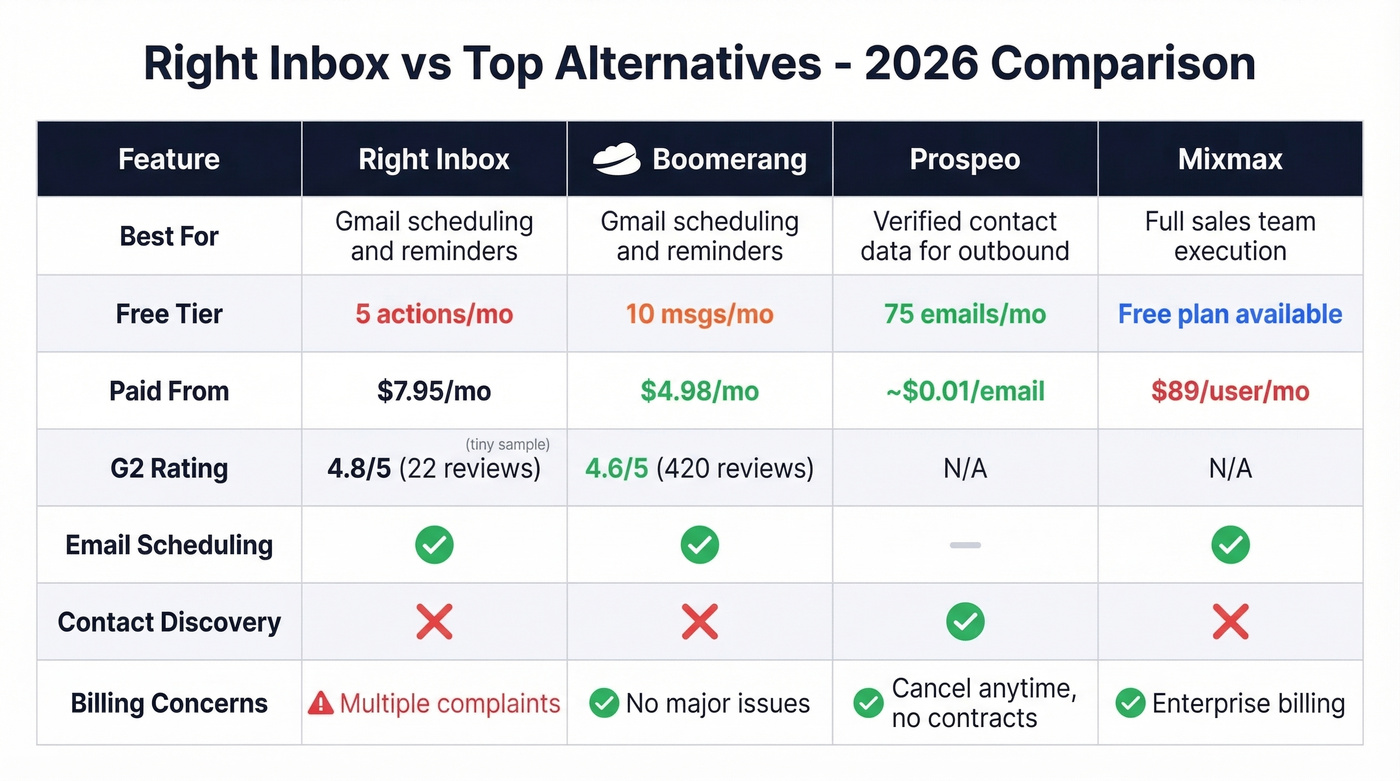
| Tool | Free Tier | Paid From | Best For |
|---|---|---|---|
| Boomerang | 10 msgs/mo | $4.98/mo | Gmail scheduling + reminders |
| Prospeo | 75 emails/mo | ~$0.01/email | Verified contact data |
| Mixmax | Free plan available | $89/user/mo | Sales team execution |
Right Inbox costs $7.95/mo to schedule emails. Prospeo costs ~$0.01 per verified email to make sure those emails reach real people. One agency using Prospeo dropped their bounce rate from 35% to under 3% - no billing surprises, no contracts, cancel anytime.
75 free verified emails per month. No credit card required.
FAQ
Can I cancel Right Inbox anytime?
Yes, via the link in your original purchase confirmation email or by contacting support directly. The help article was last updated in 2019, though, and multiple Trustpilot reviewers report continued charges post-cancellation. Screenshot your cancellation confirmation and check your card statements for 2-3 months afterward.
Is the free plan useful?
Barely. It caps tracking, send later, and reminders at 5 actions per month, with 5 templates and 5 signatures. Most active Gmail users hit those limits within the first day or two.
What's a good free alternative for finding contacts?
Right Inbox doesn't find contacts - it only schedules emails you've already written. For verified B2B emails, Prospeo's free tier includes 75 verified emails and 100 Chrome extension credits monthly. Hunter offers 25 free searches per month but caps enrichment features.
Is Right Inbox worth it over Gmail's built-in scheduling?
Only if you need reminders, recurring emails, or basic sequences - features Gmail still lacks natively. For send-later alone, Gmail's free Schedule Send does the job. At $7.95/mo, you're paying primarily for those extras.