

The Sales Email Signature Guide That Covers What Actually Breaks Your Emails
Your sales team sends 40 emails a day per rep. Multiply that across a 10-person team and you're looking at roughly 100,000 branded touchpoints a year - more impressions than most paid ad campaigns. Yet the sales email signature, the thing appended to every single one of those sends, gets almost no strategic attention. 62% of teams use signatures for business visibility while only 23% bother measuring whether they work. It's a silent workhorse. It's also the thing most likely to break your emails in ways you won't notice until deliverability tanks.
What You Need (Quick Version)
Your email signature for sales needs exactly five things:
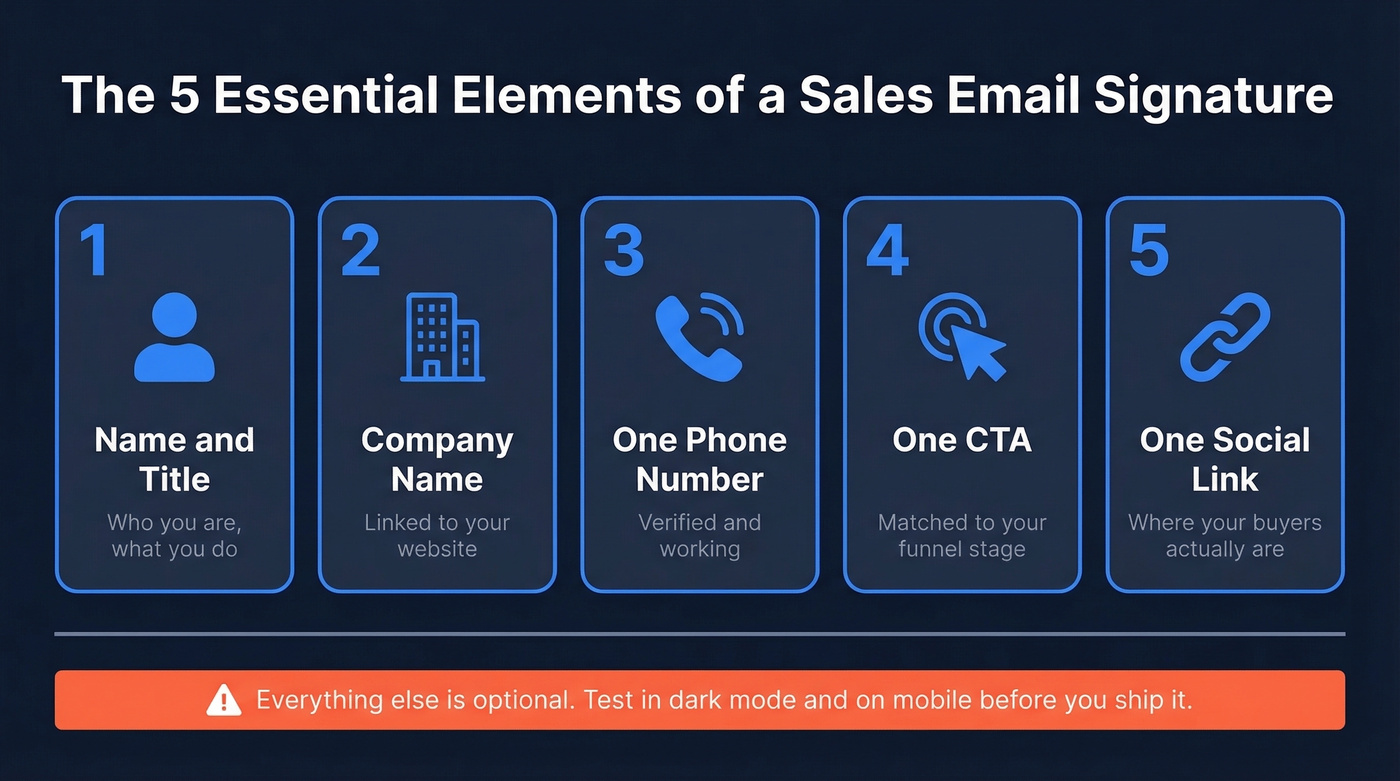
- Name and title - who you are, what you do
- Company name - linked to your website
- One phone number - verified and working
- One CTA - just one, matched to your funnel stage
- One social link - pick the platform your buyers actually use
Everything else is optional. Before you design anything, test it in dark mode and on mobile. And verify your contact data is accurate - a dead phone number in your footer actively damages trust.
What to Include and What to Drop
Most signature guides hand you a laundry list of elements. That's the wrong framing. The better question is what to remove.
Include: Your name, title, company, one direct phone number, one CTA - a calendar booking link is one of the highest-value elements you can add - and a headshot if you're doing warm outreach. Keep your signature width between 300-450px and use 14px+ font so it's readable on mobile.
Drop: Your email address. It's already in the From field, so listing it again wastes space. Drop the inspirational quote. Drop the second and third CTA. Drop the company address unless you're legally required to include it (we cover the full requirements in the compliance section). And drop the five social media icons. Pick one. Your prospect isn't going to follow you on Instagram, Twitter, and YouTube from a cold email.
One CTA is the rule. When you give someone three links, they click none. Give them one clear action - "Book 15 minutes" or "See the case study" - and they actually engage.
Best Examples by Use Case
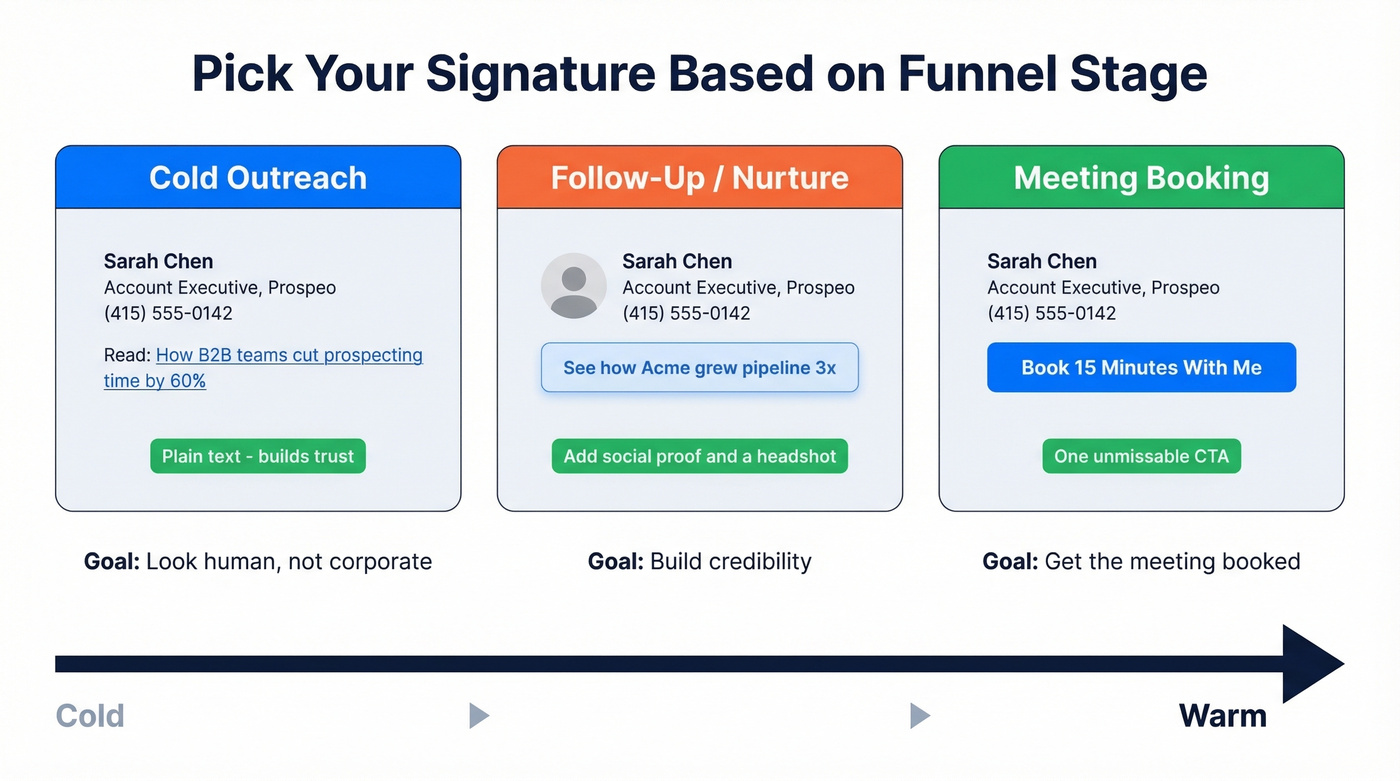
The right signature depends on where your prospect sits in the funnel. For cold outreach, plain-text beats HTML. For nurture and meeting-booking signatures, HTML with a single image or button works fine. Here are the three main variants we've seen perform best across hundreds of outbound campaigns.
Cold Outreach Signature
Keep it minimal. Trust is the goal, not conversion.
Your name, title, company, phone number, and a single CTA linking to a relevant piece of content - a guide, a report, something that gives value without asking for anything. Skip the headshot and the banner. Plain-text signatures look like a real person wrote the message, not a marketing team. This is the best approach for sales emails where the recipient doesn't know you yet.
Follow-Up / Nurture Signature
Now you can add social proof. Swap the content-offer CTA for a case study link, a testimonial page, or a "See how [Company] grew pipeline 3x" banner. Your prospect knows who you are and they're evaluating credibility. A headshot works here too - you're building a relationship, not cold-calling into the void.
Meeting Booking Signature
Make the calendar link impossible to miss. "Book 15 minutes with me" as a button or bold text link, pointing to your scheduling tool. This signature goes on emails where the prospect has already expressed interest - demo follow-ups, pricing discussions, late-stage sequences. Strip everything else back so the booking link is the obvious next step.
Compliance-Heavy Signature
If you're selling into the EU or operating in regulated industries, your signature often needs legal elements like a company registration number and registered office address, plus a privacy policy link. We break down the specifics below.
What Your Signature Does to Deliverability
Here's the thing most people miss: your signature is HTML that gets appended to every email you send. If that HTML is bloated, image-heavy, or packed with tracking pixels, it's actively hurting your inbox placement.
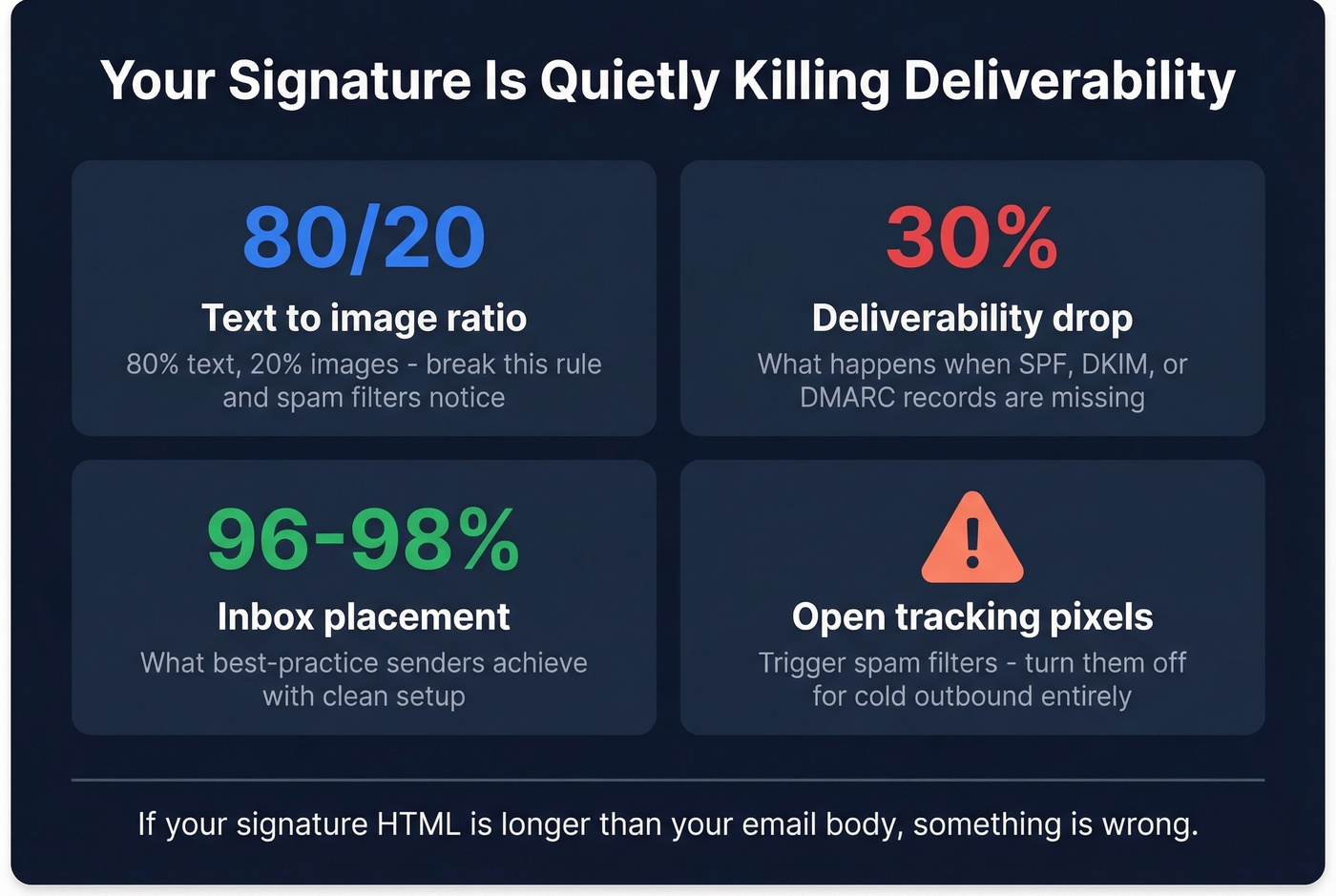
The 80/20 rule applies - 80% text, 20% images. An image-only signature, the kind people export from Canva as a single PNG, is professional malpractice. Email clients block images for many users, so your entire signature can just disappear.
Open tracking pixels trigger spam filters. If you're running cold outbound, turn off open tracking entirely. The deliverability cost outweighs the vanity metric. (If you want the technical breakdown, see email tracking pixels.)
A study of 1M+ cold emails found that best-practice senders hit 96-98% inbox placement, while missing SPF, DKIM, or DMARC records dropped deliverability by as much as 30%. Your DNS setup matters more than your signature design, but bloated HTML can still push you into email-client clipping, which truncates your message entirely. If you need to validate your setup, start with SPF record examples and DMARC alignment.
If your signature HTML is longer than your actual email body, something's wrong.

A polished signature means nothing if the phone number in it is dead. Prospeo gives you 125M+ verified mobile numbers with a 30% pickup rate - so when prospects actually call the number in your footer, someone picks up.
Stop putting unverified contact data in 100,000 annual touchpoints.
Dark Mode: Why Your Logo Disappears
With 62.2% of business email happening in Gmail and 28.9% in Outlook, your signature needs to render correctly in at least these two clients. Roughly 35% of email opens happen in dark mode - that's a third of your audience seeing a version of your email you probably never tested.
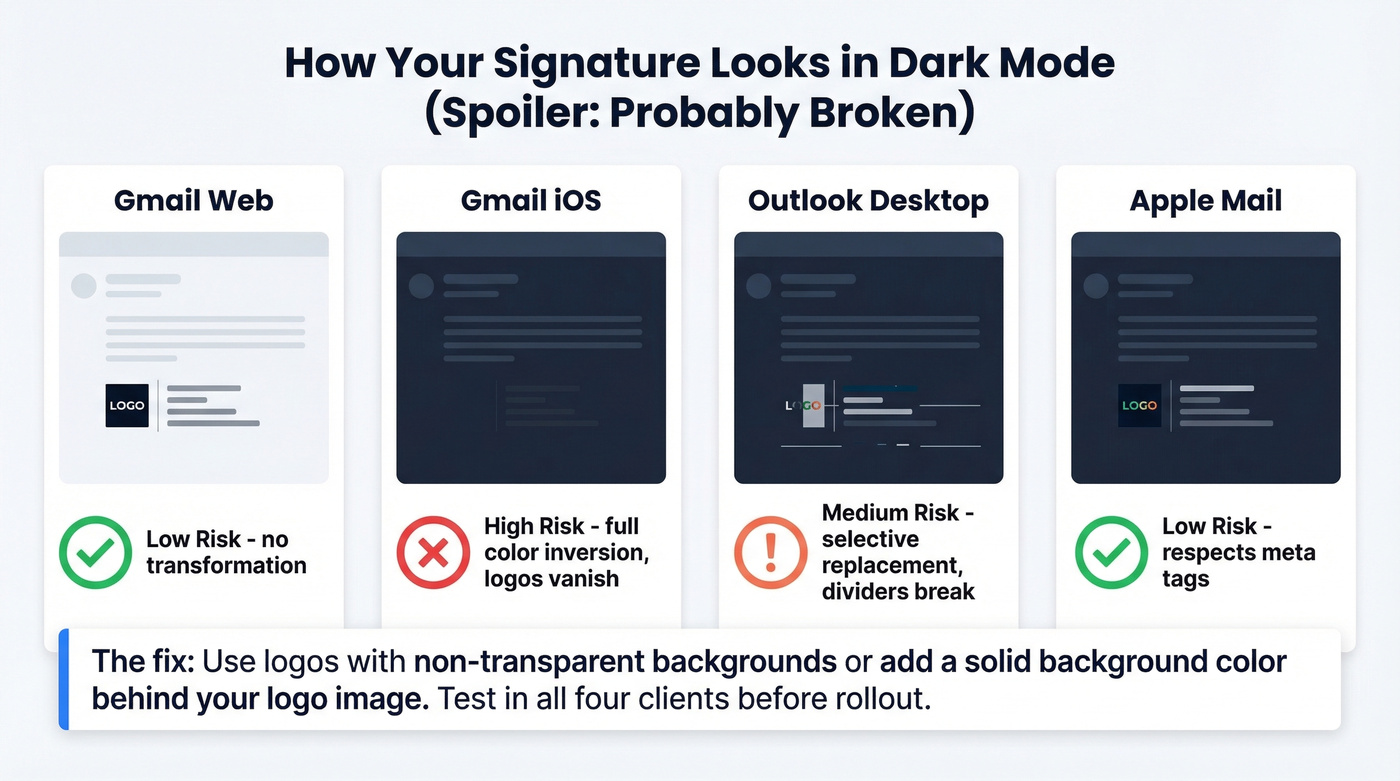
The core problem is transparent PNGs. If your logo is a dark image on a transparent background, Gmail iOS inverts the colors and renders it invisible.
| Client | Behavior | Signature Risk |
|---|---|---|
| Gmail (web) | No transformation | Low |
| Gmail (iOS) | Full color inversion | High - logos vanish |
| Outlook (desktop) | Selective replacement | Medium - dividers break |
| Apple Mail | Respects meta tags | Low (with proper code) |
The fix is straightforward: use logos with non-transparent backgrounds, or add a solid background color behind your logo image. Test every signature variant across at least Gmail web, Gmail iOS, Outlook desktop, and Apple Mail before rolling it out. We've seen teams spend weeks designing a signature that looks great in one client and breaks in the three others their prospects actually use.
Legal & Compliance Checklist
Compliance isn't optional if you're selling internationally or in regulated verticals. EU Directive 2003/58/EC requires specific business information in every commercial email, and FINRA, HIPAA, and PIPEDA each add their own requirements.
| Region / Industry | Required Elements |
|---|---|
| EU (all businesses) | Legal name, registration #, registered office, place of registration |
| GDPR (EU/UK) | Privacy policy link, transparency statement |
| HIPAA (US healthcare) | PHI handling disclaimer |
| FINRA/SEC (US finance) | Monitoring notice, advice limitations, registration #s |
| PIPEDA (Canada) | Data handling notice, privacy officer contact |
Here's an insight most guides miss entirely: ePrivacy rules draw a hard line between informational and promotional signature banners. A webinar invite or blog post link is informational. A "50% off" banner is promotional - and can require prior consent under EU rules. This distinction matters for cold outreach. Stick to informational CTAs in your signature and you stay on the right side of the regulation. Add a discount banner and you've potentially turned every cold email into a compliance violation.
Common Mistakes That Kill Your Signature
Too many CTAs. One link. One action. Not three buttons and a banner. (If you need help tightening the ask, see email call to action.)
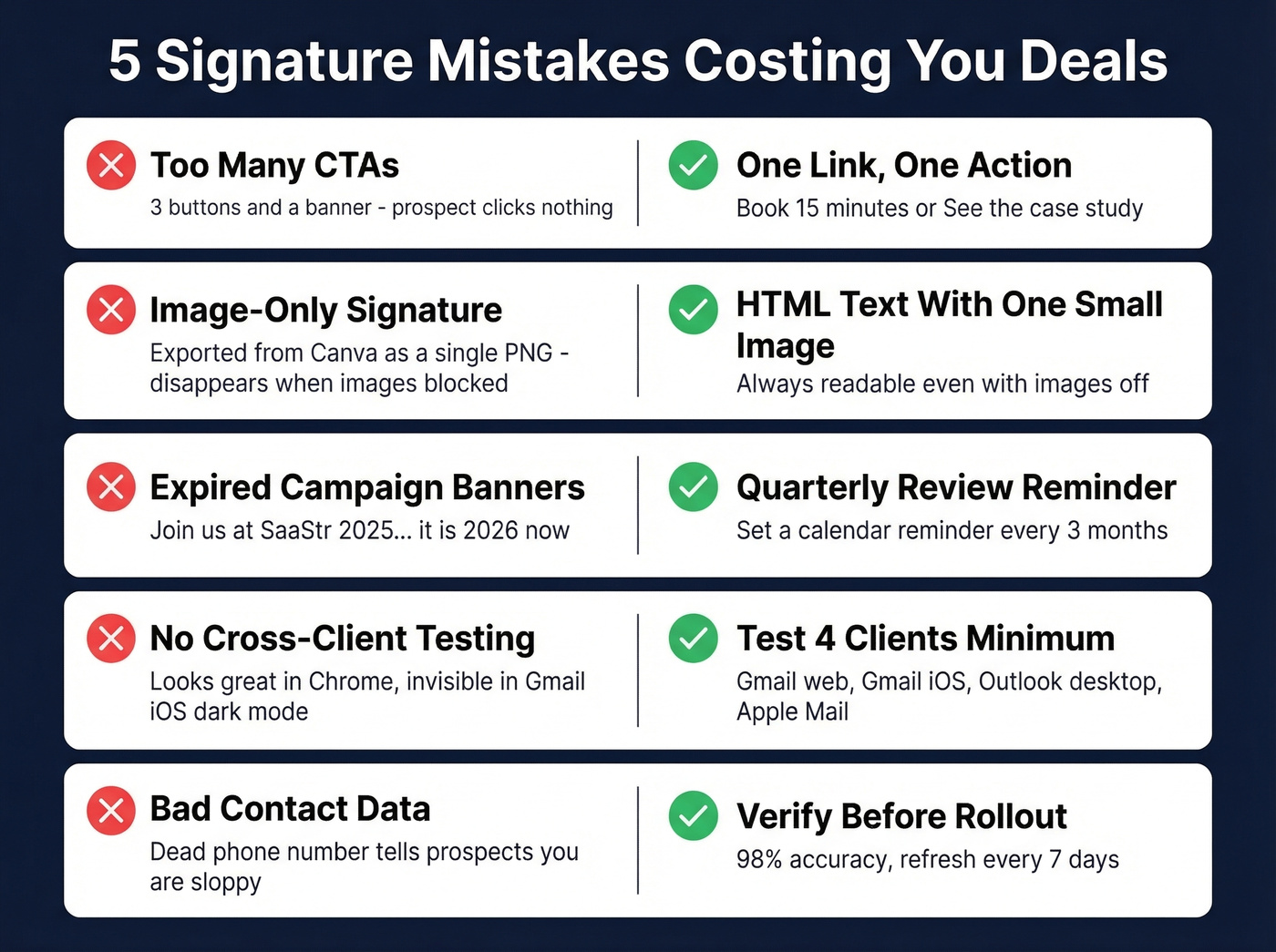
Image-only signatures. When images are blocked - and they often are - your prospect sees a broken placeholder where your credibility should be.
Expired campaign banners. That "Join us at SaaStr 2025" banner is still in your signature. It's 2026. 45% of teams update signatures only 2-4 times a year. Set a quarterly calendar reminder.
No cross-client testing. If you haven't tested in dark mode on mobile, you haven't tested. Full stop.
Bad contact data. In our experience, this is the mistake that costs teams the most deals - and it's the easiest to fix. A dead phone number or bouncing email tells the prospect you don't have your act together. Before rolling out new signatures, verify every rep's contact data. Prospeo checks emails and phone numbers in real time with 98% accuracy, and teams that switch typically see bounce rates drop from 35% to under 4%. (Related: email bounce rate.)
You're optimizing signatures for deliverability - good. Now optimize the data behind them. Prospeo's 98% email accuracy and 7-day refresh cycle mean the contact info powering your outbound never goes stale.
Bad data breaks more emails than bad HTML ever will.
Tools for Building and Managing Signatures
The email signature software market is projected to grow from $1.9B to $8.7B at a 20.74% CAGR. That growth is driven by teams realizing they need centralized control - locked templates, server-side rendering, directory sync - not just a pretty template generator.
Let's be honest, though: most teams under 10 reps don't need signature software at all. A well-built HTML template and a quarterly review cadence will outperform a paid tool that nobody logs into. Save the budget for when you actually need governance across a growing org.
HubSpot Signature Generator
Free, browser-based. Best for solo founders who need something in five minutes. Zero team management features - skip it if you need centralized deployment.
WiseStamp
Free basic plan; Pro runs around $5-6/mo per user. More templates and design flexibility than HubSpot, but still individual-focused with no centralized deployment. Fine for freelancers and one-person shops, but it won't scale.
CodeTwo Email Signatures 365
The enterprise pick for Microsoft 365 shops, at around $1.50-2/user/month. 4.8/5 on G2 with 1,684 reviews - G2 reviewers consistently praise it for ease of deployment but flag initial setup as the main friction point. Server-side rendering means signatures apply after send, so reps can't accidentally delete or modify them. If you've got 10+ reps on Outlook, this is the default choice.
Exclaimer
For regulated industries, Exclaimer is built for you. Custom pricing, typically around $2-4/user/month. Audit trails, centralized management, and compliance features that finance and healthcare teams need. If you don't need audit trails, you're probably overpaying.
Newoldstamp
Around $6/user/month. This is the marketing-analytics play: banner campaign tracking, click analytics, A/B testing on signature CTAs. Worth it if you're running signature-based campaigns and want to measure what's actually driving clicks. For teams that just need a clean, consistent signature without the analytics layer, it's overkill.
Keeping Signatures Consistent Across Your Team
A sales rep's signature isn't just a contact block - it's a brand asset that appears in every outbound message. When each rep uses a different font, layout, or logo version, you erode the professional image you've spent money building.
Centralized tools like CodeTwo or Exclaimer solve this by locking templates at the admin level. But even without paid software, you can enforce consistency by distributing a single HTML file and auditing signatures quarterly. Color codes, logo files, and CTA copy should all come from one source of truth so every rep's sign-off looks like it belongs to the same company. The consensus on r/sales is that most reps won't update their own signatures unless you make it dead simple or take the choice away entirely - and honestly, that tracks with what we've seen too.
FAQ
How Long Should a Sales Email Signature Be?
Three to five lines of text, 300-450px wide, with one CTA, one social link, and one phone number. If it takes more than three seconds to scan, it's too long.
Should I Include a Headshot?
For warm outreach and follow-ups, yes - it builds familiarity and increases reply rates. For high-volume cold email, skip it. The image weight can hurt deliverability and headshots frequently break in dark mode across Gmail iOS and Outlook.
How Often Should I Update My Signature?
Quarterly at minimum, monthly if you're running campaign banners. 45% of teams update only 2-4 times a year, which means stale CTAs and expired event promos sitting in every email your team sends. Set a calendar reminder or use a centralized tool that pushes updates to everyone at once.
How Do I Verify the Contact Data in My Signature?
Run every rep's phone number and email through a real-time verification tool before deployment. Prospeo's bulk verification checks emails at 98% accuracy and validates mobile numbers across 125M+ records - the free tier includes 75 email credits per month, enough to audit a small team's signature data quarterly.