

Spam Trap Hits: What to Do Right Now
Your deliverability cratered overnight. Open rates collapsed, replies vanished, and your ESP is flagging your account. This is what happens after spam trap hits - especially when a basic email verifier catches hard bounces but misses higher-risk addresses that quietly turn into traps. You're blocklisted now, and every hour you keep sending makes it worse.
Here's the short version if you're in crisis mode:
- Stop sending immediately.
- Check blocklists - MXToolbox and Spamhaus Lookup are free.
- Isolate the contaminated segment (recent imports, purchased lists, old re-engagement campaigns).
- Request delisting (timelines below).
- Rebuild sending volume slowly over 2-4 weeks.
Recovery timeline: IP reputation: 2-4 weeks. Domain reputation: 6-12 weeks.
What Hitting a Spam Trap Actually Means
Spam traps are email addresses operated by ISPs and anti-spam organizations like Spamhaus to catch senders with bad list practices. Mail delivered to one of these addresses is evidence you're scraping, buying lists, or failing to maintain the ones you have.
Email lists decay by roughly 28% every year (and you can benchmark your list health against typical email bounce rate ranges). People change jobs, abandon inboxes, domains go dark. If you aren't actively pruning, you're accumulating trap risk whether you realize it or not - and that 28% compounds fast when you're sending to the same list quarter after quarter without cleaning it.
Trap Types and Severity
| Trap Type | How It Works | Severity | Typical Consequence |
|---|---|---|---|
| Pristine | Never belonged to a real person - created solely to catch scrapers and list buyers | Critical | Fast blocklisting and immediate filtering |
| Recycled | Abandoned address repurposed as a trap after 6 months to a few years of inactivity | High | Gradual reputation decay, eventual filtering |
| Typo | Misspelled domains like gmial.com or gnail.com |
Moderate | Reputation ding, signals poor list validation |
| Parked domain | Trap on a parked or expired domain | Moderate | Indicates list quality and segmentation issues |
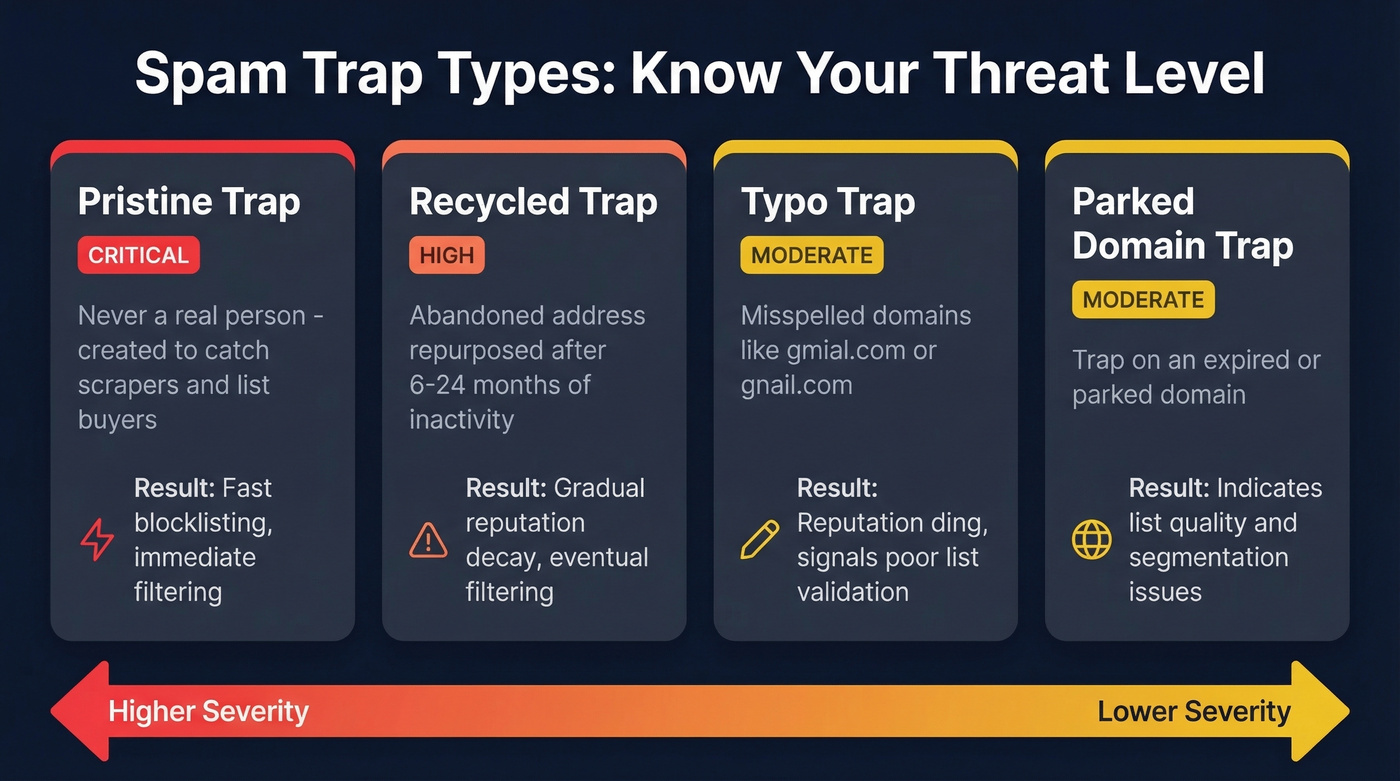
Even one pristine trap hit should alarm you. Recycled and typo traps are slower burns - they erode your sender reputation over weeks until you cross a threshold and start getting filtered into spam or rejected outright.

Most spam trap hits trace back to bad data - stale contacts, unverified imports, recycled addresses your verifier missed. Prospeo's proprietary 5-step verification includes catch-all handling, spam-trap removal, and honeypot filtering. With 98% email accuracy and a 7-day data refresh cycle, you're not sending to addresses that went dark six months ago.
Stop cleaning up trap hits. Start with data that never triggers them.
How to Detect Trap Hits
Spam traps don't announce themselves. You won't see a bounce message that says "this was a trap." You're looking for indirect signals.
A bounce rate under 2% is normal. Between 2-5% is a warning. Above 5%? Stop sending and investigate. If a segment shows zero opens and zero clicks across 3-5 consecutive campaigns, those addresses are either dead or traps. Suppress them.
Run your sending IPs and domains through MXToolbox, Spamhaus Lookup, Sender Score, and GlockApps regularly - not just when things break. We've seen teams catch recycled trap accumulation weeks early just by checking Sender Score on a Monday morning cadence (a lightweight email reputation tools stack helps here).
Microsoft SNDS Walkthrough
Microsoft SNDS is the most underused diagnostic tool in deliverability, and it's free. It gives you trap hit data, complaint rates, and IP reputation for Outlook and Hotmail traffic.
Setup requires your sending IPv4 and access to the WHOIS-listed email. Once you're in, compare RCPT vs DATA SMTP command counts - the gap reveals messages rejected before acceptance. One thing to know: SNDS won't show data if you send fewer than 100 messages per day to Microsoft domains, so it's most useful for teams with real volume.
As of March 2026, SNDS requires authentication for network access approvals, has standardized JMRP feeds to ARF format, and discontinued complaint sample downloads. Automated data access links expire after 30 days, so you'll need to re-verify periodically.
Bounce Code Cheat Sheet
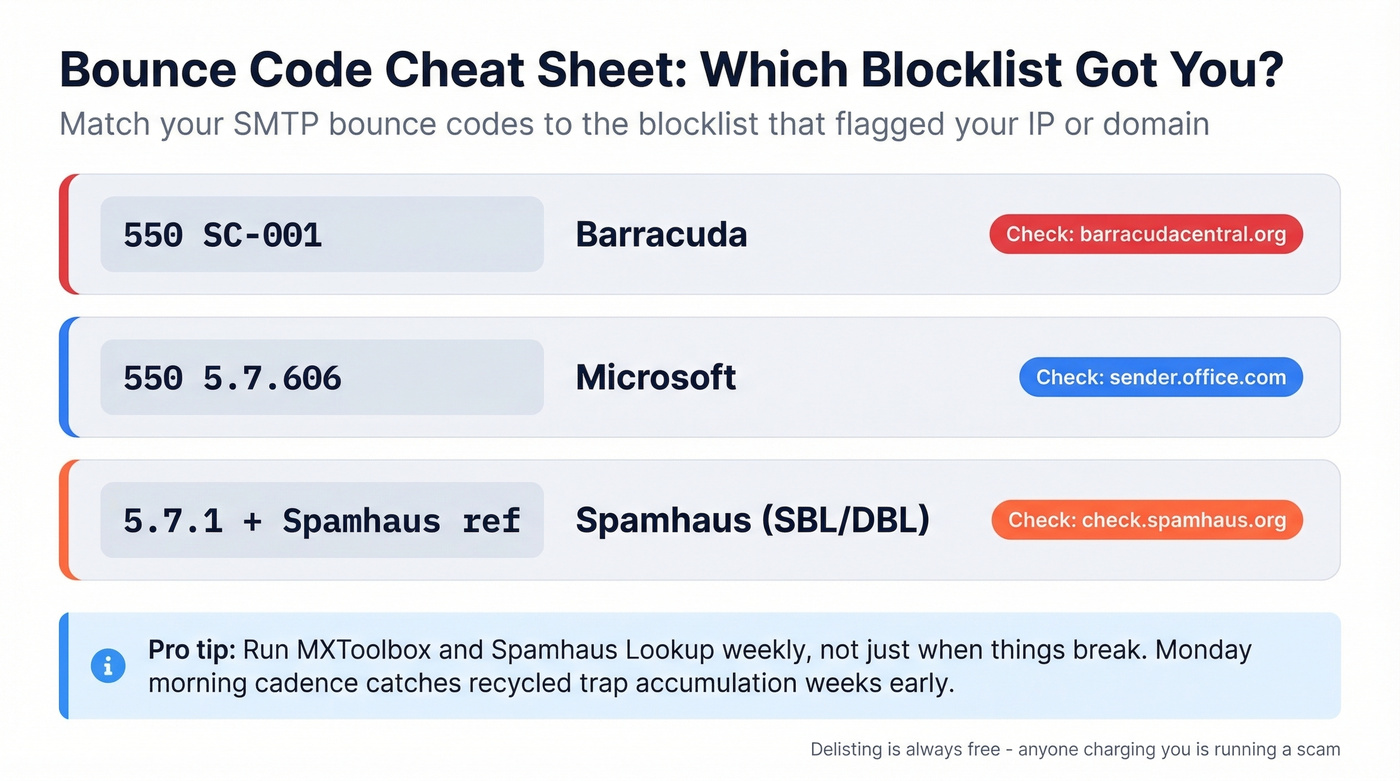
| Bounce Code | Blocklist |
|---|---|
550 SC-001 |
Barracuda |
550 5.7.606 |
Microsoft |
5.7.1 + Spamhaus ref |
Spamhaus (SBL/DBL) |
The Remediation Playbook
Step 1: Stop sending. Not "reduce volume." Stop. Every message you send while blocklisted digs the hole deeper (if you need a safer ramp plan later, use an email velocity framework).
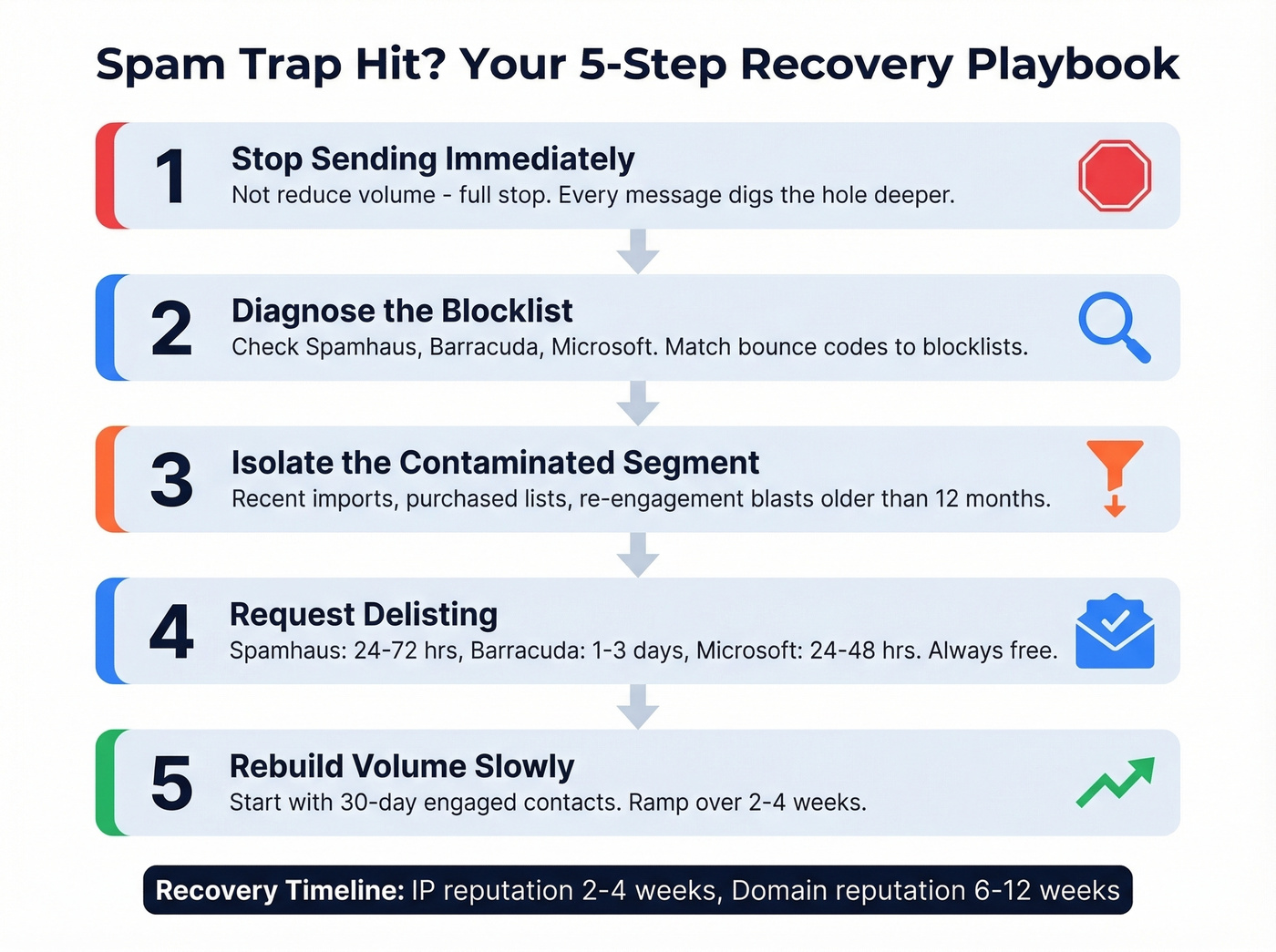
Step 2: Diagnose. Check your IPs and domains against Spamhaus, Barracuda, and Microsoft. Use the bounce codes above to identify which blocklist flagged you (this pairs well with a broader email deliverability guide when you're out of crisis mode).
Step 3: Isolate. In our experience, the contaminated segment is almost always a recent import or a re-engagement blast to contacts older than 12 months. One team we worked with traced their Spamhaus listing to a single CSV import of 4,000 "leads" from a conference badge scan - 11% of those addresses were dead or recycled traps.
Step 4: Request delisting. If you need a deeper walkthrough, follow our Spamhaus Blacklist Removal guide.
| Blocklist | Delisting Time | Notes |
|---|---|---|
| Spamhaus SBL | 24-72 hrs | ISP/network owner requests |
| Spamhaus DBL | 24-72 hrs | Use flagged-domain email |
| Spamhaus PBL | Immediate | Self-remove for static IPs |
| Barracuda | 1-3 business days | Online form |
| Microsoft | 24-48 hrs | Via sender.office.com |
| SpamCop | 24-48 hrs | Auto-expires when reports stop |
| SURBL/URIBL | 2-7 days | Manual review |
Spamhaus delisting is free. Anyone charging you for removal is running a scam.
Step 5: Rebuild slowly. Start with your most engaged segment - people who opened or clicked in the last 30 days - and ramp volume over 2-4 weeks (use a clean B2B cold email sequence structure so engagement signals recover faster).
A Spamhaus listing can trigger rejections or filtering at Apple iCloud, Microsoft, Yahoo, Proofpoint, Rackspace, and other providers. It's never just one inbox. Their taxonomy breaks into SBL (IP reputation), DBL (domain), CSS (low-reputation sending IPs), and ZEN (combined query). Active listings cause immediate rejections or spam placement; informational listings are warnings that influence reputation scoring over time.
For context, global average inbox placement sits around 83-84%. A trap incident can crater you well below that - and Microsoft domains are already the hardest to inbox at 70-77% even for clean senders. IP reputation typically recovers in 2-4 weeks with clean sending. Domain reputation takes 6-12 weeks, and there's no shortcut.
How to Prevent Future Trap Hits
The standard advice is "don't buy lists." Obvious. The less obvious problem: even organic lists decay by 28% per year. If you aren't suppressing unengaged contacts every quarter, you're building a recycled-trap minefield (this is also why teams invest in data enrichment services and ongoing hygiene).
Here's the thing - most deliverability problems aren't sending problems. They're data problems. If your contact data is stale or unverified at the source, no amount of warm-up or domain rotation will save you.
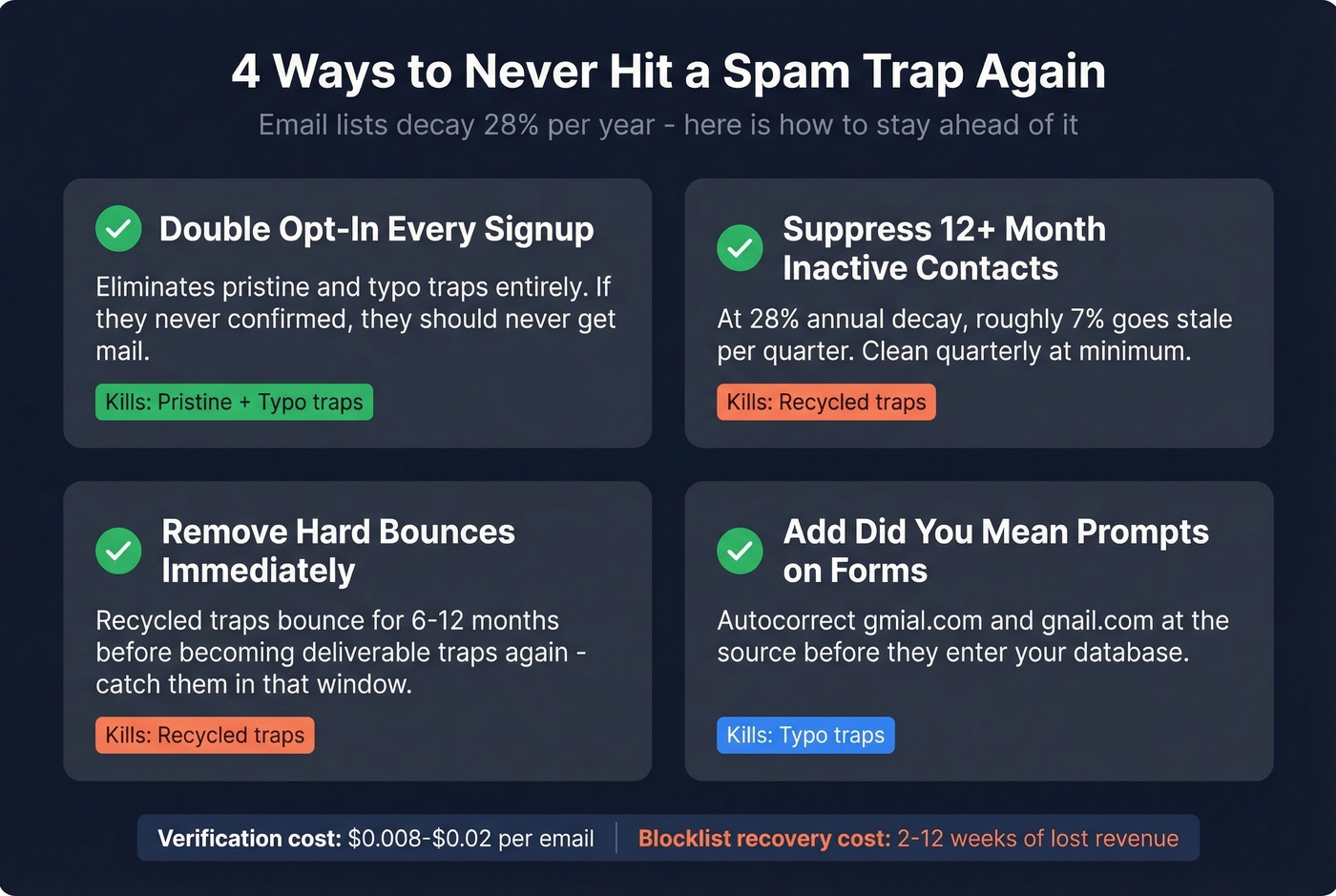
Double opt-in every new signup. Spamhaus traps are full of addresses that never confirmed. This single step eliminates pristine and typo traps from your list entirely.
Suppress contacts with zero engagement for 12+ months. Re-engagement campaigns to very old lists are how recycled traps get triggered. Let them go. At 28% annual decay, around 7% of your list goes stale per quarter, so clean quarterly at minimum.
Suppress hard bounces immediately. Recycled traps bounce for 6-12 months before becoming deliverable traps again - catch them in that window and you'll never hit the trap version.
Add "did you mean..." prompts on signup forms. Domain dropdowns or autocorrect for common misspellings like gmial.com catch typo traps at the source, before they ever enter your database.
The consensus on r/sysadmin is healthy skepticism about "spam trap detection" - if the addresses are secret, how can any vendor reliably detect them? The honest answer is heuristics, pattern matching, and suppression of high-risk addresses. No tool catches every trap. But cheap verifiers that only check for hard bounces and call it a day? That's how unverified data sends senders to blocklists faster than almost any other list hygiene failure (if you're evaluating vendors, start with Bouncer alternatives).
Most verification tools run $0.008-$0.02 per email - cheap insurance against a blocklisting that takes weeks to unwind. Prospeo's 5-step verification includes dedicated spam-trap removal and honeypot filtering at 98% email accuracy on a 7-day data refresh cycle, and the free tier gives you 75 emails per month to test it before committing.
Email lists decay 28% per year, and most providers refresh every 6 weeks - plenty of time for valid addresses to turn into recycled traps. Prospeo refreshes all 300M+ profiles every 7 days and strips spam traps, honeypots, and catch-all risks before you ever see a contact. Teams using Prospeo run bounce rates under 3% consistently.
Replace your contaminated list with 143M+ verified emails at $0.01 each.
FAQ
How many trap hits trigger a blocklisting?
Even one pristine trap hit can trigger immediate denylisting or aggressive filtering. Recycled and typo traps typically require multiple hits over time before a blocklist operator acts. Severity depends on the trap type and the specific operator - Spamhaus is the strictest.
Can email verification tools detect spam traps?
Not deterministically - trap addresses are secret by design. Good tools use risk-scoring heuristics to flag and suppress likely traps, which is valuable but never 100%. Prospeo's 5-step process includes dedicated spam-trap and honeypot filtering at 98% email accuracy, making it one of the more rigorous options at roughly $0.01 per verification.
How long does deliverability recovery take?
IP reputation recovers in 2-4 weeks with clean sending. Domain reputation takes 6-12 weeks. Delisting from major blocklists like Spamhaus or Barracuda takes 24 hours to 7 days depending on the operator and whether you've fixed the root cause. Skip the root cause fix and you'll end up right back on the list.
What's the difference between pristine and recycled traps?
Pristine traps were never real inboxes - they're created solely to catch scrapers and list buyers, and hitting one is a critical offense. Recycled traps are abandoned addresses repurposed after 6-24 months of inactivity, signaling poor list hygiene rather than outright scraping. Both hurt, but a pristine hit is a five-alarm fire.