

SpamCop Blacklist: How to Get Delisted & Stay Off
You're staring at a bounce-back message: blocked by bl.spamcop.net. Your stomach drops. Before you spiral, take a breath - a SpamCop blacklist listing is a Tier 2 event, not a Tier 1 catastrophe. It auto-expires within 24 hours if no new reports come in, and it isn't used by major North American ISPs for blocking decisions.
The Quick Version
- SpamCop is a Tier 2 blacklist - don't panic.
- Listings auto-expire within 24 hours if no new spam reports arrive.
- You must fix the root cause (compromised account, bad list, shared IP) or you'll get relisted immediately.
- The #1 preventable cause is sending to spam traps - verify your lists before sending.
What Is the SpamCop Blocking List?
The SpamCop Blocking List (SCBL) is an IP-based DNS blacklist that tracks IP addresses reported for sending spam. Julian Haight founded it in 1998, IronPort acquired it later, and it now lives under Cisco's umbrella - one of the longest-running spam-fighting tools on the internet.
The mechanics are straightforward. When a mail server wants to check whether an incoming message's sending IP is listed, it performs a DNS query against bl.spamcop.net. A 127.0.0.2 response means listed. NXDOMAIN means clean. The SCBL draws its data from two sources: user-submitted spam reports and hits on SpamCop-operated spam traps.
SpamCop lists IPs only - not domains, not email addresses, not URLs. It also doesn't list for missing or incorrect rDNS records.
How Serious Is a Listing?
Not all blacklists hit the same. Here's how SpamCop stacks up against the lists that actually matter:
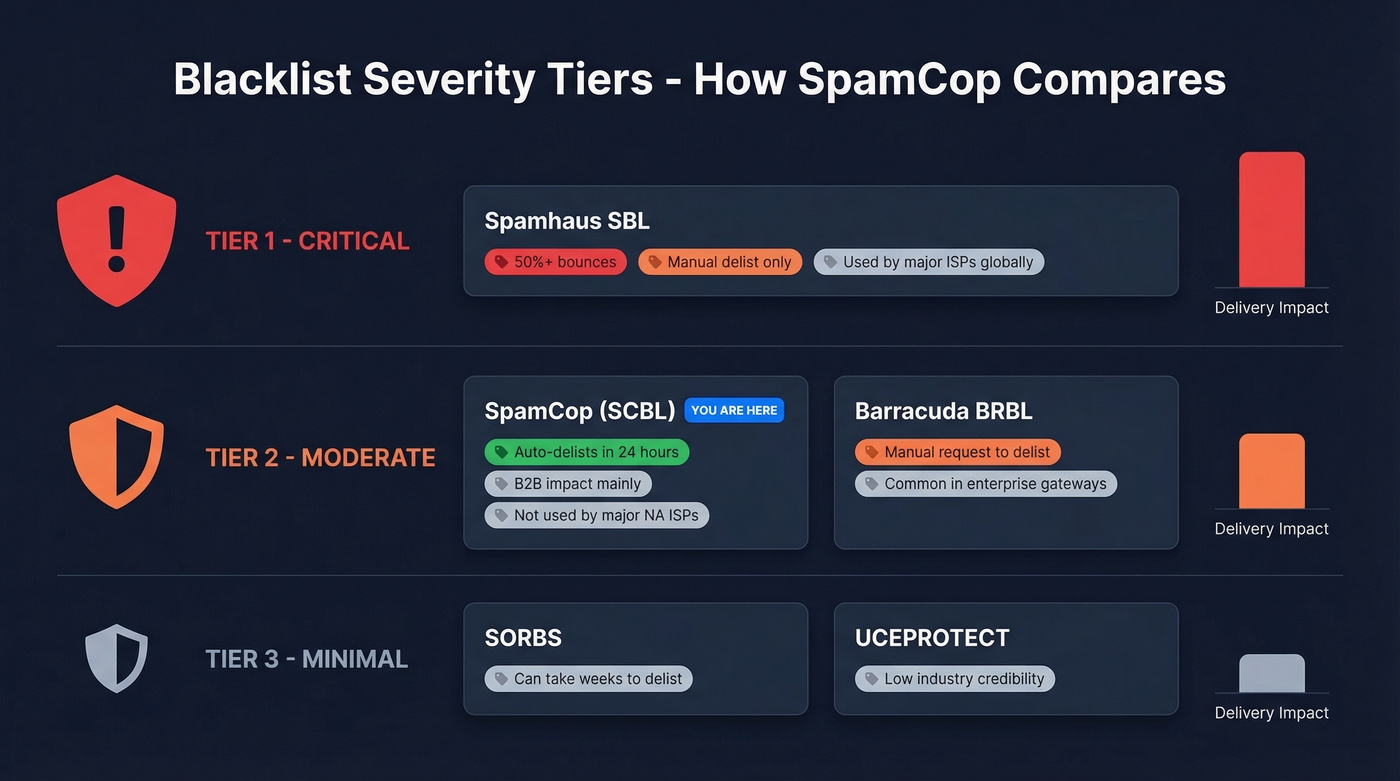
| Blacklist | Tier | Delivery Impact | Auto-Delist? | Notes |
|---|---|---|---|---|
| Spamhaus SBL | Tier 1 | Severe - 50%+ bounces | No (manual) | Used by major ISPs globally |
| SpamCop (SCBL) | Tier 2 | Moderate - B2B impact | Yes (24 hours) | Not used by major North American ISPs for blocking |
| Barracuda (BRBL) | Tier 2 | Moderate | Manual request | Common in enterprise gateways |
| SORBS | Tier 3 | Minimal | Can take weeks | Sometimes refuses delisting |
| UCEPROTECT | Tier 3 | Minimal | Pay-to-delist option | Low industry credibility |
Here's the thing: a listing that auto-expires in 24 hours isn't worth losing sleep over. The underlying cause is. If you're hitting spam traps or your server's compromised, the listing is just the smoke alarm - the fire is what'll burn you.
SpamCop isn't used by any major North American ISPs for blocking decisions. Where it bites is B2B delivery, particularly to companies running enterprise mail gateways that query bl.spamcop.net as part of their spam scoring.
If your only blacklist hit is SpamCop and you've fixed the root cause, don't spend another minute on it. Spend that time auditing your list hygiene instead - that's what'll prevent the Spamhaus listing that actually tanks your deliverability.
How the SCBL Algorithm Works
SCBL won't list you on a single report. It uses a reputation-points system with two key multipliers: freshness and spam trap weighting.
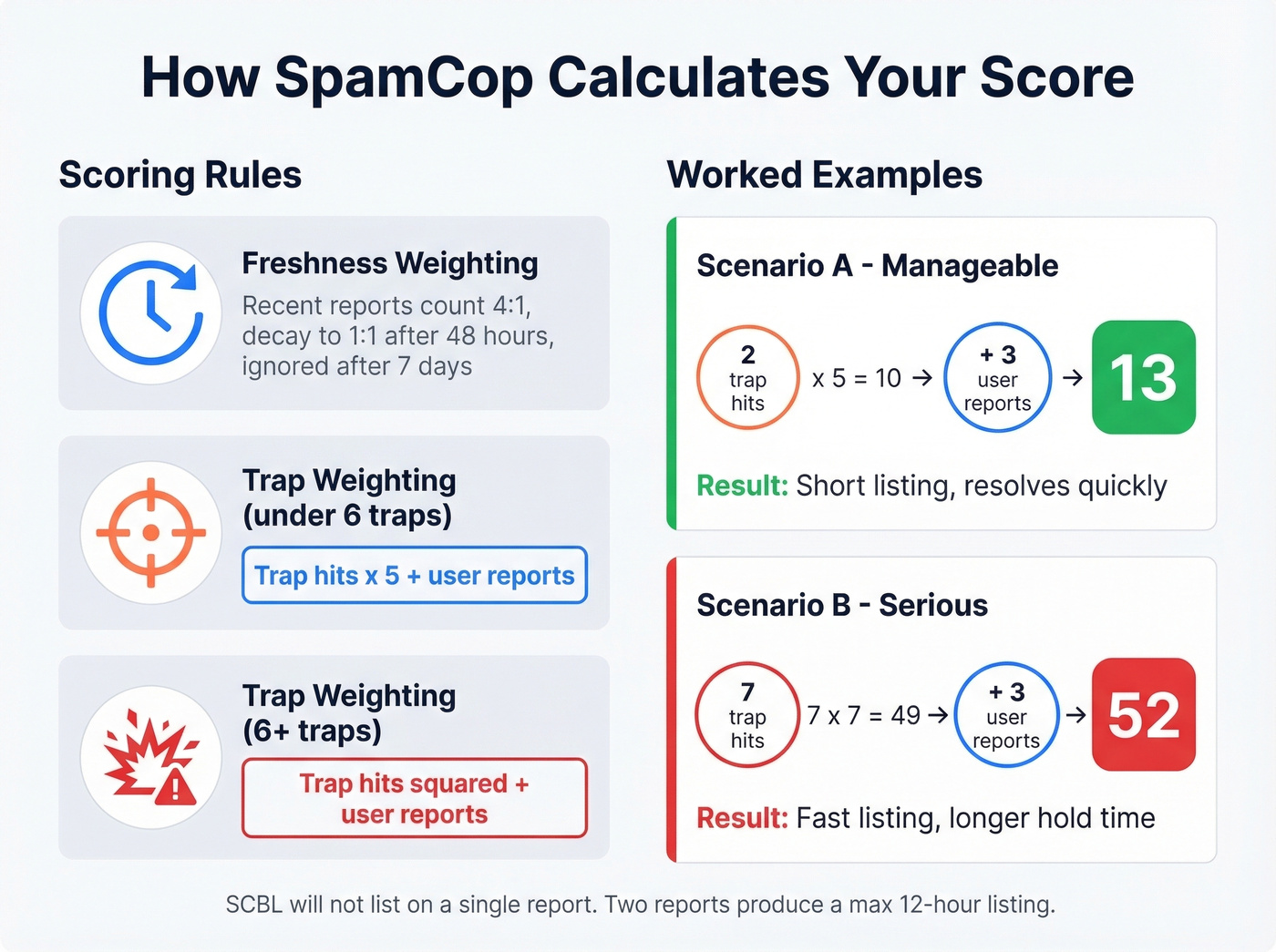
Freshness weighting means recent reports hit harder. The most recent reports count at a 4:1 ratio, then decay to 1:1 on a linear sliding scale after 48 hours. Reports older than seven days are ignored entirely. This is why listings self-resolve - the math literally forgets about you. The Mailgun SCBL guide breaks down these mechanics well.
Spam trap weighting is where things get aggressive. For trap scores under 6, each trap hit is multiplied by 5 and added to user reports. For trap scores of 6 or higher, the trap count is squared.
Two worked examples make this concrete. Say your IP triggers 2 spam traps and gets 3 user reports. Your score: (2 x 5) + 3 = 13. Manageable. Now imagine 7 trap hits plus 3 user reports: (7 x 7) + 3 = 52. That's a fast listing and a longer hold.
Two minimum rules protect against false positives: SCBL won't list on a single report, and two reports can only produce a maximum 12-hour listing after the most recent reported mail.
Why You Got Listed
Let's walk through the usual suspects.
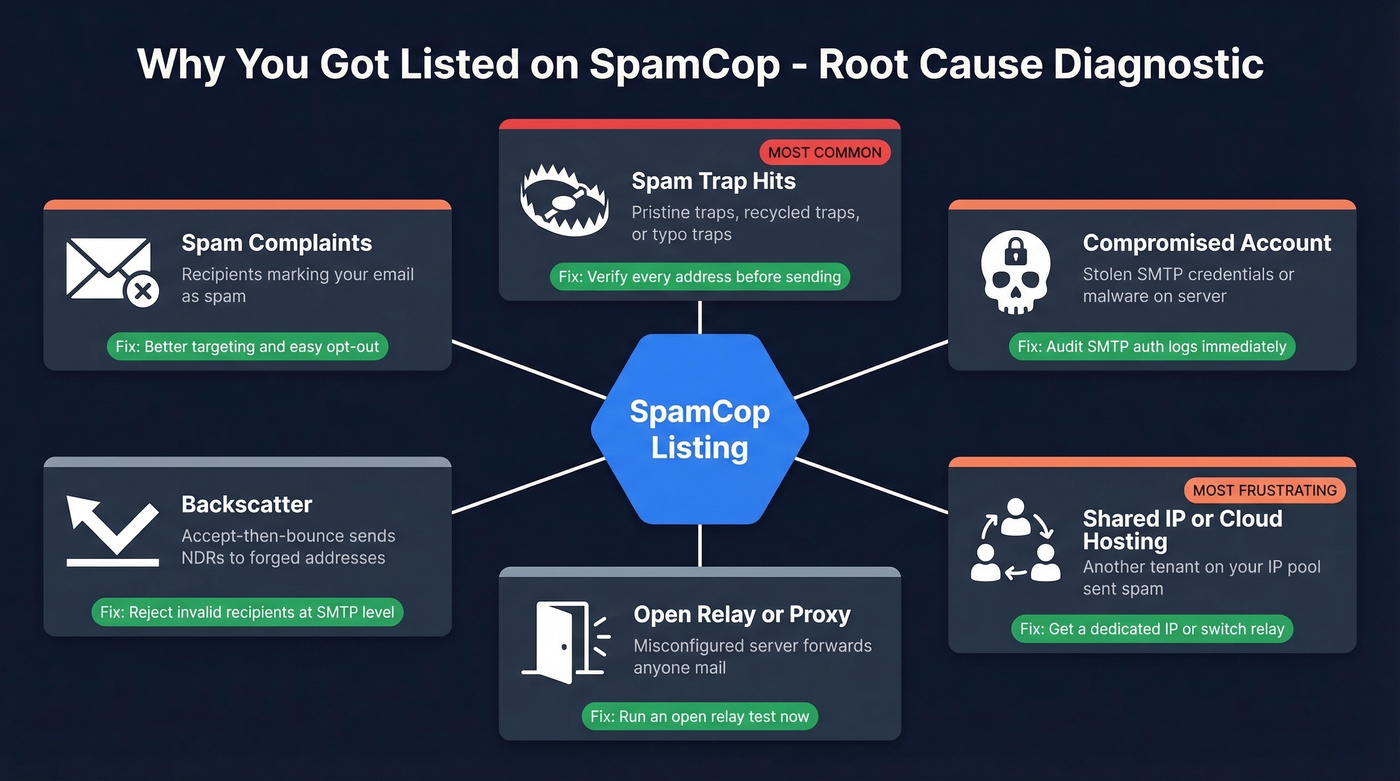
Spam Complaints
Recipients are marking your cold emails as spam. Even legitimate outreach triggers this when targeting is sloppy or the opt-out link is buried three clicks deep.
Spam Trap Hits
This is the big one. Three types of traps exist:
- Pristine traps were never valid email addresses. They're hidden in website code to catch scrapers and purchased-list users.
- Recycled traps were once real addresses, abandoned, then repurposed by anti-spam operators. HubSpot's spam trap guide covers the lifecycle well.
- Typo traps exploit common misspellings - think
gmial.comoryaho.com.
Verification tools with spam-trap detection catch these before you send. We'll cover that below.
Compromised Accounts
Someone cracked your SMTP AUTH credentials or planted malware on a mail-sending host. Your server is now a spam cannon without your knowledge.
Backscatter
This one catches people off guard. If your server accepts all incoming mail and then generates bounce messages for invalid recipients, those bounces go to the forged From address - which can be a spam trap. The trap operator sees your IP sending unsolicited messages and reports it. Fix: reject invalid recipients at the SMTP level. Don't accept-then-bounce.
Open Relay or Proxy
A misconfigured server that forwards anyone's mail is an open relay. Spammers find these fast.
Shared IP / Cloud Hosting
In our experience, the shared-IP scenario is the most frustrating because you've done nothing wrong. In shared outbound pools - including Microsoft 365/Exchange Online - you have limited control over which specific outbound IP gets used. When another tenant's compromised account sends spam through the same pool, your legitimate email gets blocked too.
One r/sysadmin thread documents exactly this: blocked by bl.spamcop.net; 40.107.100.94 - an outbound pool IP listed because of other tenant behavior. Budget VPS providers have the same problem. IPv4 addresses get recycled, and providers can't guarantee a clean IP. MailChannels reports that hosting providers reduced email-related support tickets by up to 90% after implementing outbound filtering - but many budget providers haven't made that investment.

Spam trap hits are the #1 cause of SpamCop listings - and the most preventable. Prospeo's 5-step verification catches pristine traps, recycled traps, and typo traps before they torch your sender reputation. With 98% email accuracy and spam-trap removal built into every record, teams using Prospeo see bounce rates under 4%.
Send to verified contacts, not spam traps. Start free with 75 emails.
How to Check Your IP
Three ways, from easiest to most thorough:
- SpamCop's lookup page at bl.spamcop.net - enter your IP and get an instant result. If the time-to-delist shows "0," delisting is already in progress.
- DNS query - run
dig +short 94.100.107.40.bl.spamcop.net(reverse your IP octets). A127.0.0.2response means listed;NXDOMAINmeans clean. - MXToolbox - checks your IP against dozens of blacklists simultaneously. Start here if you suspect you're on more than just SpamCop.
How to Get Delisted
Good news: you don't need to do anything to get removed from the SpamCop blacklist, as long as the spam stops. The IP auto-delists within 24 hours after the last report, with up to 4 hours of propagation delay to mirrors and downstream users. We've seen listings resolve in under 12 hours when the root cause is fixed immediately.
The system is fully automated. Manual removal requests aren't accepted.
Contact & Escalation Paths
If you believe the listing is genuinely in error, SpamCop offers a few channels: the SpamCop forum, a blocking list dispute resolution form, an ISP relations feedback form, and a suppress-reports form. Don't email requesting early delisting - delisting is automatic when spam stops.
Fix the Root Cause
Delisting without fixing the cause just means you'll be back on the list tomorrow. The frustrating reality is that SpamCop tells you to "fix the problem" but gives you zero diagnostic information about what the problem actually is. Their spam trap addresses are secret. You're left playing detective.
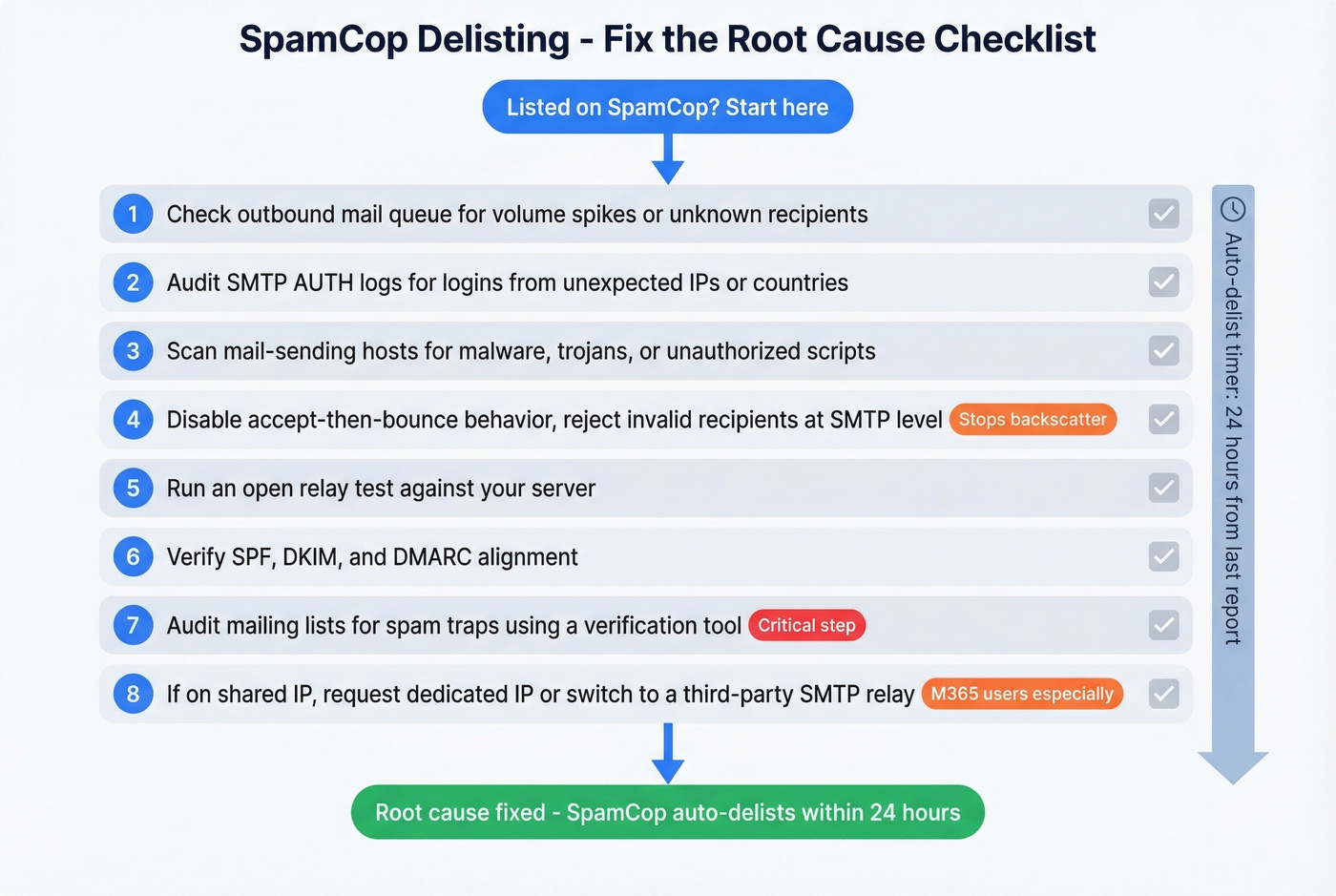
Work through this checklist:
- Check your outbound mail queue for suspicious volume spikes or unfamiliar recipients.
- Audit SMTP AUTH logs for credential compromise - look for logins from unexpected IPs or countries.
- Scan mail-sending hosts for malware, trojans, or unauthorized scripts.
- Review bounce handling - disable accept-then-bounce behavior and reject invalid recipients at the SMTP level. This eliminates backscatter.
- Check for open relay/proxy configuration - run an open relay test against your server.
- Verify SPF, DKIM, and DMARC alignment - misalignment won't cause a listing directly, but it signals a poorly configured mail environment. (If you need a refresher, start with DMARC alignment and SPF record examples.)
- Audit your mailing lists for spam traps using a verification tool. You can't see the traps, but a good verifier flags addresses that match known trap patterns. If you need a remediation workflow, see spam trap removal.
- If you're on a shared IP, contact your provider about a dedicated IP or request an IP rotation. For M365 users, consider a third-party SMTP relay with dedicated IPs for critical outbound mail.
You won't know which specific address was a trap or which report triggered the listing. Run through this list methodically until you find the culprit.
Preventing Future Listings
Fixing the immediate listing is step one. Staying off the list is the real game.
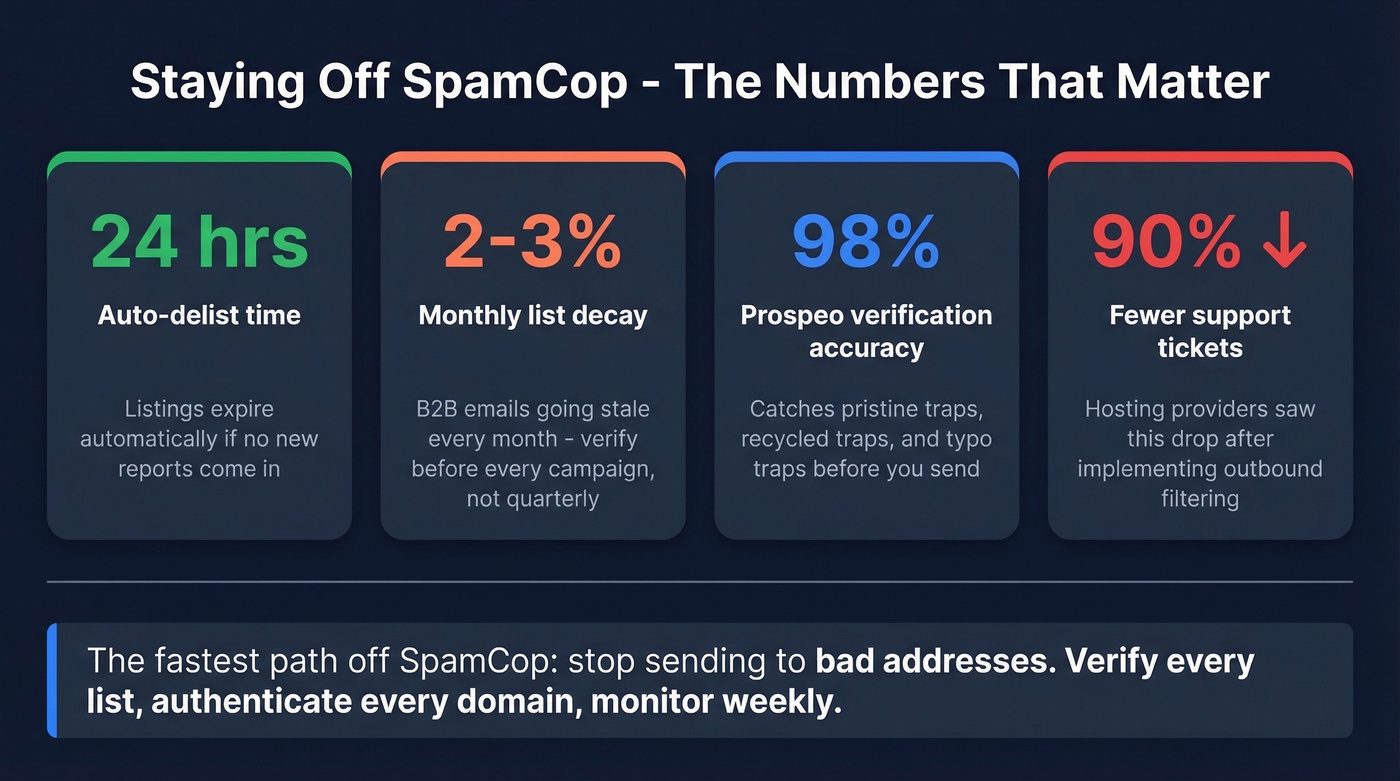
Permission-based lists are non-negotiable. Purchased lists are spam-trap minefields, and no amount of clever sending will save you from a list full of pristine traps. Verify before every campaign, not once a quarter - list decay is faster than most teams realize, with roughly 2-3% of B2B emails going stale every month. Your full authentication stack (SPF, DKIM, DMARC) should already be in place. Monitor SpamCop's stats page and MXToolbox weekly. For cold outreach, keep volumes consistent, ramp gradually, and avoid sudden spikes that trip reputation systems.
The fastest way to avoid spam trap hits is to verify every address before you send. Prospeo's 5-step verification includes catch-all handling, spam-trap removal, and honeypot filtering - the exact trap types that trigger SCBL listings. The free tier gives you 75 verifications per month to test the workflow, and the API handles bulk verification at scale. If you're building a broader outbound playbook, pair this with an email deliverability guide and a safe email velocity plan.

Bad data from other providers is why you're reading this article. Prospeo refreshes every record on a 7-day cycle - not the 6-week industry average - so you're never emailing abandoned addresses that have been recycled into spam traps. Stack Optimize built a $1M agency on Prospeo data with zero domain flags across all clients.
Replace the data that got you blacklisted. Emails start at $0.01 each.
Using SpamCop for Inbound Filtering
If you run your own mail server, SpamCop is worth adding as an inbound RBL. For Exim on DirectAdmin setups, override the default RBL config in /etc/exim.strings.conf.custom:
RBL_DNS_LIST==bl.spamcop.net : b.barracudacentral.org : zen.spamhaus.org : psbl.surriel.com
Rebuild and restart Exim after the change. The DirectAdmin community considers SpamCop "very trustworthy" with "very low" false positive rates.
Best practice: use SpamCop as a scoring signal - tag and divert to a spam folder rather than hard-blocking. Combine it with Spamhaus (zen.spamhaus.org), Barracuda (b.barracudacentral.org), and PSBL (psbl.surriel.com) for layered filtering, and maintain an allowlist for known senders who land on shared-IP listings through no fault of their own.
SpamCop Blacklist FAQ
Does SpamCop list domains or just IPs?
Just IPs. The SCBL is an IP-based blocking list - it doesn't list domains, email addresses, or URLs. If your sending IP is clean, your domain won't be affected by SpamCop regardless of what other blacklists do.
Can you get listed for missing rDNS?
No. SpamCop explicitly doesn't list IPs for missing or incorrect DNS/rDNS records. Listings are triggered only by spam reports and spam trap hits. Fix your rDNS anyway - other systems do care - but it won't cause a SCBL listing.
How long does a SpamCop listing last?
Maximum 24 hours after the last spam report, plus up to 4 hours of propagation delay to mirrors. If new reports keep arriving, the listing resets. Fix the root cause first - delisting without remediation is just a countdown to relisting.