

Email Subject Line Length: What the Data Actually Says
One source says 30 characters. Another says 60. Mailchimp recommends no more than 9 words and 60 characters. A BuzzStream study of 6 million subject lines found 71+ characters performed best. The debate never ends because these studies measure different email types, different audiences, and different goals.
The ideal subject line length depends on what you're sending and who you're sending it to. Let's break that down.
Ideal Length by Email Type
| Email Type | Ideal Length | Why |
|---|---|---|
| Cold email (B2B) | 2-4 words (~20-30 chars) | 46% open rate across 5.5M emails |
| B2C promotional | 30-50 chars (5-7 words) | Mobile-first sweet spot |
| B2B marketing/nurture | 10-16+ words (130+ chars) | Clicks surge past 130 chars |
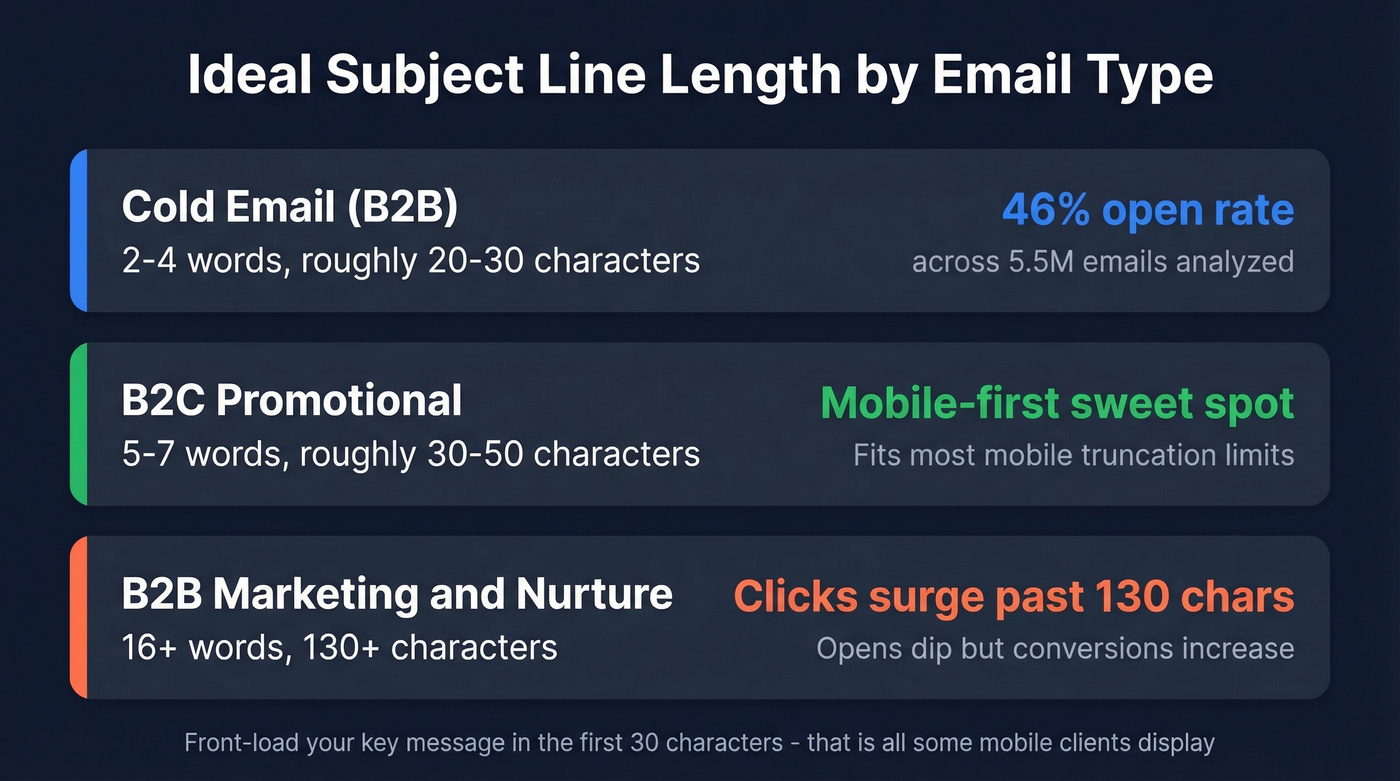
Front-load your key message in the first 30 characters. That's all some mobile clients display.
Stop optimizing for opens alone. A study of 80,000+ accounts found open rates increased by 18 points within six months of Apple Mail Privacy Protection rolling out. Track clicks and conversions instead - more on why below.
Where Subject Lines Get Cut Off
Knowing the character count each client displays helps you decide where to place your most important words. Here's what each major device and client actually shows in 2026:
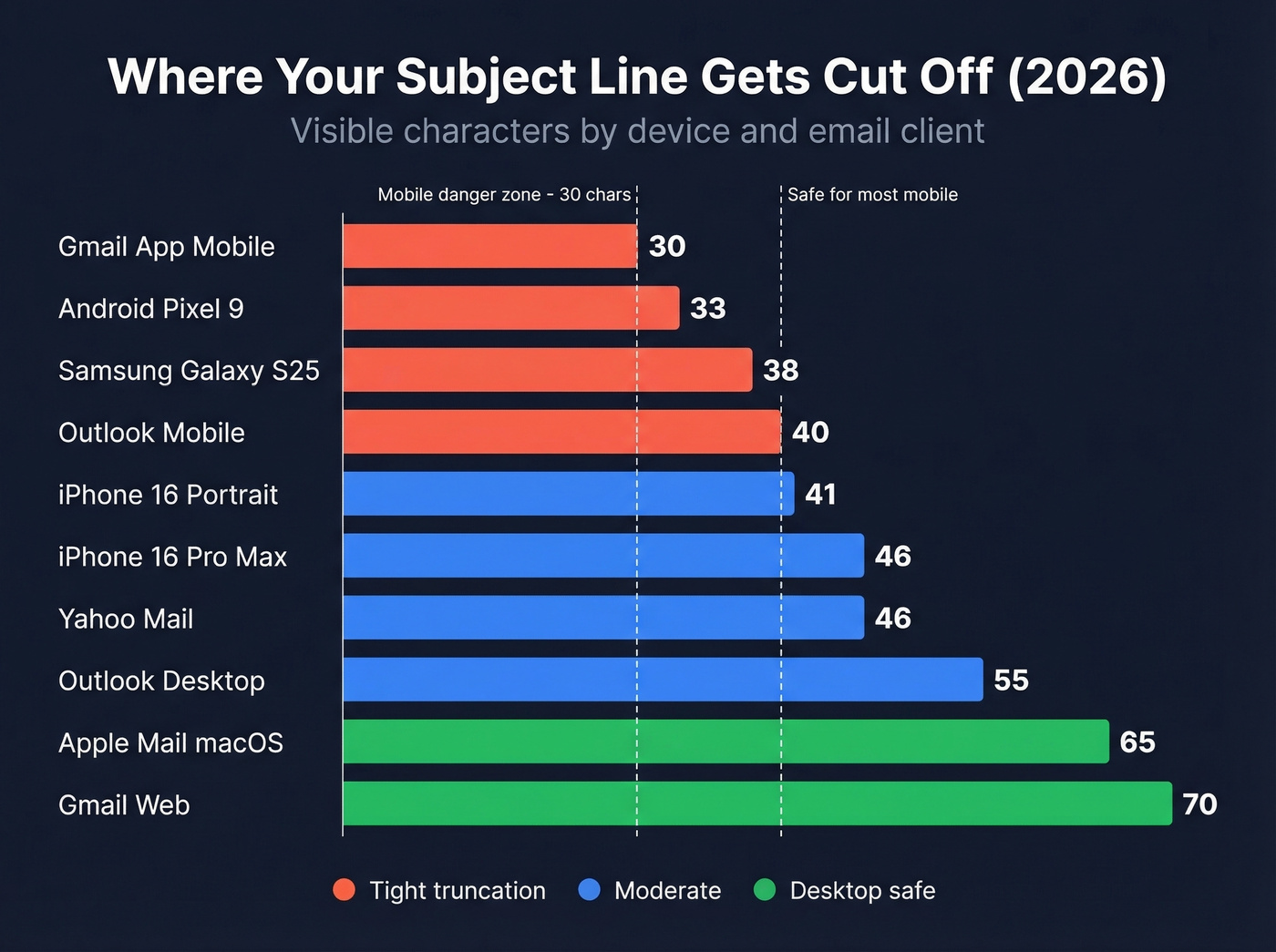
| Device / Client | Visible Characters |
|---|---|
| Gmail App (mobile) | ~30 |
| Android Pixel 9 | ~33 |
| Samsung Galaxy S25 | ~38 |
| Outlook Mobile | ~40 |
| iPhone 16 (portrait) | ~41 |
| iPhone 16 Pro Max | ~46 |
| Yahoo Mail | ~46 |
| Outlook Desktop | ~55 |
| Apple Mail (macOS) | ~65 |
| Gmail Web | ~70 |
These are typical visible characters, not hard limits - font size, display settings, and inbox density all shift the number. Preview-test with Litmus or Email on Acid before any major send.
If your core message doesn't land in the first 30-40 characters, a huge chunk of your audience never sees it.
What the Studies Say
Cold Email - 5.5 Million Messages
Belkins analyzed 5.5 million cold emails sent throughout 2024. The results are unambiguous: 2-4 word subject lines hit a 46% open rate. One-word lines dropped to 38%. Past 7 words, performance steadily declined - 9 words hit 35%, and by 10 words it was down to 34%.
For cold outreach, shorter is clearly better.
Personalization mattered even more than length. Personalized subject lines pulled 46% opens versus 35% without, and reply rates jumped from 3% to 7%. That gap compounds fast when you're running outbound at scale. Of course, personalization only works if you're reaching real inboxes - we've seen teams craft brilliant personalized sequences only to discover 15% of their list had churned. Prospeo's verified email database refreshes every 7 days, so you're not writing subject lines for contacts who left three months ago.
B2B vs. B2C - Completely Different Rules
Here's the thing: the obsession with short subject lines is a B2C bias that's actively hurting B2B marketers. An Adestra study analyzing nearly a billion email marketing messages found the two audiences behave in opposite ways.
For B2B, 6-10 word subject lines drove opens but didn't deliver clicks. Past 130 characters, opens dipped but clickthroughs surged. Lines over 16 words delivered on both opens and clicks.
That 130-character click surge is the most underreported finding in email marketing. The explanation is simple: B2B buyers need context. A vague 3-word teaser doesn't tell a VP of Engineering whether your email is worth opening. This is why best practices vary so dramatically between B2B and B2C - there's no single rule that applies to both.
B2C told a different story. Subject lines of 3-4 words performed about 40% worse than average. But 20-word lines produced 115% more opens and 85% more clicks than average. Even in B2C, longer outperformed conventional wisdom. Short curiosity-gap lines and longer context-rich lines both work - the variable is always the audience.
The Preheader Effect
Your subject line doesn't exist in isolation. Recipients see three things in every inbox: sender name, subject line, and preheader text. Treat them as a single unit.
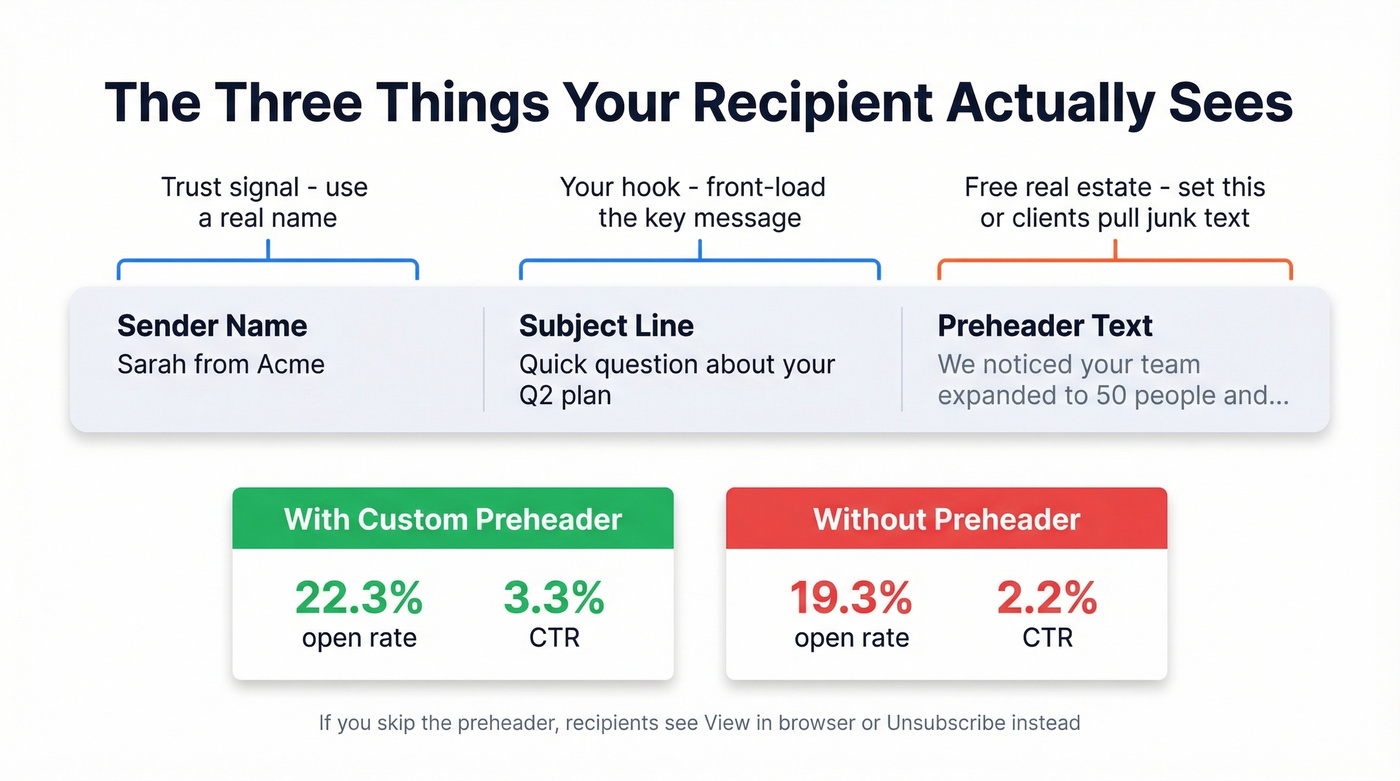
GetResponse data shows emails with preheaders hit a 22.3% open rate versus 19.3% without - and CTR jumped from 2.2% to 3.3%. WeddingWire tested preheaders and got a 30% increase in click-through rates. If you don't set a preheader, email clients pull whatever they find first - usually "View in browser" or "Unsubscribe." That's wasted real estate you're giving away for free.
Apple Mail is moving toward AI-generated summaries that could replace preheaders entirely, making your first line of body copy even more important.

Personalized subject lines pull 46% opens - but only if the contact still works there. Prospeo refreshes 300M+ profiles every 7 days, so your carefully crafted 2-4 word subject lines land in active inboxes, not dead ends.
Stop writing subject lines for contacts who left three months ago.
Why Open Rates Lie
Apple Mail Privacy Protection preloads tracking pixels via proxy servers, firing "opens" automatically - even if nobody reads the email. Apple Mail accounts for 46% of email clients, and a study of 80,000+ accounts found open rates jumped 18 points within six months of MPP rolling out. MPP doesn't just inflate opens; it also masks IP addresses, timestamps, geolocation, and device type, making open-based segmentation unreliable too.
If you want a deeper breakdown of what to track instead, start with click rate and email tracking pixels.
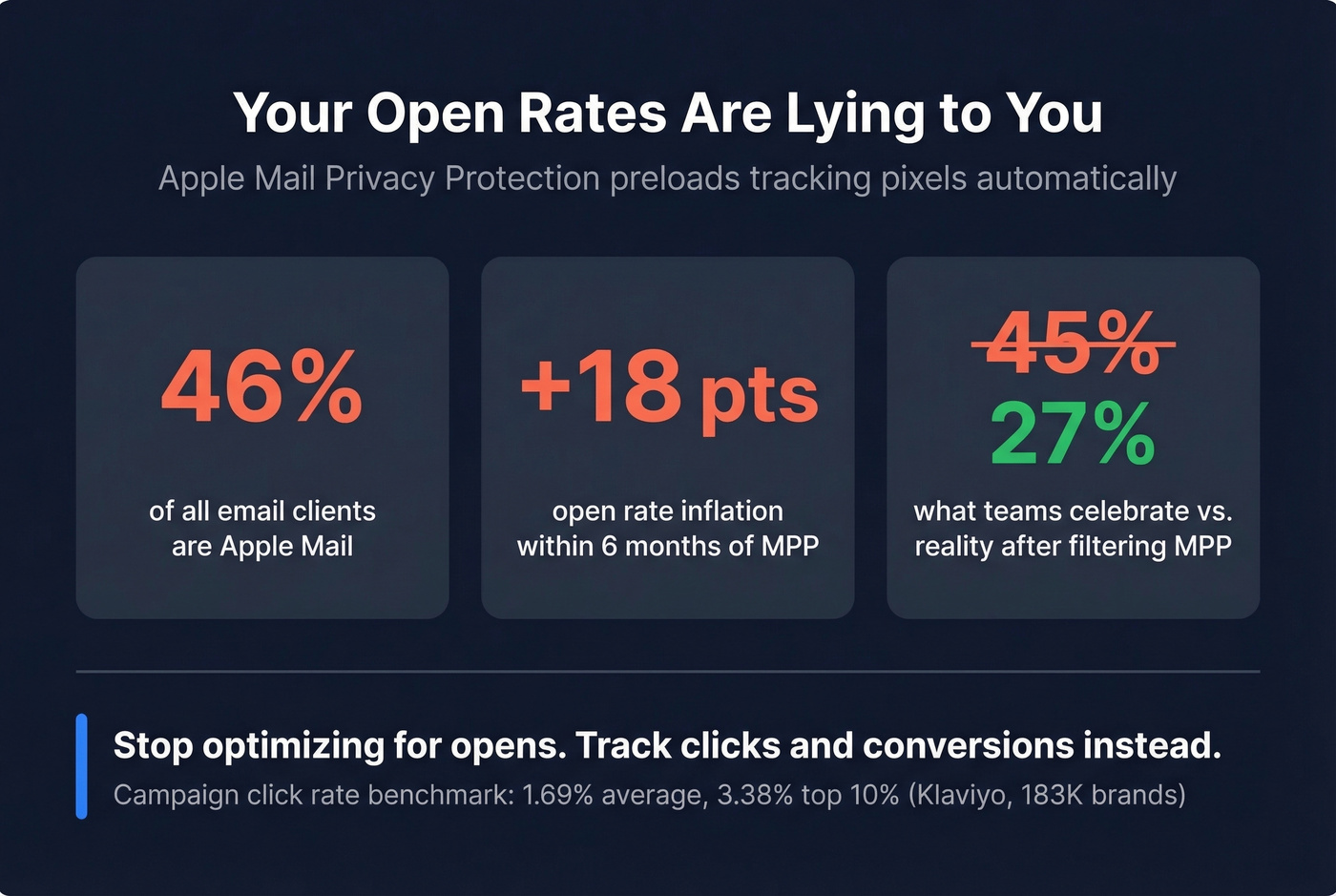
That means nearly half your list generates phantom opens. We've seen teams celebrate 45% open rates that dropped to 27% once Apple Mail opens were filtered out. Your "great" open rate is probably a mirage.
Track clicks and conversions instead. Klaviyo's 183,000-brand benchmark puts campaign click rate at 1.69% (top 10% hit 3.38%), with automated flow click rates at 5.58%. Campaign placed-order rate sits at 0.16%, but automated flows hit 2.11%. If you're optimizing subject lines, optimize for the metric that pays the bills.
How to Test Subject Line Length
A/B test for clicks, not opens. If your ESP lets you filter out Apple MPP opens, do it - your data gets dramatically cleaner.
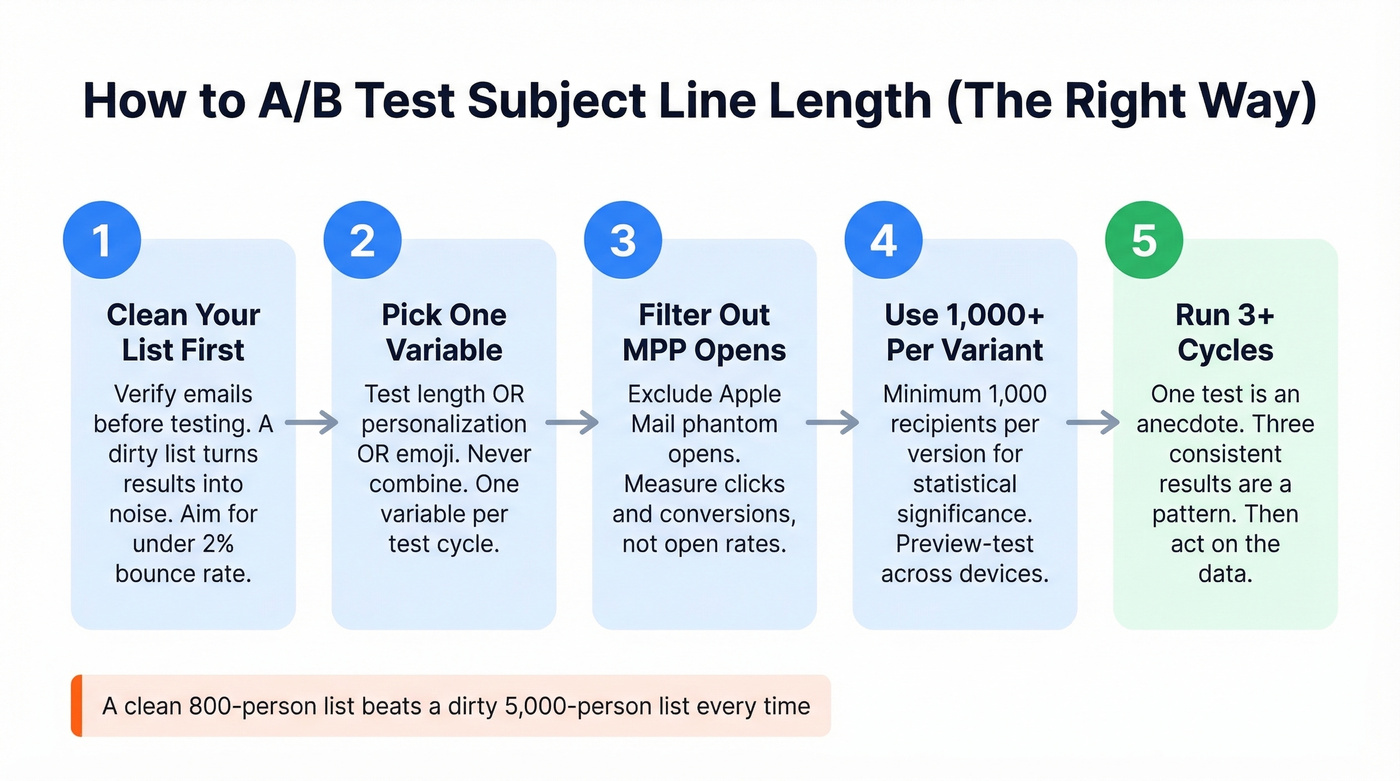
Test one variable at a time: length OR personalization OR emoji, never all three. Use at least 1,000 recipients per variant for statistical significance, and preview-test across devices with Litmus or Email on Acid to see exactly where truncation hits. Pay attention to word count as well as character count - a 5-word line can vary wildly in display length depending on the words you choose.
Look, list hygiene has a bigger impact on test reliability than sample size. In our experience, a clean 800-person list produces more trustworthy results than a dirty 5,000-person list. If 10% of your emails bounce, your A/B test data is noise, not signal. Verify your list before testing so your results reflect real human behavior, not delivery failures. (If you're troubleshooting bounces, see email bounce rate and email deliverability.)
Run tests for at least 2-3 sends. One test is an anecdote. Three tests with consistent results are a pattern.
If you need inspiration for variants, pull from these subject line examples and compare against subject lines that get opened.
A dirty list turns every A/B test into noise. Prospeo's 5-step verification delivers 98% email accuracy with spam-trap and honeypot removal - so your subject line length tests measure real human behavior, not delivery failures.
Clean data first, then test. Your results will actually mean something.
The Technical Limit
RFC 2822/5322 specifies that each email header line must be no more than 998 characters (excluding CRLF) and should be no more than 78 characters. The Subject line is a header, and header folding allows a logical header to continue onto additional lines.
For non-ASCII characters like emoji or accented letters, RFC 6532 applies the 998 limit in octets for UTF-8 headers - so a single emoji can consume 4 bytes of that budget. In practice, inbox truncation is always the real constraint, not the protocol. Skip this section if you're not building email infrastructure; it won't change how you write subject lines.
FAQ
How many characters show on iPhone?
iPhone 16 displays roughly 41 characters in portrait; iPhone 16 Pro Max shows about 46. Front-load your key message in the first 40 characters to cover all iPhone models.
What's the best length for Gmail?
Gmail's mobile app shows about 30 characters - one of the tightest truncation points. Desktop shows around 70. Write for mobile first: even if you stay under 50 characters, you'll still get truncated on mobile Gmail.
Does subject line length affect spam filters?
Length alone doesn't trigger spam filters. Excessively long lines packed with ALL CAPS or heavy punctuation can raise flags. Keep it natural, relevant, and avoid stacking special characters.
Should I count characters or words?
Characters are more precise because they account for word-length variation. A 5-word subject line can be 25 or 50 characters depending on the words. Use characters for truncation planning, words as a quick drafting shortcut - then always check the character count before sending.
How can I make sure my A/B test results are reliable?
Filter out Apple MPP opens, use 1,000+ recipients per variant, and verify your list before testing. Run at least three cycles before drawing conclusions - one good result isn't a pattern.