

Thunai Pricing, Reviews, and Honest Pros & Cons (2026)
Thunai's pricing page says one thing, Capterra says another, and the premium modules just say "Contact Sales." Here's what everything actually costs - and whether it's worth your time.
What Is Thunai?
Thunai is an agentic AI platform built around a central "Brain" - a knowledge layer that connects your CRM, helpdesk, and contact center tools. It handles meeting transcription, voice/chat agents, and automated follow-ups, sitting on top of your existing stack rather than replacing any of it. The vendor claims 95% hallucination reduction and 85% document retrieval accuracy, though neither figure has been independently verified. The core pitch: kill post-meeting busywork and automate L1 support.
Quick Verdict
Best for: Small teams under 20 people that want meeting transcription and automated follow-ups without enterprise complexity. Pricing looks affordable on the surface, but premium modules push costs up fast.
The biggest caveat: Thunai has just 7 reviews on G2 - all 5-star, zero on Capterra. Reddit mentions are sparse and largely promotional. You're an early adopter here, not a late majority buyer.

Thunai's meeting automation only works if your follow-ups reach real inboxes. Prospeo's 98% email accuracy and 7-day data refresh mean your automated sequences actually connect - not bounce. At ~$0.01/email, clean data costs less than one wasted follow-up cycle.
Verify your contacts before you automate a single follow-up.
Thunai Pricing Breakdown
Here's what Thunai's pricing page shows for monthly plans:
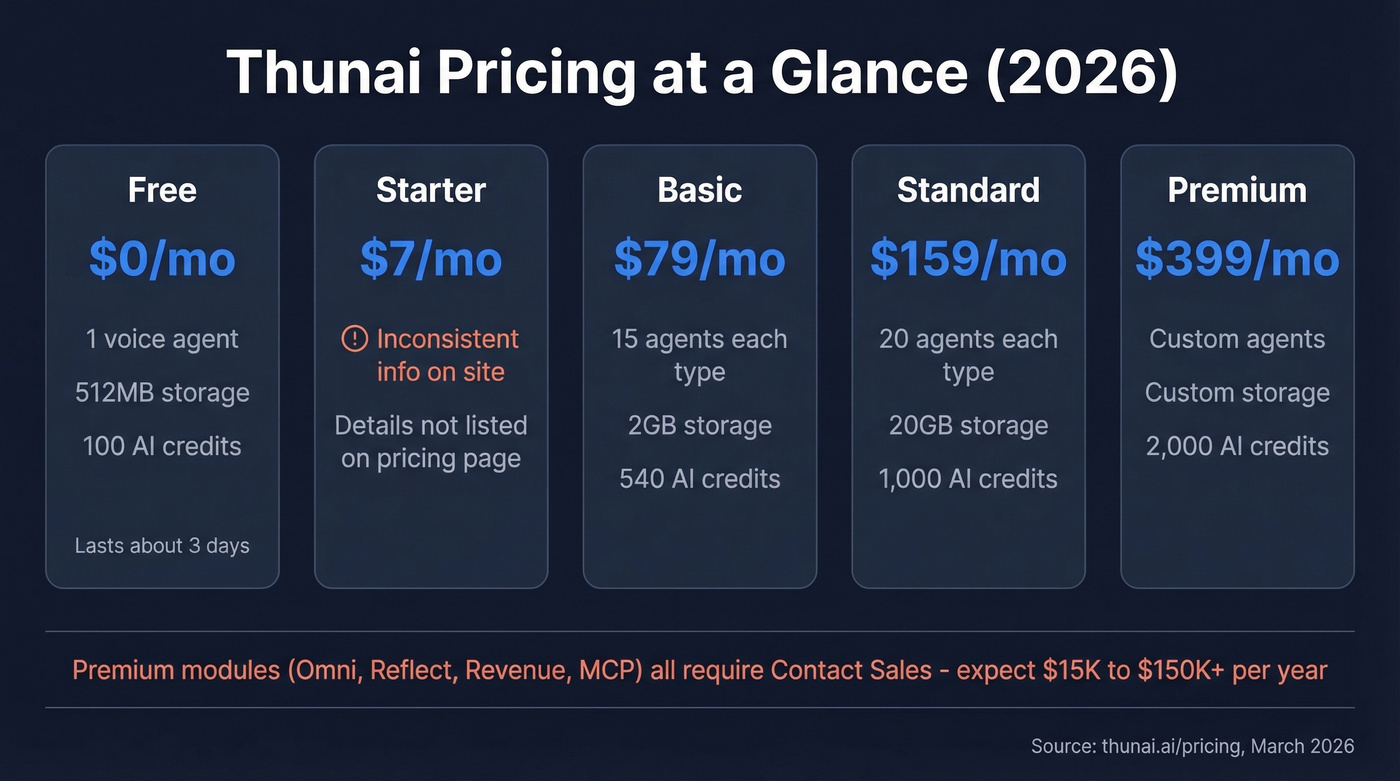
| Plan | Monthly Price | Agents | Storage | AI Credits |
|---|---|---|---|---|
| Free | $0 | 1 voice | 512MB | 100 |
| Starter | $7/mo | Not listed | Not listed | Not listed |
| Basic | $79/mo | 15 each | 2GB | 540 |
| Standard | $159/mo | 20 each | 20GB | 1,000 |
| Premium | $399/mo | Custom | Custom | 2,000 |
Yearly plans use completely different tier names: Professional ($470/yr), Growth ($1,430/yr), and Enterprise (custom). The Professional yearly plan works out to roughly $39/mo - a steep discount over the $79/mo Basic monthly tier, and both include 15 agents, 2GB storage, and 540 credits.
The free tier is genuinely free forever: one voice agent, 512MB storage, 100 AI credits. In our testing, those 100 credits lasted about three days of moderate meeting activity - enough to evaluate, not enough to rely on. The pricing page doesn't show overage rates for extra AI credits either, so if you burn through your allocation mid-month, you'll need to upgrade or wait.
Here's the thing: the Starter tier at $7/mo appears in the monthly picker, but the yearly section also shows a "Professional" plan at $7/mo billed yearly. The page has inconsistencies - always verify directly at thunai.ai/pricing before committing.
Why Prices Differ Across Directories
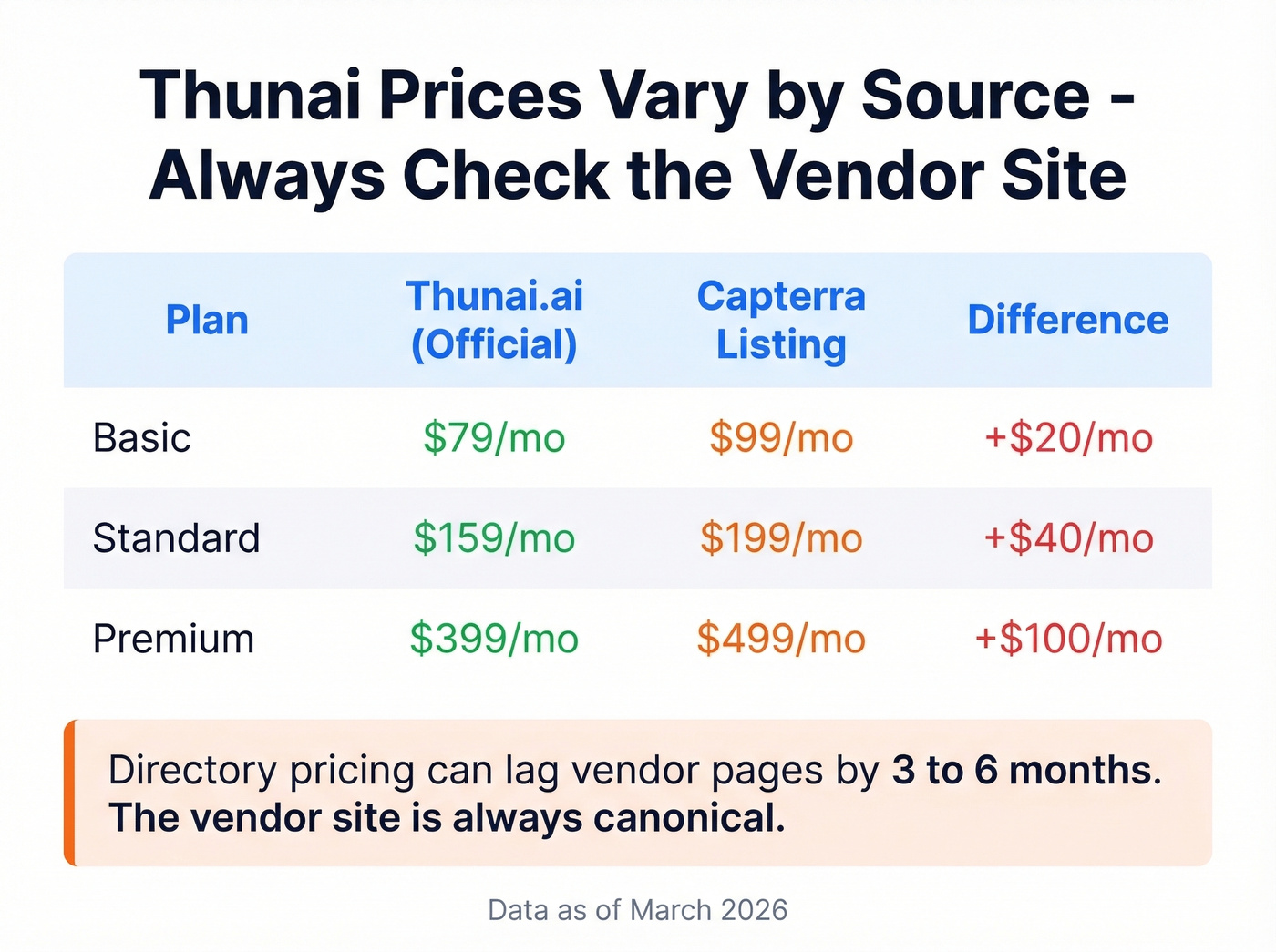
Capterra's Thunai listing (updated March 2026) shows Basic at $99/mo, Standard at $199/mo, and Premium at $499/mo - all higher than Thunai's own site. We've seen directory pricing lag vendor pages by 3-6 months across this category. The vendor's own page is canonical.
Premium Module Costs
Thunai Omni (contact center intelligence), Reflect (product intelligence), Revenue (lead scoring and forecasting), and MCP (custom tool deployment) all sit behind "Contact Sales" gates. Omni handles voice, chat, and email with real-time sentiment analysis and supports agents in 150+ languages. When sentiment drops, a human can barge in and Omni shifts to Co-Pilot mode.
Based on comparable agentic AI deployments, expect $15K-$150K+/year depending on channels, volume, and integrations. That's a wide range, but "Contact Sales" pricing always is.
Real User Reviews: Pros and Cons
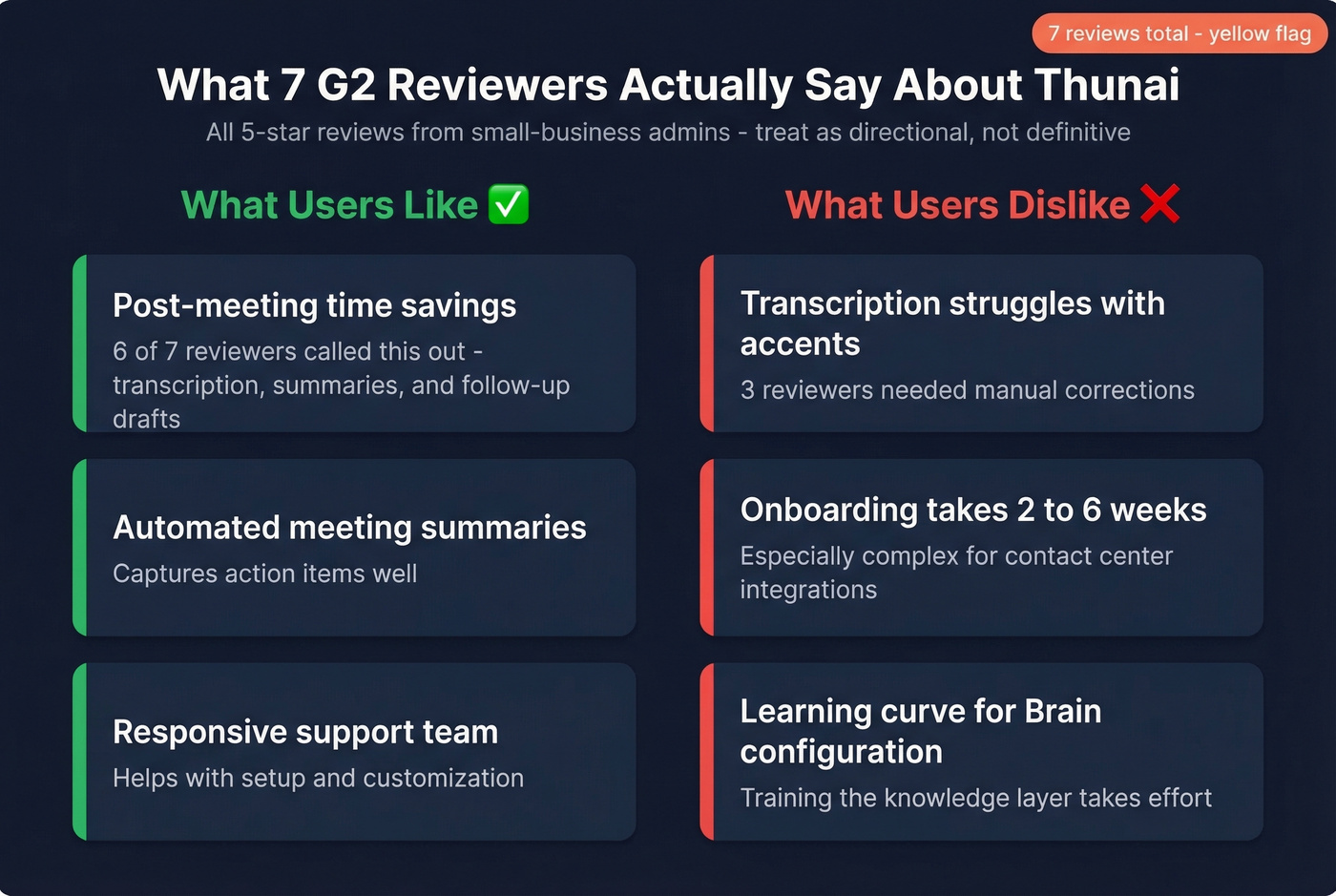
Based on G2 reviews (7 total, all 5-star). Most reviewers are small-business admins - mid-market and enterprise perspectives are basically absent.
What users like:
- Time savings on post-meeting tasks - automated transcription, summaries, and follow-up drafts eliminate the admin grind. Six of seven reviewers called this out specifically.
- Automated meeting summaries that capture action items well.
- Responsive support team that helps with setup and customization.
What users don't:
- Transcription accuracy drops with heavy accents - three reviewers flag the need for manual corrections, which partially erodes the time savings.
- Onboarding complexity - plan for 2-6 weeks of initial setup if you're integrating with a contact center.
- Learning curve for configuration and training the Brain layer.
Let's be honest: seven reviews at a perfect 5.0/5 is a yellow flag, not a green one. The themes are directionally useful - meeting automation works, accents are a problem - but this isn't validated at scale.
Who Should Use Thunai
Thunai makes sense for small teams already on Zoom, Teams, or Meet that want meeting transcription, automated follow-ups, and a centralized knowledge hub without stitching together three separate tools. You need to be comfortable as an early adopter with limited independent validation.
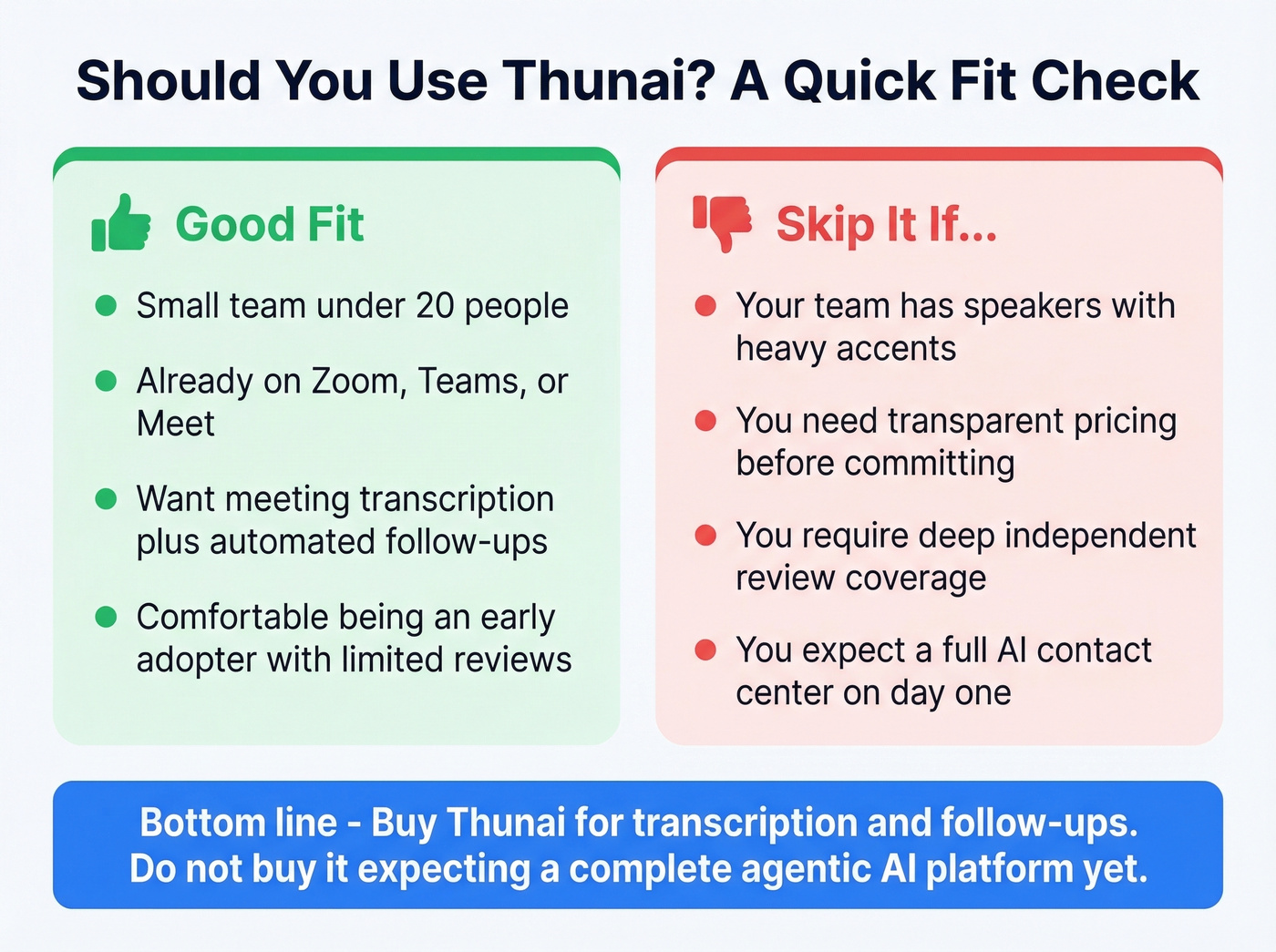
Skip it if your team includes speakers with heavy accents, if you need transparent pricing for premium modules before committing, or if you require deep independent review coverage before buying. It doesn't exist yet.
Our take: Thunai's meeting automation is solid for the price, but the "agentic AI platform" positioning oversells where the product actually is in 2026. Buy it for transcription and follow-ups. Don't buy it expecting a full AI contact center on day one.
If you're using Thunai to automate outreach follow-ups, the quality of your contact data matters as much as the automation itself. Prospeo's 98% email accuracy and 7-day data refresh cycle mean your follow-ups actually land instead of bouncing - something we've seen make or break automated sequences for teams running high-volume outbound. If you need a repeatable process, start with AI sales follow-up workflows and keep a library of sales follow-up templates for common scenarios.

Evaluating AI sales tools like Thunai? The automation layer is only as good as the data underneath it. Prospeo delivers 300M+ verified profiles with 50+ data points per contact - so every CRM enrichment and automated outreach actually lands.
Bad data breaks every tool in your stack. Fix the foundation first.
FAQ
Does Thunai offer a free plan?
Yes - one voice agent, 512MB storage, and 100 AI credits at $0 forever. There's no free trial on paid plans; you upgrade directly when you outgrow the free tier.
How many independent reviews does Thunai have?
Seven on G2 (all 5-star), zero on Capterra. Product Hunt shows 5.0/5 across 24 reviews. Treat scores as directional, not definitive.
Can Thunai replace a full contact center platform?
No. Thunai augments CCaaS tools like Genesys Cloud CX. The Omni module adds omnichannel AI support but plugs into existing infrastructure rather than replacing it - and it requires custom pricing.
What's the best way to feed clean data into Thunai?
Use a verified data source before connecting any automation. Prospeo returns 98% accurate emails across 300M+ profiles, and its CRM enrichment pushes 50+ data points per contact - so your automated follow-ups reach real inboxes instead of dead ends.
Bottom line: Thunai's core meeting automation works and the free tier is worth testing. Verify pricing directly on their site, budget for the learning curve, and don't expect the premium modules to come cheap. If you're comparing tools in this category, it also helps to benchmark against other meeting assistants like Avoma and to sanity-check your stack's deliverability basics with an email deliverability guide. For teams scaling outbound, pair automation with data enrichment services and track email bounce rate so sequences don't silently fail.