

TidyCal vs Zcal: The Only Comparison You Need
Your Calendly free plan just hit its limit and you refuse to pay $10/month for a booking link. Fair. Comparing TidyCal and Zcal is the logical next step - both solve that problem, but they solve it for different people.
30-second verdict: TidyCal wins if you're a solo freelancer who wants to pay $29 one-time and never think about scheduling again. Zcal wins if you care about branded booking pages, need Microsoft Teams support for a team, or want round-robin routing.
Pricing Breakdown
| TidyCal Free | TidyCal Paid | Zcal Free | Zcal Pro | |
|---|---|---|---|---|
| Price | $0 | $29 one-time | $0/user/mo | $7/user/mo |
| Booking links | Limited | Unlimited | Unlimited | Unlimited |
| Calendar accounts | Limited | Multiple | Unlimited | Unlimited |
| Team scheduling | ✗ | Teams (limited admin visibility) | ✗ | ✓ + round-robin |
| Remove branding | ✗ | ✓ | ✗ | ✓ |
| MS Teams | ✓ | ✓ | ✓ | ✓ |
| Payments | PayPal + Stripe | PayPal + Stripe | Stripe | Stripe (no commission) |
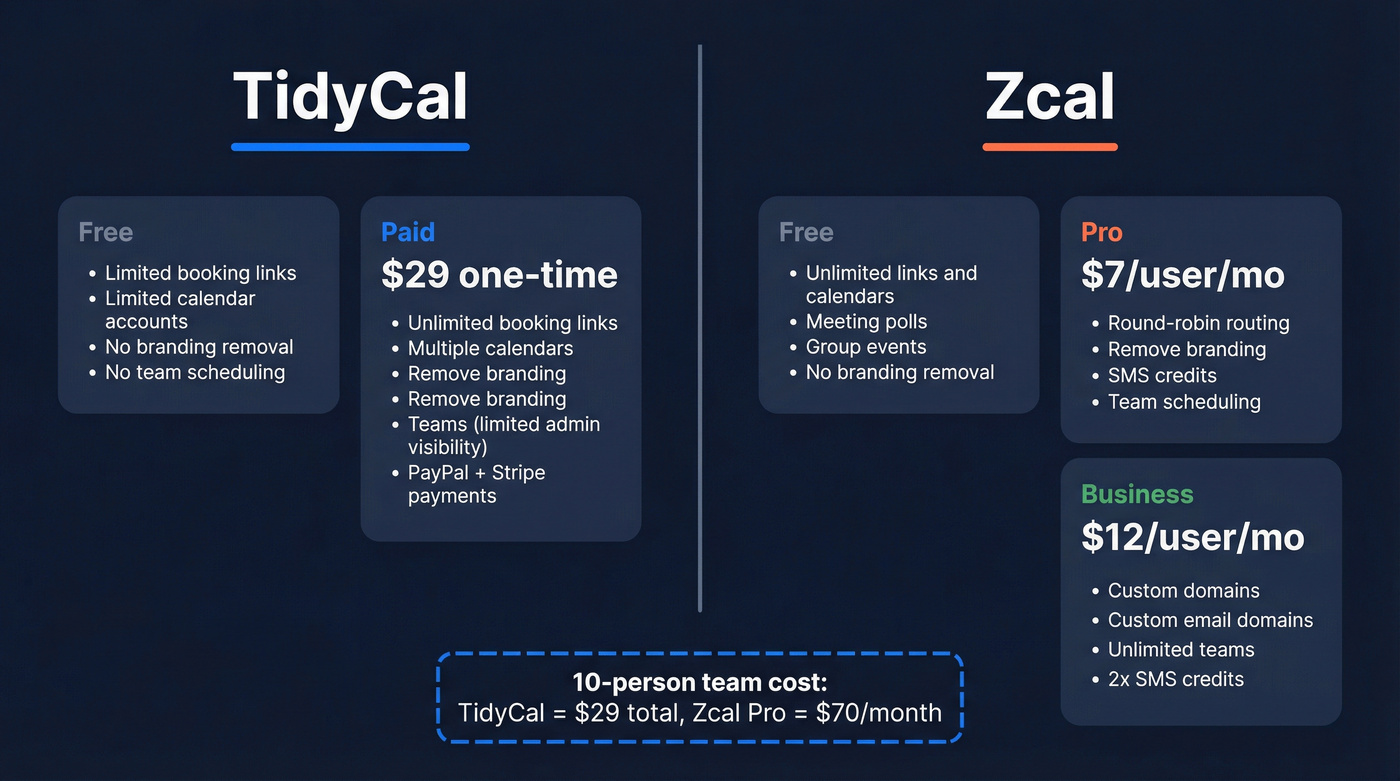
Zcal also offers a Business tier at $12/user/mo that adds custom domains, custom email domains, unlimited teams, and 2x SMS credits.
Here's the math that matters: a 10-person team costs $70/month on Zcal Pro vs a one-time $29 on TidyCal. But TidyCal's team features come with a catch. The founder has clarified that only the team owner needs the paid plan - members can stay on free - yet multiple reviewers on Capterra report this wasn't obvious, and the team leader still can't view individual members' bookings. Zcal also ran an AppSumo lifetime deal ($59-$219 depending on seats), but it's sold out.
Feature Comparison
| Feature | TidyCal | Zcal | Winner |
|---|---|---|---|
| Design customization | Basic colors | Custom fonts, colors, videos, layouts | Zcal |
| Meeting polls | ✗ | ✓ (Doodle-style) | Zcal |
| Round-robin routing | ✗ | ✓ (paid) | Zcal |
| Microsoft Teams | ✓ | ✓ | Tie |
| One-time pricing | $29 lifetime | ✗ | TidyCal |
| Simplicity / setup speed | 10-minute setup | More options, more config | TidyCal |
| Language support | English-focused | Several major languages | Zcal |
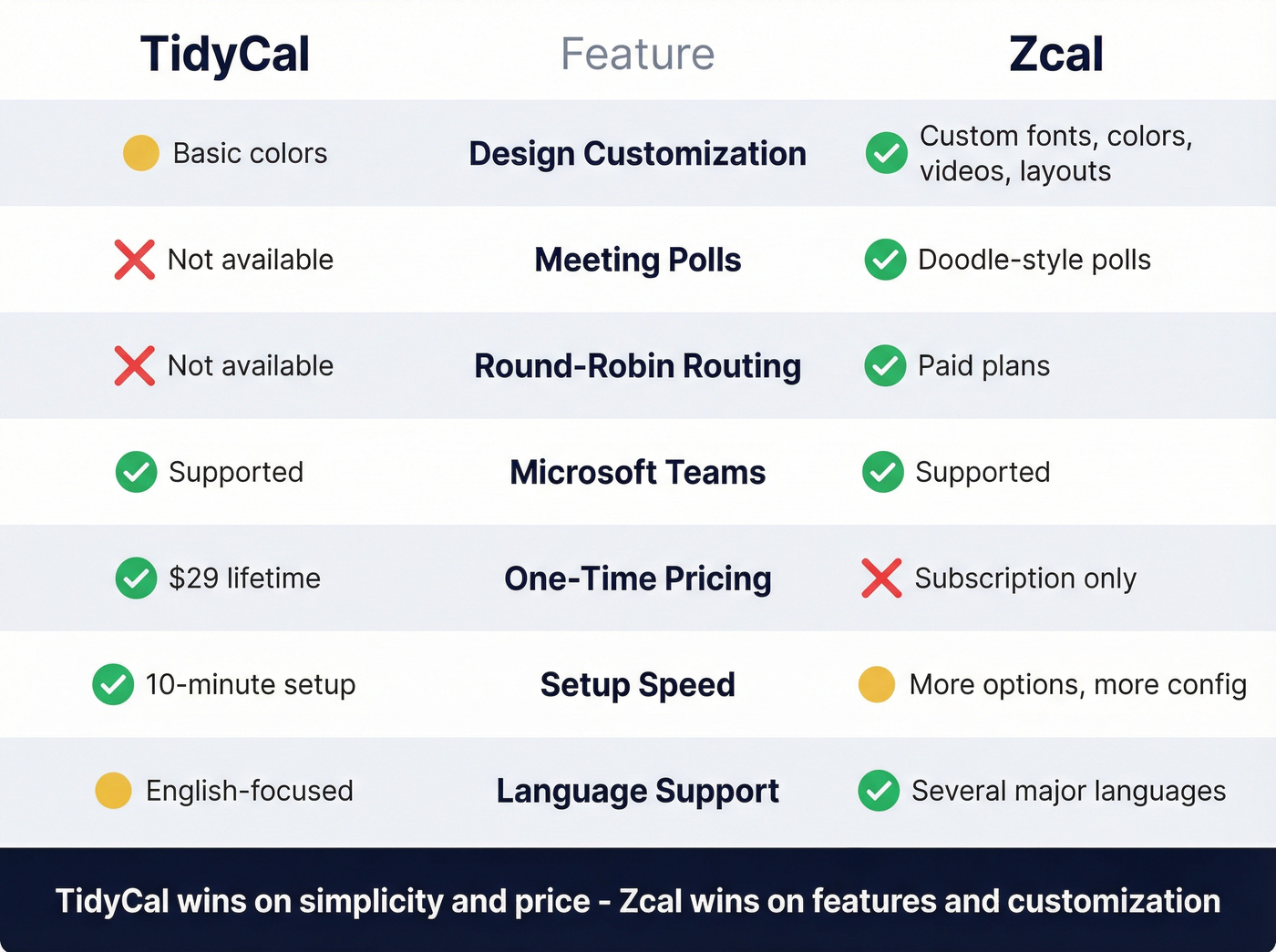
Both tools cover the basics - Google Calendar, Outlook/Office 365, Apple Calendar, Zoom, Google Meet, Microsoft Teams, Stripe payments, and embeddable booking pages. The differences show up in the details.
Zcal pulls ahead on customization. Custom fonts, welcome videos, multiple page layouts, cover photos - it's a surprisingly deep feature set for a tool most people haven't heard of. Add Google Analytics, Meta Pixel, webhooks, and SMS reminders on top, and you start to wonder why it isn't more popular. In a Reddit roundup of Calendly alternatives, Zcal earned praise for its generous free tier while TidyCal was highlighted for its one-time payment simplicity.
TidyCal keeps things simpler. You get booking pages, paid bookings, email reminders, group bookings, and redirect-after-booking. It works, and that's the point. Where it falls short is flexibility: no global booking limits across booking types, no variable session lengths within a single booking type.

Where TidyCal Wins
Pick this if: You're a solo consultant, coach, or freelancer who wants scheduling done in 10 minutes for $29 - forever.
We tested both booking flows side by side, and TidyCal's setup is noticeably faster. There's less to configure because there are fewer options, and for most solos, that's a feature, not a bug. The numbers back it up: 200K+ users and 3M+ bookings processed. G2 rates it 4.7/5 across 24 reviews, and Capterra gives it 4.7/5 across 51 reviews.
Skip this if: You need team scheduling with real admin visibility, or you want advanced scheduling rules and design control over your booking pages.

A booking page without prospects is just a pretty URL. Prospeo gives you 98% accurate emails from 300M+ profiles - refreshed every 7 days - so the calendar you just set up actually fills with real meetings.
Stop optimizing your booking page. Start filling it with qualified prospects.
Where Zcal Wins
Skip this if you want a one-time payment, need PayPal, or use Fastmail/Proton Mail - there's no CalDAV support.
For everyone else, Zcal's value is hard to argue with. In our experience, its design editor feels noticeably more polished than TidyCal's. If your booking page is the first impression a client gets, that gap matters. Microsoft Teams, Zoom, and Google Meet all work out of the box. And 99% of features are free - unlimited links, unlimited calendars, meeting polls, group events. Let's be honest: that's a better free tier than most paid tools offer.
One Capterra reviewer switched from TidyCal to Zcal specifically because of TidyCal's limits and lack of two-way sync.
Zcal is a bootstrapped team of 1-10 people out of Houston - worth knowing if long-term product support matters to you. Capterra: 4.9/5 across 12 reviews. G2: 4.5/5 across 17 reviews.
Key Limitations
TidyCal: The team leader can't see members' bookings individually. Scheduling rules are rigid - no global booking limits across types, no variable session lengths within a type. If you outgrow it, there's nowhere to upgrade because there's only one paid tier.
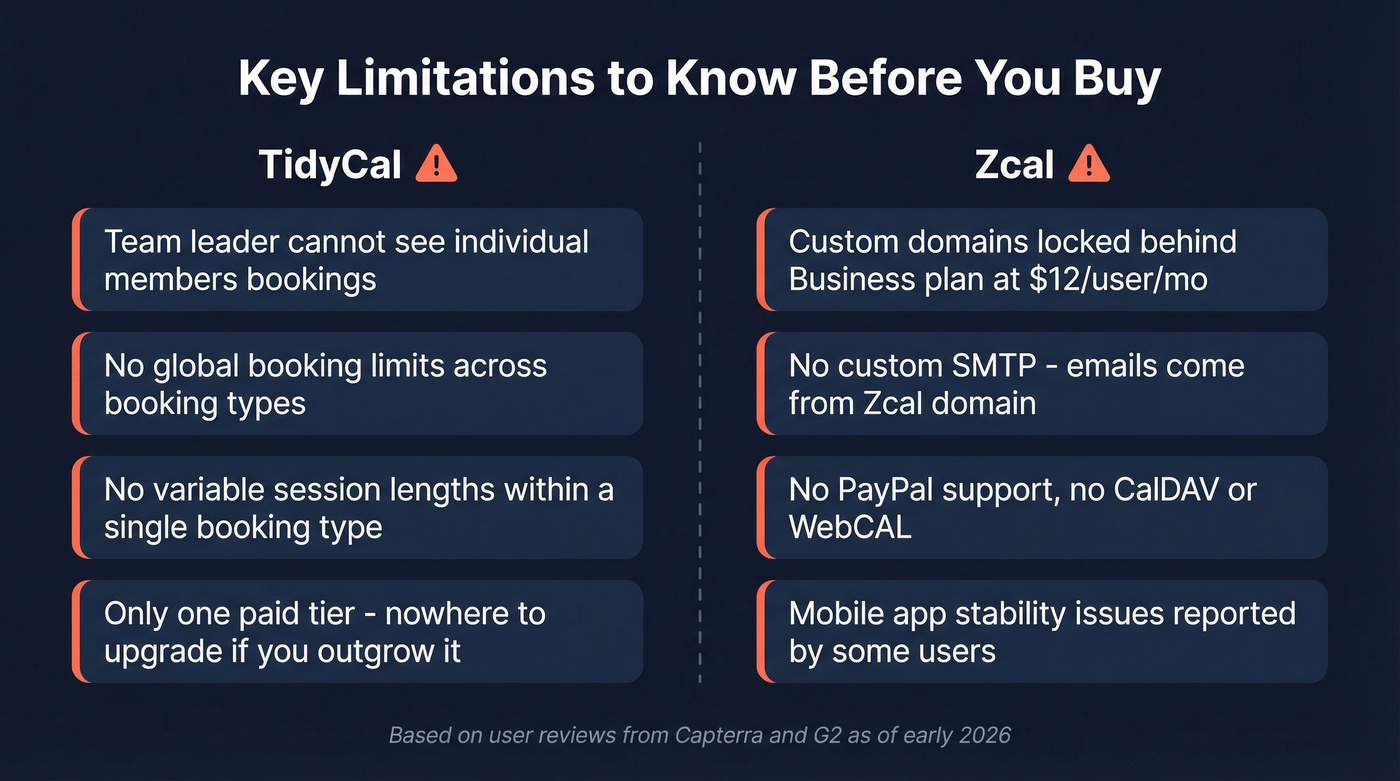
Zcal: Custom domains are locked behind the Business plan at $12/user/mo. No custom SMTP, so emails come from Zcal's domain. No PayPal support. No CalDAV or WebCAL. A Capterra reviewer also mentions the mobile app crashed a few times.
Which Should You Pick?
Here's the thing: if your average deal size is under $5K, either of these tools is overkill-proof. The real question isn't which scheduler to pick - it's whether you have enough meetings to schedule in the first place.
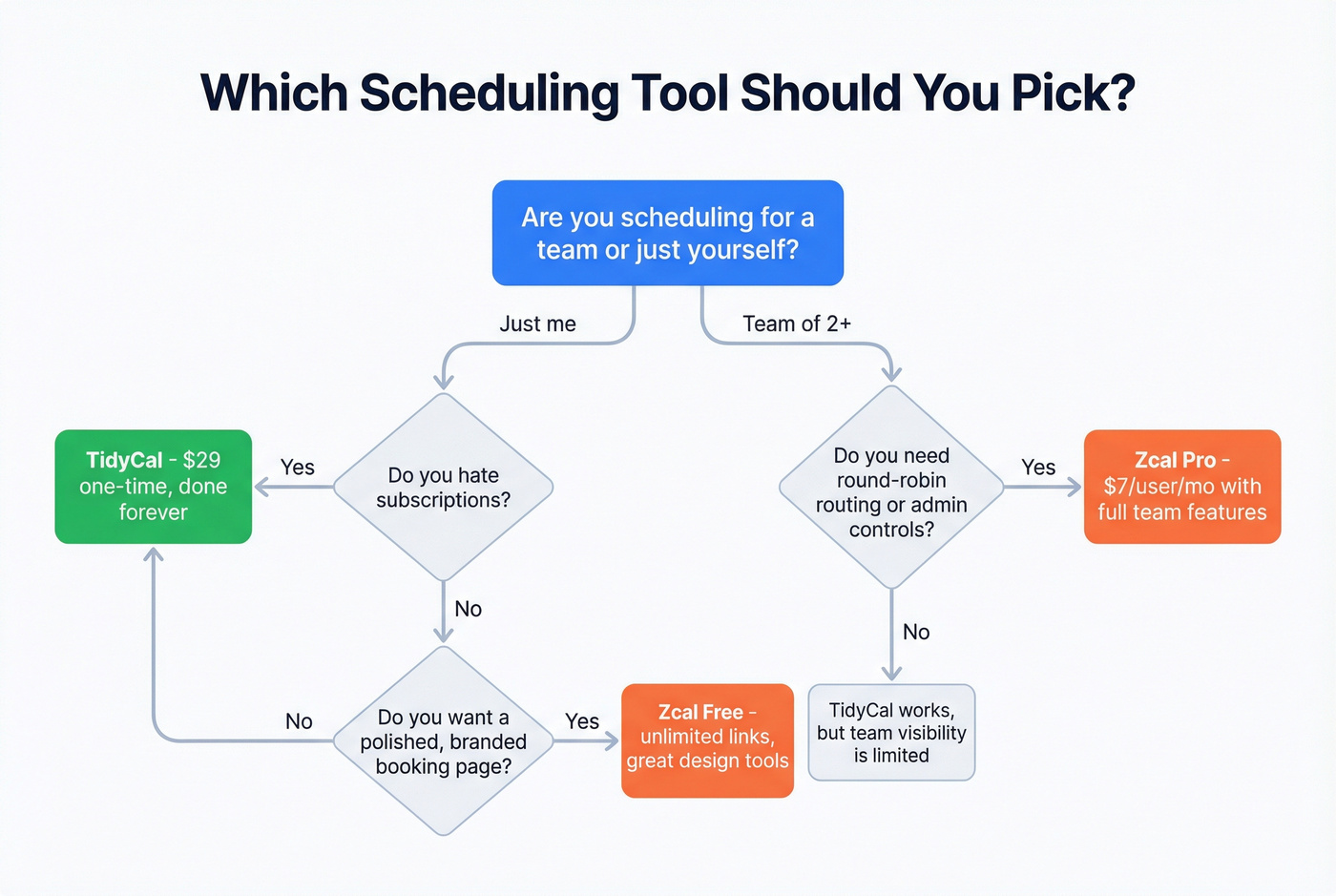
| Scenario | Winner |
|---|---|
| Solo freelancer who hates subscriptions | TidyCal ($29, done forever) |
| Solo user who wants a polished booking page | Zcal Free |
| Small team (5-15 people) | Zcal Pro ($7/user/mo) |
| Microsoft Teams users on a team | Zcal |
The TidyCal vs Zcal decision comes down to whether you value simplicity and a one-time price or customization and team features. Neither is wrong. They just serve different workflows.
Fill Your Calendar, Not Just Set It Up
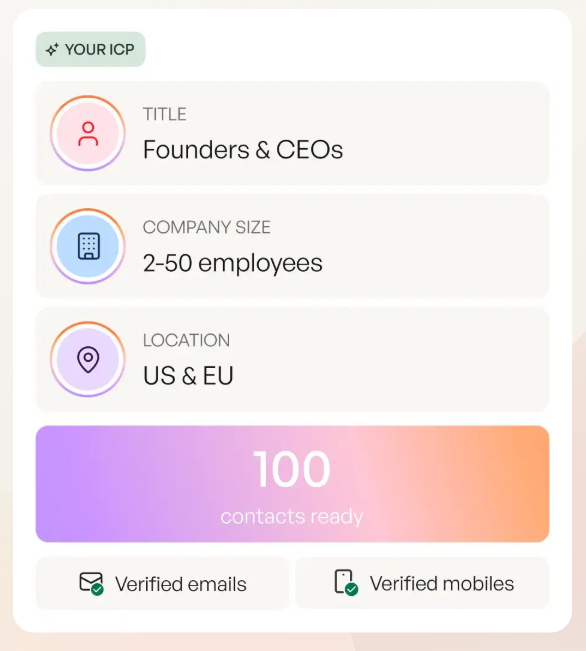
You've got the scheduling tool sorted. Now make sure the people you're booking actually get your emails. We use Prospeo to find verified emails with 98% accuracy from 300M+ professional profiles, refreshed every 7 days. The free tier gives you 75 emails/month - enough to test whether your outbound converts before committing a dollar. No contracts, no sales calls. Just paste a URL or upload a CSV and start building your pipeline.
If you're building a repeatable outbound motion, pair your scheduler with a simple lead generation workflow and a clear ideal customer profile so you’re not booking the wrong people.
Once you have a list, tighten your messaging with proven sales prospecting techniques and keep replies coming with these sales follow-up templates.
And if deliverability is the bottleneck, it’s worth reviewing an email deliverability guide and tracking your email bounce rate before you scale volume.
TidyCal costs $29 once. Zcal costs $7/user/month. Bad prospect data costs you deals. Prospeo finds verified emails and direct dials at $0.01/lead - 90% cheaper than ZoomInfo with higher accuracy.
Your scheduler is sorted. Now build the pipeline that feeds it.
FAQ
Is TidyCal really a one-time payment?
Yes. $29 gets you lifetime access on the Individual plan - unlimited bookings, multiple calendar connections, and paid booking support. No recurring fees, no hidden upsells.
Does Zcal's free plan have a catch?
No. 99% of features are free, including unlimited links, calendars, meeting polls, and video integrations. You only pay for team scheduling, branding removal, and custom domains - starting at $7/user/mo.
Can I use either tool with Microsoft Teams?
Both support Microsoft Teams natively. The difference is that Zcal pairs Teams with stronger team-level features like round-robin routing and admin controls, while TidyCal treats it as a straightforward video option for solo users.