Apify vs Firecrawl: The Comparison Neither Vendor Will Write
Both Apify and Firecrawl have published their own comparison pages. Neither is going to tell you where their pricing gets weird or where the per-page math falls apart. We ran the numbers ourselves.
30-Second Verdict
| Use Case | Pick |
|---|---|
| Simple AI/RAG pipelines on standard sites | Firecrawl |
| Complex multi-site scraping at scale | Apify |
Firecrawl is simpler. Apify is more powerful. And if you're scraping the web just to find someone's email address, you're using the wrong tool category entirely - more on that later.
Pricing Side-by-Side
Both tools use credit-based billing, but the models are fundamentally different. Firecrawl charges flat monthly tiers with credits included. Apify charges a platform subscription that doubles as prepaid usage credit, then bills compute and proxies separately.
| Firecrawl Standard | Apify Starter | Apify Scale | |
|---|---|---|---|
| Monthly price | $83/mo (billed yearly) | $29 + usage | $199 + usage |
| Included volume | 100,000 credits | $29 prepaid usage | $199 prepaid usage |
| Concurrency | 50 | Plan + Actor dependent | Plan + Actor dependent |
| Proxies included | Yes | Datacenter allowance; residential $8/GB | Datacenter allowance; residential $7.5/GB |
| AI extraction | Separate add-on starting at $89/mo for 18M tokens (annual) | Per-Actor basis | Per-Actor basis |
| Credits roll over | No | No | No |
A few gotchas neither vendor highlights upfront. Firecrawl's prices above are the "billed yearly" monthly equivalents - month-to-month is higher. Apify's "$29 Starter includes $29 of prepaid usage" sounds generous until you realize residential proxies cost $8/GB on top, storage runs $1/1,000 GB-hours, and that $29 evaporates fast on browser-heavy crawls.
Here's the thing about Firecrawl's "simple pricing" pitch: their AI-powered extraction is a separate token-based subscription layered on top of your credit plan. If you're planning structured extraction at scale, that's a meaningful extra line item.
If you're evaluating tools in this category, it's also worth comparing the broader landscape of data extraction tools before you commit.
Real Cost Per Page
Let's run a concrete scenario: 100,000 pages per month of standard content sites.
Firecrawl Standard - $83/mo gets you exactly 100,000 credits. Scrape costs 1 credit per page. That's $0.00083/page, proxies included. Clean and predictable. Browser usage bills at 2 credits per browser minute, which matters when runtime spikes on JS-heavy pages.
Apify in browser mode - At roughly 300 pages per compute unit, you'd need about 333 CUs. At $0.30/CU on the Starter plan, that's around $100 in compute alone. Add residential proxies for protected sites - assuming ~5GB of traffic at $8/GB, roughly $40 - and you're at about $140/mo total. Not terrible, but less predictable.
Apify in Cheerio mode - For simple, non-JS sites, Cheerio-based Actors process ~3,000 pages per CU. That drops compute to around $10. But Cheerio can't handle JavaScript-rendered content, so this only works for static pages.
At the Scale tier ($199/mo, $0.25/CU), Apify's browser-mode math improves to roughly $123/mo total in this scenario - competitive with Firecrawl, but the bill still fluctuates month to month depending on proxy consumption and page complexity.

Spending $83-200/mo on crawling tools to extract contact data from web pages? Prospeo gives you 98% accurate emails and 125M+ verified mobile numbers at $0.01/email - no proxies, no compute units, no parsing HTML.
Get the contact data directly. No crawling infrastructure required.
Feature Comparison
| Feature | Apify | Firecrawl |
|---|---|---|
| JS rendering | Yes | Yes |
| Pre-built scrapers | 15,000+ Actors | None - API-first |
| Agentic browsing | Via custom Actors | /agent + FIRE-1 |
| Proxy management | Built-in, billed separately | Included in credits |
| Markdown output | Yes | Yes |
| Integrations | LangChain, LlamaIndex | LangChain, LlamaIndex |
| Compliance | SOC 2 Type II, GDPR, CCPA; 99.95% uptime | - |
| G2 rating | 4.7/5 (400 reviews) | Not yet rated |
The marketplace gap is the biggest differentiator. Apify's Store has over 15,000 pre-built Actors, with $760K in developer payouts in January alone. Need a Google Maps scraper? There's one with 289K uses and a 4.7-star rating. Firecrawl has no marketplace - you build everything through their API.
Firecrawl's counter-punch is FIRE-1, an AI agent that controls browser actions, handles pagination, and navigates multi-step flows. We've seen demos where it autonomously fills forms, clicks through modals, and extracts structured data from pages that would take hours to write custom selectors for. Genuinely impressive for complex extraction tasks.
The catch: FIRE-1 billing is explicitly "non-deterministic," meaning you won't know the exact cost until after the job runs. That's a hard sell for teams with strict budget controls.
If you're considering other options in the same lane, see our breakdown of Firecrawl alternatives.
RAG Pipeline Fit
This is fundamentally a RAG pipeline decision because both tools output clean Markdown/JSON that's far easier to chunk and embed than raw HTML.
Apify's Website Content Crawler is specifically designed for LLM and vector database ingestion - it handles scheduling, deduplication, and output formatting across multiple sites. Firecrawl's /agent can autonomously search, navigate, and gather data across multi-page flows, and most teams we've talked to ship a working pipeline in under an hour.
If you want a marketplace of pre-built crawlers with granular control, go Apify. If you want a streamlined API you can integrate this afternoon, go Firecrawl.
Protected Site Performance
A Proxyway benchmark from December 2025 tested 12 providers against 15 well-protected sites. Firecrawl posted a 33.69% success rate at 2 req/s, dropping to 26.69% at 10 req/s, with an average response time of 7.92 seconds.
Those numbers aren't great. Apify wasn't included in this particular benchmark, but performance depends entirely on your Actor and proxy configuration. Teams running browser-based Actors with residential proxies typically get significantly better results on protected sites - though that flexibility comes at the proxy cost we covered above.
When to Pick Which
Use Firecrawl if you're building AI/RAG pipelines, want a simple API with predictable per-page pricing, and need to ship this week. Skip it if you need complex multi-site workflows, granular proxy control, or predictable costs on AI extraction.
Use Apify if you're scraping multiple site types at scale, want access to 15,000+ pre-built scrapers, or need fine-grained control over anti-bot strategies and enterprise compliance. Skip it if you want simple, all-inclusive pricing without managing compute units and proxy costs separately.
If your end goal is outbound, you may get more leverage from lead generation software than from crawling infrastructure.
When You Need Contact Data, Not Web Pages
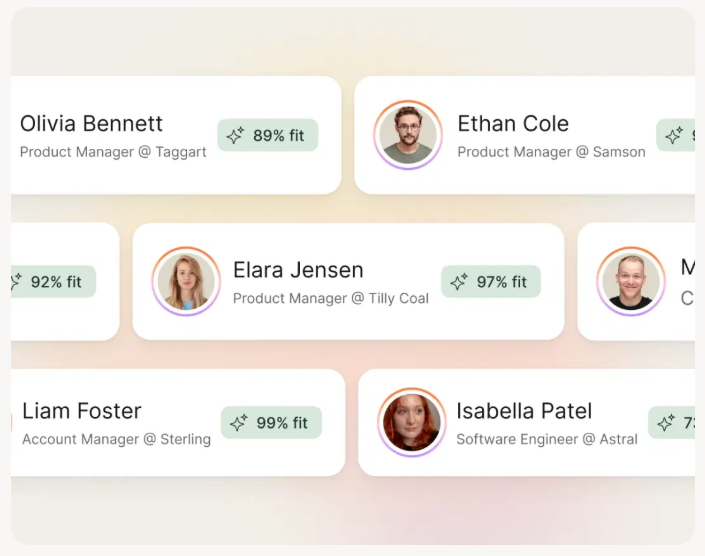
Neither Apify nor Firecrawl gives you verified emails, phone numbers, or enriched contact records. They return HTML, Markdown, and JSON. If your actual goal is building a prospect list, you're spending $100-200/month on a crawling tool to get raw page content - then manually hunting for contact information anyway.
Most teams are better served by purpose-built list building tools and a workflow that prioritizes prospect data accuracy from the start.
Apify and Firecrawl return raw HTML and Markdown. Prospeo returns verified emails, direct dials, and 50+ data points per contact from 300M+ profiles - refreshed every 7 days, not scraped on demand.
Stop building pipelines to find what's already in our database.
FAQ
Can I use Apify and Firecrawl together?
Yes, and many teams do. Use Firecrawl for quick AI extraction on standard sites and Apify for complex multi-site crawls requiring custom Actors and proxy rotation. The tools complement each other well when your pipeline spans simple and heavily-protected targets.
Which tool is better for RAG pipelines?
Firecrawl is faster to set up for single-site RAG ingestion. Apify's Website Content Crawler handles multi-site crawls with more control over output formatting, scheduling, and deduplication. In our experience, the deciding factor is usually how many different site types you're ingesting from - one or two sites favors Firecrawl, five or more favors Apify.
Is Apify cheaper than Firecrawl?
It depends on the workload. For static sites using Cheerio mode, Apify can cost under $10 for 100K pages - dramatically cheaper. For browser-rendered pages with residential proxy needs, Firecrawl's all-inclusive pricing usually wins below 100K pages/month. Above that threshold, run the math for your specific mix of static vs. JS-rendered pages.
What if I just need B2B emails, not raw web data?
Skip both. Web scraping tools return page content, not verified contact records. Prospeo's Email Finder delivers 143M+ verified emails at 98% accuracy and 125M+ mobile numbers with a 30% pickup rate - no crawling infrastructure required. The free tier includes 75 emails per month.