

Bulk Email Guidelines: 2026 Compliance Checklist
One in six emails never reaches the inbox. That's the current global average, and it's gotten worse as Gmail, Yahoo, and Microsoft have all tightened their bulk sender requirements. Gmail lands about 87% of messages in the primary inbox. Microsoft? Just 76%. If you're sending at scale without proper authentication and list hygiene, you need to internalize the current bulk email guidelines - or you're leaving pipeline on the table.
Quick Compliance Checklist
Short on time? Here's everything that matters right now:
- Authenticate everything. SPF, DKIM, and DMARC must all pass. No exceptions. (If you need a deeper walkthrough on alignment, see DMARC.)
- Add one-click unsubscribe headers. RFC 8058 List-Unsubscribe - process opt-outs within two days.
- Keep spam complaints under 0.10%. Google's hard ceiling is 0.30%, but you don't want to get anywhere near it.
- Verify your list before every send. Dead addresses, spam traps, and catch-all domains destroy sender reputation silently. (More on remediation: spam traps.)
- Monitor with free tools. Google Postmaster Tools, Microsoft SNDS, and Yahoo Sender Hub help you spot problems before they escalate. (For more options, see email reputation tools.)
Who Counts as a Bulk Sender?
All three major providers use a similar threshold: 5,000+ emails per day to their consumer mailbox domains.
For Google, that means messages sent to @gmail.com addresses. For Microsoft, it covers consumer Outlook domains like hotmail.com, live.com, and outlook.com. Yahoo applies the same 5,000/day concept for Yahoo Mail.
No dashboard tells you whether you've been classified as a bulk sender. You find out when your logs start showing deferrals and rejections. If your combined daily volume - campaigns, transactional, marketing - could hit 5,000 to any provider, treat yourself as a bulk sender and comply proactively. (Related: bulk email threshold.)
Enforcement Timeline
| Date | Provider | Action |
|---|---|---|
| Feb 2024 | Google, Yahoo | Requirements take effect |
| Apr 2024 | Rejections begin, gradually increasing | |
| Nov 2025 | Ramp-up: temporary + permanent rejections | |
| May 2025 | Microsoft | 550 5.7.515 rejections for non-compliant senders |
| 2026 | All three | Enforcement continues, filters tightening |
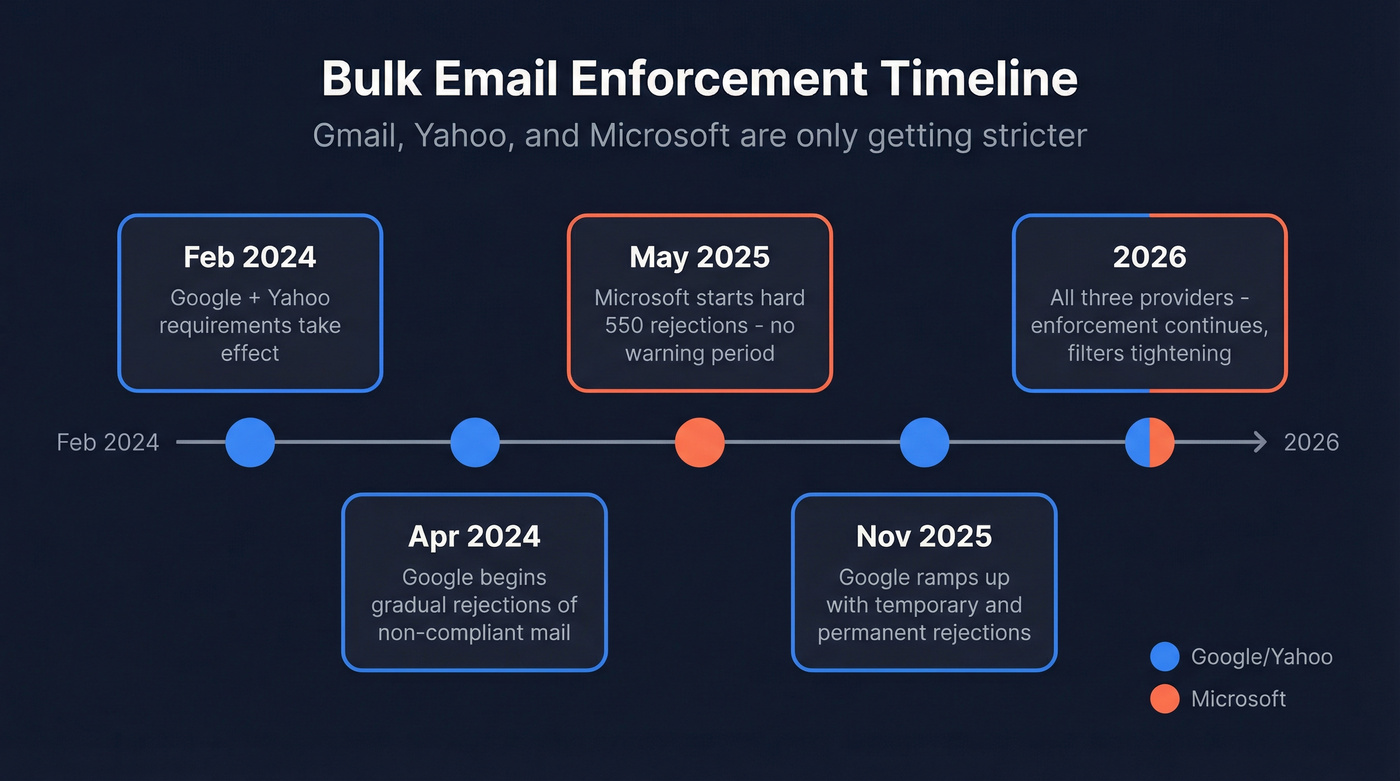
Google has been ramping up enforcement on non-compliant traffic with both temporary and permanent rejections. Microsoft went from routing non-compliant mail to Junk to outright rejecting it. The direction is unmistakable: compliance is table stakes, and enforcement only gets stricter.
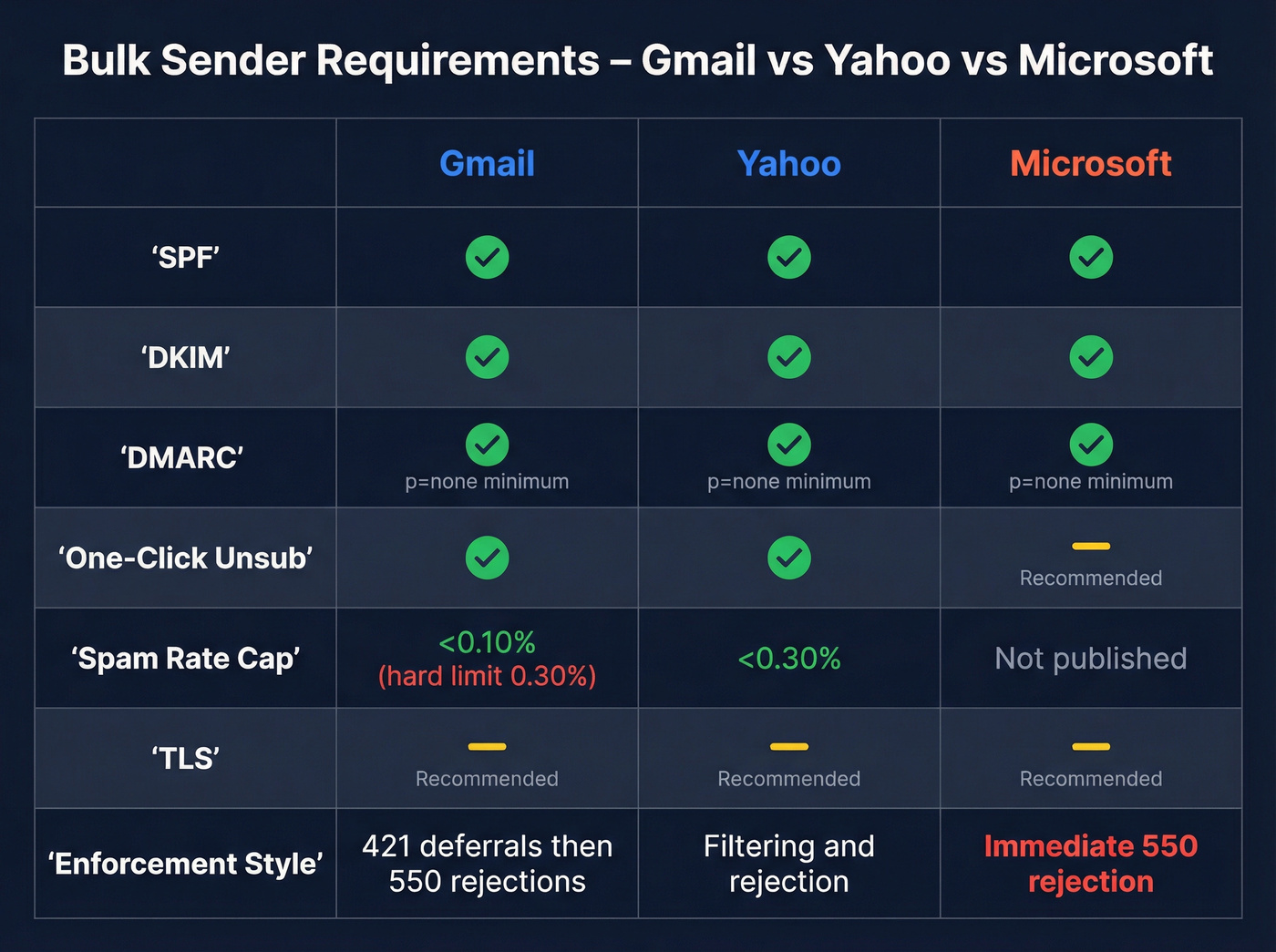
Cross-Provider Requirements at a Glance
We've consolidated the requirements across all three providers so you don't have to piece it together from separate docs.
| Requirement | Gmail | Yahoo | Microsoft |
|---|---|---|---|
| SPF | Required, pass | Required, pass | Required, pass |
| DKIM | Required, pass | Required, pass | Required, pass |
| DMARC | Required (p=none min) | Required (p=none min) | Required (p=none min) |
| TLS | Recommended | Recommended | Recommended |
| One-click unsub | Required (RFC 8058) | Required (RFC 8058) | Recommended |
| Spam rate cap | <0.10% (hard: 0.30%) | <0.30% | Not published |
| PTR/FCrDNS | Recommended | Recommended | Recommended |
| Enforcement action | 421 deferrals + 550 rejections (ramping) | Filtering/rejection | Immediate 550 rejection |
| Monitoring tool | Postmaster Tools | Sender Hub + CFL | SNDS |
Microsoft's requirements are slightly less prescriptive on paper, but their enforcement is blunt - a hard 550 rejection with no warning period.

Authentication gets you past the gate. List quality keeps you in the inbox. Prospeo's 5-step verification catches spam traps, honeypots, and catch-all domains - delivering 98% email accuracy on a 7-day refresh cycle. At $0.01/email, cleaning your list costs less than a single bounce.
Stop feeding spam traps. Send to verified contacts only.
How to Set Up Authentication
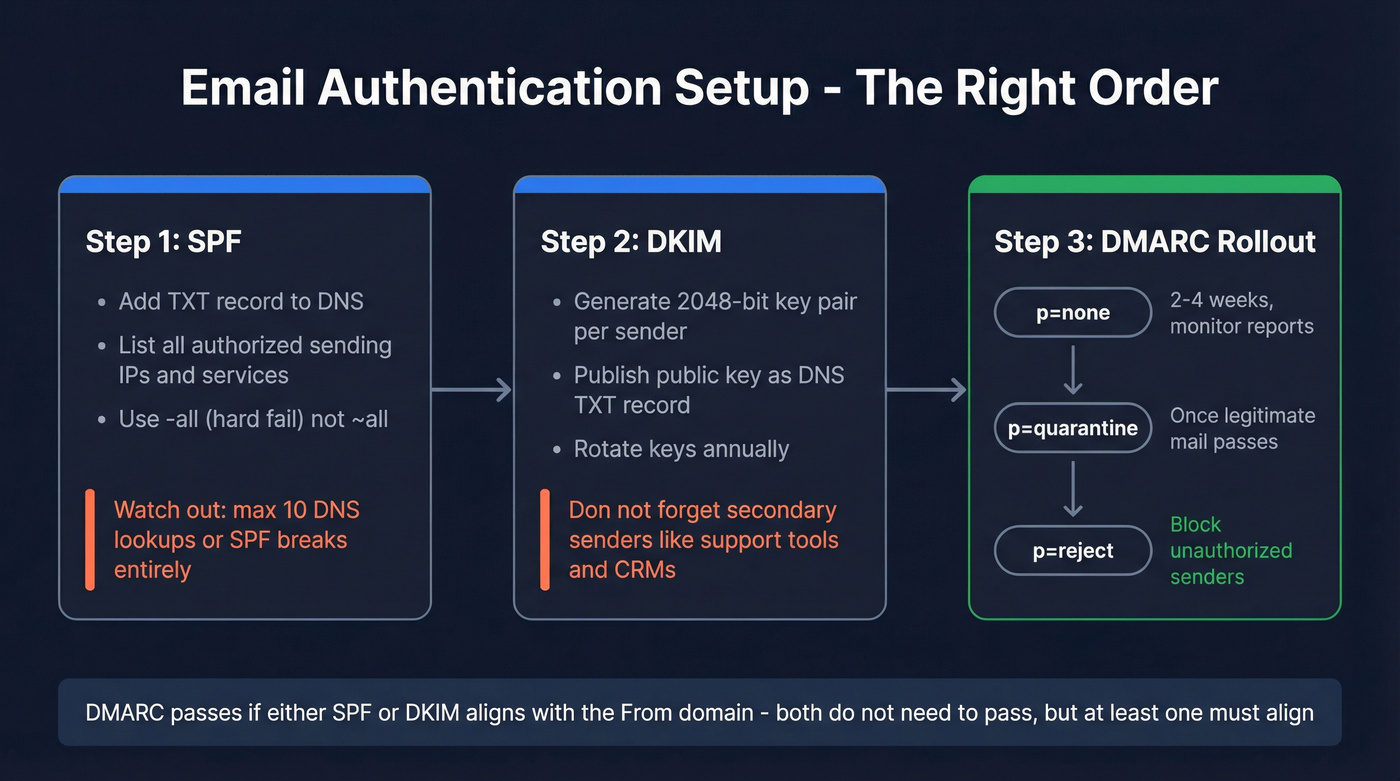
SPF
Add a TXT record to your domain's DNS listing every IP and service authorized to send on your behalf:
v=spf1 include:_spf.google.com include:sendgrid.net -all
Use -all (hard fail), not ~all. The critical constraint: SPF allows a maximum of 10 DNS lookups. Exceed that and SPF fails entirely - as if you have no record at all. If you're using multiple sending services, flatten your SPF record or consolidate providers. We've seen teams break SPF simply by adding a fourth SaaS tool without checking their lookup count first. (More examples: SPF record.)
DKIM
Generate a 2048-bit key pair for each sending service - your ESP, transactional mailer, CRM. Publish the public key as a DNS TXT record and rotate keys annually. Don't forget secondary senders like your marketing platform or support ticketing system; those are the ones that slip through and fail alignment. (Quick checks: verify DKIM is working.)
DMARC Rollout
DMARC ties SPF and DKIM together with a policy. Stage the rollout:
p=nonefor 2-4 weeks. Monitor reports. Fix alignment issues.p=quarantineonce you're confident legitimate mail passes.p=rejectwhen you're ready to block unauthorized senders entirely.
Use relaxed alignment (adkim=r; aspf=r) unless you have a specific reason for strict. If you forward mail or use mailing lists, implement ARC (Authenticated Received Chain) to preserve authentication through forwarding hops.
One alignment nuance worth understanding: DMARC passes if either SPF or DKIM aligns with the From domain, so if SPF fails but DKIM passes and aligns, you're still compliant. But if neither aligns - even if both technically "pass" against different domains - DMARC fails. This trips up teams using third-party senders with misaligned domains more often than you'd think.
One-Click Unsubscribe Headers
To support one-click unsubscribe per RFC 8058, include these headers:
List-Unsubscribe: <https://example.com/unsub?id=12345>

List-Unsubscribe-Post: List-Unsubscribe=One-Click
The List-Unsubscribe-Post header is what makes it "one-click" - the mailbox provider processes the unsubscribe without redirecting the user to a landing page. Process every opt-out within two days.
What Enforcement Looks Like in Your Logs
When things go wrong, you'll see it in SMTP responses before you see it anywhere else. Here's Gmail's deferral:
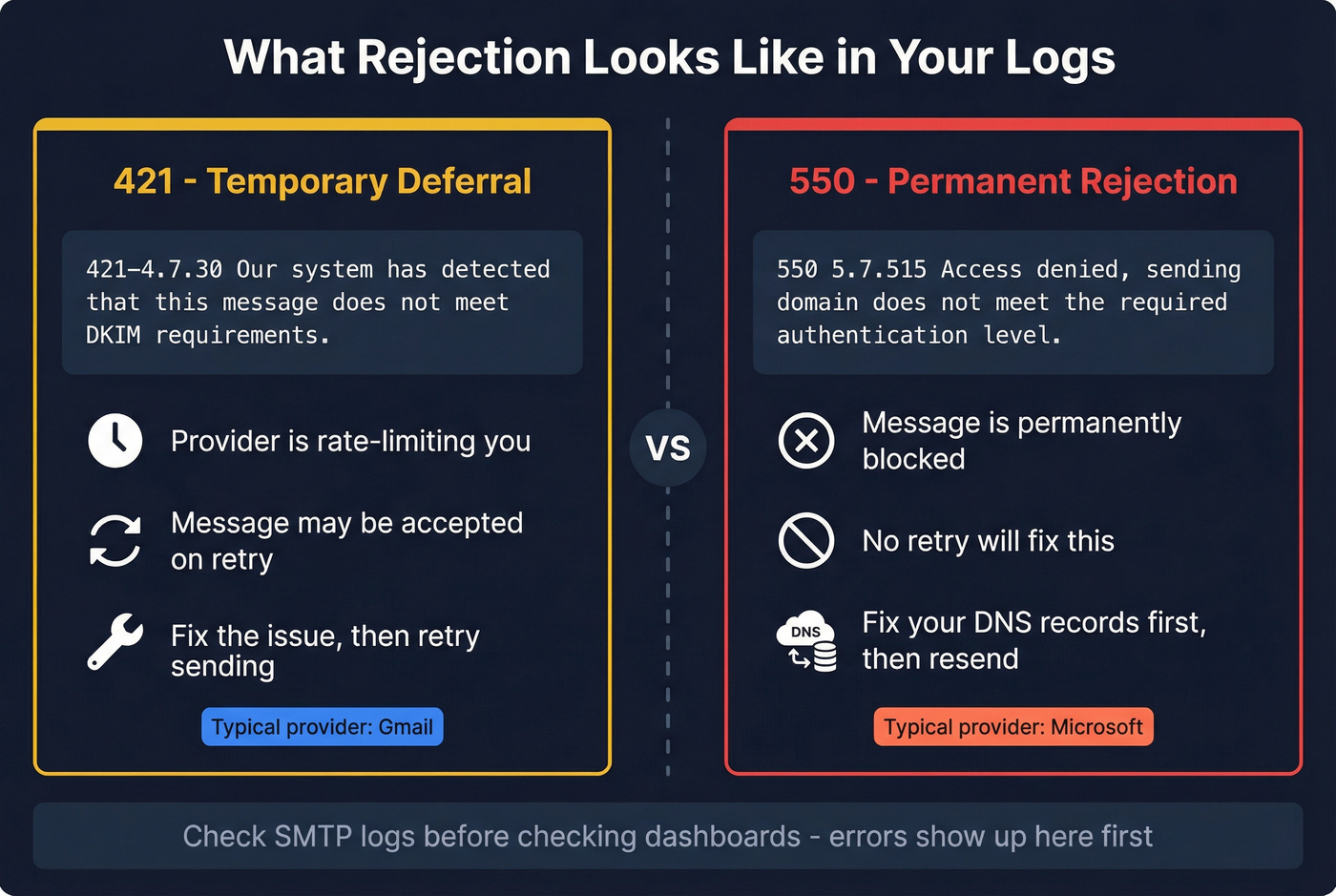
421-4.7.30 [x.x.x.x] Our system has detected that this message
does not meet DKIM requirements.
A 4xx code is a temporary deferral - Gmail is rate-limiting you but may accept the message later. Microsoft skips the warning entirely:
[550 5.7.515](https://learn.microsoft.com/en-us/answers/questions/5533131/how-to-fix-a-550-5-7-515-access-denied-error) Access denied, sending domain [yourdomain.com]
does not meet the required authentication level.
A 5xx is permanent. The message is blocked. No retry will fix it - you need to fix your DNS records first. (If you're troubleshooting bounces broadly, see email bounce rate.)
Why Compliant Senders Still Hit Spam
Here's the thing: authentication is necessary but not sufficient. We've seen teams with perfect SPF, DKIM, and DMARC records still watch deliverability decay after 4-5 weeks of sending. The consensus on r/coldemail is blunt - "correct basics" don't guarantee stable inboxing.
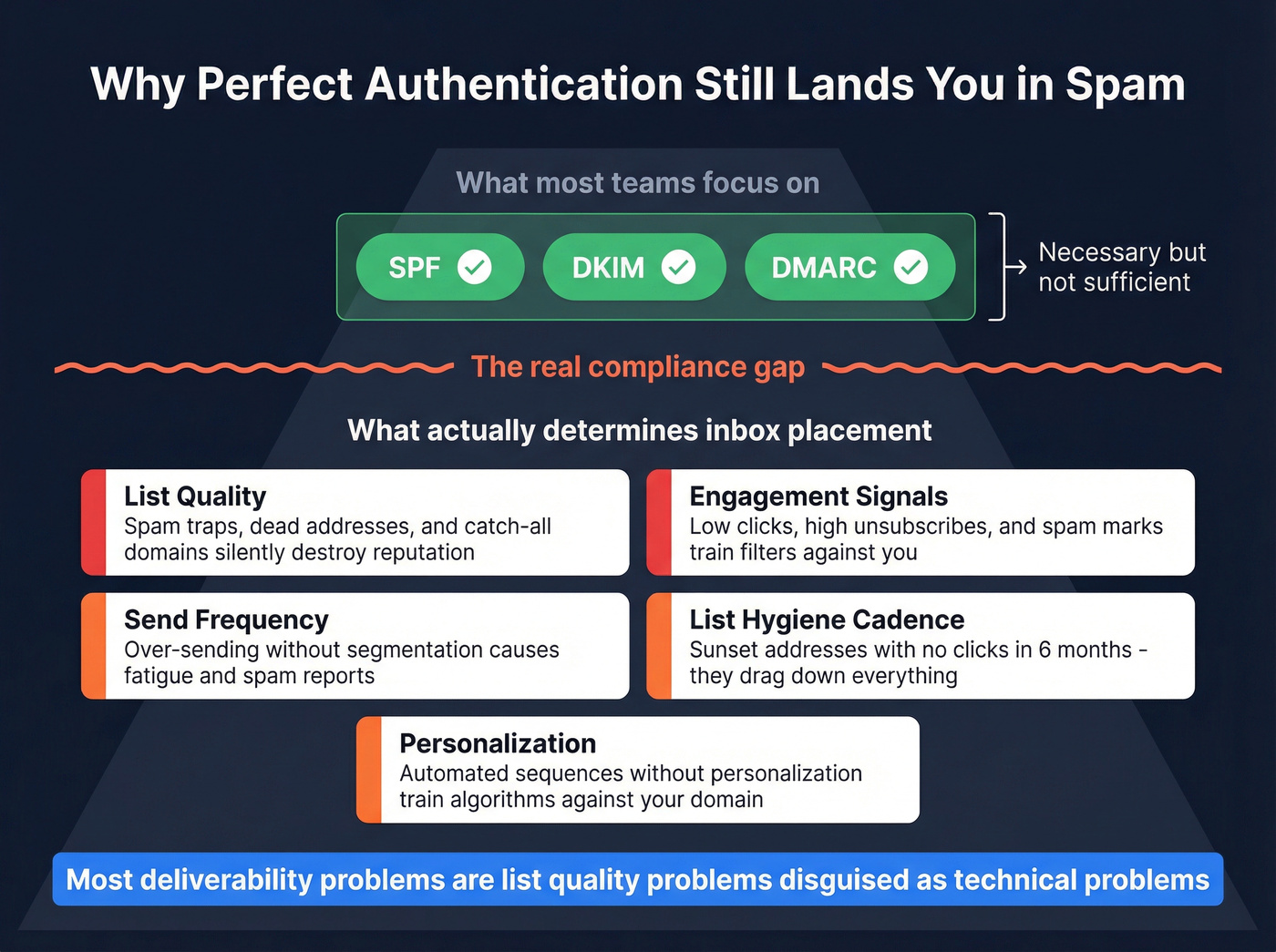
The real compliance risk is list quality. Spam traps, dead addresses, and catch-all domains erode sender reputation silently. Every bounce and every spam trap hit tells the mailbox provider your list is dirty. Verify your list before every campaign - Prospeo's 5-step verification catches spam traps, honeypots, and catch-all domains at 98% email accuracy on a 7-day refresh cycle. But any verification tool that handles catch-alls and honeypots will move the needle here. (If you want the full framework, see our email deliverability guide.)

Engagement signals matter just as much. Over-sending without segmentation leads to fatigue, unsubscribes, and spam marks - exactly the signals providers use to filter you. Blasting automated sequences without personalization is the fastest way to train algorithms against your domain. (Related: email velocity.)
Let's be honest: most deliverability problems aren't technical. They're list quality problems disguised as technical problems. Teams spend weeks debugging DNS records when the real issue is that a big chunk of their list is dead. Fix the data first, then worry about the infrastructure. Sunset addresses that haven't clicked in six months - they drag down engagement metrics and signal to providers that your recipients don't want your mail.
And if you're still relying on open rates to gauge engagement, Apple Mail Privacy Protection has made that metric unreliable since 2021. Prioritize clicks over opens. Use preference centers to let recipients control frequency. Skip sending at the top or bottom of the hour, when batch sends from every other sender pile up in the queue.
Every bulk email guideline points to the same truth: dirty lists kill sender reputation faster than missing DKIM records. Prospeo's database of 143M+ verified emails is refreshed every 7 days - not the 6-week industry average - so you're never sending to dead addresses.
Build compliant lists from the start instead of cleaning up bounces later.
Free Monitoring Tools You Should Set Up Today
You don't need to pay for deliverability monitoring.
Google Postmaster Tools is the most granular dashboard available. It shows spam rate, domain reputation, authentication pass rates, and delivery errors. Set this up first; Gmail is the strictest enforcer and the data is invaluable for diagnosing problems early.
Microsoft SNDS shows sending reputation and traffic data for Microsoft consumer domains. Less detailed than Google's tooling, but essential if Outlook addresses make up a meaningful share of your list.
Yahoo Sender Hub + Complaint Feedback Loop - register for the CFL to get notified when Yahoo users mark your mail as spam. All three tools are free. There's no excuse for flying blind. Following bulk email guidelines means nothing if you can't measure whether they're working.
FAQ
Does the 5,000/day threshold apply to B2B emails?
Google's rules apply to @gmail.com addresses; Microsoft's cover consumer Outlook, Hotmail, and Live domains. If your B2B list includes any personal addresses - and most do - you're subject to these rules. The threshold doesn't distinguish B2B from B2C. It cares about volume and the destination domain.
How do I keep my bounce rate low enough?
Verify every address before it enters your sending pipeline. Target under 2% hard bounce rate - anything higher signals list quality problems to mailbox providers. Tools like NeverBounce, ZeroBounce, and Prospeo all handle pre-send validation; the key is doing it consistently, not just once.
What's the difference between a 421 and 550 error?
A 421 is a temporary deferral - the provider may accept on retry. A 550 is a permanent rejection - no retry will help. Gmail typically starts with 421 deferrals and escalates to 550 over time. Microsoft often jumps straight to 550 with no grace period.
Should I skip all this if I send fewer than 5,000 emails per day?
No. The 5,000/day threshold triggers the strictest enforcement tier, but SPF, DKIM, and DMARC are best practices for any sender volume. Even at 500 emails per day, missing authentication will hurt your inbox placement. The threshold just determines whether you get warnings or immediate rejections.