

How to Use ChatGPT for Email (2026 Guide + Prompts)
It's 4:47 PM on a Friday. You've got a frustrated customer waiting on a response, a prospect who ghosted after a demo, and a team update that should've gone out two hours ago. You could write all three from scratch - or you could let ChatGPT handle the drafts in under two minutes.
Email eats 28% of the average workday. That's roughly 11 hours a week spent typing things like "per my last email" and "just circling back." Teams using AI email assistants report saving 2-4 hours per week on routine messages, which sounds modest until you multiply it across a 10-person sales team for a quarter. ChatGPT can reclaim most of that time, but only if you prompt it without producing something that screams "a robot wrote this."
We've sent hundreds of AI-drafted emails over the past year. The ones that get replies always have one thing in common: specificity. This guide gives you the exact prompts, the style guardrails, and the privacy rules to make ChatGPT email drafting actually work.
What You Need
Three things:
- ChatGPT (free or Plus) handles 90% of email drafting - if you prompt it correctly.
- The anti-robot preamble (provided below) kills the AI tone. Paste it before every email prompt.
- 60 seconds of editing after every draft. No prompt eliminates the need to read it out loud.
Prompts That Actually Work
Most people type something like "write me an email to a client" and wonder why the output reads like a corporate press release. Vague prompts produce generic fluff. Every time.
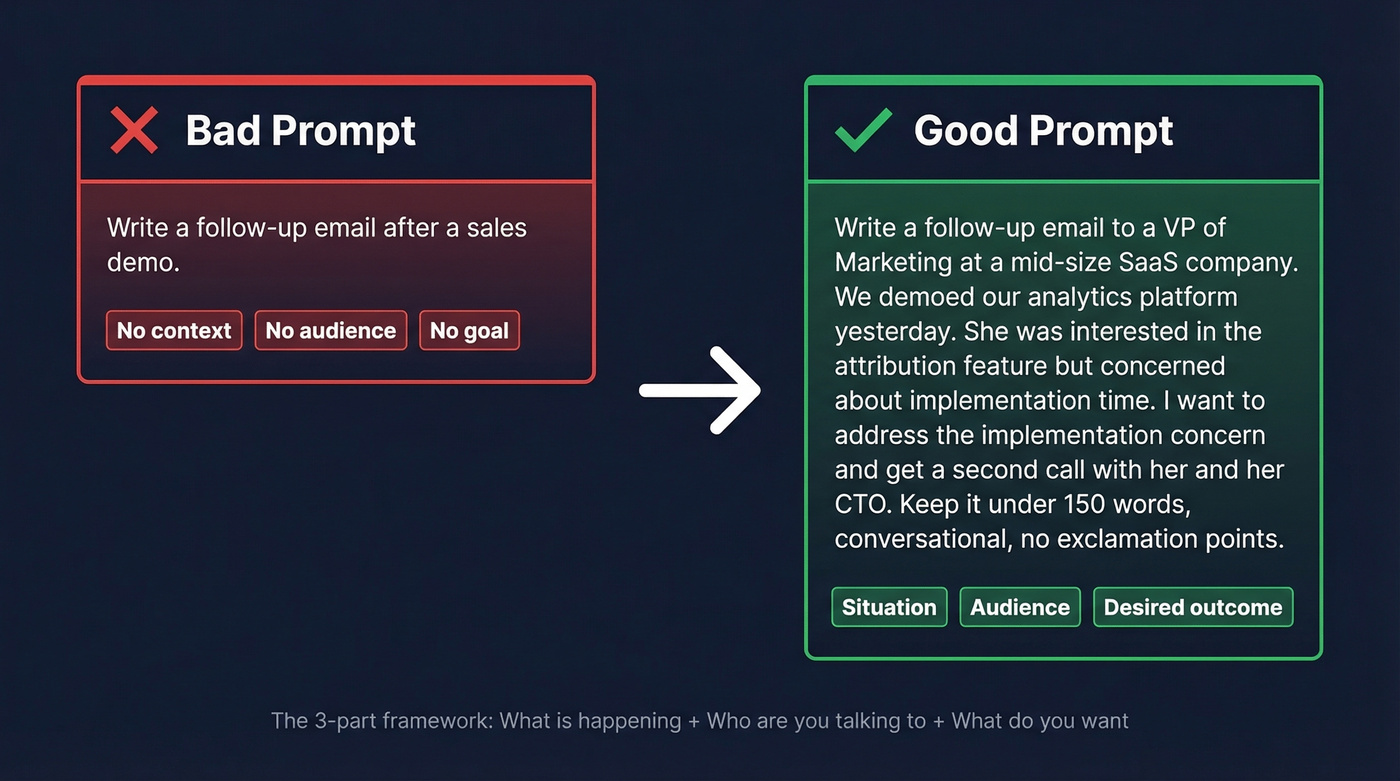
The fix is a three-part framework. First, what's happening - the situation, like a delayed shipment or a missed meeting. Second, who are you talking to - their role, your relationship, their likely emotional state. Third, what do you want - a reply, a meeting, forgiveness, a click.
The difference in practice is stark.
Bad prompt: "Write a follow-up email after a sales demo."
Good prompt: "Write a follow-up email to a VP of Marketing at a mid-size SaaS company. We demoed our analytics platform yesterday. She was interested in the attribution feature but concerned about implementation time. I want to address the implementation concern and get a second call with her and her CTO. Keep it under 150 words, conversational, no exclamation points."
The second prompt gives ChatGPT enough context to produce something you'd actually send. The first gives you something you'd immediately rewrite.
The Anti-Robot Preamble
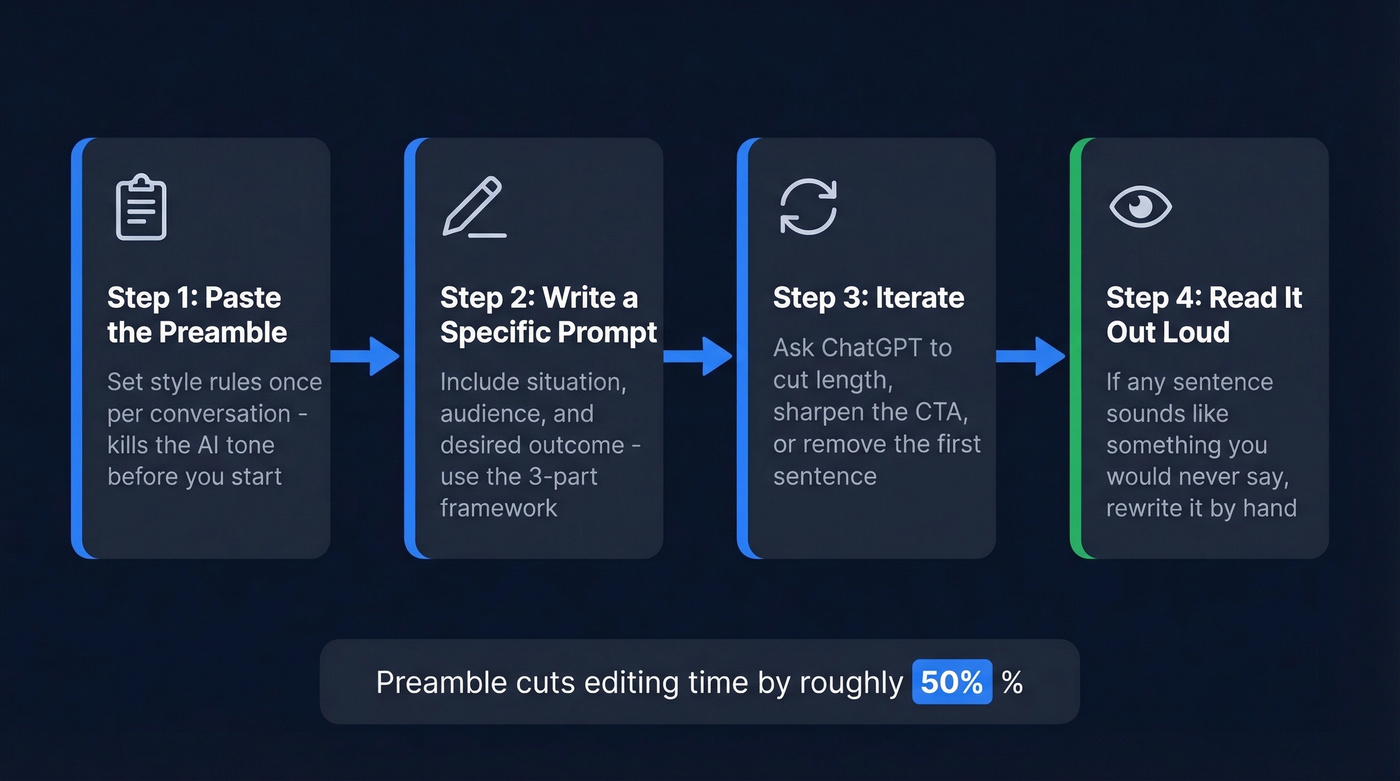
Before you write a single email prompt, paste this block into your ChatGPT conversation. It acts as a style guardrail for everything that follows - and it's the single biggest lever for making outputs sound human.
STYLE RULES FOR ALL EMAILS IN THIS CONVERSATION:
- Use simple, direct language. Short sentences.
- Never use these phrases: "dive into," "unleash," "game-changer,"
  "I hope this email finds you well," "leverage," "synergy."
- No marketing hype. No forced enthusiasm.
- Don't start emails with "I hope you're doing well."
- Be concise. Cut unnecessary words.
- Write like a real person   -   not a LinkedIn post.
- Focus on clarity over cleverness.
- Match the formality level I specify. Default to casual-professional.
This came from a Reddit thread sharing a simple style prompt to reduce the "AI tone." It's simple, but it works. In our testing, the preamble cut editing time by roughly half. Paste it once at the start of a conversation, and every email in that thread follows the rules.
Copy-Paste Email Prompts
Each prompt below follows the three-part framework. Copy, customize the brackets, paste.
Workplace Updates
Write a weekly project update email for my team. We're building [PROJECT].
This week we completed [MILESTONE], hit a roadblock on [ISSUE], and next
week we're focused on [PRIORITY]. Keep it under 200 words, bullet points
for the three sections, casual tone.
Write an email announcing a new [POLICY/PROCESS CHANGE] to the team.
Explain why we're making the change, what it means for their daily work,
and when it takes effect. Tone: direct, not corporate. Under 150 words.
Customer Support & Apologies
Customer apology emails are where AI drafting shines brightest - and where the stakes are highest. The key is giving ChatGPT the customer's emotional state. "They're annoyed, not angry" produces a completely different draft than "they're threatening to churn."
Write a customer support email responding to [CUSTOMER SITUATION].
Acknowledge their [EMOTION/CONCERN], apologize for [WHAT WENT WRONG],
explain that we're [IMMEDIATE SOLUTION], and provide [NEXT STEPS].
Professional but warm. No corporate buzzwords. Under 150 words.
Sales & Cold Outreach
49% of B2B marketers already use generative AI to create emails, per a Litmus 2024 State of Email report. If you're not using it for outreach, you're spending time your competitors aren't.
Write a cold outreach email to a [TITLE] at a [COMPANY TYPE] company.
We sell [PRODUCT/SERVICE] that helps with [SPECIFIC PAIN POINT].
Reference [TRIGGER   -   e.g., recent funding round, job posting, news].

One clear CTA: book a 15-minute call. Under 100 words. No exclamation
points. No "I hope this finds you well."
Write a re-engagement email to a prospect who went silent 3 weeks ago.
Last touchpoint was [WHAT HAPPENED]. Don't be pushy. Offer one new
piece of value   -   [RESOURCE/INSIGHT]. Ask if timing has changed. Under
80 words.
Here's the thing about cold outreach: the email itself is only half the equation. If it bounces off an invalid address, the best copy in the world doesn't matter. We pair ChatGPT drafts with Prospeo's email finder to verify addresses at 98% accuracy before hitting send - one agency using that workflow dropped bounce rates from 35% to under 4%.
If you're running cold outreach at any scale, it also helps to follow a clear follow-up sequence instead of improvising every touch.
Scheduling & Meeting Requests
Write a polite email requesting a 30-minute meeting with [NAME/TITLE]
to discuss [TOPIC]. Suggest 2-3 time slots next week. Keep it brief
and easy to say yes to. Under 80 words.
If you want more templates for first-touch outreach, start with a proven sales introduction email structure.
Marketing Emails
Write a welcome email for new subscribers to [BRAND/PRODUCT]. Include:
- Subject line (under 60 characters)
- A warm opening that sets expectations
- One clear CTA to [ACTION]

Tone: knowledgeable, friendly. Do not use exclamation points.
That last constraint matters. ChatGPT overuses exclamation points, and they typically underperform in marketing messaging. Twilio's prompt engineering guidance shows that specifying deliverables like subject line length, CTA, and tone forces much better output than an open-ended request.
If you're sending campaigns (not 1:1), these email blast templates can help you stay out of spam.
How to Not Sound Like AI
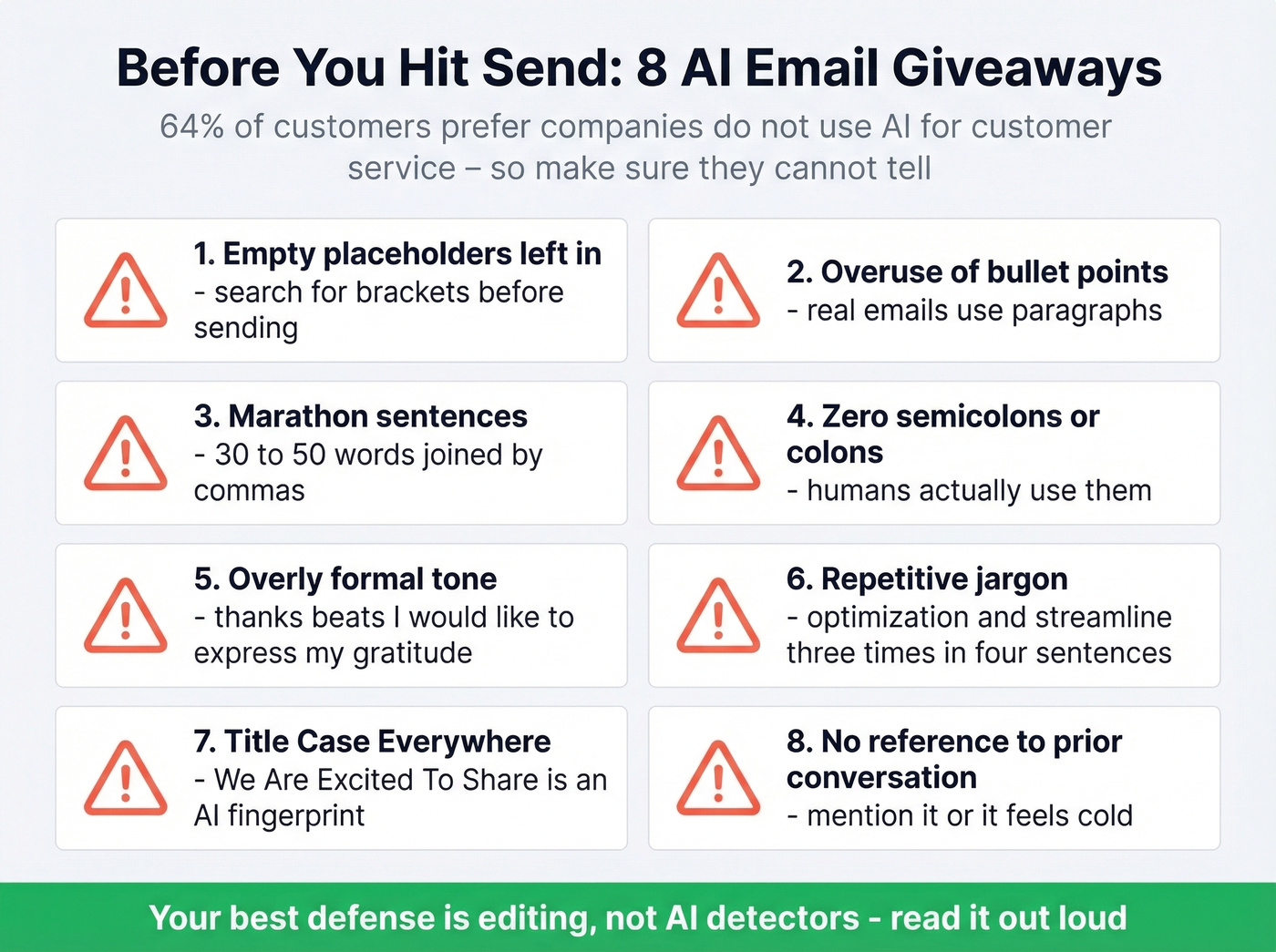
The uncomfortable truth: 64% of customers prefer companies don't use AI for customer service. And as one professor put it on r/UCDavis: "We can tell."
The counterpoint? In one experiment, AI-generated emails hit a 9.44% CTR vs 8.46% for human-written ones. AI emails can outperform - but only when they don't read like AI emails.
Let's be honest: if your email takes less than 30 seconds to read, most recipients won't notice or care that AI helped write it. The people who get caught are the ones who skip the editing step entirely.
Here are the giveaways to fix before hitting send:
- Empty placeholders left in - "{company name}" still in the draft. Always search for brackets.
- Overuse of bullet points - Real emails use paragraphs. If every section is bulleted, it looks templated.
- Marathon sentences - 30-50 words joined by commas. Break them up.
- Zero semicolons or colons - Humans use them; ChatGPT almost never does.
- Overly formal tone - "I would like to express my gratitude" instead of "thanks."
- Repetitive jargon - "optimization," "efficiency," "streamline" three times in four sentences.
- Title case everywhere - "We Are Excited To Share This Update" is an AI fingerprint.
- No reference to prior conversation - If you've talked before, mention it. ChatGPT won't unless prompted.
Skip the AI detectors like GPTZero and Copyleaks - they're inconsistent on email-length text and produce frequent false positives. Your best defense is editing, not detection-dodging. Read the draft out loud. If it sounds like something you'd never actually say, rewrite that sentence by hand.
If deliverability is part of your problem, start with outbound email spam prevention and a quick email reputation check.

A perfect ChatGPT draft means nothing if it bounces. Prospeo verifies emails at 98% accuracy across 300M+ professional profiles - so every AI-crafted message actually lands in a real inbox.
Stop perfecting emails that never get delivered.
Improving Drafts Iteratively
The first draft is rarely the final draft. The best way to refine output is iterative prompting - ask for a version, then tell ChatGPT what to change. "Make the opening more direct," "cut the second paragraph," or "rewrite the CTA as a question" all produce meaningfully better second drafts than starting over.
A few patterns we've noticed after hundreds of iterations:
- Shorter emails almost always outperform longer ones. If ChatGPT gives you 200 words, ask for 120.
- Removing the first sentence usually improves the email. ChatGPT front-loads throat-clearing. I've started just deleting the opener by default.
- Swapping one generic line for a specific detail - a metric, a name, a date - makes the whole email feel personal.
If you're doing this for outbound, pairing drafts with AI email personalization (real data, not fake flattery) is what moves reply rates.
What NOT to Paste Into ChatGPT
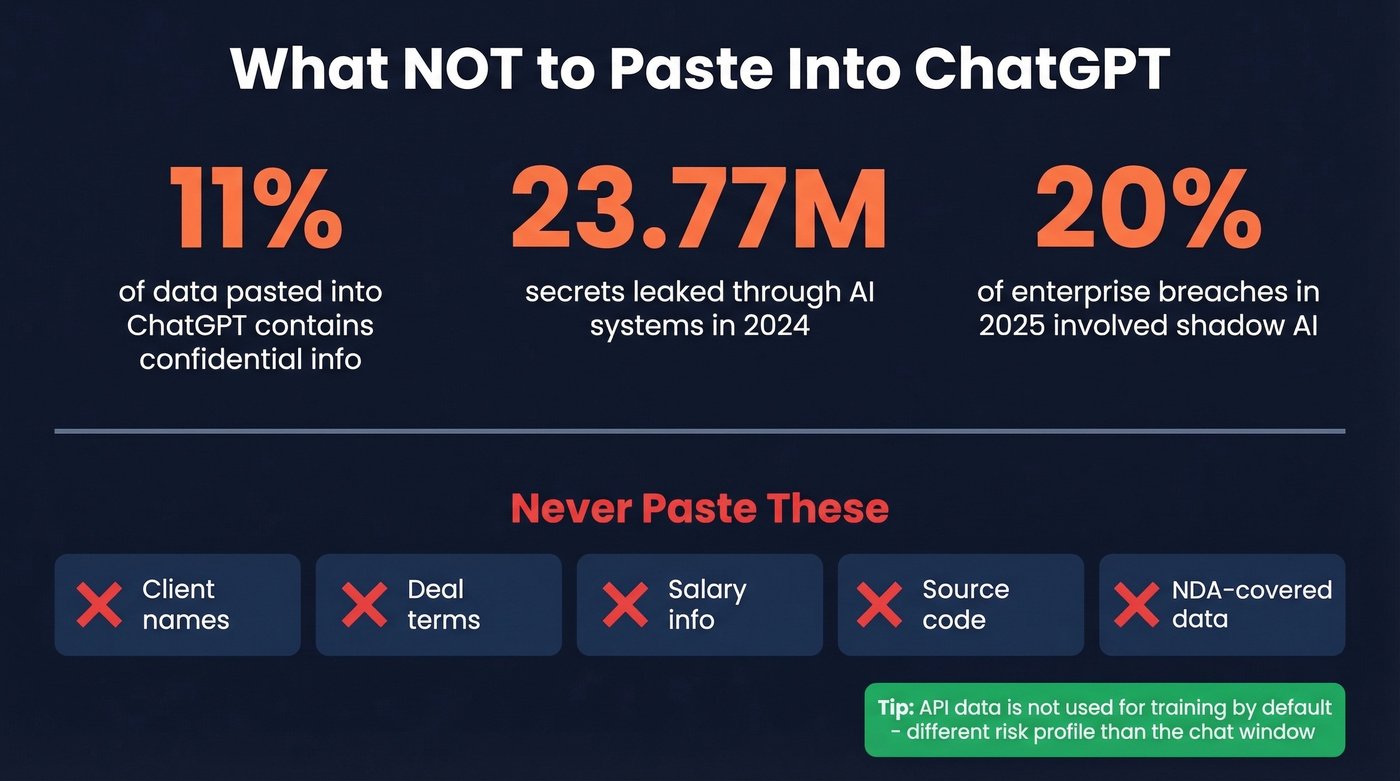
Real talk: 11% of data pasted into ChatGPT contains confidential information. In 2024 alone, 23.77 million secrets were leaked through AI systems, and an estimated 20% of enterprise breaches in 2025 involved shadow AI usage.
The consequences aren't theoretical. Samsung employees pasted proprietary source code into ChatGPT - the company responded with internal prompt restrictions. Italy hit OpenAI with a EUR15M GDPR fine in December 2024. A Redis bug in March 2023 briefly exposed other users' chat titles and payment info. And in summer 2025, a share-link indexing incident meant shared ChatGPT conversations could be crawled by search engines.
Don't paste client names, deal terms, salary information, source code, or anything covered by an NDA. The risk isn't worth the 30 seconds you'd save.
If you're in a regulated environment, align your process with B2B compliance basics before rolling AI out to the whole team.
Free vs Plus vs Team Plans
| Tier | Price | Email Features | Training Policy | Privacy |
|---|---|---|---|---|
| Free | $0 | Basic drafting | May train models | Manual opt-out |
| Plus | $20/mo | Canvas, Reason, Deep Research | May train (opt out) | Manual opt-out |
| Team | $25-30/user/mo | All Plus + admin controls | No training default | Admin controls |
| Enterprise | Custom | Enterprise controls + compliance | Never trains | BAAs, audit logs |
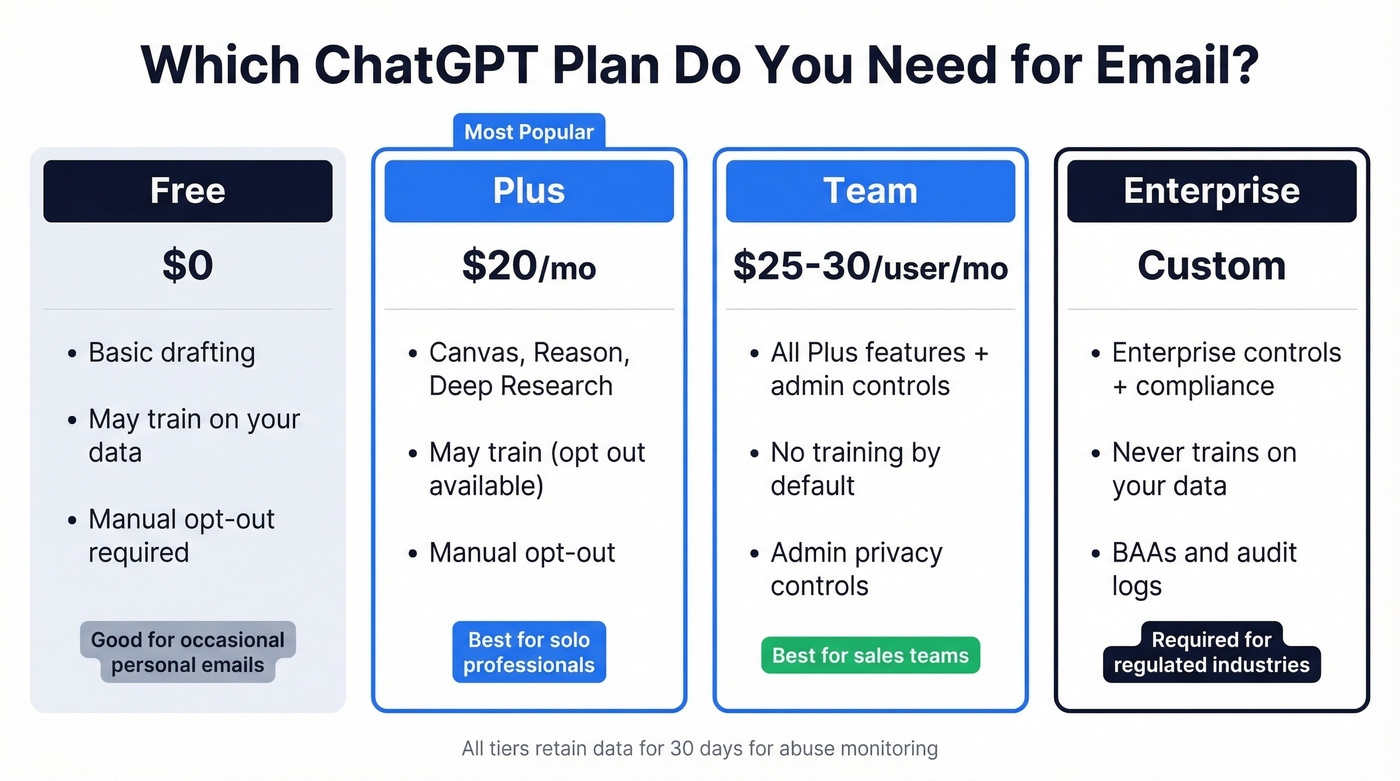
ChatGPT data is retained for 30 days for abuse monitoring. The API behaves differently from the web interface - API data isn't used for training by default, which is a meaningfully different risk profile than pasting into the chat window.
Plus at $20/month is worth it if you write more than 10 emails a day. Canvas alone - which lets you edit ChatGPT's output inline rather than re-prompting - saves real time on longer emails. For teams handling sensitive client data, the jump to Team buys you the "no training by default" guarantee, which is the minimum bar for most compliance teams. In our experience, Plus pays for itself within the first week for anyone doing daily outbound or customer communication.
Best AI Email Tools in 2026
| Tool | Best For | Price | One-Line Take |
|---|---|---|---|
| Superhuman | Inbox power users | $30/user/mo | Fast, keyboard-driven, AI triage |
| Grammarly | Writing polish | From $12/mo | Catches what ChatGPT misses |
| Flowrite | Quick email drafts | From $5/mo | Lightweight, template-driven |
| Lavender | Sales email coaching | $29/mo | Real-time scoring for outbound |
| Copilot | Outlook-native AI | $9.99/mo | Best if you're already in M365 |
| Gemini | Gmail-native AI | $19.99/mo | Gmail-native assistant |
| Mailmeteor | Free web email writer | Free | Uses OpenAI GPT models for basic drafts |
For most professionals, the stack is simple: ChatGPT for drafting, Grammarly for polish, and a verification tool if you're doing outbound. That covers 95% of email workflows.
If you're running cold outreach at any scale, skip tools that don't verify addresses - your domain reputation depends on it. Prospeo offers a free tier with 75 email verifications per month, so you can test it without a credit card.
If you're comparing options, this roundup of the best email verifier tools is a good starting point.

One agency paired ChatGPT drafts with Prospeo's verified contact data and dropped bounce rates from 35% to under 4% - tripling their pipeline to $300K/week. Great copy needs great data behind it.
Write with ChatGPT. Send with confidence at $0.01 per verified email.
Connecting ChatGPT to Gmail and Outlook
Gmail doesn't have built-in ChatGPT integration. Google has Gemini baked in, but if you specifically want ChatGPT, you've got two paths.
Chrome extensions like "ChatGPT for Gmail" or "GPT for Sheets and Docs" add an AI sidebar directly in Gmail. Install, authenticate, and you get drafting and reply suggestions without leaving your inbox. The setup takes about three minutes.
Automation tools like Zapier or Make connect ChatGPT's API to Gmail for automated workflows - auto-drafting replies, summarizing threads, triggering follow-ups. Connect your Gmail account, set your prompts, build the trigger logic, and test before going live.
For Outlook users, Microsoft Copilot at $9.99/month is the path of least resistance. It's native and doesn't require workarounds.
FAQ
Can people tell when an email is written by ChatGPT?
Yes, especially in 1:1 communication where the recipient knows your writing style. The giveaways: forced formality, no personality, overuse of bullet points, and phrases like "I hope this finds you well." Marketing emails perform fine - AI-generated messages hit 9.44% CTR vs 8.46% for human-written ones - but personal emails get noticed. Always edit before sending.
Is ChatGPT free for writing emails?
Yes. The free tier handles basic drafts without any payment. Plus at $20/mo unlocks Canvas for inline editing and noticeably better output quality. For casual use, free works. For daily professional communication, Plus pays for itself fast.
How do you write effective emails with ChatGPT?
Always include the situation, the recipient's role and emotional state, and your desired outcome. Paste the anti-robot preamble at the start of every conversation, set tight word count targets, and spend 60 seconds editing every draft. Treat it as a first-draft machine, not a send-button replacement.
Is it safe to paste confidential data into ChatGPT?
Free and Plus data can train models unless you manually opt out, and all data is retained 30 days for abuse monitoring. Team and Enterprise tiers don't use data for training by default. Don't paste client names, deal terms, salary figures, or NDA-covered material on lower-tier plans.
What's a good free tool for verifying outbound emails?
Prospeo offers 75 free email verifications per month at 98% accuracy - enough to test a small outbound campaign without a credit card. Most verification tools either charge from the first lookup or cap free tiers at 10-25 checks.