

Client Management: Frameworks, KPIs, and Tools to Stop Winging It
It's Monday morning. You've got eight active clients, three overdue deliverables, a renewal conversation you forgot to prep for, and an onboarding call in 40 minutes with a new account whose contract you haven't fully read. Sound familiar?
The problem isn't that you're bad at relationships. It's that you don't have a client management system.
The Short Version
Client management is a repeatable system built on three pillars: structured onboarding, measurable KPIs, and clean data. Nearly 80% of companies can't connect their client experience efforts to revenue, which means they're flying blind. If you track nothing else, track NPS, client lifetime value, and churn rate - formulas are below. And your CRM is only as good as the contacts in it; fix data quality before adding new tools.
What Is Client Management?
Let's get the definition right. Client management is the system of processes, tools, and habits you use to onboard, retain, and grow long-term accounts. It's not "being nice on calls." It's not "checking in quarterly." It's infrastructure.
The distinction between a client and a customer matters here. A customer typically purchases a product or service through a brief interaction and often doesn't develop a long-term relationship with the seller. A client enters an ongoing relationship that involves more personalized attention - recurring, evolving, and worth systematizing.
When you treat relationship management like a personality trait instead of a discipline, you get inconsistency. Some accounts thrive because they lucked into your best account manager. Others churn because nobody owned the follow-up.
70% of companies aren't using a CX framework that links experience data to revenue. Most businesses can't tell you whether their efforts are making money or burning it. The fix isn't another happy hour with your top account. It's building a system that works regardless of who's running it.
Why It Directly Impacts Revenue
The business case isn't abstract. It's arithmetic.
A 5% increase in retention can boost profits by 25-95%. Acquiring a new customer costs 5-7x more than retaining an existing one, per Harvard Business Review. And the probability of selling to an existing client is 60-70%, compared to just 5-20% for a new prospect. That gap alone should reshape how you allocate your team's time.
Companies that lead on loyalty - defined as top NPS and satisfaction scores for three or more consecutive years - grow 2.5x faster than their competitors. Those numbers compound. A consulting firm retaining 85% of clients annually is building on a stable revenue base. A hospitality business retaining 55% is rebuilding half its book every year. The difference between those two scenarios is the difference between compounding growth and a treadmill.
Retention Benchmarks by Industry
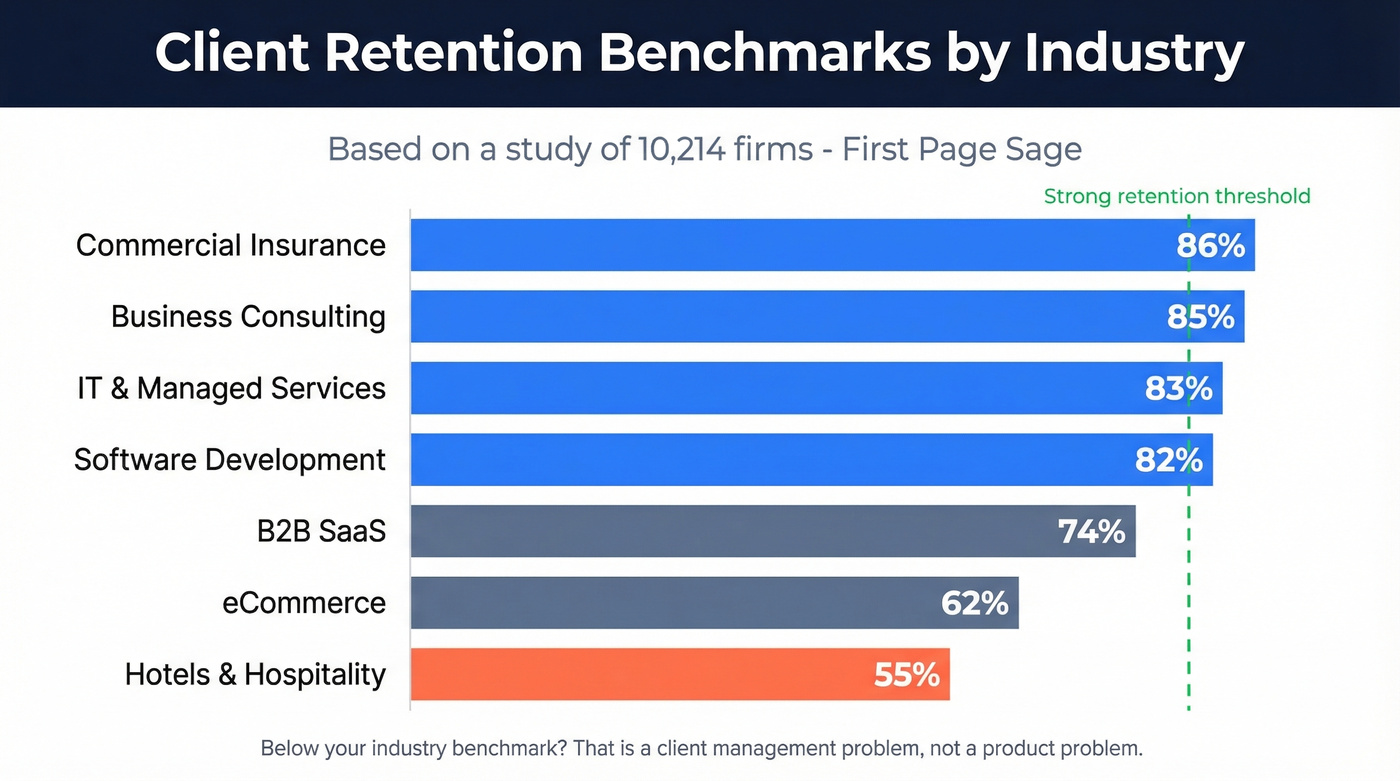
Retention rates vary dramatically by industry. Based on a First Page Sage study of 10,214 firms:
| Industry | Avg. Retention |
|---|---|
| Commercial Insurance | 86% |
| Business Consulting | 85% |
| IT & Managed Services | 83% |
| Software Development | 82% |
| B2B SaaS | 74% |
| eCommerce | 62% |
| Hotels & Hospitality | 55% |
If your retention rate sits below your industry benchmark, that's not a marketing problem or a product problem. It's a client management problem. And it's fixable.
The firms consistently above 80% share a few common tactics: they segment and personalize communication by account tier, they build meaningful switching costs through deep integration, and they handle account issues proactively rather than waiting for complaints. None of that requires expensive technology. It requires discipline.
The Measure, Act, Grow Framework
Most frameworks for client experience are either too academic or too vague. The Account Experience model from CustomerGauge is one of the few that ties directly to revenue. It breaks into three phases.
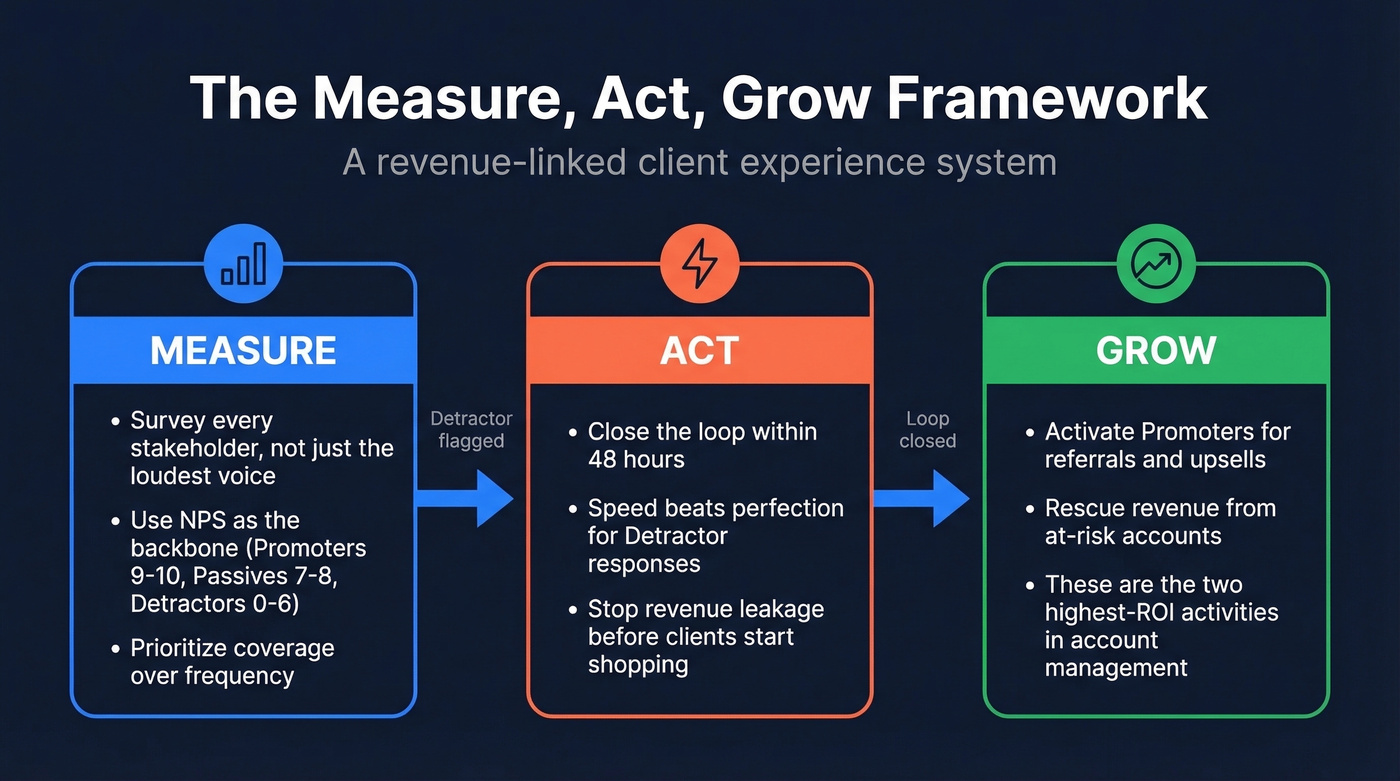
Measure. Survey the right people at the right time. NPS is the backbone - Promoters score 9-10, Passives 7-8, Detractors 0-6. But measurement isn't just about the score. It's about coverage. Are you surveying every stakeholder on the account, or just the person who replies fastest?
Act. Close the loop fast. When a Detractor flags a problem, the response window matters more than the response quality. A mediocre fix delivered in 48 hours beats a perfect fix delivered in three weeks. The goal is to stop revenue leakage before the client starts shopping alternatives.
Grow. This is where most teams drop the ball. Promoters are your best growth engine - they'll refer, they'll expand, they'll champion you internally. But only if you ask. Revenue rescue from at-risk accounts and promoter activation for referrals and upsells are the two highest-ROI activities in account management. Neither happens by accident.

You just read that 83% of companies can't connect client experience to revenue. One reason: dirty CRM data. Prospeo enriches your accounts with 50+ data points per contact at a 92% match rate - so every stakeholder, decision-maker, and billing contact is accurate and current.
Stop managing clients with outdated contacts. Enrich your CRM in minutes.
Client Onboarding Checklist
Onboarding is where client relationships are won or lost. Rush it, and you spend six months cleaning up misaligned expectations. Over-engineer it, and the client feels like they're filling out a mortgage application. The sweet spot is progressive disclosure - collect what you need in stages, not one massive intake form.
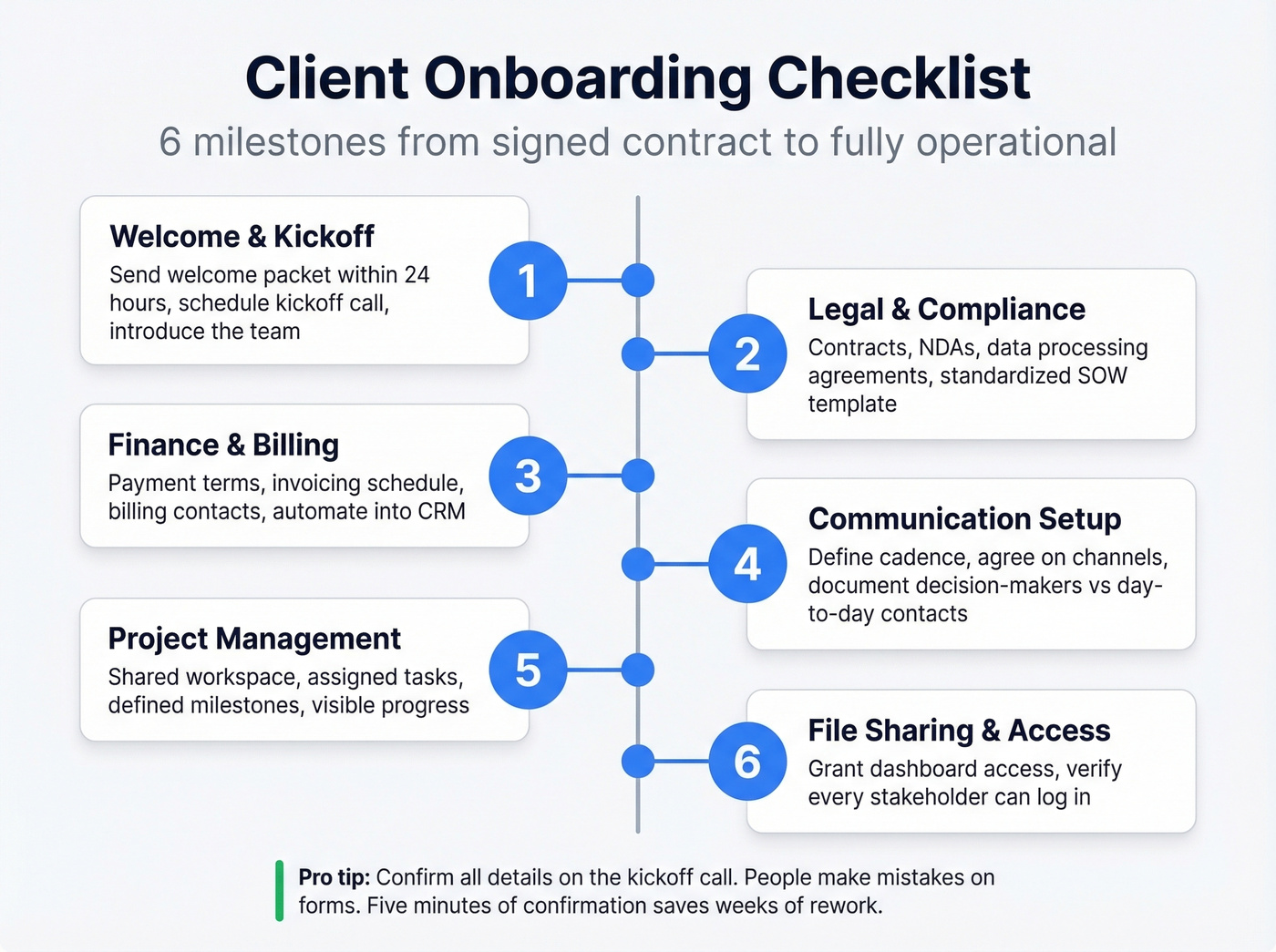
Here's a six-milestone structure adapted from Zapier's onboarding checklist:
1. Welcome & Kickoff. Send a welcome packet within 24 hours of signing. Schedule the kickoff call. Introduce the team. Set the tone that this is a structured engagement, not a handshake deal.
2. Legal & Compliance. Contracts, NDAs, data processing agreements. Get these signed before any work begins. Use a standardized SOW template - it prevents scope creep later and gives you something concrete to point to when the client asks for "just one more thing."
3. Finance & Billing. Payment terms, invoicing schedule, billing contacts. Automate this into your CRM so nobody's chasing invoices manually in month three.
4. Communication Setup. Define the cadence - weekly syncs, monthly reports, quarterly business reviews. Agree on channels. Document who the decision-makers are and who the day-to-day contacts are. This alone prevents half the communication breakdowns we've seen in agency settings. The workflow that actually sticks for most teams: a single shared Slack channel per client, weekly async updates, and a monthly video review. Simple, but most teams don't even have this.
5. Project Management. Set up the shared workspace, assign tasks, define milestones. The client should be able to see progress without asking for a status update.
6. File Sharing & Access. Grant access to shared drives, dashboards, and reporting tools. Verify that every stakeholder can actually log in - don't assume the invite email landed.
One communication tip worth stealing: replace "Sorry for the delay" with "Thanks for your patience." Small language shift, big difference in how clients feel after something goes wrong.
After collecting all the information, confirm key details via the kickoff call. People make mistakes on forms. A five-minute confirmation saves weeks of rework.
Mistakes That Kill Client Relationships
Most client churn isn't caused by bad work. It's caused by bad systems. Ask any agency owner what kills client relationships, and scope creep tops the list every time. But it's rarely the only culprit.
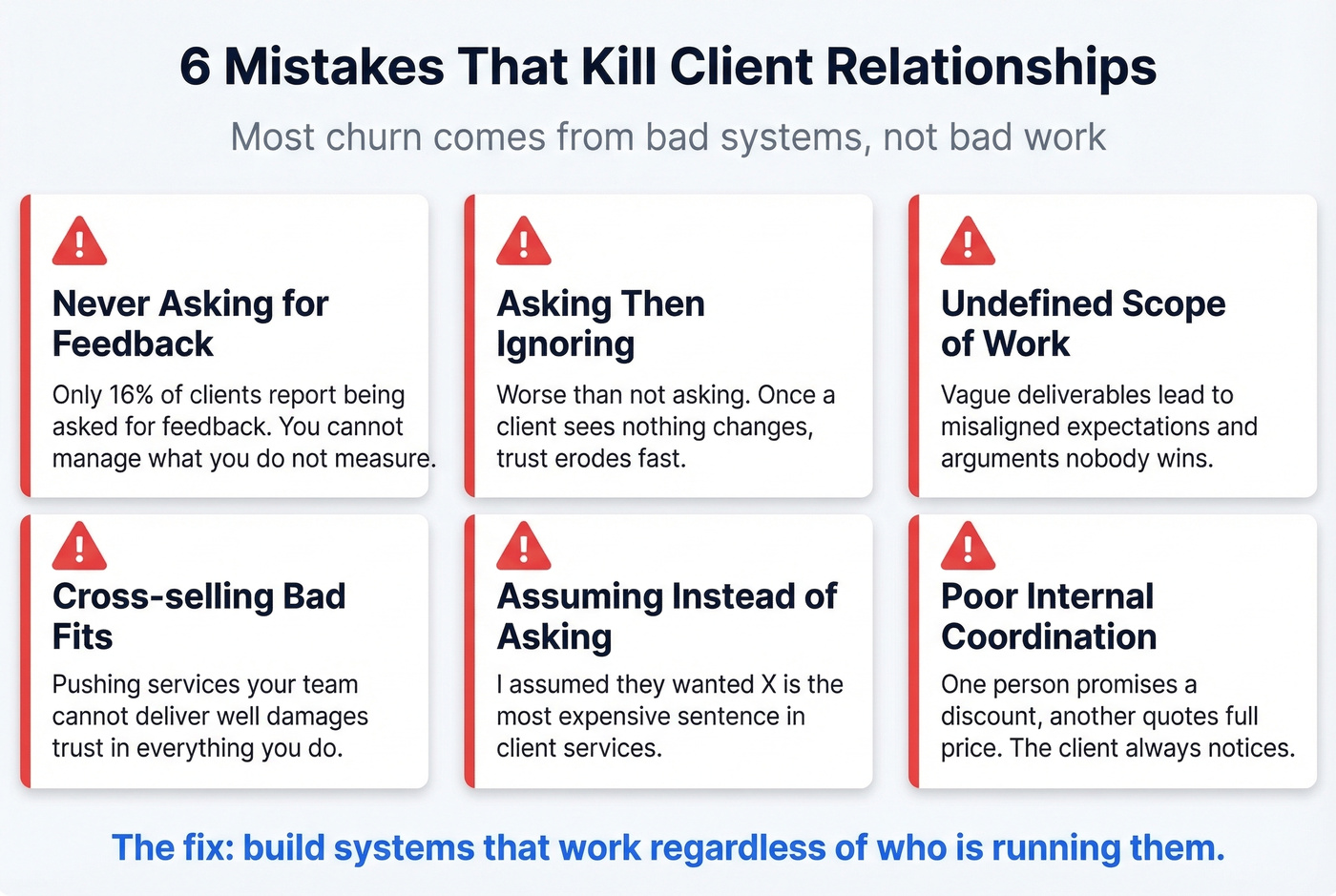
Never asking for feedback. Only 16% of clients report being approached for feedback. That's staggering. You can't manage what you don't measure, and most firms aren't even trying.
Asking for feedback and ignoring it. This is worse than not asking. Once a client tells you something's broken and nothing changes, you've confirmed that their voice doesn't matter. Trust erodes fast after that.
Undefined scope of work. Vague deliverables lead to misaligned expectations, which lead to "I thought this was included" conversations that nobody wins. Define scope at the proposal stage. Document deliverables and acceptance criteria.
Cross-selling inappropriate capabilities. Pushing services your team can't deliver well damages trust faster than almost anything else. If a client trusts you for strategy work and you upsell them on execution you're not equipped for, you'll lose the strategy engagement too. (If you're building a playbook, see cross-selling vs upselling.)
Making assumptions instead of asking. "I assumed they wanted X" is the most expensive sentence in client services. When in doubt, ask. A quick clarification email costs nothing. Rebuilding a deliverable costs weeks.
Poor internal coordination. When multiple team members serve the same client without a shared view of the relationship, things fall through cracks. One person promises a discount. Another quotes full price. The client notices.
How to Measure Success With KPIs
Bookmark this section. These are the five KPIs that matter most, with formulas you can plug into a spreadsheet today. Net Promoter Score (NPS) % Promoters (9-10) minus % Detractors (0-6). If 60% of your clients are Promoters and 15% are Detractors, your NPS is 45. Anything above 50 is excellent. Below 0 means you've got a retention crisis.
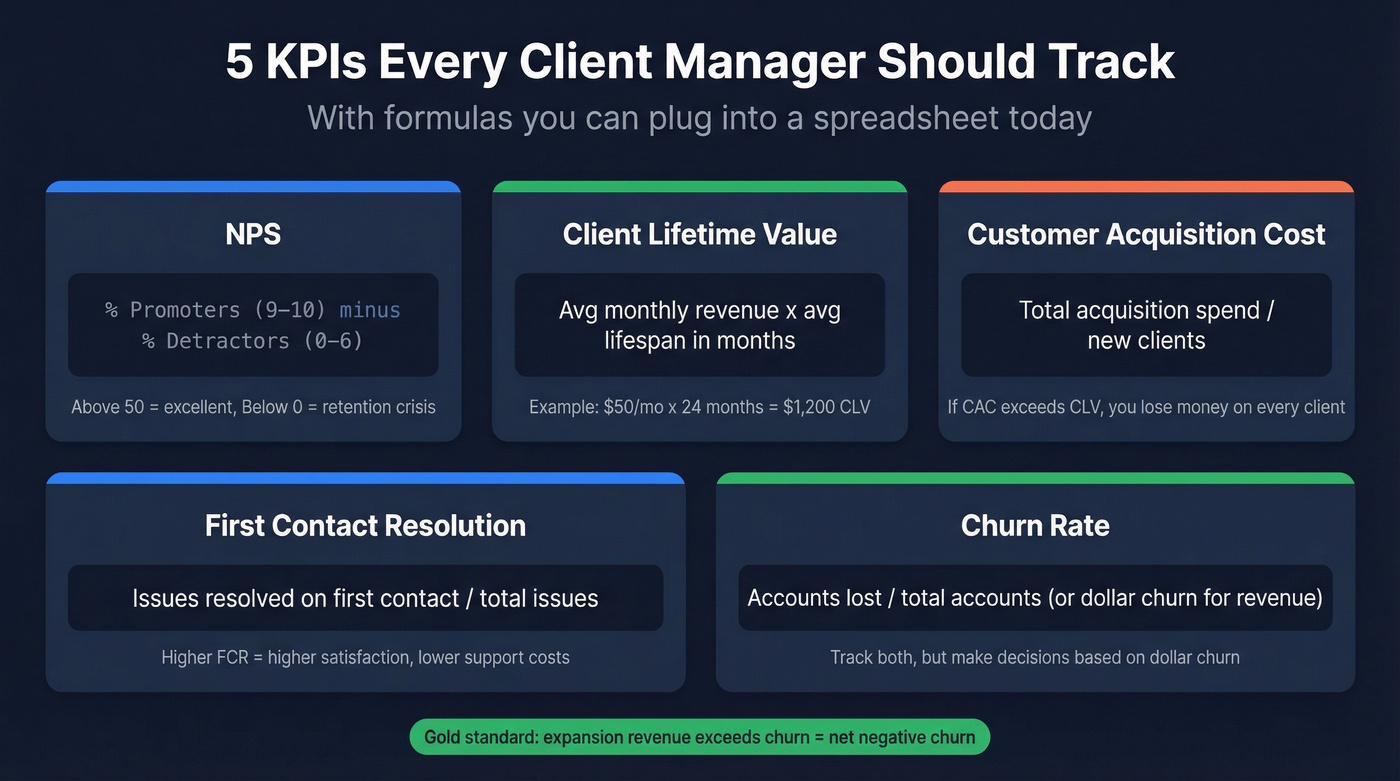
Client Lifetime Value (CLV) Average monthly revenue x average client lifespan in months. A client paying $50/month who stays for 24 months has a CLV of $1,200. This number tells you how much you can afford to spend on acquisition and still be profitable.
Customer Acquisition Cost (CAC) Total acquisition spend divided by number of new clients. If you spent $5,000 on marketing and sales last month and landed 100 clients, your CAC is $50. Compare this to CLV - if CAC exceeds CLV, you're losing money on every new client.
First Contact Resolution (FCR) Issues resolved on first contact divided by total issues. If your team resolved 400 out of 500 tickets on the first touch, FCR is 80%. Higher FCR correlates directly with client satisfaction and lower support costs.
Churn Rate Customer churn counts accounts lost. Dollar churn measures revenue lost - and it's the more important number. Losing ten $100/month accounts hurts differently than losing one $10,000/month account. Track both, but make decisions based on dollar churn. (For deeper diagnosis, use a churn analysis workflow.)
One metric worth adding: expansion revenue. It's the inverse of churn - new revenue from existing clients through upsells, cross-sells, and plan upgrades. If your expansion revenue exceeds your churn, you've got net negative churn, which is the gold standard for subscription businesses.
If your average deal size is under five figures, you probably don't need all five of these KPIs tracked in real time. Start with NPS and dollar churn. Add the rest when you have someone who'll actually look at the dashboard weekly.
Managing Multiple Clients Without Chaos
Juggling eight or twelve accounts simultaneously isn't a talent. It's a system. Two frameworks make the difference between controlled execution and reactive firefighting.
The Eisenhower Matrix sorts your daily tasks into four quadrants: urgent and important (do now), important but not urgent (schedule), urgent but not important (delegate), and neither (drop). Most client emergencies feel urgent but aren't important. Training yourself to categorize before reacting saves hours every week.
The Value vs. Effort Matrix helps with project selection across accounts. Quick wins - high value, low effort - go first. Major initiatives get scheduled with proper resources. Time-wasters get pushed back or declined. We've seen teams transform their throughput just by running every new client request through this filter before committing to anything.
Beyond frameworks, three operational habits matter. Match work to people's strengths - don't assign your detail-oriented analyst to the client who needs big-picture strategy sessions. Build buffer time into every week, at least 10-15% of capacity, because last-minute client requests are inevitable and without buffer they derail everything else. And reassess workload distribution monthly. Client needs shift, and what was balanced in January can become lopsided by March.
Sometimes the best move is saying no. Protecting the work you've already committed to is more important than chasing incremental revenue that stretches your team thin.
Best Client Management Software in 2026
No tool fixes a broken process, but the right tool makes a good process scalable. Here's what's worth your time, organized by use case.
| Tool | Best For | Starting Price |
|---|---|---|
| HubSpot | Overall CRM | Free; paid from $15/seat/mo |
| Zoho CRM | Value CRM | $20/user/mo |
| Salesforce Sales Cloud | Enterprise | $25/user/mo |
| Prospeo | Data quality | Free; ~$0.01/email |
| monday CRM | Visual workflows | $18/seat/mo (min 3) |
| Freshsales | Budget teams | $11/user/mo |
| Pipedrive | Sales-focused | $24/seat/mo |
| Asana | Project management | $13.49/user/mo |
| HoneyBook | Freelancers | $36/mo |
| Dubsado | Freelancers | $35/mo |
| Wrike | Agencies | $10/user/mo |
Best Overall CRM: HubSpot
HubSpot's free tier is genuinely useful for getting your client records and pipeline organized without paying a cent. Paid plans start at $15/seat/month. For most teams under 50 people, it's the default starting point - and in our experience, the one that gets adopted fastest because the learning curve is shallow.
Best Value CRM: Zoho CRM
PCMag's Editors' Choice and it's easy to see why. Deep customization at $20/user/month is hard to beat. Zoho also includes the Zia AI assistant for automation and insights. If you need 80% of Salesforce's functionality at 20% of the price, Zoho's the answer.
Skip This If You're Solo: Salesforce
Salesforce is the enterprise standard for a reason - the customization depth is unmatched. But even though Sales Cloud starts around $25/user/month, it's overkill for teams under 20 once you factor in setup and the features you'll actually want. The implementation alone can take months. If you have a dedicated RevOps person, Salesforce will reward the investment. If you don't, start with HubSpot or Zoho and migrate later.
Best for Freelancers: HoneyBook
If you're a solo consultant or creative professional juggling proposals, contracts, invoicing, and client communication, HoneyBook eliminates the need to stitch together five different tools. At $36/month plus transaction fees, it's purpose-built for the one-person operation that needs to look polished without hiring an ops team.
Best for Agencies: Teamwork
Teamwork is a strong option for agencies that want project management with client-facing collaboration features. There's a learning curve, but the payoff is better visibility into delivery and resourcing across accounts. If you also run outbound alongside delivery, pair it with a sales follow-up system so renewals and expansions don't rely on memory.
Your onboarding checklist says 'identify decision-makers and day-to-day contacts.' Prospeo's 300M+ profile database with 30+ filters - including department, seniority, and job change signals - finds every stakeholder on the account so nothing falls through the cracks. Data refreshes every 7 days, not every 6 weeks.
Map every stakeholder on your accounts before the kickoff call.
FAQ
What's the difference between client management and customer service?
Client management is proactive and strategic - it covers onboarding, retention, and growth across the entire relationship lifecycle. Customer service is reactive, solving problems after they arise. Strong account management reduces service volume because problems get caught before they escalate.
What does a client manager actually do?
A client manager owns the relationship lifecycle: onboarding, communication cadence, scope management, feedback collection, renewals, and upsells. They're the single point of accountability for account health and the person connecting internal delivery teams to external expectations.
What's the best free client management tool?
HubSpot's free CRM tier is the strongest option - it includes contact management and deal tracking with no time limit. For data quality specifically, Prospeo's free tier verifies 75 emails per month, enough to keep your most critical contact records clean alongside any CRM.
How do you handle a difficult client?
Document everything in writing, restate scope and expectations explicitly, and address issues early before they escalate. If the relationship is consistently unprofitable and the client refuses to respect boundaries, it's better to part ways professionally than absorb the cost indefinitely.
How often should you update CRM contact data?
At minimum quarterly, but automated enrichment is better. B2B contact data decays at roughly 30% per year as people change roles and companies restructure. Weekly refresh cycles prevent stale records from undermining your outreach, renewals, and onboarding sequences.