

How to Cold Email From Gmail Without Getting Banned
Your first sequence bounces 23% because you sent from a free @gmail.com account with no authentication. That's not a hypothetical - it's what happens when you skip the setup. Cold email from Gmail works in 2026, but the margin for error is razor-thin.
What You Need (Quick Version)
Before anything else, nail these three things:
- Use Google Workspace on a separate domain - never your personal @gmail.com. A dedicated sending domain protects your main brand if something goes sideways.
- Set up SPF, DKIM, DMARC, and warm up for 4 weeks before sending a single cold message. Gmail can reject non-compliant messages at the SMTP level. (If you need a deeper deliverability baseline, start with an email deliverability guide.)
- Verify every email on your list. Bounces above 2% tank your domain reputation fast. If you’re troubleshooting spikes, see email bounce rate.
Can You Still Cold Email From Google Workspace?
Yes, but the rules tightened significantly in late 2025. Gmail's enforcement shifted from spam-foldering non-compliant messages to outright rejecting them for messages sent to personal Gmail inboxes (@gmail.com, @googlemail.com). You'll see error codes like 5.7.26 (SPF/DKIM alignment failure) and 5.7.27 (SPF fail) - your email never arrives. Period. For the technical side of alignment, see DMARC alignment.
The average cold email reply rate still sits at 1-5%. Outreach through Google's infrastructure works, but only if your messages actually reach inboxes. If you want a sequence framework that matches those benchmarks, use a B2B cold email sequence.
Free Gmail vs Google Workspace
| Free Gmail | Google Workspace | |
|---|---|---|
| Daily limit (browser) | ~500 | ~2,000 |
| Daily limit (SMTP) | ~100 | ~2,000 |
| Safe cold volume | Don't | 20-50/day per inbox |
| Custom domain | No | Yes |
| Recovery if blocked | None | 5 self-unblocks/year |
| Cost | Free | $6-18/user/month |
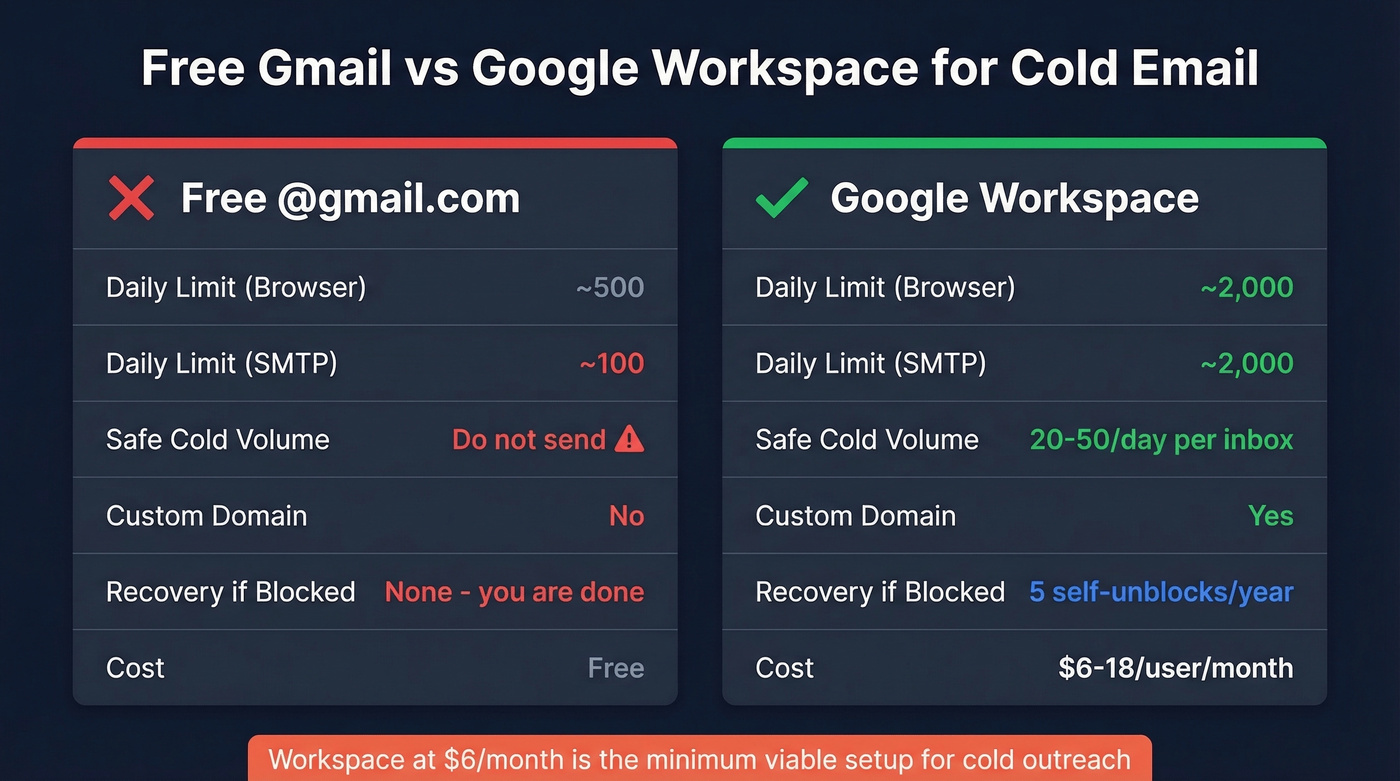
Don't cold email from @gmail.com. No custom domain, no recovery options, and it screams "I didn't invest five minutes in looking professional." Workspace at $6/month is the minimum viable setup for outreach that teams can actually scale.
Setup Checklist
Every item here is non-negotiable in 2026.
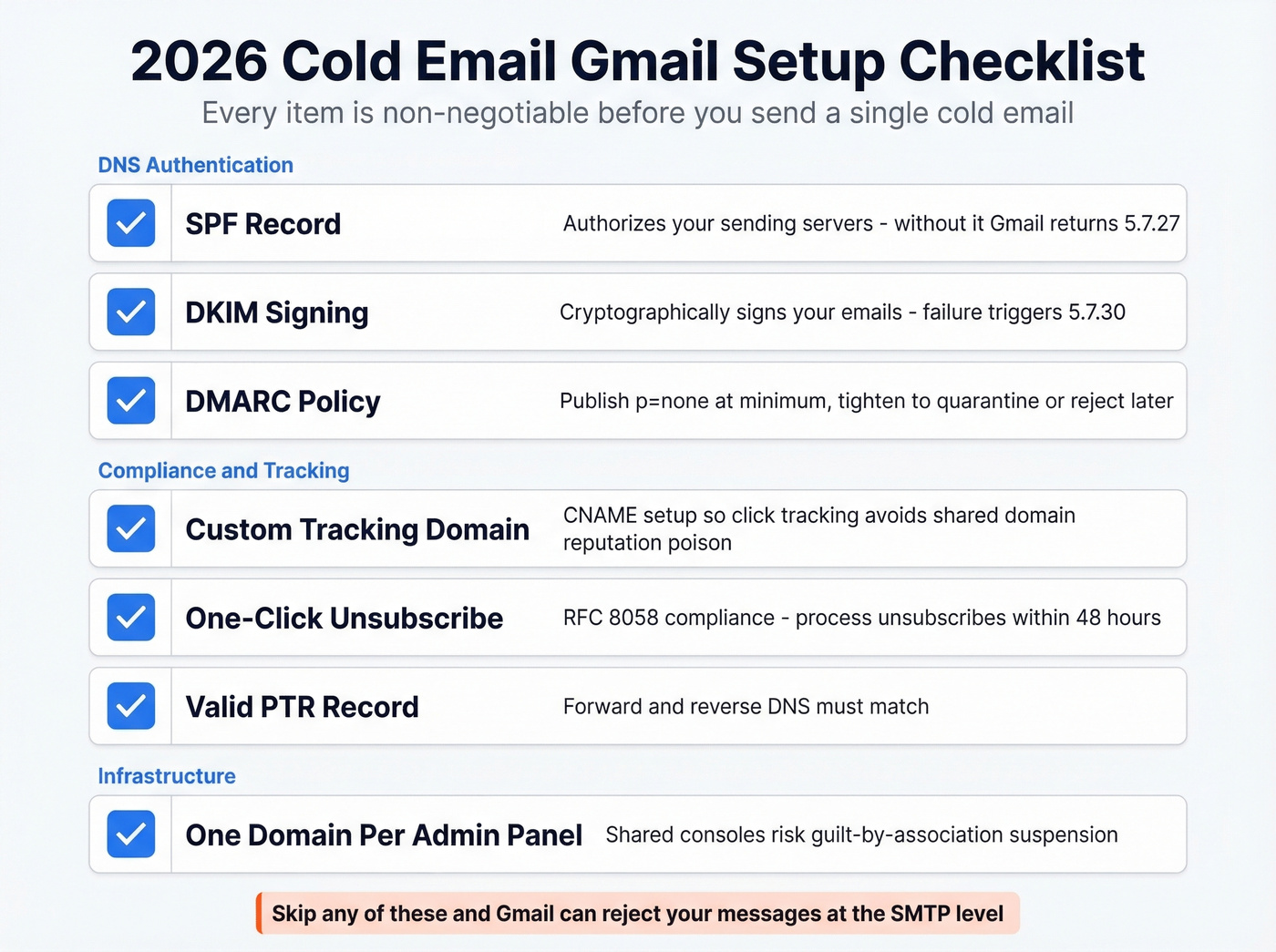
SPF record - Authorizes your sending servers. Without it, Gmail returns 5.7.27. If you want syntax examples, see SPF record examples.
DKIM signing - Cryptographically signs your emails. DKIM failure triggers 5.7.30. To confirm it’s set up correctly, use how to verify DKIM is working.
DMARC policy - At minimum, publish p=none. You can tighten it to p=quarantine or p=reject once you're confident everything's aligned.
Custom tracking domain - Set up a CNAME so click-tracking doesn't ride on a shared domain. Shared tracking domains are reputation poison, and we've watched teams lose perfectly good inboxes because they skipped this five-minute DNS change. (More detail: tracking domain.)
One-click unsubscribe header - RFC 8058 compliance for marketing messages. Process unsubscribes within 48 hours.
Valid PTR record - Forward and reverse DNS must match.
One domain per admin panel - Shared Workspace consoles risk guilt-by-association suspension. This comes up constantly on r/coldemail - if one inbox in your console gets flagged, the whole panel can go down.

Gmail blocks domains that bounce above 2%. Every unverified email on your list is a risk to the inbox you just spent 4 weeks warming up. Prospeo's 5-step verification catches invalid addresses, spam traps, and honeypots before they touch your sender reputation - 98% email accuracy at ~$0.01 per lead.
Don't burn your warmed-up inbox on bad data. Verify first.
Warmup Schedule
Don't skip this. Start sending real volume from a brand-new inbox and you can trigger blocks within days. Warmup needs to run continuously - engagement signals like replies and real conversations are what build your sender reputation. If you’re trying to scale safely, it helps to understand email velocity.
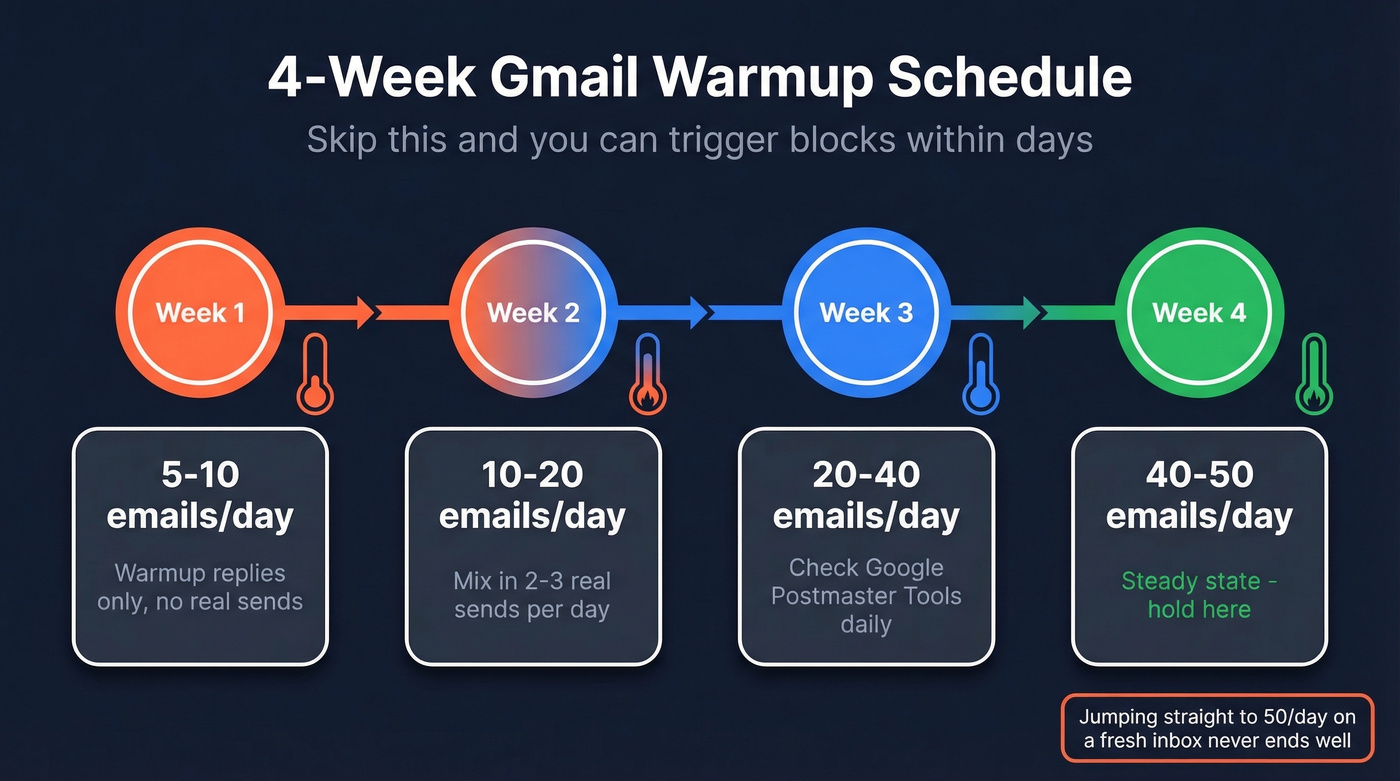
| Week | Daily Volume | Notes |
|---|---|---|
| 1 | 5-10 | Warmup replies only |
| 2 | 10-20 | Mix in 2-3 real sends |
| 3 | 20-40 | Check Postmaster Tools |
| 4 | 40-50 | Steady state - hold here |
We've seen teams jump straight to 50/day on a fresh inbox. It never ends well. One agency we talked to burned through three domains in a month because they "didn't have time" for warmup. They had time to buy three new domains, though.
Gmail Limits and What Gets You Blocked
Keep spam complaints under 0.3% and bounce rate under 2%. Warm up before any campaign. Act within hours if you get a temporary block - Workspace gives you 5 self-unblocks per year, and you don't want to waste them.
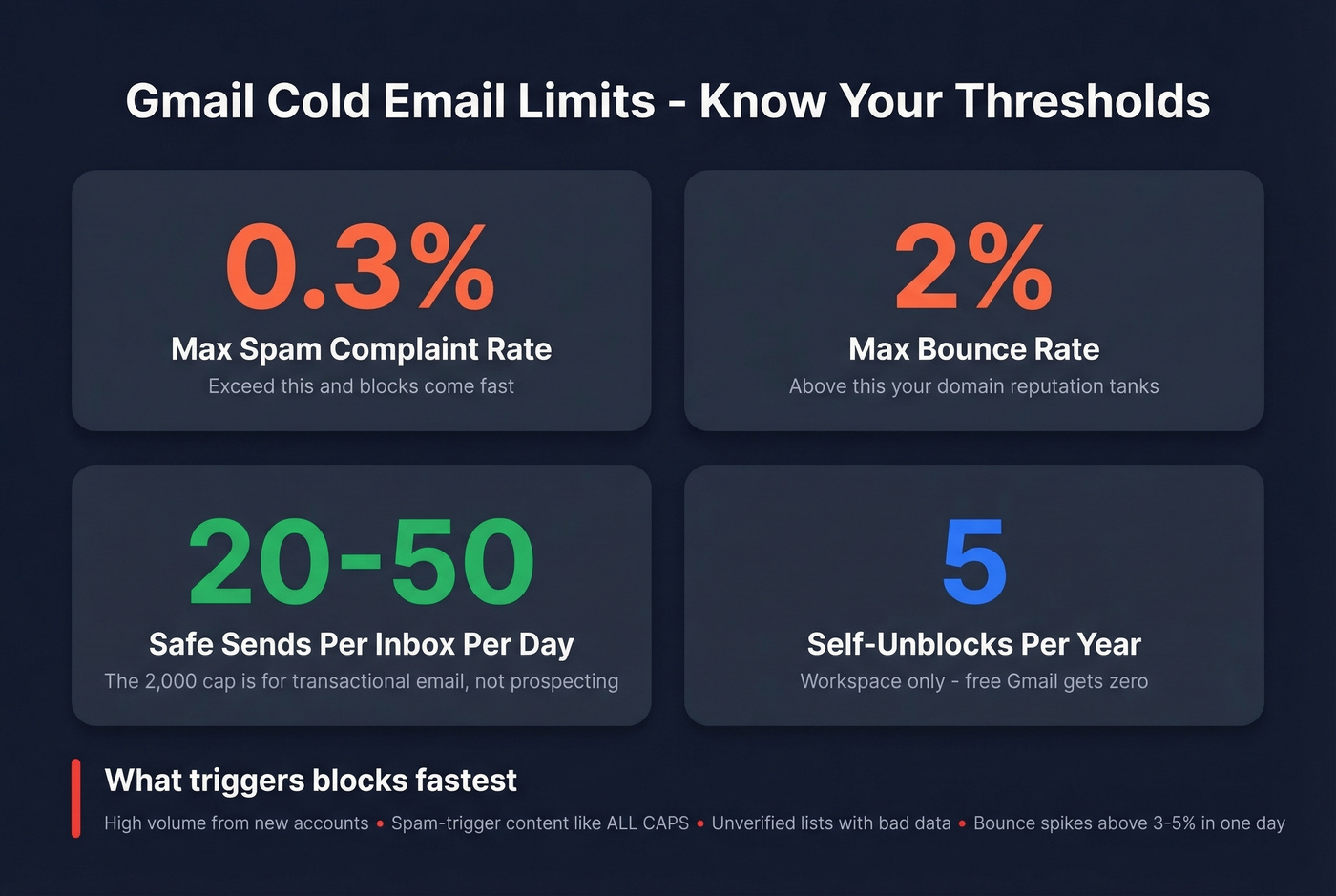
Here's the thing about Workspace's 2,000-message daily cap: it's irrelevant for cold outreach. Safe volume is 20-50 per inbox, and exceeding that on a domain without established reputation is the fastest path to suspension. The 2,000 limit exists for transactional and internal email, not for prospecting.
What triggers blocks fastest:
- Sending high volume from a new account
- Spam-trigger content (ALL CAPS, "act now," suspicious links)
- Unverified lists with bad data
- Bounce rates spiking above 3-5% in a single day
Multi-Inbox Rotation for Higher Volume
The most reliable way to scale past per-inbox limits is rotation - spreading volume across multiple Workspace accounts on separate domains. Instead of pushing one inbox past safe thresholds, you distribute sends so each account stays well within its 20-50/day sweet spot.
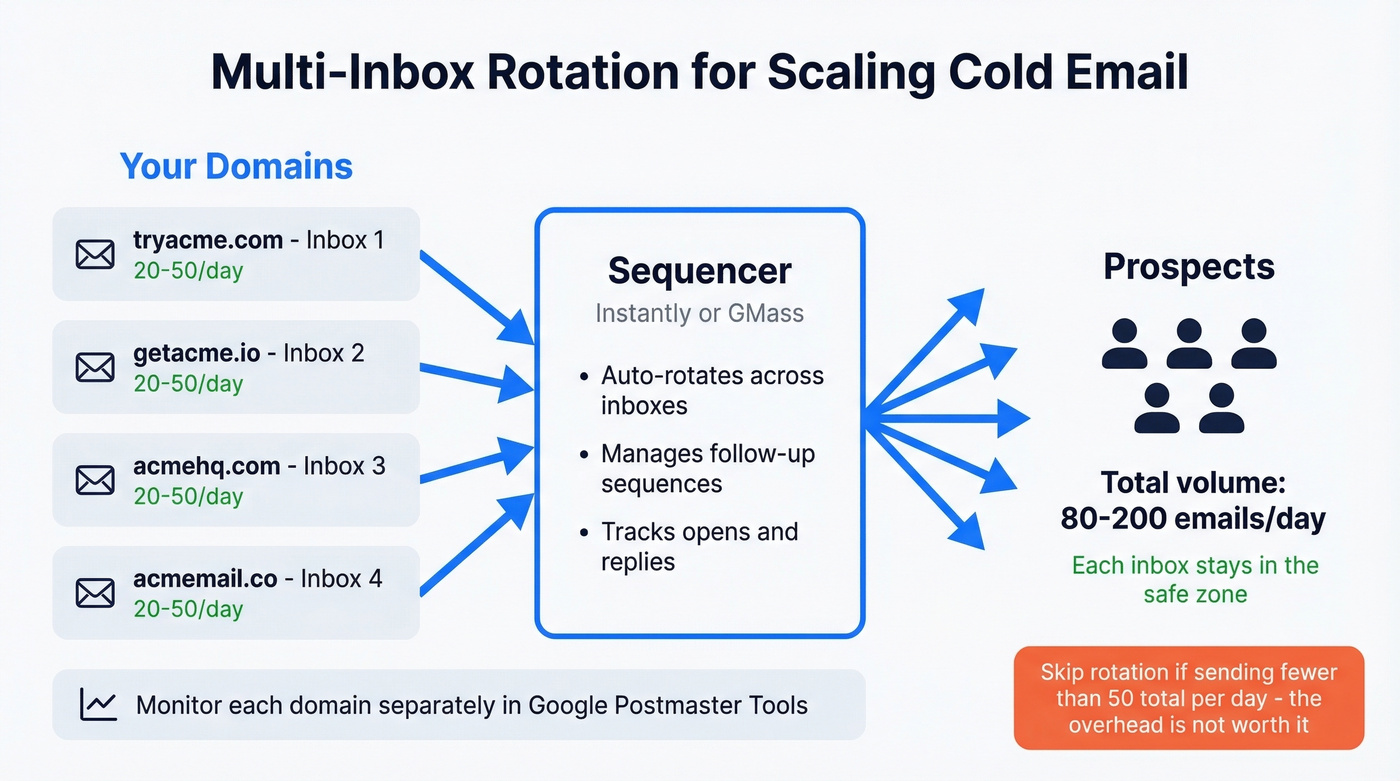
Here's how teams typically set this up:
- 3-5 Workspace accounts on different domains (tryacme.com, getacme.io, acmehq.com)
- Each inbox warms up independently following the 4-week schedule above
- A sequencer like Instantly or GMass rotates sends across inboxes automatically
- Monitor each domain separately in Google Postmaster Tools
This isn't a hack. It's how every serious cold email operation handles volume without risking any single domain. Skip this if you're sending fewer than 50 emails a day total - the overhead of managing multiple domains isn't worth it at low volume.
Tools You Need
Your cold email stack has three layers. Total cost runs $30-120/month.
Sending: GMass at $25-55/mo runs inside Gmail as a Chrome extension for scheduling, tracking, and follow-ups. Instantly starts at $37/mo and is built specifically for multi-inbox rotation - it's the better pick if you're running 3+ inboxes.
Warmup: Lemwarm runs $29/mo per email account. WarmySender starts at $4.99/mo and gets mentioned frequently on r/coldemail as a solid budget option. Let's be honest - warmup tools all do roughly the same thing. Pick the one that fits your budget.

Data and verification: This is where most teams cut corners and pay for it later. Prospeo runs a 5-step verification process that catches invalid addresses, spam traps, and honeypots before they damage your sender reputation. At roughly $0.01 per email on paid plans with a free tier of 75 verifications per month, it's enough to validate a starter list before you press send. If you’re comparing options, see Bouncer alternatives.
If your bounce rate is above 3%, your data provider is the problem, not Gmail. Switch tools before you blame the platform.
Multi-inbox rotation only works if every address you're sending to is real. Prospeo gives you 300M+ verified professional emails with a 7-day data refresh cycle - so your lists stay clean long after you build them. Start with 75 free verifications, no credit card required.
Fresh data every 7 days means your Gmail domains stay safe every send.
Stay Legal (60-Second Version)
CAN-SPAM: Up to $51,744 per non-compliant email. Include a physical address. Honor opt-outs within 10 business days. Use truthful subject lines.
GDPR: B2B cold email is permissible under legitimate interest, but document your reasoning. The ICO's direct marketing guidance is the clearest reference for this.
One-click unsubscribe: Required for marketing messages under RFC 8058. Process within 48 hours.
Washington State: A 2025 Washington State Supreme Court ruling created $500-per-email penalties for misleading subject lines. State-level enforcement is accelerating, and other states are watching.
FAQ
How many cold emails can I send from Gmail per day?
Workspace supports up to 2,000/day, but safe cold volume is 20-50 per inbox. Exceeding that on a domain without established reputation triggers temporary blocks or permanent suspension. Scale with multi-inbox rotation instead.
Will Gmail ban my account for cold emailing?
Yes - if you skip warmup, send to unverified lists, or trigger spam complaints above 0.3%. Workspace accounts get 5 self-unblocks per year, but repeated violations lead to permanent suspension.
Do I need Google Workspace for cold email?
Yes. Free Gmail has lower limits, zero recovery options, and @gmail.com looks unprofessional. Workspace starts at $6/month and is the only viable path for cold outreach at any real scale.
How do I prevent my cold emails from bouncing?
Verify every address before sending. A proper verification process that catches invalid addresses, spam traps, and catch-all domains keeps bounce rates under 2%. Stack Optimize, for example, maintains sub-3% bounce rates and 94%+ deliverability across all client campaigns using this approach.
Is there a sending limits workaround for higher volume?
The standard approach is multi-inbox rotation across several Workspace accounts on separate domains. Each inbox stays within safe daily limits while your total campaign volume scales. Sequencing tools like Instantly handle the rotation automatically.