

CRM in Sales: What It Actually Does, What It Costs, and Why Your Team Probably Hates It
The CRM market hit $112.91B in 2025. That's billion with a B - for software that 91% of companies with 10+ employees already own. And yet only 37% of sales pros say their organization takes full advantage of it.
CRM in sales isn't the problem. How teams buy it, configure it, and fill it with data - that's where everything breaks down.
What You Need (Quick Version)
Three scenarios, three answers:
- No CRM yet. Start with HubSpot's free CRM or Pipedrive from $14.90/user/month. Don't overthink it. Pick one, get your pipeline visible, iterate later.
- CRM that nobody uses. The problem isn't the software - it's the rollout. Skip to the implementation section below.
- CRM data is garbage. Stale emails, disconnected phones, wrong company names. Fix the data first - jump to the data quality section.
What Does CRM Mean for Sales Teams?
CRM stands for customer relationship management, but the practical meaning goes well beyond the acronym. It's the system of record for every deal your team touches - storing contacts, tracking pipeline stages, logging calls and emails, and giving managers a view into what's actually happening across the org.
There are three flavors. Operational CRMs handle the day-to-day: contact management, deal tracking, task automation. Analytical CRMs crunch the data for forecasting, win/loss analysis, and rep performance. Collaborative CRMs share customer context across departments so marketing, sales, and support aren't working from different playbooks. Most modern platforms blend all three, and 87% of CRM deployments now run in the cloud, which means fewer IT headaches and faster rollouts than even five years ago.
For sales teams specifically, the CRM maps to your sales process optimization. Prospecting lives in contact and company records. Qualifying happens through lead scoring and pipeline stages. Presenting and closing get tracked via deal records and activity logs. Retaining shows up in renewal pipelines and customer health scores. Every stage of the funnel has a CRM feature that's supposed to make it easier - whether it actually does depends entirely on how you set it up.
Sales Performance by the Numbers
The ROI data on CRM is genuinely compelling - when teams actually use the thing.
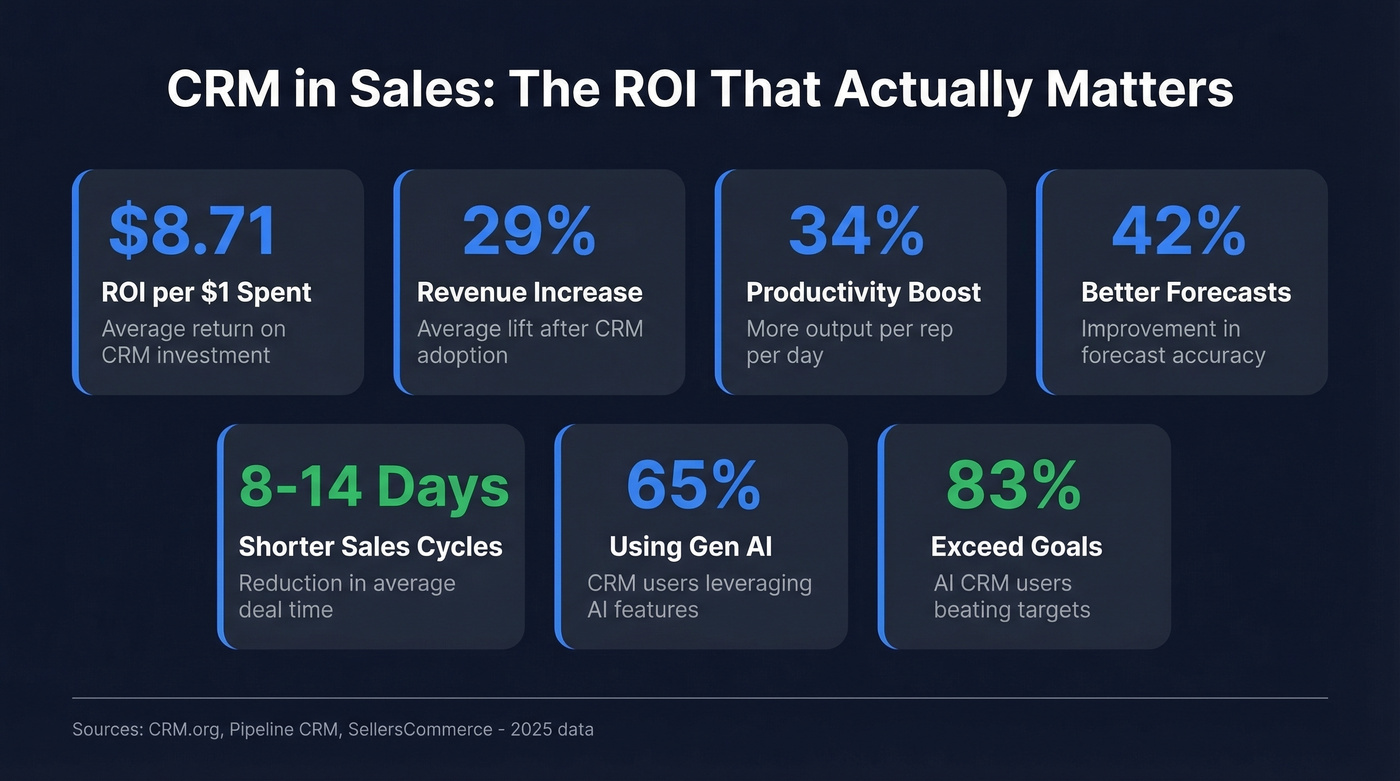
| Metric | Impact |
|---|---|
| ROI per $1 spent | $8.71 |
| Revenue increase | 29% average |
| Productivity boost | 34% |
| Forecasting accuracy | Up to 42% |
| Sales cycle reduction | 8-14 days shorter |
| Generative AI adoption | 65% of CRM users |
| Mobile CRM usage | 70% of businesses |

The AI numbers are moving fastest. Companies using generative AI in their CRM are 83% more likely to exceed sales goals, and 88% of reps with AI agents say the tech increases their odds of hitting targets.
What a Sales CRM Actually Does
Core Features Across the Pipeline
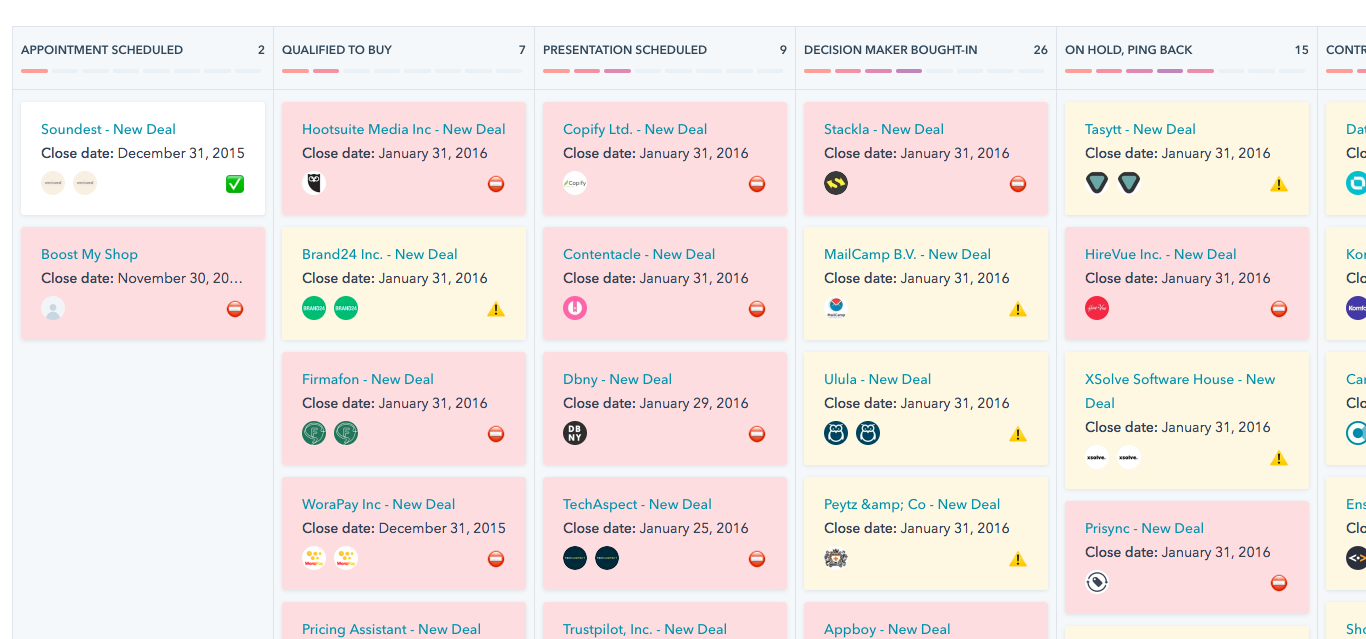
At the top, you're prospecting - the CRM stores contact records, company data, and tracks where each lead came from. During qualification, lead scoring and custom fields help you separate real opportunities from noise. As deals progress, pipeline views show every opportunity by stage, value, and probability. Activity logging captures every email, call, and meeting so nothing falls through the cracks.
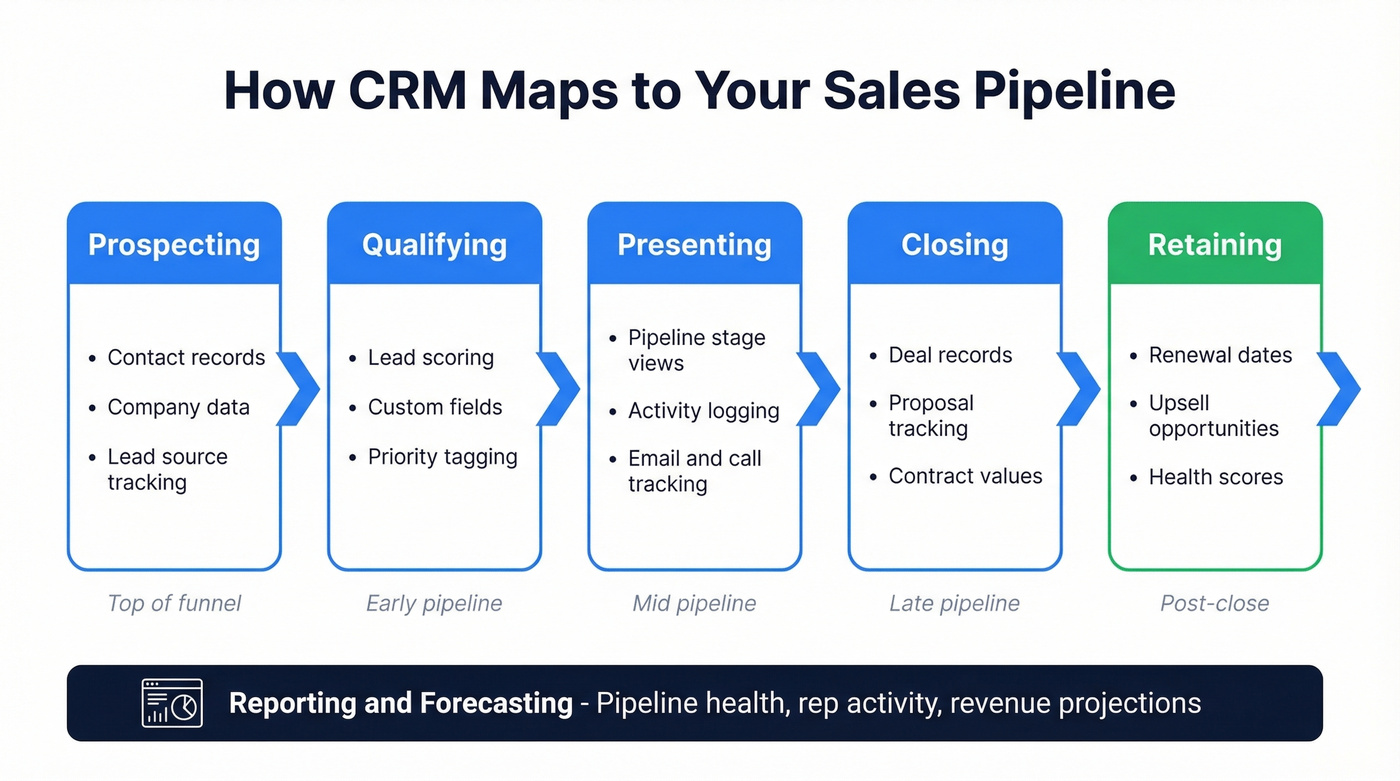
At the close, deal records track proposals, negotiations, and contract values. After the close, the CRM becomes your retention engine - renewal dates, upsell opportunities, customer health indicators. Wrapping around all of it: reporting and forecasting. Managers get dashboards showing pipeline health, rep activity, and revenue projections. Reps get a single place to see what they need to do today.
Automation That Saves Time
Automation is where CRM stops being a fancy spreadsheet and starts earning its keep. Three workflows that actually save time:
Inbound lead routing. Trigger: new lead comes in via web form. Action: CRM auto-tags priority based on company size and industry, assigns to the right rep by territory, and creates a "qualify within 2 business days" task. No leads sitting in a queue while reps argue about ownership.
New prospect onboarding. Trigger: rep adds a new contact. Action: CRM applies a to-do template - call within 15 minutes, send intro email, schedule discovery, auto-enrich the record with verified contact data so the rep isn't working with a half-empty profile. Consistent first-touch process across the team.
Time-based follow-up escalation. Trigger: deal sits in "Proposal Sent" stage for 7+ days. Action: CRM creates a follow-up task, queues a case study email, and flags the deal for the manager if it stalls past 14 days. Deals don't die quietly in the middle of the pipeline.
Most major CRMs - HubSpot, Salesforce, Pipedrive, Zoho - support trigger-action workflows. The teams that set them up outperform the ones that don't. Choosing the right platform matters, but configuring its automations is what actually moves the needle.

CRM automation only works when the contact data underneath it is accurate. Prospeo enriches your CRM records with 50+ data points per contact at a 92% match rate - verified emails, direct dials, company info - refreshed every 7 days so your auto-sequences never hit dead ends.
Stop automating workflows on top of garbage data.
Why Sales Reps Hate CRM
Look, reps aren't wrong when they push back on CRM. They're just not wrong for the reasons managers think.
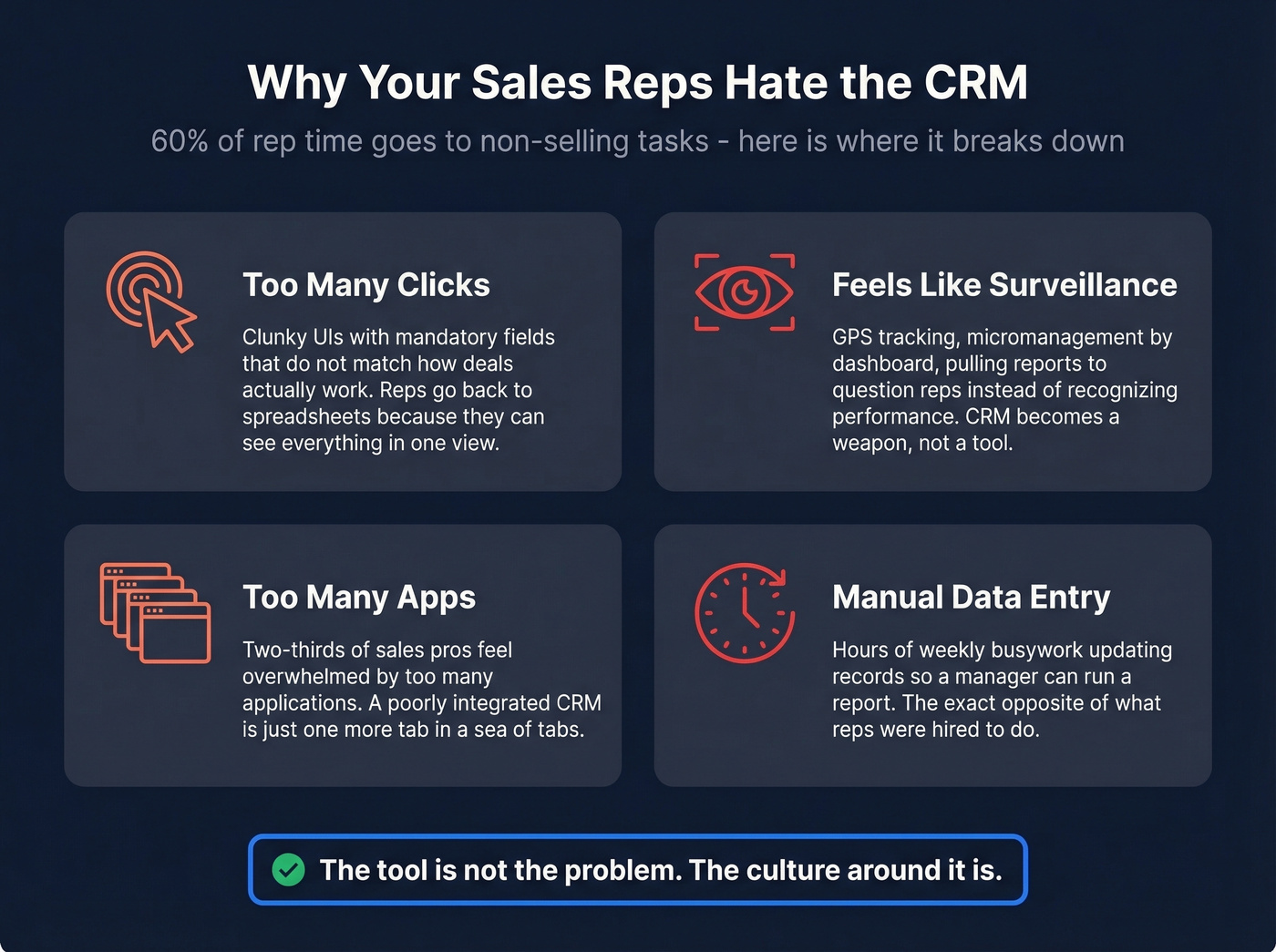
The #1 complaint on r/sales isn't "I don't see the value." It's "too many things to click." Reps describe CRM as a time suck - clunky UIs, mandatory fields that don't map to how deals actually work, and the constant feeling that every logged activity is really just surveillance dressed up as process. One rep tried their CRM for six months, felt miserable, and went back to spreadsheets and iPad notes because they could "see all clients and tasks in one fell swoop."
That's not laziness. That's a UX problem.
Then there's the surveillance angle. A thread in r/CRM describes a rollout where leadership added GPS tracking, then shifted to micromanagement-by-dashboard - pulling reports to question reps instead of recognizing performance. The CRM became a weapon, not a tool. Two-thirds of sales pros say they're overwhelmed by too many applications, and when the CRM is poorly integrated it just becomes one more tab in a sea of tabs.
Sales reps spend 60% of their time on non-selling tasks. Manual CRM entry is a big chunk of that. When you ask someone whose job is closing deals to spend half their day updating records so a manager can run a report, you're going to get resistance. And you should.
CRM amplifies management tendencies. If leadership uses it to coach and enable, reps adopt it. If leadership uses it to police and interrogate, reps find workarounds. The tool isn't the problem. The culture around it is.
AI in CRM - What's Real in 2026
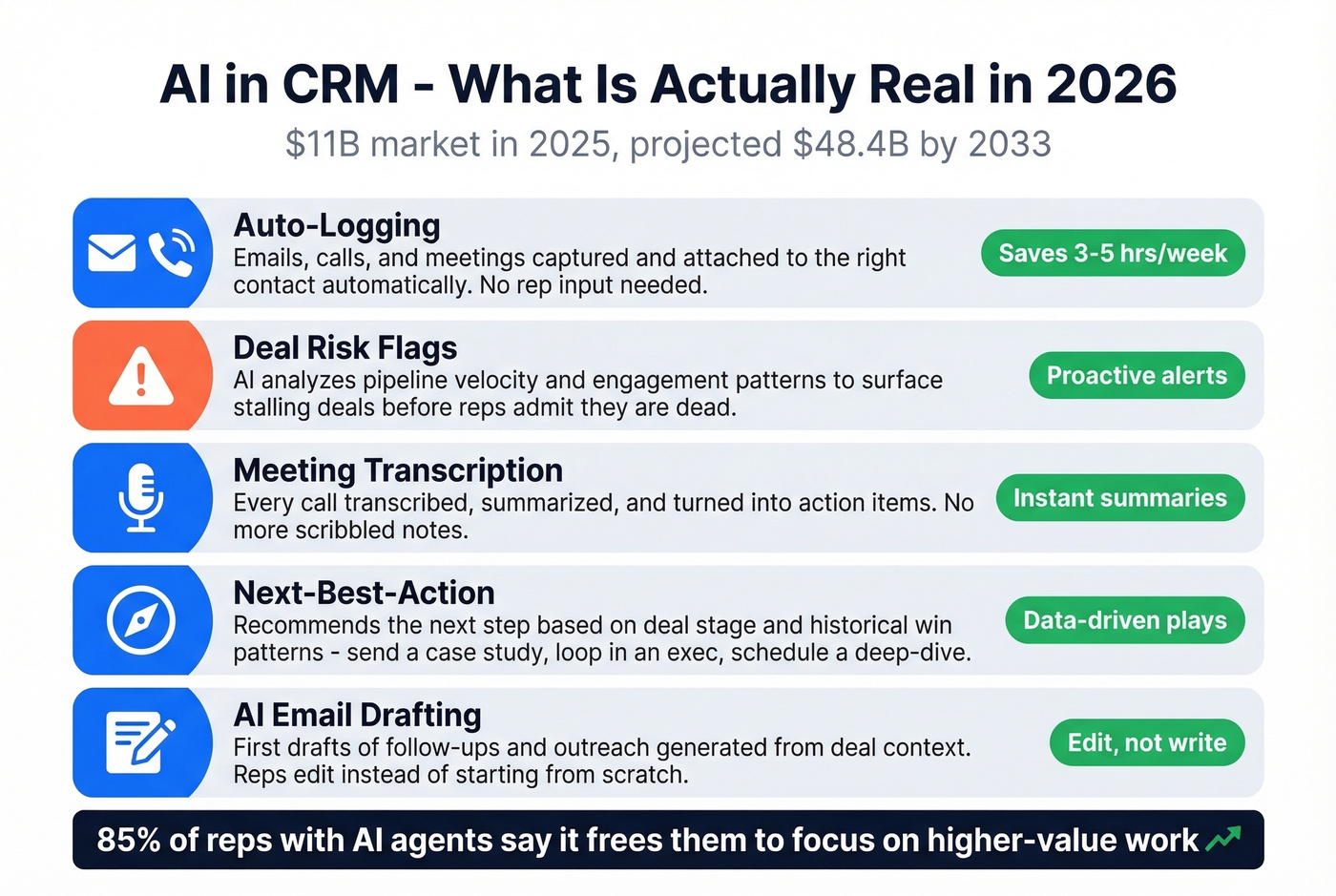
The AI-in-CRM market hit $11.04B in 2025 and is projected to reach $48.4B by 2033. That's not hype money - it's solving the exact problem reps complain about: manual data entry and admin overhead. And the timing matters, because 57% of sales professionals say the sales cycle is getting longer, which means AI-driven efficiency isn't a nice-to-have anymore.
Here's what AI actually does in a modern CRM:
Auto-logging. Emails, calls, and meetings get captured and attached to the right contact and deal record without the rep lifting a finger. This alone eliminates hours of weekly busywork.
Deal risk flags. AI analyzes pipeline velocity, engagement patterns, and historical win rates to surface deals that are stalling. Instead of waiting for a rep to admit a deal is dead, the system flags it proactively.
Meeting transcription and summaries. Every call gets transcribed, summarized, and turned into action items. Reps stop scribbling notes and start executing follow-ups.
Next-best-action suggestions. Based on where a deal sits and what's worked before, the CRM recommends the next step - send a case study, loop in an executive sponsor, schedule a technical deep-dive.
AI email drafting. First drafts of follow-ups, proposals, and outreach generated from deal context. Reps edit instead of starting from scratch.
The stat that matters: 85% of reps with AI agents say it frees them to focus on higher-value work. That's the promise CRM was supposed to deliver all along - and AI is finally making it real.
Which CRM Should You Use?
Seven common picks, from tiny teams to enterprise orgs.
| Tool | Starting Price | Free Tier | Best For | Key Limitation |
|---|---|---|---|---|
| HubSpot | From $20/user/mo | Yes | Teams under 10; first CRM | Paid tiers get expensive fast |
| Pipedrive | From $14.90/user/mo | No | Clean UX, pure sales focus | No marketing features |
| Zoho CRM Plus | $40/user/mo | No | SMB wanting AI + customization | Steep learning curve |
| Freshsales | From $15/user/mo | Yes | Built-in phone + email | Smaller ecosystem |
| monday CRM | From $12/user/mo | No | Teams already on monday.com | Less mature CRM features |
| Salesforce | ~$25/user/mo to start | No | Enterprise with admin support | ~$150-300/user at scale |
| Dynamics 365 | ~$65/user/mo | No | Microsoft shops | Overkill for SMB |
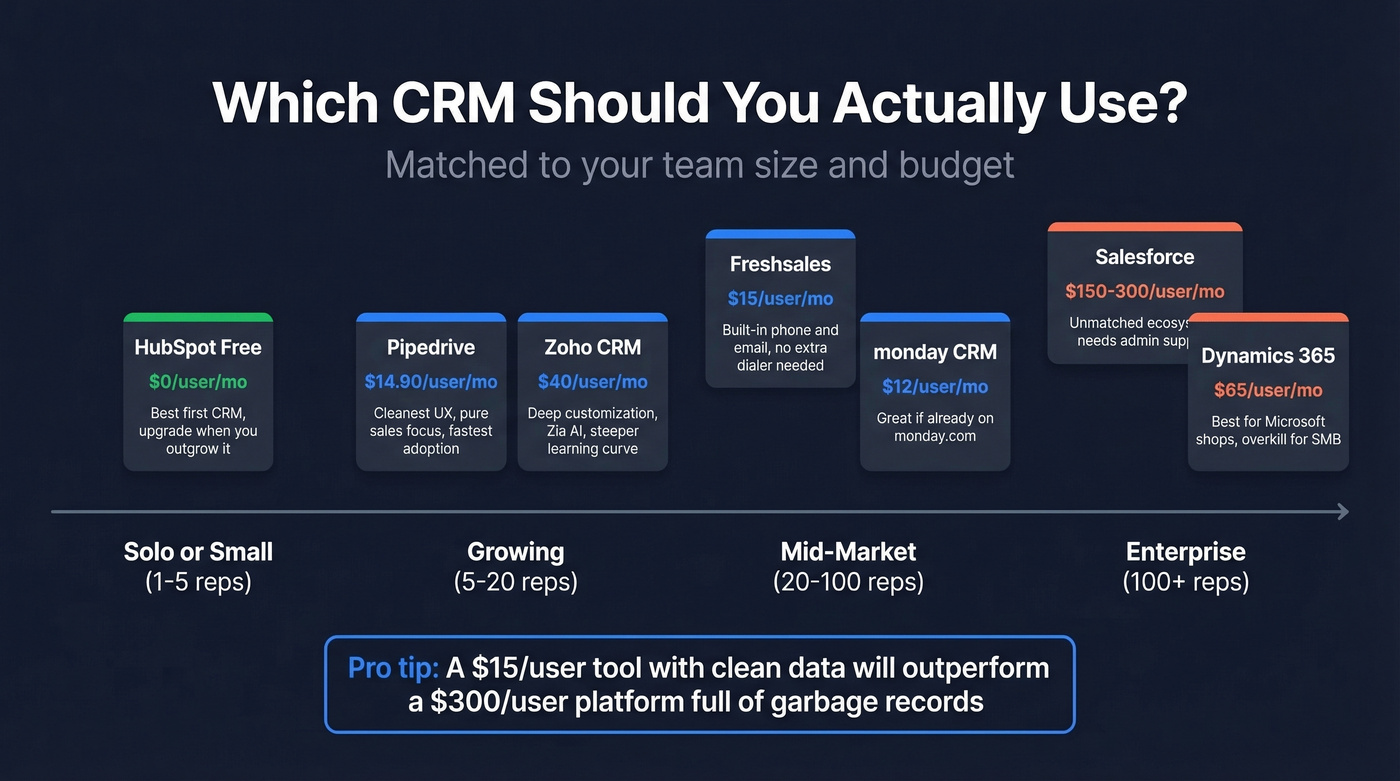
Solo or small team (1-5 reps). HubSpot free. Don't spend money until you've outgrown it.
Growing team (5-20 reps). Pipedrive if your team is pure sales and wants the cleanest UX in the category. Zoho if you want more customization and don't mind a steeper learning curve - PCMag named Zoho CRM its top overall pick for customization and AI at the price point. We've found Pipedrive to be the fastest to get reps actually using the system, which is half the battle.
Mid-market (20-100 reps). Zoho CRM Plus starts at $40/user/month and includes Zia AI plus deeper multichannel capabilities. Freshsales is worth a look if you want built-in calling without bolting on a separate dialer.
Enterprise (100+ reps). Salesforce. Not because it's the best UX - it's not - but because the ecosystem, integrations, and admin tooling are unmatched at scale. Budget $150-300/user/month for enterprise tiers with the features you'll actually need.
Let's be honest: you don't need a $50k/year CRM. If your average deal size is under five figures, you almost certainly don't need enterprise-grade features. A $15/user/month tool with clean data will outperform a $300/user/month platform full of stale records every single time.
If you want a broader list of options (beyond the usual suspects), here are more examples of a CRM.
Your CRM Is Only as Good as Its Data
We've seen this pattern dozens of times. A team buys a solid CRM, configures it well, gets reps trained - and within six months the pipeline is full of ghost records. Disconnected phone numbers. Bounced emails. Contacts who changed companies two jobs ago. The CRM looks full, but it's full of noise.
Contact data decays at roughly 30% per year. People change jobs, companies get acquired, phone numbers rotate. If you're not actively refreshing your records, your CRM is lying to you - and your reps know it. That's another reason they stop trusting the system.
This is where enrichment changes the game. Prospeo plugs directly into Salesforce and HubSpot, enriching existing CRM records with 50+ data points per contact drawn from 300M+ professional profiles. The numbers: 98% email accuracy, 125M+ verified mobile numbers, and an 83% match rate on enrichment. A 7-day refresh cycle keeps records current - about 6x faster than the 6-week industry average.
If you're evaluating vendors, start with a shortlist of data enrichment services and compare refresh cadence + match rates.
Pricing is straightforward. The free tier gives you 75 verified emails per month. Paid plans run about $0.01 per email with no annual contracts. For a team of 10 reps, you're looking at a fraction of what you'd spend on a database subscription - and the data actually stays fresh.
If bounced emails are part of your CRM mess, track your email bounce rate and fix verification upstream.
Reps hate CRM because they spend hours on manual data entry instead of selling. Prospeo's native integrations with Salesforce and HubSpot auto-fill contact records with 98% accurate emails and 125M+ verified mobiles - so reps prospect instead of typing.
Give your reps a CRM they'll actually want to open.
How to Roll Out CRM Without Killing Morale
70% of CRM implementations fail. Here's a five-point checklist that addresses the actual failure modes.
Get executive buy-in before vendor selection. If leadership isn't visibly using and championing the CRM, reps won't either. The VP of Sales needs to live in the tool, not just review reports from it. Secure this commitment before you evaluate a single vendor.
Start with 3-5 required fields. Expand later. Every mandatory field you add is friction. Start with the bare minimum - contact name, company, deal stage, next step, deal value. You can add fields once reps trust the system. Front-loading complexity is the fastest way to kill adoption.
Show reps what's in it for them. "Management needs visibility" is not a compelling pitch to a rep. "You'll never lose track of a follow-up again" is. "Your commission forecast updates in real time" is. Frame the CRM around rep outcomes, not management reporting.
Run a 30-day pilot with your best rep as champion. Don't roll out to the whole team at once. Pick your most respected closer, get them bought in, let them build the workflow, and then have them evangelize to the team. Peer influence beats top-down mandates every time. In our experience, this single step is the difference between the 30% that succeed and the 70% that don't.
Clean your data before migration. Importing 50,000 stale records into a new CRM guarantees that reps will open it, see garbage, and never come back. Deduplicate, verify emails, and enrich contacts before day one. Teams that clean data before migration see dramatically faster adoption because reps trust what they see from the start.
Timeline expectations: SMB teams can be fully operational in a few weeks. Mid-market companies should budget 1-3 months. Enterprise deployments with custom workflows and legacy data migrations typically run 3-9+ months.
If your rollout includes outbound sequences, align CRM tasks with proven sales follow-up templates so reps aren't reinventing messaging.
FAQ
What is a CRM in sales?
It's customer relationship management software that stores contacts, tracks deals through your pipeline, logs interactions, and gives managers visibility into team performance and revenue forecasts. Modern platforms also include automation and AI features that cut manual data entry by hours per week.
How much does a sales CRM cost?
Free options exist from HubSpot, Freshsales, and Zoho. Paid plans range from $12-$25/user/month for SMB tools up to $65-$300/user/month for enterprise platforms like Dynamics 365 and Salesforce. Most teams under 20 reps don't need anything above $40/user/month.
What's the ROI of CRM for sales teams?
On average, $8.71 returned per $1 spent. Companies report 29% more revenue, 34% productivity gains, and up to 42% better forecasting accuracy - assuming the team actually uses the system consistently.
How do I get my sales team to actually use CRM?
Start with 3-5 required fields max. Show reps personal benefits like real-time commission forecasts, not management reporting. Run a 30-day pilot with a respected team champion. Clean your data before migration so reps trust what they see from day one.
How do I keep CRM data accurate?
Contact data decays at roughly 30% per year. Use an enrichment tool with high accuracy and frequent refresh cycles alongside your CRM to keep records verified automatically - weekly updates rather than the typical monthly or quarterly cadence.