

DMARC Forensic Reports: The 2026 Practitioner's Guide
You published your DMARC record three months ago. Aggregate reports are flowing in nicely - XML files landing daily, authentication results looking healthy. But your ruf inbox? Empty. Not a single forensic report. You've double-checked the tag, confirmed the mailbox exists, and still nothing.
It's not your configuration. Two of the biggest mailbox ecosystems - Gmail and Office 365 - don't send forensic reports, and they almost certainly never will.
The Short Version
Configure rua immediately - it's the backbone of DMARC visibility. Add ruf with fo=0 as a secondary measure, but don't expect reports from most providers. If you do receive RUF data, secure it with PGP encryption. Forensic reports can contain PII that creates real compliance exposure.
What Are DMARC Failure Reports?
DMARC forensic reports - also called failure reports or RUF reports - are near-real-time, message-level notifications generated when an individual email fails DMARC. That means SPF and DKIM results don't produce an aligned pass. Unlike aggregate reports that summarize large volumes of messages into a single daily XML file, forensic reports zoom in on a specific failure and include headers, source IPs, authentication results, and sometimes partial message content.
Here's the detail most articles skip: RFC 7489 Section 7.3 says receivers MAY send forensic reports. Not MUST. That single word explains why your inbox is empty.
The IETF is actively working on an updated spec - draft-ietf-dmarc-failure-reporting-24, last updated January 2026 - and the "MAY" language persists. Providers aren't obligated to send these, and most have decided not to.
Forensic vs. Aggregate Reports
| Aggregate (RUA) | Forensic (RUF) | |
|---|---|---|
| Timing | Daily, batched | Near real-time |
| Format | XML | ARF (Abuse Reporting Format) |
| Detail level | Domain-level stats | Message-level headers |
| PII exposure | Low - mostly IPs and auth summaries | High - addresses, subjects, sometimes content |
| Provider support | Widespread | Rare |
| Primary use | Auth monitoring | Spoofing investigation |
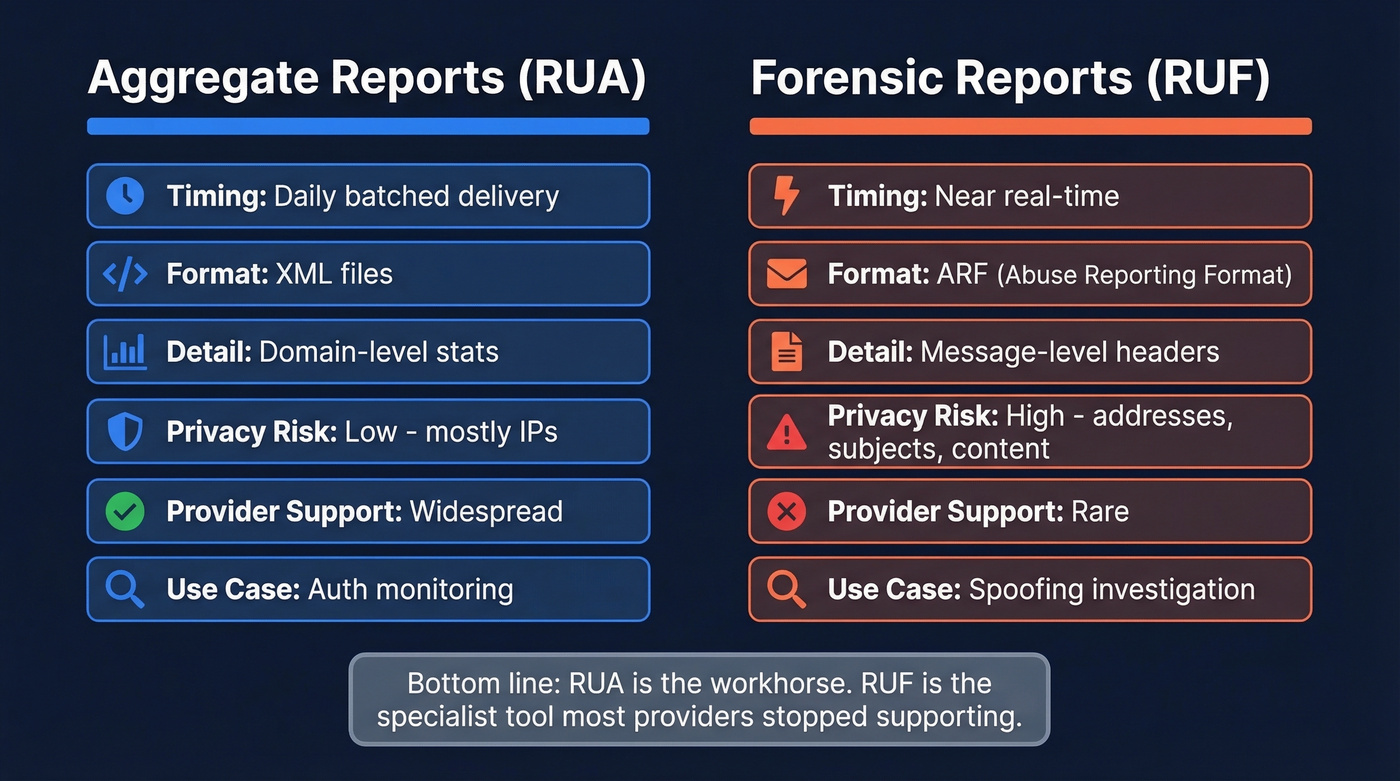
Aggregate reports are the workhorse. They tell you which IPs send mail on your behalf, whether SPF and DKIM are passing, and where your authentication gaps live. Forensic reports are the specialist tool most providers have quietly stopped supporting.
You need RUA. You might want RUF. But don't build your DMARC strategy around forensic data you'll likely never receive.
What's Inside a RUF Report
Forensic reports follow the Abuse Reporting Format (ARF), which the current IETF draft proposes to update. Here's a simplified representation:
Feedback-Type: auth-failure

User-Agent: mail-receiver/1.0

Version: 1

Original-Mail-From: sender@spoofed-domain.com

Arrival-Date: Mon, 14 Apr 2026 09:32:11 -0400

Source-IP: 198.51.100.42

Reported-Domain: your-domain.com

Auth-Results: your-domain.com; dkim=fail; spf=fail

Delivery-Result: policy
The key fields:
- Reported-Domain - the domain being evaluated (yours)
- Source-IP - where the failing message originated
- Auth-Results - SPF and DKIM pass/fail outcomes
- Original-Mail-From - the envelope sender address
- Arrival-Date - when the receiver processed the message
- Delivery-Result - what happened: delivered, rejected, or quarantined
Some providers redact the subject line and message body. Others include partial or full content. This inconsistency is one reason the privacy community has pushed back hard on RUF - you can't predict what you'll receive.
How to Request Forensic Reports
The ruf Tag
Add the ruf tag to your DMARC DNS record, pointing to a mailbox you control:
v=DMARC1; p=quarantine; rua=mailto:dmarc-agg@yourdomain.com; ruf=mailto:dmarc-forensic@yourdomain.com; fo=1; adkim=r; aspf=r; pct=100
The ruf=mailto: tag tells receivers where to send failure reports. Whether they actually send them is entirely up to them.
The fo Tag
The fo tag controls which failure conditions trigger a forensic report.
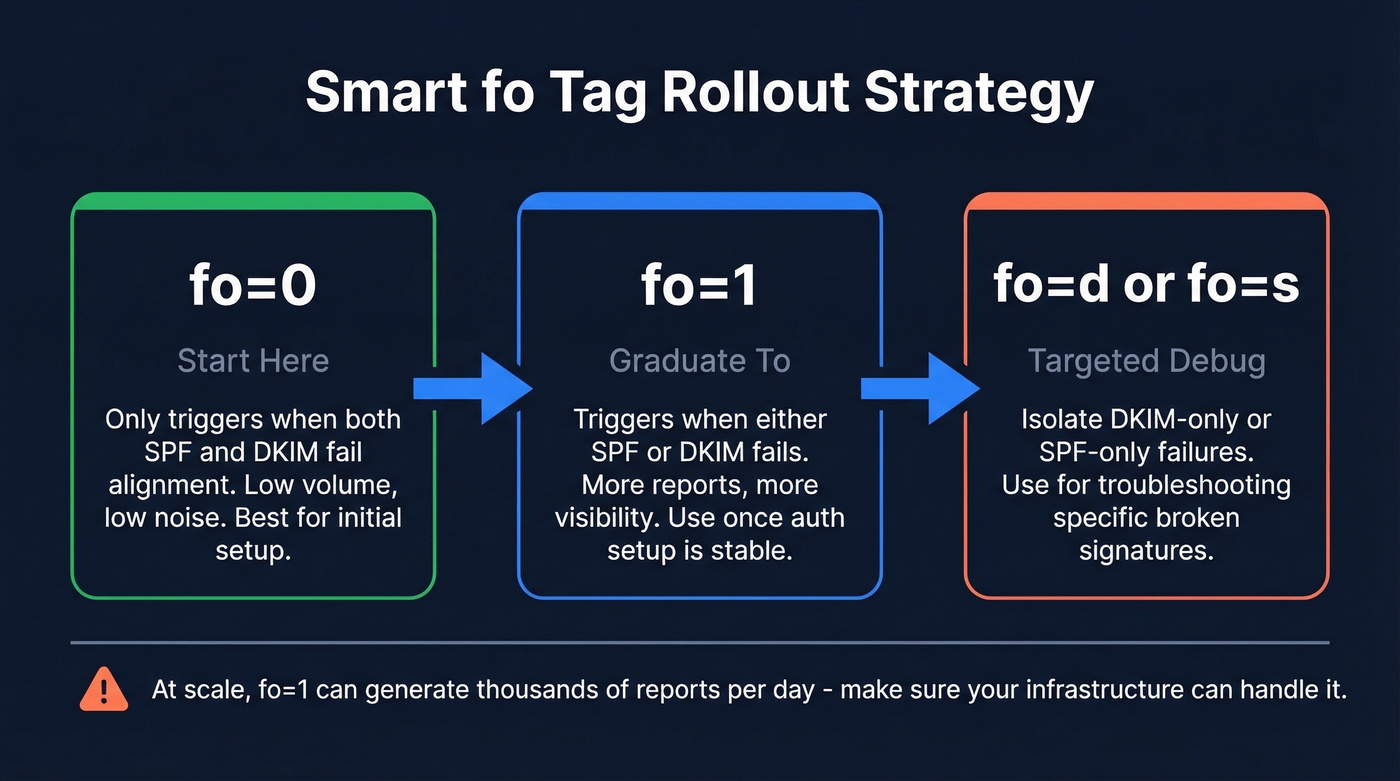
| Value | Trigger Condition |
|---|---|
fo=0 (default) |
Neither SPF nor DKIM produces an aligned pass |
fo=1 |
Either SPF or DKIM fails alignment |
fo=d |
DKIM signature evaluation fails |
fo=s |
SPF evaluation fails |
You can combine values with colons: fo=0:1:s triggers on any of those conditions. More triggers means more reports - and at scale, that's a firehose.
The smart rollout path: start with fo=0 to avoid being bombarded, graduate to fo=1 once you've got a handle on your authentication setup, and use fo=d or fo=s only for targeted troubleshooting of specific DKIM or SPF issues.

You're fixing authentication failures after the fact. What if your emails never bounced in the first place? Prospeo's 5-step verification and 98% email accuracy mean sub-4% bounce rates - without waiting for forensic reports to diagnose the problem.
Stop investigating bounces. Start sending emails that actually land.
Which Providers Actually Send RUF?
Here's a consolidated list from DMARCLY and Postmark's confirmed observations:
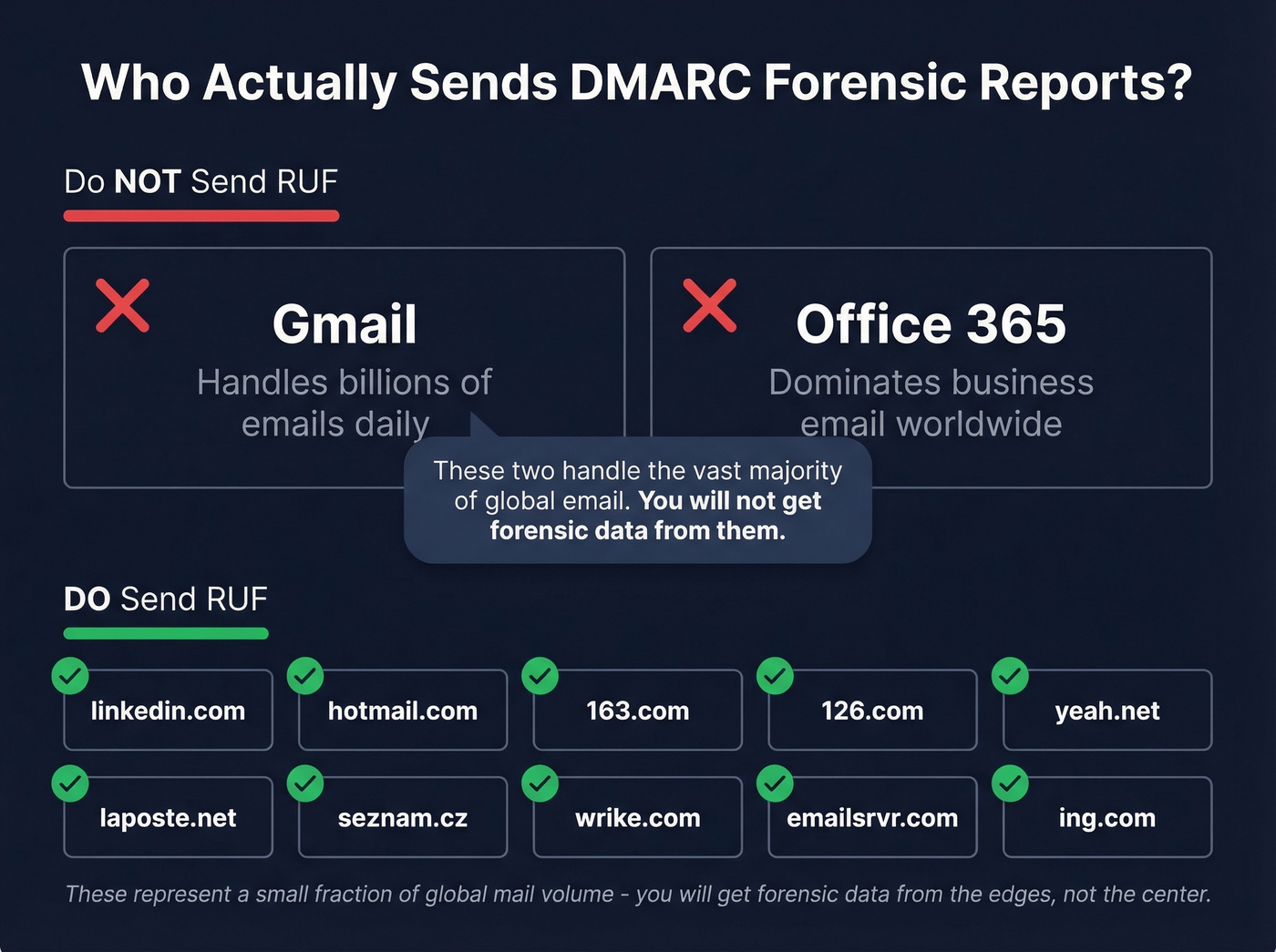
| Domain | Notes |
|---|---|
| linkedin.com | Confirmed by both sources |
| hotmail.com | Confirmed by Postmark |
| 163.com | Confirmed by both sources |
| 126.com | Confirmed by Postmark |
| yeah.net | Confirmed by Postmark |
| laposte.net | Confirmed by DMARCLY |
| seznam.cz | Confirmed by DMARCLY |
| wrike.com | Confirmed by DMARCLY |
| emailsrvr.com | Confirmed by DMARCLY |
| ing.com | Confirmed by DMARCLY |
Gmail and Office 365 don't send DMARC forensic reports. These two providers handle the overwhelming majority of business and consumer email worldwide. The domains above represent a small fraction of global mail volume. You'll get forensic data from the edges, not the center.
Want to test it? Send an unauthenticated email to a mailbox hosted on one of these domains with your ruf tag configured. You should receive a failure report back. It's the fastest way to confirm your setup works.
Should You Enable RUF?
The Case For
Enable RUF if you're actively investigating spoofing campaigns against your domain or need near-real-time malicious URL extraction for takedown services. It's also useful for diagnosing specific authentication failures that aggregate data can't pinpoint - like a third-party sender whose DKIM signatures are silently breaking in transit, something that shows up as a vague failure count in aggregate data but becomes immediately obvious in a forensic report with full headers.
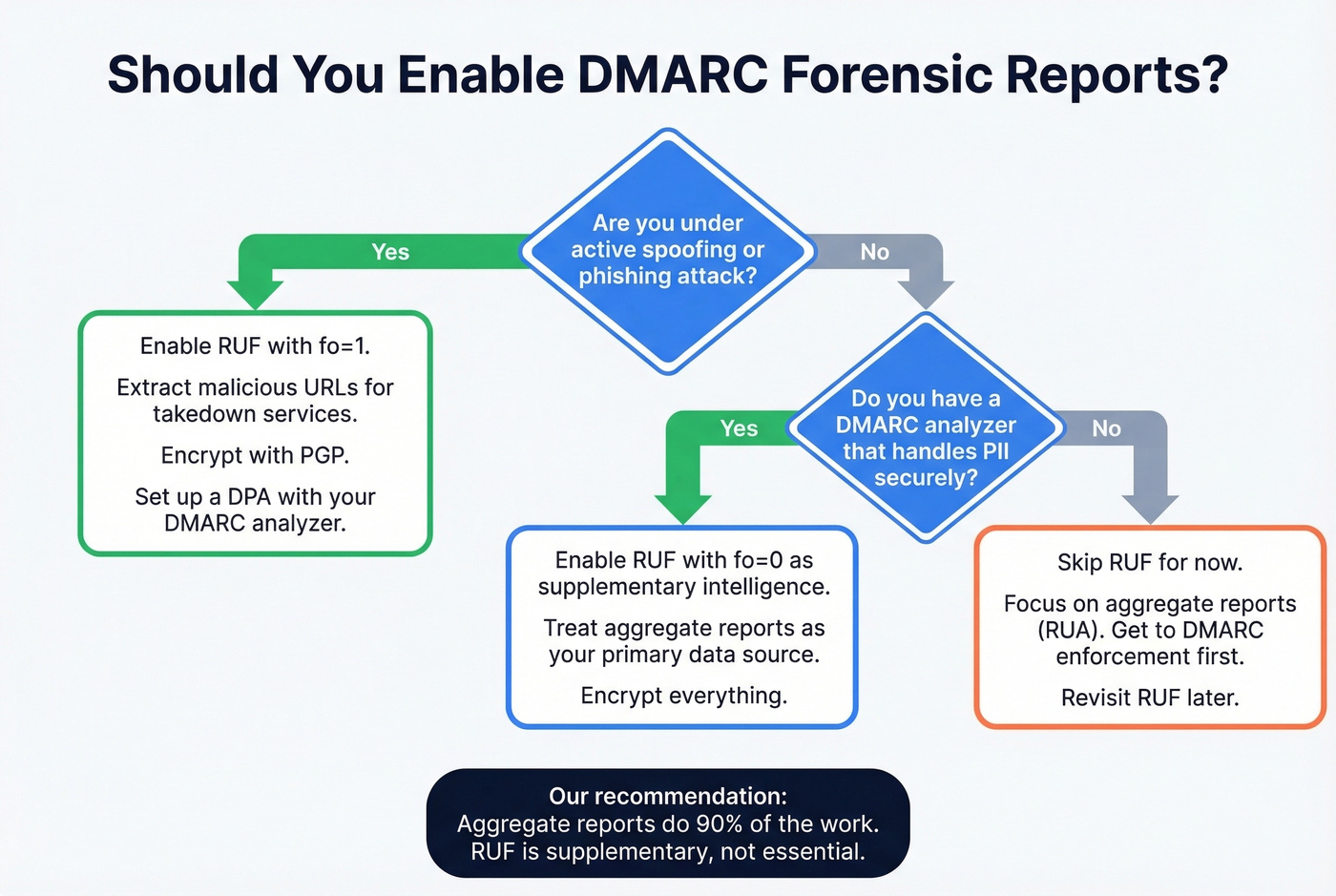
dmarcian's operational framework highlights a real use case: extracting malicious URLs from forensic reports to feed takedown services in near real-time. That's genuinely valuable for brands under active phishing attack.
The Case Against
Here's the thing - Valimail makes a strong contrarian argument that forensic reports create more problems than they solve. Their reasoning is worth considering seriously, especially for teams that aren't under active spoofing attack:
- They distract from the real goal - reaching DMARC enforcement
- High false positive rate makes them noisy
- Individual failure data isn't actionable at scale
- They expose PII, creating compliance liability - imagine someone spoofs your domain to email a stranger, and now you hold that stranger's personal data without consent
- Most ISPs have dropped support anyway
There's also an operational risk nobody talks about enough: per-message RUF generation can become a resource exhaustion vector. If an attacker floods your domain with spoofed messages, the resulting forensic reports can overwhelm your reporting infrastructure. Mitigation techniques like rate limiting, first-recipient-only sending, and delayed batching exist, but they add complexity you probably don't need.
Let's do the math. If you send 5 million messages per day and have a 0.1% failure rate, that's 5,000 forensic reports daily. Every single day. That's not intelligence - that's noise.
Our recommendation: enable RUF with fo=0 if you have a DMARC analyzer that handles PII securely. Treat it as supplementary intelligence. Aggregate reports do 90% of the work.
Privacy, GDPR, and PGP Encryption
The PII Problem
Forensic reports can contain full email headers, sender and recipient addresses, subject lines, and sometimes message content. Under GDPR, IP addresses alone qualify as personal data - forensic reports go well beyond that.
The core risk is straightforward: Party A spoofs your domain to email Party B. B's mailbox provider generates a RUF report and sends it to you. You now have B's personal data - an individual you've never interacted with and who never consented to your processing their information. That's a GDPR problem you didn't ask for.
For teams using a third-party DMARC reporting service, you need a Data Processing Agreement in place. If you store forensic reports, apply data minimization - retain only what's needed for investigation and purge on a defined schedule. This privacy exposure is a major reason many mailbox providers stopped sending RUF in the first place.
Securing Reports with PGP
If you do receive forensic reports, encrypt them:
# Generate a key pair
gpg - gen-key

# Export your public key
gpg - output ~/public.key - armor - export your_email@yourdomain.com

# Export your private key (store securely)
gpg - export-secret-keys - armor XXXXXXXX > ./my-priv-gpg-key.asc
Use RSA, 4096-bit, no expiration, strong passphrase. Upload the public key to your DMARC analyzer. Never use online key generation or decryption tools - that defeats the entire purpose.
Why You're Not Receiving RUF Data
The consensus on r/DMARC mirrors what we see constantly: practitioners configure ruf, see plenty of failures in aggregate data, and never receive a single forensic report. Run through this checklist:
- Is
ruf=mailto:...in your published DMARC record? Check withdig TXT _dmarc.yourdomain.com. - Is the
fotag set? Without it, you default tofo=0- only triggers on dual failure. - Does the receiving provider support RUF? If your traffic is mostly Gmail and Office 365, that's your answer.
- Is the RUF address authorized and accessible?
- Is the mailbox full or filtering reports as spam? ARF messages can trigger spam filters.
- Are you checking the right inbox? Some DMARC analyzers require a vendor-specific address format.
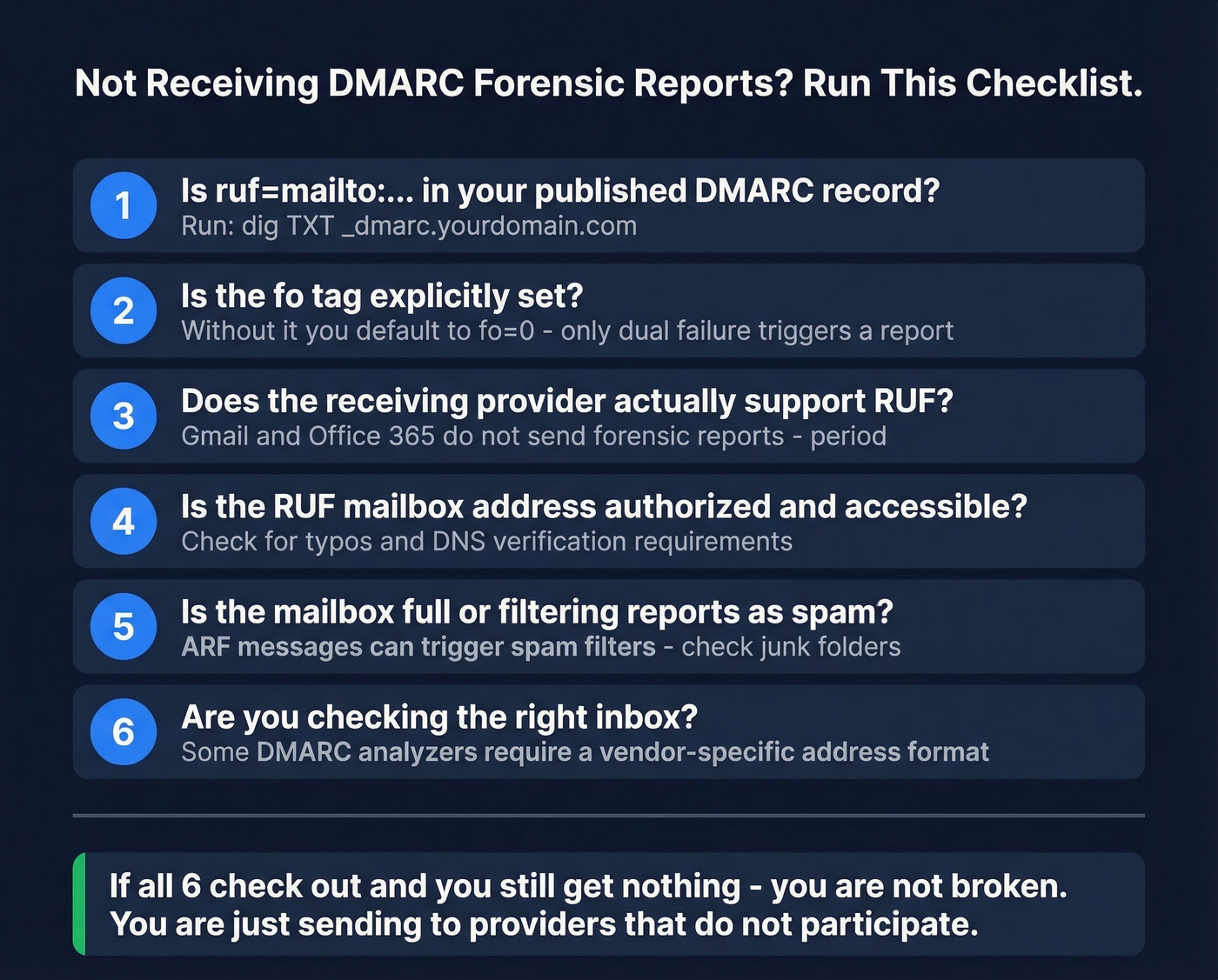
If you've checked all six and still aren't receiving reports, you're not broken. You're sending to providers that don't participate.
Protecting the Domain You Secured
Look - most teams obsess over DMARC configuration while ignoring the thing that actually tanks their sender reputation: bad outbound data. DMARC forensic reports are useful in theory but limited in practice. Focus on DMARC monitoring for visibility, add RUF as a secondary measure, and encrypt anything you receive.
But authentication is only half of email health. We've seen teams nail their DMARC configuration and still land in spam because their outbound lists were full of invalid contacts. Bouncing off bad email addresses damages the very email sender reputation DMARC is supposed to protect. Prospeo catches bad addresses before they hit your sending infrastructure - 98% email accuracy with real-time verification and a free tier at 75 emails per month. If you're investing in DMARC, invest in the data feeding your outbound too.
DMARC forensic reports protect your domain reputation, but bad contact data destroys it faster than spoofing ever could. Prospeo refreshes 300M+ profiles every 7 days - so you're never emailing stale addresses that trigger spam traps or inflate bounce rates.
Protect your sender reputation at the source - with data you can trust.
FAQ
What's the difference between aggregate and forensic DMARC reports?
Aggregate (RUA) reports are daily XML summaries of authentication results across all messages from your domain. Forensic (RUF) reports are near-real-time, message-level failure notifications containing headers, source IPs, and sometimes message content. Most providers send aggregate reports; very few send forensic reports.
Does Gmail send DMARC forensic reports?
No. Gmail and Office 365 don't send DMARC forensic reports and likely never will. Confirmed RUF senders include linkedin.com, hotmail.com, 163.com, and a handful of smaller domains. These represent a small fraction of global mail volume.
How do I verify outbound emails aren't hurting my DMARC reputation?
DMARC protects against inbound spoofing, but outbound bounces damage sender reputation independently. Validate contact data before sending - real-time email verification keeps bounce rates under 3%, protecting the domain reputation your DMARC policy is designed to defend.