

How to Write a First Meeting Invitation Email (5 Templates for 2026)
You open a blank email and freeze. The meeting's agreed on, the stakes are real, and somehow the hardest part is writing the invite. Here's the thing: a first meeting invitation email isn't logistics. It's a first impression, and it takes fewer than 100 words to nail it or blow it.
What Every Meeting Invite Needs
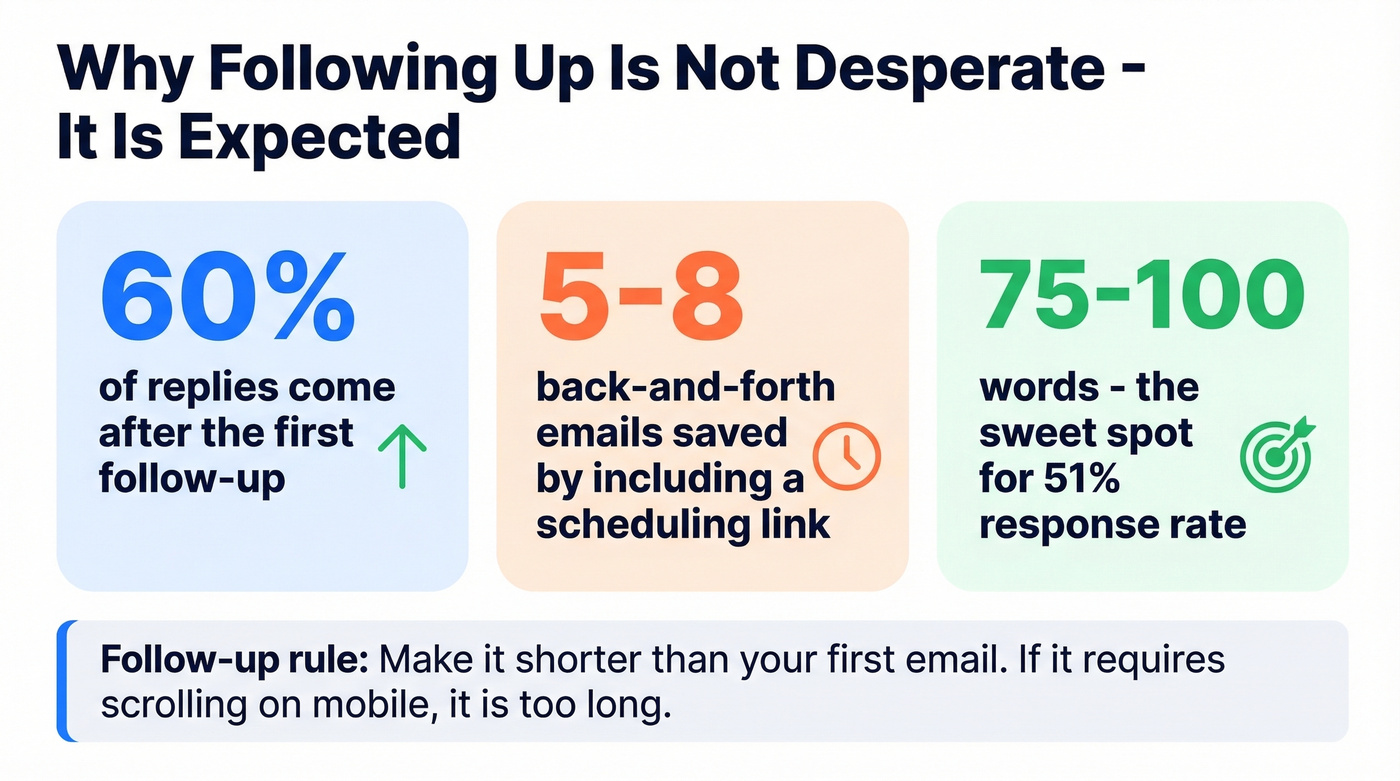
A [Boomerang study](https://blog.boomerangapp.com/2016/02/7-tips-for-getting-more-responses-to-your-emails-with-data/) of 40 million emails found that emails between 75-100 words hit roughly a 51% response rate. That's the sweet spot. Structure yours around the [BLUF principle](https://en.wikipedia.org/wiki/BLUF_(communication))) - Bottom Line Up Front - and lead with the ask before filling in context.
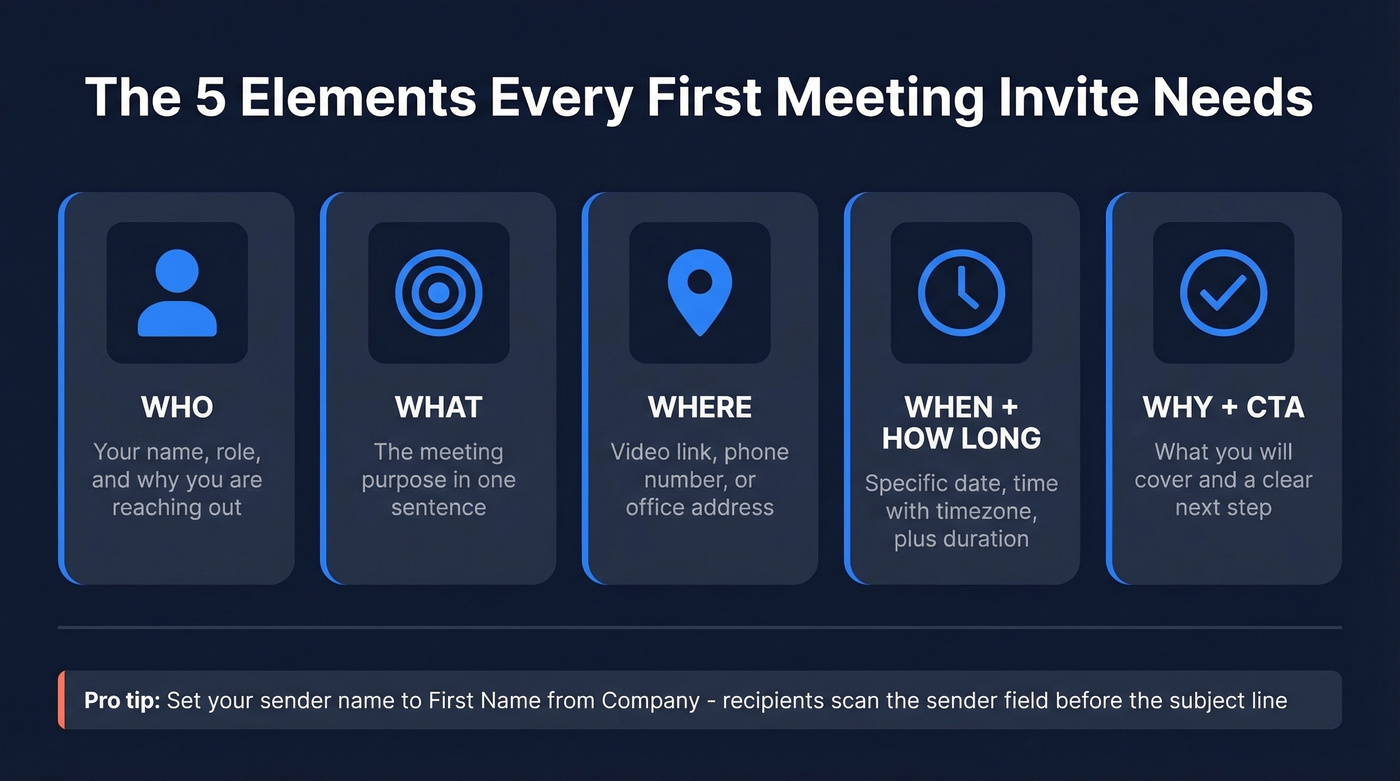
Every first meeting invite needs five elements:
- Who - your name, role, and why you're reaching out
- What - the meeting's purpose in one sentence
- Where - video link, phone number, or office address
- When + How long - specific date/time with timezone, plus expected duration. "Thursday 2pm ET, 20 minutes" beats "sometime next week."
- Why + CTA - what you'll cover and a clear next step ("Confirm this works?" or "Book a slot here")
One detail people overlook: set your sender name to "First Name from Company" instead of just your full name. Recipients scan the sender field before the subject line, so make it count.
Subject Lines That Get Opened
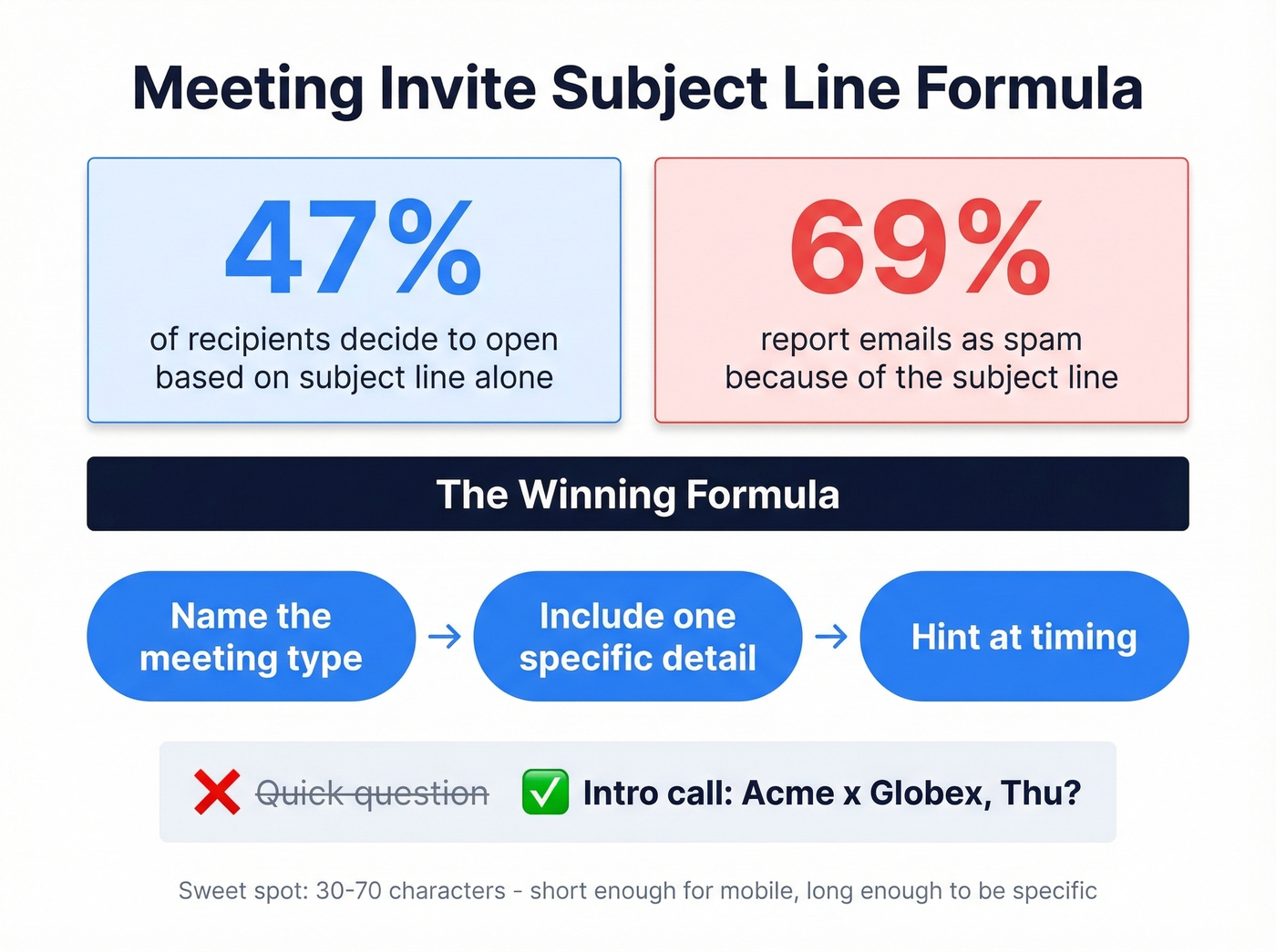
[47% of recipients](https://www.invespcro.com/blog/email-subject-lines-statistics-and-trends/) decide whether to open based on the subject line alone, and 69% report emails as spam because of it. Most research points to a sweet spot around 30-70 characters - short enough to survive mobile truncation, long enough to be specific. Be specific, not clever.
| Don't Write This | Write This Instead |
|---|---|
| Quick question | Intro call: [Your Co] x [Their Co], Thu? |
| Touching base | Kickoff - [Project Name], Jan 14 |
| Meeting | 1:1 with [Name] - onboarding, Week 1 |
| Let's connect! | [Mutual Contact] suggested we meet - 20 min? |
| Important | Discovery call: reducing [pain point] by Q2 |
The pattern: name the meeting type, include one detail, hint at timing. If you want more formulas, see B2B email subject line best practices and these formal email subject line examples.

The perfect first meeting invitation email means nothing if it bounces. Prospeo's Email Finder delivers 98% verified accuracy across 143M+ emails - you only pay for valid addresses. Keep your bounce rate under 2% and your domain reputation intact.
Stop crafting perfect emails to invalid inboxes.
5 Templates You Can Copy Today
1. New Client Kickoff
You just signed a new client and need to schedule the first working session.
Subject: Kickoff call - [Project Name], [Date]
Hi [Name],
Welcome aboard! I'm [Your Name], your [role] at [Company]. I'd love to get our kickoff on the calendar so we can align on goals, timeline, and next steps.
Here's what I'm thinking:
- Introductions and working preferences
- Project scope and milestones
- Access to [portal/dashboard/shared drive]
Does [Day, Time, Timezone] work for 30 minutes? If not, grab a slot here: [scheduling link]
Looking forward to it, [Your Name]
It sets expectations, shares next steps, and ends with a clear CTA. That's all strong onboarding emails need to do. For more variations, use these email templates for client meetings.
2. Sales Discovery (Cold Outreach)
Average cold email response rates sit around 7-10%, so every word earns its place. We've found that the cold emails getting replies fastest are the ones that look like they took 30 seconds to write - because they respect the reader's 30 seconds.
Subject: [Their Company] + [Your Company] - quick fit check?
Hi [Name],
[One sentence about their company or role that shows you did homework.]
We help [type of company] [specific outcome]. I'd like to see if that's relevant for [Their Company] - 20 minutes, no pitch deck.
A few times that work on my end:
- [Option 1]
- [Option 2]
- Or book directly: [link]
Either way, appreciate your time. [Your Name]
Under 80 words, two scheduling windows, and relevance before features. Including a scheduling link can cut the typical 5-8 back-and-forth messages down to one.
This template only works if it reaches the right inbox. Before sending cold outreach, verify the address with Prospeo's Email Finder - 98% accuracy, and you only pay for valid results. That keeps your bounce rate under 2% threshold that protects domain reputation. If you're building a full sequence, start with these outreach email templates and cold email deliverability basics.

3. Internal 1:1 (New Hire to Colleague)
For internal meetings, skip the email and send a calendar invite directly - one place to accept, decline, and get reminders. But if you're brand new and haven't met the person, a short email first shows respect.
Subject: Intro 1:1 - [Your Name] (new on [Team])
Hi [Name],
I just joined [Team/Department] as [Role] and would love to set up a quick intro. [Manager Name] suggested we connect on [topic/overlap].
Would [Day, Time] work for a 20-minute chat? Happy to adjust.
Thanks, [Your Name]
Low-pressure, explains the "why," and gives a specific time. That's it. No agenda required for introductions - just context and a time. If you want more options, borrow from this introductory email template library.
4. Formal Meeting With Leadership
This is a common anxiety trigger on workplace forums - your manager asks you to set up a meeting with the VP, and you've never emailed this person before. The trick is borrowed authority: name who requested the meeting, and the pressure disappears.
Subject: Alignment meeting: [Topic], [Date] - requested by [Manager Name]
Dear [Title + Last Name],
I'm [Your Name] from [Team], reporting to [Manager Name]. [He/She] asked me to coordinate a brief meeting to discuss [specific topic].
Would [Date, Time] work for 30 minutes? I'll send a calendar invite with an agenda once confirmed.
Thank you for your time, [Your Name]
The key move: promising an agenda signals you won't waste their time. That single sentence does more work than any amount of polished language. If you're unsure about formality, use these business email salutations.
5. Warm Introduction / Networking
A mutual contact introduced you. The trust is already built - don't dilute it with a wall of text.
Subject: [Mutual Contact] intro - [one-line topic]
Hi [Name],
[Mutual Contact] suggested we connect - [he/she] mentioned you're [relevant detail about their work].
I'm working on [brief context], and I think there's overlap worth exploring. Would you be open to a 20-minute call next week?
[Scheduling link or two time options]
Best, [Your Name]
Mutual connection in the subject line and the first sentence. One CTA. Done. For more networking-specific scripts, see this networking email template.
How to Follow Up
Roughly 60% of replies come after the first follow-up. Following up isn't desperate - it's expected. We've seen follow-ups outperform the original email when they're shorter and more direct.
Subject: Re: [Original Subject Line]
Hi [Name],
Just floating this back up - I know inboxes get buried. Would any of these times work for a quick [meeting type]?
- [Option 1]
- [Option 2]
Happy to work around your schedule. [Your Name]
Keep it shorter than the first email. And test how it renders on mobile - if your follow-up requires scrolling, it's too long.
5 Mistakes That Kill Your Invite
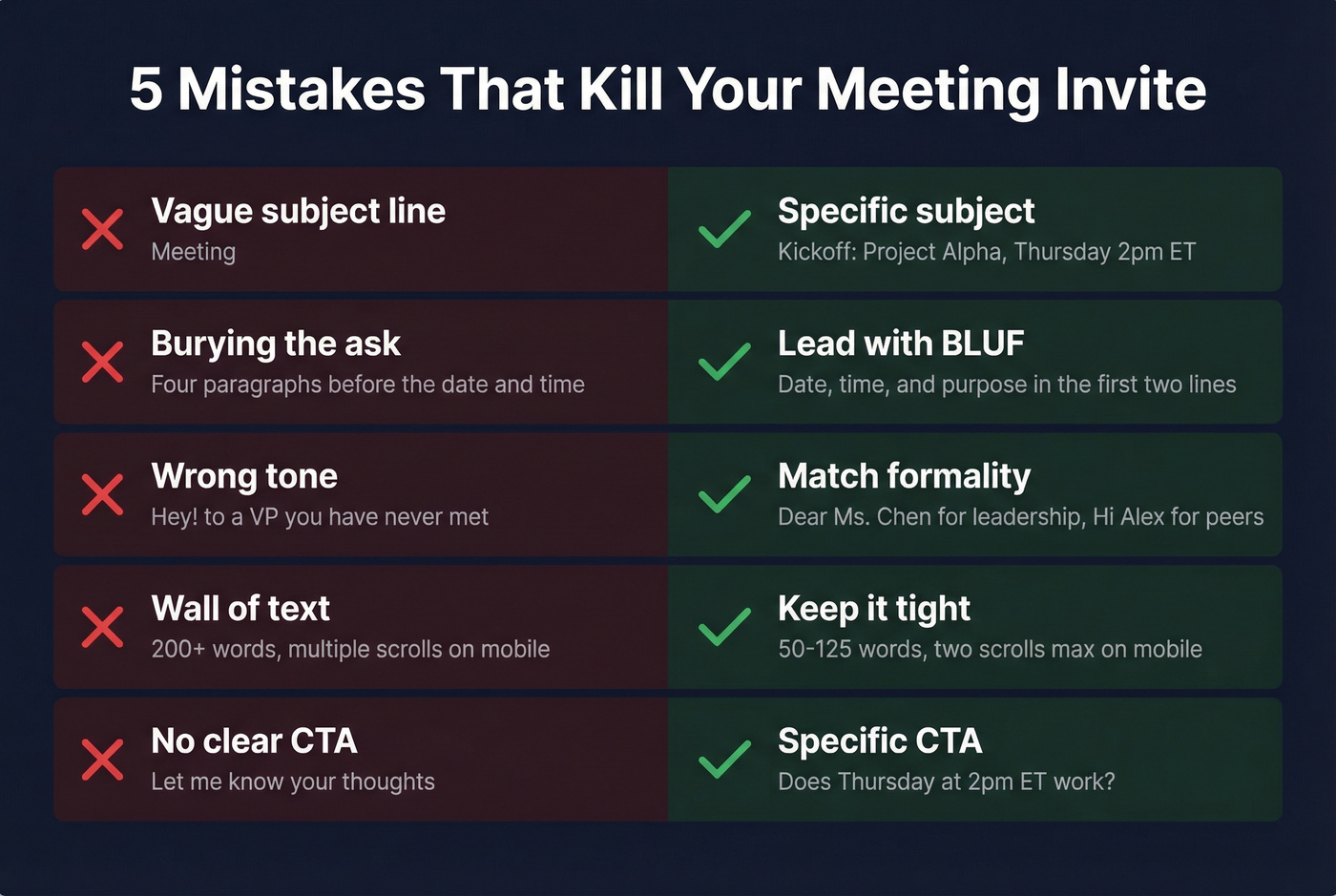
- Vague subject line. "Meeting" tells the recipient nothing. Write "Kickoff: [Project], Thursday 2pm ET" instead.
- Burying the ask. If the recipient reads four paragraphs before finding the date and time, you've lost them. BLUF - always.
- Wrong tone for the relationship. "Hey!" to a VP you've never met reads as careless. "Dear Sir/Madam" to a peer reads as robotic. Match formality to the relationship.
- Wall of text. Cold emails perform best around 50-125 words. Two scrolls or fewer on mobile.
- No clear CTA. "Let me know your thoughts" isn't a CTA. "Does Thursday at 2pm ET work?" is.
Let's be honest - most meeting invites fail on number two. People front-load context and backstory because it feels polite, but the recipient just wants to know when and where. Lead with that, and everything else falls into place.
FAQ
Who Should Send the Meeting Invite?
Whoever proposed the meeting sends the invite. For client work, the service provider takes initiative. If your manager asked you to set it up, you own it - send the email, then follow with a calendar hold once confirmed.
Email First or Calendar Invite?
For internal meetings, send a calendar invite directly - it's one place to accept, decline, and get reminders. For an external first meeting invitation email, send a short email to confirm interest and timing, then follow up with the calendar event.
How Long Should a Meeting Invite Be?
Aim for 50-125 words. The sweet spot is 75-100 words, which hit roughly a 51% response rate across 40 million emails studied. For cold outreach, shorter is always better.
How Do I Verify Email Addresses Before Sending?
Use a dedicated verification tool before any cold outreach campaign. Prospeo's Email Finder runs a 5-step verification process with 98% accuracy and catches spam traps, honeypots, and catch-all domains - keeping your bounce rate under 2% and your sender reputation intact. The free tier covers 75 lookups per month.
Cold discovery emails get 7-10% reply rates - but only when they reach real people. Prospeo verifies contacts through a 5-step process with catch-all handling and spam-trap removal, refreshed every 7 days. At $0.01 per email, bad data is no longer an excuse.
Send your meeting invite to the right inbox the first time.