

How to Generate Email Addresses: 5 Methods for Every Use Case
"Generate email" means temp mail to most people. That's one-fifth of the picture. Whether you need a throwaway inbox, a privacy alias, a professional business address, AI-drafted copy, or a verified B2B prospect list, the method is completely different - and so are the tools.
What You Need (Quick Version)
- Throwaway inbox right now? Guerrilla Mail or AdGuard Temp Mail (free)
- Ongoing privacy without new accounts? Apple Hide My Email or SimpleLogin ($30/yr)
- Business email? Google Workspace (~$6-$7/user/mo)
- Email copy faster? ChatGPT ($20/mo) or Gemini for Gmail ($20/user/mo)
Types of Generated Email
The confusion starts with terminology. "Disposable email" is the umbrella term, but it covers four distinct things - plus a fifth that has nothing to do with throwaway inboxes.
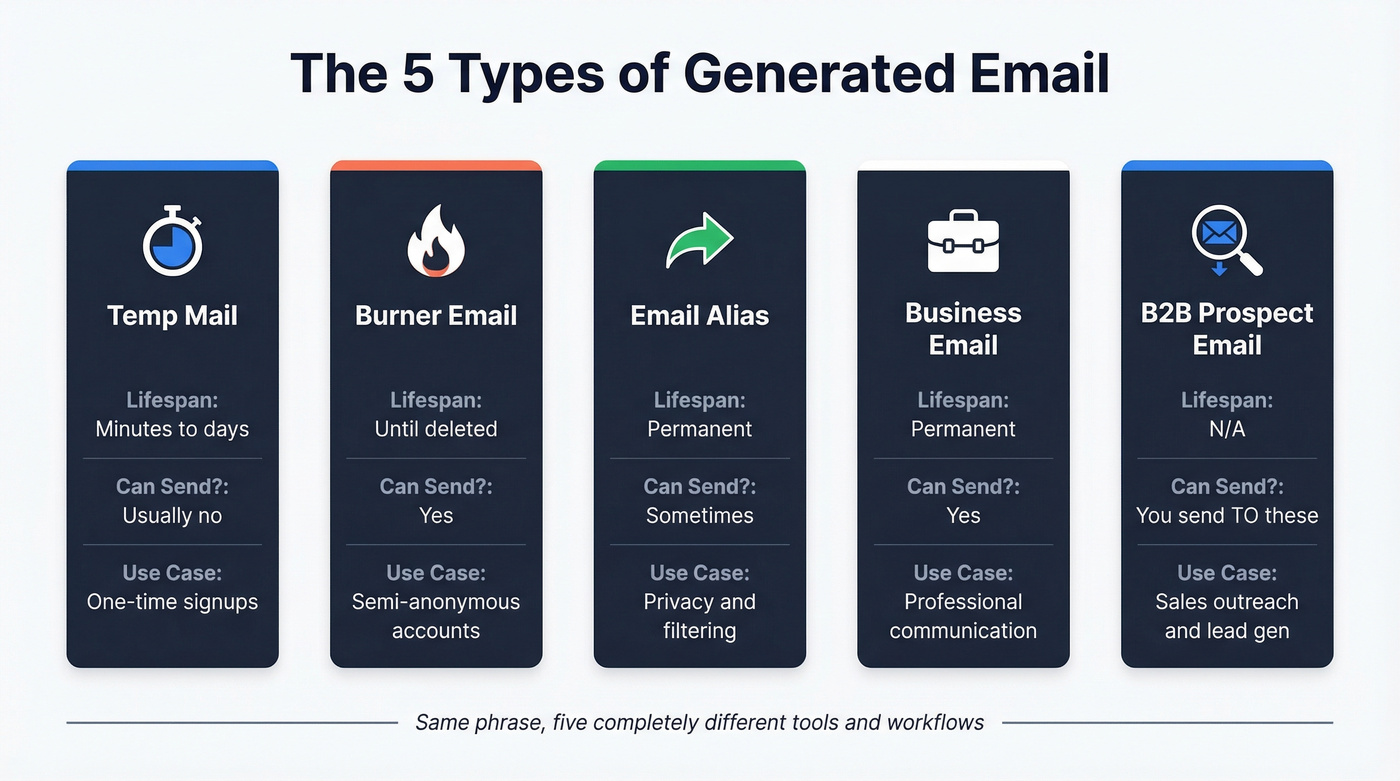
| Type | What It Is | Lifespan | You Send? |
|---|---|---|---|
| Temp mail | No-registration inbox | Minutes to days | Usually no |
| Burner email | Real account, fake details | Until deleted | Yes |
| Email alias | Forwarding layer | Permanent | Sometimes |
| Business email | Custom domain address | Permanent | Yes |
| B2B prospect email | Finding someone's work email | N/A | You send to these |
Temp mail is self-destructing and usually receive-only. Burner emails are real accounts created with minimal details on Gmail, Outlook, or Proton - they can send and receive, and they persist until you delete them. Aliases are forwarding layers that mask your real address without creating a new mailbox. Business email is a professional address on your own domain. And B2B prospect email generation means finding verified work addresses for people you want to reach.
Create a Temporary Email Address
Temp mail is the simplest way to generate an email address. No registration, no password, no identity. You get an inbox that exists for a short window, use it for a sign-up or download, and walk away.
Best Temp Email Services
| Tool | Retention | Features | Domains Blocked? | Price |
|---|---|---|---|---|
| Guerrilla Mail | ~1 hour | Send + attachments up to 150MB | Widely | Free |
| AdGuard Temp Mail | 7 days | Receive-only | Moderate | Free |
| 10MinuteMail | 10 minutes | Receive-only | Widely | Free |
| Internxt Temp Mail | 3 hours of inactivity | Receive-only | Moderate | Free |
| MailTicking | ~24 hours after you leave | Receive-only | Less common | $5/mo VIP |
Guerrilla Mail has been around since 2006 and remains one of the few temp services that lets you send messages and handle attachments up to 150MB. AdGuard Temp Mail is solid if you want an inbox that sticks around for days - temporary inboxes auto-delete after 7 days if you don't open or refresh the page.
Here's the thing: the biggest practical problem with temp mail isn't features. It's domain blocking. Popular temp-mail domains from Guerrilla Mail, Temp-Mail.org, Mailinator, YOPmail, and MailDrop are widely blocklisted by major services. If the site you're signing up for rejects the address, you're stuck. Newer, less-known services tend to work better simply because their domains haven't been flagged yet.
When NOT to Use Temp Email
This is where people get burned. Temp mail works for one-time downloads and throwaway sign-ups. It fails for anything you need to access again.
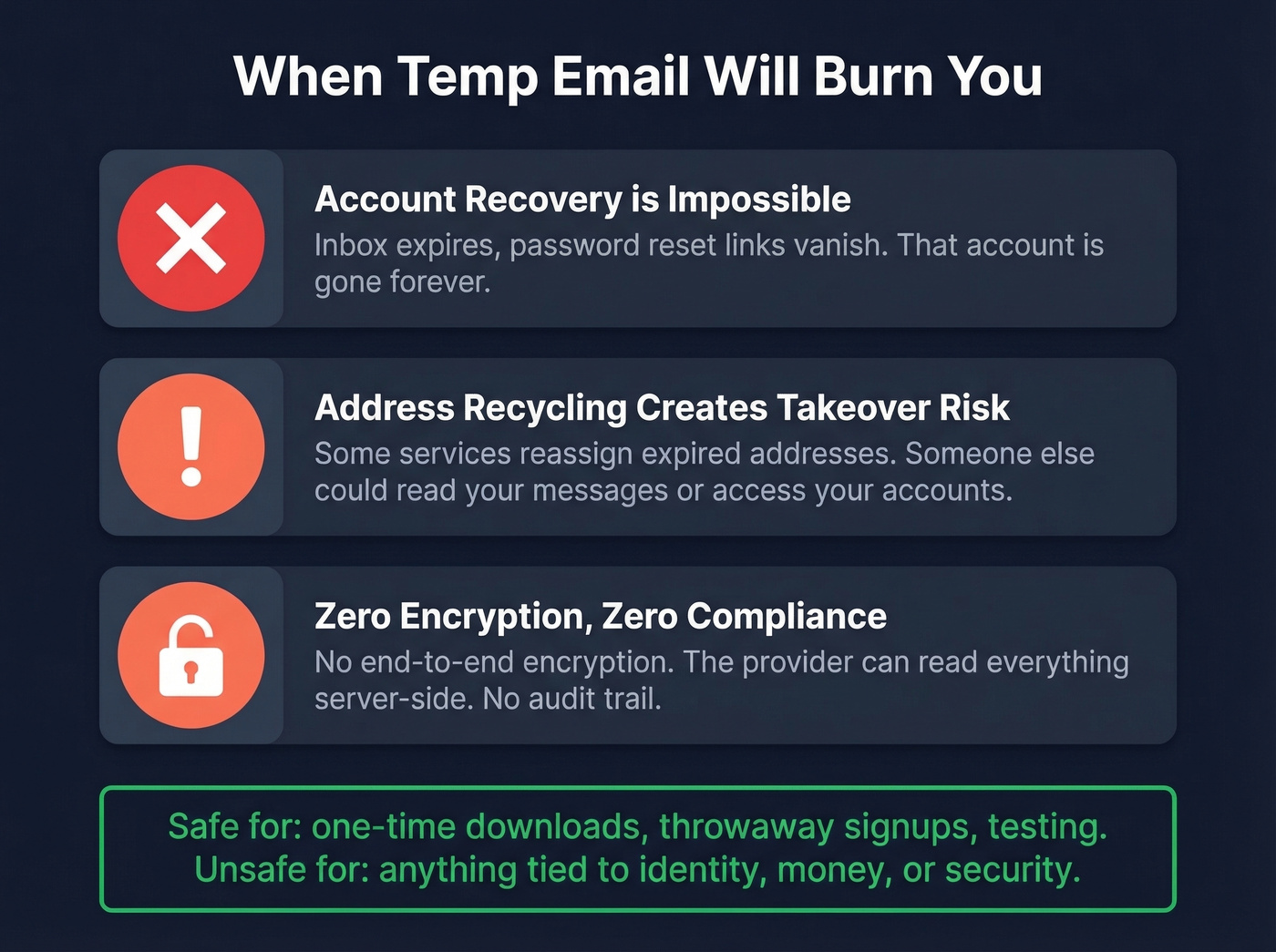
Account recovery is impossible. Once the inbox expires, you can't receive password resets or 2FA codes. If you signed up for something with a temp address and forgot your password, that account is gone.
Address recycling creates takeover risk. Some temp services reassign expired addresses. If a site uses email-only login, whoever gets your old address could access your account. Public inboxes like Mailinator make this worse - anyone who knows or guesses the alias can read your messages.
No end-to-end encryption exists on most temp mail services. Even with TLS in transit, the provider can read your messages server-side. Compliance is nonexistent. No ownership, no audit trail. Never use temp email for anything tied to identity, money, or security.

Temp mail and aliases generate inboxes for you. But if you need to generate someone else's verified work email - a decision-maker, a prospect, a hiring manager - that's a different problem entirely. Prospeo's email finder pulls from 300M+ profiles with 98% accuracy and 5-step verification, so every address you generate actually lands.
Find any professional's verified email in seconds, not hours.
Set Up Email Aliases Instead
Aliases sit between temp mail and a full new account. You keep your real inbox but create forwarding addresses that mask your identity. They're permanent until you disable them, and most let you reply through the alias.
Gmail Dot Trick and Plus-Addressing
Gmail ignores dots in usernames entirely. john.smith@gmail.com, johnsmith@gmail.com, and j.o.h.n.s.m.i.t.h@gmail.com all land in the same inbox. This works for @gmail.com, @googlemail.com, and Google Workspace accounts - but not Outlook or Yahoo.
Plus-addressing adds a tag after your username: john+newsletter@gmail.com routes to John's inbox while letting you filter by the tag. The limitation is that you can't send from these variations, and savvy services strip the +tag portion, so it isn't bulletproof for compartmentalization.
Alias Services Worth Using
For real alias management, dedicated services are the move.
SimpleLogin ($30/yr) is the clear winner in this category. It supports custom aliases, random address generation, on-the-fly creation via browser extensions and mobile apps, optional PGP encryption, and forwarding to multiple mailboxes. For privacy-focused users who want alias management across every platform, nothing else comes close.
Apple Hide My Email creates unique random addresses as part of iCloud+ - each alias forwards to your real inbox, and you can disable any individually. It works well on Apple devices but gets clunky if you're cross-platform. Firefox Relay is Mozilla's entry with a free tier, though it's limiting if you're managing lots of sign-ups.
IronVest (from $39/yr) bundles email masking with broader identity protection features. StartMail ($59.95/yr) is pricier but includes full email hosting alongside aliases. For most people, SimpleLogin hits the sweet spot.
Generate a Professional Business Email
Let's be honest: using a Gmail address for client-facing business communication is like showing up to a sales meeting in a ratty stained t-shirt. A custom domain email costs less than lunch and signals professionalism immediately.
If your deal sizes are under a few thousand dollars, you can probably get away with a free email address. But the moment you're asking someone to sign a contract, firstname@yourbusiness.com is non-negotiable.
Five Steps to Set Up Business Email
The process takes about 10 minutes once you have your domain.
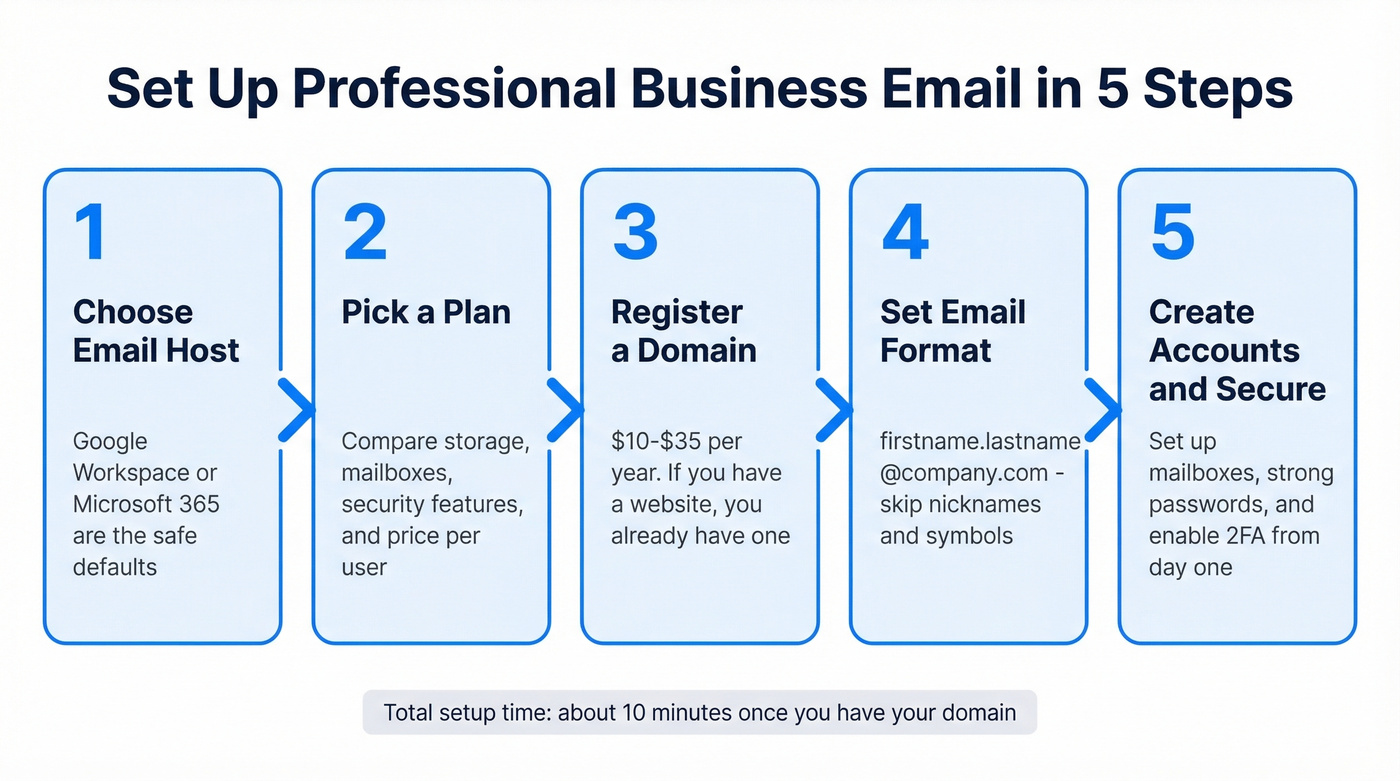
1. Choose an email host. Google Workspace and Microsoft 365 are the defaults. Self-hosting is possible but introduces delivery delays and maintenance headaches that aren't worth it for most teams.
2. Pick a plan. Evaluate based on storage, number of mailboxes, alias support, security features, and whether you need desktop client access via Outlook or web-only is fine.
3. Register a domain. Domains generally run $10-$35 per year depending on the registrar and TLD. If you already have a website, you already have a domain. Tools like Neo and Panabee can help brainstorm available username formats if you're stuck.
4. Decide on email format. Use real name formats: firstname.lastname@company.com or firstinitial.lastname@company.com. Avoid nicknames, hobbies, or symbols - symbols can trigger spam filters and look unprofessional. (If you want examples, see real name formats.)
5. Set up mailboxes and passwords. Create accounts for each team member, enforce strong passwords, and enable 2FA from day one.
Business Email Providers
| Provider | Starting Price | Storage | Key Feature |
|---|---|---|---|
| Google Workspace | ~$6-$7/user/mo | 30 GB | Gmail + full Google suite |
| Microsoft 365 | ~$6-$12.50/user/mo | 50 GB | Outlook + Office apps |
| Zoho Mail | Free (up to 5 users) | 5 GB | Budget-friendly starter |
Google Workspace is the default for startups and SMBs - the Gmail interface is familiar, and the integration with Drive, Calendar, and Meet just works. Microsoft 365 makes sense if your team lives in Outlook and needs desktop Office apps. Zoho Mail's free tier for up to 5 users is genuinely useful for bootstrapped businesses, with paid plans starting around $1/user/mo.
Custom Domain DNS Setup
Once you've chosen a provider, you need to configure DNS records so email actually routes correctly. This is the step most guides skip, and it's where deliverability problems start.
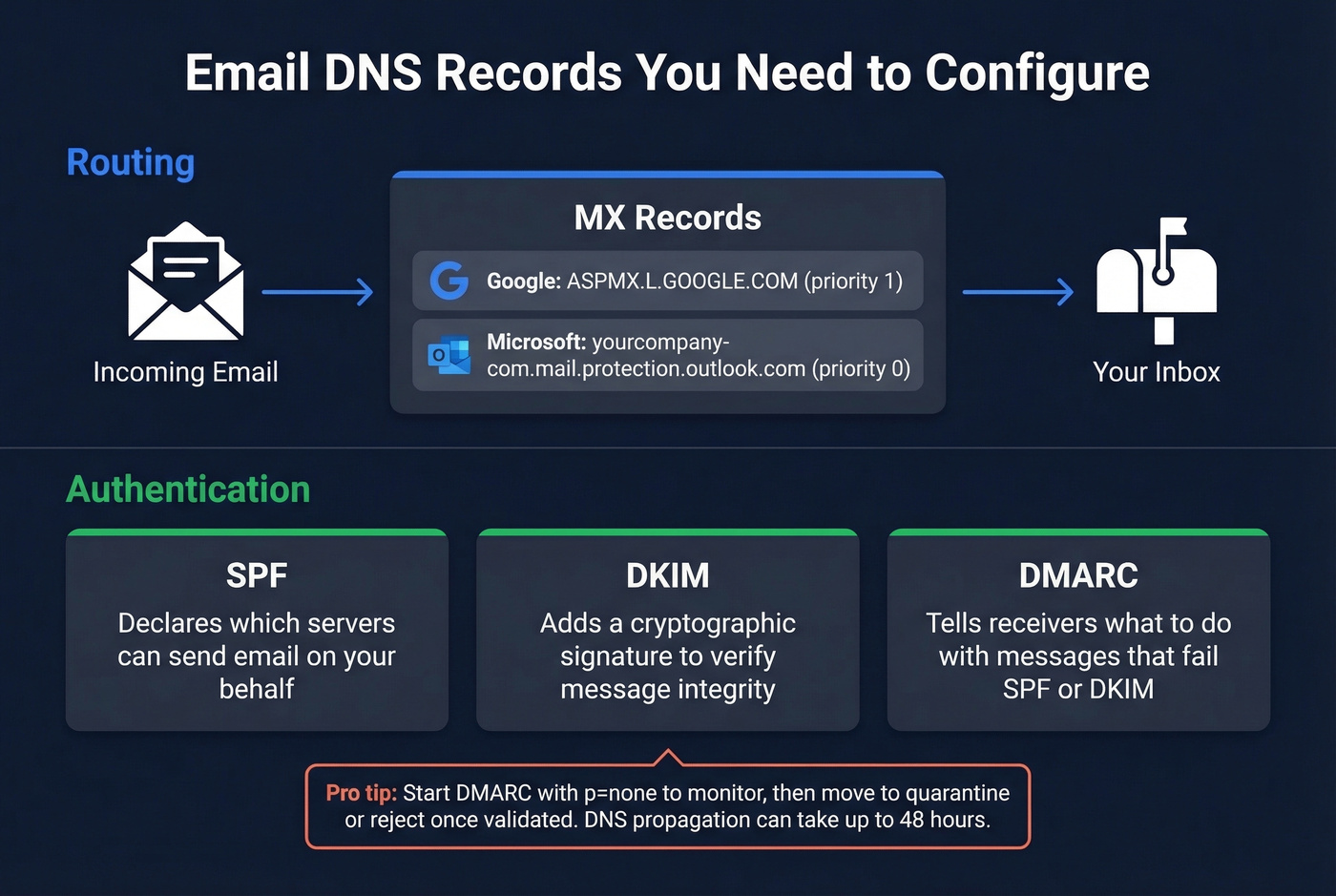
For Google Workspace, you'll add MX records pointing to ASPMX.L.GOOGLE.COM plus four alternates with priorities 1/5/5/10/10. For Microsoft 365, the MX record points to yourcompany-com.mail.protection.outlook.com at priority 0.
Beyond MX, set up SPF, DKIM, and DMARC - these authentication protocols prevent spoofing and improve deliverability. A practical DMARC rollout tip: start with p=none to monitor without blocking, then move to quarantine or reject once you've validated everything works. DNS propagation can take up to 48 hours; use whatsmydns.net to monitor progress. (More on authentication in our email domain check guide.)
Write Email Content with AI
The other meaning of "generate email" that most guides ignore: using AI to write email copy. 49% of B2B marketers now use generative AI to create emails, and the tooling has split into two camps - ecosystem-native tools that live inside your inbox and standalone generators you copy-paste from.
If you're generating outreach sequences, pair AI drafts with B2B cold email best practices so the copy actually lands and converts.
AI Email Writing Tools
| Tool | Price | Platform | Best For |
|---|---|---|---|
| ChatGPT | $20/mo (Plus) | Standalone | Versatile drafting |
| Gemini for Gmail | $20/user/mo | Gmail-native | In-inbox generation |
| Microsoft Copilot | $30/user/mo | Outlook-native | Office 365 teams |
| Grammarly | $12/mo | Browser extension | Tone + grammar polish |
| Rytr | $9/mo | Standalone | Budget AI writing |
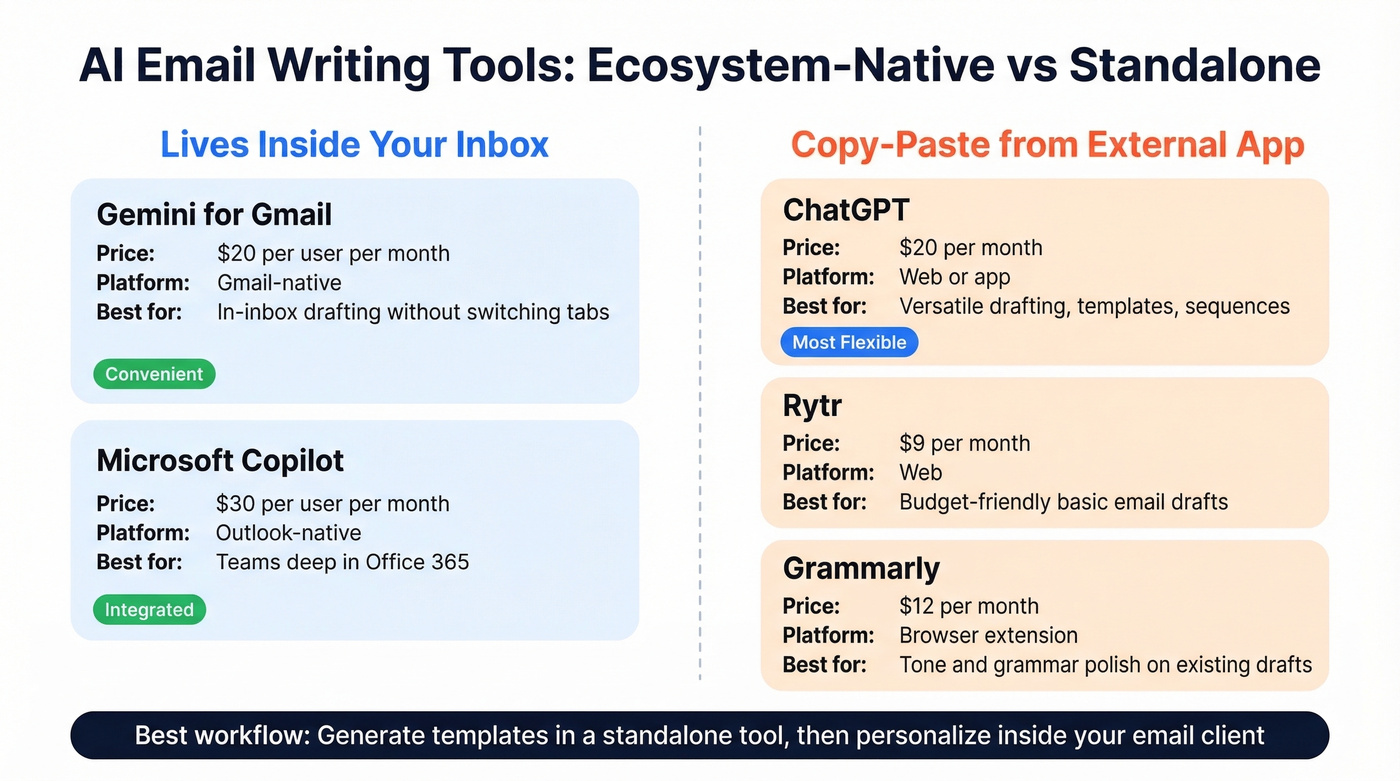
The ecosystem-native tools - Gemini inside Gmail and Copilot inside Outlook - win on convenience. You draft, edit, and send without switching tabs. The tradeoff is cost: $20-$30/user/mo adds up fast across a team, and you're locked into that email provider's ecosystem.
Standalone tools like ChatGPT and Rytr are more flexible. ChatGPT at $20/mo handles everything from cold outreach templates to follow-up sequences to internal comms. Rytr at $9/mo is the cheapest dedicated option and handles basic email drafting well.
We've found the best workflow is using a standalone tool to generate templates and frameworks, then personalizing in your actual email client. The key prompt engineering tip: always include the recipient's role, your relationship context, and the specific action you want them to take. Vague prompts produce vague emails. And trying to write every individual message with AI produces generic-sounding copy that recipients spot immediately - treat AI as your first draft, not your send button.
Build B2B Email Lists for Outreach
For sales and marketing teams, "generate email" means something entirely different: finding verified work email addresses for prospects you want to reach. This isn't about creating addresses - it's about discovering them. (If you need a broader rundown, start with our email lookup tools comparison.)
This is also the only type where mistakes cost you money directly. Bad data doesn't just waste time; it destroys sender reputation. High bounce rates get domains flagged, sequences stop landing in inboxes, and deliverability spirals fast if you skip verification. We've seen teams burn through domains in weeks because they trusted unverified lists from cheap providers. If you're seeing issues, run a bounce checker and tighten your email verification workflow.
B2B Email Finders Compared
| Tool | Database Size | Email Accuracy | Free Tier | Starting Price |
|---|---|---|---|---|
| Prospeo | 300M+ profiles | 98% | 75 emails/mo | ~$0.01/email |
| Hunter | 100M+ addresses | ~95% | 25 searches/mo | ~$49/mo |
| Apollo | 275M+ contacts | ~79% | Free tier available | ~$49/user/mo |
Prospeo
Prospeo is the accuracy leader in this space. The platform covers 300M+ professional profiles with 143M+ verified emails, all running through a proprietary 5-step verification process that includes catch-all handling, spam-trap removal, and honeypot filtering. Email accuracy sits at 98%. (For why this matters, see the benefits of email verification.)
What separates it from the pack is data freshness. Records refresh on a 7-day cycle, where the industry average is 6 weeks. That matters because people change jobs, companies restructure, and email addresses go stale fast - a 6-week-old record is already degrading.
The Chrome extension (40,000+ users) lets you pull verified emails from any website or company profile in one click. If you're evaluating options, compare it against other email finder Chrome extensions. Search filters cover 30+ criteria including buyer intent, technographics, job changes, and headcount growth. Native integrations push directly to Salesforce, HubSpot, Lemlist, Instantly, and Smartlead. Real results: Meritt tripled their pipeline from $100K to $300K/week after switching, with bounce rates dropping from 35% to under 4%.
Pricing starts free - 75 verified emails per month, no credit card required. Paid plans run about $0.01 per email with no contracts.

Hunter
Hunter takes a domain-first approach. Type in a company domain and it returns every email pattern and address it can find associated with that domain. The free tier gives you 25 searches per month, enough for light prospecting. It's fast and clean for quick domain-level lookups - if you need to find the email format for a specific company, Hunter gets you there in seconds.
For high-volume outbound, the verification depth falls short. Paid plans start around $49/mo.
Apollo
Skip Apollo for data accuracy. Use it for sequencing.
Apollo bundles a large contact database with engagement and sequencing features, making it popular for teams that want prospecting and outreach in one platform. The free tier is generous and gets reps moving quickly. But email accuracy runs around 79%, and data refresh cycles are significantly longer than weekly - if you're sending 500+ emails per week, that accuracy gap compounds into real deliverability problems. Paid plans start around $49/user/mo. Apollo works best as a sequencing tool paired with a more accurate data source like Prospeo for the actual contact information.
Building a B2B prospect list shouldn't mean guessing name patterns and praying for low bounce rates. Prospeo generates verified work emails at $0.01 each - refreshed every 7 days, spam-trap filtered, catch-all verified. Teams using Prospeo cut bounce rates from 35% to under 4% and book 26% more meetings than ZoomInfo users.
Generate real prospect emails, not disposable throwaways.
FAQ
Is it legal to use a temporary email address?
Yes, temp email is legal in most jurisdictions for personal privacy purposes. Using it to circumvent service bans, commit fraud, or violate a platform's terms of service can carry legal consequences. The tool itself is legal - it's how you use it that matters.
How long do temporary email addresses last?
Anywhere from 10 minutes (10MinuteMail) to 7 days (AdGuard Temp Mail). Most free services default to 1-24 hours. MailTicking's $5/mo VIP plan extends retention for users who need longer access.
Can I use a free email for business?
You can, but it hurts credibility. A custom domain address like firstname@yourbusiness.com costs as little as $1/user/month with Zoho Mail and signals professionalism to clients, partners, and prospects. The ROI on that dollar is enormous.
What's the best free tool to generate email addresses for B2B outreach?
Prospeo's free tier gives you 75 verified emails per month with full 5-step verification - no credit card required. Hunter offers 25 free searches per month but with less rigorous verification. For teams running real outbound campaigns, the accuracy difference between 98% and 95% prevents the bounce-rate damage that degrades your domain over time.
What's the best free AI email writer?
ChatGPT's free tier handles basic email drafting well for most use cases. For Gmail-native AI, Google Gemini is built into Workspace plans at $20/user/mo. Rytr at $9/mo is the cheapest dedicated AI writing tool if you need more than the free tier offers.