

How to Find an HR Email Address - 7 Methods That Work
Roughly 75% of resumes never make it past ATS filters. They vanish before a human reads a single line.
Submitting harder won't fix that. Going around the system and emailing the HR person directly will - the actual inbox of the person reviewing applications, not a generic careers@ black hole. Here are seven ways to get it, ranked from easiest to most reliable.
Quick Answer - 6 Steps
- Check the job posting for a direct contact name or email
- Search the company's careers page or team directory
- Google it:
"HR manager" "@company.com" email - X-ray LinkedIn:
site:linkedin.com/in "HR" "company name" - Guess the pattern (first.last@company.com) and verify before sending
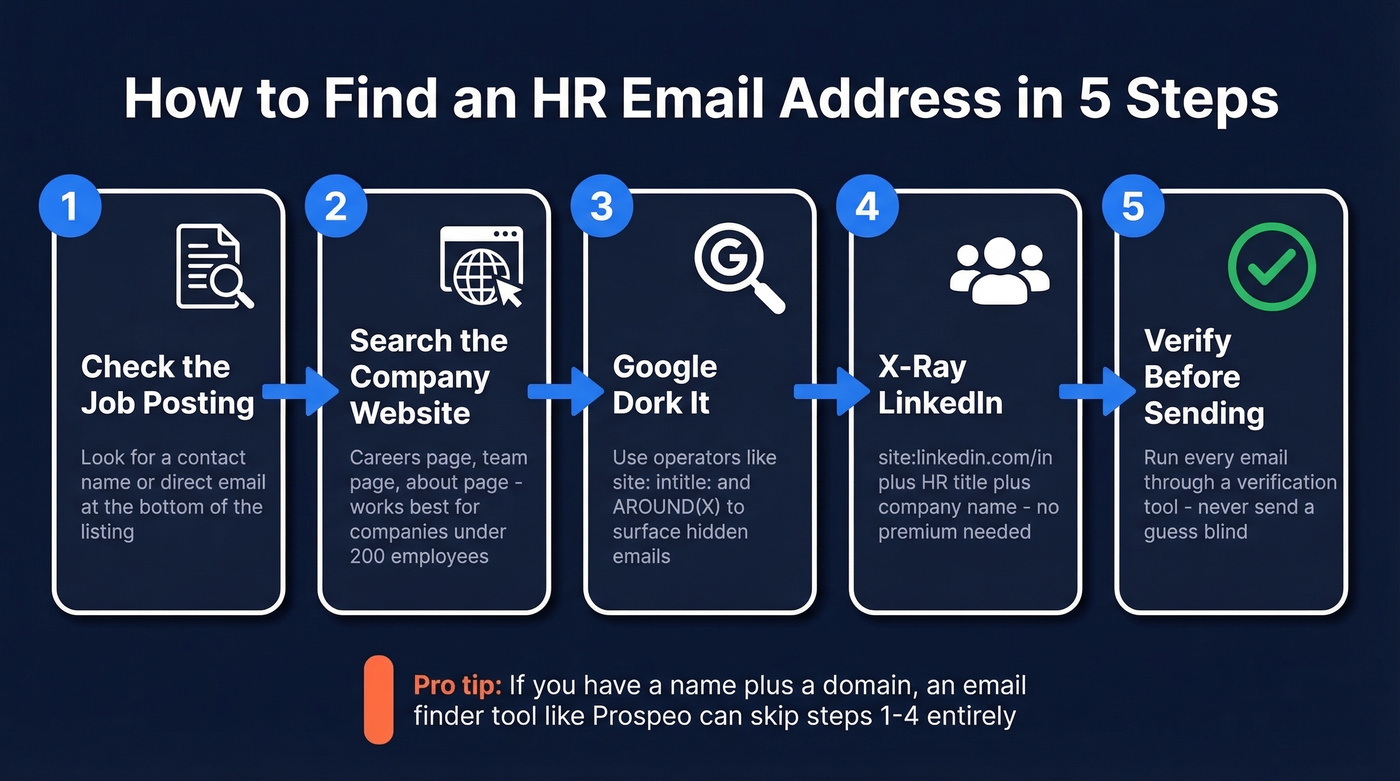
7 Methods to Locate HR Contact Emails
1. Check the Job Posting Itself
Start with the obvious. Scroll to the bottom of the job listing - many postings include a "questions about this role?" line with a direct email or recruiter name. On LinkedIn job shares, check who posted it. That person is often the recruiter or hiring manager.
If you see a name but no email, you're halfway there. A name plus a company domain is all you need for the next steps.
2. Search the Company Website
Head to the company's careers page, about/team page, and general contact page. Smaller companies under 200 employees sometimes list HR team members with direct emails. Larger companies almost never do - you'll usually find a generic careers@company.com at best.
Don't spend more than five minutes here. If the email isn't on the website, move on.
One red flag worth mentioning: if you can't find any contact information for a company - no team page, no domain emails, no professional presence anywhere - that's a warning sign. Legitimate companies leave a digital footprint, and a total absence of contact info is one of the clearest indicators of a fraudulent job posting.
3. Google Dork Queries for HR Emails
Google's advanced search operators turn the search bar into a precision tool. Here are ready-to-paste queries - swap in the company name and domain:
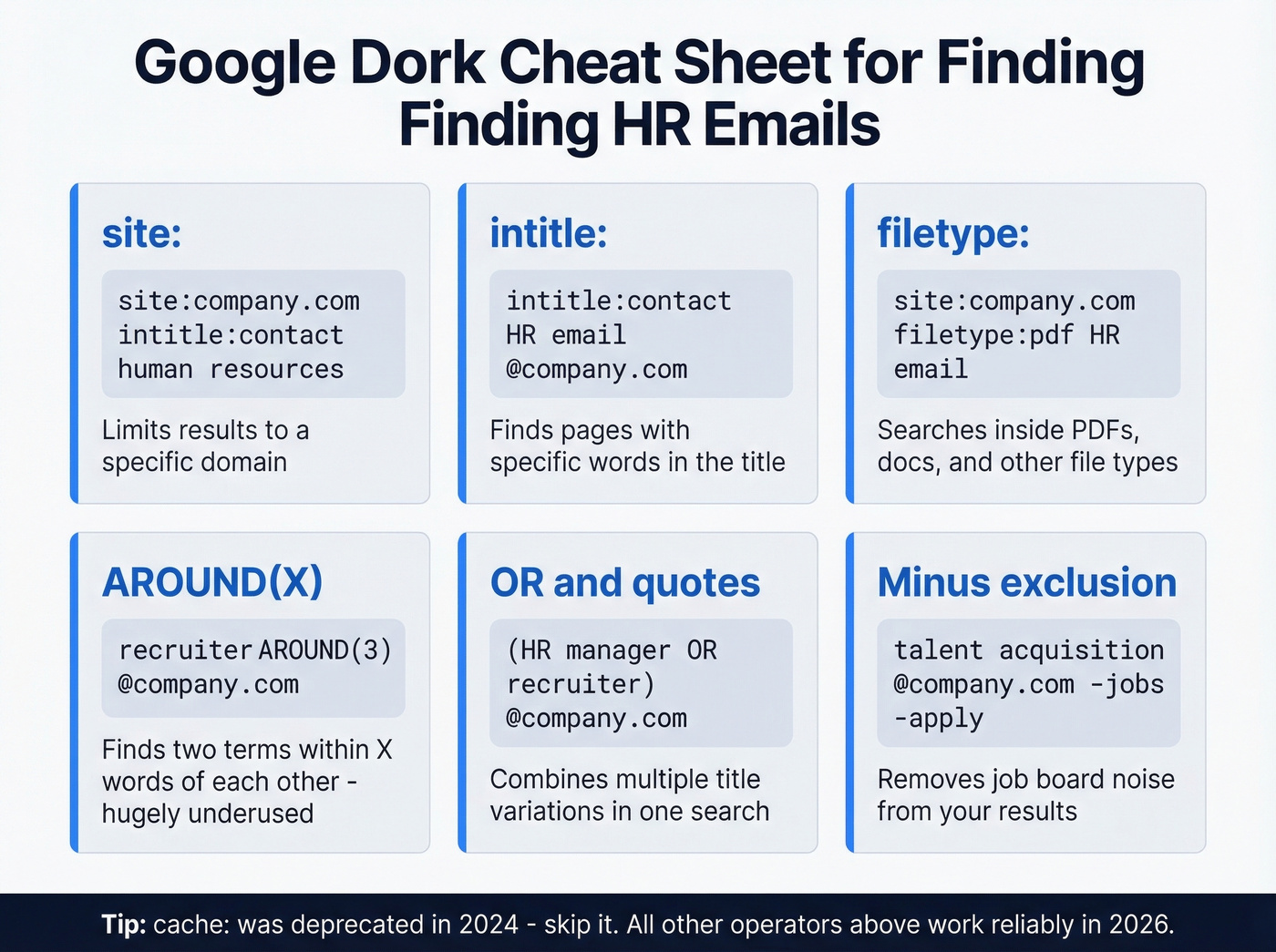
"HR manager" "@company.com" email
site:company.com intitle:"contact" "human resources"
"talent acquisition" "@company.com" -jobs -apply
site:company.com filetype:pdf "HR" "email"
"recruiter" AROUND(3) "@company.com"
"head of people" OR "HR director" "@company.com"
The AROUND(X) operator is criminally underused. It finds pages where two terms appear within X words of each other, which is perfect for catching email addresses near HR titles. In our testing, it surfaced emails that standard queries missed entirely. The -jobs -apply exclusion filters out job board noise, and grouping with parentheses - ("HR manager" OR "recruiter") "@company.com" - casts a wider net in one search.
A few operator notes for 2026: site:, intitle:, filetype:, inurl:, and AROUND(X) all work reliably. The cache: operator was deprecated in 2024, so don't bother with it.
4. X-Ray LinkedIn (Free, No Premium)
You don't need Sales Navigator to search LinkedIn profiles. Google indexes most of them. Here's the base pattern:
site:linkedin.com/in "HR manager" "company name"
Refine with Boolean operators:
site:linkedin.com/in ("talent acquisition" OR "recruiter" OR "people operations") "company name"
To target a specific country, swap the subdomain - site:uk.linkedin.com/in for the UK, site:ca.linkedin.com/in for Canada. Add a city name for further precision. Once you've got the person's full name and company, you're one step away from their verified email.
5. Use an Email Finder Tool
Here's where most people should start if they want reliable results fast. Email finder tools take a name and company domain and return a verified work email. But accuracy varies wildly, and picking the wrong tool means bounced emails and a damaged sender reputation. If you want a broader rundown, compare options in our guide to email search tools.
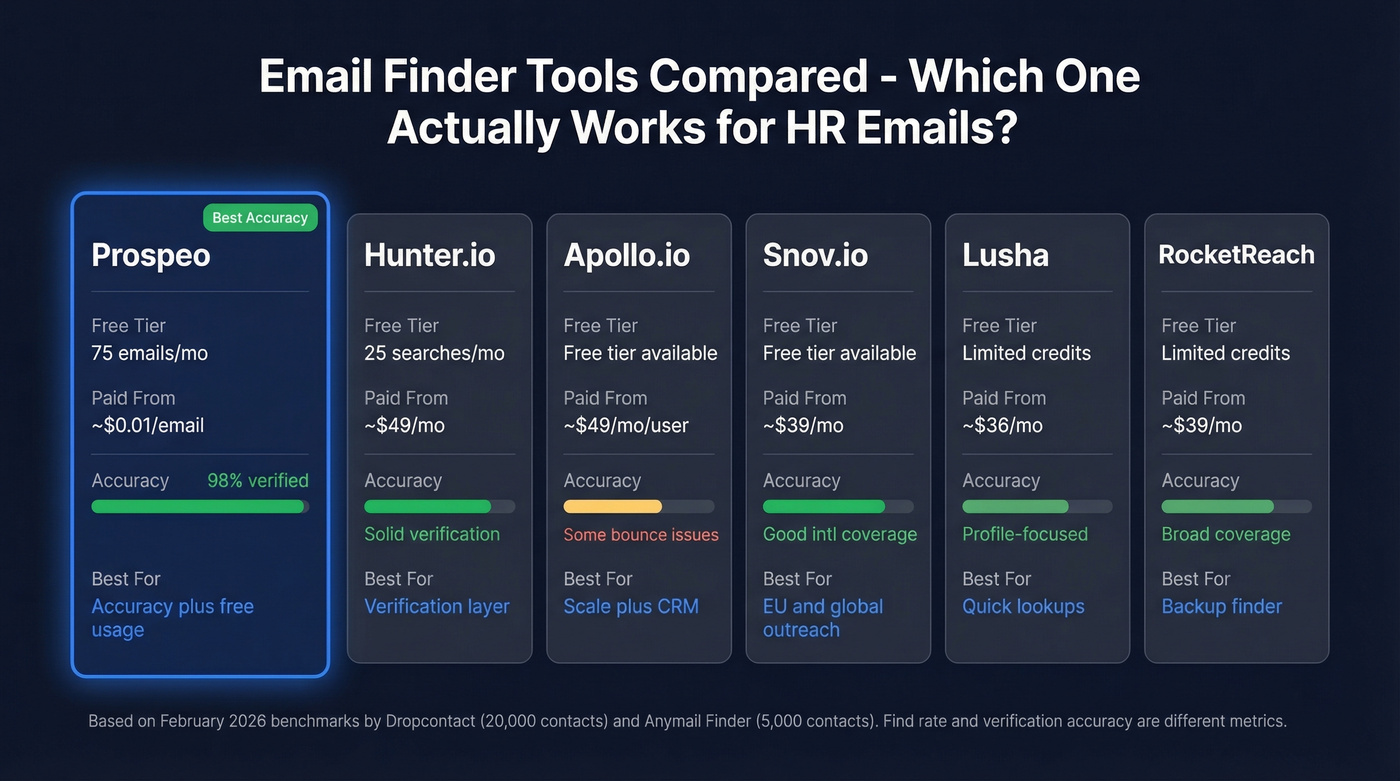
A February 2026 benchmark by Dropcontact tested 15 tools on 20,000 real contacts using live sending - not simulated validation - to measure actual hard bounces. The best tools held bounce rates under 1%. The worst exceeded 5%. A separate Anymail Finder benchmark of 5,000 LinkedIn contacts showed verified rates ranging from 20.1% to 77.5% across eight tools, reinforcing that tool choice matters enormously. Worth noting the distinction: find rate is how often a tool returns any email, while verification accuracy is how often the emails it returns are actually valid. They're different metrics, and conflating them is a common mistake.

Prospeo is the strongest option for job seekers and small teams who need accuracy without a big budget. The free tier gives you 75 email lookups per month. Enter a name and company domain, and you get a verified email in seconds. Behind the scenes, it runs a 5-step verification process on proprietary infrastructure, including catch-all domain handling, spam-trap removal, and honeypot filtering - the result is 98% email verification accuracy. For one-off HR lookups, the free tier is more than enough. Paid plans start at roughly $0.01 per email with no contracts.
Hunter.io is the most recognized name in the space. Its domain search shows all publicly indexed emails for a company, which can surface HR contacts you wouldn't find otherwise. The free tier is smaller at 25 searches per month, and the consensus on r/sales is that Hunter's database is solid for verification but relatively small as a primary finder. Paid plans start at ~$49/mo. We use it as a verification layer alongside other tools. If you're comparing similar tools, see our breakdown of Hunter alternatives.
Apollo.io brings a massive database and built-in CRM, making it popular with sales teams who need scale. The free tier is generous. The tradeoff: Reddit users consistently flag bounce issues on older contacts, and per-seat pricing at ~$49/mo/user adds up fast if you're just looking for HR emails.
Snov.io is a strong pick for international leads, especially in Europe. It bundles email finding, verification, and basic automation in one platform. Paid plans start at ~$39/mo.
Lusha focuses on quick lookups from professional profiles. Free credits won't get you far, but it's handy for one-off searches. Paid plans from ~$36/mo. RocketReach covers a broad range of contacts and works as a backup when other tools come up empty. Paid from ~$39/mo.
| Tool | Free Tier | Paid From | Accuracy Notes | Best For |
|---|---|---|---|---|
| Prospeo | 75 emails/mo | ~$0.01/email | 98% verification accuracy | Accuracy + free usage |
| Hunter.io | 25 searches/mo | ~$49/mo | Solid verification | Verification layer |
| Apollo.io | Free tier available | ~$49/mo/user | Large DB, some bounce issues | Scale + CRM |
| Snov.io | Free tier available | ~$39/mo | Good international coverage | EU/global outreach |
| Lusha | Limited free credits | ~$36/mo | Profile-focused | Quick lookups |
| RocketReach | Limited free credits | ~$39/mo | Broad coverage | Backup finder |
6. Guess the Pattern and Verify
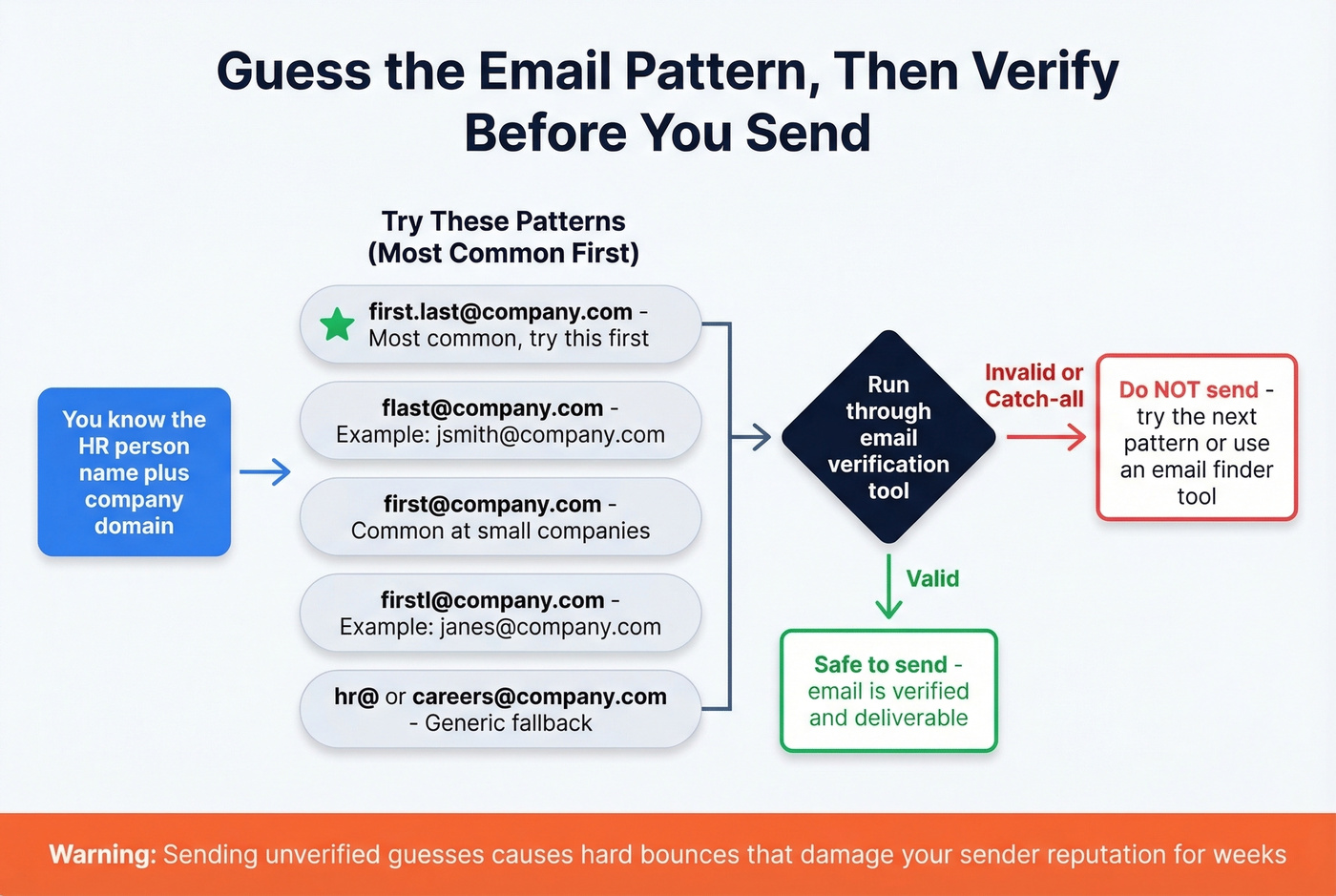
If you know the HR person's name and company domain, you can often guess the email format. Most companies use one of these patterns:
| Pattern | Example |
|---|---|
| first.last@ | jane.smith@company.com |
| flast@ | jsmith@company.com |
| first@ | jane@company.com |
| firstl@ | janes@company.com |
| Generic HR | hr@, careers@, jobs@company.com |
The first.last@ format is by far the most common. Start there.
Look, never send a guessed email without verifying it first. A hard bounce tells the receiving mail server you're sending blind, which hurts your sender reputation. Run the guess through any verification tool - it takes seconds and saves you from deliverability damage that can take weeks to repair. If you want a quick diagnostic workflow, see how to check if an email will bounce.

Google dorks and X-ray searches take time - and still leave you guessing whether the email is valid. Prospeo's email finder takes a name and company domain and returns a verified HR email in seconds, backed by 98% accuracy and 5-step verification that catches spam traps, honeypots, and catch-all domains. 75 free lookups per month, no credit card required.
Skip the guesswork. Get the HR email that actually lands.
7. Ask Directly (Dual-Channel)
Sometimes the simplest approach wins. Send a LinkedIn connection request and an email on the same day. This dual-channel approach is the highest-response method we've seen - it's hard to ignore someone who shows up in two inboxes within hours. If you need wording help, use a proven connection email format and keep it tight.
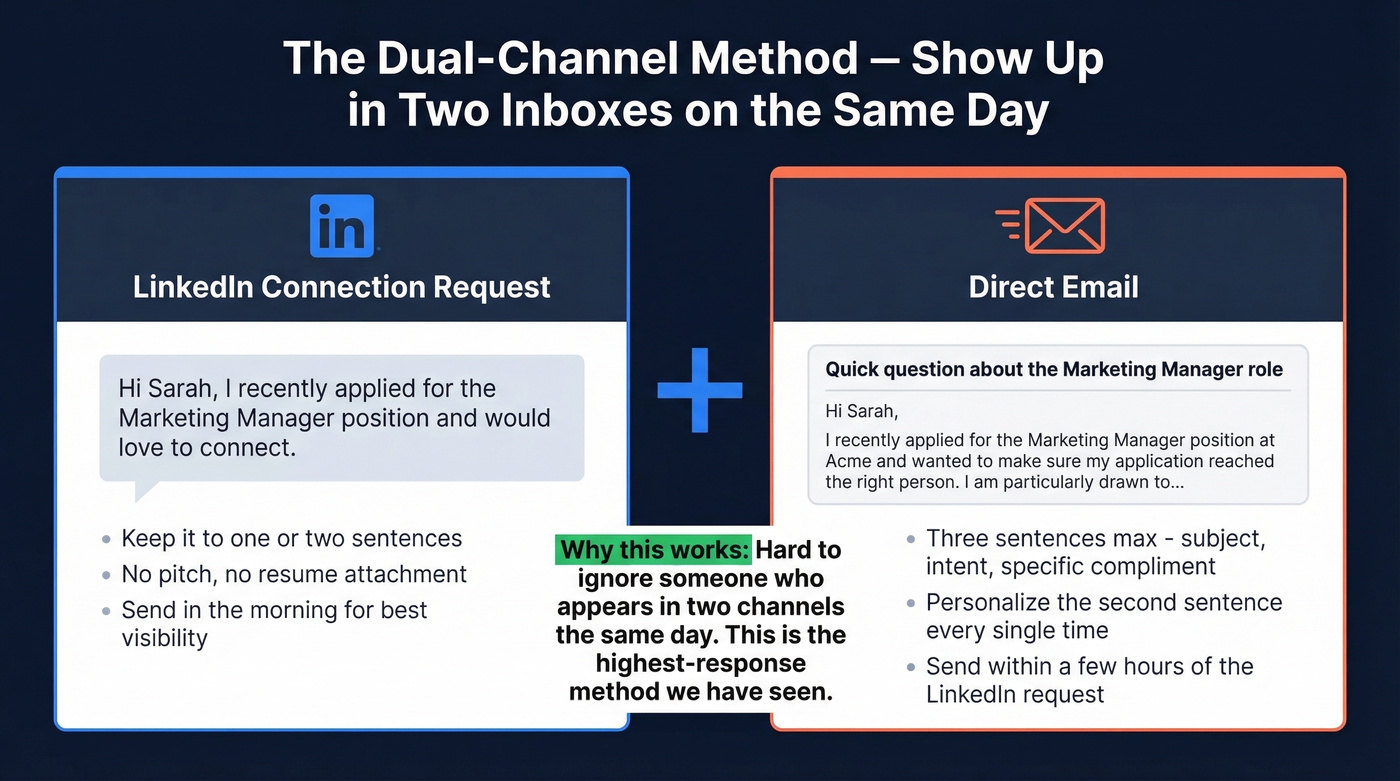
Keep the LinkedIn note short: "Hi [Name], I recently applied for the [Role] position and would love to connect." That's it. Save the detail for the email. You can also try reaching out through industry Slack or Discord communities where HR professionals gather - some niche communities have channels specifically for job seekers to connect with hiring teams.
Bounced emails to HR don't just fail - they flag your sender domain. Prospeo runs every email through proprietary infrastructure with catch-all handling, spam-trap removal, and honeypot filtering before you ever hit send. At $0.01 per email with no contracts, it costs less than the reputation damage from one bad bounce.
Protect your domain. Verify every HR email before you send.
3-Sentence Outreach Template
Once you have the HR person's email, don't overthink the message. Three sentences is the sweet spot. If you want more variations, pull from these sales follow-up templates and adapt the tone for recruiting.
Subject: Quick question about the [Job Title] role
Hi [First Name],
I recently applied for the [Job Title] position at [Company] and wanted to make sure my application reached the right person. I'm particularly drawn to [specific thing about the company or role - be genuine]. Would you have a few minutes this week to chat?
Best, [Your Name]
Personalize the second sentence every time. Generic emails get deleted. A specific reference to the company's recent product launch, funding round, or team growth shows you've done your homework - and it takes about 90 seconds of research to find something worth mentioning. For more on writing emails that convert without sounding robotic, see our guide to personalized outreach.
Hot take: If your target company has fewer than 500 employees, skip the ATS entirely and lead with a direct email to the HR manager. At that size, the person reading your email is often the person making the hire. The ATS is a formality they barely check.
Finding HR Emails at Scale
If you're a recruiter, staffing agency, or B2B vendor selling into HR departments, the one-at-a-time approach won't cut it. HR executives influence an average of $2.4M in annual purchasing decisions, making them a high-value target for sales teams - not just job seekers.
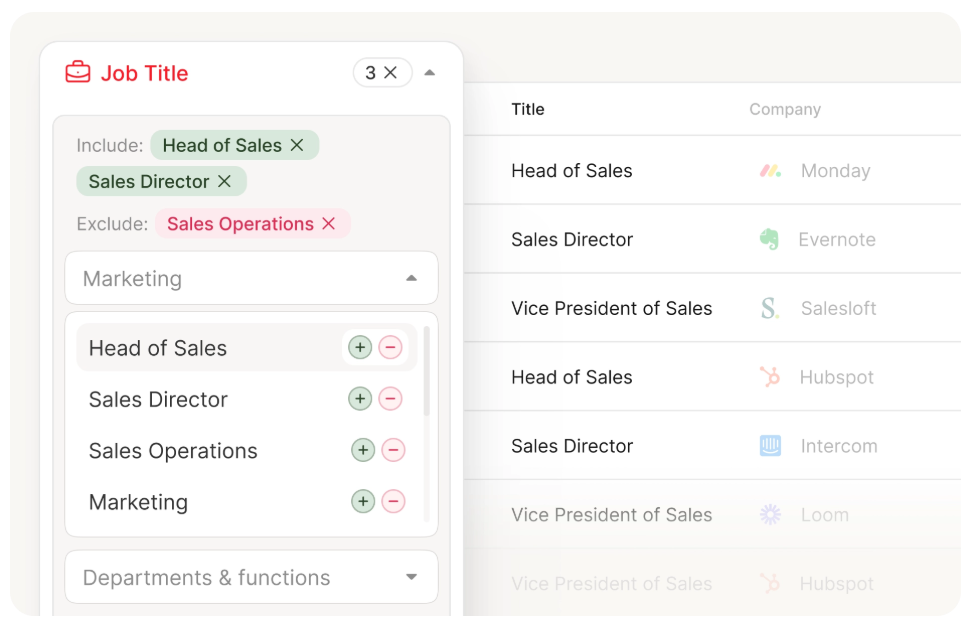
B2B database tools with department and title filters let you pull hundreds of verified HR contacts in minutes. Expect to pay $29-49/user/month for mid-market tools with this capability. If you're building lists from names and domains, the name to email workflow is the fastest starting point.
Legal Checklist (GDPR + CAN-SPAM)
Emailing someone you've never met isn't illegal - but there are rules. Here's what to keep in mind:
- Identify yourself clearly in the email
- State your purpose - why you're reaching out and what you want
- Disclose how you got their email if asked
- Include an opt-out - even "let me know if you'd prefer I not follow up" works
- Collect only what you need - don't scrape and hoard data you won't use
For EU contacts, legitimate interest is the most common legal basis for professional outreach under GDPR - but the email needs to be relevant to the recipient's role. A job application follow-up to an HR manager clears that bar easily. If you're doing higher-volume outreach, read up on email deliverability basics first.
FAQ
Is it okay to email HR directly?
Yes. A short, personalized email about a specific role you applied for is entirely appropriate. Include an opt-out line and don't follow up more than twice. Most HR professionals expect some direct outreach - it shows initiative.
What's the most common corporate email format?
first.last@company.com is the most widely used pattern across companies of all sizes. Other common formats include flast@, first@, and firstl@. When in doubt, start with first.last@ and verify before sending.
How do I find a hiring manager's email from LinkedIn?
Use a Google X-ray search: site:linkedin.com/in "hiring manager" "company name". Find the person's full name from their profile, then run it through an email finder to get their verified work email from the name plus company domain.
Do email finder tools actually work?
Yes, but accuracy varies significantly. The 2026 Dropcontact benchmark of 15 tools on 20,000 contacts found hard bounce rates ranging from 0.9% to over 5%. Prospeo holds 98% verification accuracy; many competitors fall below 90%. Always verify before sending - one bad batch can damage your sender reputation for weeks.