

How to Introduce Yourself to a Customer via Email
You just inherited 200 accounts, a messy spreadsheet, and a two-sentence Slack message from your predecessor. We've seen reps blast every one of those accounts with the same copy-paste template and wonder why nobody replies. The average cold email reply rate sits at 3.43%. Your warm customer intro should crush that number, because these people already pay you money.
Here's how to make it happen.
What You Need (Quick Version)
Lead with what you'll do for the customer, not your resume. Keep the body under 80 words - it's the same brevity rule that wins in cold email. Include one CTA; a 15-minute meeting is a great default. Follow up on Day 2 if they don't reply.
Anatomy of a Customer Intro Email
Every strong self-introduction email to a customer has five parts. Nail these and the templates almost write themselves.
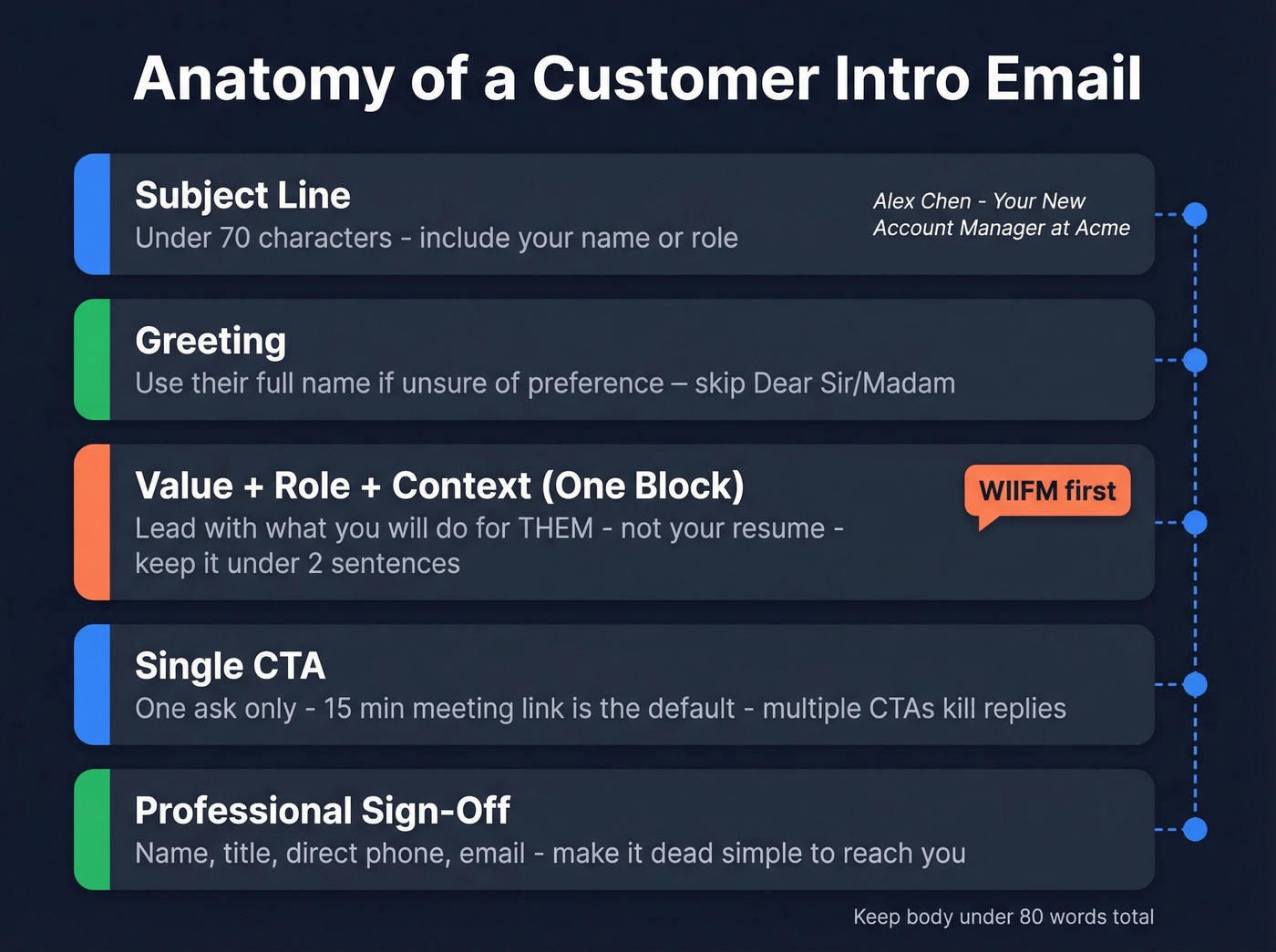
Subject line. Keep it under 70 characters and include your name or role. "Alex Chen - Your New Account Manager at Acme" beats "Quick Introduction" every time. Subject lines in the 61-70 character range hit a 43.38% open rate in email marketing benchmarks, and the principle holds for customer intros too. Clarity wins over cleverness. If you want more options, borrow from these subject line examples.
Greeting. If you're unsure about a preferred name, use the customer's full name. Skip "To Whom It May Concern" and "Dear Sir/Madam." Full name avoids misgendering and feels respectful without being stiff.
Who you are + why you're writing + what's in it for them. This is one block, not three. Lead with the value - what you'll do for them - then briefly state your role. One CSM on r/CustomerSuccess put it bluntly: customers don't care how long you've been at the company. That's tacky peacocking. Lead with WIIFM. If you need help tightening the message, use these email copywriting principles.
Single CTA. One ask. A 15-minute meeting link is a solid default - low commitment, signals you respect their time. Multiple CTAs create choice paralysis and kill replies. For more CTA patterns, see email call to action.
Professional sign-off. Name, title, direct phone, email. Make it dead simple to reach you.
5 Templates for Every Scenario
Every template below stays under 80 words of body text. Best-performing first-touch emails stay under 80 words, and we're practicing what we preach.
Here's the thing: most intro email guides tell you to "be authentic" and then hand you a 200-word wall of text. Authenticity isn't about length. It's about saying one useful thing and shutting up.
New CSM Inheriting Accounts
Subject: Jordan Lee - Your New CSM at [Company]
Hi [First Name],
I'm Jordan, your new Customer Success Manager. My job is making sure you're getting full value from [Product] - and that starts with understanding your priorities.
I'd love 15 minutes to hear what success looks like for your team and where you want to be by end of quarter. Here's my calendar: [link]
Looking forward to it, Jordan
PS - Congrats on [recent milestone from their website/social]. Impressive stuff.
The PS line takes 30 seconds of research and signals you're not blasting a template to 200 people. That tiny effort separates a 5% reply rate from a 25% one.
Sales-to-CS Warm Handoff
A good handoff email covers four things: reason for the change, confidence in the transition, new contact info, and a clear next step. If you want more variations, use these handoff email templates.
Subject: Introducing [CSM Name], Your New Point of Contact
Hi [First Name],
Quick update - now that onboarding is kicking off, I'm handing your account to [CSM Name], who'll be your dedicated success manager going forward. [CSM Name]'s email is [email] and phone is [number].
They'll reach out this week to schedule a launch call. I'm still here if you ever need anything.
Best, [Sales Rep]
New Account Manager Taking Over
Subject: [Your Name] - Taking Over Your Account at [Company]
Hi [First Name],
I'm [Name], stepping in as your account manager following [Predecessor]'s departure. Everything about your account - your goals, your setup, your open items - carries over with me.
I'm available immediately and want to make this transition smooth. Can we grab 15 minutes this week? [Calendar link]
Best, [Name]
Customers worry about starting over. Address that anxiety in the first sentence - continuity assurance is the whole game here.
New Client Welcome (Post-Sale)
Subject: Welcome to [Company] - Let's Get You Started
Hi [First Name],
Welcome aboard. I'm [Name], your account manager, and my goal is getting your team to value fast.
Next up, we'll set up your account, walk through [common first-week blocker], and make sure you're live by [date]. One thing to start with: [single CTA or resource link].
Talk soon, [Name]
Lead with benefits, not process. Address the most common first-week blocker proactively - that's what separates a welcome email from a form letter.
Adding a Support Specialist
Here's a confusing version of this email: "I want to introduce Sarah, who will be helping with your account alongside me and the rest of the team for various needs." Now the clear version:
Subject: Meet [Specialist Name] - Joining Your Account Team
Hi [First Name],
I want to introduce [Specialist Name], who's joining as your day-to-day support contact. For tactical questions - troubleshooting, configuration, how-to - [Specialist] is your fastest path to answers at [email].
I'll continue handling strategy, renewals, and escalations. Think of it as doubling your support without doubling the meetings.
Best, [Name]

You just wrote the perfect intro email. Don't let it bounce. 17% of B2B emails never reach the inbox - and when you're introducing yourself to 200 inherited accounts, stale data destroys your domain reputation before you build a single relationship. Prospeo verifies emails with 98% accuracy on a 7-day refresh cycle, so every intro lands.
Clean your customer list in minutes, not hours. Starting at $0.01 per email.
Matching Tone to Persona
Not every customer wants the same approach. This quick matrix saves you from sending a formal meeting invite to someone who'd rather watch a two-minute video.
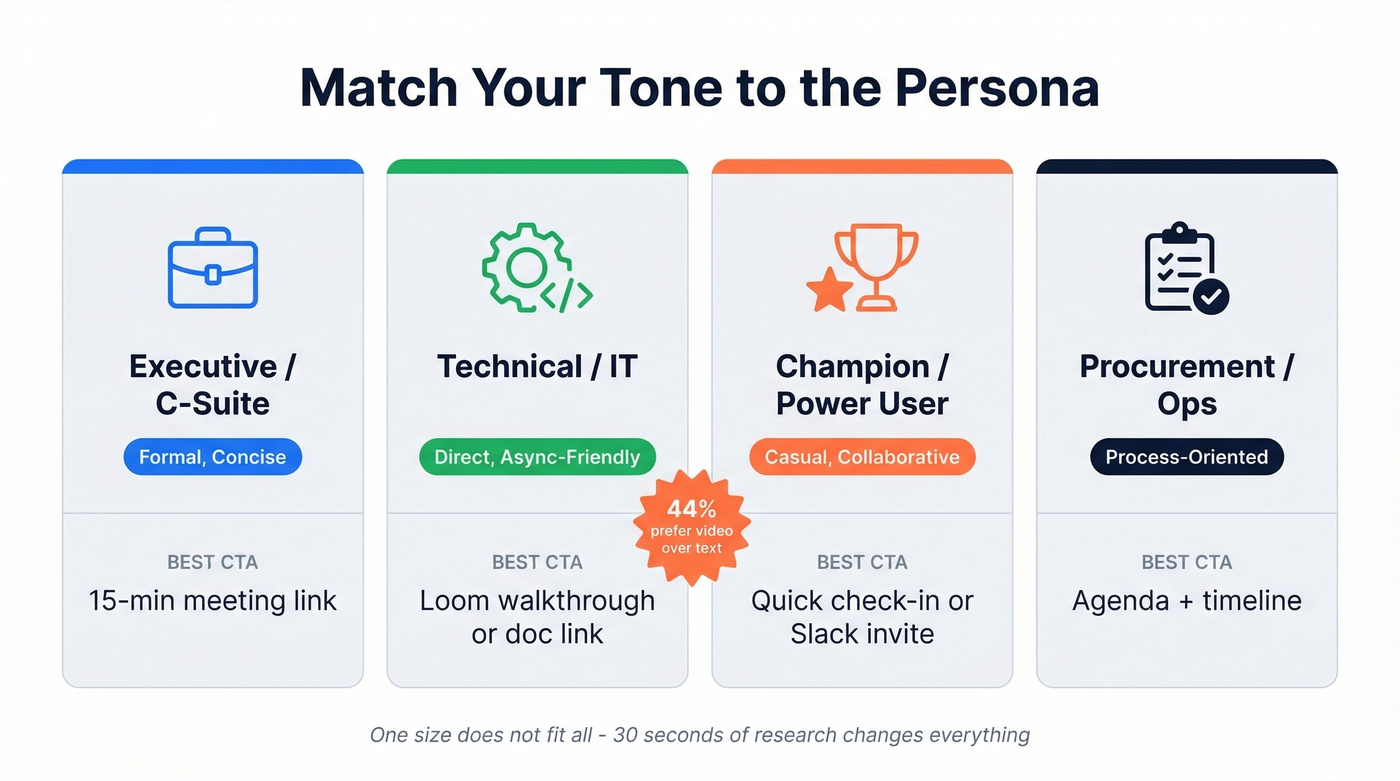
| Persona | Tone | Best CTA |
|---|---|---|
| Executive / C-suite | Formal, concise | 15-min meeting link |
| Technical / IT | Direct, async-friendly | Loom walkthrough or doc link |
| Champion / power user | Casual, collaborative | Quick check-in or Slack invite |
| Procurement / ops | Process-oriented | Agenda + timeline |
91% of people have watched an explainer video about a product, and 44% say they prefer video over text. For technical personas who won't book a meeting no matter how good your email is, a Loom beats a calendar link every time. If you're leaning into async, this Loom video cold email playbook helps.
Clean Your Contact List First
Roughly 17% of emails never reach the inbox due to bounces and spam filtering. When you're inheriting a book of business, the problem compounds - people change roles, companies get acquired, email addresses go dead. Sending 200 intro emails to stale addresses doesn't just waste your time. It tanks your domain reputation before a single relationship starts. (If you're seeing this already, start with email bounce rate and then work through an email deliverability guide.)

Before you send a single template, verify your list. We've found that tools like Prospeo, which checks emails in real time with 98% accuracy, catch the dead addresses that would otherwise silently wreck your sender score. Upload a CSV, get results in minutes, and only send to addresses that'll actually land.
When They Don't Reply
58% of replies come from the first email, but 48% of reps never send a second message. That's 42% of potential replies left on the table. Let's break down a simple follow-up cadence:
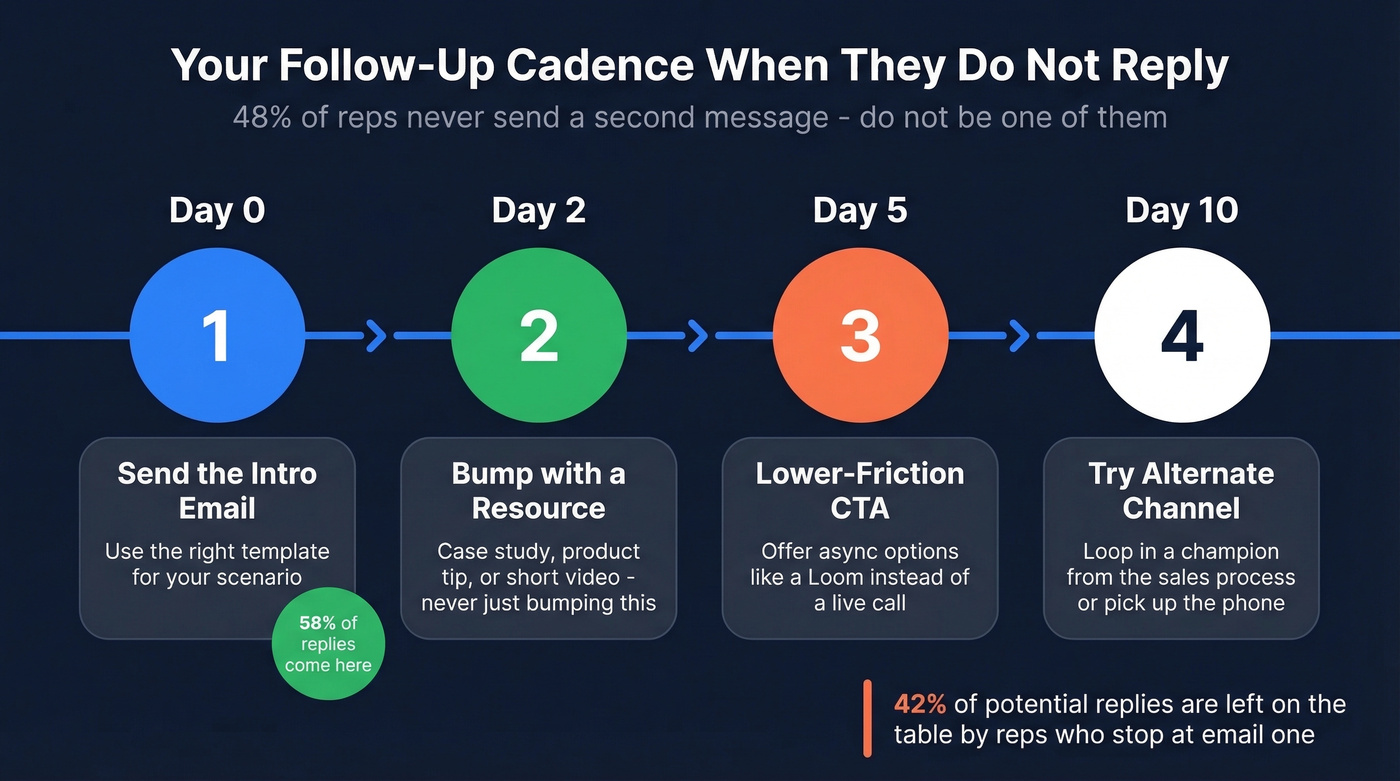
- Day 0: Send the intro email.
- Day 2: Quick bump with a resource - a relevant case study, a product tip, or a short video walkthrough. Day 2 follow-ups with something useful beat "just bumping this" every single time.
- Day 5: Lower-friction CTA. Offer async options like a Loom walkthrough instead of a live call.
- Day 10: Try an alternate contact or channel. Loop in a champion from the sales process, or pick up the phone.
If you want ready-to-send follow-ups, grab these sales follow-up templates (and for timing, see when should i follow up on an email).
Don't take silence personally. Some customers will never respond to an intro email - they'll engage when they need something. Your job is to make sure they know your name when that moment comes.
5 Mistakes That Kill Your Intro Email
Leading with your resume instead of customer value. Nobody cares that you've been in CS for eight years. Tell them what you'll do for them.
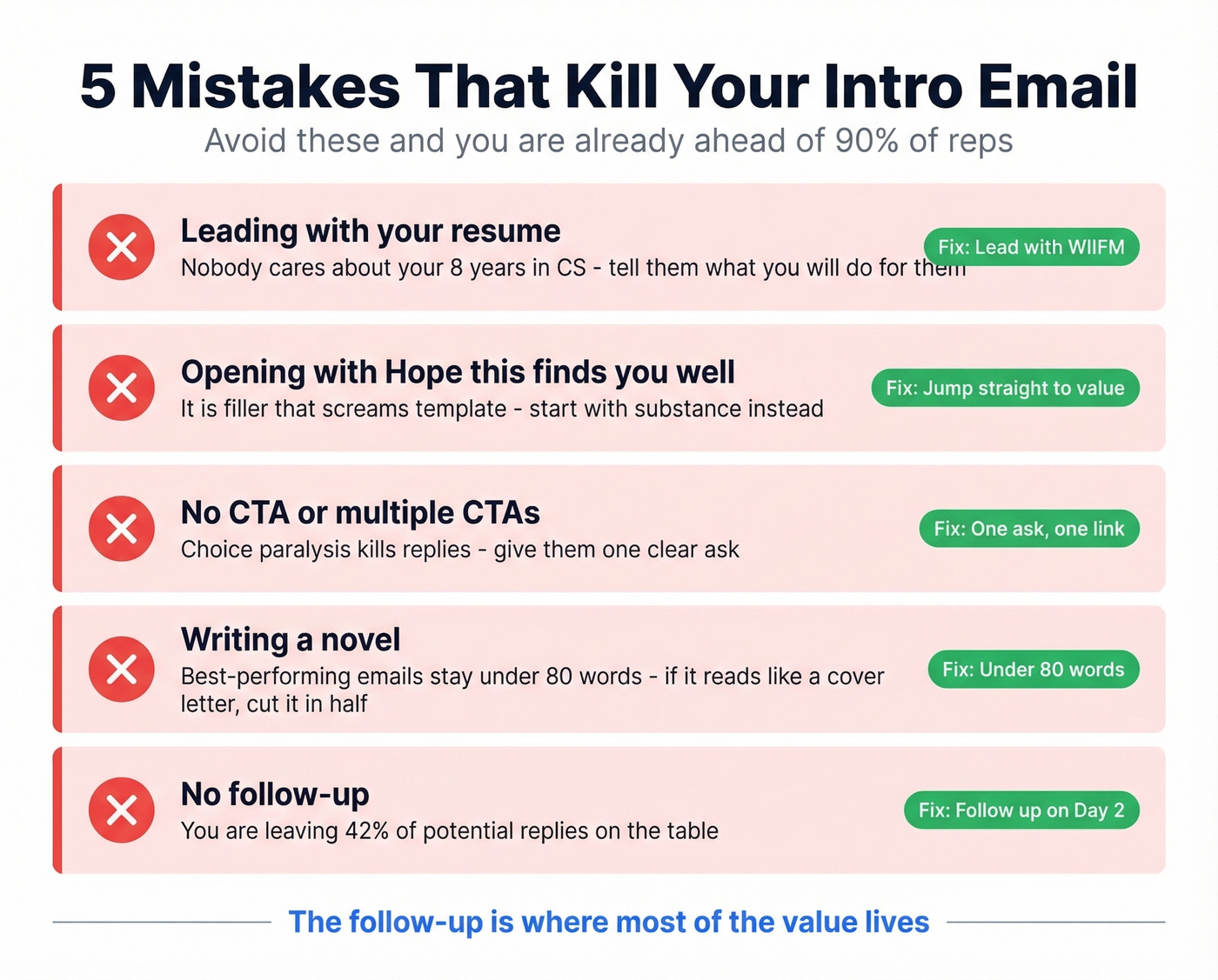
Opening with "Hope this finds you well." It's filler that screams template. Start with substance.
No CTA or multiple CTAs. One clear ask. Choice paralysis kills replies.
Too long. Best-performing emails stay under 80 words. If your intro reads like a cover letter, cut it in half.
No follow-up. You're leaving 42% of potential replies on the table. I can't stress this enough - the follow-up is where most of the value lives.
Great intro emails need real email addresses. Prospeo's 5-step verification catches dead addresses, spam traps, and catch-all domains before your carefully crafted introduction bounces. 15,000+ companies trust Prospeo to keep bounce rates under control - just like the CSMs and AMs sending these exact templates.
Send every customer intro with confidence. Verify your list first.
FAQ
How long should a customer introduction email be?
Under 80 words of body text. Include your name, role, one sentence of value, and a single CTA. Save the details for the first meeting.
Should I call or email to introduce myself?
Email first, then follow up with a call if they don't respond within a few days. Email gives the customer time to process and respond on their schedule - especially important for technical personas who prefer async communication.
What subject line works best?
Keep it under 70 characters and include your name or role. "[Your Name] - Your New Account Manager at [Company]" outperforms vague lines like "Quick Introduction" or "Reaching Out." Clarity beats cleverness.
How do I verify customer email addresses before sending?
Run your list through an email verification tool before sending. This catches bounces from role changes and company departures - critical when inheriting a large book of business with potentially stale data.