

Meeting Follow-Up Email Subject Lines: What Actually Gets Replies
You sent "Great meeting today!" as your subject line. Then silence. The deal went cold.
Here's the thing: 47% of recipients decide whether to open based on the meeting follow-up email subject alone. But open rate is a vanity metric - reply rate is what moves deals. A clever subject that gets opened but ignored is worthless. We've watched reps obsess over open rates while their pipeline quietly dies.
Stop trying to be clever. The best subject line is boring and specific.
What You Actually Need
This isn't about meeting recaps or thank-you notes. It's about follow-up emails that drive replies. Three rules:
- Keep it under 33 characters. That's the mobile visibility ceiling.
- Reference something specific from the meeting. Not
{first_name}- the budget discussion or Q3 timeline they raised. - Imply a next step, not a recap. Move the conversation forward.
Your go-to: "Following our conversation" - simple, proven, and it signals a real relationship. A popular thread on r/sales backs this up. Twilio SendGrid data shows 2-4 word subject lines outperform the 6-word average.
The 33-Character Rule
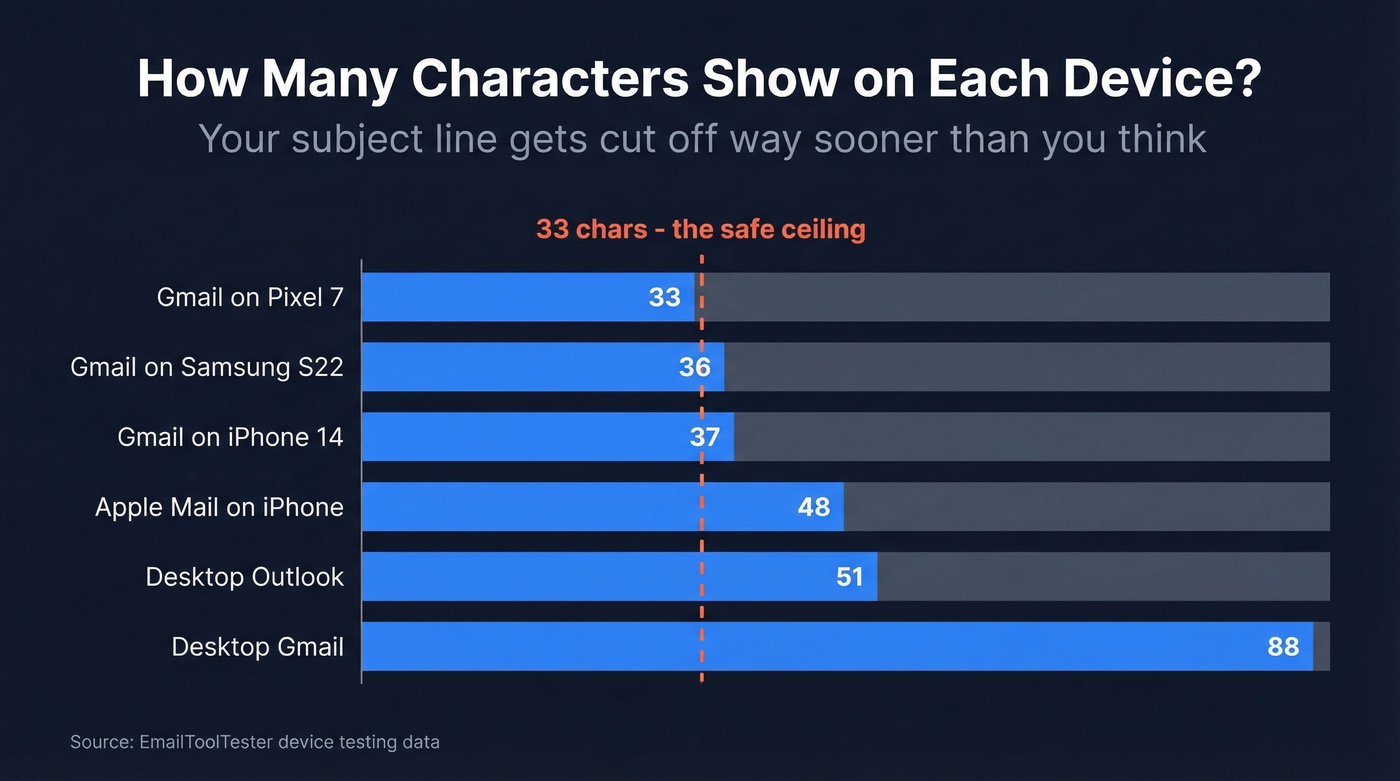
Most guides say "keep it short." That's useless without numbers. EmailToolTester tested character limits across real devices:
| Device / Client | Characters Shown |
|---|---|
| Gmail on Pixel 7 | 33 |
| Gmail on Samsung S22 | 36 |
| Gmail on iPhone 14 | 37 |
| Apple Mail on iPhone | 48 |
| Desktop Outlook | ~51 |
| Desktop Gmail | ~88 |
If you want universal mobile visibility, 33 characters is the ceiling. Front-load the important words - this applies whether you're writing a post-meeting follow-up or a cold outreach opener.
Don't forget preview text. You get roughly 37 characters of preheader on mobile, so use it to extend the subject line's promise rather than repeating it. Together, your subject and preview text are a one-two punch.
20+ Subject Lines That Work
Every example below fits the 33-character ceiling, grouped by context.
After a Sales Call or Demo
- "Following our conversation" (21 chars)
- "Next steps from our call" (24 chars)
- "The ROI model we discussed" (27 chars)
- "Quick follow-up + the deck" (27 chars)
- "Re: Your Q3 timeline" (21 chars)
- "Two ideas from our demo" (24 chars)
HubSpot's approach of leading with value is the right idea, but "Circling back with two ideas I didn't get to share on our call" is 14 words. Cut it to 4. In our experience, the shorter version outperforms every time because the recipient can read the entire subject on their phone without tapping.
After an Internal Meeting
- "Action items from today" (24 chars)
- "Recap: budget alignment" (24 chars)
- "Notes + owner assignments" (26 chars)
- "Follow-up: roadmap call" (24 chars)
After Networking or Intros
- "Good meeting you at [event]" (keep the event name short)
- "The article I mentioned" (24 chars)
- "Coffee next week?" (18 chars)
- "Intro: [Name] <> [Name]" (varies)
When the First Follow-Up Fails
This is where most people blow it. They send "Just checking in" and wonder why silence continues.
Each follow-up needs new value - your subject line should prove you have something worth reading, not just remind them you exist. We ran a test last quarter where the second touch included a relevant case study link in the subject. Reply rates jumped from 3% to 9%.
- "Thought of you - new data" (26 chars)
- "A case study worth 2 min" (25 chars)
- "Finalizing my schedule" (22 chars - scheduling-based framing from r/sales creates soft urgency)
- "One more thing from Tuesday" (24 chars)
Hot take: If your average deal is under $8k, you don't need a sophisticated follow-up sequence. One specific subject line and one bump three days later will outperform any seven-touch cadence. Complexity is for enterprise deals.

The best meeting follow-up subject line is worthless if it bounces. Prospeo verifies emails in real time with 98% accuracy - so your carefully crafted follow-up actually reaches the inbox, not a dead address.
Verify 75 emails free every month. No credit card required.
Weak vs. Strong: Before and After
| Generic Subject | Improved Version | Why It Works |
|---|---|---|
| "Just checking in" | "The pricing model you asked about" | References a specific detail |
| "Great meeting!" | "Next steps on the pilot" | Implies forward motion |
| "Following up" | "Follow-up + the case study" | Adds value upfront |
| "Touching base" | "Finalizing my calendar next week" | Creates a reason to reply |
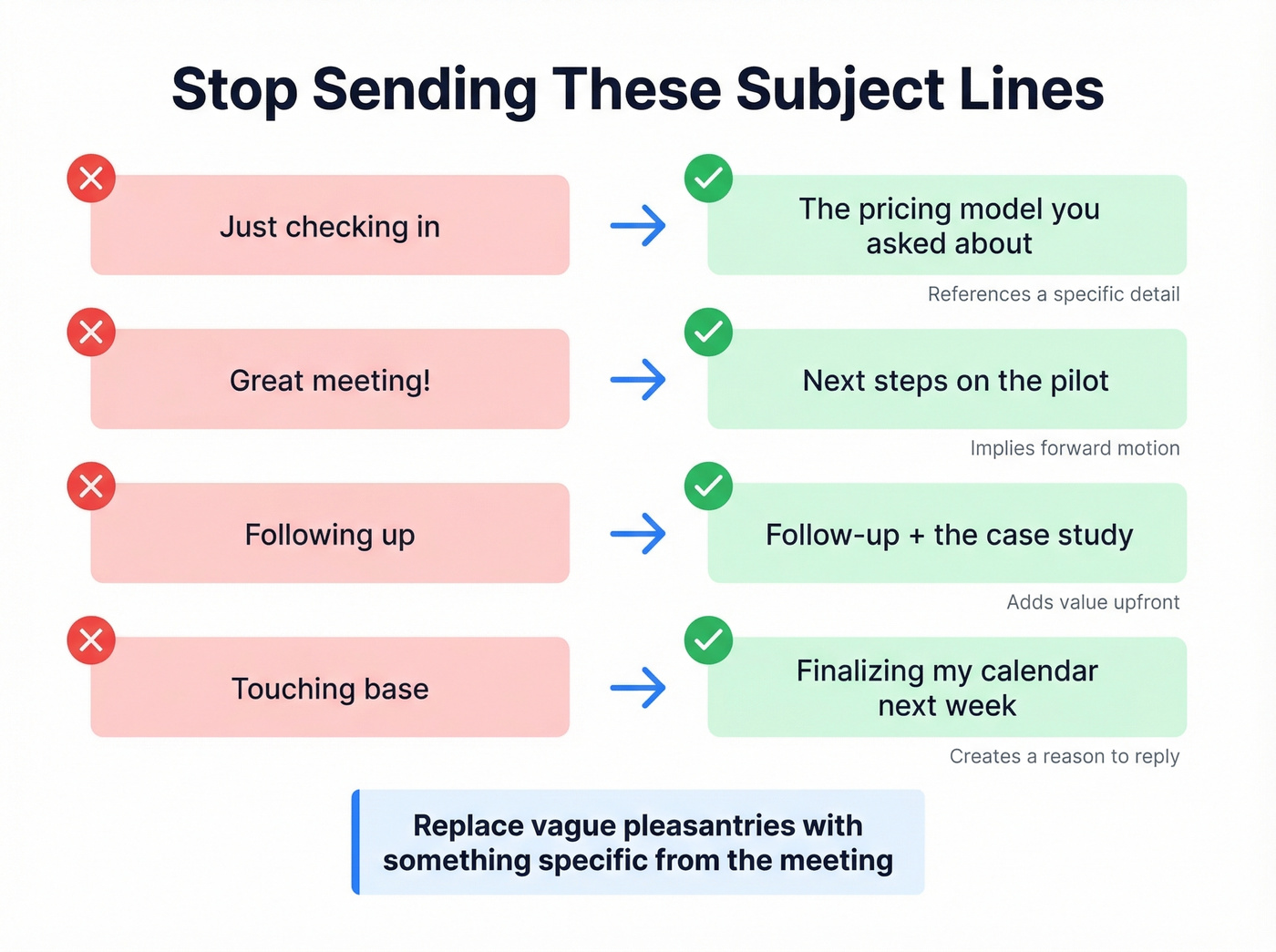
Replace vague pleasantries with something specific from the meeting. That's what personalization actually means.
Mistakes That Kill Reply Rates
Emailing a dead address. If your contact changed jobs since the meeting, your follow-up bounces. Verify before you send - Prospeo handles this in real time with 98% accuracy, and the free tier covers 75 verifications per month. (If you want the deeper mechanics, start with an email deliverability checklist and email bounce rate benchmarks.)
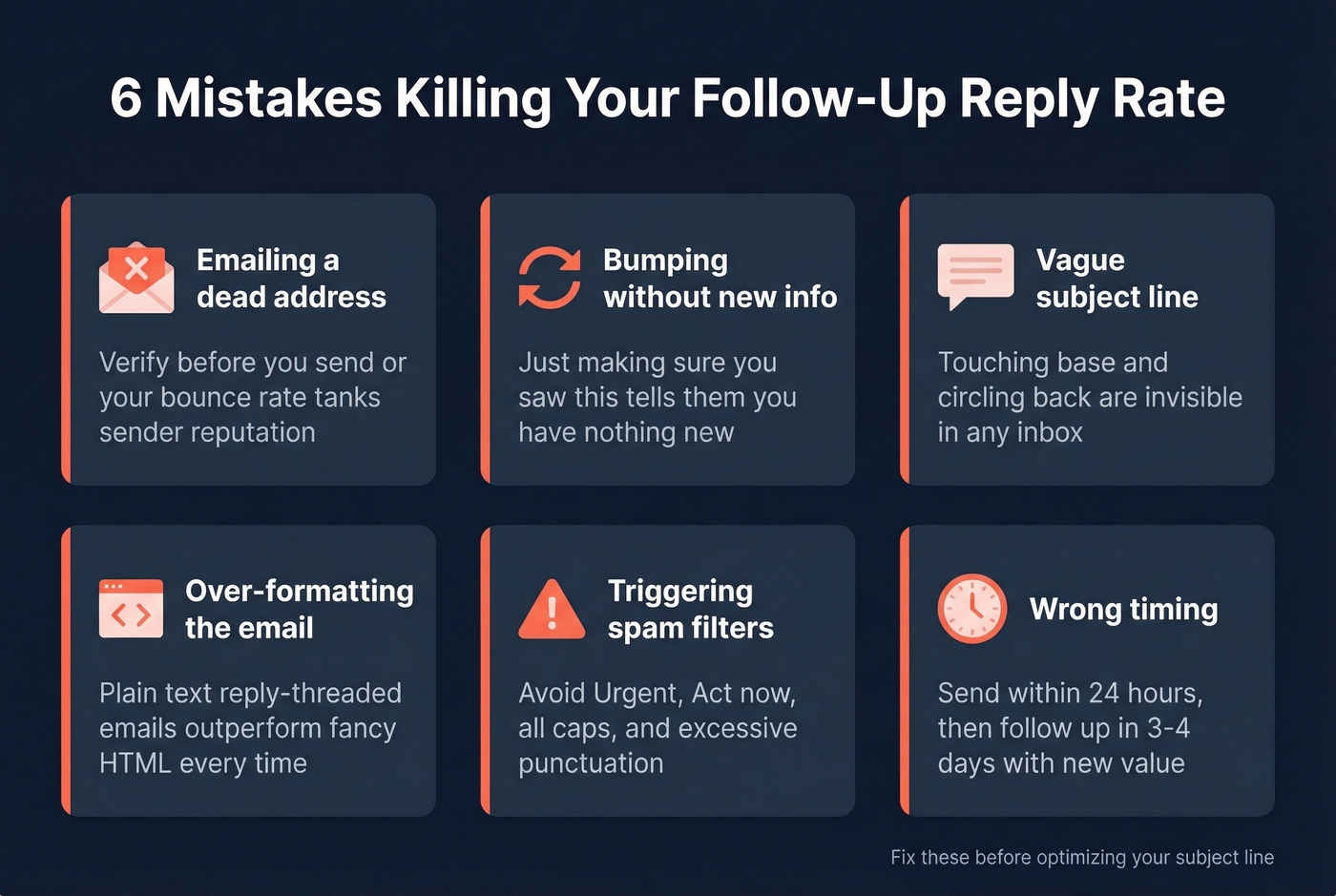
Bumping without new info. "Just making sure you saw this" tells the recipient you have nothing new to say. Each follow-up is a new touchpoint - add something fresh every time. A relevant stat, a case study, a pricing breakdown. Anything. If you need copy you can ship fast, use these sales follow-up templates.
Using "follow-up" as your entire subject. "Touching base," "circling back," "checking in" - these are so overused they're invisible in an inbox. A strong subject line references a concrete detail from your conversation. For more swipeable options, see these email subject line examples.
Over-formatting your email. Plain-text, reply-threaded follow-ups outperform formatted HTML. They look like a real person wrote them, because they are.
Triggering spam filters. Avoid "Urgent," "Act now," excessive punctuation, and all-caps. Mailmeteor's spam word guide is worth bookmarking. Sender reputation and authentication protocols like SPF and DKIM matter more than any single word, though - skip this section if your deliverability basics aren't set up yet and go fix those first. (Start with how to improve sender reputation and DMARC alignment.)
Wrong timing. Send within 24 hours. If no reply, follow up in 3-4 days with new value.
How to Test Your Subject Lines
If you're sending enough volume to test, isolate one variable at a time - change the subject line and nothing else. You need 250+ contacts per variant; smaller samples produce noise, not insights. Measure positive reply rate, not opens. Apple Mail Privacy Protection inflates open numbers, and Klaviyo flags this as a known issue across the industry.
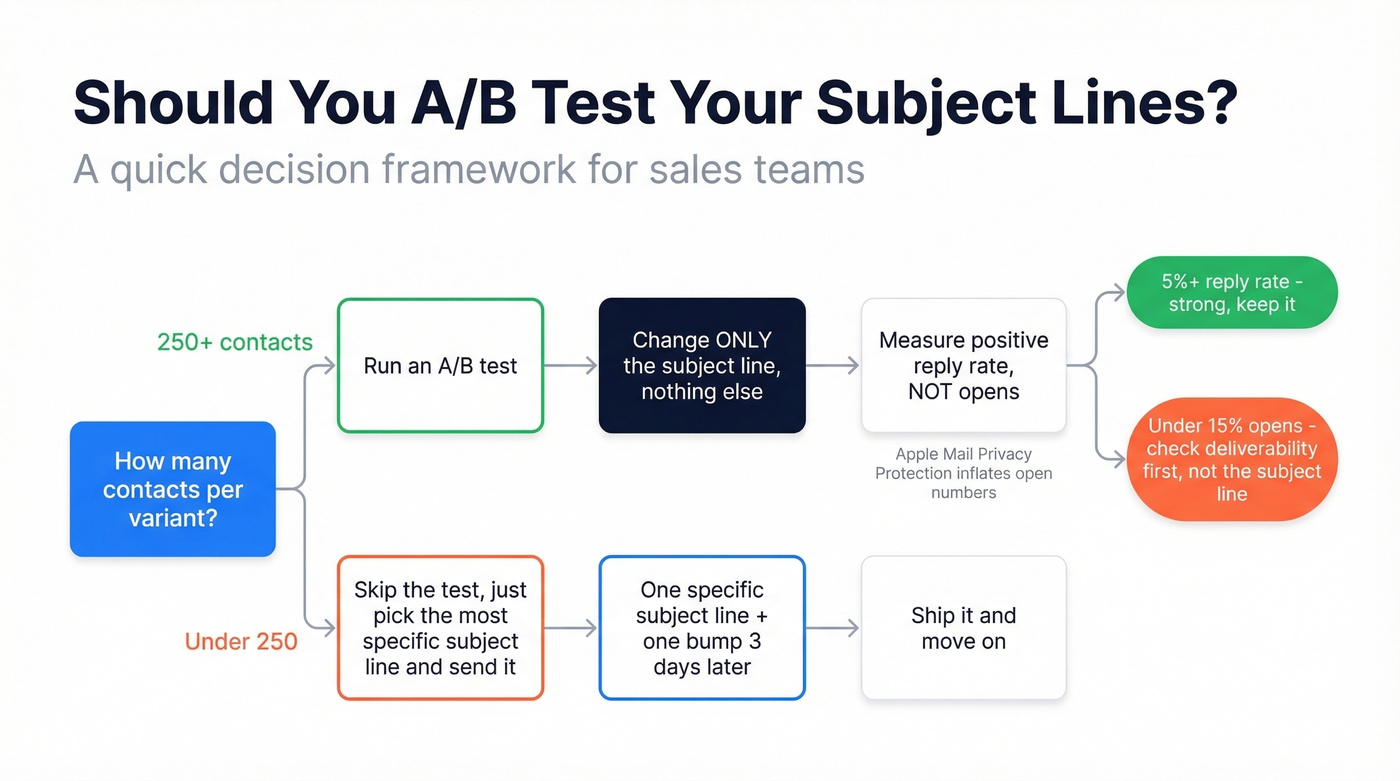
A 5%+ positive reply rate is strong for outbound. If opens drop below 15%, check inbox placement and deliverability before blaming the subject line.
For teams that don't have the volume for A/B testing, just pick the most specific subject line you can write and send it. Overthinking beats undertesting, but both lose to just shipping something concrete. If you want a full system, build it into your sequence management process.
Before You Hit Send
Your meeting follow-up email subject gets the open. But only if the email actually arrives. Bounced follow-ups don't just waste your time - they damage your sender reputation, which tanks deliverability on every future email you send.

Your contact changed jobs since the meeting? Prospeo refreshes data every 7 days - not every 6 weeks like competitors. Find their current verified email for $0.01 before your follow-up bounces and tanks your sender reputation.
Stop following up with people who already left the company.
FAQ
How long should a follow-up subject line be?
33 characters or fewer for full mobile visibility. Twilio SendGrid data shows 2-4 words outperform the 6-word average. This ceiling applies whether you're following up on a sales call, an internal sync, or a networking intro.
Should I use "Re:" in my follow-up?
Yes, if you're replying to the original thread - it signals a real conversation. Don't fake it on a new thread. Recipients notice, and it erodes trust fast.
How soon should I send a meeting follow-up?
Within 24 hours. If no reply, follow up in 3-4 days with new value - a relevant case study, a pricing breakdown, or a scheduling prompt. Never just bump the same message.
What if my follow-up emails keep bouncing?
Bounces mean stale data. Your contact likely changed roles or the address was never valid. Verify addresses before sending - a single tool check takes seconds and saves your domain reputation from the kind of damage that takes weeks to repair.