How to Write a Meeting Request Email to Client (With 6 Templates)
Your client gets roughly 121 emails a day. Yours needs to earn an open in under three seconds.
Most meeting request guides are written for cold outreach - but if you're emailing an existing client, half that advice is wrong. You don't need a hook or a value prop. You need clarity, a time slot, and a reason. We've sent thousands of these across our own client base and for outbound campaigns we support. Here's what actually works.
The Quick Version
- Keep the email under 150 words. State why you need the meeting, propose 2-3 times, include a scheduling link.
- Subject line: 6-9 words, include "meeting" or "schedule."
- Default to requesting 15 minutes.
- Follow up on Day 2 with a nudge, Day 7 with a last call, then pick up the phone.
How to Structure the Email
Use the RAP framework - Reason, Ask, Professionalism - and you'll cover 90% of what matters. Every meeting request email to a client needs five components:
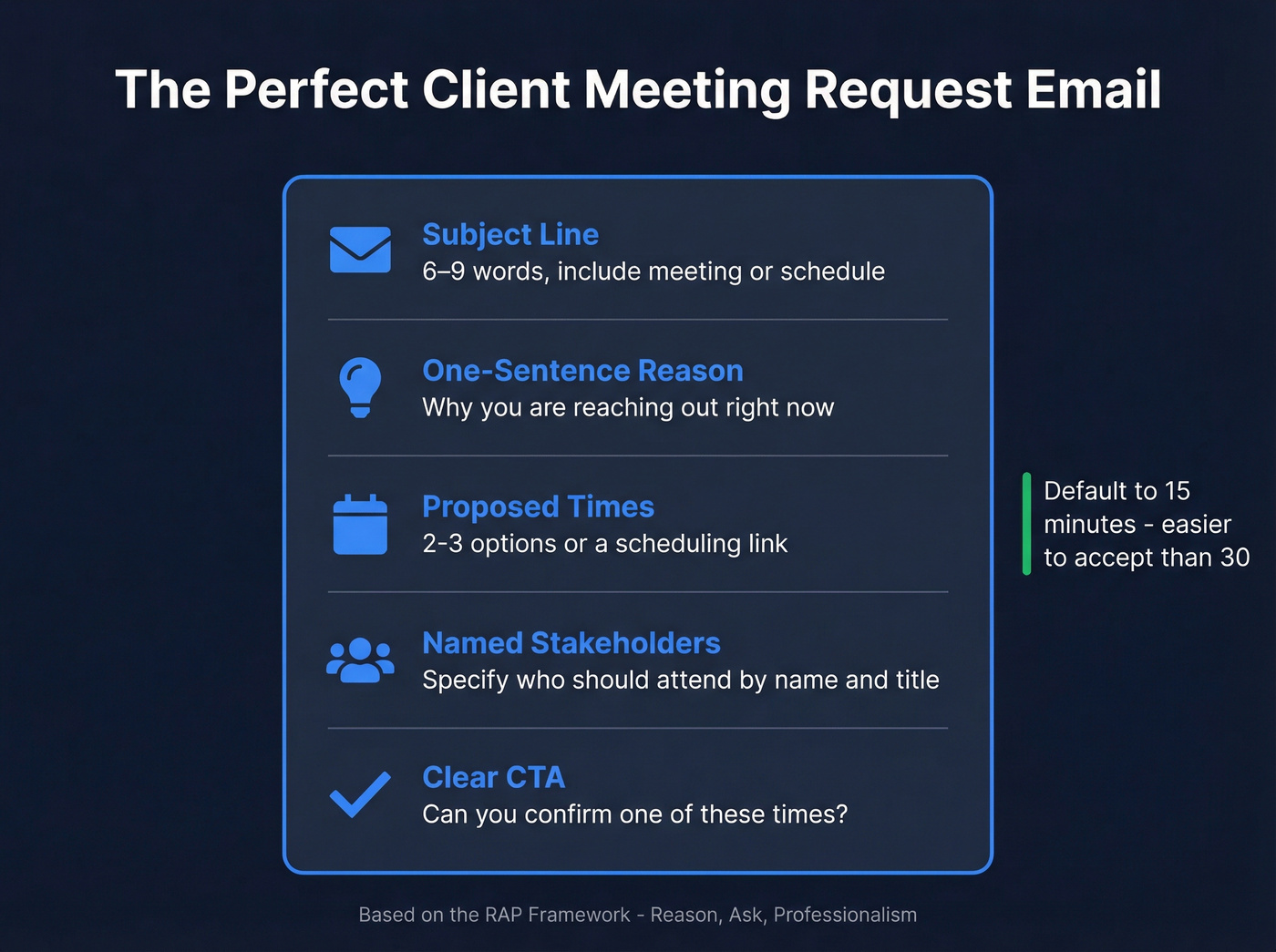
- Subject line - straightforward, includes "meeting" or "schedule"
- One-sentence reason - why you're reaching out now
- Proposed times - two or three options, or a scheduling link (see more schedule meeting email examples)
- Named stakeholders - specify who should attend, because if you don't, you risk getting downgraded to a junior attendee who can't make decisions (and it slows down multithreading in sales)
- Clear CTA - "Can you confirm one of these times?" beats a vague "Let me know" (use these closing email phrases if you want options)
Default to 15 minutes. It's easier to accept than 30, and you can always run over if the conversation warrants it.

Subject Line Tips
Subject lines averaging around 7 words drive roughly 30% open rates. For client emails, clarity beats cleverness every time.
| Scenario | Example Subject Line | Why It Works |
|---|---|---|
| QBR | "Q3 review - [Company] + us" | Names both parties, clear purpose |
| Renewal | "Renewal discussion - 15 min this week?" | Specific ask, low commitment |
| Escalation | "[Company] - need 10 min on [issue]" | Urgency without alarm |
Stay in the 6-9 word / 40-60 character range - that's the sweet spot before mobile truncation kicks in. Personalization like a name or company can lift open rates by up to 22%. Set your sender display name to "[First name] from [Company]" because many clients scan the sender field before they even read the subject. (If you want more patterns, pull from these re-engagement email subject lines and avoid common words to avoid in email subject lines.)
One caveat worth flagging: 53.67% of email clients now auto-trigger opens thanks to Apple's Mail Privacy Protection. Track reply rates, not open rates. If you're optimizing deliverability, use an email deliverability checklist and understand what a hard bounce does to your domain.

Personalized subject lines lift open rates by 22% - but only if the email actually reaches the right inbox. Prospeo verifies emails across 300M+ profiles with 98% accuracy and a 7-day refresh cycle, so your meeting request lands with the stakeholder who can say yes.
Stop sending meeting requests into the void. Verify first.
6 Ready-to-Use Templates
Quarterly Business Review
Subject: Q3 review - [Client Company] + [Your Company]
Hi [Name],
Time for our quarterly review. I'd like to walk through Q2 results and align on next-quarter priorities.
Do any of these work for 15 minutes?
- [Date/Time 1]
- [Date/Time 2]
- [Date/Time 3]
I'd like [their VP/stakeholder name] to join if possible.
Best, [Your name]
Project Kickoff
Subject: Kickoff meeting - [Project Name]
Hi [Name],
We're ready to kick off [project/phase]. I'd like to align on timelines, deliverables, and who's point on each side.
Can you do 15 minutes this week? [Scheduling link] or just reply with a time.
[Your name]
Contract Renewal
Subject: Renewal discussion - 15 min this week?
Hi [Name],
Your contract is up for renewal on [date]. I'd like to review what's working, discuss adjustments, and make sure we're aligned before the deadline.
Are you free for a quick call? [Date/Time 1] or [Date/Time 2] work on my end.
[Your name]
New Account Manager Introduction
Subject: Your new point of contact at [Your Company]
Hi [Name],
I'm [Your name], taking over from [Previous AM] on your account. I've reviewed your history with us and want to make sure the transition is smooth.
Can we grab 15 minutes this week? [Scheduling link]
[Your name]
Escalation / Problem-Solving
Subject: [Client Company] - need 10 min on [issue]
Hi [Name],
I want to address [specific issue] before it impacts [deliverable/timeline]. I have a proposed path forward and need your input.
Can you do 10 minutes today or tomorrow? I'll keep it tight.
[Your name]
General Check-In
Subject: Quick check-in - [Client Company]
Hi [Name],
It's been a few weeks since we connected. I'd love to hear how things are going and see if there's anything we can help with.
Do you have 15 minutes this week? [Scheduling link]
[Your name]
Each template follows the same structure: one reason, proposed times, and a clear CTA. Adapt the tone to match your relationship - a long-standing client can handle a more casual opener, while a newer account warrants a bit more formality. (If you need more variations, borrow from an outreach email template library and adjust for warm context.)
Follow-Up Cadence When They Don't Reply
Here's the thing: roughly 70% of responses come from the 2nd through 4th email. One attempt is never enough. Account managers consistently say the follow-up matters more than the first send, and in our experience, the Day 2 nudge gets more replies than the original. If you want more timing rules, see when should you follow up on an email.
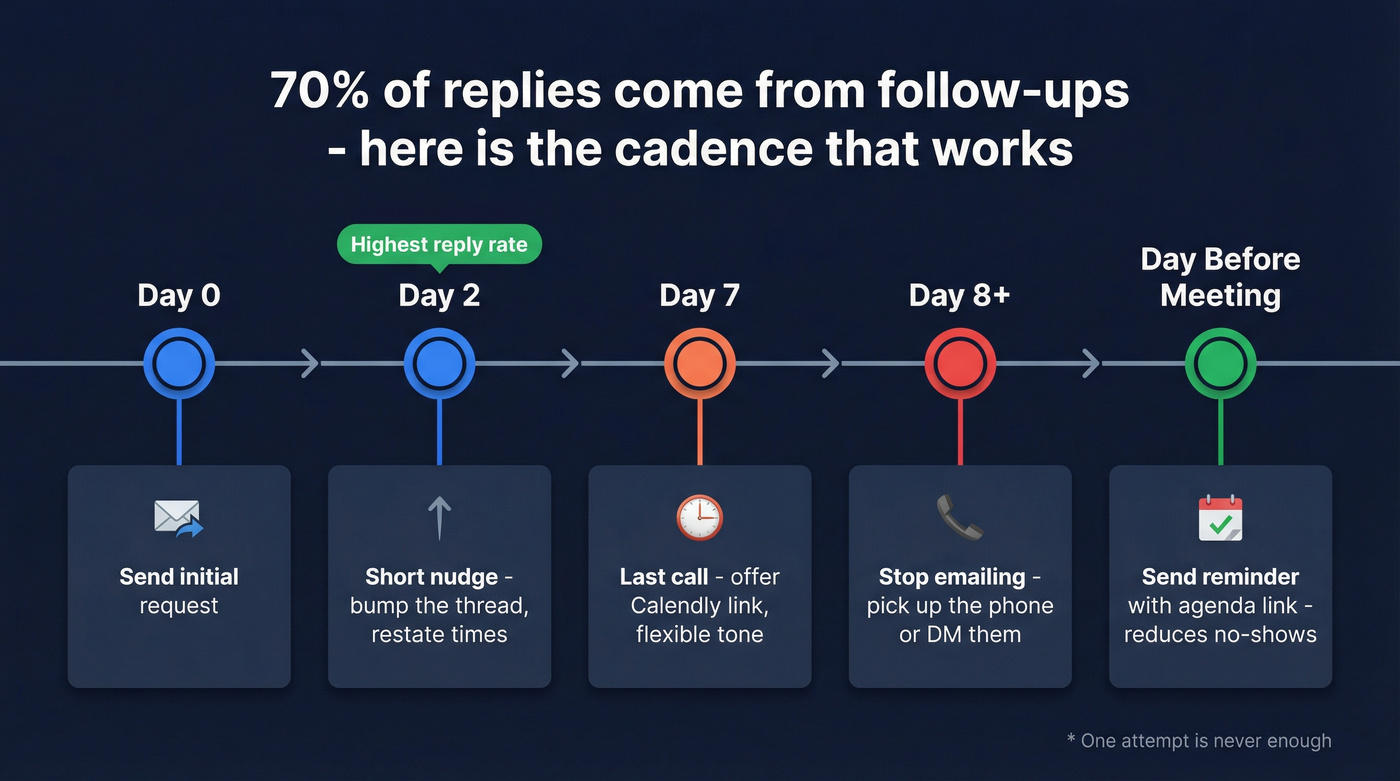
- Day 0 - Send the initial request
- Day 2 - Short nudge (template below)
- Day 7 - Last call: "I know things are busy. Happy to work around your schedule - here's my Calendly: [link]"
- Day 8+ - Stop emailing. Pick up the phone or message them directly. (If you're switching channels, the benefits of cold calling apply even for warm accounts.)
- Day before confirmed meeting - Send a reminder with the agenda link
That reminder reduces no-shows. Don't skip it.
Day 2 follow-up template:
Subject: Re: [Original subject line]
Hi [Name],
Just bumping this up - do any of those times work? If not, here's my scheduling link: [link]. Happy to work around you.
[Your name]
Mistakes That Kill Reply Rates
Look - if your deal size is under five figures and you're spending more than five minutes crafting a client meeting email, you're optimizing the wrong thing. Send it, follow up, move on.
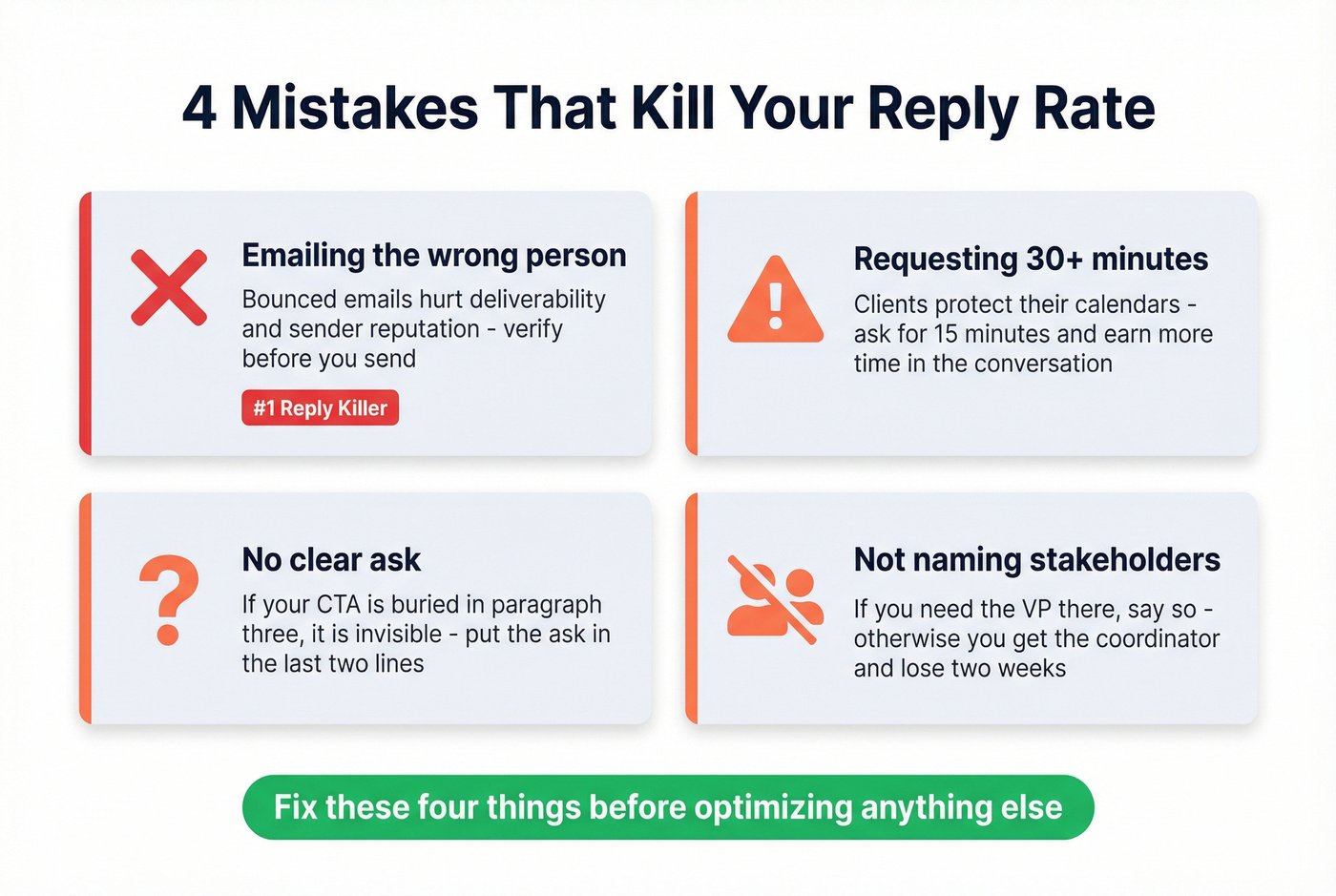
That said, these four mistakes will tank your reply rate regardless of deal size:
Emailing the wrong person. If you inherited accounts, a lot of those email addresses are outdated. A bounced email doesn't just fail - it hurts deliverability and sender reputation. We've seen this single issue destroy reply rates for entire account teams, especially after reorgs. It's the #1 reply killer and the easiest to fix with a quick verification step before you hit send. (If you're cleaning lists at scale, start with email verification for outreach and a CRM hygiene process.)
Requesting 30+ minutes when 15 would do. Clients protect their calendars. Ask for less, earn more.
No clear ask. If your CTA is buried in paragraph three, it's invisible. Put the ask in the last two lines.
Not naming required stakeholders. If you need the VP there, say so. Otherwise you'll get the coordinator, and the real decision gets pushed another two weeks.
Inherited accounts are reply-rate graveyards. Contacts leave, get promoted, or switch companies - and bounced emails destroy your sender reputation. Prospeo's 5-step verification catches outdated addresses before they do damage, at roughly $0.01 per email.
One bounced email costs more than verifying your entire client list.
FAQ
How long should a client meeting request email be?
Under 150 words. State the purpose, propose two or three times, and close with a direct ask. Brevity signals respect for your client's time and consistently outperforms longer messages in reply rate.
How many times should I follow up?
Two to three times over 7 days, then switch to phone or direct message. Going beyond four total inbox touches risks annoying the client - diminishing returns kick in fast.
What if my client contact left the company?
Verify the new stakeholder's email before sending anything. Prospeo's Chrome extension lets you pull verified contact data from any company website in one click, which is exactly the scenario 40,000+ users rely on it for.
Should I include a scheduling link or propose specific times?
Do both. Propose two or three specific slots to reduce friction, then add a scheduling link as a fallback. Calendly at $10/user/month is the standard, but any tool that syncs with your calendar works.
How do I re-engage a client I haven't spoken to in months?
Re-establish context first. Reference the last project or conversation, then state why you're reaching out now. Something like "It's been a while since we connected on [project]" before jumping into the ask goes a long way - it shows you remember the relationship, not just the revenue.