Words to Avoid in Email Subject Lines (2026 Guide)
One in six emails never reach the inbox. Not because someone typed "free" in the subject line - because their domain reputation was trashed, their authentication was broken, or they were sending to dead addresses. Gmail's Anti-Spam Team put it simply: "Think of how you can make the user love your mails." They didn't say "avoid the word 'guaranteed.'"
You came here for a list of words to avoid in email subject lines. You'll get one. But here's the honest truth: word choice ranks third on the list of things that actually keep you out of spam, and most teams treat it like it's first.
What You Need (Quick Version)
- Step 1: Authenticate your domain (SPF, DKIM, DMARC). Non-negotiable.
- Step 2: Verify your email list. Bounces destroy sender reputation faster than any word ever could.
- Step 3: Then worry about subject line wording - including the risky phrases we cover below.
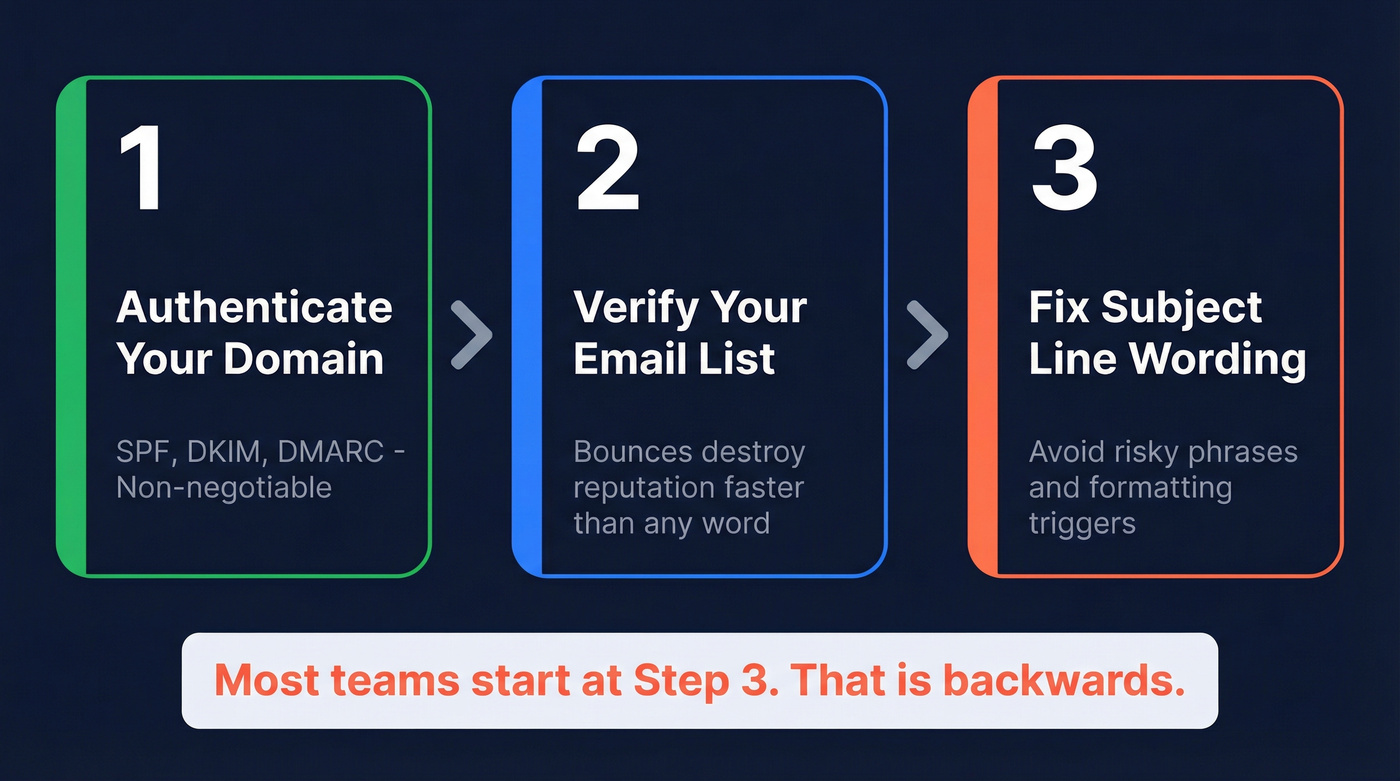
Word avoidance is step 3, not step 1. Most teams get this backwards.
Spam Trigger Words and Phrases
These words aren't automatic spam triggers. They're signals that, combined with poor reputation and missing authentication, push your score in the wrong direction. Think of this as a "don't stack these carelessly" list, not a blacklist.
Categorized Word List
Financial / Money - flagged because they mimic the language of advance-fee scams and phishing lures: Free money, Earn extra cash, Double your income, No cost, Billion, Cash bonus, $$$, Make money fast
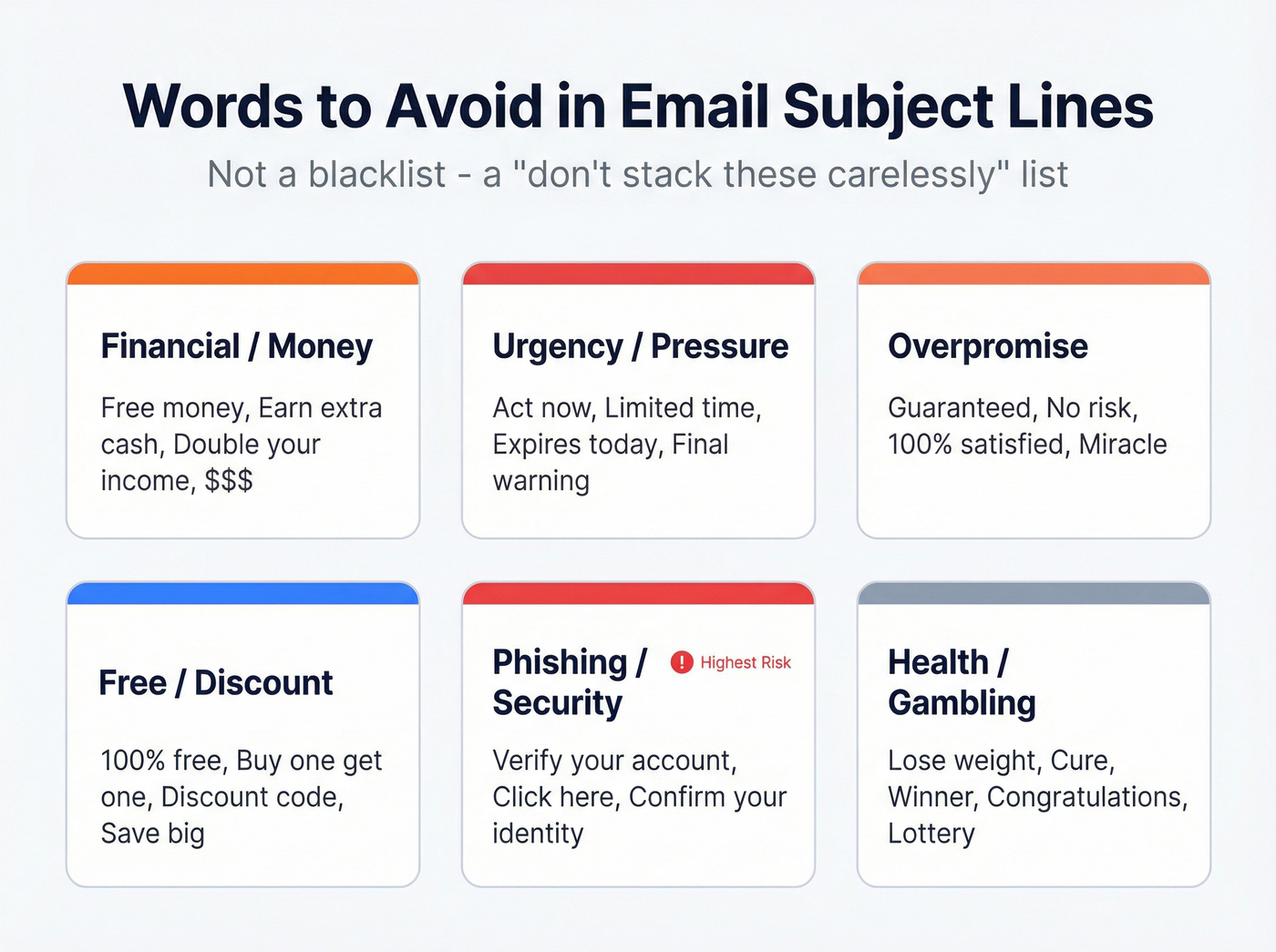
Urgency / Pressure - high-pressure language correlates with scam patterns, so filters weigh it against your reputation: Act now, Limited time, Expires today, Final warning, Don't delete, Urgent, Last chance, Immediately
Overpromise - absolute guarantees are a hallmark of fraudulent email, and legitimate senders rarely need them: Guaranteed, No risk, 100% satisfied, Once in a lifetime, Miracle, Risk-free, No obligation, Satisfaction guaranteed
Free / Discount - not inherently dangerous, but stacking multiple discount signals in one subject line mimics promotional spam: 100% free, Buy one get one, Discount code, Special promotion, Free trial, Lowest price, Save big, Clearance
Phishing / Security - these phrases directly resemble credential-harvesting attacks, making them the highest-risk category: Verify your account, Click here, Confirm your identity, You've been selected, Update your information, Suspended account, Security alert, Reset your password
Health / Pharma - pharmaceutical spam is one of the oldest spam categories, so filters are heavily trained on this vocabulary: Lose weight, Cure, Anti-aging, Pharmaceutical, Weight loss, Viagra, Miracle pill, Online pharmacy
Gambling / Sweepstakes - prize and lottery language triggers filters trained on decades of Nigerian prince-style scams: Winner, Congratulations, You've won, Lottery, Prize, Jackpot, Casino, Lucky draw
What to Write Instead
Here are four swaps we use constantly:
| Instead of... | Try... |
|---|---|
| "Free trial" | "Try it for 14 days" |
| "Act now - limited time" | "Spots close Friday" |
| "100% guaranteed results" | "Here's what changed for [Company]" |
| "Click here to verify" | "Quick question about your account" |
The pattern: replace hype with specificity. Filters and humans both respond better to concrete details than vague promises.
Formatting Triggers
These matter more than individual words. SpamAssassin has a rule called SUBJ_ALL_CAPS that flags subject lines written entirely in capitals. Stack these and you're asking for trouble:
- ALL CAPS subject lines
- Excessive punctuation (!!!, ???, $$$)
- Emoji strings (fire-money-rocket combos)
- Misleading Re: or Fwd: prefixes - these spike complaints and filtering risk
- Too many links in the body (aim for 2-3 for cold email) or a skewed text-to-image ratio (aim for at least 60% text)
Why Word Lists Are Mostly Theater
Spam filters don't work like a banned-word dictionary. They work like a credit score - dozens of signals, each weighted, all added together.
How Filters Actually Score Emails
SpamAssassin uses additive scoring. Each rule adds or subtracts points, and crossing the threshold (typically 5.0) gets you flagged. Here are representative examples - exact scores vary by configuration:
| Rule | What It Checks |
|---|---|
| SUBJ_ALL_CAPS | Subject in all capitals |
| KAM_NUMSUBJECT | Subject ends in numbers |
| BAYES_99 | Content matches very high spam probability |
| MISSING_MID | No Message-ID header |
| DKIM_SIGNED | DKIM signature present/valid |
That's why individual spam trigger words are mostly a myth - it takes more than word choice to land in spam.
Gmail's Real Priority Order
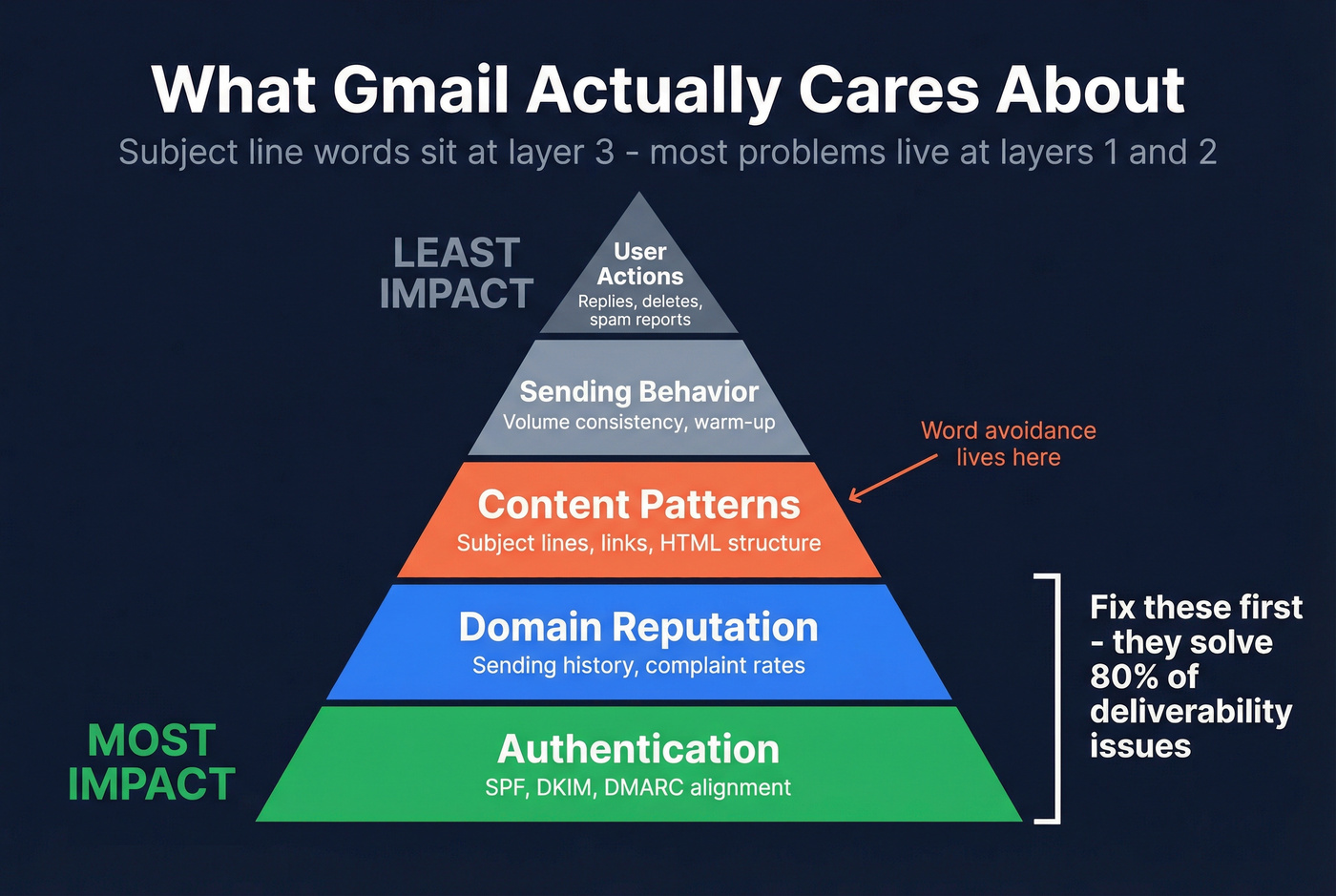
Gmail doesn't use SpamAssassin. It runs a proprietary ML system that weighs signals roughly in this order:
- Authentication - SPF/DKIM/DMARC alignment
- Domain reputation - your sending history, not your IP
- Content patterns - subject lines, links, HTML structure
- Sending behavior - volume consistency, warm-up patterns
- Real-time user actions - replies, deletes, spam reports
Subject line words sit at layer 3. Most deliverability problems live at layers 1 and 2.

You just read that bounces destroy sender reputation faster than any spam trigger word. That's the real deliverability killer - bad data, not bad copy. Prospeo's 5-step verification with spam-trap removal and catch-all handling delivers 98% email accuracy, so your carefully crafted subject lines actually reach real inboxes.
Fix your list before you fix your subject lines.
What Actually Determines Inbox Placement
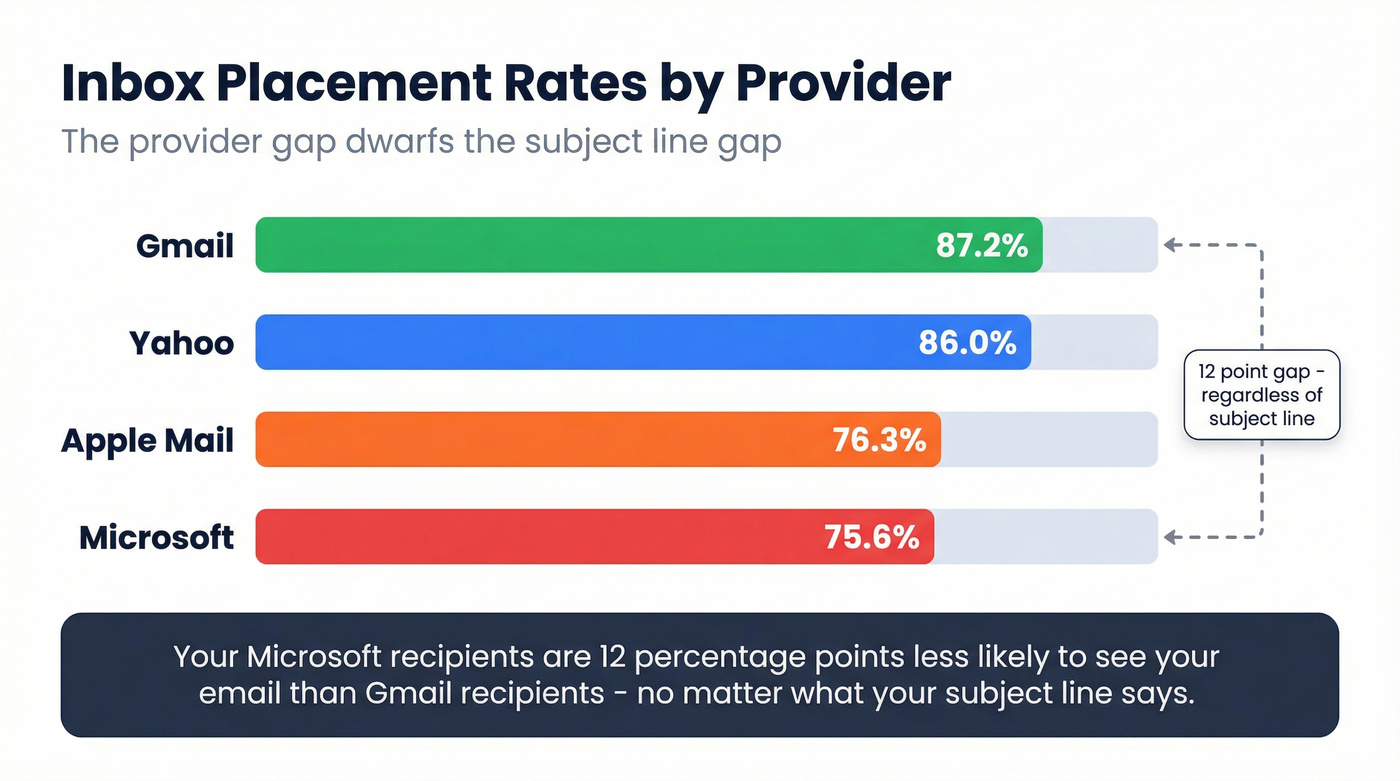
The gap between email providers dwarfs the gap between a "clean" subject line and one with the word "free" in it.
| Provider | Inbox Placement Rate |
|---|---|
| Gmail | 87.2% |
| Yahoo | 86.0% |
| Apple Mail | 76.3% |
| Microsoft | 75.6% |
Your Microsoft recipients are 12 percentage points less likely to see your email than your Gmail recipients - regardless of what your subject line says. That context matters.
Fix First: Authentication
If your domain isn't authenticated, nothing else matters. Bulk senders failing SPF/DKIM/DMARC alignment can face SMTP-level rejection from Gmail. Set up all three before you touch a single subject line. (If you need the full setup, start with SPF/DKIM/DMARC alignment.)
Fix Second: Sender Reputation
Gmail emphasizes domain reputation over IP reputation because domains are stable identifiers. Your reputation is built on replies, read rates, and complaint rates. Cross the 0.3% spam complaint threshold and Gmail starts throttling or rejecting your sends entirely. That's 3 complaints per 1,000 emails.
Stop Obsessing Over Individual Words
We've audited dozens of outbound setups where teams spent hours workshopping subject lines while sending to lists with 15%+ invalid addresses. Every single time, fixing the list moved the needle more than fixing the copy. Bad data causes bounces, bounces destroy sender reputation, and even perfect subject lines land in spam when your domain's been flagged.
Look - if your bounce rate is above 5%, you don't have a subject line problem. You have a data problem. Prospeo's 5-step verification catches this before it starts, with spam-trap removal, honeypot filtering, and catch-all handling on every record, delivering 98% email accuracy. Meritt dropped bounce rates from 35%+ to under 4% after switching, and their inbox placement improved without changing a single subject line.
Cold Email vs. Marketing Email
Cold outreach and marketing email play by different rules. Only about 8.5% of outreach emails get a response, so every word in your subject line carries more weight.
For cold email, aim for 3-7 words. Keep it conversational. We've tested hundreds of cold subject lines across client campaigns, and the ones that read like a text message from a colleague consistently outperform anything polished or promotional. Generic openers like "Quick question," "Touching base," or "Following up" signal mass outreach and get ignored. (If you want examples, use these outreach email templates.)
Judge winners by replies and booked meetings, not opens. Apple Mail Privacy Protection inflates open rates across 53.67% of email clients. As Klaviyo puts it: "We know that a 60% open rate doesn't mean 60% of people actually opened your email." If you're still optimizing for opens, read open rates vs clicks.
One non-obvious tip: avoid day names like "Monday" or "Friday" in subject lines around major shopping or charity events - think Black Friday, Cyber Monday, Giving Tuesday. They blend into promotional noise and open rates drop.
For marketing email, you've got more room. Benchmark Email's research suggests staying under 60 characters and A/B testing variants. But the same principle applies: replies and clicks tell the truth, opens don't. If you want a deeper process, run an email marketing audit.
How to Test Before You Send
- Mail-Tester (mail-tester.com) - free. Send your email to a generated address, get a spam score back in seconds.
- GlockApps - paid. Shows inbox vs. spam placement broken down by provider (Gmail, Outlook, Yahoo). Worth it if you're sending at scale.
- A/B test by replies and clicks, not opens. Run two subject line variants, measure what actually drives engagement. For the math, see how to A/B test reply rates.
Skip GlockApps if you're sending fewer than 500 emails a month - Mail-Tester gives you 90% of the insight for free.
Subject Line Checklist
- Keep it under 50 characters
- No ALL CAPS (ever)
- Authenticate your domain (SPF/DKIM/DMARC)
- Verify your list before sending - bounces hurt more than bad words
- Personalize with the recipient's name or company
- Test by replies and clicks, not open rates
- Match the subject to the email body (misleading subjects spike complaints)
- Skip the fake Re: and Fwd: prefixes
- Keep body links to 2-3 for cold email; maintain at least 60% text-to-image ratio
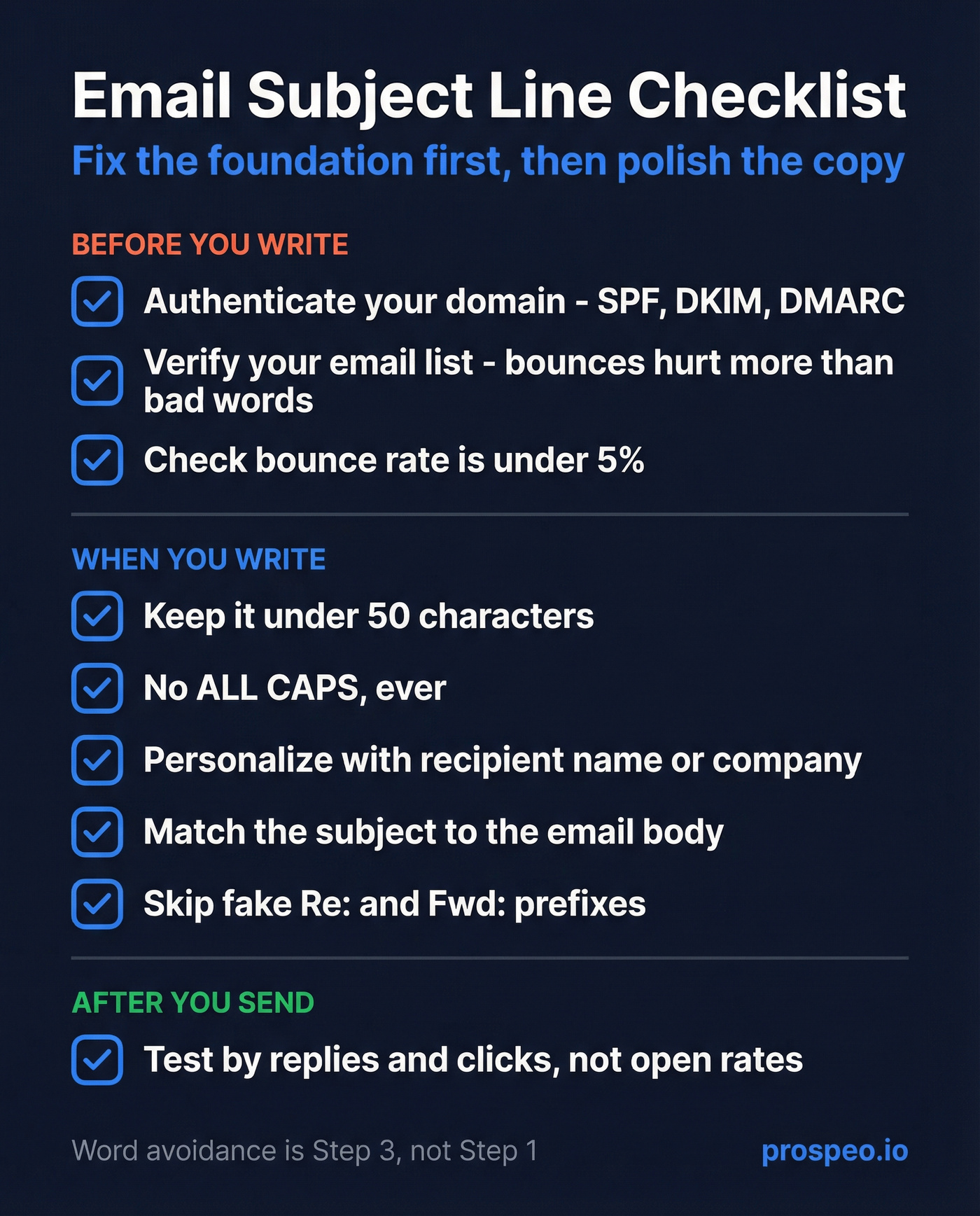
Knowing which words to avoid in email subject lines matters - but it matters far less than clean data and proper authentication. Fix the foundation first, then polish the copy.
Meritt dropped bounce rates from 35% to under 4% without changing a single subject line. Their secret wasn't avoiding 'free' or 'act now' - it was switching to verified data. At $0.01 per email, Prospeo costs less than the domain reputation damage one bad send causes.
Stop workshopping subject lines and start cleaning your list.
FAQ
Does "free" automatically send emails to spam?
No. Modern spam filters use additive scoring - one word won't trigger spam placement on its own. "Free" only becomes a problem when combined with poor sender reputation, missing authentication, and other negative signals. Plenty of legitimate emails use it daily without issues.
What's the ideal subject line length?
Under 50 characters for marketing emails, 3-7 words for cold outreach. Shorter subject lines display fully on mobile and feel more personal, which drives higher reply rates - especially for one-to-one cold emails.
Why do emails land in spam after avoiding trigger words?
Because words are a minor factor. Check your SPF/DKIM/DMARC authentication first, then your domain reputation, bounce rate, and whether your spam complaint rate exceeds Gmail's 0.3% threshold. Fix those before revisiting subject line copy.
Can bad contact data cause spam placement?
Absolutely - it's one of the most common causes. Sending to invalid addresses creates bounces, and high bounce rates destroy your domain reputation with Gmail and Outlook. Cleaning your list with a verification tool that handles catch-all domains, spam traps, and honeypots is the single fastest fix for most deliverability problems. Teams routinely drop bounce rates from 30%+ to under 4% after cleaning their lists.