

Onesheet CRM Review: Pricing, Pros & Cons (2026)
Onesheet CRM promises a free, lightweight sales tool. What you actually get is a Google Sheets template with some drop-down menus. That's not necessarily a dealbreaker - but you should understand exactly what you're paying for (nothing) and what you're giving up (a lot).
Quick Verdict: Onesheet CRM is a free Google Sheets template for tracking contacts and deals. It works if you're a solopreneur with fewer than 50 contacts and zero budget. If you need automation, integrations, or verified contact data, skip it - use HubSpot Free for a real CRM or Prospeo for finding and verifying emails.
What Is Onesheet CRM?
Onesheet CRM is a pre-built Google Sheets template for small businesses that aren't ready for a full CRM. You sign up on their site, they email you a link to the spreadsheet, you save a copy to your Google Drive, and you start entering contacts. That's the whole onboarding.
It's been mentioned by Duct Tape Marketing as a free option for small businesses, which gives it some credibility in the micro-business space. On G2, it carries a 5.0/5 rating - based on exactly one review dated 2022. G2 also flags that the profile hasn't been active for over a year. A single data point isn't social proof; it's a coin flip.
Pricing
$0. One plan, no paid tiers, no hidden fees, no upgrade path. Dedicated CRMs typically run $30-$100 per user per month, so Onesheet saves real money. The question is whether it costs you in other ways.
Key Features
Onesheet gives you customizable drop-down menus for contact status and deal stages, pipeline filtering by status, source, and loss reason, and a dashboard showing opportunity value broken down by stage. You track contacts and leads in a familiar spreadsheet interface, and the sheet lives in your Google Drive.
That's basically it. Because it's a spreadsheet template and not a CRM platform, don't expect native automation, built-in email tools, or integrations of any kind. If you want a sense of what “real CRM” looks like, see these examples of a CRM.

Onesheet CRM tracks contacts you already have - it can't find new ones or verify what's there. Prospeo's database has 300M+ profiles with 98% email accuracy and a 7-day refresh cycle, so you're never working with stale data. Export verified contacts as CSV and drop them into any spreadsheet or CRM.
Stop manually entering contacts. Start with 75 free verified emails.
Pros and Cons
Pros:
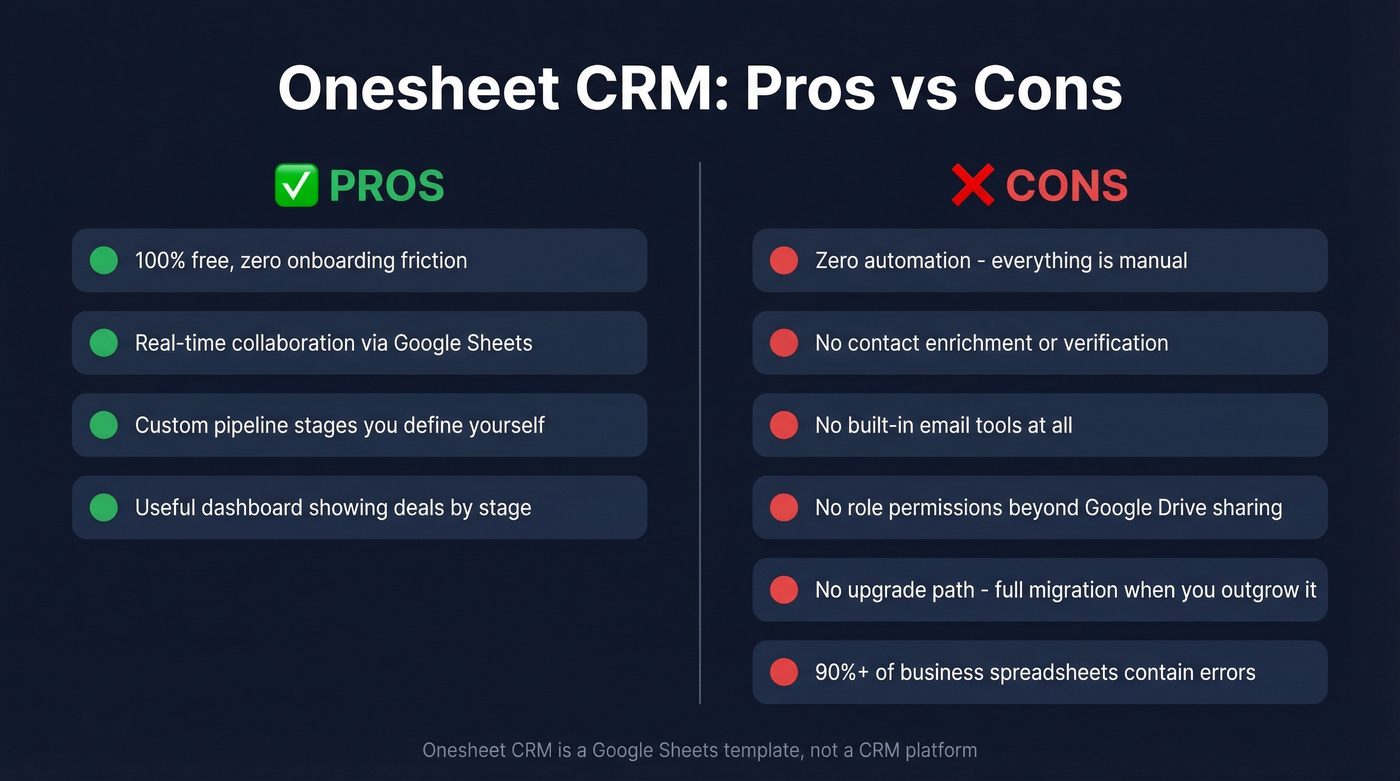
- 100% free with zero onboarding friction - if you can use Google Sheets, you can use this
- Real-time collaboration means multiple people can update the same sheet
- Custom pipelines let you define stages that match your actual sales process (here’s a deeper guide to lead status setups)
- The dashboard gives a surprisingly useful visual of where deals sit by stage (useful context: pipeline health)
Cons:
- No automation whatsoever - every follow-up, status update, and reminder is manual (if you need structure, start with sales follow-up templates)
- No contact enrichment - Onesheet stores contacts but can't find or verify them (compare with dedicated data enrichment services)
- No built-in email tools, so you're copy-pasting between your inbox and the spreadsheet
- No CRM-style role permissions beyond what Google Sheets/Drive provides
- No upgrade path, so when you outgrow it, you're migrating everything from scratch
- Over 90% of business spreadsheets contain errors, and the sole G2 review says it plainly: "A CRM could make things easier for us. But it did not happen."

Who Should (and Shouldn't) Use It
Use Onesheet CRM if you're:
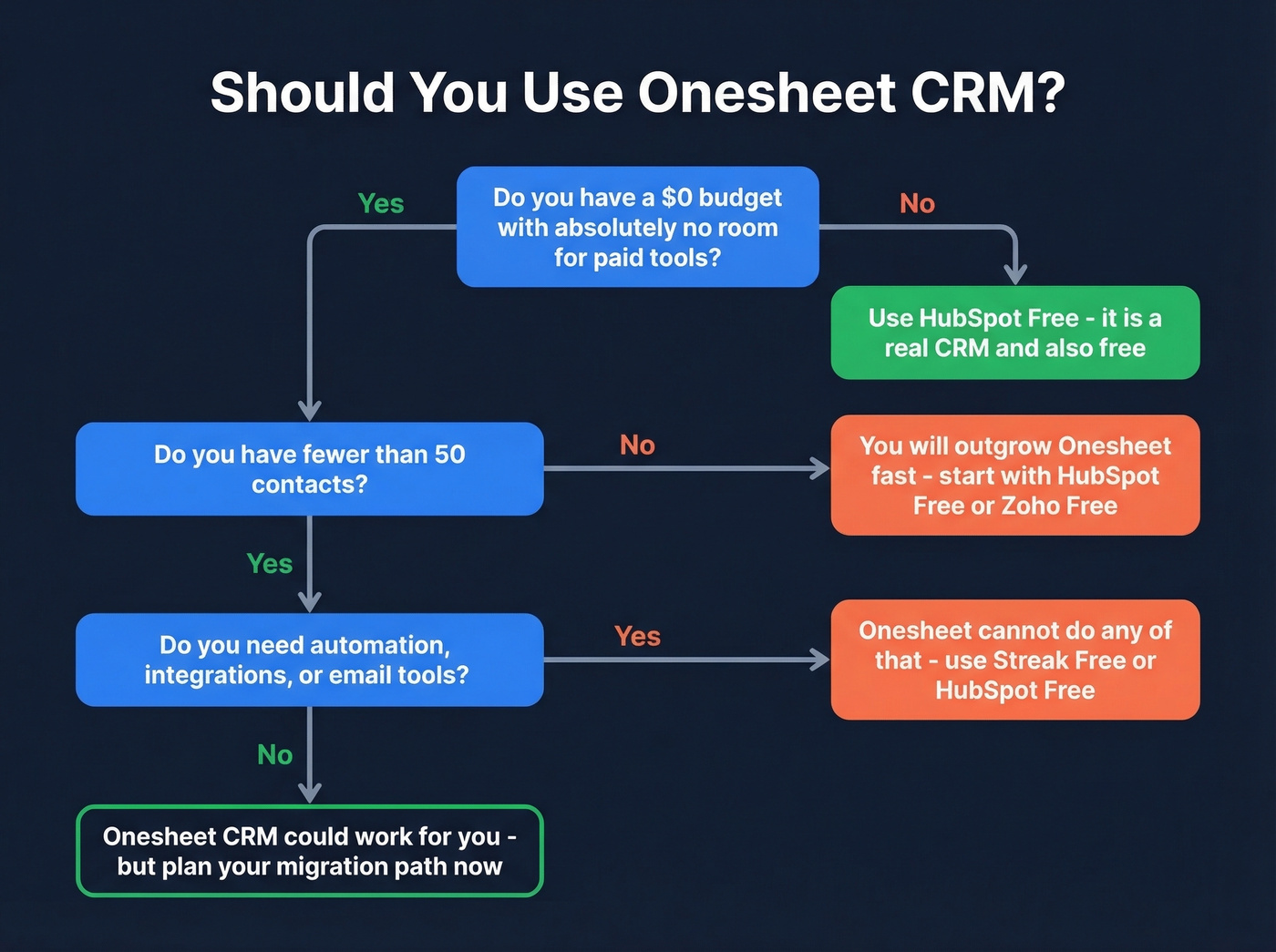
- A solopreneur tracking fewer than 50 contacts
- On a true zero-dollar budget with no room for even a free-tier CRM
- Already living in Google Sheets and want a pre-built template instead of building one from scratch
Skip it if you need:
- Any automation, team permissions, or integrations
- Verified contact data or enrichment (see: lead enrichment)
Here's the thing: there's no upgrade path. When you outgrow Onesheet, you're exporting a CSV and starting over in a new system. The usual spreadsheet-CRM pain points still apply too - manual data entry, formula mistakes, and performance issues once you hit a few thousand rows.
Let's be honest: if you have the 10 minutes it takes to sign up for HubSpot Free, there's no reason to use a spreadsheet as your CRM in 2026. None.
Better Alternatives
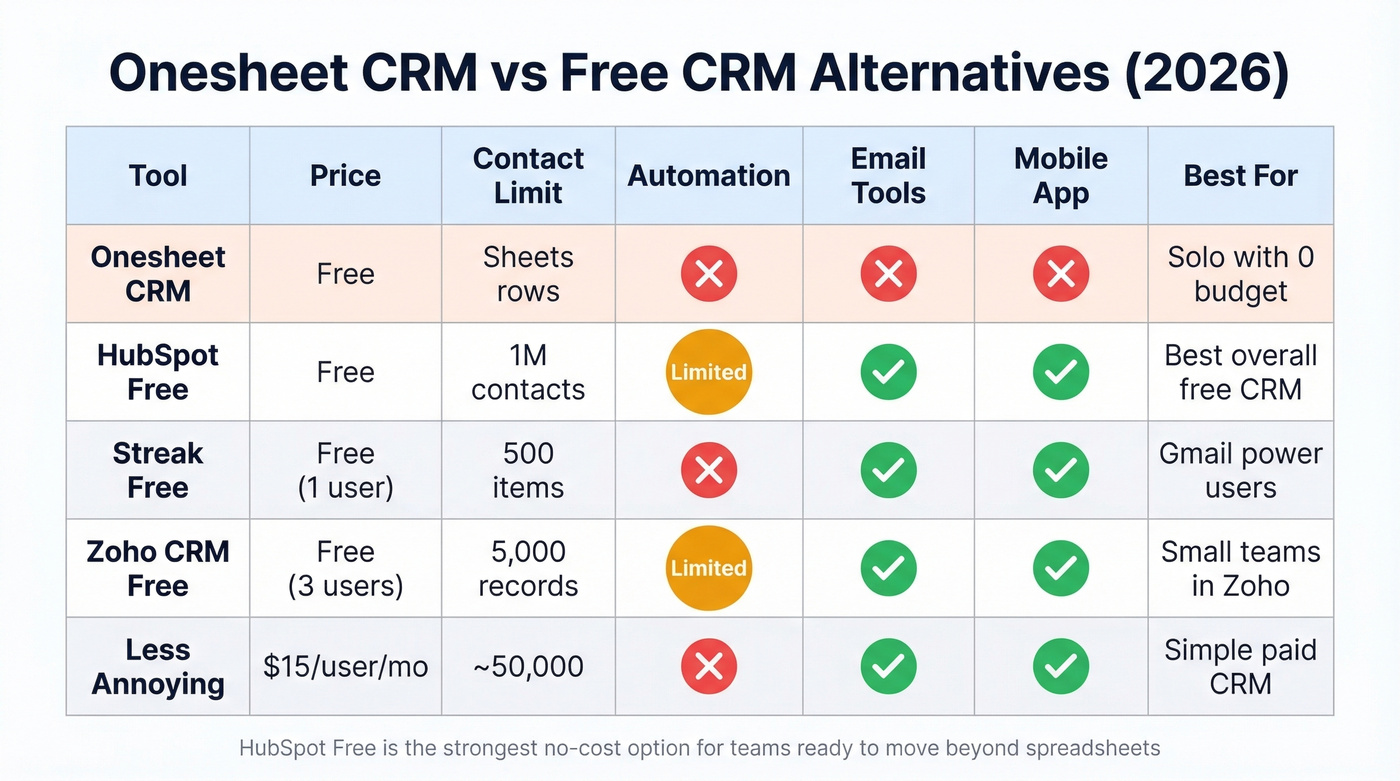
| Tool | Price | Contact Limit | Automation | Email Tools | Mobile App |
|---|---|---|---|---|---|
| Onesheet CRM | Free | Sheets rows | ❌ | ❌ | ❌ |
| HubSpot Free | Free | 1M contacts | Limited | ✅ | ✅ |
| Streak Free | Free (1 user) | 500 items | ❌ | ✅ (Gmail) | ✅ |
| Zoho CRM Free | Free (3 users) | 5,000 records | Limited | ✅ | ✅ |
| Less Annoying | $15/user/mo | ~50,000 | ❌ | ✅ | ✅ |
HubSpot CRM Free
The default recommendation for anyone outgrowing a spreadsheet CRM. HubSpot serves 288,000+ customers across 135+ countries, and the free tier includes unlimited users, up to 1M contacts, plus reporting and built-in marketing tools like email and live chat. In our experience, the learning curve is steeper than Onesheet - but you're getting a real CRM foundation instead of a template you'll abandon in three months.
If you’re comparing options beyond HubSpot, this roundup of contact management software is a good next step.
Streak CRM Free
A popular option for Gmail users who want lightweight CRM tracking without leaving their inbox. We've seen solo founders get a lot of mileage out of it. The catch is a 500-item cap on the free plan, which you'll hit faster than you think.
Zoho CRM Free
Solid for tiny teams of up to 3 users with 5,000 records. More features than any spreadsheet template, but the learning curve is steeper than both Onesheet and HubSpot. Best for teams already in the Zoho ecosystem.
Less Annoying CRM
$15/user/month with a 30-day free trial. It's known for simplicity and includes free phone/email support - even during the trial. Less Annoying suggests staying under ~50,000 total contacts as a practical guideline, which is more headroom than most small teams need.
If your main issue is filling the top of funnel (not just tracking it), start with these free lead generation tools.
If you're outgrowing a Google Sheets CRM, bad data shouldn't follow you to your next tool. Prospeo verifies every email through a 5-step process - spam traps removed, catch-alls handled, 98% accuracy guaranteed. At $0.01 per email, it costs less than the deals you lose to bounced outreach.
Your CRM is only as good as the data inside it.
FAQ
Is Onesheet CRM really free?
Yes - 100% free with no paid tiers and no upgrade path. It's a Google Sheets template you copy to your Drive. There's nothing to buy, which is both the appeal and the limitation.
Can it handle a growing sales team?
No. It's a spreadsheet with no automation, and you don't get role-based permissions beyond what Google Sheets/Drive provides. Once you pass a few thousand rows, performance degrades noticeably. Teams with more than one rep should use HubSpot Free or a dedicated CRM from day one.
How do I get verified contacts into a spreadsheet CRM?
Onesheet stores contacts but can't find or verify them. Prospeo gives you 75 free verified emails per month - export them as CSV and paste into whatever CRM or spreadsheet you use. For teams needing enrichment at scale, the API returns 50+ data points per contact at a 92% match rate.