

How to Ask for Meeting Availability - Templates, Framework, and Tools
Your scheduling email is competing with 116 others sitting in your recipient's inbox right now. Microsoft's Work Trend Index found the average employee receives 117 emails per day and gets interrupted 275 times a day by meetings, emails, and chat notifications. With 392.5 billion emails sent globally per day in 2026, a vague "when are you free?" doesn't stand a chance.
Here's what makes this worse: 57% of meetings are ad hoc calls without calendar invites, which means most scheduling still happens over email - and most of those emails are terrible. The classic phrase "please let me know your availability to schedule a meeting" works, but only if you structure the rest of the email correctly. The emails that get replies share a pattern, and it's learnable in about five minutes.
The Quick Version
- Use the BLUF framework): put the meeting topic and two to three specific time slots with duration in the first two sentences. Aim for ~140 characters up front - make them count.
- Never send "when are you free?" without stating the purpose. Recipients ignore topic-less meeting requests. Every time.
Is This the Right Phrase?
Short answer: yes, for most professional contexts. It's standard business email language - polite, clear, universally understood. But it sounds stiff when you're messaging a teammate you grab coffee with every Tuesday.
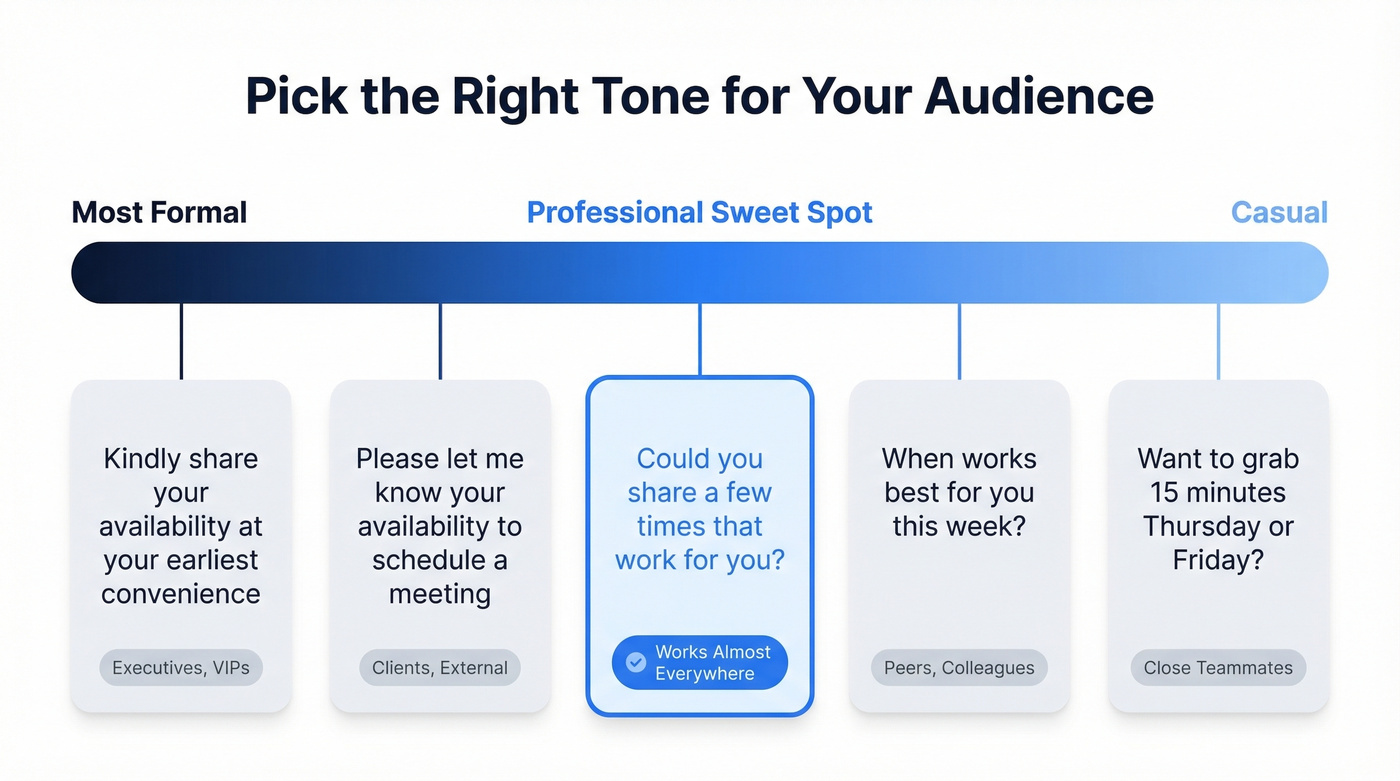
| Tone | Phrase |
|---|---|
| Most formal | "Kindly share your availability at your earliest convenience." |
| Formal | "Please let me know your availability to schedule a meeting." |
| Professional | "Could you share a few times that work for you?" |
| Friendly | "When works best for you this week?" |
| Casual | "Want to grab 15 minutes Thursday or Friday?" |
Use the formal end for executives, clients, and external stakeholders. Use the casual end for peers and close colleagues. The middle - "could you share a few times" - works almost everywhere and avoids sounding either robotic or too relaxed.
Rotate between two or three variants depending on the relationship. Overusing any single phrase makes your emails feel templated, and recipients notice faster than you'd think.
What Recipients Hate
We've seen three patterns that consistently kill scheduling emails.
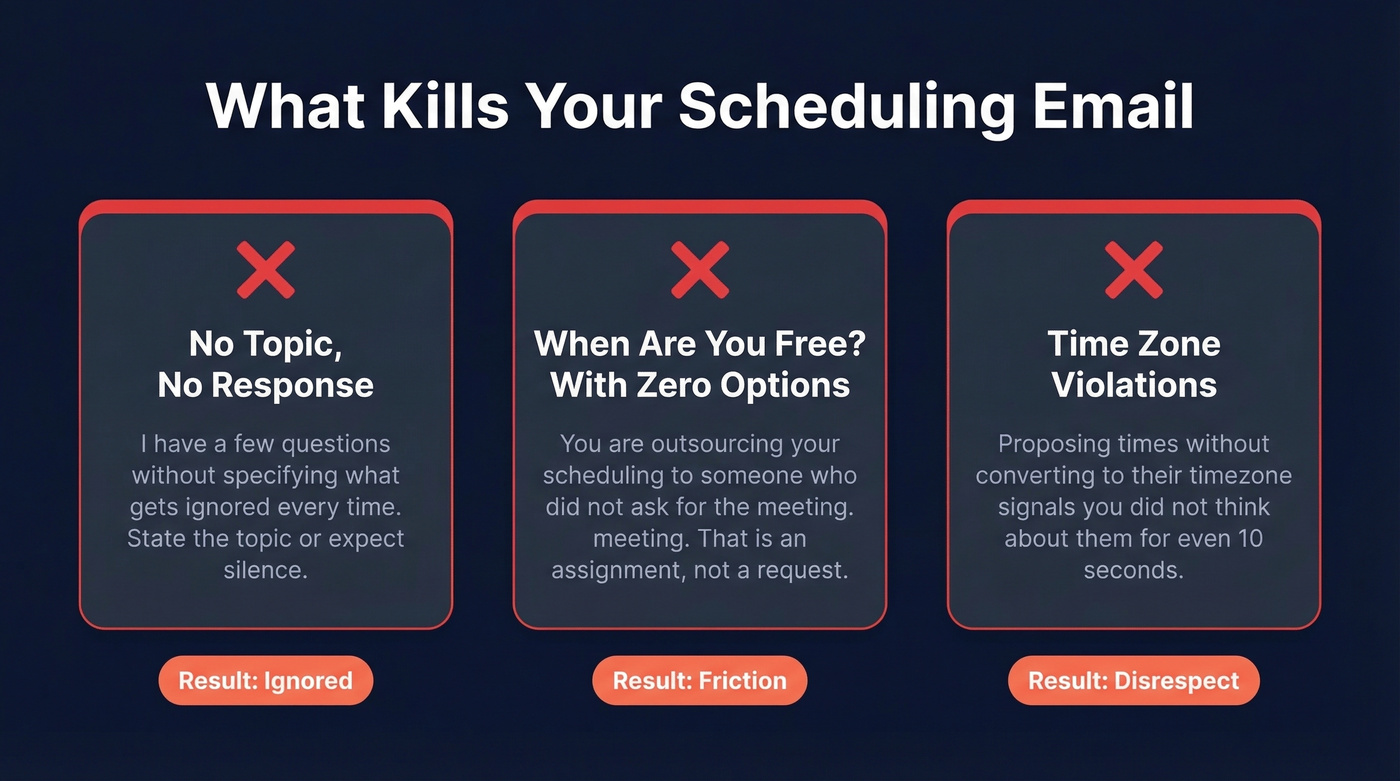
1. No topic, no response. A professor on r/Professors put it bluntly: meeting requests that say "I have a few questions" without specifying what those questions are get ignored or deprioritized. Recipients don't want to build your agenda for you. State the topic upfront or expect silence.
2. "When are you free?" with zero options. This forces the recipient to do all the cognitive work - check their calendar, propose times, guess at duration, and figure out the medium. You're outsourcing your scheduling to someone who didn't ask for the meeting. That's not a request; it's an assignment.
3. Time-zone violations. A thread on r/MicrosoftTeams captures this perfectly: a West Coast employee kept receiving 7 a.m. meeting invites from East Coast colleagues. Repeatedly. If you're proposing times without converting to the recipient's timezone, you're signaling that you didn't think about them for even ten seconds.
The 5-Part Scheduling Email Framework
Every effective scheduling email has five components. Miss one and you create friction.
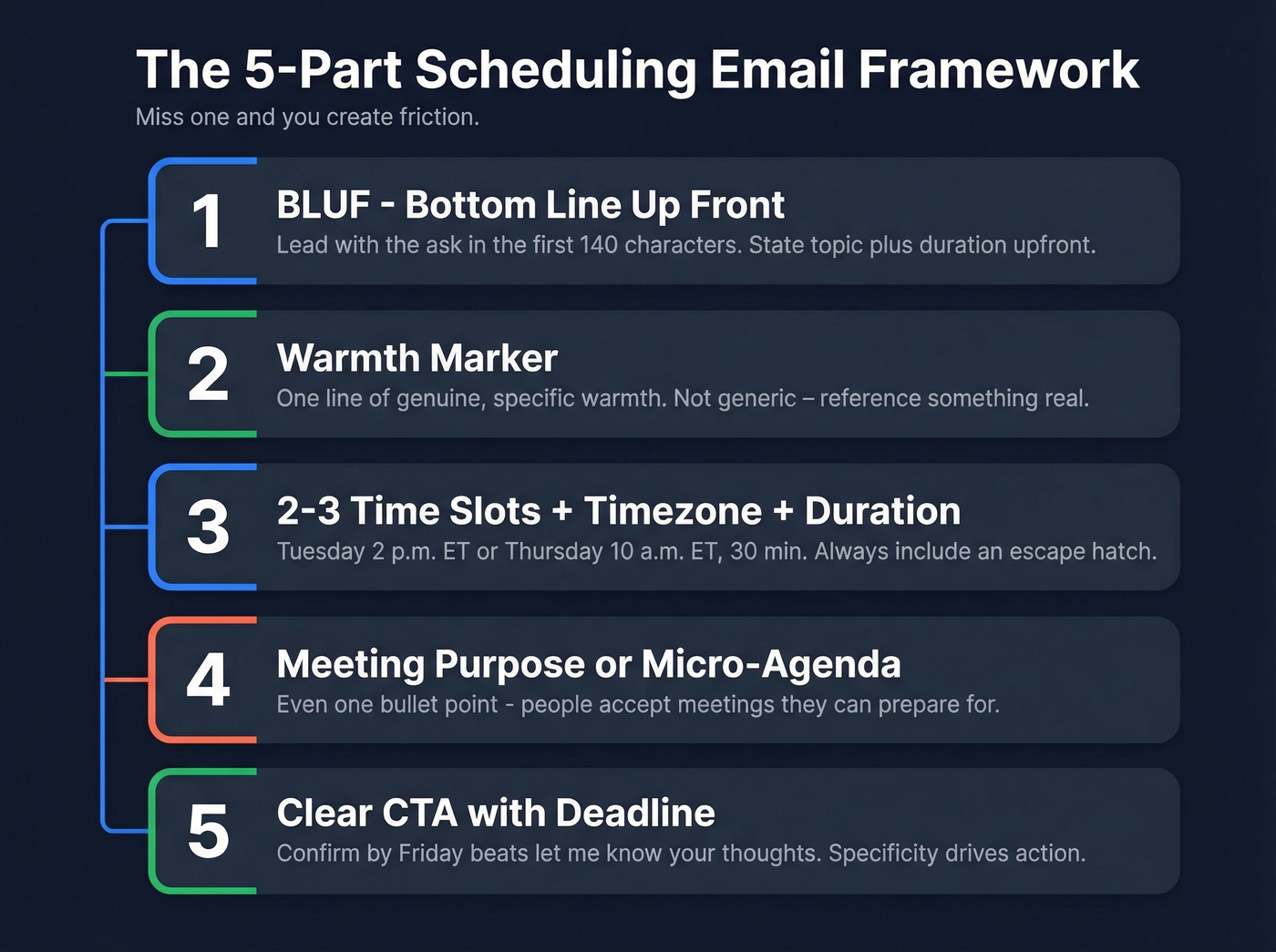
1. BLUF (Bottom Line Up Front). Lead with the ask. "I'd like to schedule a 20-minute call to discuss Q3 pipeline targets." The first ~140 characters are what show up in mobile previews and AI email summaries - don't waste them on pleasantries.
2. Warmth marker. One line of genuine warmth keeps neutral tone from reading as cold. "Great working with you on the rebrand last month" or "Hope the product launch went well" - something specific, not a generic "hope you're doing well." (If you still use it, here are better options than hope you're doing well.)
3. Two to three time slots with timezone and duration. "Tuesday 2 p.m. ET or Thursday 10 a.m. ET, 30 minutes" gives the recipient something to react to instead of something to create. Always include an escape hatch: "or suggest a time that works better."
4. Meeting purpose or micro-agenda. Even a single bullet point - "I want to walk through the revised pricing model" - dramatically increases the chance of a reply. People accept meetings they can prepare for.
5. Clear CTA. "Please confirm one of the slots above or suggest an alternative by Friday" beats "let me know your thoughts." Specificity drives action. If you want more reply-driving CTAs, see email call to action.

You just wrote the perfect meeting request - specific times, clear agenda, the right tone. But 30% of your list has bad emails, so a third of those requests never arrive. Prospeo's 98% verified emails mean your scheduling emails actually reach the inbox.
Stop crafting meeting requests that bounce. Verify every email first.
Copy-Paste Templates by Scenario
Colleague or Teammate
Hi [Name], can we grab 15 minutes to sync on the [project name] timeline? I'm open Tuesday 3 p.m. or Wednesday 11 a.m. - let me know which works or suggest another slot.
Manager or Executive
Hi [Name], I'd like to schedule 20 minutes to review the [topic - e.g., Q3 hiring plan] before the board meeting. Would Thursday at 10 a.m. or Friday at 2 p.m. work? Happy to adjust to your schedule.
Client or External Stakeholder
Hi [Name], thanks for the productive conversation last week. I'd like to schedule a 30-minute follow-up to walk through the implementation timeline. Would any of these work? [Date/time 1], [Date/time 2], or [Date/time 3] - all in [their timezone]. Feel free to suggest an alternative if none fit.
Cold Outreach (First Contact)
Hi [Name], I'm [Your Name] at [Company]. We help [one-sentence value prop relevant to their role]. I'd love 15 minutes to show you how - would [Date/time 1] or [Date/time 2] [their timezone] work? If not, happy to work around your schedule.
For cold emails, the biggest variable isn't your copy - it's whether the email actually lands. We've watched teams spend hours crafting the perfect outreach only to discover 30%+ of their list bounced. Verify first, write second. (If you need more examples, start with a sample outreach email.)
Job Interview Scheduling
Hi [Name], thank you for considering me for the [role title] position. I'm available for an interview at the following times: [Date/time 1], [Date/time 2], or [Date/time 3]. Let me know which works best, and I'll confirm immediately.
Cross-Timezone Meeting
Hi [Name], I'd like to schedule a 30-minute call about [topic]. Accounting for our time difference, here are a few options in your local time: Tuesday 9 a.m. SGT, Wednesday 10 a.m. SGT, or Thursday 2 p.m. SGT. Let me know what works or suggest a better window.
Always show times in the recipient's timezone. It takes thirty seconds to convert and saves an entire round of back-and-forth.
Group Meeting: Skip the Email Tag
For three or more people, proposing individual time slots by email is a losing game. Every additional participant increases the coordination overhead exponentially, and by the time person four replies, person two's availability has changed. Use a shared scheduling link with a clear deadline instead:
Hi all, I'd like to get 30 minutes on the calendar to align on [topic]. Here's a scheduling link: [link]. Please select your available slots by [deadline], and I'll confirm the time that works for everyone.
Follow-Up: What to Send vs. What Not to Send
Most people aren't ignoring you - they're drowning. Personalized emails see a 29% higher open rate, and up to 70% of responses come after the second or third email.
Don't send this:
Hi [Name], just following up. Let me know your thoughts.
Send this instead:
Hi [Name], circling back on my email from [date] about scheduling time to discuss [topic]. I know inboxes get buried - would [new Date/time 1] or [new Date/time 2] work?
If you're stuck on wording, use these follow-up templates or this guide on following up.
Subject Lines That Get Opened
Direct:
- "Quick sync on [project] - 15 min this week?"
- "Scheduling: [topic] discussion"
Polite / Formal:
- "Meeting request: [topic] - your availability?"
- "Would you have 20 minutes for [topic]?"
Client-facing:
- "[Company] + [Their Company] - follow-up call"
- "Next steps on [project] - scheduling a call"
Follow-up:
- "Re: scheduling [topic] - two new time options"
- "Following up - still hoping to connect on [topic]"
Cold outreach:
- "[First name], quick question about [their pain point]"
- "15 minutes on [specific value prop]?"
Keep subject lines under 50 characters when possible. Front-load the topic - that's what gets scanned in a crowded inbox. For more options, use these email subject line formulas.
When to Send and Follow Up
A strong benchmark send window for outreach-style scheduling emails is Tuesday through Thursday, 9-11 a.m. in the recipient's timezone. That's when open rates tend to peak and calendars are still flexible enough to accommodate a new meeting.
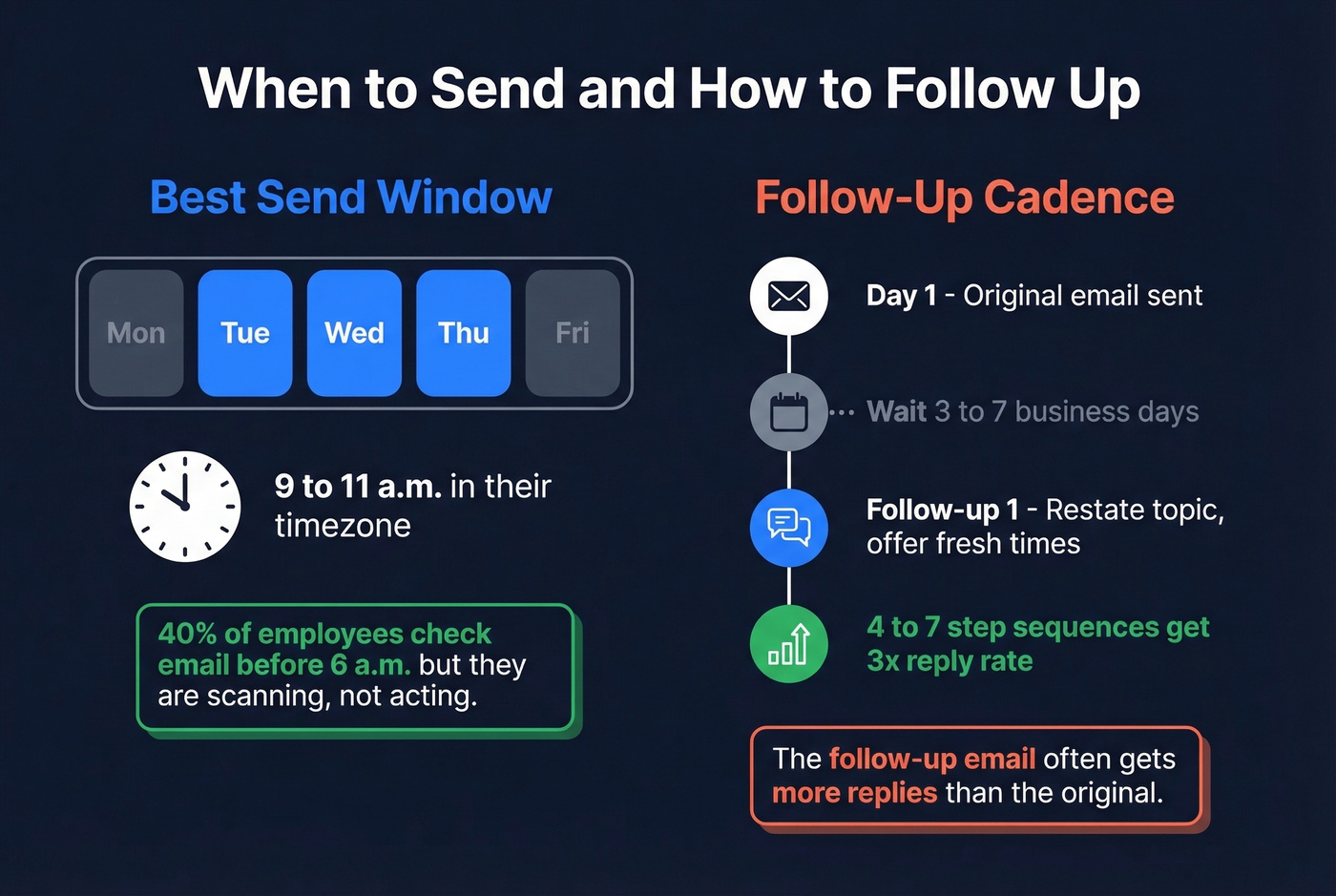
Wait three to seven business days before following up. Sequences with 4-7 steps generate roughly 3x the reply rate compared to one-and-done emails. The 40% of employees who check email before 6 a.m. are scanning, not acting - and meetings after 8 p.m. have increased 16% year over year. Your follow-up catches people when they're ready to respond, not just triaging.
In our experience, the follow-up email gets more replies than the original. Personalize every one: reference the original email, restate the topic, and offer fresh time slots. A copy-pasted nudge feels lazy. A personalized one feels persistent in a good way. If you want a deeper timing breakdown, see how long to wait before following up on an email.
Time Zone Etiquette
Every hour of temporal distance between participants reduces synchronous communication by roughly 11%. That's not a rounding error - it means a five-hour gap cuts real-time collaboration nearly in half. And with cross-timezone meetings up 35% since 2021, this problem is getting worse.
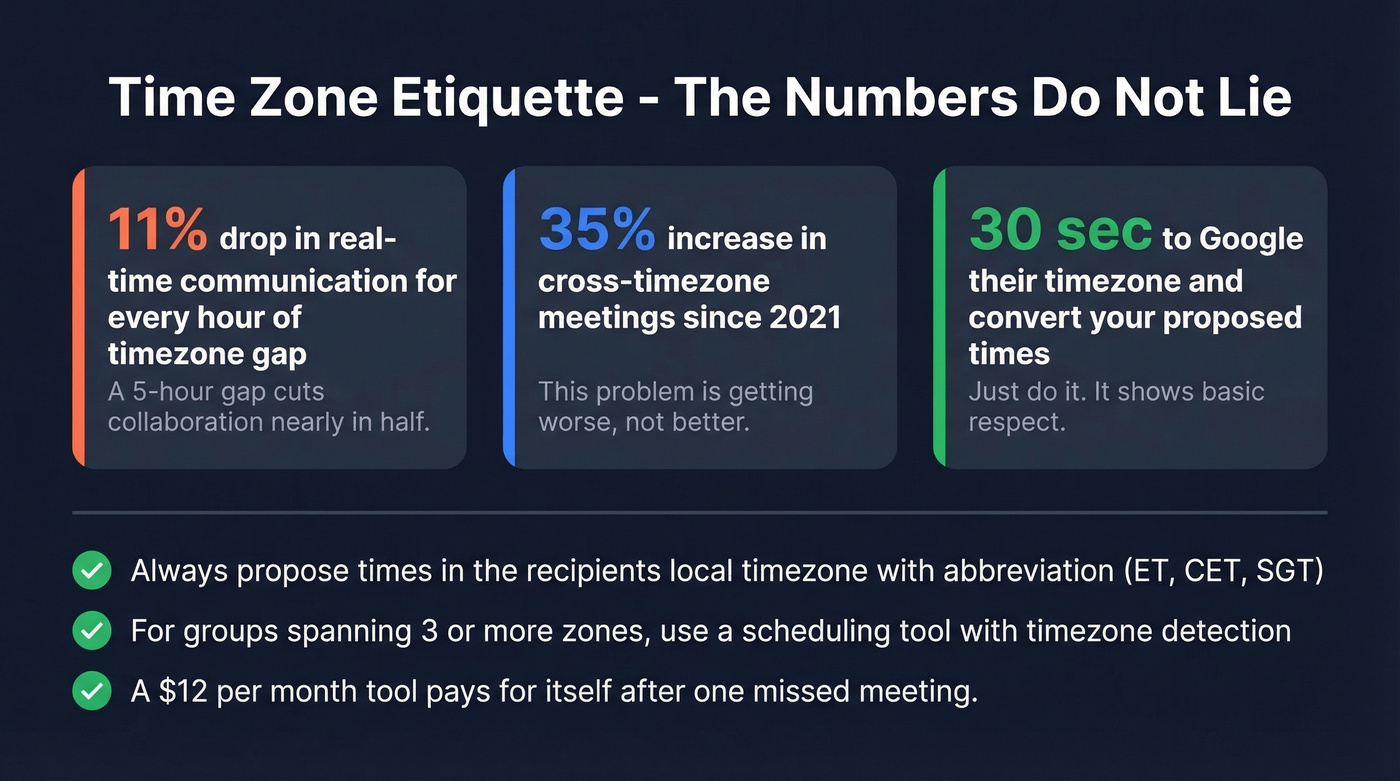
Look, proposing times in your own timezone and expecting the recipient to convert is a small act of disrespect. It takes thirty seconds to Google "3 p.m. EST in SGT." Just do it.
If your company has employees in more than two time zones and you're still scheduling meetings by email thread, you're wasting hours every week. A $12/month scheduling tool pays for itself after preventing a single missed meeting.
Three rules that prevent timezone friction:
- Always propose times in the recipient's local timezone. Include the abbreviation (ET, CET, SGT) so there's zero ambiguity.
- For groups spanning three or more zones, skip the manual slot proposals entirely. Send a scheduling link and let the tool handle overlap detection.
- Use ISO-style date formats ("15 Jan" instead of "1/15") when emailing internationally. Month/day ordering varies by country and causes real confusion.
Tools That Kill the Back-and-Forth
| Tool | Starting Price | Best For |
|---|---|---|
| Calendly | $12/user/mo (free tier available) | Teams, standard scheduling |
| Cal.com | $15/user/mo (free self-hosted) | Open-source, API customization |
| zcal | $9.50/user/mo (generous free tier) | Free-tier power users |
| TidyCal | $29 one-time | Freelancers, no subscriptions |
| Reclaim | $10/user/mo | Priority-based scheduling |
| SavvyCal | $12/user/mo | Personalized booking pages |
Reddit users are vocal about their favorites. Cal.com gets praise for API customization and open-source flexibility, though occasional bugs come up. zcal wins fans for offering premium features on its free plan - unlimited appointments and polished booking pages. TidyCal's one-time $29 payment model has a cult following among freelancers who refuse to pay another monthly subscription.
Scheduling tools solve the back-and-forth, but they can't help if you're emailing the wrong address. For cold outreach, verify contacts first with Prospeo's email finder - 98% accuracy across 300M+ professional profiles, with a free tier of 75 verified emails per month. If you're comparing options, start with these email checker online tools.
Skip the scheduling tool entirely if you're only booking meetings with one or two people a week. The overhead of setting up and maintaining a booking page isn't worth it unless you're scheduling at volume.

Cold outreach meeting requests live or die on data quality. Teams using Prospeo book 35% more meetings than Apollo users - because emails land and phone numbers connect. 143M+ verified emails, 125M+ direct dials, refreshed every 7 days.
Start with accurate data and your meeting requests actually get replies.
FAQ
Is "please let me know your availability" too formal?
It's standard business email language and appropriate with executives, clients, and external contacts. For peers or close colleagues, "when works for you this week?" is perfectly fine. The phrase only sounds stiff when the relationship is casual enough for a Slack message.
How many time slots should I propose?
Two to three specific options plus an "or suggest a time that works better" fallback. More than three creates decision fatigue - the recipient stalls instead of picking. Fewer than two feels like a demand rather than a request.
How long should I wait before following up?
Three to seven business days. Up to 70% of responses come after the second or third email, so persistence pays off. Reference your original message, restate the topic, and offer fresh time slots each time.
What if I'm scheduling across multiple time zones?
Always propose times in the recipient's local timezone with the abbreviation included (ET, CET, SGT). For groups spanning three or more zones, use a scheduling link - Calendly, Cal.com, or zcal - instead of proposing slots manually.
How do I schedule a meeting with someone I've never emailed?
Verify their email address first to ensure deliverability, then use the cold outreach template above: state who you are, why you want to meet, and propose specific times. A verified address means your email actually lands instead of bouncing into the void.