


QuickMail Review 2026: Pricing, Pros, Cons, and What's Missing
Most review sites still list QuickMail at $49/month. That pricing hasn't existed for a while - QuickMail restructured its plans, and the current entry point is $9/mo. That's a massive difference, and it changes who this tool actually makes sense for.
Here's what's true about QuickMail in 2026, based on their current pricing page, G2 reviews, and what we've seen running outbound campaigns alongside teams that use it.
30-Second Verdict
QuickMail is a deliverability-first cold email platform with a 4.7/5 rating on G2 (116 reviews). It starts at $9/mo. It's built for experienced outbound teams who already have a data source and want best-in-class inbox placement. The biggest gap: no built-in email finder or verification. You'll need a separate data layer - something like Prospeo - to feed it clean contacts before you hit send.
Current Pricing Plans
Here's what QuickMail actually costs, pulled from their pricing page:
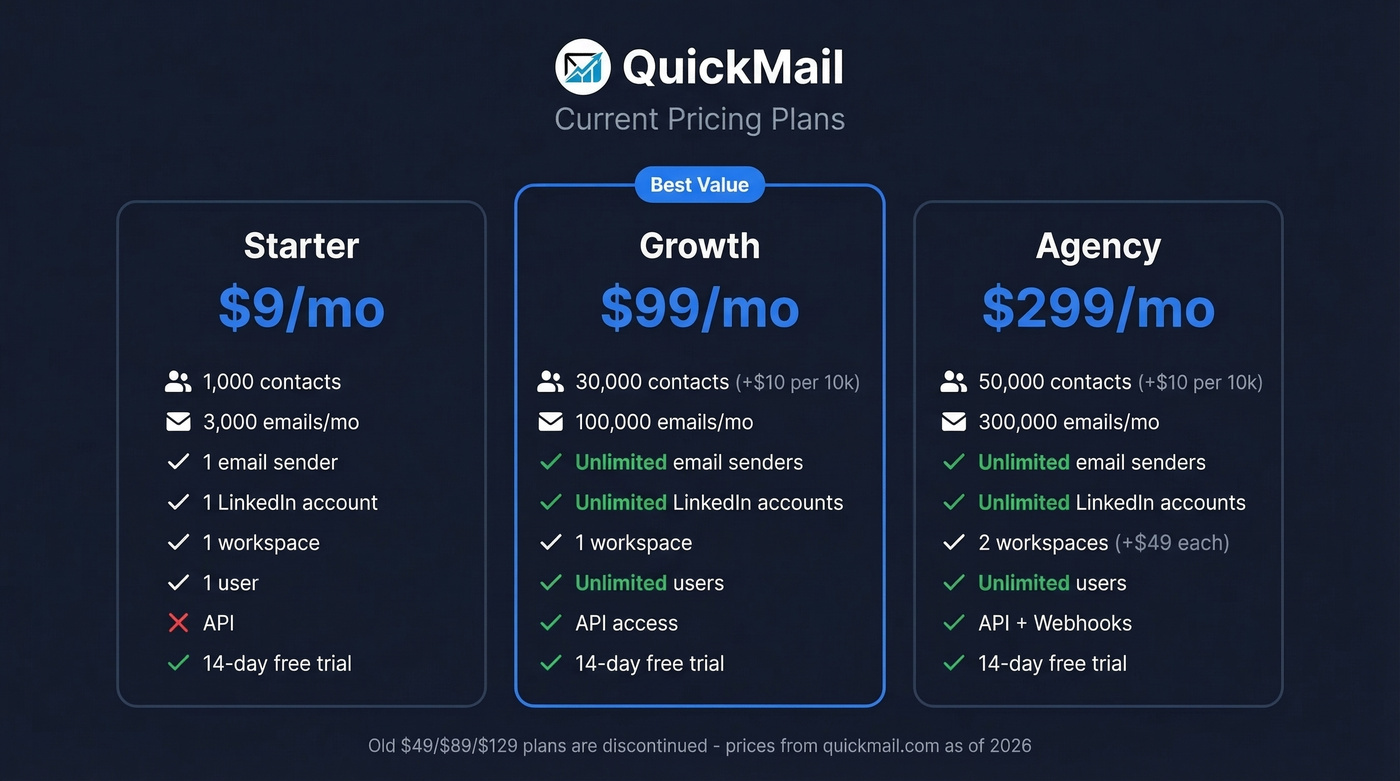
| Starter ($9/mo) | Growth ($99/mo) | Agency ($299/mo) | |
|---|---|---|---|
| Contacts | 1,000 | 30,000 (+$10/10k) | 50,000 (+$10/10k) |
| Emails/mo | 3,000 | 100,000 | 300,000 |
| Email senders | 1 | Unlimited | Unlimited |
| LinkedIn accounts | 1 | Unlimited | Unlimited |
| Workspaces | 1 | 1 | 2 (+$49/extra) |
| Users | 1 | Unlimited | Unlimited |
| API | ✗ | ✓ | ✓ + Webhooks |
| Free trial | 14 days | 14 days | 14 days |
If you're seeing $49/$89/$129 on review aggregators, that's stale data - G2's pricing section was last updated October 2024. The old Basic/Pro/Expert tiers don't exist on QuickMail's current site.
The $9 Starter plan works for solo operators testing the waters. In our experience, Growth at $99/mo with unlimited senders and users is where the platform starts making real sense. No per-seat pricing is a genuine differentiator - most competitors charge by the user, which gets expensive fast. The 14-day trial won't auto-charge when it ends.
Pros: What QuickMail Does Well
Deliverability tooling is what you're actually paying for. Their Deliverability AI analyzes hundreds of data points daily and auto-swaps underperforming senders via Smart Sender Groups. This isn't a checkbox feature - it's the core product. If you want the broader context, see our email deliverability guide.
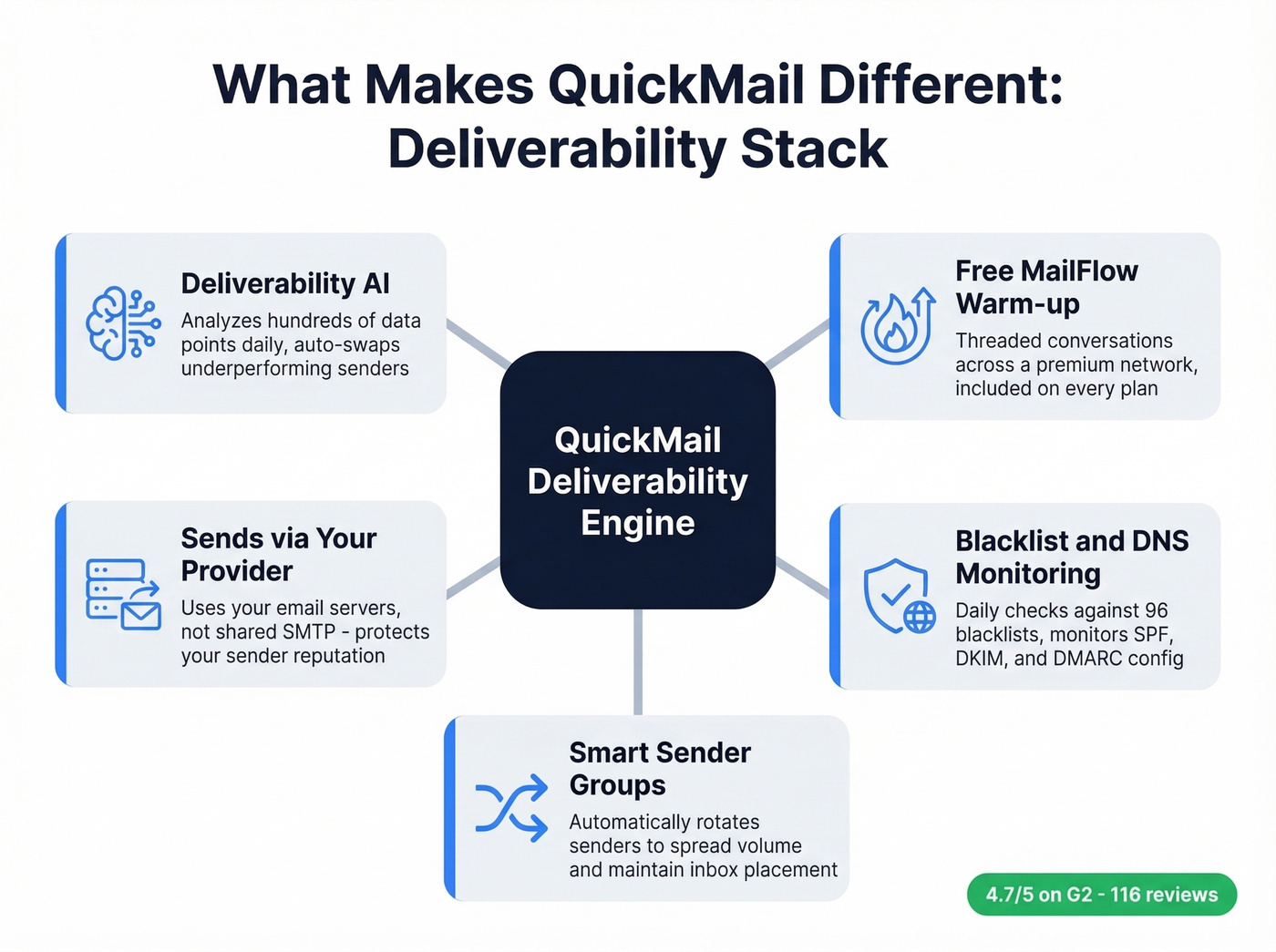
Free warm-up through MailFlow comes bundled with every plan, using unique threaded conversations across a premium network. That's a step above the basic warm-up tools you'd get elsewhere (compare with other unlimited email warmup options).
Sends via your provider's servers, not proprietary SMTP. This matters more than most people realize. It's one reason QuickMail protects sender reputation better than platforms routing through shared infrastructure (more on how to improve sender reputation).
Blacklist and DNS monitoring runs daily checks against 96 blacklists and monitors SPF/DKIM configuration. CAN-SPAM compliance is handled with built-in unsubscribe management. AI rewriting and spintax let you generate copy variations at scale without manually spinning every line.
G2 review sentiment consistently praises the automation quality, campaign scheduling, and support responsiveness.

QuickMail's deliverability tools are wasted on bad data. Prospeo's 5-step verification, catch-all handling, and spam-trap removal deliver 98% email accuracy - so every contact you import is ready to send.
Start free with 75 verified emails. No card required.
Cons: What to Watch Out For
The learning curve is real. G2 reviews mention a steep ramp-up, especially for complex multi-step campaigns. DNS setup - SPF, DKIM, DMARC - is entirely manual with no setup wizard to walk you through it. If you've never configured email authentication records, budget extra time (and consider this quick reference on SPF record examples).
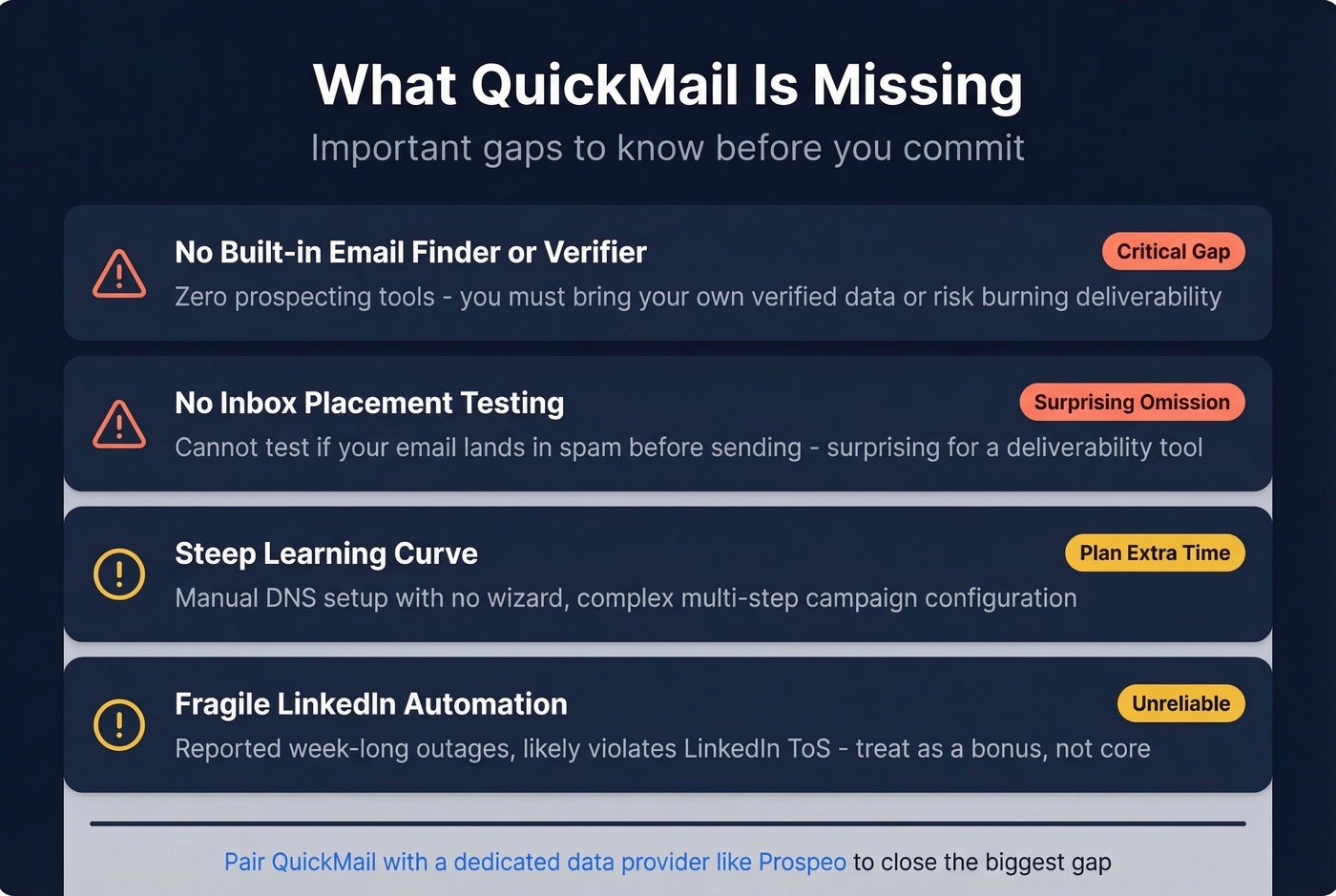
No built-in data source. This is the big one. QuickMail doesn't find emails, doesn't verify them, and doesn't have a lead database. It's a sending platform, full stop. Feed it bad data and you'll burn the exact deliverability you're paying for. We've seen teams pair it with Prospeo's Email Finder to close that gap - 98% email accuracy with 5-step verification, catch-all handling, and spam-trap removal means you're not importing junk into a deliverability-focused sender.

No inbox placement or spam trigger testing. You can't test whether your email lands in spam before sending. For a tool that markets itself on deliverability, that's a surprising omission. You'll need something like Mail Tester or GlockApps separately (or use a dedicated email spam checker).
LinkedIn automation is fragile. An agency owner managing 12 clients reported on Reddit that LinkedIn automation went down for a full week with slow support response. QuickMail themselves note that most third-party LinkedIn automation likely violates LinkedIn's ToS. Treat it as a bonus, not a core workflow.
Reviewers also flag missed campaign notifications and occasional AI reply categorization errors.
Who It's For
Best for: Experienced cold emailers who prioritize deliverability above everything else. Agencies managing multiple client workspaces. Teams with a separate data provider who want a dedicated sending engine they can trust (see our breakdown of the best outbound lead generation tools for building a full stack).
Skip this if you want plug-and-play with built-in prospecting, you're brand new to cold email and don't want to configure DNS records manually, or LinkedIn automation is a primary channel for you.
QuickMail vs. Key Alternatives
| Tool | Starting Price | Best For | Key Tradeoff |
|---|---|---|---|
| QuickMail | $9/mo | Deliverability-first sending | No built-in data |
| Instantly | $47/mo | High-volume sending | Costs stack fast across products |
| Smartlead | ~$39-$99/mo | Volume at lower cost | Less deliverability tooling |
| lemlist | ~$39-$59/mo per user | Multichannel sequences | Per-seat pricing adds up |
| Woodpecker | ~$29-$49/mo | Agency workflows | Smaller feature set |
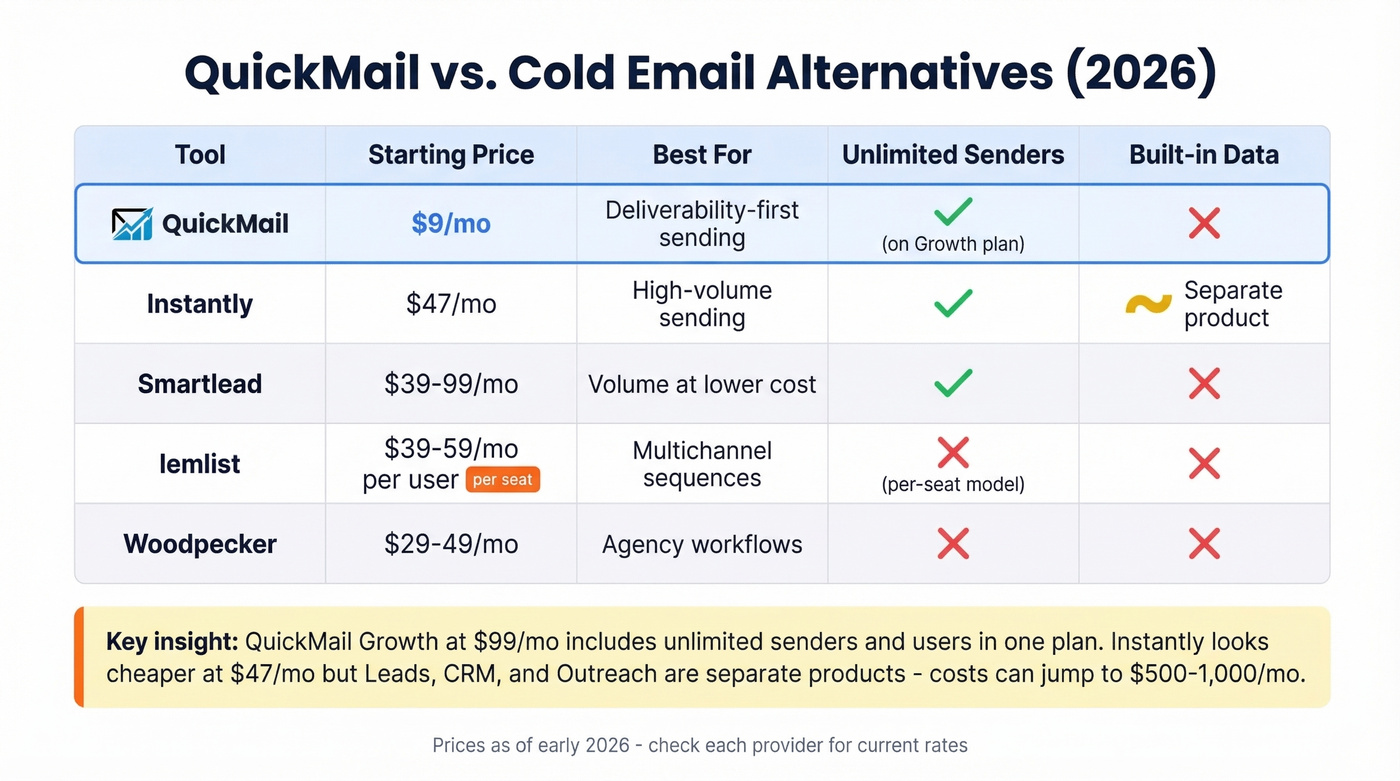
Here's the thing: QuickMail's Growth plan at $99/mo is better value than Instantly for serious teams. Instantly's $47/mo looks cheap until you realize Leads, CRM, and Outreach are separate products - one Reddit user reported costs jumping from $500 to $1,000/mo after the CRM moved to a paid tier. QuickMail keeps sending and deliverability tooling in one plan.
Smartlead and lemlist are solid if you want multichannel without the learning curve. Woodpecker gets recommended on r/coldemail for agency setups specifically. The consensus in those threads is that no single tool does everything well - most experienced teams run a dedicated sender plus a dedicated data provider rather than trying to find one platform that handles both (if you're building that data layer, start with data enrichment services).
Running QuickMail without a verified data source is like tuning a race car and filling it with bad fuel. Prospeo gives you 143M+ verified emails at $0.01 each with a 7-day refresh cycle - the cleanest data layer for your sending stack.
Feed QuickMail data you can actually trust.
FAQ
Is QuickMail still $49/month?
No. Plans now start at $9/mo (Starter), $99/mo (Growth), and $299/mo (Agency). The old $49/$89/$129 tiers listed on review aggregators are outdated - QuickMail restructured its pricing in late 2024.
Does QuickMail have a free plan?
No free plan, but every tier includes a 14-day trial that won't auto-charge you.
Does QuickMail find or verify emails?
No - it's a sending platform only. You need a separate tool to find and verify contacts before importing. Sending unverified data through QuickMail defeats its deliverability advantages entirely.
What's the best QuickMail plan for agencies?
The Agency plan at $299/mo gives you 2 workspaces, 300,000 emails/month, and webhook access. Additional workspaces cost $49 each. If you manage fewer than 3 clients, Growth at $99/mo with a single workspace is probably enough.