Real-Time Sales Tracking Only Works If the Data Is Right
It's Monday morning. Your pipeline dashboard says $2.1M. By noon, after reps actually update their deals, it's $1.4M. That $700K didn't vanish - it was never real. The dashboard just took two days to catch up.
Real-time sales tracking promises instant visibility, but most implementations fail before the first chart renders. Per Deloitte's Future of B2B Sales report, 40% of B2B orgs missed quota in 2023, and a big reason is teams making decisions on data that's already stale. The fix isn't a better dashboard. It's better data.
The Short Version
Real-time sales tracking needs three layers: a CRM, a data quality tool, and automation. Most tracking failures are data problems, not dashboard problems. Fix the data first.
What "Live" Sales Tracking Actually Means
A "real-time dashboard" just means the visualization refreshes instantly. The data feeding it might be weeks old.
Your Salesforce dashboard can update every 30 seconds and still show you garbage if the contact records underneath haven't been verified since Q1. We've seen this firsthand with teams running expensive BI tools on top of CRMs that nobody's cleaned in months - the charts look beautiful and mean nothing.
The distinction matters: refresh rate is a UI feature. Data freshness is an infrastructure problem. One is trivial to solve; the other requires rethinking your entire data stack.
Why It Matters in 2026
Salesforce found that 96% of sales professionals consider real-time data essential for adjusting strategy. The performance lift backs that up: a 30% increase in sales effectiveness and 15% higher conversion rates for teams adapting on live data.
Here's what makes this urgent now. Gartner projects 80% of B2B sales interactions will happen in digital channels by 2026. With the average B2B buying cycle running 4.6 months and enterprise deals stretching to 408 days, you can't afford to react to pipeline shifts a week late. The margin for error is shrinking while the data volume explodes.
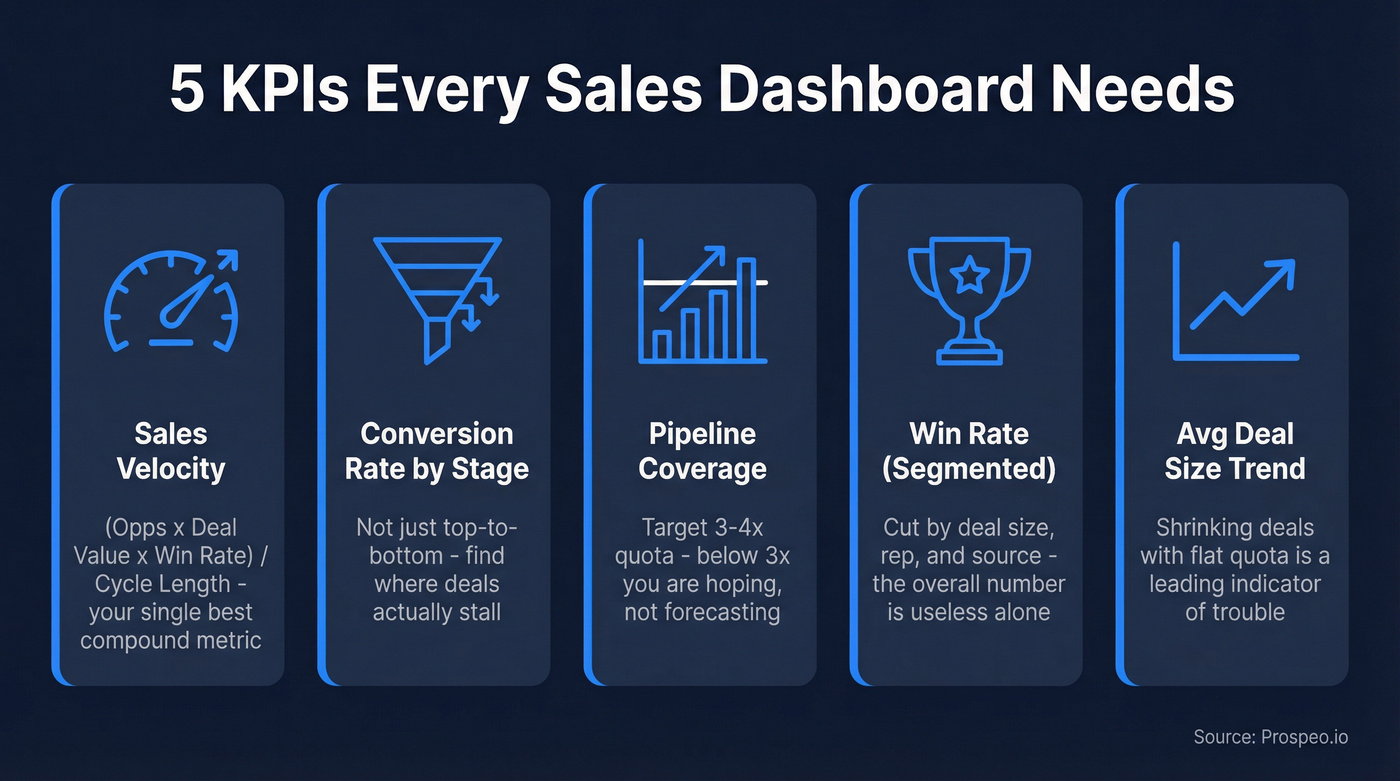
The 5 KPIs Your Dashboard Needs
- Sales velocity = (opportunities x avg deal value x win rate) / sales cycle length. The single best compound metric for pipeline health.
- Conversion rate by stage, not just top-to-bottom. The blended funnel number hides where deals actually stall.
- Pipeline coverage - target 3-4x quota. Below 3x and you're hoping, not forecasting.
- Win rate - segment by deal size, rep, and source. The overall number is almost useless without those cuts.
- Average deal size - track the trend over time. Shrinking deal sizes with flat quota is a leading indicator of trouble that most dashboards bury in an aggregate.
Why Most Tracking Fails
Ask any RevOps team what kills their dashboards and you'll hear the same three answers.
Reps Don't Log Activity
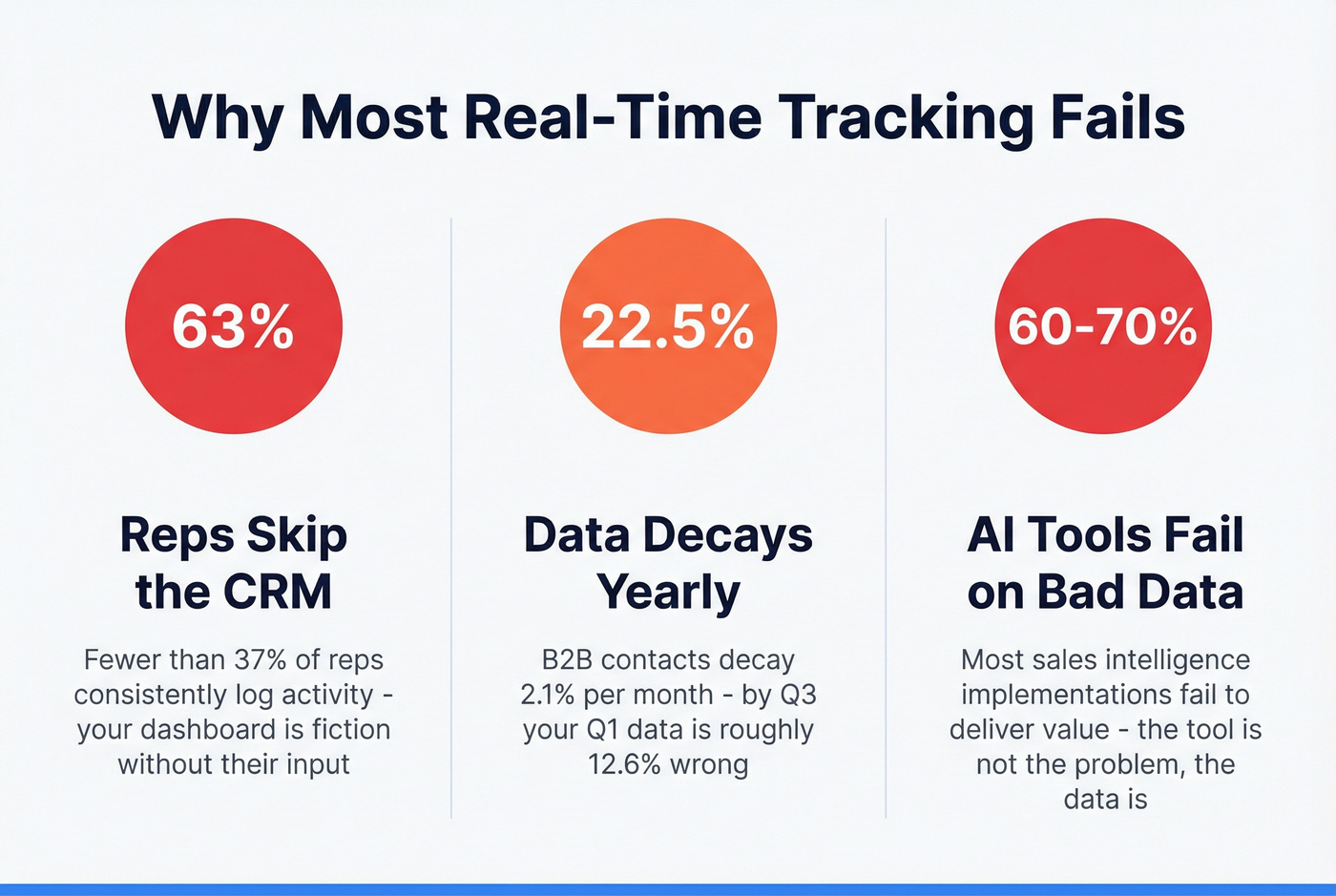
Fewer than 37% of sales reps consistently use their CRM, and 50% of CRM projects fail due to slow user adoption. If two-thirds of your team isn't logging calls and emails, your dashboard is fiction. It doesn't matter how slick the visualization is - without complete activity data flowing in, you're decorating a lie.
Data Decays Fast
B2B contact data decays at roughly 2.1% per month - that's 22.5% annually. By Q3, your Q1 data is about 12.6% wrong. People change jobs, companies get acquired, phone numbers go dead. And that decay compounds: stale contacts lead to bounced emails, which tank your sender reputation, which makes even your good contacts harder to reach.

The AI Tools Don't Fix Bad Inputs
Let's be honest: 60-70% of sales intelligence implementations fail to deliver promised value. Only 29% of executive teams believe they have sufficient AI expertise to use the tools they've already bought. The tool isn't the problem. The data feeding the tool is.

B2B data decays 2.1% per month. Your AI tools and live dashboards can't outrun stale contacts. Prospeo's 7-day refresh cycle and 98% email accuracy keep your CRM clean automatically - so your real-time tracking actually reflects reality.
Stop decorating lies. Start tracking real pipeline data.
Fix the Data Layer First
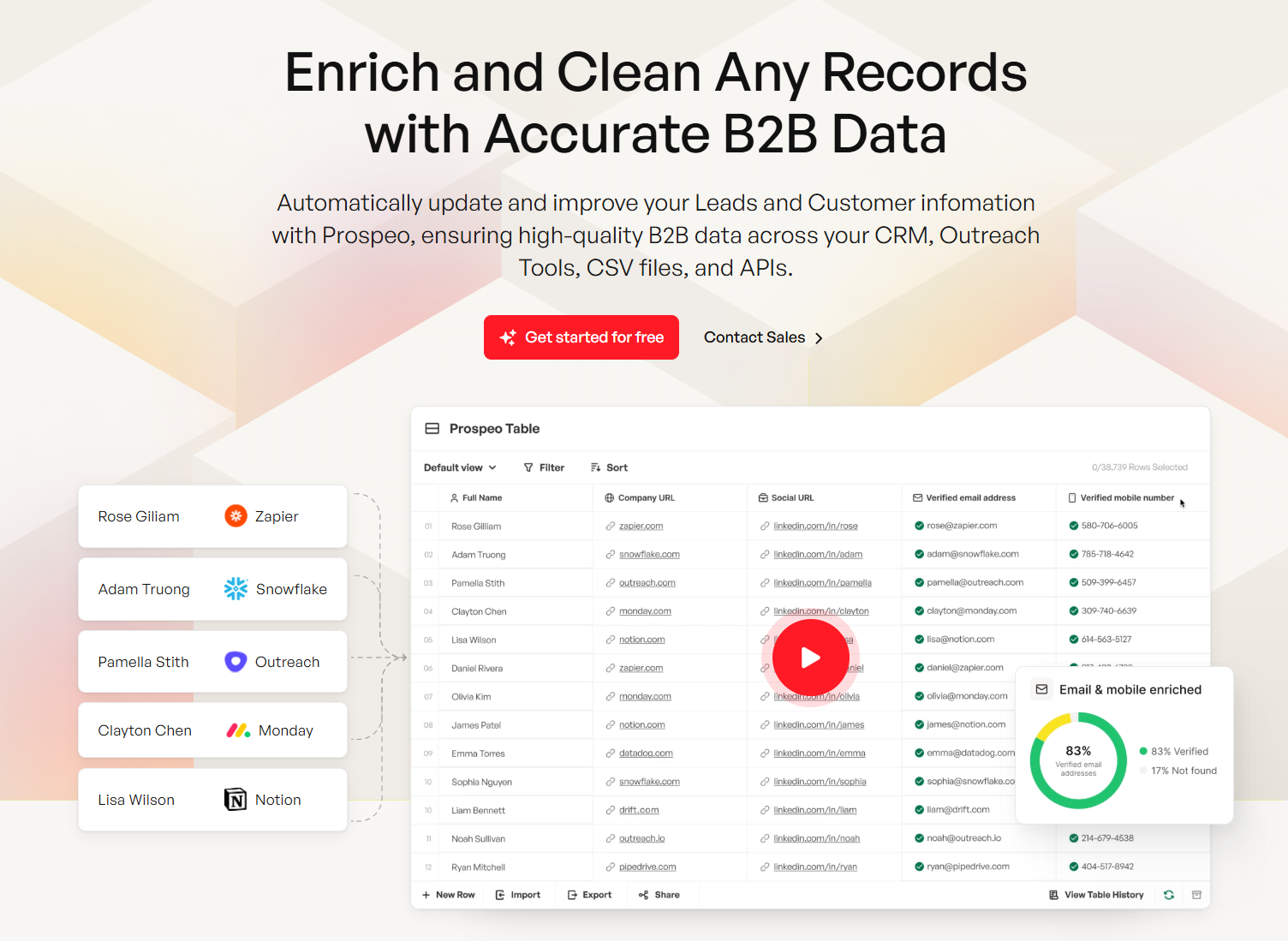
We've seen teams cut forecast variance by 15% just by fixing data freshness - no new dashboards, no new tools. Prospeo's 7-day data refresh cycle, compared to the 6-week industry average, keeps CRM records current with 98% email accuracy across 143M+ verified emails. Native Salesforce and HubSpot integrations mean the cleanup happens automatically.
Skip this step and everything you build on top is unreliable. No amount of AI forecasting or revenue intelligence fixes a CRM full of dead contacts.
Automations That Make Tracking Trustworthy
Your dashboard is only as real-time as the data flowing into it. In our experience, these four automations close most of the gap between "technically live" and "actually useful":
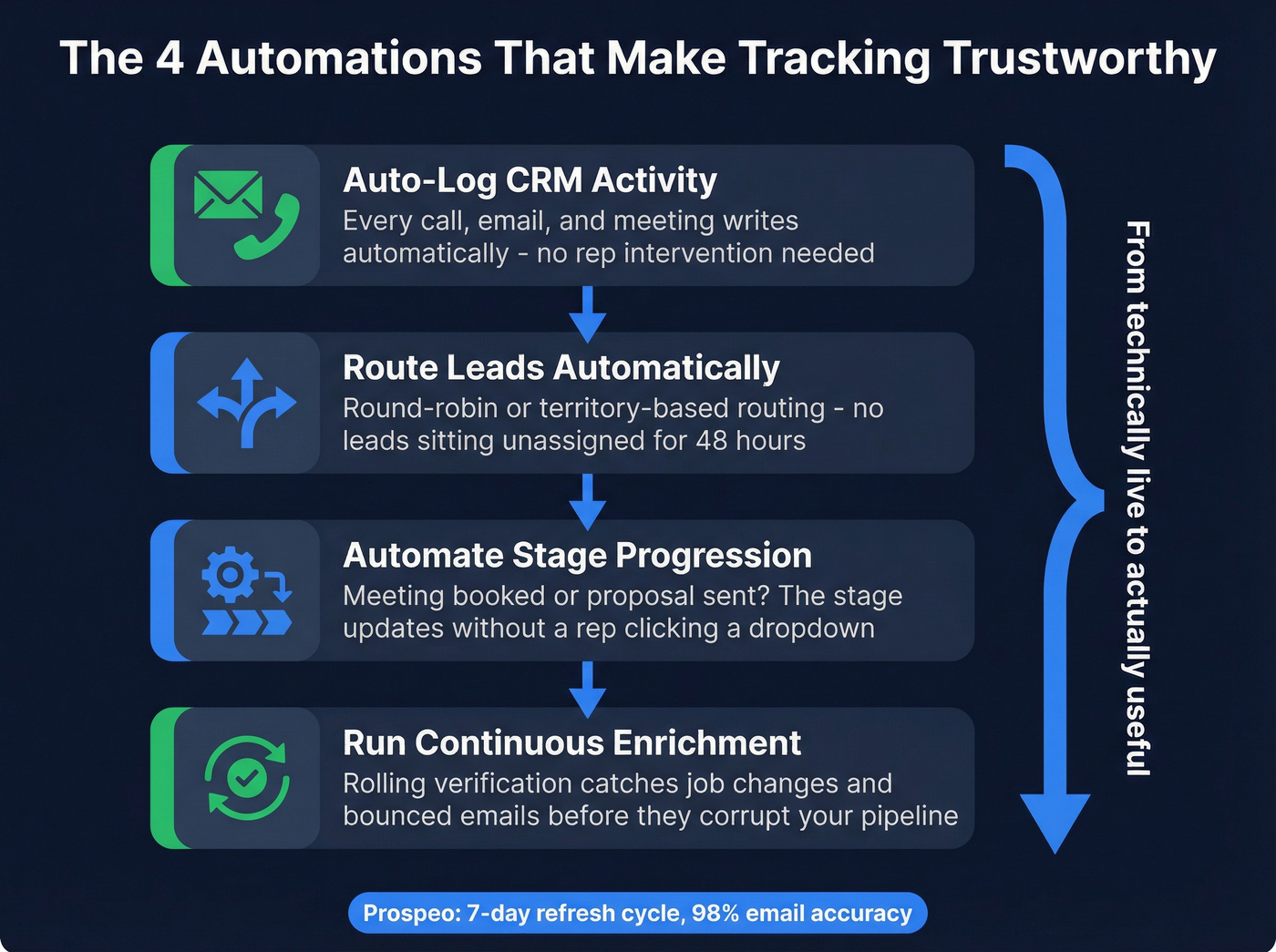
Auto-log CRM activity. Every call, email, and meeting writes to the CRM without rep intervention. This alone fixes half your data completeness issues and removes the biggest source of friction between reps and their CRM.
Route leads automatically. Round-robin or territory-based routing eliminates speed-to-lead delays. When a new lead sits unassigned for 48 hours because someone forgot to check a queue, that's not a people problem - it's a systems problem.
Automate stage progression. Meeting booked? Proposal sent? The opportunity stage updates without a rep clicking a dropdown. This is where most "real-time" tracking breaks down: the data exists in email threads and calendar invites, but nobody moves the deal card.
Run continuous enrichment. Rolling verification catches job changes and bounced emails before they corrupt your pipeline data. A contact who left the company three months ago shouldn't still be your primary on a $200K deal.
Tools Worth Evaluating
Pick one per layer. You don't need all of these.
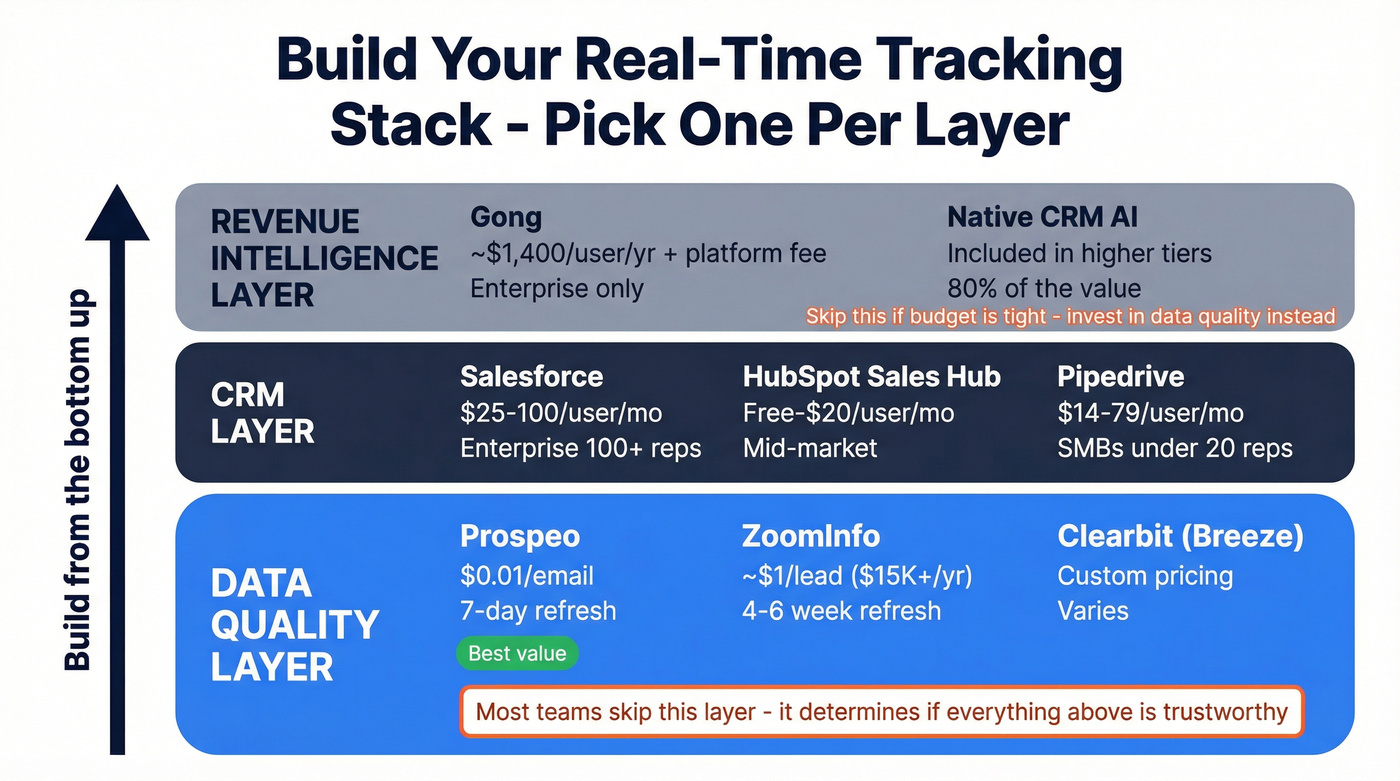
CRM Layer
| Tool | Best For | Starting Price |
|---|---|---|
| Salesforce | Enterprise, 100+ reps | $25-$100/user/mo |
| HubSpot Sales Hub | Mid-market teams | Free-$20/user/mo |
| Pipedrive | SMBs under 20 reps | $14-$79/user/mo |
For teams under 50 reps, native CRM dashboards handle live reporting just fine. Expect a 20-40% cost uplift over sticker price once you factor in onboarding and integrations.
Data Quality Layer
This is the layer most teams skip - and the one that determines whether everything above it is trustworthy.
| Tool | Best For | Starting Price | Refresh Cycle |
|---|---|---|---|
| Prospeo | Verified emails + data freshness | $0.01/email, free tier | 7 days |
| ZoomInfo | Enterprise data + org charts | ~$1/lead, $15K+/yr | 4-6 weeks |
| Clearbit (Breeze) | HubSpot-native enrichment | Custom pricing | Varies |
Here's the thing: most teams paying $15K+/year for ZoomInfo are using 10% of the platform. If your primary need is accurate contact data that stays fresh, you're overpaying by an order of magnitude. At $0.01 per email versus roughly $1 per lead, the math isn't subtle.
Revenue Intelligence Layer
Gong is powerful but absurdly expensive for most teams. A 100-user deployment runs roughly $194K in year one with mandatory multi-year contracts. For teams under 50 reps, Salesforce Einstein or HubSpot Breeze AI gives you 80% of the value at a fraction of the cost. AI-powered forecasting can improve accuracy by 10-20%, but only when layered on clean data.
| Tool | Best For | Starting Price |
|---|---|---|
| Gong | Enterprise conversation intelligence | ~$1,400/user/yr + $5K-$50K platform fee |
| Native CRM AI | Teams already on Salesforce/HubSpot | Included in higher tiers |
If budget is tight, skip the revenue intelligence layer entirely and invest in data quality instead. A clean CRM with basic reporting beats a dirty CRM with $200K of AI on top of it. Every time.
Teams using Prospeo's CRM enrichment cut bounce rates from 35% to under 4% and tripled pipeline output. At $0.01 per email vs ~$1/lead at ZoomInfo, accurate real-time tracking doesn't require an enterprise budget.
Clean data in, trustworthy dashboards out. It starts at $0.
Real-Time Sales Tracking FAQ
What's the difference between sales tracking and sales analytics? Tracking captures activity and pipeline data as it happens. Analytics interprets that data into trends and forecasts. Tracking is the input, analytics is the output. You need both, but tracking comes first - bad inputs guarantee bad analysis.
How often should CRM data be refreshed? At minimum monthly, but weekly is the new standard. B2B contact data decays 2.1% per month, so quarterly refreshes leave about 6.3% of records stale - enough to skew forecasts and tank deliverability.
Do I need a separate dashboard tool? For most teams under 50 reps, no. Native CRM dashboards are sufficient. Dedicated tools like Plecto add value when you need TV displays, gamification, or cross-platform data aggregation, but they won't fix bad underlying data.
What's a cost-effective way to keep sales data accurate? Start with auto-logging automations to eliminate the rep-input bottleneck. Then layer in continuous enrichment - even a basic verification pass on your existing contacts will surface how much of your pipeline is built on stale records. You'll probably be surprised by the number.