

SecureMailMerge: Pricing, Reviews, Pros & Cons (2026)
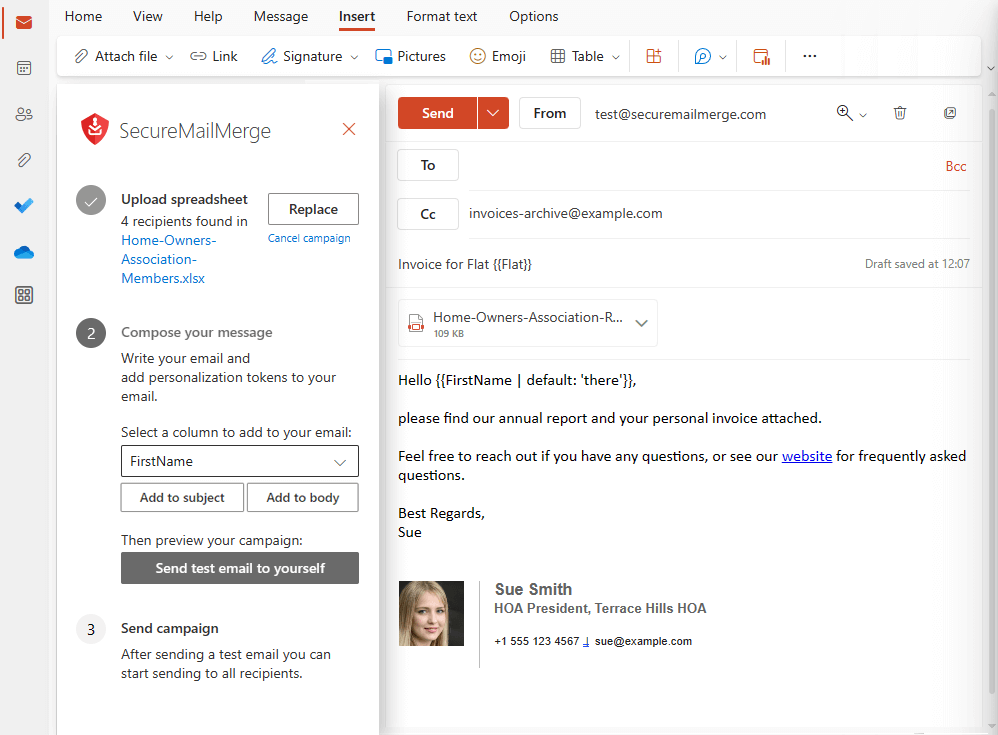
SecureMailMerge does one thing and does it well - personalized mail merges from Outlook without your data ever leaving your machine. It carries a 4.9/5 rating on AppSource from 62 reviews, starts at $10/user/month, and exists almost entirely for teams in regulated industries where sending contact data to a third-party server isn't just risky, it's a compliance violation. If you're in legal, HR, or healthcare, that single feature matters more than any analytics dashboard.
Let's be honest: most "reviews" of this tool are auto-generated comparison pages with zero actual testing. We dug into the pricing structure, read through real user feedback, and compared it against nine alternatives so you don't have to piece it together yourself.
Quick Verdict
SecureMailMerge is a privacy-first Outlook add-in for Microsoft 365 that keeps campaign data local on your machine. We confirmed the 4.9/5 AppSource rating from 62 reviews - one of the highest in the Outlook mail merge category. Pricing starts at $10/user/month, and it's built for teams that need to keep sensitive data in-house. Skip it if you need open/click tracking, engagement analytics, or deep CRM workflows.
Pricing Breakdown
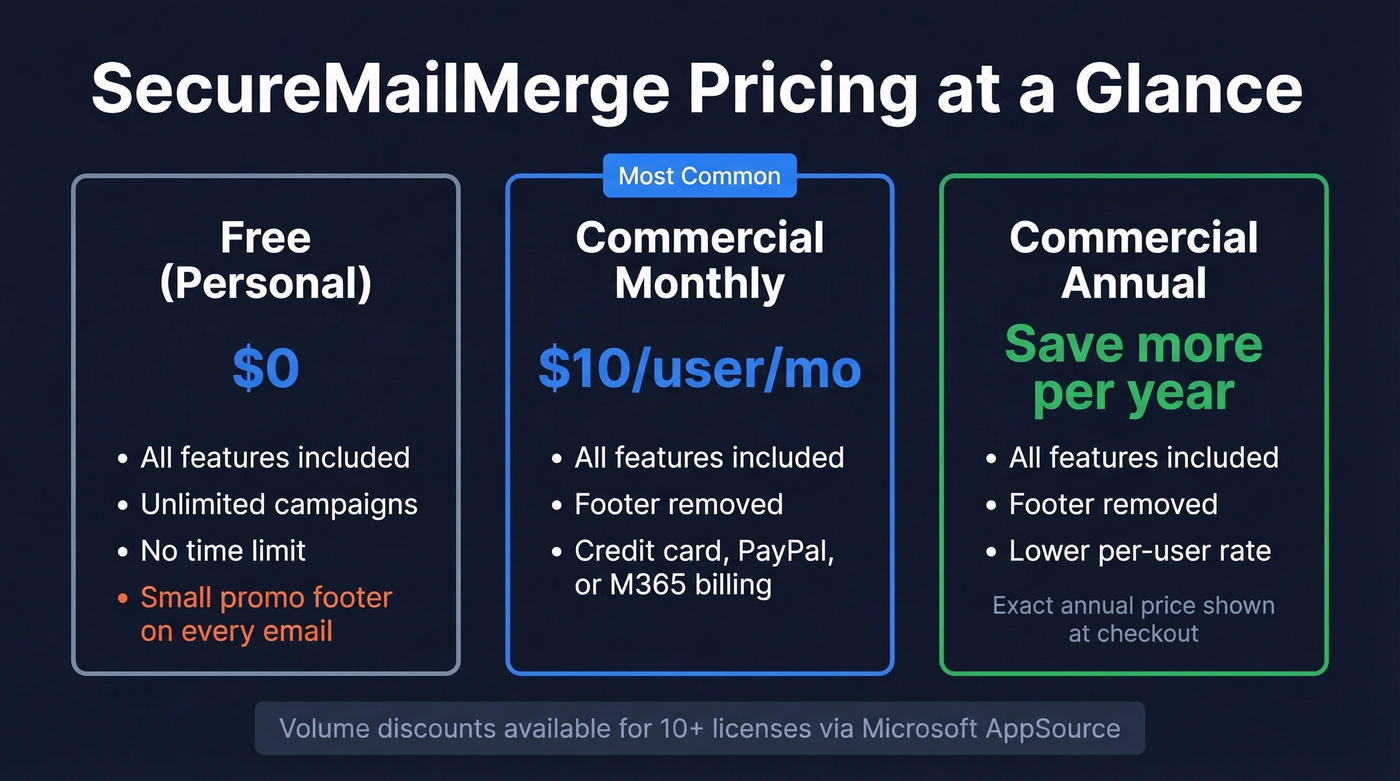
The free tier includes every feature with unlimited campaigns. The catch: a small promotional footer on each message. For commercial use, the tool is priced per user and removes the footer.
| Tier | Price | What You Get |
|---|---|---|
| Free (non-commercial/personal) | $0 | All features, promo footer |
| Commercial (Monthly) | Starts at $10/user/mo | Footer removed |
| Commercial (Annual) | Per user/year | Footer removed, lower rate |
One frustration we ran into: the pricing page doesn't show exact annual totals directly. The final amounts appear during the Sol Inventum licensing checkout flow, which feels unnecessarily opaque for a product that prides itself on simplicity. Payment options include credit card, PayPal, or Microsoft 365 subscription billing. Volume discounts for 10+ licenses are available through Microsoft AppSource.
Pros and Cons
Pros:
Your data stays local. Campaign data doesn't get uploaded to third-party servers. For teams handling confidential employee data, client PII, or patient information, that's a compliance requirement - not a nice-to-have.
Cross-platform support. Works on Windows, Mac, and browser Outlook. Unlike MAPILab's Mail Merge Toolkit - which Reddit users report crashes their Office and sometimes their entire computer - this runs as a modern Office add-in without those stability headaches.
Free tier is genuinely useful. All features, unlimited campaigns, no time limit. The footer is the only trade-off.
Shared mailbox support. Send from department addresses like hr@company.com on Microsoft 365 Business.
Cons:
No open/click tracking. If you need engagement analytics, this isn't your tool. Full stop. (If tracking is a must, see how email tracking pixels work under the hood.)
Not a CRM workflow. This is Outlook plus a spreadsheet-style list, not a sales engagement or CRM automation layer. If you need that layer, you’re closer to an SDR tool or a full contact management software setup.
Microsoft 365 sending limits still apply. The add-in imposes no limits itself, but Microsoft does - and your org's IT team might throttle even lower. (More context: email velocity is usually what gets teams in trouble.)
Requires Microsoft 365 Business. No standalone Outlook support.

SecureMailMerge keeps your data local, but it can't tell you if the addresses on your list are real. Every bounce eats into your Microsoft 365 sending quota and risks flagging your domain. Prospeo verifies emails at 98% accuracy - catch dead addresses before they cost you sending privileges.
Verify your mail merge list before you hit send. 75 free checks/month.
How It Compares to Alternatives
| Tool | Price | Best For |
|---|---|---|
| SecureMailMerge | Starts at $10/user/mo | Privacy-regulated teams |
| MailMerge365 | ~$200/yr | Teams needing tracking |
| ContactMonkey | $15/user/mo | Analytics-driven comms |
| SalesHandy | $34-94+/user/mo | Outbound sales sequences |
| MAPILab Toolkit | $30-99/user/yr | Legacy Outlook power users |
| Ablebits | $16/user/mo | Excel-heavy workflows |
| PoliteMail | Starts at $639/mo (1,000 employees) | Enterprise internal comms |
| Sperry | $20 one-time | Budget one-off sends |
| ReliefJet | $70 one-time | Outlook utilities bundle |
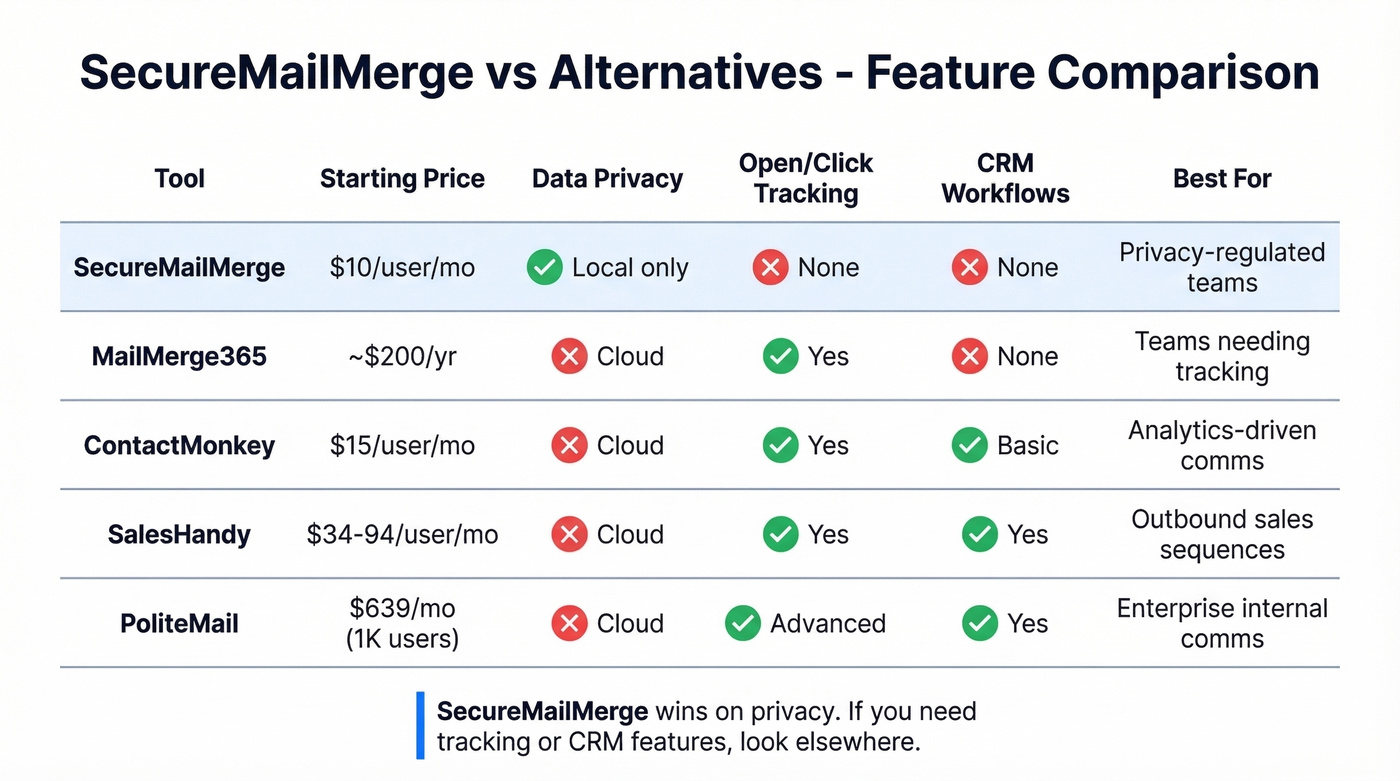
MailMerge365 uses a credit model where 1 credit equals 1 email sent, and their own docs warn that excessive sending "will most probably put you on the radar of Microsoft's security team." PoliteMail starts at $639/month for 1,000 employees - it's enterprise internal comms measurement, not mail merge. It holds a 4.1/5 on G2 from 118 reviews, with users praising analytics but complaining it slows Outlook down.
Here's our take: SecureMailMerge is the best privacy-first option in this category. But if you're not in a regulated industry, you're paying for a guarantee you don't need - and giving up tracking you probably do. (If you’re evaluating other senders, our guide to the best way to send bulk email without getting blacklisted is a good next read.)
Sending Limits to Know
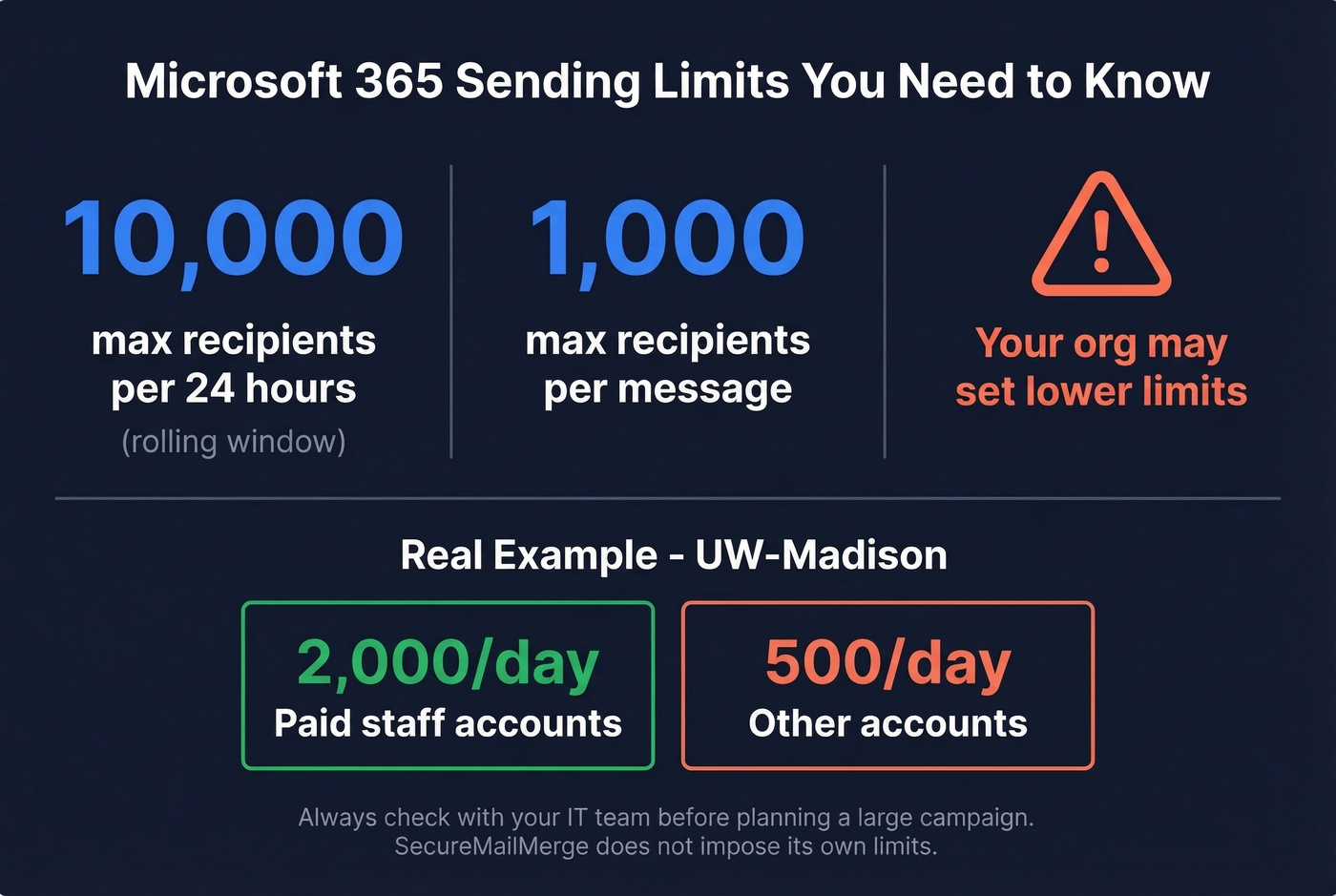
The add-in doesn't cap your sends. Microsoft does. Microsoft 365 work/school mailboxes are commonly limited to 10,000 recipients per rolling 24-hour period, with a max of 1,000 recipients per individual message. Here's the thing: your organization can set much lower limits than that. UW-Madison, for example, caps paid staff at 2,000/day and other accounts at just 500. Check with IT before planning a large campaign - finding out mid-send is not a fun conversation. (If you’re troubleshooting deliverability, start with email bounce rate basics.)
Verify Your List First
Every bounced email in a mail merge wastes a slot in your daily sending quota. If 15% of your list is bad data, that's 15% of your Microsoft 365 limit burned on nothing - and enough bounces can trigger spam flags on your domain. We've seen teams lose sending privileges for weeks because they blasted an unverified list through Outlook. (If you want a deeper playbook, see our email deliverability guide.)
Prospeo verifies email addresses at 98% accuracy, and the free tier covers 75 verifications per month. That's enough to spot-check a campaign list before you hit send and catch the dead addresses before they cost you.

No open tracking. No CRM workflows. No engagement data. SecureMailMerge is built for privacy, not prospecting. If you need verified contact data for outbound - 300M+ profiles, 98% email accuracy, 125M+ mobile numbers - Prospeo gives you the full pipeline at $0.01/email.
Stop merging emails into the void. Start with verified contacts.
Who Should Use It
Use SecureMailMerge if you're in a privacy-regulated industry where data can't touch third-party servers, you send personalized internal communications from Outlook, or you want a dead-simple mail merge with no learning curve.
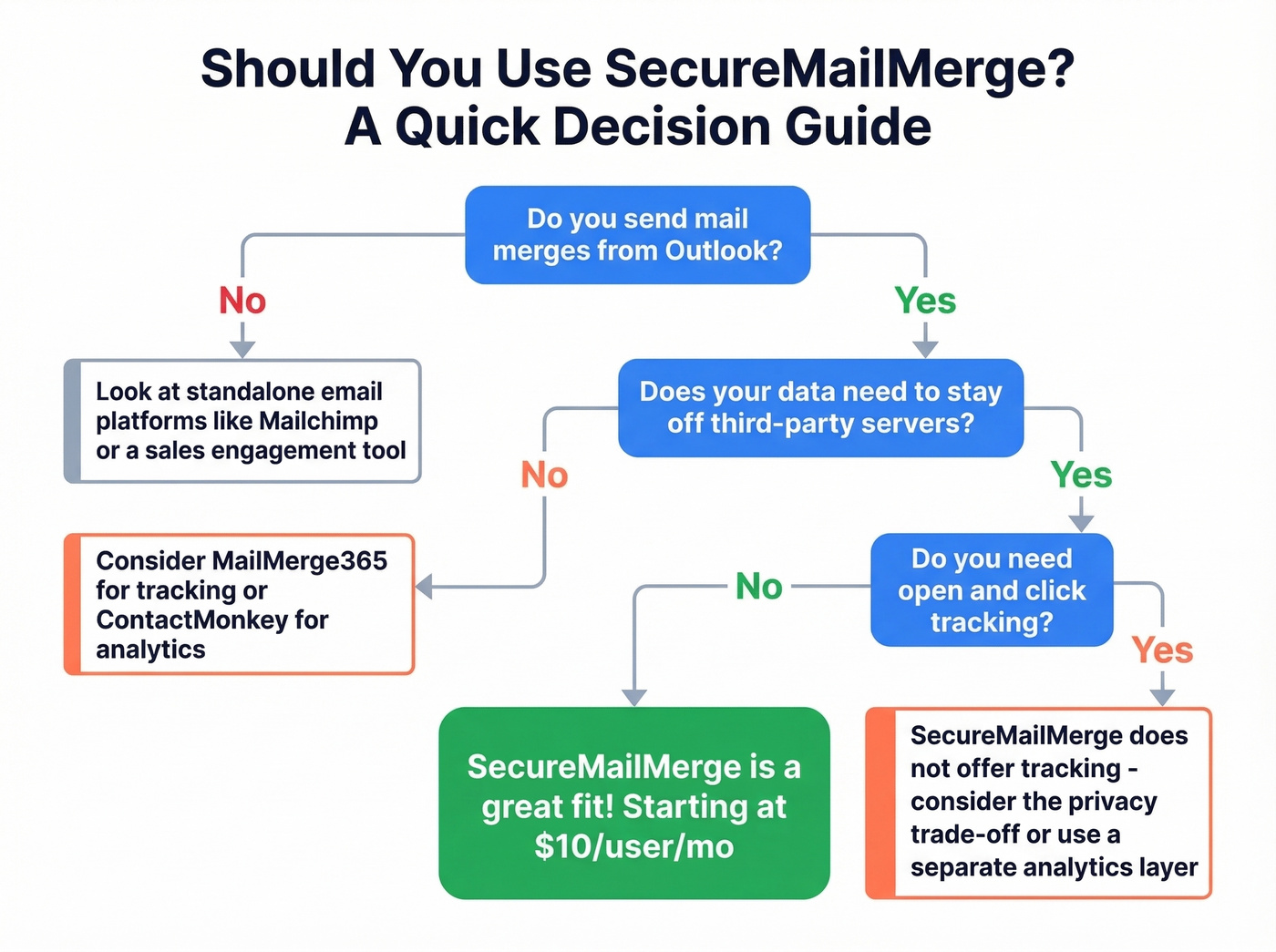
Skip it if you need open/click tracking or campaign analytics - look at MailMerge365 or ContactMonkey instead. For enterprise internal comms engagement measurement, PoliteMail is purpose-built. And if you're doing outbound sales prospecting, you need a dedicated sales engagement platform, not a mail merge add-in. (If you’re building that motion, start with sales prospecting techniques.)
FAQ
Is the free version worth using?
Yes. Every feature, unlimited campaigns, no time restriction. The only trade-off is a small promotional footer appended to each email. Fine for internal sends, less ideal for client-facing campaigns.
Does it work with shared mailboxes?
Yes, on Microsoft 365 Business subscriptions. You can send from department addresses like hr@company.com or support@company.com without switching accounts.
How do I prevent bounces on a mail merge list?
Verify emails before sending. Prospeo's free tier checks 75 emails per month at 98% accuracy - upload a CSV, get results in minutes, and remove invalid addresses before they eat into your sending quota.
What's a good alternative if I need campaign analytics?
MailMerge365 (~$200/yr) adds open and click tracking within Outlook. ContactMonkey ($15/user/mo) offers deeper engagement analytics. Both sacrifice the local-data-only privacy model that makes SecureMailMerge unique, so it depends on what matters more to your team.