

Sender Reputation in Email Outreach: 2026 Guide
Your SDR just ran a 2,000-email campaign. The bounce rate came back at 12%. By morning, your domain reputation dropped from "High" to "Low" in Google Postmaster Tools, and half your sequences are landing in spam. That campaign didn't just fail - it poisoned every email your team sends for the next two months.
This isn't a hypothetical. 83% of email deliverability problems trace back to poor sender reputation. Not subject lines. Not timing. Not copy. Reputation. And once it's gone, you don't get it back quickly.
What Is Sender Reputation?
Sender reputation is the trust score that mailbox providers - Gmail, Outlook, Yahoo - assign to your sending domain and IP address. Every email you send either builds or erodes that score. ISPs use it to decide whether your message hits the inbox, gets routed to spam, or gets rejected outright.
The stakes are higher than most teams realize. Global average inbox placement sits between 83.1% and 83.5% depending on the benchmark source, which means roughly 1 in 6 legitimate emails never reaches the inbox. That's not a rounding error - it's a pipeline problem.
Domain vs. IP Reputation
There are two layers to reputation, and most teams only think about one.
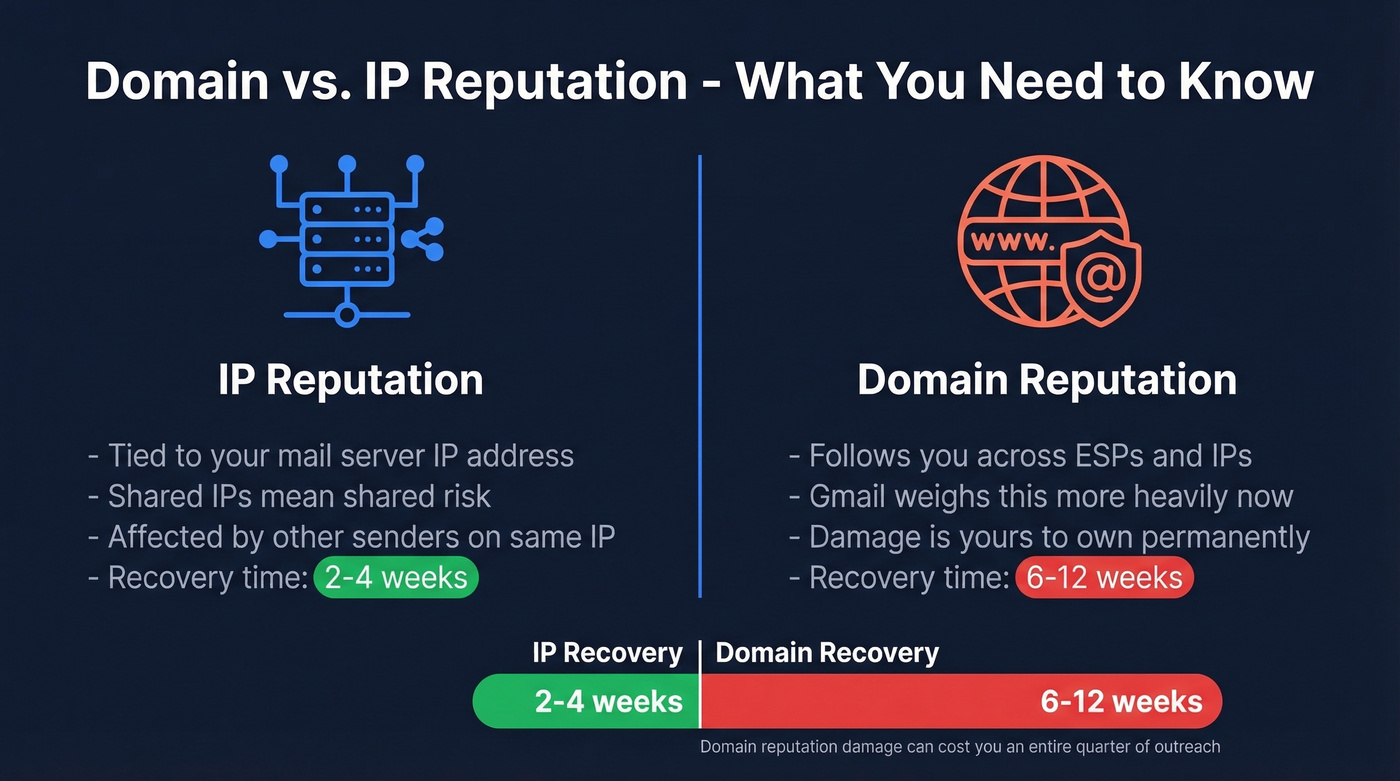
IP reputation is tied to the mail server's IP address. If you're on a shared IP - common with most ESPs - you're inheriting the behavior of every other sender on that IP. One practitioner on r/SaaS reported measurable deliverability improvements just from switching to US-based IP addresses because the previous shared IPs were polluted by other senders.
Domain reputation follows you across ESPs, IP changes, and infrastructure swaps. Modern providers, especially Gmail, increasingly weight domain reputation over IP reputation. That's both good and bad: you're not hostage to your ESP's other customers, but domain reputation damage is yours to own and takes far longer to fix. This is why email reputation isolation matters - using a separate outreach domain ensures cold email activity never contaminates your primary domain's reputation.
Recovery timelines tell the story. IP reputation typically rebuilds in 2-4 weeks. Domain reputation? 6-12 weeks. That's an entire quarter of degraded outreach.
Five Factors That Determine Reputation
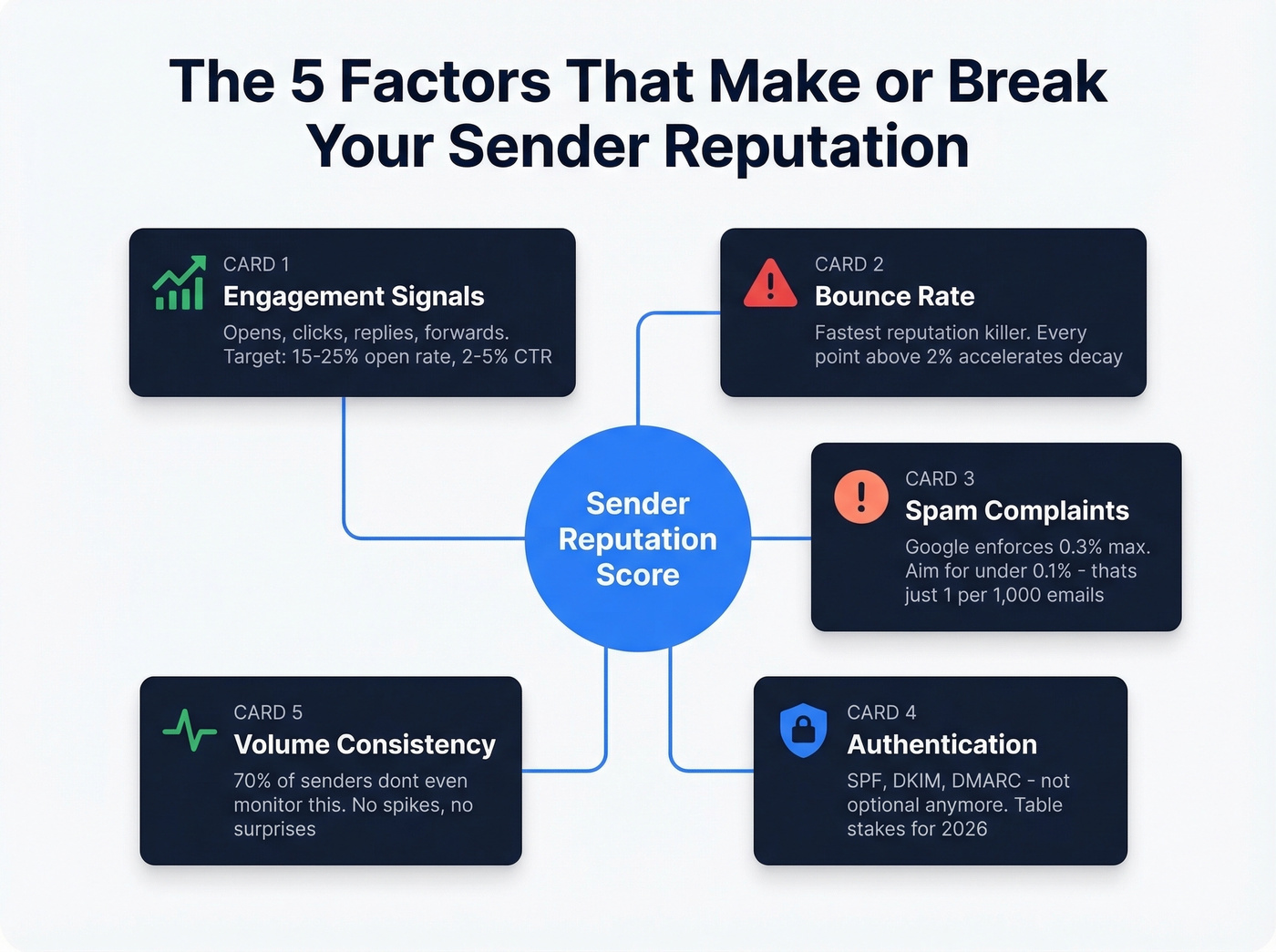
Every ISP weighs these differently, but the same five signals show up everywhere.
Engagement Signals
Opens, clicks, replies, and forwards all tell ISPs that recipients want your emails. Benchmarks to aim for: open rate 15-25%, click-through rate 2-5%, unsubscribe rate around 0.08%. If your cold outreach consistently gets zero engagement, ISPs notice - and they start routing you to spam before recipients ever get the chance to engage.
Bounce Rate
This is the fastest way to tank your reputation. The relationship between bounce rate and domain trust is essentially linear - every percentage point above 2% accelerates reputation decay. Verify every email before sending. Prospeo's 5-step verification process, drawing from a 300M+ professional profile database with a 7-day refresh cycle, keeps bounce risk near zero instead of hoping your list is clean.
Spam Complaints
Google and Yahoo enforce a 0.3% spam complaint threshold, but 0.1% is the recommended ceiling. That means if you send 1,000 emails, more than one spam report puts you in the danger zone. One. Single. Complaint above the line.
Authentication
SPF, DKIM, and DMARC aren't optional anymore. They're table stakes. Without them, your emails look like they could be from anyone - and ISPs treat them accordingly. (If you want to go deeper, start with DMARC and SPF record basics.)
Volume Consistency
ISPs hate surprises. Sending 50 emails a day for three weeks, then blasting 2,000 on a Thursday, looks exactly like a compromised account. Ramp gradually, stay consistent, and never spike without warming up first. Here's the thing - 70% of senders don't even use free monitoring tools to track this. They're flying blind.
Reputation Benchmarks by Metric
| Metric | Target | Danger Zone |
|---|---|---|
| Inbox placement | >83% | <75% |
| Bounce rate | <2% | >5% |
| Spam complaints | <0.1% | >0.3% |
| Open rate | 15-25% | <10% |
| CTR | 2-5% | <1% |
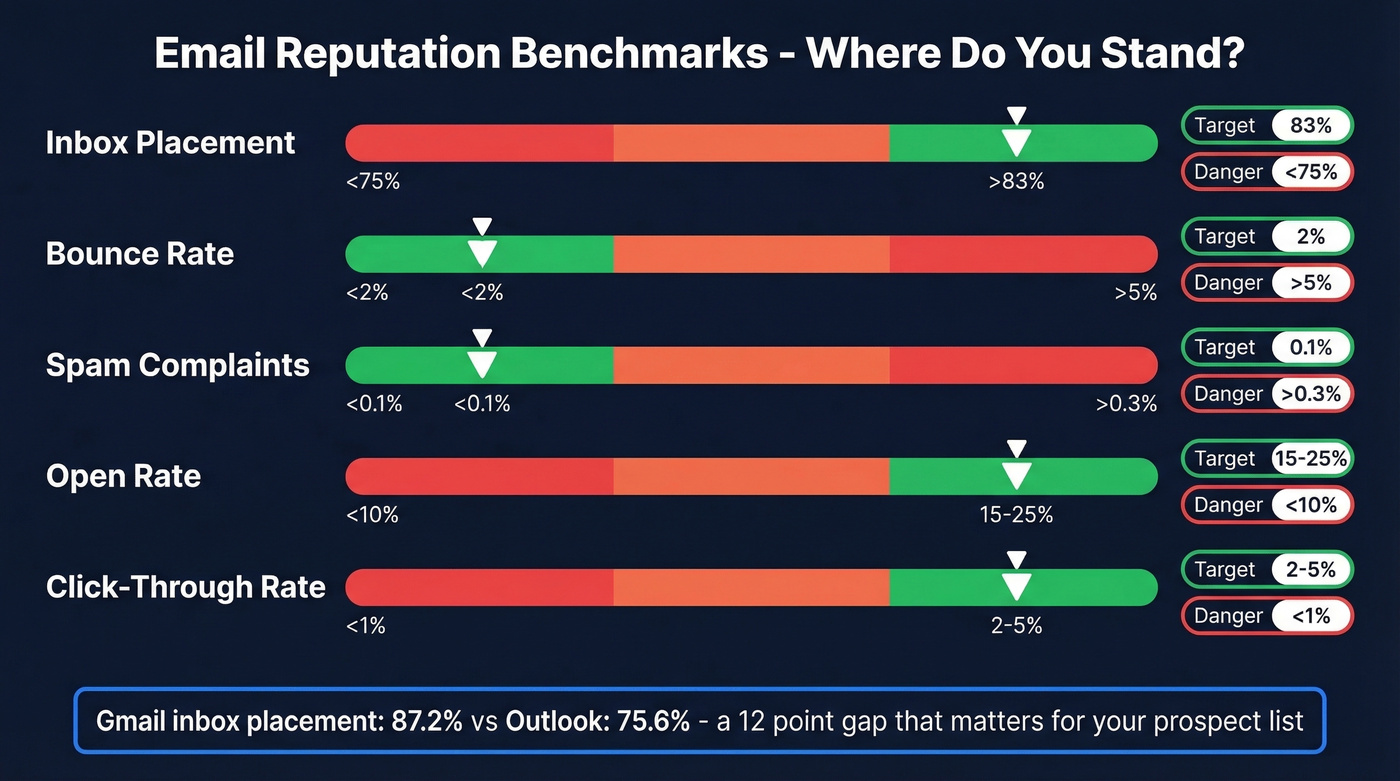
Provider-level inbox placement varies significantly. Gmail leads at 87.2%, Yahoo follows at 86.0%, and Outlook trails at 75.6% - a full 12 points behind Gmail. If your prospect list skews heavily toward Outlook/Microsoft 365 domains, expect tougher inbox placement even with solid reputation.
One important distinction: cold email platforms often cite delivery rates around 98%, but delivery and inbox placement aren't the same thing. A 98% delivery rate means the server accepted the email. It says nothing about whether it landed in the inbox or got filtered to spam. The number that actually matters is inbox placement.
Google, Yahoo, and Microsoft Compliance
The rules tightened in 2024 and haven't loosened since. These requirements are broadly aligned across Google, Yahoo, and Microsoft, with Microsoft formally joining enforcement in May 2025.
| Requirement | <5K/day | ≥5K/day |
|---|---|---|
| SPF | Required (SPF or DKIM must pass) | Required |
| DKIM | Required (SPF or DKIM must pass) | Required |
| DMARC | Optional | Required (p=none min) |
| SPF/DKIM alignment | Optional | Required |
| One-click unsub | Recommended | Required |
Google and Yahoo began enforcement in February 2024. The one-click unsubscribe deadline extended to June 2024. As of late 2025, Gmail enforcement tightened further - non-compliant senders now face temporary and permanent rejections, not just spam filtering.
DMARC adoption tells an interesting story. 71% of high-volume senders now use DMARC, but only 54% of all senders do. If you're sending fewer than 5,000 emails per day, you technically don't need DMARC - but implement it anyway. It's free, it protects your domain from spoofing, and it signals legitimacy to every ISP.

Every bounced email chips away at your domain reputation - and recovery takes 6-12 weeks. Prospeo's 5-step verification and 7-day data refresh cycle keep bounce rates near zero, so your outreach domains stay clean.
Stop poisoning your domain with stale data at $0.01 per verified email.
How to Warm Up a New Domain
Warming up isn't complicated, but it requires discipline. Skip steps and you'll spend weeks recovering from a problem that takes days to prevent.
Let's be honest: if your deals typically close under five figures, you probably don't need a complex multi-domain infrastructure. One well-maintained outreach domain with clean data will outperform five poorly managed ones every time.
Pre-Warmup Checklist
- Publish SPF record
- Configure DKIM with 2048-bit key
- Set DMARC to p=none (tighten later)
- Use a separate outreach domain like outreach.yourcompany.com
- Create 2 email addresses per domain
- Disable open tracking during warmup - tracking pixels and deliverability don't mix well during the ramp phase (see email tracking pixels)
- Connect via OAuth, not app passwords
- Set up monitoring with Google Postmaster Tools and Microsoft SNDS
- Send from Google Workspace or Microsoft 365 - budget ESPs have worse deliverability profiles because their IP pools are more polluted
4-Week Ramp Schedule
| Week | Daily Volume | Notes |
|---|---|---|
| Week 1 | 5-10 | Warmup tool only |
| Week 2 | 10-20 | Warmup tool only |
| Week 3 | 20-30 | Begin 5-10 real sends |
| Week 4 | 30-40 | Full campaign ramp |
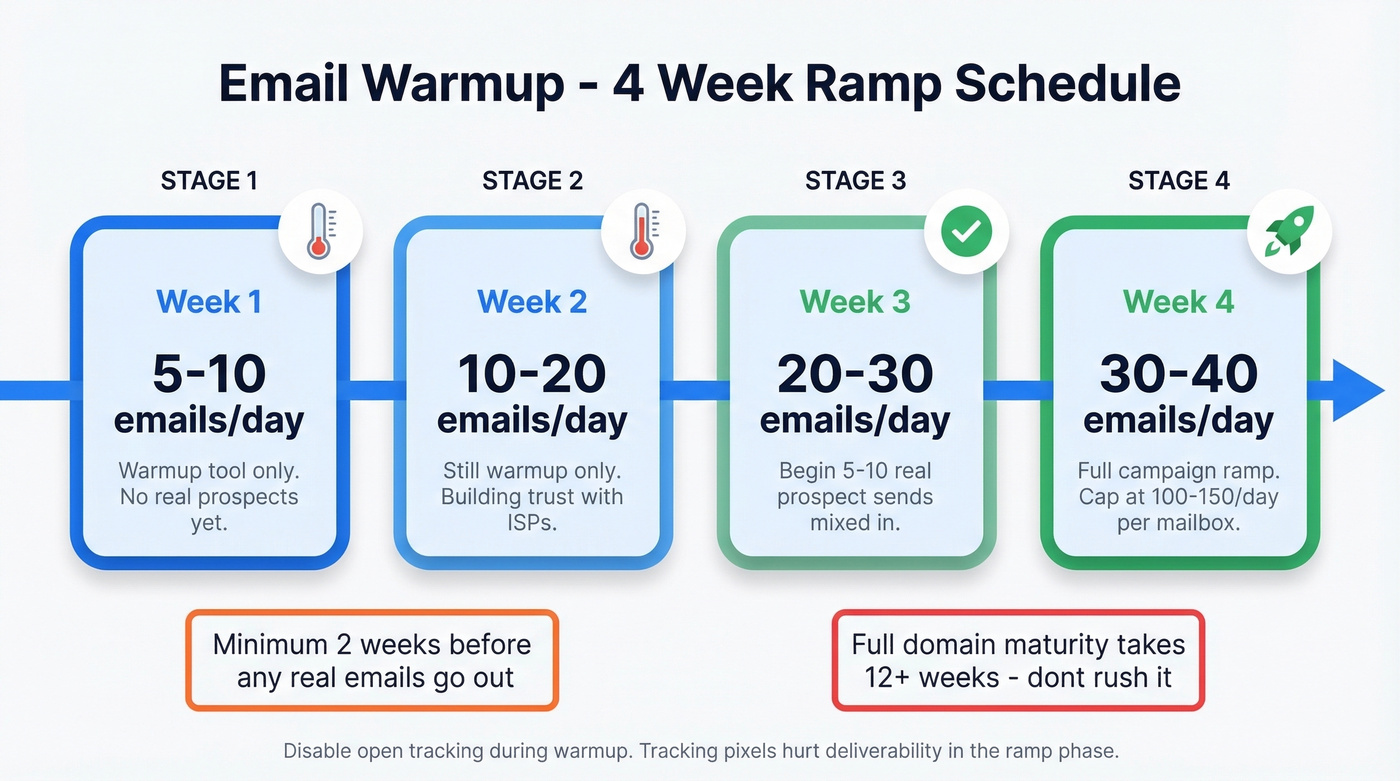
Two weeks minimum before any real prospect emails go out. Fresh domains need 12+ weeks to reach full maturity, so don't expect peak deliverability in month one. If your reputation bounces due to a high bounce rate after warmup, something's wrong upstream - usually bad data.
Steady-State Sending Limits
Once warmup is complete, cap cold outreach at 100-150 emails per day per mailbox. We've tested higher volumes and the math doesn't work - anything above 150/day triggers throttling on Gmail and Outlook within a week. For follow-up cadence, limit sequences to 3 total touches spaced 3-6 days apart. More than that and you're generating spam complaints, not replies. (If you're building sequences, use a tight B2B cold email sequence structure.)
Look, warmup is not a magic fix. It's a band-aid. If you're sending to unverified emails from a provider that refreshes every six weeks, warmup just slows down the rate at which you destroy your reputation. The discipline matters, but it can't compensate for bad data.
Mistakes That Silently Kill Deliverability
These aren't the obvious errors. They're the ones teams don't notice until deliverability has already cratered.
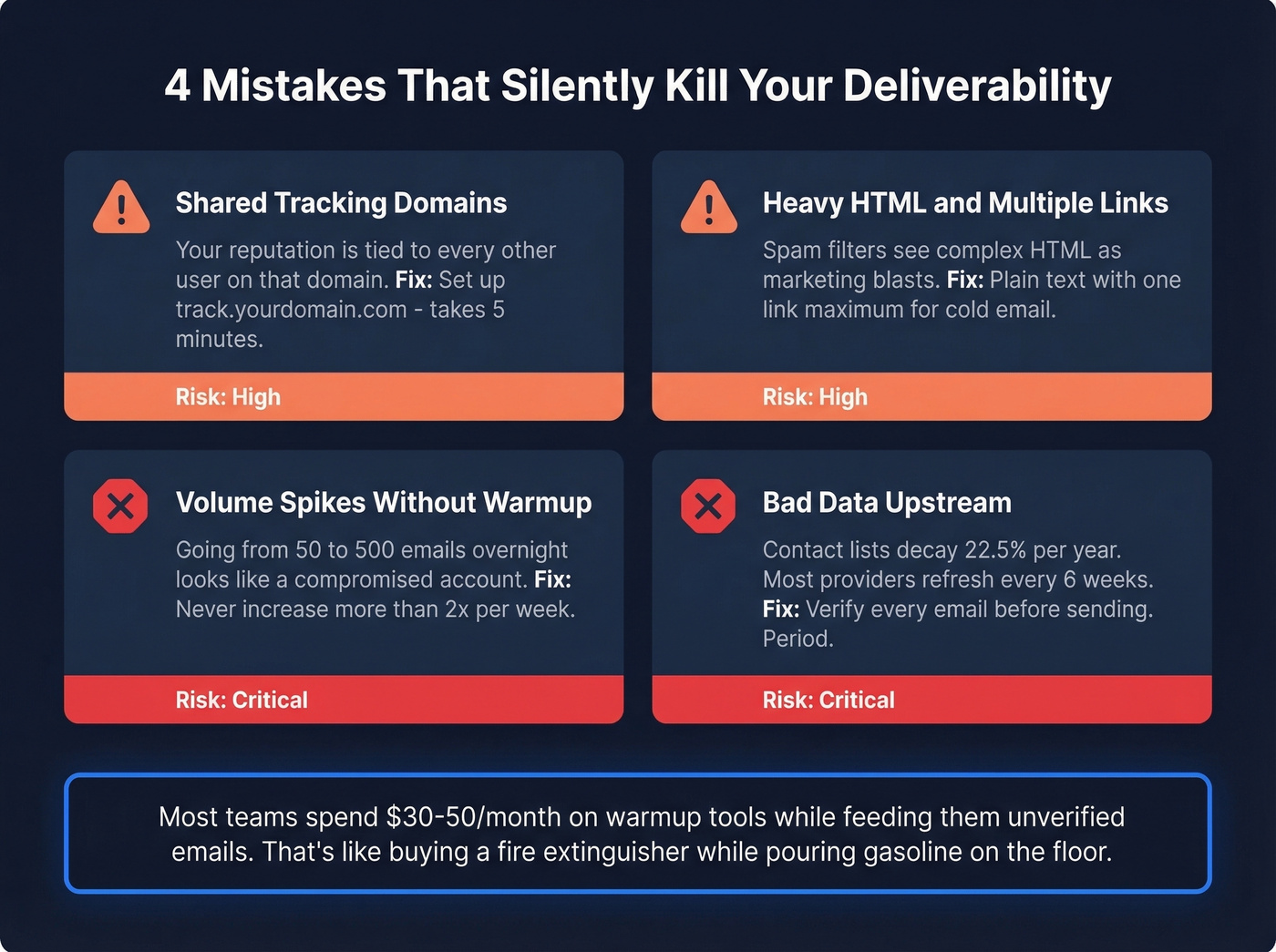
Shared tracking domains. Most cold email platforms default to a shared tracking domain for open and click tracking. That means your reputation is tied to every other user on that domain. Set up a custom tracking domain - something like track.yourdomain.com - immediately. It takes five minutes and eliminates one of the most common and most invisible reputation risks. (More on tracking domain setup.)
Heavy HTML and multiple links. Spam filters are trained on patterns, and heavily formatted emails with images and complex HTML look like marketing blasts. ISPs analyze message structure alongside sending behavior. For cold email, plain text with one link maximum is the safest approach. If you need help tightening copy, use an email copywriting checklist.
Volume spikes without warmup. We've seen teams go from 50 emails/day to 500 overnight because a campaign "needed to go out." The result is predictable: reputation drops, bounce rates spike, and the next three weeks are spent in recovery mode. (This is also an email velocity problem, not just a warmup problem.)
Bad data upstream. This is the root cause nobody talks about. Contact lists decay at roughly 22.5% per year. People change jobs, companies shut down, email addresses get deactivated. Most B2B data providers refresh around every 6 weeks. You're guaranteed to send to dead addresses unless you verify independently. If you're sourcing lists, start with reputable email list providers and still verify.
Most teams get the investment equation backwards. They'll spend $30-50/month on a warmup tool while feeding it unverified emails from a database that hasn't been refreshed in a month. Prospeo runs a 7-day data refresh cycle with 5-step verification - including spam-trap removal, catch-all handling, and honeypot filtering - across 300M+ professional profiles. Meritt dropped their bounce rate from 35% to under 4% after switching, and their pipeline tripled. At roughly $0.01 per email, that costs less than the warmup tool you'd need to fix the damage from bad data.
Skip warmup tools entirely if your budget is tight. But never skip verification.
How to Check Your Reputation
Google Postmaster Tools is necessary but insufficient. It only shows data once you have meaningful Gmail volume, and it tells you nothing about Outlook or Yahoo. There's also a specific blind spot worth knowing: Postmaster Tools can show low spam rates while your mail is still being filtered to spam, because it focuses on Gmail user-reported spam and doesn't fully reflect automatic spam filtering.
You need a broader stack.
| Tool | Function | Price |
|---|---|---|
| Google Postmaster Tools | Gmail domain reputation | Free |
| Microsoft SNDS | Outlook IP reputation | Free |
| Yahoo Sender Hub | Yahoo reputation data | Free |
| Sender Score | Numerical score + blocklist lookups | Free |
| MXToolbox | Blacklist checking | Free; paid from $129/mo |
| GlockApps | Inbox placement testing | From $85/mo |
| Everest (Validity) | Inbox placement testing | From $29/mo |
Start with the free tier. Google Postmaster Tools, Microsoft SNDS, and Yahoo Sender Hub cover the three major providers at zero cost. Sender Score gives you a numerical baseline on a 0-100 scale. For deeper diagnostics, MXToolbox handles blacklist checking across dozens of lists, while GlockApps and Everest run actual inbox placement tests by sending to seed addresses across providers and telling you exactly where your emails land. If you want a full stack breakdown, see our guide to email reputation tools.
In our experience, teams that check Postmaster Tools every Monday catch reputation drops before they spiral into full-blown crises. Domain reputation fluctuates daily, and a problem caught on day two is a quick fix. A problem caught on day fourteen is a quarter-long recovery.
Recovering After a Bad Campaign
Don't panic. Do this instead.
Isolate the problem ISP. Check Postmaster Tools, SNDS, and Yahoo Sender Hub separately. Reputation damage is often provider-specific - you might be fine on Gmail but blacklisted on Outlook.
Suppress disengaged contacts. Anyone who hasn't opened or clicked in 90+ days gets removed from active sequences. Sending to disengaged contacts is the fastest way to keep digging the hole deeper.
Pause risky automations. Stop all cold sequences. Keep only warm, engaged conversations active. This hurts pipeline short-term but prevents further damage.
Ramp volume only as engagement improves. Don't rush back to full volume. Treat it like a fresh warmup - 5-10 emails per day, scaling up over 2-4 weeks as metrics stabilize. Double volume every 3-4 days, but only if engagement metrics hold.
Blacklist Recovery Workflow
If you suspect a blacklisting, follow this sequence:
- Diagnose - run MXToolbox to scan Spamhaus, Barracuda, SORBS, SpamCop, and Invaluement simultaneously
- Identify the cause - trace back to the campaign, list, or volume spike that triggered the listing
- Fix the root issue - clean your list, fix authentication gaps, or reduce volume
- Submit removal requests - each blacklist has its own portal with a specific delisting process
- Rebuild sending - pause, clean, warm up again with verified data only
- Monitor daily - watch for re-listing during the first two weeks post-removal
Remember the timelines: IP reputation recovers in 2-4 weeks. Domain reputation takes 6-12 weeks. Send fewer, better emails. That's the fastest path back. If you need a step-by-step remediation plan, use this spam trap removal workflow.
You just read that 83% of deliverability problems trace back to sender reputation. The fastest way to wreck it? Sending to unverified lists. Prospeo delivers 98% email accuracy from 300M+ profiles refreshed every 7 days - not the 6-week industry average.
Clean data is the cheapest sender reputation insurance you'll ever buy.
Warmup Tool Pricing in 2026
The specific warmup tool matters less than the discipline of using one.
| Tool | Starting Price |
|---|---|
| Woodpecker | $5/mo |
| Warmup Inbox | $19/mo |
| Mailreach | $25/mo |
| Lemwarm | $29-49/mo |
| Mailivery | $29-199/mo |
| Instantly | $37/mo |
| Smartlead | $39-174/mo |
| Warmy | $49-189/mo |
| Mailwarm | $79/mo |
Most tools offer similar core functionality - automated warmup emails sent between real inboxes to build engagement signals. Price differences mostly come down to volume limits, number of mailboxes, and whether warmup is bundled with a broader cold email platform like Instantly or Smartlead. The $5/month Woodpecker add-on does the job for most teams. Where you should spend real money is on the data feeding those warmed-up inboxes.
FAQ
What's a good sender reputation score?
A Sender Score above 80 is good; above 90 is excellent. In Google Postmaster Tools, aim for "High" domain reputation. Below 70 on Sender Score or "Low" in Postmaster means deliverability is actively suffering and you need immediate corrective action.
How long does it take to fix damaged reputation?
IP reputation typically recovers in 2-4 weeks with consistent, clean sending. Domain reputation takes 6-12 weeks. The timeline depends on how quickly you eliminate the root cause - bad data, volume spikes, or authentication gaps. There aren't shortcuts here.
Does email verification protect sender reputation?
Bounce rates above 2% directly damage reputation. Verifying emails before sending keeps bounces near zero and prevents the cascade that triggers spam filtering. At roughly $0.01 per email, verification is the single highest-ROI investment for protecting deliverability.
Do I need a separate domain for cold outreach?
Yes. Use a secondary domain like outreach.yourcompany.com so cold email reputation issues never affect your primary domain's transactional and marketing deliverability. Warm it up for at least two weeks before sending any real campaigns.
How many cold emails can I safely send per day?
Cap at 100-150 per mailbox per day once warmup is complete. During warmup, stay at 10-15 per day per inbox. If you need higher total volume, add more mailboxes rather than pushing a single one past safe limits.