


SuperSend Pricing, Reviews, Pros and Cons: What Every Other Review Gets Wrong
Most SuperSend pricing breakdowns floating around are wrong. Woodpecker's SuperSend post still lists pricing starting at $30/mo, and other pages reference older tiers like Essential ($99/mo) or Professional ($179/mo). Those plan names are historical - they don't match what's on SuperSend's pricing page today.
SuperSend now runs Growth and Scale tiers with a different add-on structure, and depending on how many inboxes, domains, and LinkedIn senders you stack, the real cost lands around 2-3x the base plan price. We've dug into the actual numbers, tested the platform, and read every review we could find so you know what you're signing up for.
What SuperSend Actually Is
SuperSend is a multichannel cold outreach platform covering email, LinkedIn, and Twitter sequences in a single workflow. The real selling point is deliverability infrastructure - automated warmup, domain rotation, inbox placement testing, and spam scoring all built in.
Quick note: don't confuse SuperSend (supersend.io) with SuprSend (suprsend.com). Completely different products with an unfortunate naming collision.
SuperSend Pricing Breakdown
Core Plans
| Growth | Scale | |
|---|---|---|
| Monthly price | $99/mo | $319/mo |
| Emails included | 50,000/mo | 200,000/mo |
| Global credits | 2,000 | 8,000 |
| Contacts | Unlimited | Unlimited |
| Overage rate | $0.004/email | $0.0025/email |
Global credits power email validation (1 credit each) and placement test seeds (5 credits each) that check inbox vs. spam delivery across providers. Credits run out fast if you're testing placement aggressively.
Add-Ons: Where the Real Cost Lives
| Add-on | Price |
|---|---|
| Google/Outlook inbox | $5/mo each |
| SuperSend Mailbox | $5/mo each |
| Domain | $13/yr each |
| LinkedIn Sender | $69/mo each |
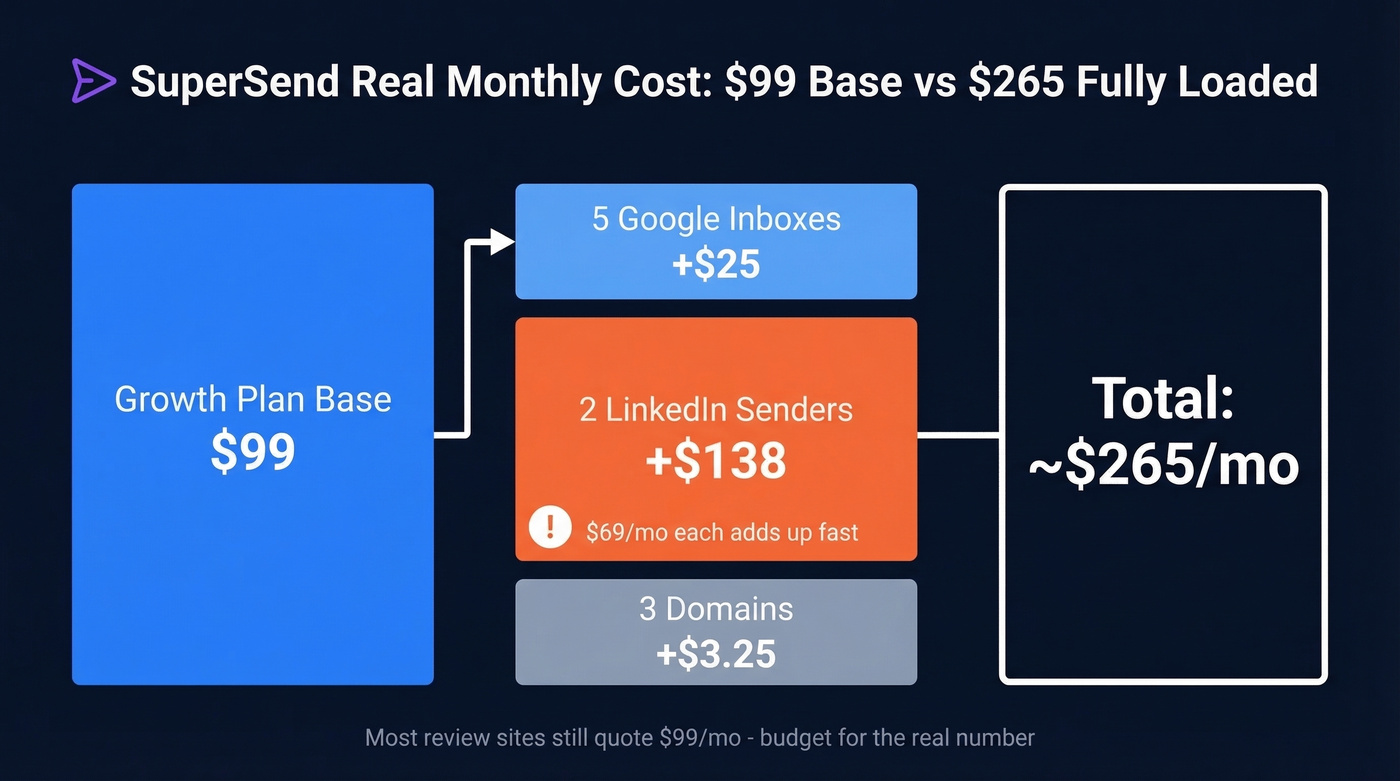
We ran the math on a modest setup: 5 Google inboxes ($25/mo) + 2 LinkedIn senders ($138/mo) + 3 domains (~$3.25/mo) on the Growth plan. That's roughly $265/mo, not $99. Budget accordingly.
Enterprise / Relay
For high-volume teams, SuperSend offers Relay - managed infrastructure with dedicated IPs, subdomain rotation, and reputation protection. It's positioned for 300k+ emails/month, with the enterprise track optimized for 1M+ monthly sends. Expect ~$120-250/user/month depending on team size and volume.
Pros Worth Knowing
- Deliverability stack is genuinely strong. Warmup, rotation, placement testing, spam scoring - all built in. No cobbling together three separate tools. (If you want the fundamentals, start with an email deliverability guide.)
- True multichannel sequencing. Email, LinkedIn, and Twitter steps in a single sequence with conditional logic. Most tools in this price range lean email-first and bolt on LinkedIn as an afterthought.
- Unlimited contacts on all plans. No per-contact charges, which matters when you're running large lists through multiple campaigns simultaneously.
- Support gets real praise. Users call out deliverability coaching and responsiveness specifically. SuperSend holds a 4.6/5 on G2 with 83% five-star ratings.

SuperSend's deliverability stack is strong - but it can't fix bad contact data. Prospeo gives you 143M+ verified emails at 98% accuracy, refreshed every 7 days, so your SuperSend campaigns actually land. At ~$0.01 per email, adding Prospeo costs less than a single LinkedIn sender add-on.
Load clean data into SuperSend and stop paying to send emails that bounce.
Cons You Should Weigh
LinkedIn automation is the weakest link. G2's review summary flags LinkedIn automation as a recurring improvement area. SuperSend connects your own LinkedIn account rather than providing native infrastructure. The automation works, but it's not mature enough to be your primary channel.
Product maturity growing pains. Frequent feature launches mean settings shift around. A March 2026 reviewer noted it's sometimes unclear whether configurations need updating after a release. There are also competitor critiques about shared inbox reliability and the risk of missed messages, so test Super Inbox hard during your trial.
Tiny review ecosystem. 18 reviews vs. Apollo's 9,510. The reviews that exist are overwhelmingly positive, but you're betting on a product with a limited public track record. There's very little Reddit discussion we could find - most chatter happens in private outbound communities.

No built-in lead database. This is the big one. SuperSend sequences emails beautifully and protects your deliverability, but it doesn't find or verify contacts. You can invest $265/mo in deliverability infrastructure and still tank your sender reputation by loading unverified emails. That's where pairing with a dedicated data provider like Prospeo matters - 143M+ verified emails at 98% accuracy, refreshed every 7 days. Load clean data into SuperSend and the deliverability investment actually pays off.
Here's the thing: teams in the 300k-800k emails/month range should think twice before committing. You're too big for the Scale plan's 200k included emails, but not quite at the volume where Relay makes economic sense. The overage math gets ugly in that middle zone. (If you're trying to scale safely, use an email velocity framework.)
SuperSend vs. Instantly
| SuperSend Growth | Instantly Growth | Instantly Hypergrowth | |
|---|---|---|---|
| Price | $99/mo | $47/mo | $97/mo |
| Emails/mo | 50,000 | 5,000 | 100,000 |
| Channels | Email + LinkedIn + Twitter | Email only | Email only |
| Warmup | Included | Included | Included |
| Lead database | None | 450M+ (separate) | 450M+ (separate) |
| Email accounts | Add-on ($5/ea) | Unlimited | Unlimited |
| Best for | Multichannel teams | Budget email-only | Volume email-only |
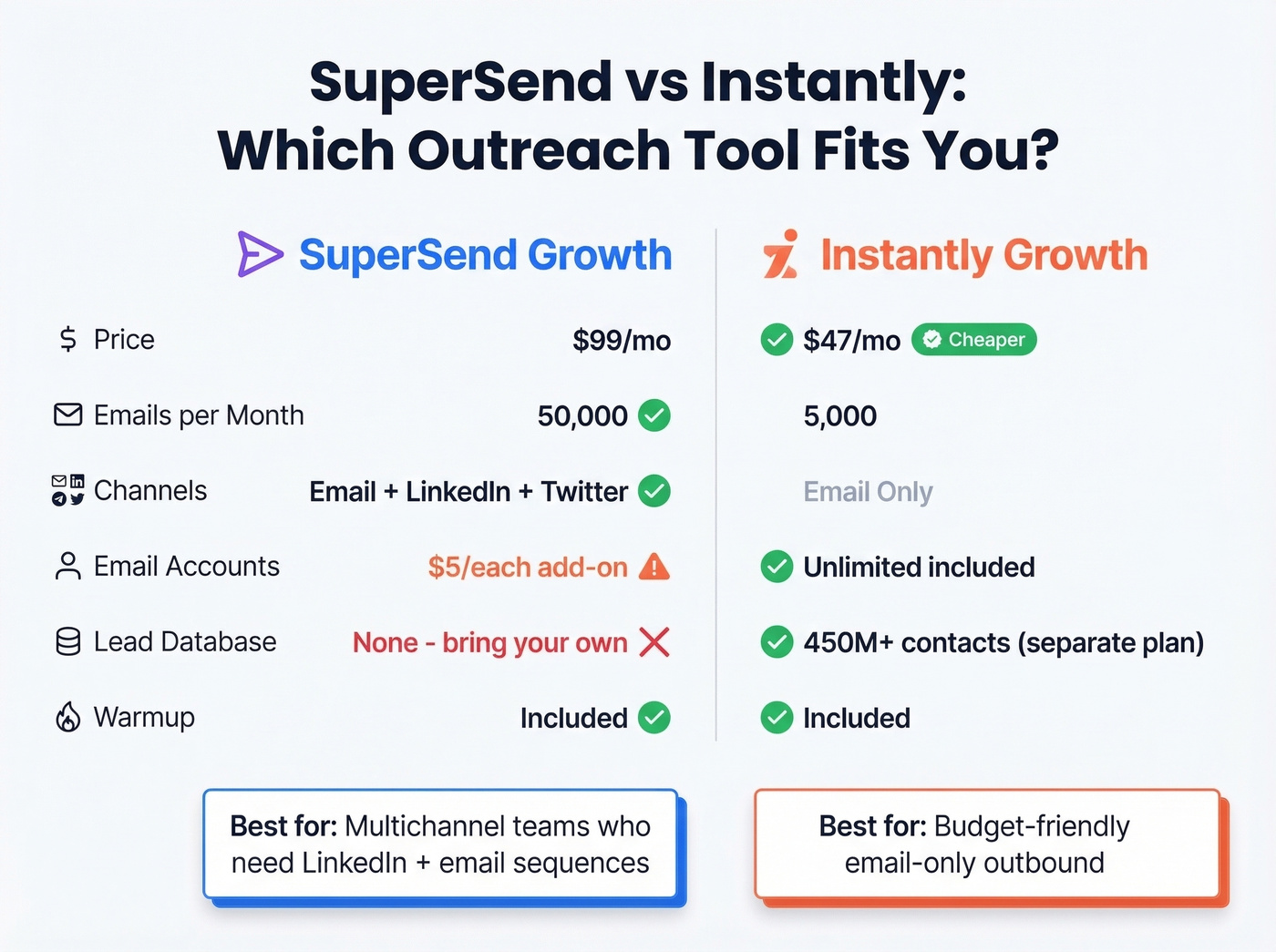
Instantly wins on entry price and includes unlimited email accounts. SuperSend wins on multichannel capability and deliverability diagnostics. If you're email-only and want the lowest entry price, go Instantly. If you need LinkedIn steps and deeper deliverability tooling, SuperSend justifies the premium.
Let's be honest - for most teams just starting outbound, Instantly's $47/mo is hard to argue with. But the moment you need LinkedIn touches in your sequences, you're looking at SuperSend or stitching together multiple tools. (If you're evaluating your stack, compare options in our SDR tools roundup.)
Who SuperSend Is For
Good fit: Teams sending 50k-200k cold emails/month who want multichannel sequencing without managing their own deliverability stack. Small-to-mid outbound teams that value hands-on support and are willing to pay for it. (If you're still building the motion, these sales prospecting techniques help.)
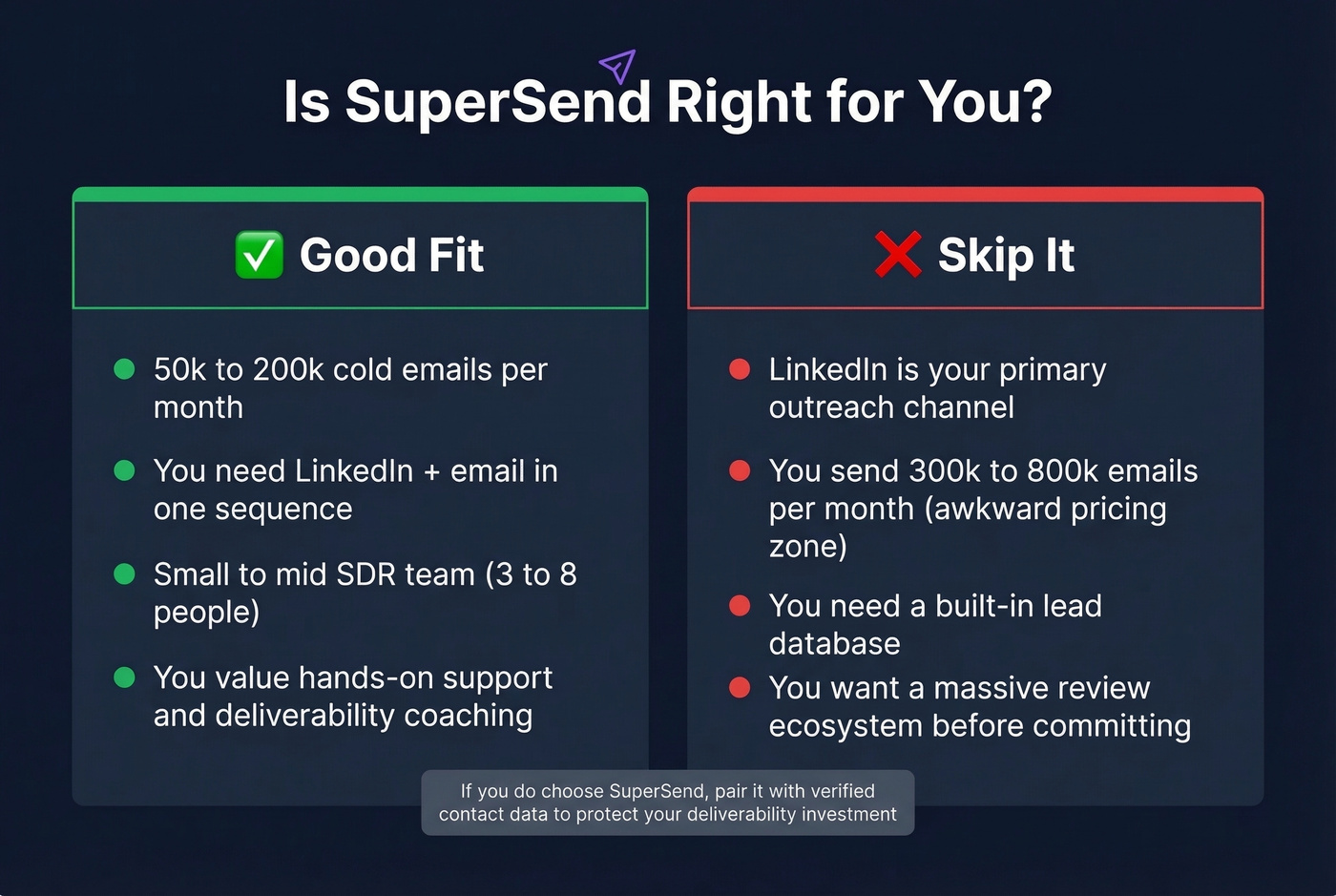
Skip it if: LinkedIn is your primary channel (the automation isn't there yet), you're stuck in the 300k-800k email/month no-man's land, or you need a built-in lead database. For that last scenario, you'd need to pair SuperSend with a data provider anyway, so factor that into your total cost. (If you need options, see B2B lead generation solutions and data enrichment services.)
Final Verdict
For a 5-person SDR team sending 100k emails/month across email and LinkedIn, SuperSend at ~$265/mo fully loaded is hard to beat. The deliverability tooling is real, the support is strong, and the multichannel sequencing works. LinkedIn automation needs more maturity, and the review base is thin - but the reviews that exist are overwhelmingly positive.
The biggest risk isn't SuperSend itself. It's loading bad data into a tool you're paying to protect your sender reputation. We've seen this play out with multiple clients: great outreach infrastructure, terrible contact data, wasted budget. Solve the data layer first with a provider that offers real-time verification, then let SuperSend do what it does best. (Also worth tracking your email bounce rate as you scale.)
You're budgeting $265/mo for SuperSend's outreach infrastructure. Don't sabotage it with unverified lists. Prospeo's 5-step verification and catch-all handling keep bounce rates under 4% - exactly what SuperSend's warmup and rotation are designed to protect.
Pair enterprise-grade data with your outreach tool for under a penny per lead.