

How to Build a Sales Pipeline in Trello (That Actually Works)
Every sales team starts the same way: deals in a spreadsheet, follow-ups buried in Slack, and a "pipeline review" that's really just someone scrolling through tabs. Using Trello for sales pipeline management works because the Kanban layout maps naturally to deal stages - drag a card from Discovery to Proposal and you've got a visual workflow that sticks.
The trick is setting it up so it doesn't become another graveyard of stale cards.
The most common question we see on r/sales from teams trying Trello-as-CRM is "What am I missing vs. a real CRM?" - and it's the right question. This guide gives you the setup that delays that moment as long as possible (and what to do next if you need examples of a CRM).
What You Need (Quick Version)
- Trello Standard ($5/user/month) minimum - you need Custom Fields
- Six pipeline lists: New Leads, Discovery, Proposal, Negotiation, Closed Won, Closed Lost
- Five custom fields: deal value, deal source, expected close date, contact email, stage entered date
- 3-5 Butler automations for due dates, reminders, and board hygiene
- Verified contact data before it hits the board - garbage in, garbage out (use data enrichment services if you’re starting from messy lists)
Choosing the Right Trello Plan
Free Trello is too limited for pipeline tracking. You're capped at 10 boards and 10 collaborators per Workspace, and Free doesn't include Custom Fields - the single most important feature for deal management. Standard at $5/user/month billed annually ($6 billed monthly) is the realistic minimum.
| Plan | Price (annual) | Key Features | Auto Runs/Mo | Sales Verdict | |------|---------------|--------------|--------------|---------------| | Free | $0 | No Custom Fields; basic views only | 250 | Too limited | | Standard | $5/user/mo | Custom Fields, 1K auto runs, 1,000 | Start here | | Premium | $10/user/mo | Calendar, Timeline, Table, Dashboard, Map | Unlimited | Best for metrics | | Enterprise | $17.50/user/mo | Admin controls, org-wide permissions | Unlimited | Overkill for most |
Standard gets you 80% of the way there. We've seen 3-5 person sales teams run effectively on Standard for a full year before needing more. Premium adds the reporting-friendly views - especially Dashboard - and Map for teams that want territory-style visualization, but don't jump to it until you've actually outgrown Standard's automation cap.
Set Up Your Pipeline Board
Step 1: Create your lists. Six lists, left to right: New Leads (unqualified contacts), Discovery (first conversation scheduled), Proposal (pricing shared), Negotiation (active terms discussion), Closed Won (signed), Closed Lost (dead deals you'll archive monthly).
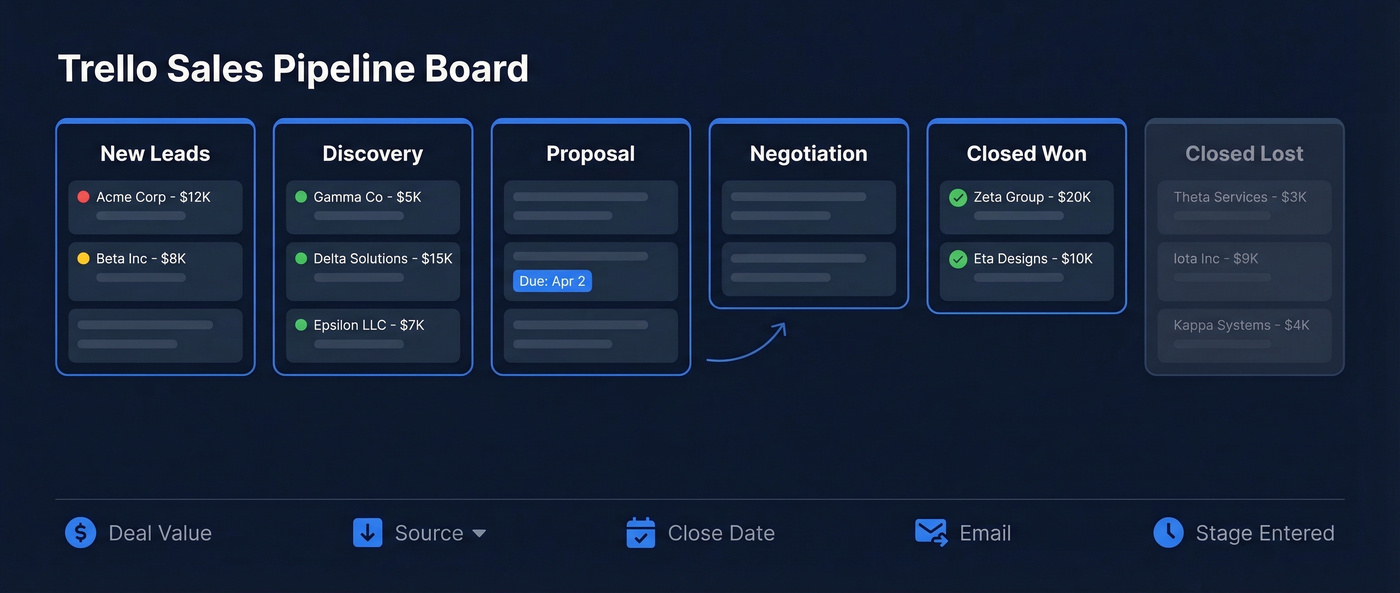
Trello has a pre-built "CRM & Sales Pipeline by Crmble" template if you want a head start - it pre-configures lists and fields so you're not building from scratch.
Step 2: Add custom fields. Open any card, click Custom Fields, and create five: Deal Value (Number), Deal Source (Dropdown with Inbound/Outbound/Referral/Partner), Expected Close Date (Date), Contact Email (Text), and Stage Entered (Date). Show Deal Value and Expected Close Date on the front of cards for instant visual context. One thing that trips people up: Trello won't automatically fill in Stage Entered by itself, so you'll set that with a Butler rule when a card moves lists.
If you want a cleaner qualification flow, pair this with a simple lead scoring rule (even if it’s just a label + a minimum deal value).
Step 3: Set up labels. Green for hot, yellow for warm, red for cold. That's it. Don't overthink this part.
Butler Automations That Matter
Butler is the difference between a board people use and a board people abandon. Here's the thing - most teams set up Trello, use it for two weeks, then let it rot because nothing nudges them. These five recipes fix that (and they map nicely to most sales activities you’re already doing):
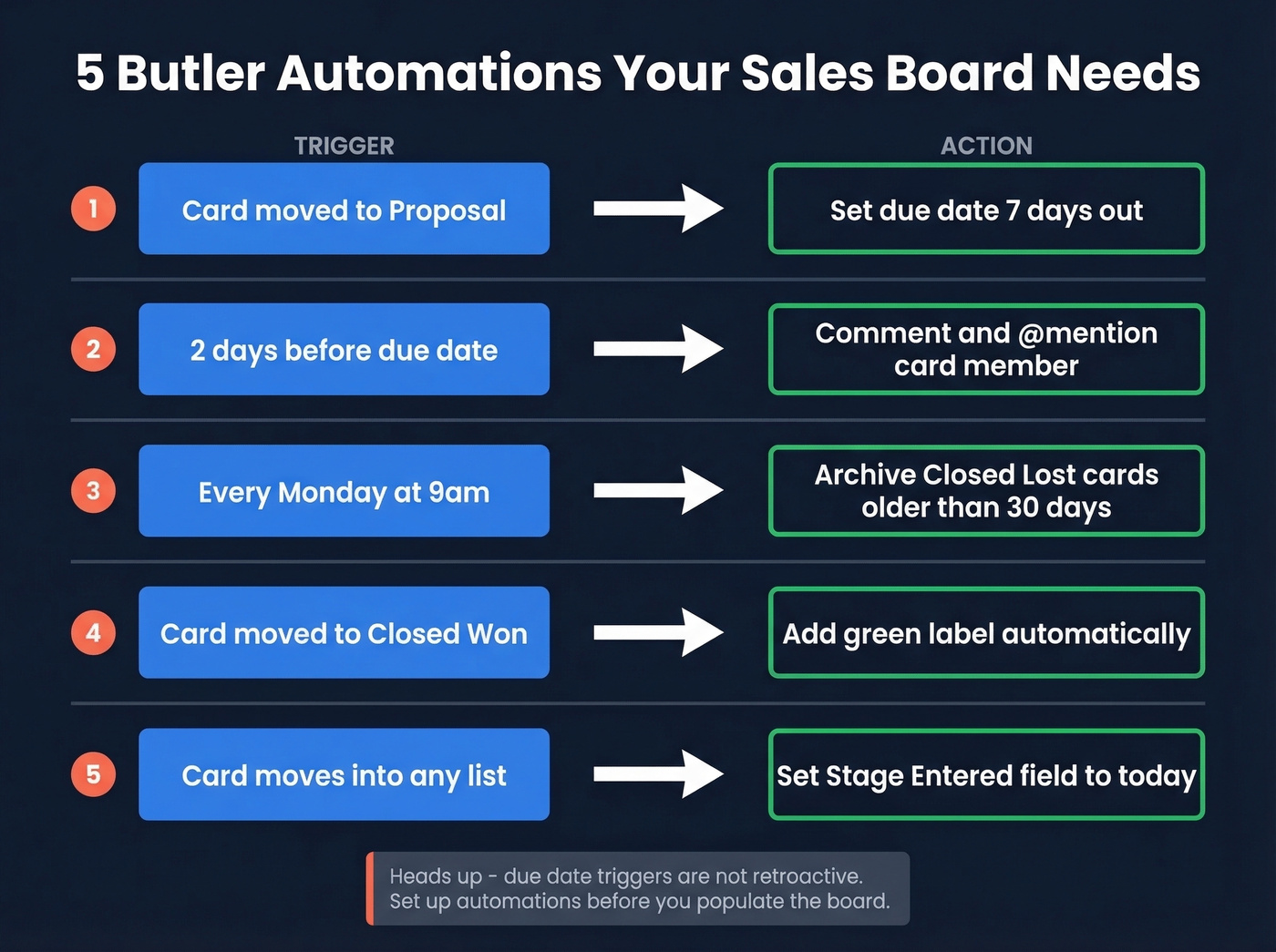
- Card moved to "Proposal" - set due date 7 days out
- 2 days before a due date - comment and @mention the card member
- Every Monday at 9am - archive "Closed Lost" cards older than 30 days
- Card moved to "Closed Won" - add green label
- When a card moves into any list - set the Stage Entered custom field to today (create one rule per list)
One gotcha: due-date triggers aren't retroactive. If you add the automation after cards already have due dates, those existing cards won't fire the rule. Set up automations before you populate the board, or you'll spend an afternoon wondering why nothing's working.
If you need copy/paste messaging to match those reminders, keep a set of sales follow-up templates handy so reps don’t freestyle every nudge.

Butler automations keep your Trello board alive - but they can't fix bad contact data. Prospeo's 98% verified emails and 125M+ direct dials feed straight into Trello cards via Zapier, so every card that hits your New Leads list is actually reachable.
Stop dragging dead leads across your pipeline. Start with verified data.
Power-Ups Worth Adding
Crmble is the closest thing to turning Trello into an actual CRM. Atlassian highlights it as a go-to CRM Power-Up for sales teams. It adds Contacts, Deals, Dashboard, Reports, Email, and Calendar modules inside Trello at EUR 9.99/seat/month with a 10-day free trial - no credit card required, and no automatic charges after the trial ends. Licenses are seat-swappable and each one powers unlimited boards. If you cancel, Crmble stores your data for 3 months, so you can reactivate within that window without losing anything.
Screenful fills the analytics gap if you don't want to upgrade to Premium. It lets you analyze Trello data with 15 chart types, including cycle time tracking and conversion metrics - the stuff you'd normally need a dedicated CRM dashboard for.
Skip the Salesforce and Pipedrive Power-Ups unless you already have those CRMs. They're sync tools, not replacements.
Feed Your Pipeline with Clean Data
Let's be honest: a beautifully automated Trello board full of unverified emails and dead phone numbers is a vanity project. Trello doesn't include native contact enrichment, so data quality is entirely on you.
We've tested this workflow extensively, and the fastest path is pushing verified contacts directly into Trello cards via Zapier. Prospeo handles this well - 98% email accuracy across 300M+ professional profiles, with a Zapier integration that creates Trello cards with a validated email and, when available, a direct dial from its 125M+ verified mobile database. The free tier covers 75 emails per month, which is enough to validate a starter pipeline without spending anything.
If you’re building lists from scratch, start with a repeatable set of sales prospecting techniques so the board doesn’t become random inbound + guesswork.

Metrics to Track
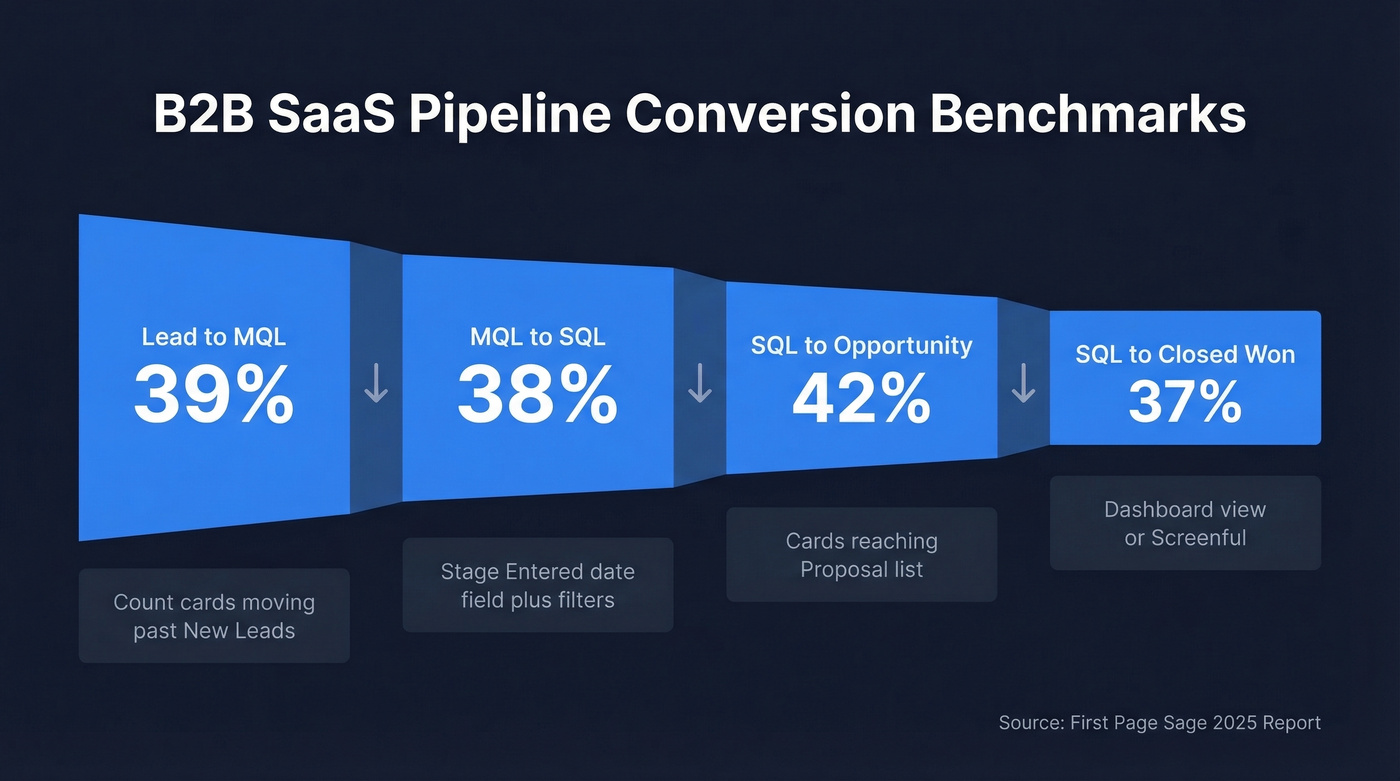
If you can't measure conversion by stage, you don't have a pipeline - you have a to-do list. Here are B2B SaaS benchmarks from First Page Sage to measure against:
| Stage Transition | B2B SaaS Benchmark | How to Track in Trello |
|---|---|---|
| Lead to MQL | 39% | Count cards moving past New Leads |
| MQL to SQL | 38% | Stage Entered date field + filters |
| SQL to Opportunity | 42% | Cards reaching Proposal list |
| SQL to Closed Won | 37% | Dashboard view (Premium) or Screenful |
Use the Stage Entered date field to calculate time-in-stage. On Standard, export board data and run the math in a spreadsheet. On Premium, the Dashboard view handles this natively. Screenful works on either plan if you want automated reporting without the upgrade. If you want a broader view of what “good” looks like, compare against sales pipeline benchmarks.
When to Move Beyond Trello
Using Trello for sales pipeline management works for 1-5 reps managing under 100 active deals. You'll feel the ceiling once the board gets crowded and you need things Trello simply isn't built for: multi-pipeline views across product lines, revenue forecasting with weighted probabilities, per-rep activity logging, or granular permissions beyond board-level access.
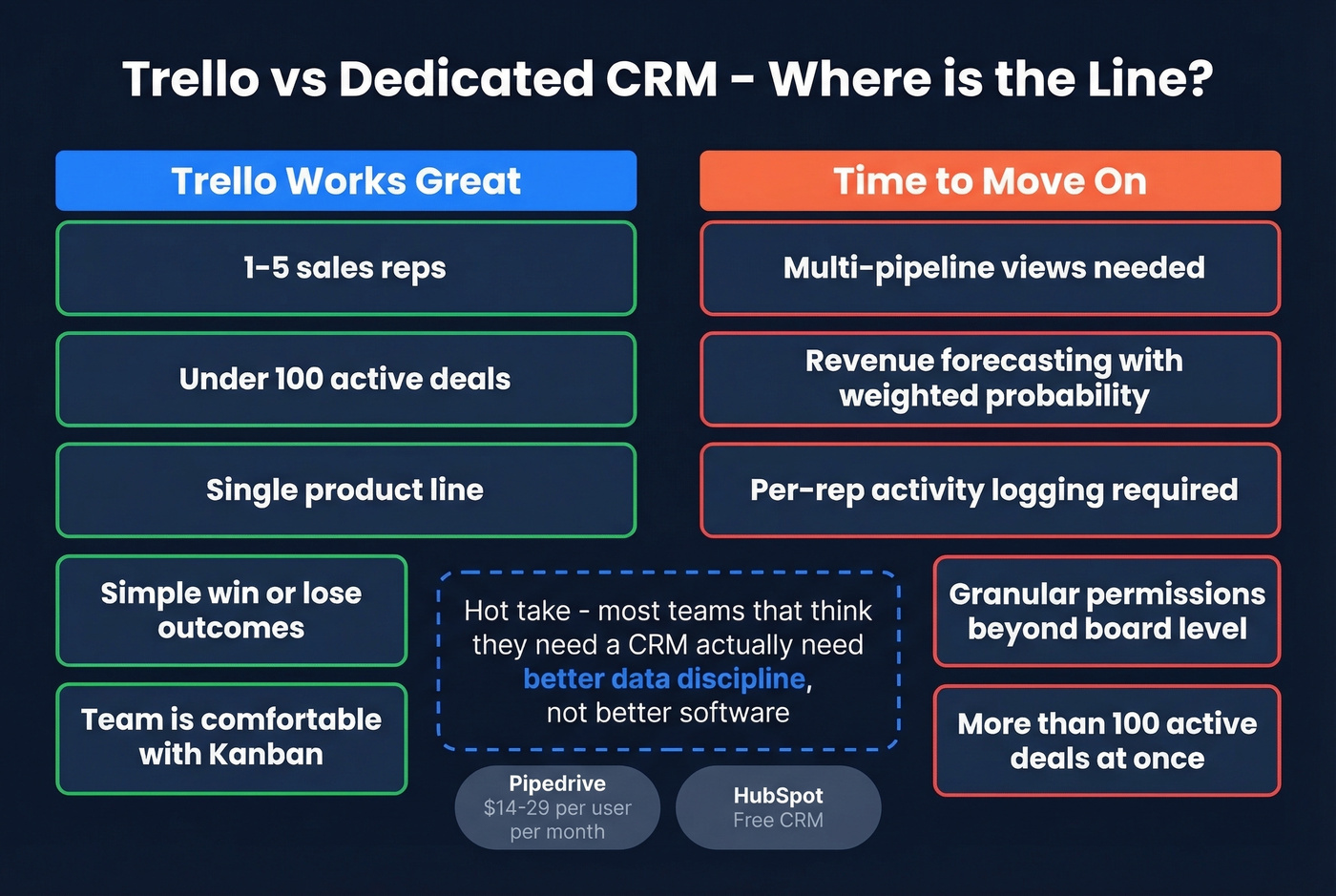
Here's our hot take: most teams that "need a CRM" actually need better data discipline, not better software. If your Trello board is failing because half your contacts bounce, switching to Pipedrive at $14-$29/user/month won't fix that. Fix the data first, then decide if you've outgrown the tool. HubSpot Free CRM is the other natural next step when you genuinely hit the ceiling (and if forecasting is the real pain, look at sales forecasting solutions before you migrate).
You just built a pipeline with custom fields, Butler rules, and stage tracking. Now fill it with contacts that actually convert. Prospeo gives you 300M+ profiles with 30+ filters - buyer intent, tech stack, funding - for $0.01 per email.
Your Trello board deserves better than spreadsheet leftovers.
FAQ
Can I use Trello as a CRM for free?
Not effectively. Free Trello lacks Custom Fields, caps you at 10 collaborators, and limits automations to 250 runs per month. Standard at $5/user/month is the realistic minimum for any deal-tracking workflow.
What's the best CRM Power-Up for Trello?
Crmble is the standout option. At EUR 9.99/seat/month with swappable licenses and a 10-day free trial, it adds contacts, deals, and reporting modules that Trello doesn't have natively - no credit card required to start.
How do I get accurate contact data into Trello?
Use a Zapier integration to push verified emails directly into Trello cards. At 98% email accuracy and a free tier of 75 credits per month, Prospeo's email finder is the most reliable way to keep your pipeline clean without manual verification.