

What Is CRM in Business? The Honest Guide (2026)
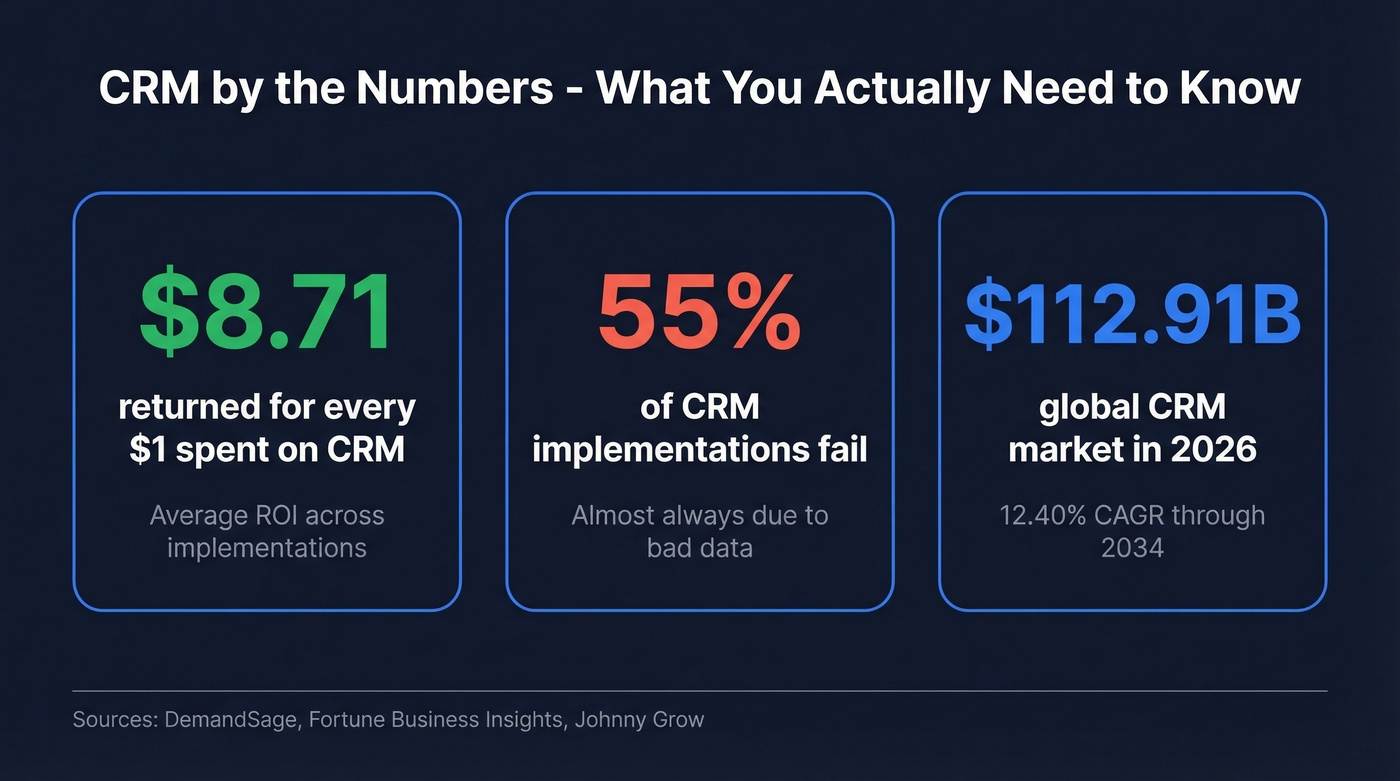
Your sales manager just said the team needs a CRM. You search the term, and every result is a vendor trying to sell you their platform. Salesforce explains CRM in a way that conveniently leads to a Salesforce demo. HubSpot does the same. Not one of those pages mentions that 55% of CRM implementations fail.
That's not an accident - vendors don't make money by telling you the hard parts.
Here's what's actually happening: CRM is a $112.91B market projected to grow at a 12.40% CAGR. The average ROI is $8.71 for every $1 spent. Those numbers are real, but so is the failure rate - and the gap between the two tells you everything about how implementation quality determines outcomes. Most teams don't fail because they picked the wrong software. They fail because they fed it bad data, skipped training, or never defined what success looked like.
CRM in 30 Seconds
CRM stands for customer relationship management - software that centralizes customer data so sales, marketing, and service teams stop losing deals in spreadsheets. Average ROI is $8.71 per $1 spent, but 55% of implementations fail, almost always because of bad data. Before choosing a platform, get your contact data clean. The rest of this guide tells you how.
What Does CRM Actually Mean?
CRM means two things, and confusing them is where most teams go wrong. First, it's a strategy - the discipline of managing every interaction a prospect or customer has with your company, from first touch to renewal. Second, it's software - the platform that makes that strategy executable at scale.
The software side is what people usually mean. A CRM is a centralized database where every email, call, meeting, deal stage, and support ticket lives in one place. Sales uses it to track pipeline. Marketing uses it to segment audiences and measure campaign performance. Service teams use it to manage tickets and track customer health. When it works, everyone sees the same customer record instead of maintaining their own private spreadsheets.
Here's the thing: CRM as strategy existed long before the software. A Rolodex was a CRM. A notebook with client notes was a CRM. The software just makes it possible to do this across a team of 5, 50, or 5,000 people without losing information in the handoffs. The best implementations treat the software as a tool that serves the strategy - not the other way around.
What a CRM Actually Does
Every platform packages features differently, but the core functions are consistent across the market.
Contact and company management is the foundation. One record per person, one per company, linked together. Every interaction logged. No more "who talked to this prospect last?" conversations in Slack. (If you're still evaluating tools, start with this list of contact management software.)
Pipeline tracking is where revenue forecasting lives. Visual deal stages - from first meeting to closed-won - with dollar values attached. Without it, your VP of Sales is guessing. With it, you can see exactly where deals stall and which reps are sandbagging their forecasts. If forecasting is a priority, compare dedicated sales forecasting solutions.
The remaining functions round out the platform:
| Function | What It Does | Why It Matters |
|---|---|---|
| Workflow automation | Auto-assigns tasks, triggers sequences, notifies team members when deals move stages | Eliminates the manual busywork that eats 20%+ of rep time |
| Reporting & analytics | Dashboards for conversion rates, deal cycle, rep performance, pipeline coverage | Turns gut feelings into data - though most teams underuse this badly |
| Integrations | Connects email, calendar, accounting, marketing automation, dialers | A CRM that doesn't talk to your stack creates more work, not less (here’s a practical guide to connect outreach tool to CRM) |
You'll see vendors categorize CRMs as operational, analytical, or collaborative. In practice, most modern platforms blend all three. Don't overthink the taxonomy.
How Much CRM Software Costs
Pricing is where vendors get creative with their packaging. Let's cut through it.
| CRM | Entry | Mid-Tier | Enterprise | Best For |
|---|---|---|---|---|
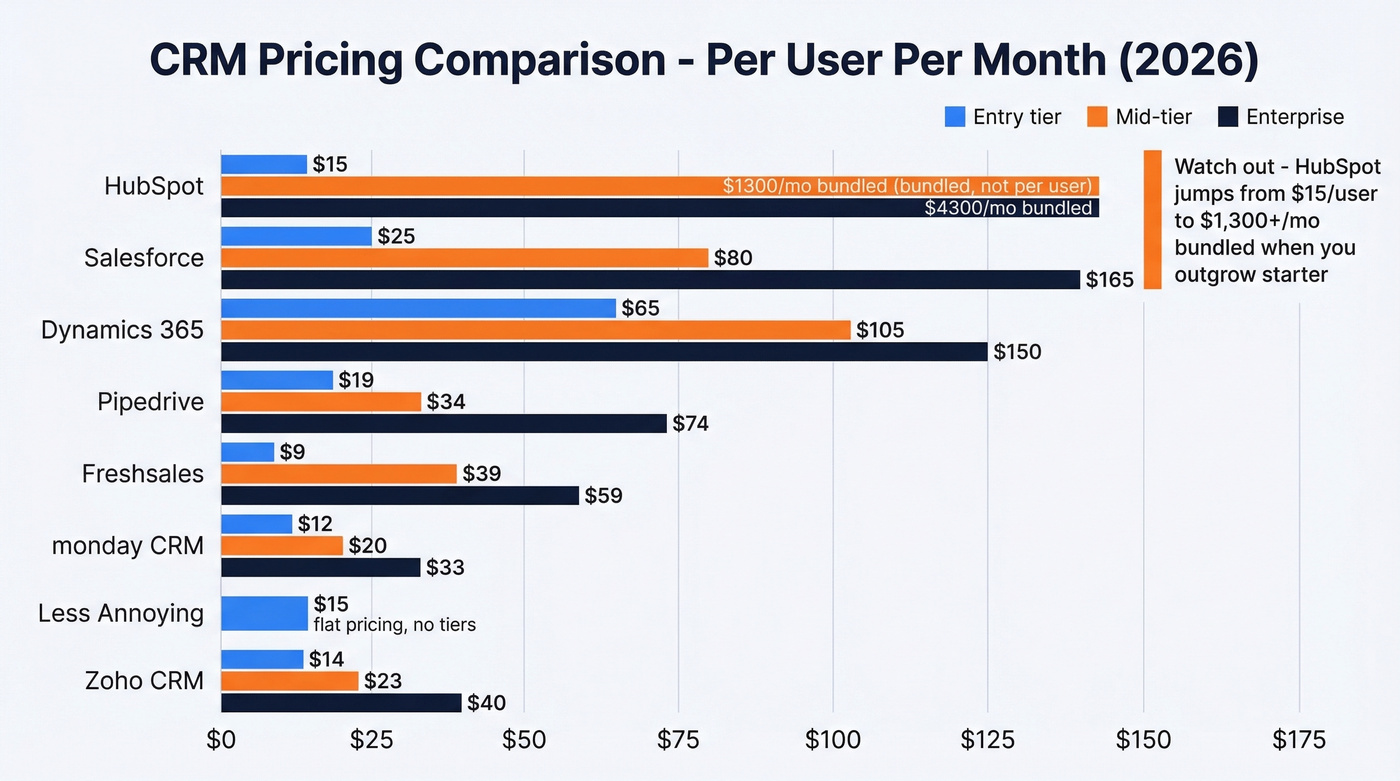
| HubSpot | Free / $15/user/mo | $1,300/mo (bundled) | $4,300/mo | Marketing-heavy teams |
| Salesforce | $25/user/mo | $80/user/mo | $165/user/mo | Enterprise standard |
| Zoho CRM | $14/user/mo | $23/user/mo | $40/user/mo | Best value for SMBs |
| Pipedrive | $19/user/mo | $34/user/mo | $74/user/mo | Sales-focused teams |
| Freshsales | $9/user/mo | $39/user/mo | $59/user/mo | Budget + AI features |
| monday CRM | $12-15/user/mo | $20/user/mo | $33/user/mo | Visual/project teams |
| Dynamics 365 | $65/user/mo | $105/user/mo | $150/user/mo | Microsoft ecosystem |
| Less Annoying | $15/user/mo flat | - | - | Simplest option |
The number that jumps off this table is HubSpot's pricing cliff. You start free or cheap, everything feels great, and then you outgrow the starter tier and suddenly you're staring at a four-figure monthly bill. We've seen this catch teams off guard more than any other pricing surprise in the CRM space. Budget for where you'll be in 12 months, not where you are today.
Do you even need a CRM? If you have fewer than 10 active customers and one person handling sales, a well-organized spreadsheet works fine. CRM software adds value when information needs to flow between people - when handoffs happen, when multiple reps touch the same account, when your boss needs a forecast that isn't a guess. Don't buy software to solve a problem you don't have yet.
One more distinction worth making: CRM isn't ERP. CRM manages customer-facing relationships. ERP manages internal operations like finance, inventory, and HR. Some enterprises run both. Most small businesses need a CRM long before they need an ERP.

55% of CRM implementations fail - and bad contact data is the #1 reason. Prospeo's 5-step verification delivers 98% email accuracy with a 7-day refresh cycle, so your CRM stays clean without manual effort.
Fix your CRM data before it kills your pipeline.
The Business Case for CRM
The headline ROI stat is $8.71 returned for every $1 spent on CRM. That's compelling - and it's also an average that hides enormous variance. The teams that get 10x returns are the ones with clean data, trained users, and clear processes. The teams that get negative returns are the ones who bought Salesforce because a board member said to. (If you want a quick shortlist, see these examples of a CRM.)
The market trajectory tells you something about adoption momentum. CRM is projected to hit $320.99B by 2034, growing at 12.40% CAGR, with North America holding 31.70% of the market. This isn't a niche category - it's foundational business infrastructure.
But pair that growth with the failure rate and you get a more nuanced picture. CRM works. CRM also fails more often than it succeeds. The difference is almost never the software.
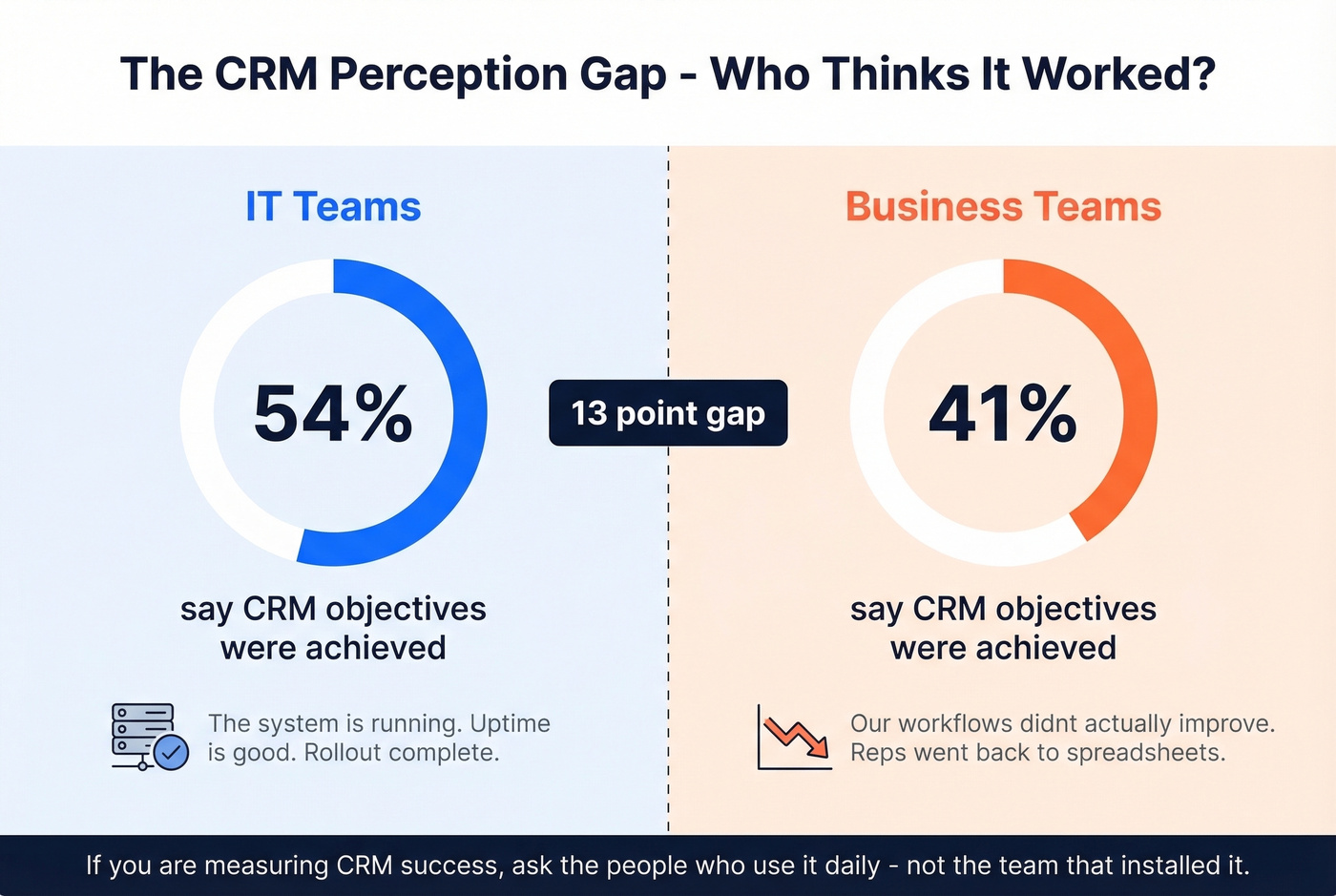
Here's an insight that rarely surfaces: 54% of IT respondents say CRM objectives were achieved, while only 41% of business respondents agree. That perception gap matters. IT thinks the rollout went fine because the system is running. Sales and marketing think it failed because their workflows didn't actually improve. If you're measuring success, ask the people who use it daily - not the team that installed it.
Why 55% of CRM Projects Fail
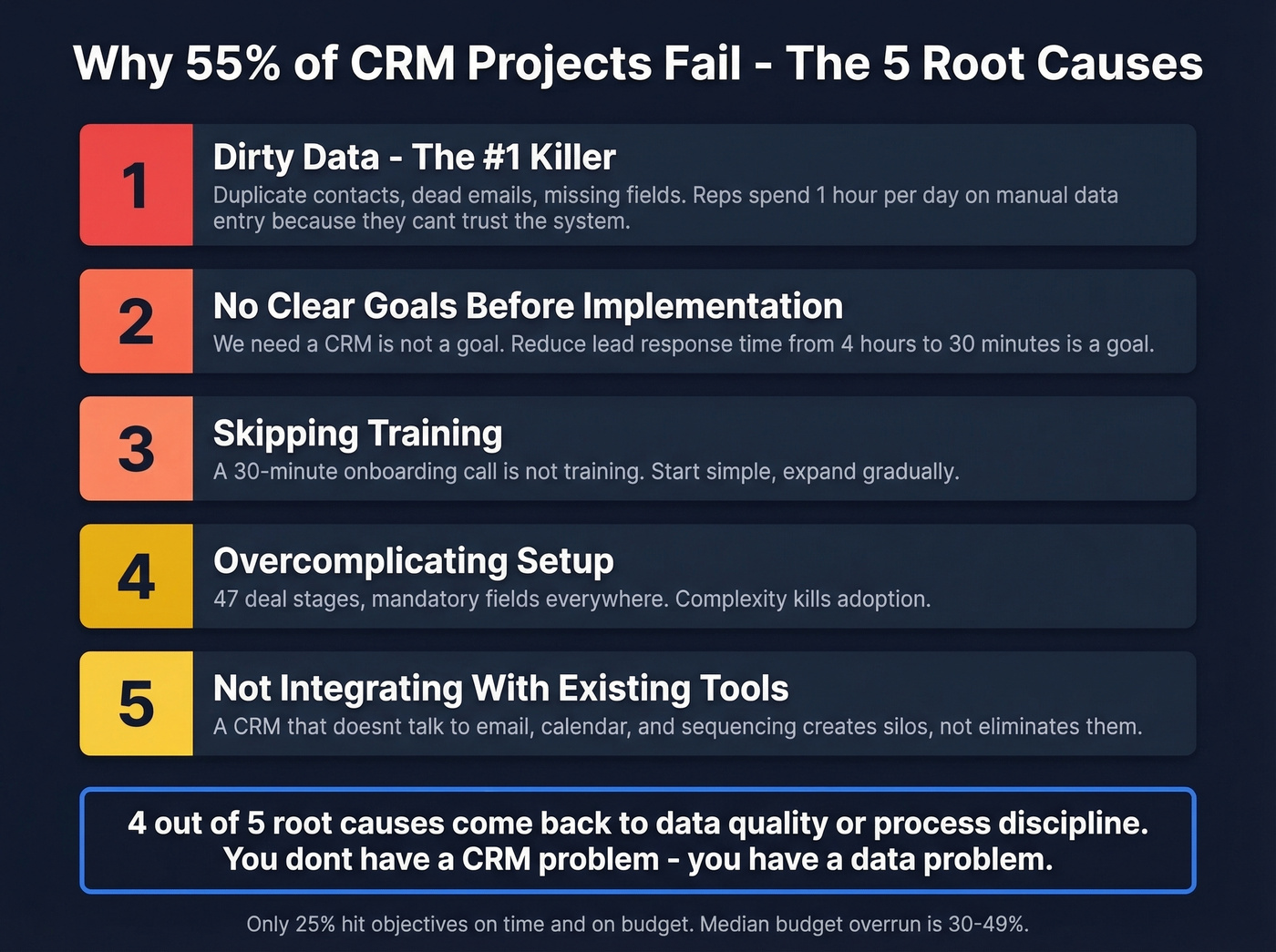
This is the section every vendor page skips. The CRM implementation failure rate is 55% - defined as not achieving planned business objectives. Only 25% of implementations hit their objectives on time and on budget. 10% get canceled before go-live. The median budget overrun is 30-49%.
Those numbers aren't a reason to avoid CRM. They're a reason to take implementation seriously. The root causes repeat themselves with depressing consistency.
1. Dirty data - the #1 killer. Duplicate contacts, dead email addresses, missing fields, outdated job titles. You import 50,000 contacts into your shiny new CRM and half of them are garbage. Automation breaks. Reporting is unreliable. Reps stop trusting the system and go back to their own spreadsheets. The damage is measurable: reps spend roughly an hour a day on manual data entry because they can't trust what's already in the system. (If you need options, compare data enrichment services.)
2. No clear goals before implementation. "We need a CRM" isn't a goal. "We need to reduce lead response time from 4 hours to 30 minutes" is a goal. Without specific objectives, you can't measure success - and you definitely can't close a 51% average objective variance.
3. Skipping training. Teams buy a CRM, do a 30-minute onboarding call, and expect adoption. It doesn't work that way. Start simple, train on the basics, and expand features gradually. A structured 30-60-90 day plan for sales reps helps make adoption measurable.
4. Overcomplicating setup. Custom fields, custom objects, 47 deal stages, mandatory fields on every form. Complexity kills adoption. The best implementations start lean and add complexity only when there's a clear reason.
5. Not integrating with existing tools. A CRM that doesn't talk to your email, calendar, and sequencing tool creates data silos instead of eliminating them.
Notice a pattern? Four of these five root causes come back to data quality or process discipline. You don't have a CRM problem. You have a data problem.

This is exactly why data enrichment matters before and during implementation. Prospeo verifies emails at 98% accuracy before they ever hit your CRM and enriches records with 50+ data points on a 7-day refresh cycle. That means your automation actually works, your reporting is trustworthy, and reps don't waste an hour a day cleaning up records.
What Real Users Complain About
Vendor pages show you the dashboard screenshots. Reddit shows you what happens after month three.
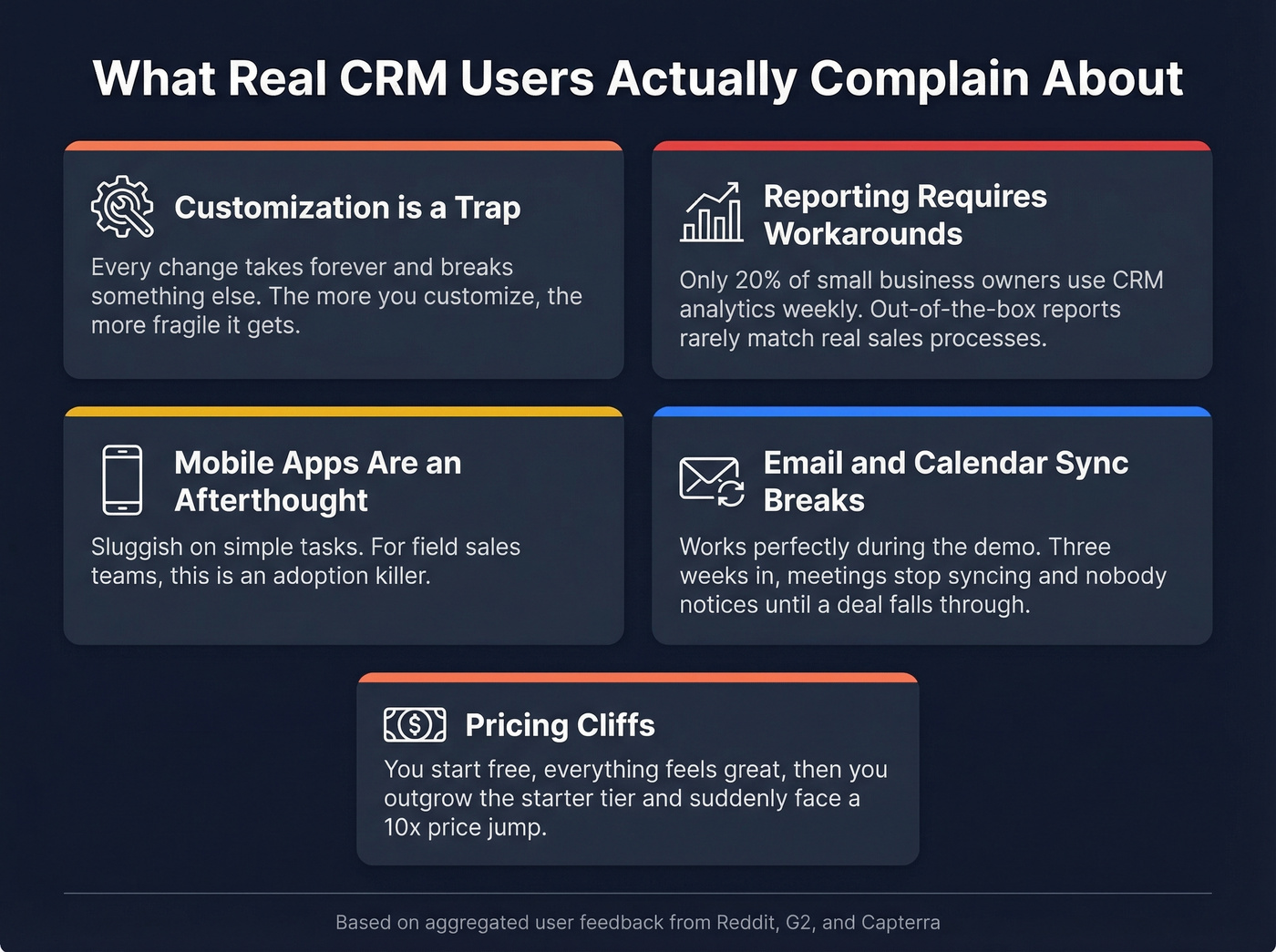
Customization is a trap. Small business users complain that every little change takes forever and half the time it breaks something else. Custom fields slow down dashboards. Custom workflows need constant maintenance. The more you customize, the more fragile the system becomes.
Reporting requires workarounds. Even for basic pipeline data, users describe jumping through hoops to pull the numbers their VP actually wants. Out-of-the-box reports rarely match real-world sales processes, and building custom reports often requires admin-level skills or a consultant. Only 20% of small business owners actually use CRM analytics weekly - which tells you how badly most teams underuse what they've already bought.
Mobile apps are an afterthought. Reps in the field need to update deal stages, log calls, and check contact history on their phones. The consistent complaint across platforms is that mobile apps are sluggish on simple tasks. For field sales teams, this is an adoption killer.
Email and calendar sync breaks. It works perfectly during the demo. Then three weeks in, meetings stop syncing, email tracking drops out, and nobody notices until a deal falls through the cracks.
HubSpot's pricing shock. This deserves its own callout. On r/CRM, a clear theme is price shock after outgrowing HubSpot's free tier. Teams love the marketing features, email tracking, and dashboard reporting. Then they discover that mid-tier pricing is around $1,300/month - not per user, but as a bundled package. The product fit is strong; the price jump is brutal.
Look, none of these problems mean CRM is bad. They mean it's hard to implement well. The teams that succeed start simple, invest in data quality upfront, and resist the urge to customize everything in month one.
AI in CRM - What Works in 2026
The industry is shifting from AI-assisted to AI-operated software. Instead of AI suggesting a next step, the new wave of tools automatically detect, extract, and update CRM data - then ask for approval. "I found this opportunity. Approve?" That's the model gaining traction.
The smart implementations use approval-based AI. The system does the work, but a human confirms before anything changes. Trust and traceability are the real differentiators - users need to see what AI did, why it did it, and what data it used. When that trust breaks down, people revert to shadow spreadsheets, and you're back to square one.
Here's the opinion nobody in the industry wants to hear: AI in CRM is only as smart as your data. If your contact records are full of duplicates and dead emails, AI will confidently make bad decisions. It'll score leads based on garbage inputs. It'll auto-assign follow-ups to contacts who left the company two years ago. Generative AI makes the data quality problem worse, not better, because it amplifies whatever's already in the system. (Related: lead scoring only works when inputs are clean.)
How to Pick the Right CRM
Skip the feature comparison matrices. Start with your team size and primary use case. Understanding what CRM means for your specific business context matters more than chasing feature lists. If you're building pipeline from scratch, these sales prospecting techniques pair well with a simple CRM setup.
If your average deal closes under five figures, you probably don't need anything beyond a $25/user/month CRM. We've seen teams overspend on Salesforce or HubSpot Enterprise with the same profile every time - small deals, short cycles, and a VP who wanted better dashboards. A $14/month Zoho seat would've given them 90% of what they needed.
For solo operators and micro-teams of 1-3 people, Less Annoying CRM at $15/user/month is the right call. Flat pricing, no tiers, no upsells. Or honestly, a well-structured spreadsheet. Don't overcomplicate this stage.
Small teams of 4-15 people wanting value should look at Zoho CRM or Freshsales. Both offer solid functionality under $25/user/month. Zoho's the better all-rounder; Freshsales has surprisingly good AI features for the price.
| If your team is... | Go with | Starting at | Why |
|---|---|---|---|
| Sales-focused | Pipedrive | $19/user/mo | Built around the pipeline view, intuitive for reps, doesn't try to be a marketing platform |
| Marketing-heavy | HubSpot | Free | Genuinely excellent free tier - but budget for $1,300+/month when you outgrow it |
| Living in Microsoft | Dynamics 365 | $65/user/mo | Outlook, Teams, and SharePoint integration advantage is real |
For enterprise teams with 50+ users and complex processes, Salesforce is the default for a reason. It's expensive, it's complex, and it requires dedicated admin resources. But the ecosystem, integrations, and customization depth are unmatched. Skip it if you have fewer than 20 users - it's overkill.
Whichever CRM you choose, pair it with a data enrichment layer. Your CRM is only as good as the data inside it, and that's true whether you're on a $15/month flat-rate tool or a six-figure Salesforce contract. Prospeo integrates natively with both Salesforce and HubSpot, so verified data flows in automatically rather than requiring manual cleanup after the fact.
That $8.71 ROI per $1 spent on CRM? It only happens when reps reach real buyers. Prospeo enriches your CRM with 50+ data points per contact at 92% match rate - for roughly $0.01 per email.
Stop feeding your CRM garbage and expecting gold.
FAQ
Is CRM worth it for a small business?
Yes - if you have more than roughly 10 active customers and your team loses track of follow-ups. The average ROI is $8.71 per $1 spent. Start with a free tier like HubSpot or a flat-rate option like Less Annoying CRM at $15/user/month.
What's the cheapest CRM software?
HubSpot offers a genuinely useful free plan. Freshsales starts at $9/user/month. Less Annoying CRM is $15/user/month with no tiers or upsells. For most small teams, $9-20/user/month covers everything you need.
What's the difference between CRM and ERP?
CRM manages customer-facing relationships - sales, marketing, support. ERP manages internal operations - finance, inventory, HR. Some enterprises use both. Most small businesses need a CRM long before they need an ERP.
How do I keep CRM data clean?
Use a verification tool to check emails before import and auto-refresh records regularly. Schedule manual audits twice a year and enforce required fields at entry. Dirty data is the #1 reason CRM projects fail - prevention is far cheaper than cleanup.
Can I use a CRM without a sales team?
Absolutely. Service teams use CRM for support tickets and customer health tracking. Marketing teams use it for campaign management and audience segmentation. Solopreneurs use it to manage client relationships and follow-up cadences.