

Zoom Meeting Request Email: Templates, Subject Lines, and Follow-Ups
83% of meeting request emails never get a response. The reason isn't that people are too busy - it's that most emails ask for time without offering a reason worth showing up for.
Whether you're sending a Zoom meeting request email to a prospect, a client, or your own team, these templates fix that.
What Every Request Email Needs
Think of this as your pre-send checklist. Miss any of these and you're giving people a reason to skip your email.
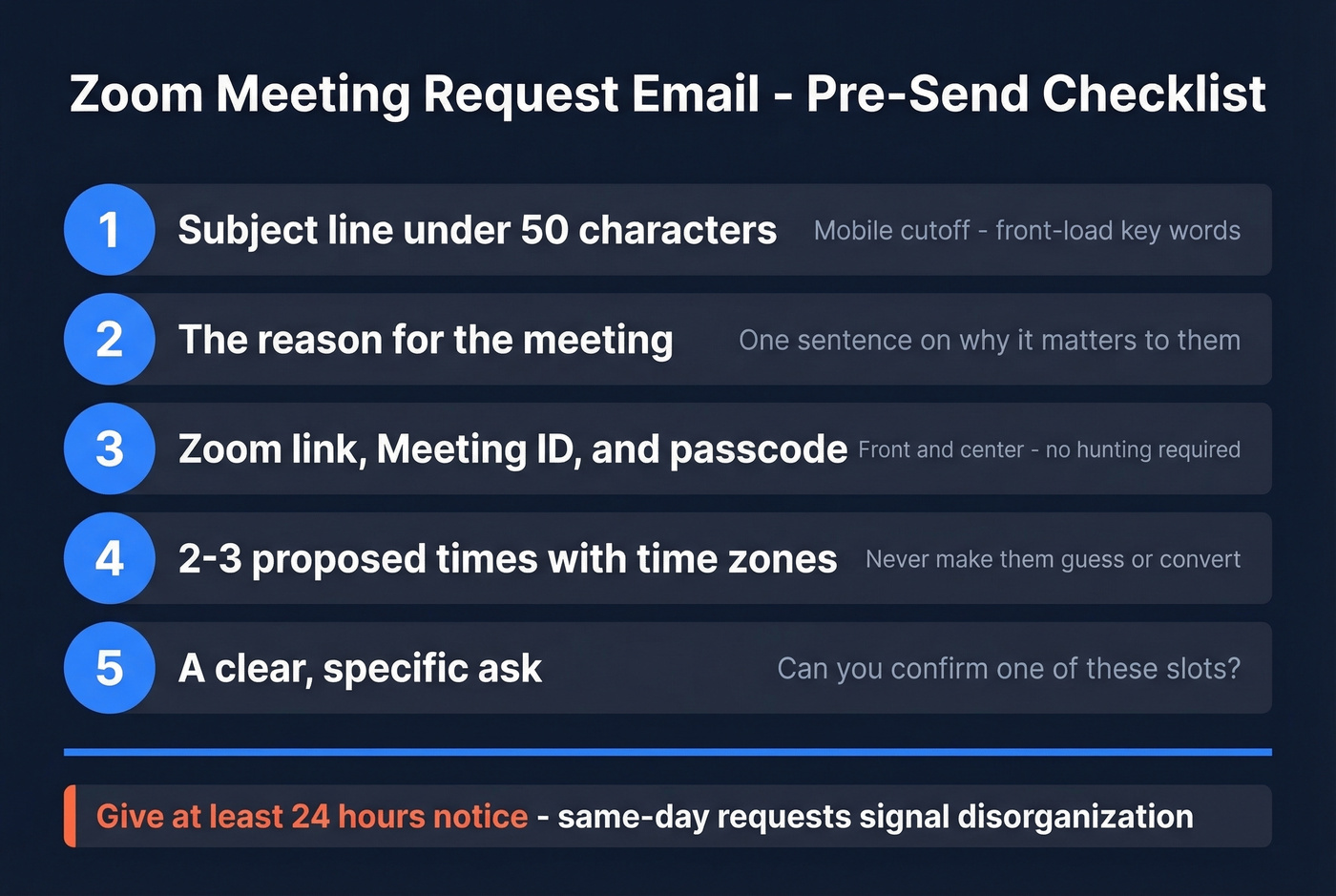
- Subject line under 50 characters - the mobile visibility cutoff
- The reason for the meeting - one sentence on why this matters to them
- A Zoom link with Meeting ID and passcode - front and center
- 2-3 proposed times with time zones - don't make them guess
- A clear ask - "Can you confirm one of these slots?" beats "Let me know"
One timing rule that matters more than people think: give at least 24 hours' notice. Same-day requests signal disorganization and get ignored at much higher rates.
Subject Lines That Get Opened
47% of recipients decide whether to open based on the subject line alone, and 69% will report an email as spam based on nothing more than what they see there. Personalized subject lines pull 26% higher open rates - use their name or a specific detail like their company.
If you want more options, keep a swipe file of subject lines you can adapt fast.
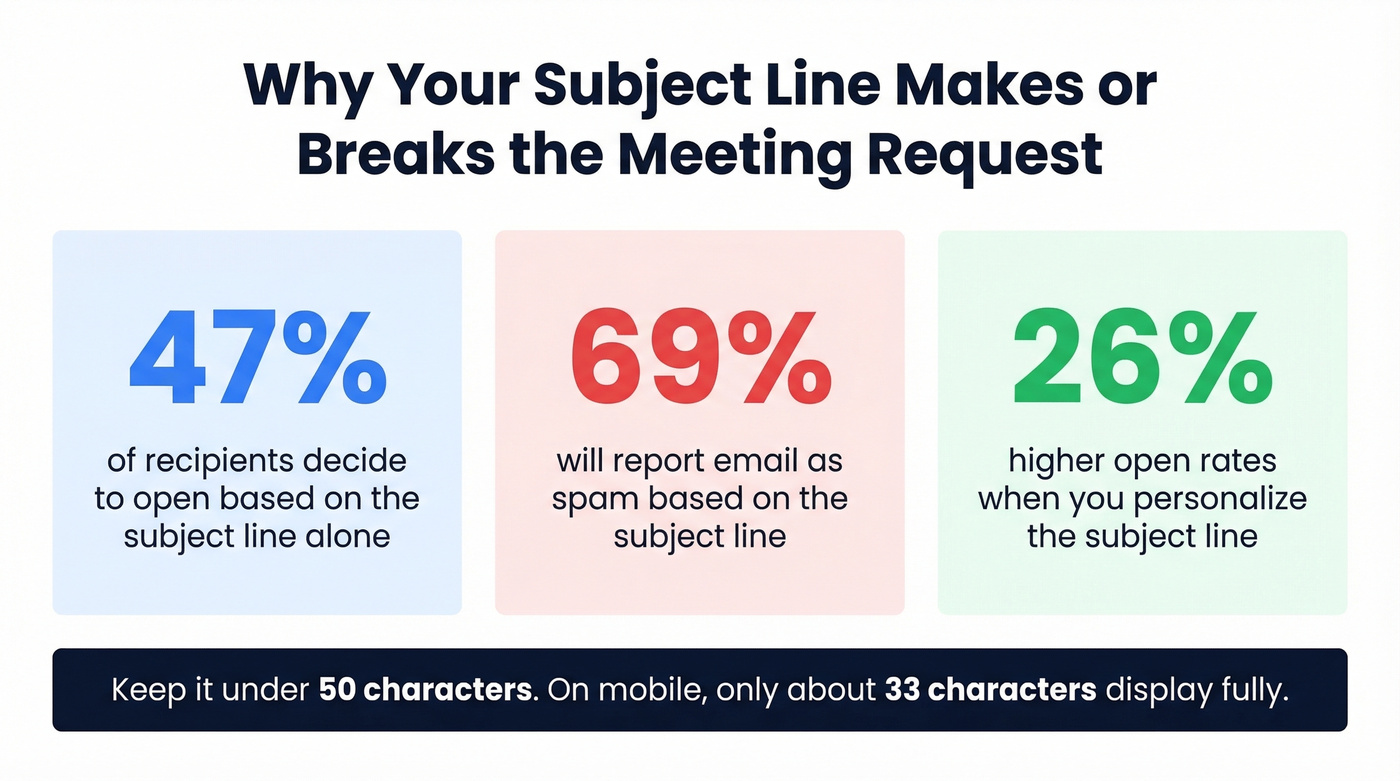
Keep it under 50 characters. On mobile, around 33 characters display fully, so front-load the important words.
Lines that work:
- "Quick sync: Q3 pipeline review"
- "[Name], 15 min on [topic]?"
- "Zoom: onboarding kickoff - Thursday"
- "Follow-up: your demo request"
- "[Company] + [Your Company] intro"
Avoid ALL CAPS, exclamation marks, and words like "Urgent." They trigger spam filters and annoy people equally.
Ready-to-Send Templates
Internal Team Meeting
Subject: Sprint review - Friday 2pm ET
Hi team,
Let's review sprint progress and blockers before the weekend:
- Feature launch status (Sarah)
- QA backlog update (Mike)
- Next sprint priorities (all)
Zoom link: [link] Meeting ID: [ID] | Passcode: [code] When: Friday, [date], 2:00-2:30 PM ET
Please confirm by Thursday EOD.
Pro tip: One senior EA on Reddit solved meeting-request chaos by creating a dedicated Slack channel with a workflow that collects required fields into a Google Sheet. Threaded replies become the follow-up trail - simple, and it eliminates requests arriving via email, DM, and hallway ambush.
Client or Vendor Meeting
Subject: [Your Company] + [Their Company] - intro call
Hi [Name],
I'd love to connect on [specific topic]. I've blocked 30 minutes:
- Tuesday, March 18 at 10:00 AM PT / 1:00 PM ET
- Wednesday, March 19 at 2:00 PM PT / 5:00 PM ET
- Thursday, March 20 at 11:00 AM PT / 2:00 PM ET
Zoom link: [link] Meeting ID: [ID] | Passcode: [code]
Let me know which works, or suggest a better time.
Always include time zones when working with clients. This applies to any virtual meeting request email - ambiguity around scheduling across regions is one of the top reasons people don't respond.
Sales Prospecting (Cold Outreach)
The average cold email reply rate is 3.43%, and it takes an average of 5 touches to engage a prospect - 9 for executives. Your first email isn't about closing a meeting. It's about earning a reply.
Subject: [Name], quick question on [their pain point]
Hi [Name],
I noticed [specific observation - e.g., "your team just expanded the SDR org by 4 reps"]. We help companies like [similar company] [specific outcome - e.g., "cut ramp time by 40%"].
Worth a quick chat? I can share what's worked and you can decide if it's relevant.
Happy to jump on a 15-minute Zoom anytime this week.
No Zoom link in the first email. For cold outreach, a premature calendar link feels presumptuous. Save it for the reply.
Here's the thing most teams get wrong: they'll rewrite subject lines five times when the real problem is a high bounce rate torching their domain reputation. We've seen it happen over and over - the copy is fine, but the email never reaches anyone because the address was bad. Verify the address first, then worry about the words.

Reschedule Request
Subject: Reschedule: our Thursday Zoom
Hi [Name],
I need to move our Thursday call - apologies for the shift. A few alternatives:
- Monday, March 24 at 9:00 AM ET
- Tuesday, March 25 at 3:00 PM ET
- Wednesday, March 26 at 11:00 AM ET
Same Zoom link will work: [link]
Let me know what fits. Thanks for your flexibility.
No blame, no over-explaining. Just new options and a quick apology.
Reminder Email
24 hours before:
Subject: Reminder: Zoom tomorrow at 2pm ET
Hi [Name], quick reminder about our Zoom call tomorrow at 2:00 PM ET. Here's the link: [link]. Looking forward to it.
15 minutes before:
Subject: Starting in 15 min - Zoom link inside
Hi [Name], we're on in 15 minutes. Zoom link: [link]. See you there.
Keep reminders short. They're a nudge, not a new email.

A perfect Zoom meeting request email is worthless if it bounces. Bad addresses destroy your domain reputation and tank future deliverability. Prospeo verifies emails at 98% accuracy - so every meeting request actually lands in the inbox.
Stop rewriting subject lines. Start verifying the address first.
Handling No-Shows
Wait 10 minutes past the scheduled start. If they haven't joined or messaged, send a follow-up before the original meeting end time - not the next day.
Subject: Missed our Zoom - let's reschedule
Hi [Name],
I was on our Zoom at [time] but it looks like we missed each other - no worries at all. Here are a few times that work:
- [Option 1]
- [Option 2]
- [Option 3]
Or grab a slot here: [calendar link]
In our experience, the blame-free approach reschedules 3x more often than anything that sounds even slightly passive-aggressive. People no-show for a hundred reasons. Guilt-tripping guarantees they won't reschedule.
Follow-Up Sequence That Works
Use the 3-5-7 rule: follow up 3 business days after your initial email, then 5 days later, then 7 days after that as a final check-in.
If you need copy, pull from these follow-up templates and adapt them to your meeting context.
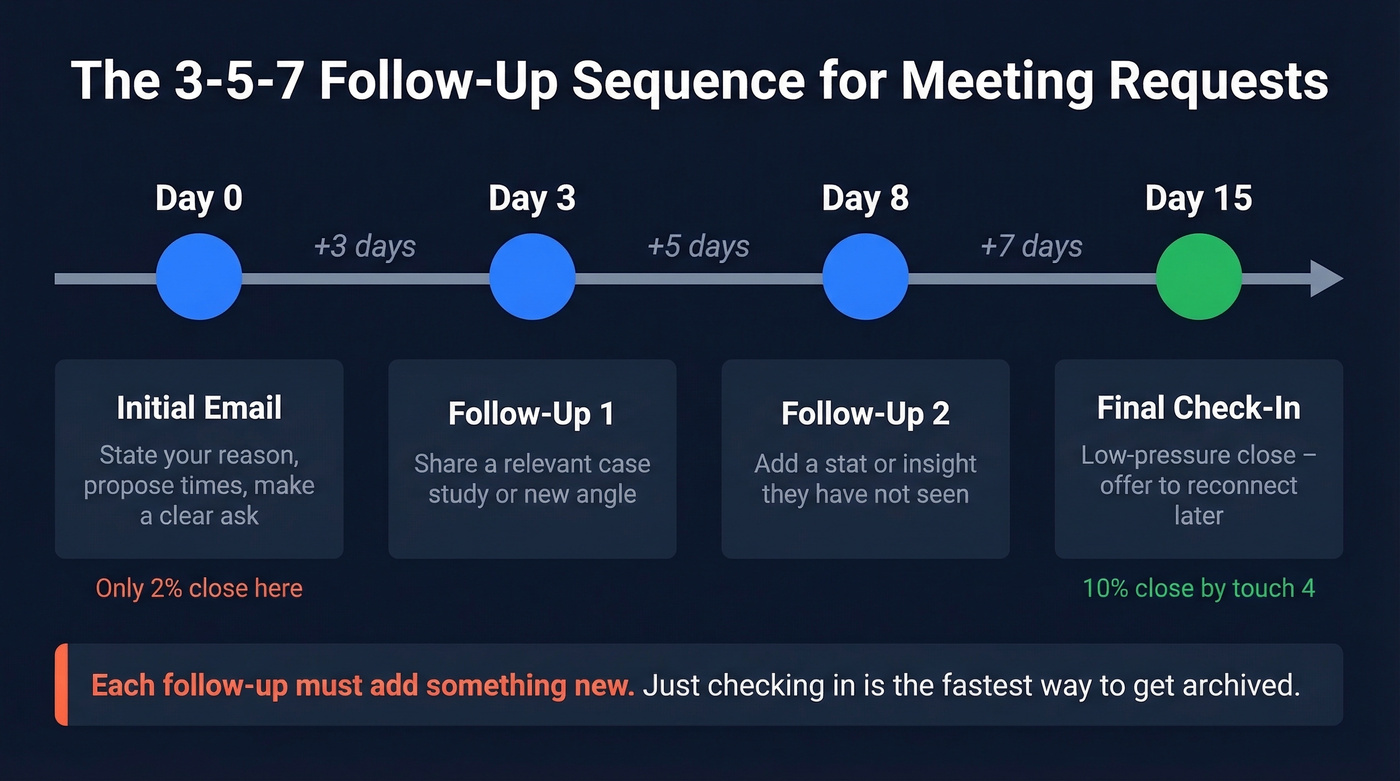
Only 2% of deals close on the first try - that jumps to 10% with four follow-ups. But each follow-up needs to add something new. "Just checking in" is the fastest way to get archived. Share a relevant case study, a stat, or a new angle on why the meeting matters.
If you're stuck on wording, use a more specific call to action than "just checking in."
Mistakes That Kill Your Request
Dropping an invite without context. This is a pet peeve across r/remotework - people receive a calendar invite with zero explanation and immediately distrust it. Always send an email with context first.
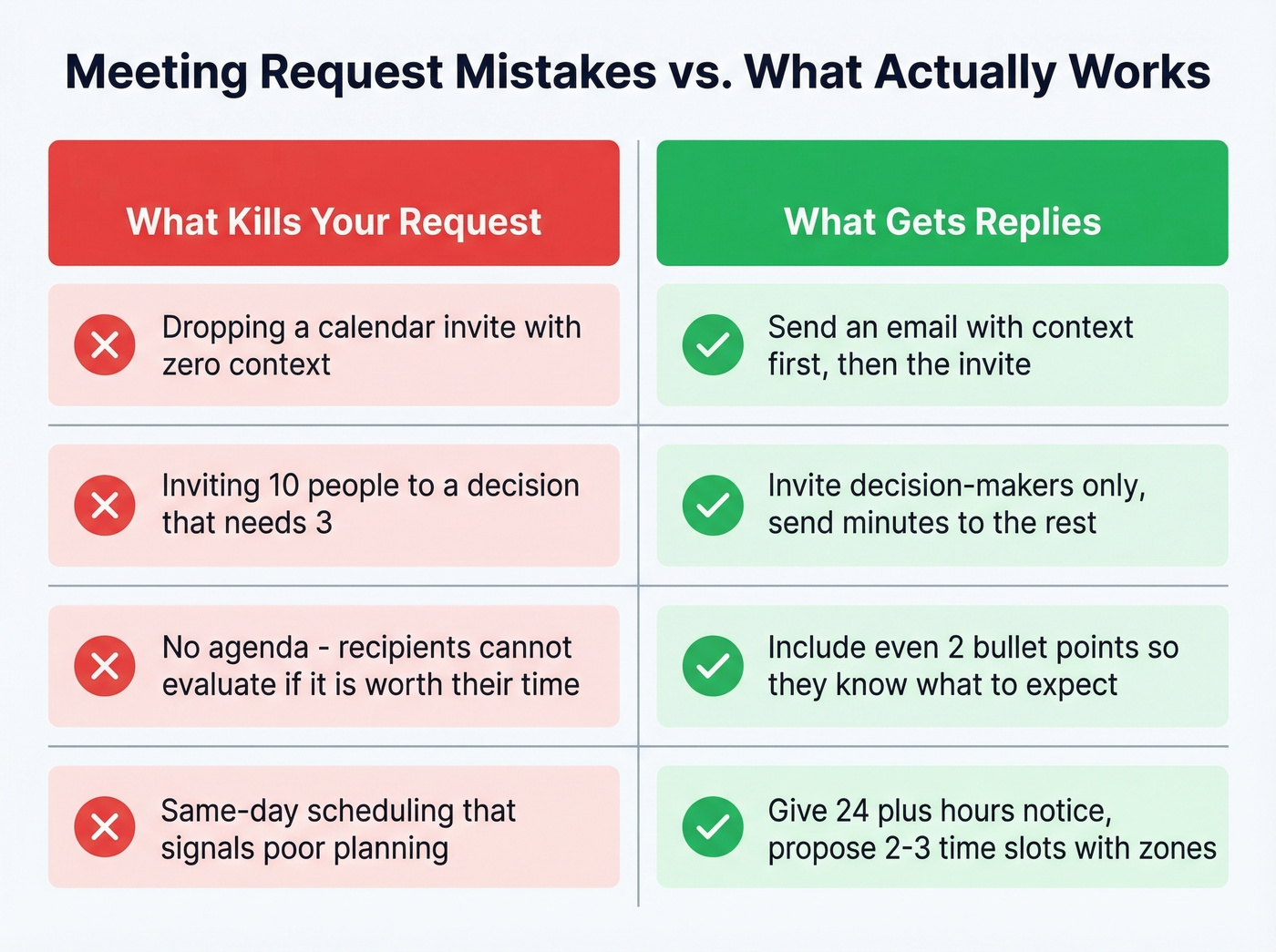
Inviting too many people. Every unnecessary attendee increases the odds someone decides "this doesn't need me." Invite decision-makers. Send minutes to everyone else.
No agenda. Even two bullet points are better than nothing. Without them, recipients can't evaluate whether the meeting is worth their time, and the default answer to that question is always "no."
Same-day scheduling. Unless it's genuinely urgent, last-minute requests signal poor planning. Give 24+ hours' notice. Skip this rule only for genuine emergencies - and if everything feels like an emergency, that's a different problem.
If your outreach is still getting ignored, the issue may be deliverability (not copy) - start with an email deliverability guide and then check your email bounce rate.
Cold outreach takes 5-9 touches to book a meeting. You can't afford a single bounce killing your sender reputation along the way. Prospeo's 5-step verification catches bad addresses, spam traps, and catch-all domains before you hit send - at $0.01 per email.
Protect your domain. Verify every prospect before your first Zoom request.
FAQ
Should I include a Zoom link in the first cold email?
No. For cold outreach, wait until the prospect replies with interest. Including a calendar link in an unsolicited email feels presumptuous and lowers reply rates. For warm contacts and internal meetings, include the link right away.
How do I track RSVPs for a Zoom meeting?
Zoom's native invitation text doesn't include accept/decline RSVP buttons. Use Google Calendar or Outlook invites instead - they automatically track accepts, declines, and tentative responses, giving you a clear headcount before the call.
How do I make sure my cold Zoom request reaches the right inbox?
Verify the email address before sending. Bounces damage your sender reputation, which means future emails land in spam even when the address is correct. Tools like Prospeo let you verify addresses before any outreach campaign goes out, so you're not burning your domain on bad data.
Is a virtual meeting request email different from an in-person one?
The structure is identical - subject line, reason, proposed times, clear ask. The difference is that virtual requests must include the platform link, meeting ID, and passcode. In-person requests swap those for a location and parking or access instructions.